One Earbud Quieter Than the Other? Check the Slider
Before cleaning anything or claiming a warranty, check one accessibility setting. Five seconds, and it beats hardware as the cause.

If you buy through our links, we may earn a commission. It never affects our verdicts or scores — how that works. As an Amazon Associate I earn from qualifying purchases.
Check the balance slider before you touch the hardware. A stereo balance setting nudged off-centre produces exactly this symptom, it is trivial to do by accident, and it survives resets, re-pairing and replacement earbuds — which is why people replace earbuds and find the problem followed them.
On iPhone: Settings → Accessibility → Audio/Visual → Balance. Apple’s own instruction is to “make sure that the balance is set in the middle.”
Five seconds. Do that first.
Why it is first here and last on Apple’s page
Apple’s troubleshooting for one AirPod being louder or quieter lists the physical checks first and the balance slider last. That order makes sense for a support script and not for a person.
The slider is free, instant and reversible. Pulling ear tips off to inspect a mesh is none of those. Rule out the cheap cause before the expensive one — that is the whole of diagnosis, and it is our reordering rather than Apple’s.
Then the mesh, which is the usual hardware cause
If the slider was centred, the next step is the one Apple gives: “Remove your AirPods ear tips to check the microphone and speaker mesh on each AirPod. If there’s any debris, clean your AirPods.”
This is not an unusual failure. It is the expected one. Earwax migrates into the mesh, the mesh is fine and closely woven, and it clogs asymmetrically because ears are not symmetrical. The side that clogs first is usually the same side every time for a given person.
Two things worth knowing before you start:
- The blockage is often invisible. A mesh can be substantially occluded and still look grey rather than dirty.
- Do not push anything through it. Whatever you push in is now further in, and the mesh is the part you are trying not to damage.
If it is silence rather than quietness
Different symptom, different cause, and Apple separates them. For no sound at all on one side, it directs you to check the case is charged, put both buds in for 30 seconds, open the case near the phone and confirm each bud is actually charging.
A bud that never charged is a bud that never connected. That is a charging-contact problem, not an audio one, and cleaning the contacts in the case is a different job from cleaning the mesh.
The other slider people find later
While you are in that menu there is a second control worth knowing about, because it is easy to enable and then forget.
Headphone Accommodations — Settings → Accessibility → Audio & Visual → Headphone Accommodations — exists to “amplify soft sounds and adjust certain frequencies for your hearing needs”. It is a genuinely useful feature, and it changes how your headphones sound. If your audio changed character rather than just level, look here before concluding the hardware aged.
What to actually do, in order
- Balance slider to centre. Settings → Accessibility → Audio/Visual → Balance.
- Play something you know well in mono if your platform offers it, which removes the stereo mix as a variable. A track genuinely mixed with more content on one side is a real and frequent false alarm.
- Look at the mesh on both sides, in good light, tips removed. Compare them to each other rather than to an idea of clean.
- Clean per the manufacturer’s instructions, not with a pin.
- Swap the tips if the seal looks tired. A collapsed tip leaks on one side and reads as imbalance.
- Only then treat it as a fault. If a centred slider, a clean mesh and fresh tips have not fixed it, you have evidence rather than a hunch — which is also what makes a warranty conversation short.
How we researched this
No one at bitcritiq has handled this product. Everything here comes from published sources, listed below.
- What this cannot tell you
- Paths given are for iPhone and AirPods, because those are documented precisely. Every platform has a stereo balance control and most earbuds have a mesh that blocks, so the shape of the diagnosis carries over — but the exact menus do not, and this does not invent them. If both cleaning and the slider are ruled out, this is a hardware fault and belongs with the manufacturer.
How we chose this, and what we did
- Why this subject
- This is among the most common complaints about wireless earbuds and it is usually diagnosed as a fault, then escalated to a warranty claim or a replacement purchase. There is a documented software cause that takes five seconds to rule out, and it sits at the bottom of the manufacturer's own list rather than the top.
- How we looked at it
- Took the causes and the settings paths from Apple's own troubleshooting and accessibility documentation. Reordered its steps deliberately and said so, because the cheapest and most reversible check belongs first regardless of where a support page puts it.
What you would need
Replacement ear tips, if cleaning does not restore the balance
Match your model's stem and buy a multi-size pack. A tip that has lost its shape leaks the seal on one side, which produces exactly the same complaint as a blocked mesh and is cheaper to rule out than a repair.
Check price on Amazon (affiliate link, opens in a new tab)
We have not tested these and are not picking one for you — each link is a search for the class of thing described above. If you buy through one we may earn a commission, which changes nothing on this page. How that works. As an Amazon Associate I earn from qualifying purchases.
What this rests on
3 claims, 2 official and 1 corroborated. Nothing here was measured by bitcritiq — see how we test for why.
A stereo balance slider set off-centre produces the symptom of one side being quieter.Official
Apple's own troubleshooting for one AirPod being louder or quieter ends with setting Accessibility balance to the middle.
Debris in the speaker mesh is the common hardware cause.Official
Apple instructs removing ear tips to check the microphone and speaker mesh, and cleaning if there is debris.
Checking the software setting first saves most people the hardware steps.Corroborated
Our ordering, not Apple's. It is reasoning from cost — the slider takes five seconds and reverses instantly — rather than a measured finding.
Sources 2
- If your left or right AirPod isn't working — Apple SupportOfficialaccessed Aug 30, 2026
- Customize headphone audio levels on your iPhone or iPad — Apple SupportOfficialaccessed Aug 30, 2026
Pass it on
Know someone weighing this up? Send them the answer.
bitcritiq.com/q9n5The link is permanent: it opens this article for good, even if the title changes.
No email, no account
Follow bitcritiq
Every new article, in whatever reader you already use.
Subscribe by RSSAll the ways to follow
Using Chrome on Android? Open the browser menu and tap Follow. New articles then turn up in the Following tab in Discover.
read next
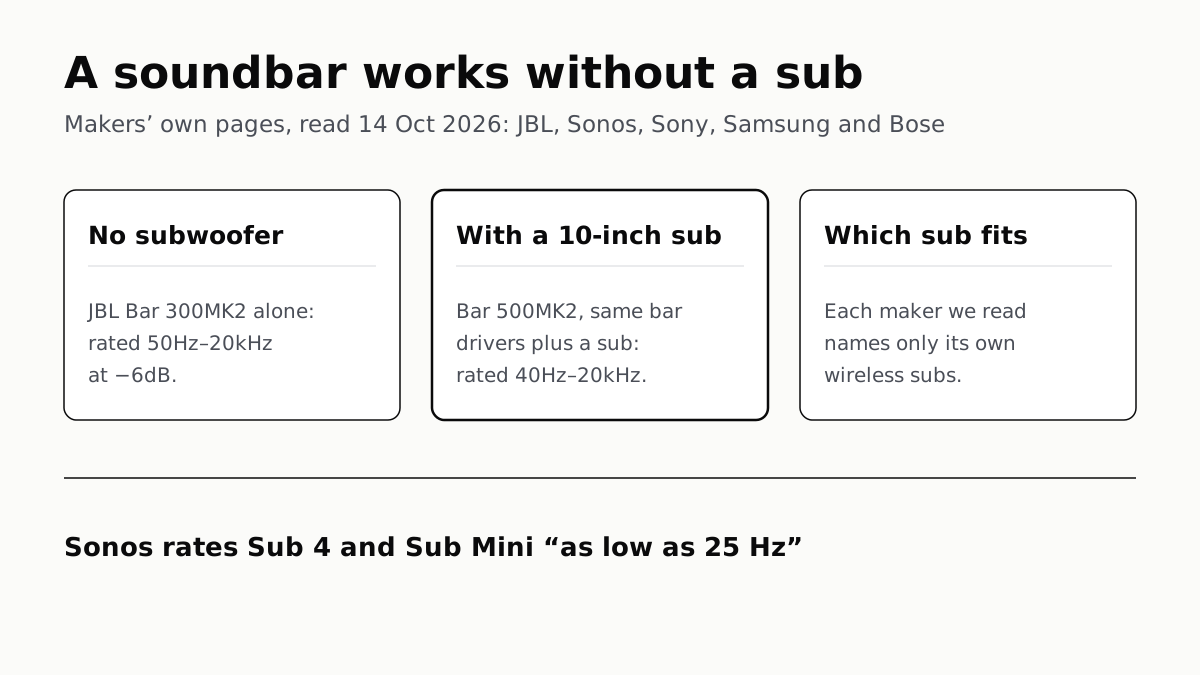
A Soundbar Works Without a Sub; Add One for the Lowest Bass
In JBL’s specs, the same bar drivers reach 50Hz alone and 40Hz with a 10-inch sub. Sony, Sonos and Samsung list only their own subs.
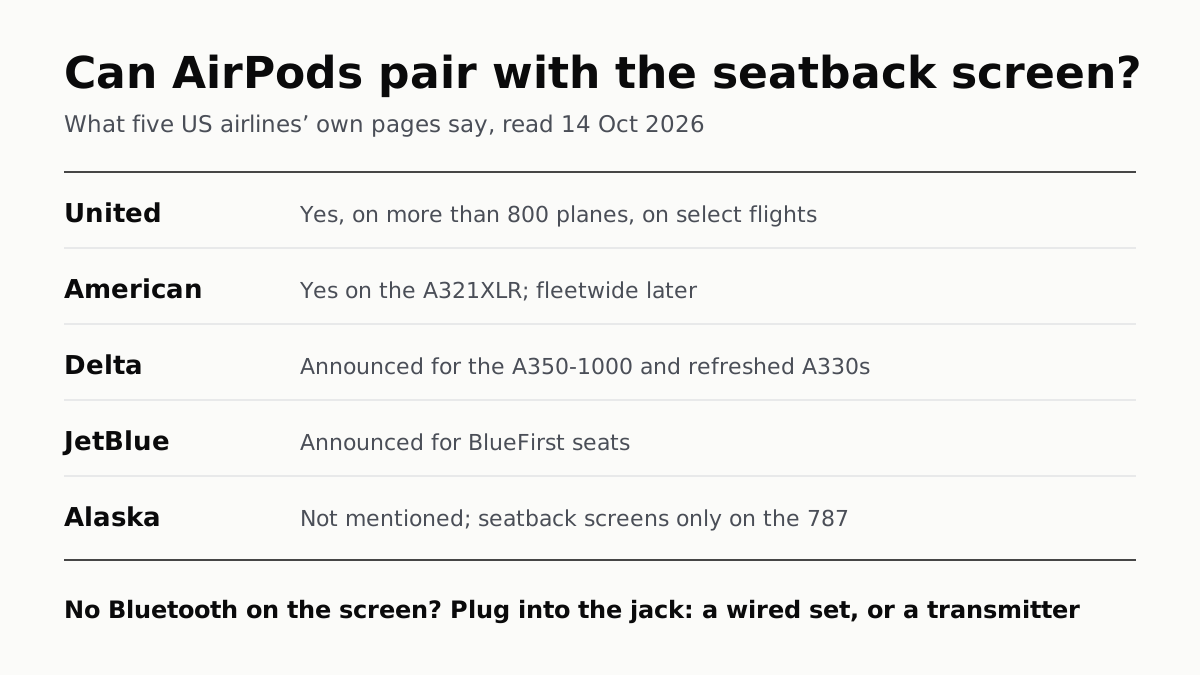
Seatback Bluetooth: United on 800+ Planes, Others Starting
American’s A321XLR has it and JetBlue and Delta have announced it. Without it, the seatback jack needs a wired plug or a transmitter.
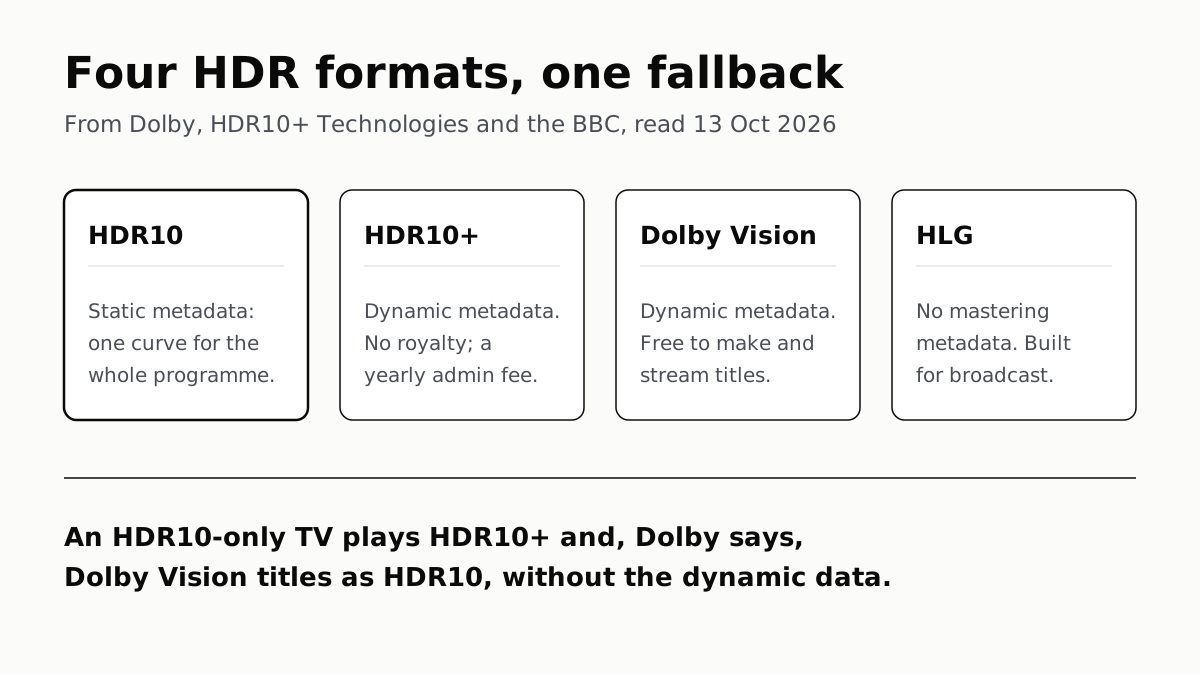
HDR10 Is the Fallback; Dolby Vision and HDR10+ Are Upgrades
Samsung’s S90F lists HDR10+, not Dolby Vision; LG’s C6 the reverse. TCL’s QM7K lists both.
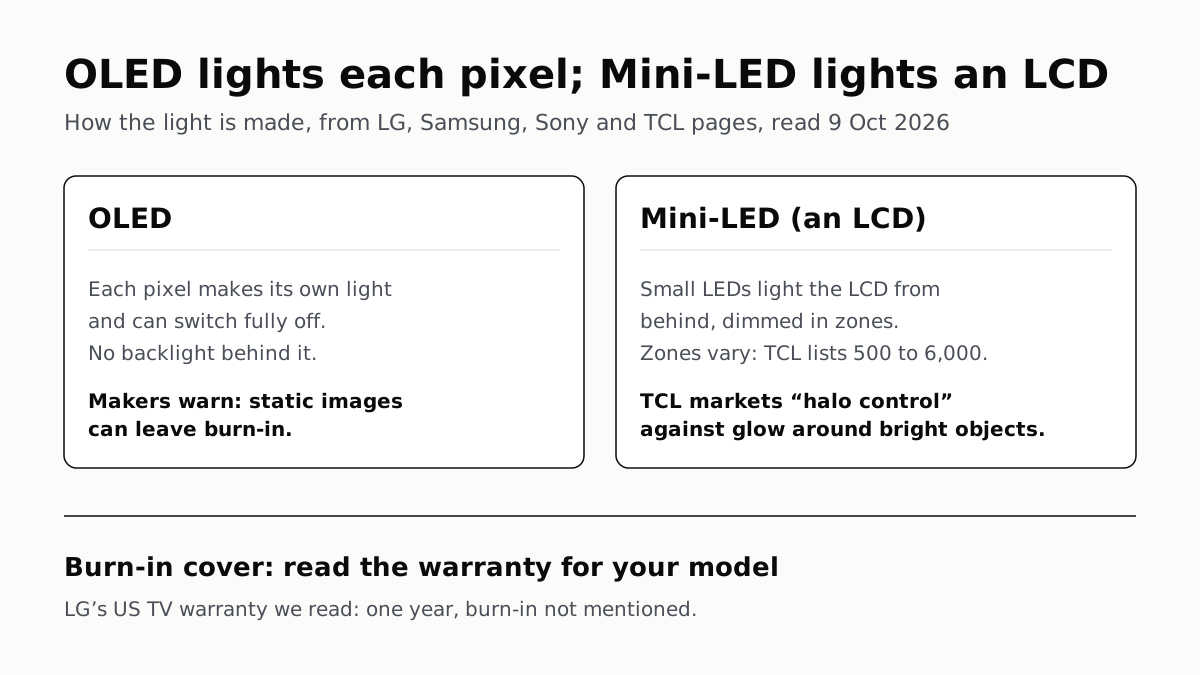
OLED Lights Each Pixel; Mini-LED Lights an LCD Behind It
Self-lit pixels give OLED its blacks and a burn-in risk; a zoned backlight gives Mini-LED brightness and a halo risk.