Computing

Laptops, desktops, chips, and the things you plug into them.

updated
3d ago

most asked

October 202617 articles

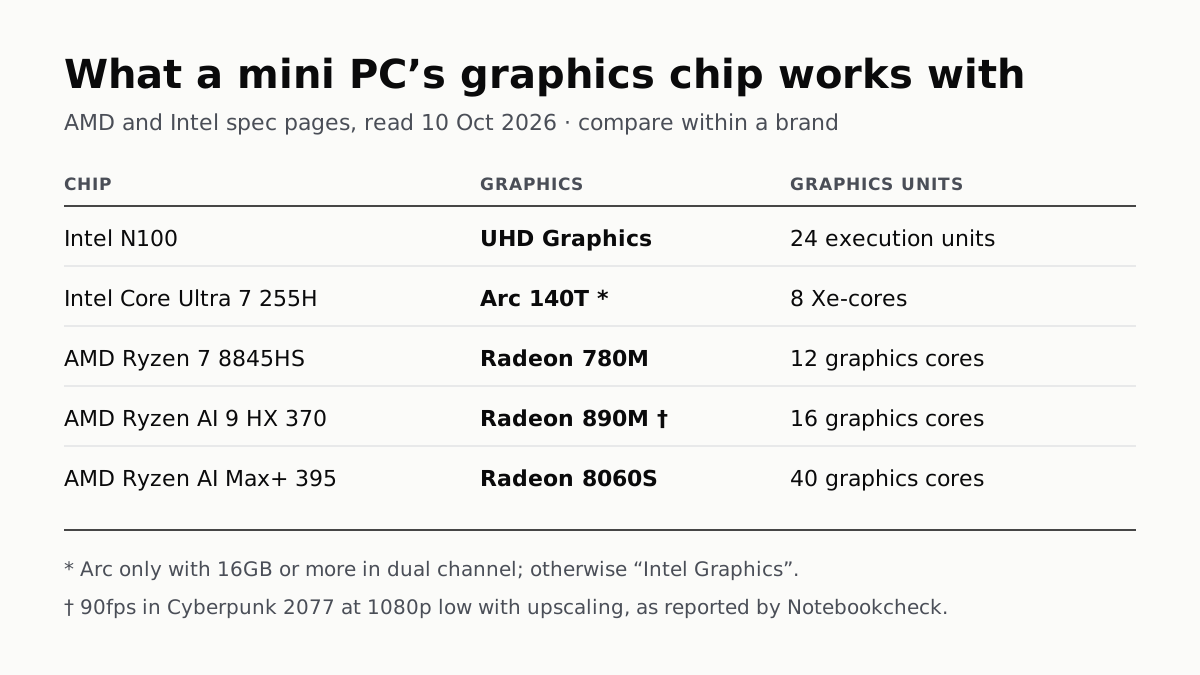
What a mini PC's graphics chip works with, from AMD and Intel spec pages read 10 October 2026; compare within a brand. Intel N100: UHD Graphics, 24 execution units. Intel Core Ultra 7 255H: Arc 140T, 8 Xe-cores; Arc only with 16GB or more in dual channel, otherwise Intel Graphics. AMD Ryzen 7 8845HS: Radeon 780M, 12 graphics cores. AMD Ryzen AI 9 HX 370: Radeon 890M, 16 graphics cores; 90fps in Cyberpunk 2077 at 1080p low with upscaling, as reported by Notebookcheck. AMD Ryzen AI Max+ 395: Radeon 8060S, 40 graphics cores.
Computing · Explainer

A Mini PC Can Game, but Its Graphics Chip Sets the Ceiling

Balatro's minimum is integrated graphics; Cyberpunk 2077's is a GTX 1060. A Radeon 890M ran Cyberpunk at 1080p low in one reported test.
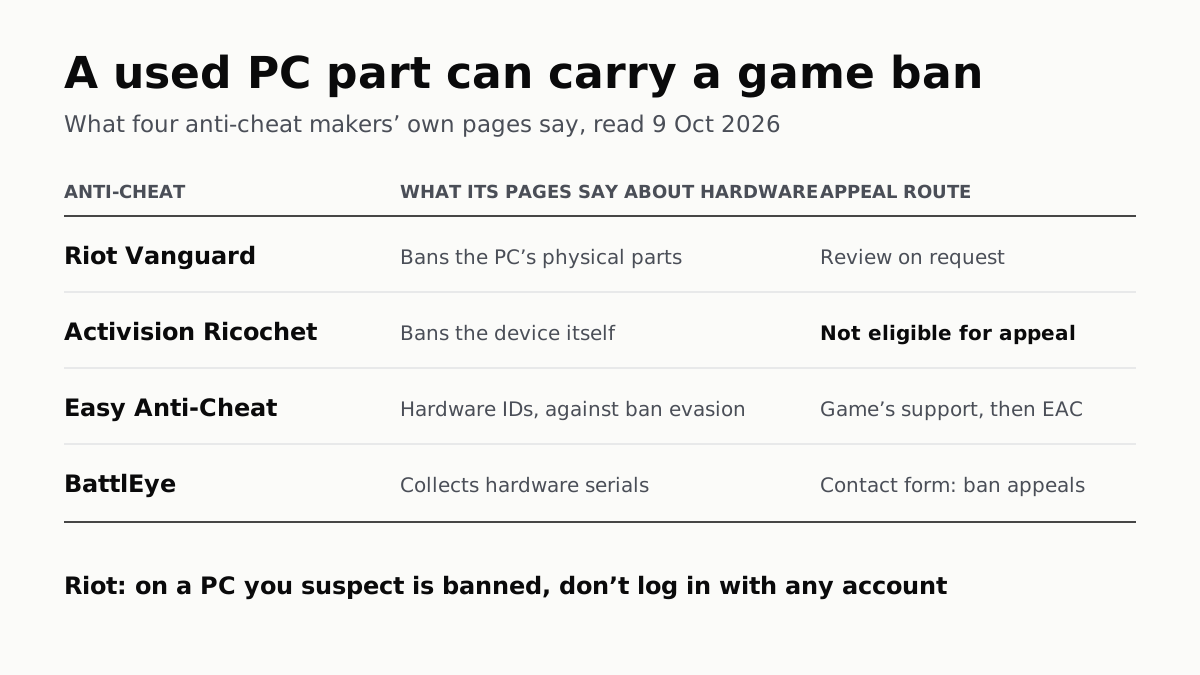
A used PC part can carry a game ban: what four anti-cheat makers' own pages say, read 9 October 2026. Riot Vanguard bans the PC's physical parts, and a ban can be reviewed on request. Activision's Ricochet bans the device itself, and hardware bans are not eligible for appeal. Easy Anti-Cheat collects hardware IDs against ban evasion; appeal through the game's support, then Easy Anti-Cheat. BattlEye collects hardware serials; appeal through its contact form. Riot: on a PC you suspect is banned, don't log in with any account.
Computing · Explainer

A Used PC or CPU Can Carry Its Last Owner’s Game Ban

Riot and Activision ban hardware, not only accounts. Riot will re-check one on request; Activision rules out an appeal.
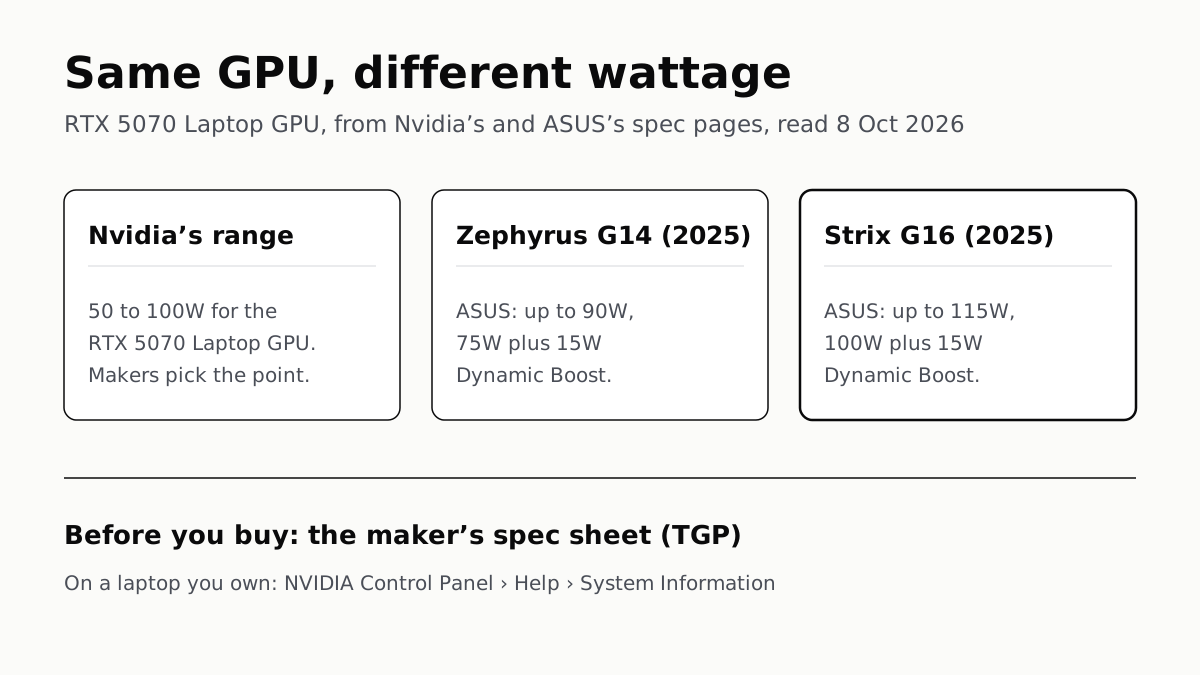
Same GPU, different wattage: the RTX 5070 Laptop GPU, from Nvidia's and ASUS's own spec pages, read 8 October 2026. Nvidia's range: 50 to 100W for the RTX 5070 Laptop GPU, and makers pick the point. ASUS ROG Zephyrus G14 (2025): up to 90W, 75W plus 15W Dynamic Boost. ASUS ROG Strix G16 (2025): up to 115W, 100W plus 15W Dynamic Boost. Before you buy: the maker's spec sheet (TGP). On a laptop you own: NVIDIA Control Panel, Help, System Information.
Computing · Explainer

The Same RTX 5070 Laptop GPU Runs at 90W or 115W

Nvidia publishes a power range for each laptop GPU and the maker picks a point in it. The spec sheet, or Nvidia Control Panel, shows which.
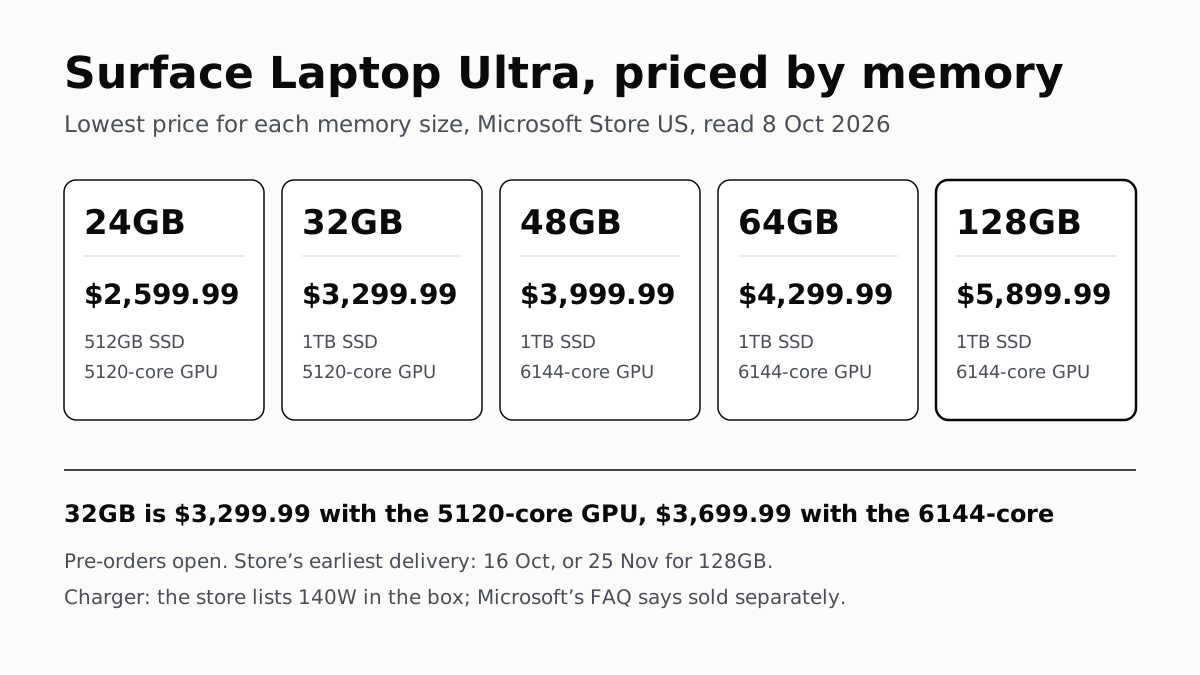
Surface Laptop Ultra, priced by memory: the lowest price for each memory size on Microsoft Store US, read 8 October 2026. 24GB, $2,599.99, with a 512GB SSD and the 5120-core GPU. 32GB, $3,299.99, 1TB, 5120-core GPU. 48GB, $3,999.99, 1TB, 6144-core GPU. 64GB, $4,299.99, 1TB, 6144-core GPU. 128GB, $5,899.99, 1TB, 6144-core GPU. 32GB costs $3,299.99 with the 5120-core GPU and $3,699.99 with the 6144-core. Pre-orders are open; the store's earliest delivery is 16 October, or 25 November for 128GB. The store lists a 140W charger in the box; Microsoft's product-page FAQ says it is sold separately.
Computing · On Paper

Surface Laptop Ultra Costs $2,599.99 to $5,899.99

Nvidia's RTX Spark gives a 15-inch Windows laptop up to 128GB of shared memory. Memory sets the price, and 128GB arrives in late November.
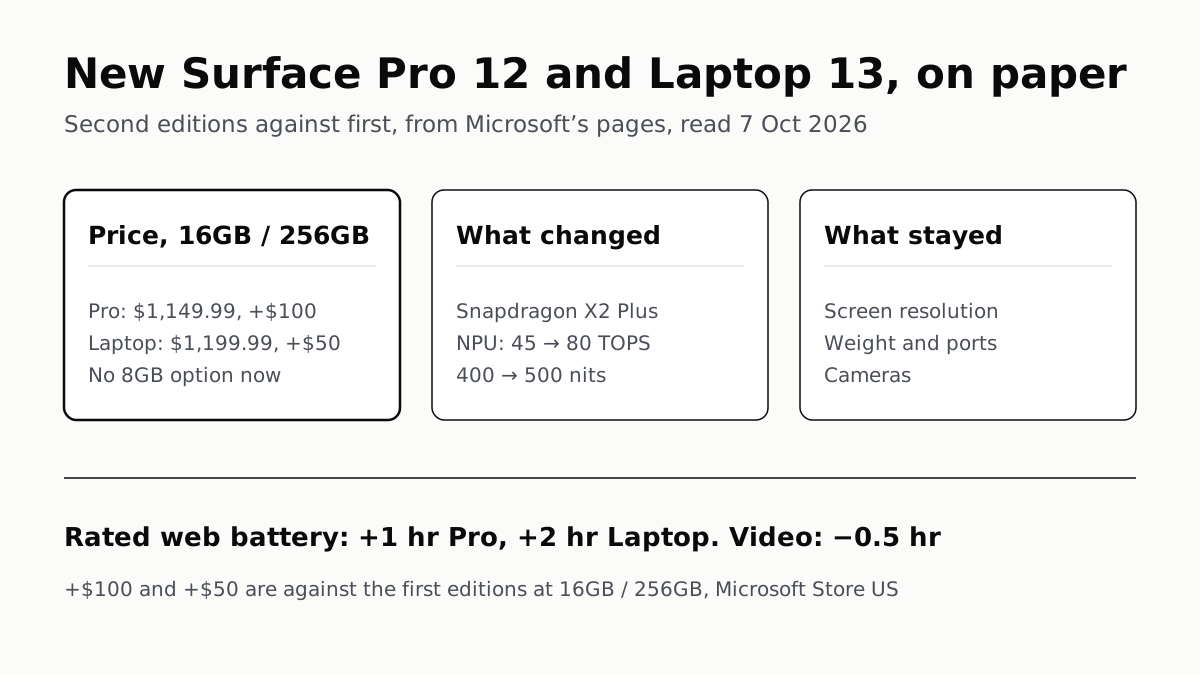
New Surface Pro 12 and Laptop 13, on paper: second editions against first, from Microsoft's pages, read 7 October 2026. Price at 16GB and 256GB: Pro $1,149.99, $100 more than the first edition; Laptop $1,199.99, $50 more; no 8GB option now. What changed: Snapdragon X2 Plus, NPU from 45 to 80 TOPS, brightness from 400 to 500 nits. What stayed: screen resolution, weight and ports, cameras. Rated web battery: one hour more on the Pro, two on the Laptop; rated video playback: half an hour less. The $100 and $50 are against the first editions at 16GB and 256GB on Microsoft Store US.
Computing · On Paper

2026 Surface Pro 12 and Laptop 13: New Chip, $50–$100 More

The 8GB models are gone, so the cheapest Pro is now $1,149.99. Screens gain 100 nits, the NPU rises to 80 TOPS; resolution and weight stay.
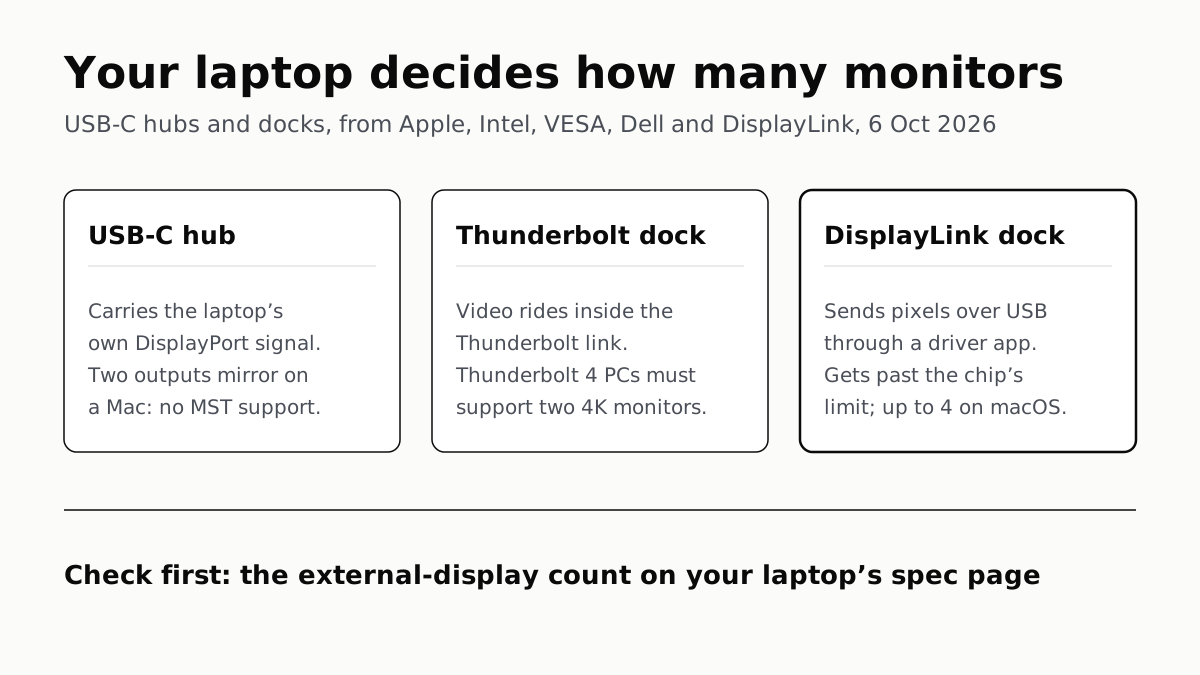
Your laptop decides how many monitors: USB-C hubs and docks, from Apple, Intel, VESA, Dell and DisplayLink, 6 October 2026. USB-C hub: carries the laptop's own DisplayPort signal; two outputs mirror on a Mac, which has no MST support. Thunderbolt dock: video rides inside the Thunderbolt link; Thunderbolt 4 PCs must support two 4K monitors. DisplayLink dock: sends pixels over USB through a driver app; gets past the chip's limit, up to 4 on macOS. Check first: the external-display count on your laptop's spec page.
Computing · Explainer

A USB-C Hub Runs Two Monitors Only if Your Laptop Allows It

M1 and M2 MacBook Airs drive one external display, and macOS lacks MST, so an MST hub mirrors. DisplayLink is the way round.
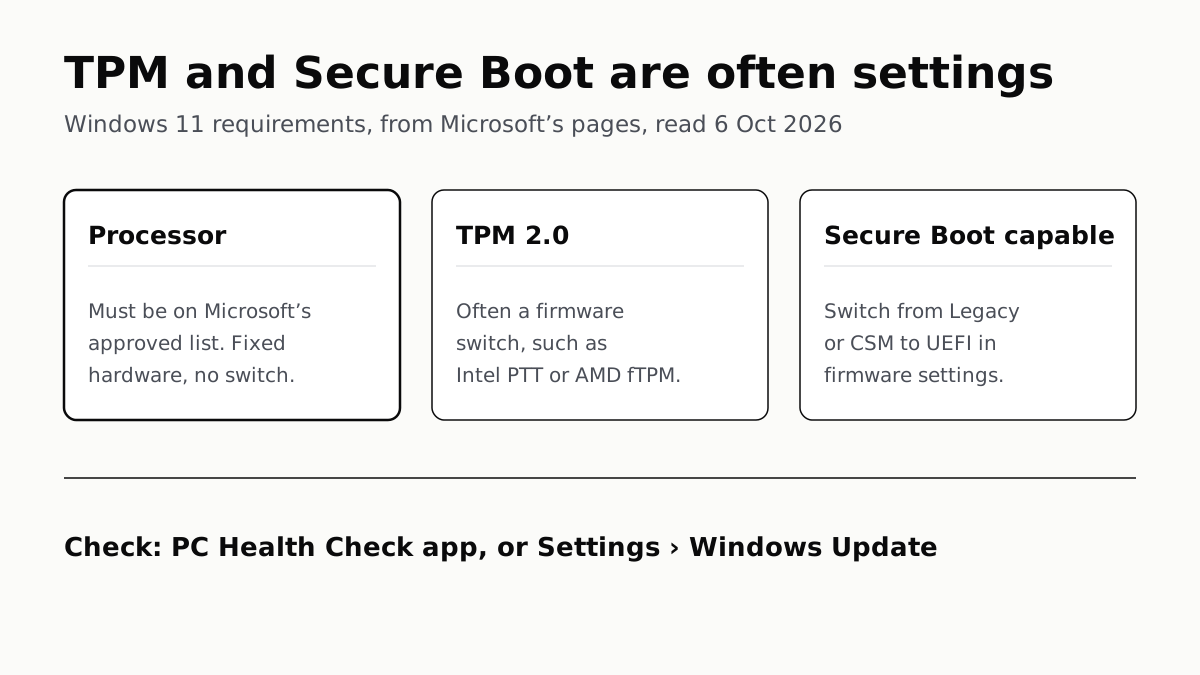
TPM and Secure Boot are often settings: Windows 11 requirements, from Microsoft's pages, read 6 October 2026. Processor: must be on Microsoft's approved list; fixed hardware, no switch. TPM 2.0: often a firmware switch, such as Intel PTT or AMD fTPM. Secure Boot capable: switch from Legacy or CSM to UEFI in firmware settings. To check: PC Health Check app, or Settings, Windows Update.
Computing · Guide

TPM and Secure Boot Are Often Settings; the CPU Is Not

PC Health Check names the requirement your PC fails. Two of the three usual ones can be switched on in firmware, and Microsoft says how.
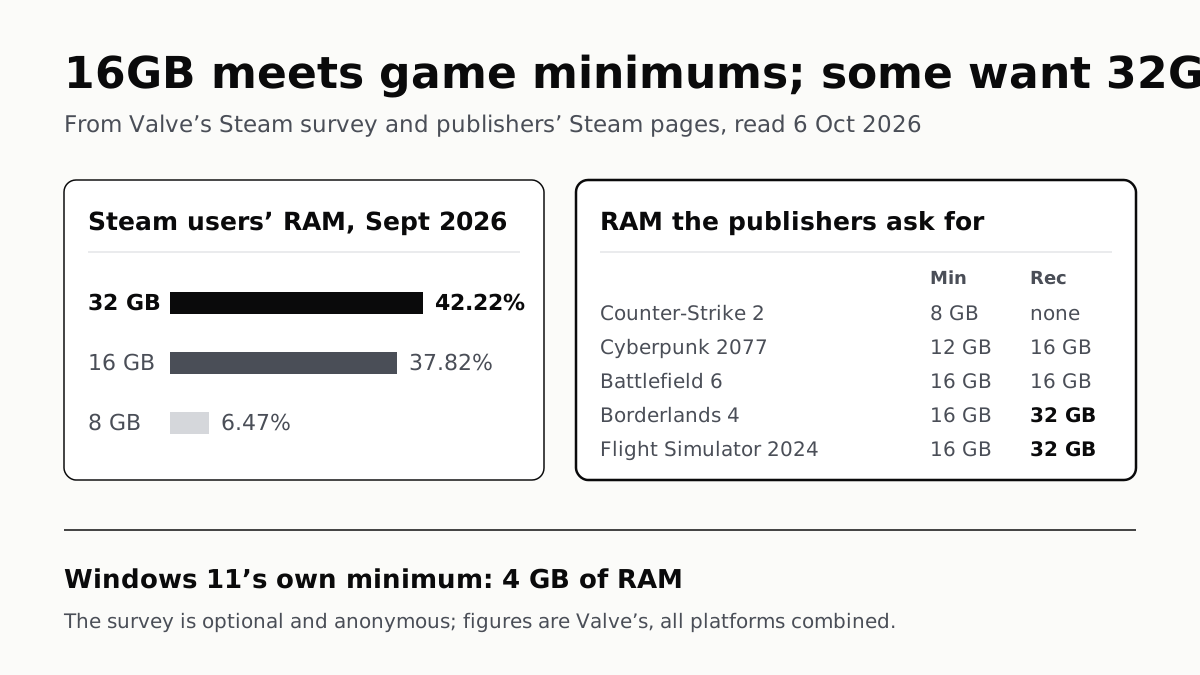
16GB meets game minimums; some want 32GB. From Valve’s Steam survey and publishers’ Steam pages, read 6 October 2026. Steam users’ RAM in September 2026: 32 GB 42.22%, 16 GB 37.82%, 8 GB 6.47%. RAM the publishers ask for, minimum then recommended: Counter-Strike 2, 8 GB, none listed; Cyberpunk 2077, 12 GB and 16 GB; Battlefield 6, 16 GB and 16 GB; Borderlands 4, 16 GB and 32 GB; Flight Simulator 2024, 16 GB and 32 GB. Windows 11’s own minimum is 4 GB of RAM. The survey is optional and anonymous; figures are Valve’s, all platforms combined.
Computing · Explainer

16GB RAM Still Meets Game Minimums; Some Recommend 32GB

Valve’s September survey puts 32GB ahead, at 42.22%. Flight Simulator 2024 and Borderlands 4 already recommend it.
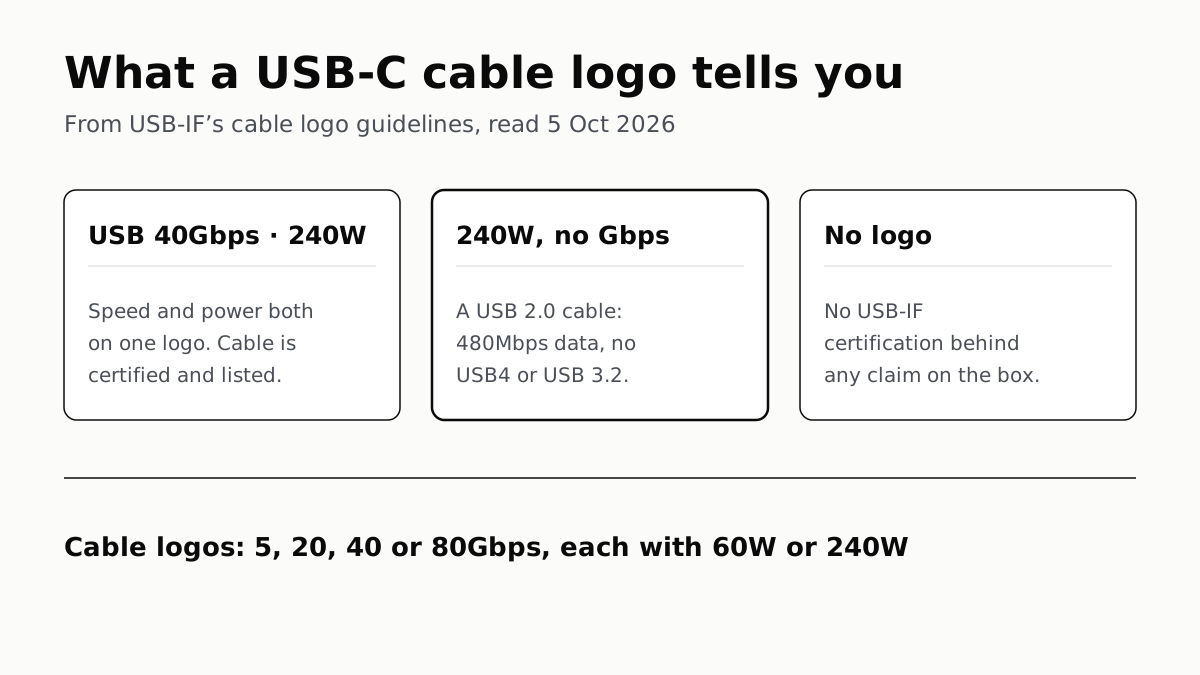
What a USB-C cable logo tells you, from USB-IF's cable logo guidelines, read 5 October 2026. A logo such as USB 40Gbps 240W: data rate and power are both on the logo, and the cable is certified and listed. A 240W or 60W logo with no Gbps figure: a USB 2.0 cable with 480Mbps data and no USB4 or USB 3.2. No logo: no USB-IF certification behind any claim on the box. The cable logos come in 5, 20, 40 or 80Gbps, each with 60W or 240W.
Computing · Explainer

A Certified USB-C Cable’s Logo Gives Its Speed and Watts

A 240W logo with no Gbps figure marks a 480Mbps USB 2.0 cable. Under current rules, a USB-C to USB-C cable with no logo is uncertified.
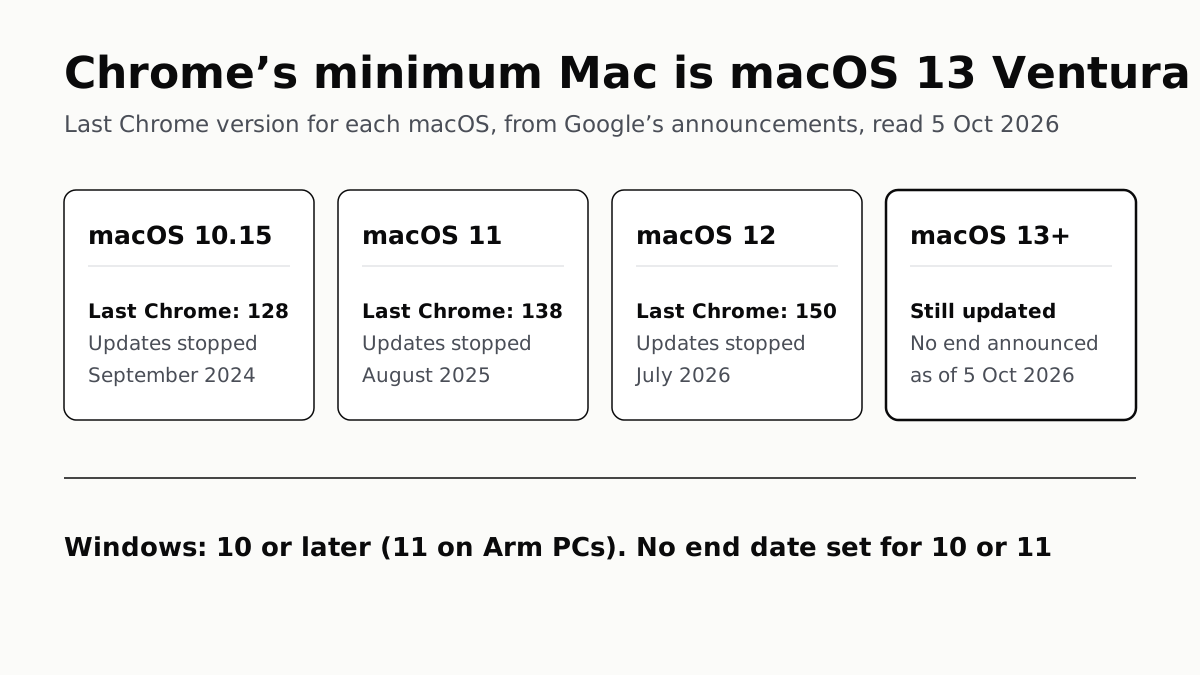
Chrome's minimum Mac is macOS 13 Ventura. The last Chrome version for each macOS, from Google's announcements, read 5 October 2026. macOS 10.15: last Chrome 128, updates stopped September 2024. macOS 11: last Chrome 138, updates stopped August 2025. macOS 12: last Chrome 150, updates stopped July 2026. macOS 13 and later: still updated, no end announced as of 5 October 2026. Windows: 10 or later, 11 on Arm PCs; no end date set for 10 or 11.
Computing · Explainer

Chrome Needs macOS 13 or Windows 10 to Keep Updating

Chrome 150 was the last release for Monterey Macs. Google has set no end date for Windows 10 or 11, or for Ventura and later.
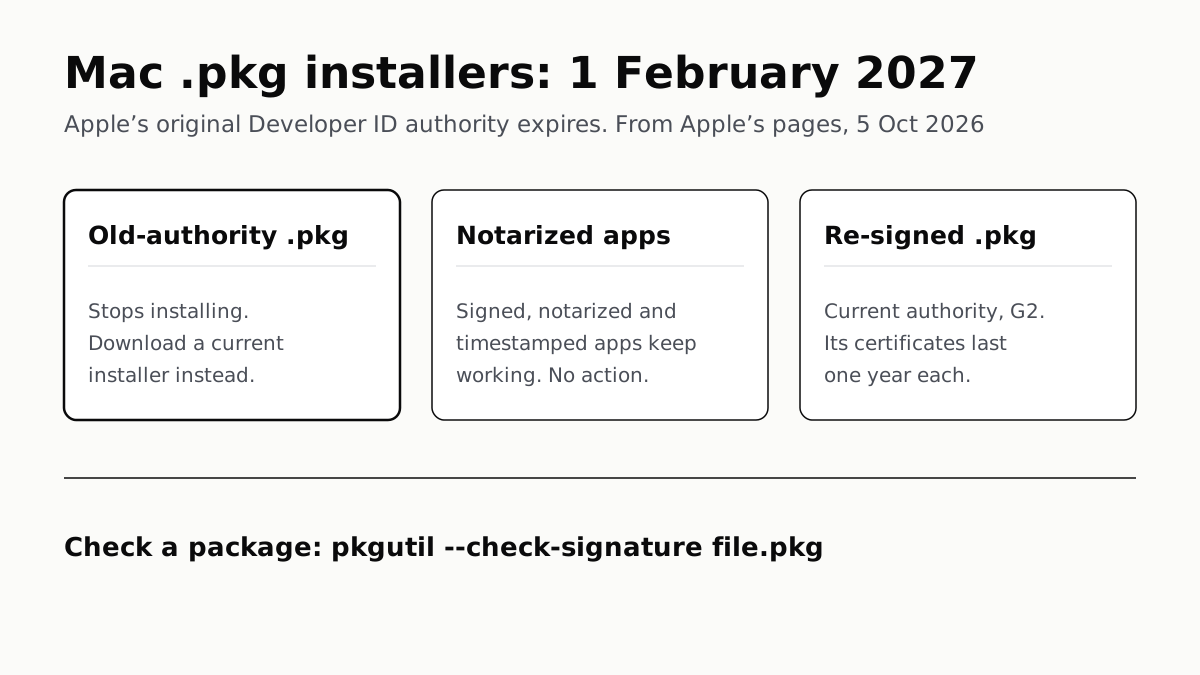
Mac .pkg installers: 1 February 2027. Apple’s original Developer ID authority expires; from Apple’s pages, read 5 October 2026. Old-authority .pkg: stops installing; download a current installer instead. Notarized apps: signed, notarized and timestamped apps keep working, no action. Re-signed .pkg: current authority, G2; its certificates last one year each. Check a package: pkgutil --check-signature file.pkg.
Computing · Explainer

Old-Certificate Mac .pkg Installers Stop on 1 Feb 2027

Apple’s original Developer ID authority expires that day. Notarized apps are unaffected; a fresh download from the developer is the fix.
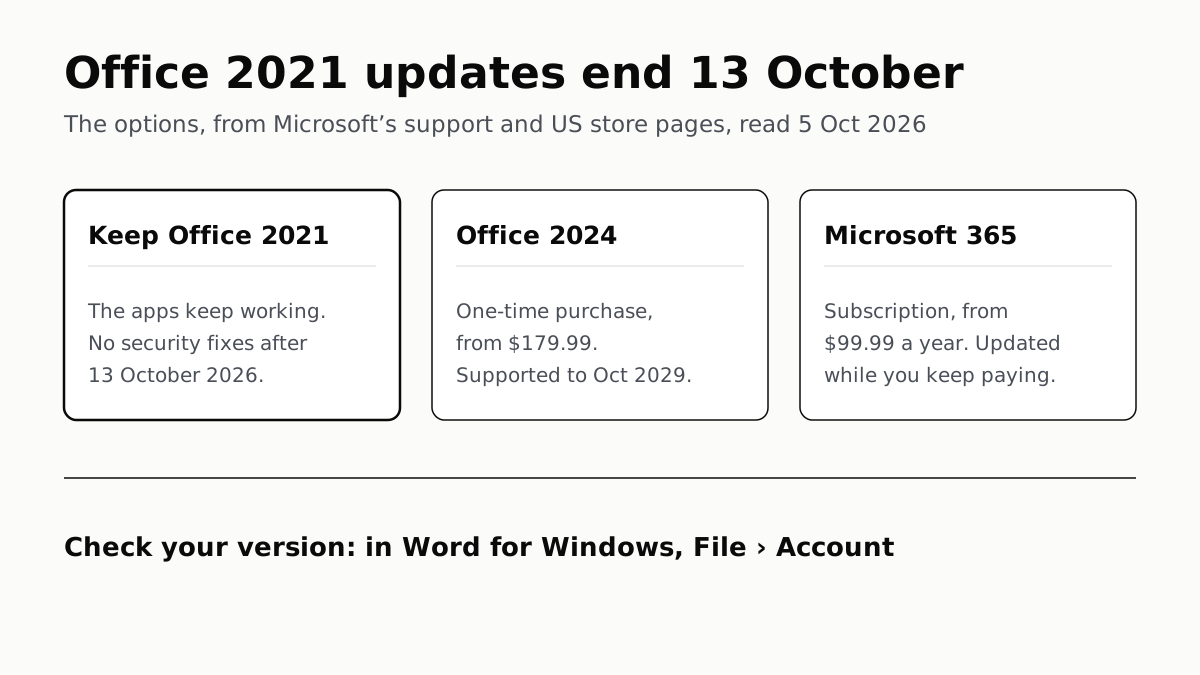
Office 2021 updates end 13 October: the options, from Microsoft's support and US store pages, read 5 October 2026. Keep Office 2021: the apps keep working, with no security fixes after 13 October 2026. Office 2024: one-time purchase from $179.99, supported to October 2029. Microsoft 365: subscription from $99.99 a year, updated while you keep paying. To check your version: in Word for Windows, File, Account.
Computing · Explainer

Office 2021 Loses Security Updates on 13 October

The apps keep opening files after that. Office 2024 is supported to 2029, and Professional owners lose Publisher whichever way they go.
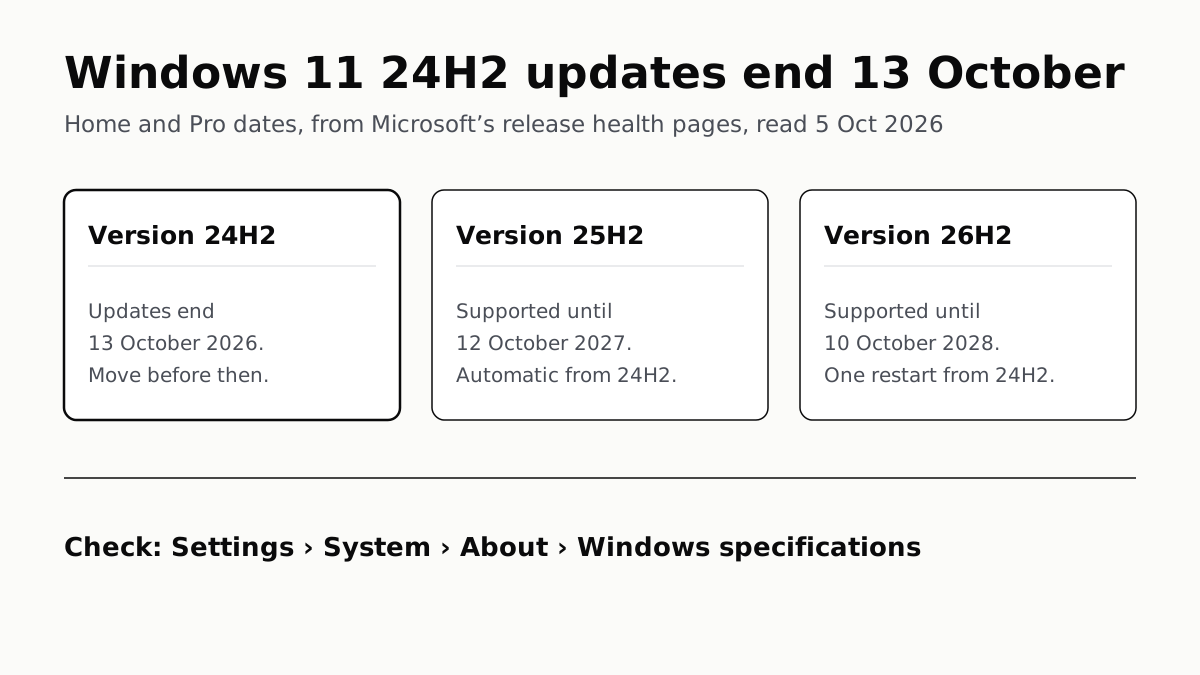
Windows 11 24H2 updates end 13 October: Home and Pro dates, from Microsoft's release health pages, read 5 October 2026. Version 24H2: updates end 13 October 2026, move before then. Version 25H2: supported until 12 October 2027, sent automatically to unmanaged 24H2 PCs. Version 26H2: supported until 10 October 2028, one restart from 24H2. To check: Settings, System, About, Windows specifications.
Computing · Guide

Windows 11 24H2 Home and Pro Lose Updates on 13 October

Version 26H2 installs as a small update with one restart and is supported until October 2028. Settings shows which version you have.
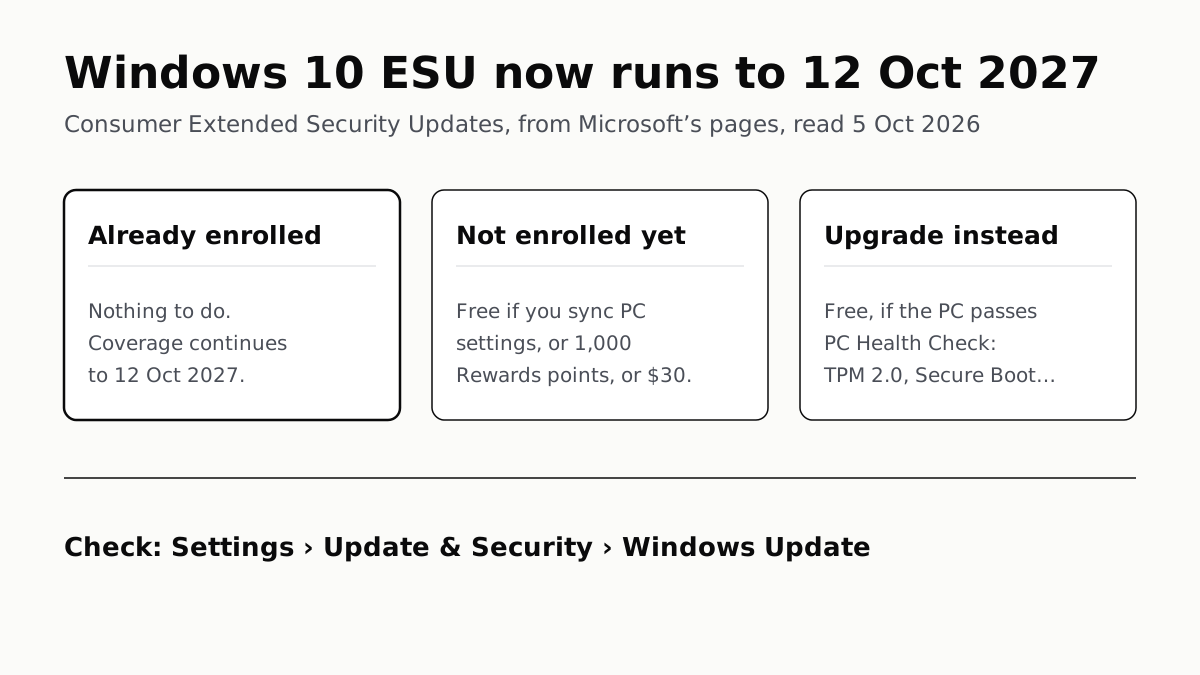
Windows 10 ESU now runs to 12 October 2027: consumer Extended Security Updates, from Microsoft's pages, read 5 October 2026. Already enrolled: nothing to do, coverage continues to 12 October 2027. Not enrolled yet: free if you sync PC settings, or 1,000 Rewards points, or $30. Upgrade instead: free if the PC passes PC Health Check, which needs TPM 2.0 and Secure Boot among other things. To check: Settings, Update & Security, Windows Update.
Computing · Guide

Windows 10 Security Updates Now Run to October 2027

Microsoft added a year to consumer ESU. PCs already enrolled carry on with nothing to do, and the rest can still sign up for $30 or less.
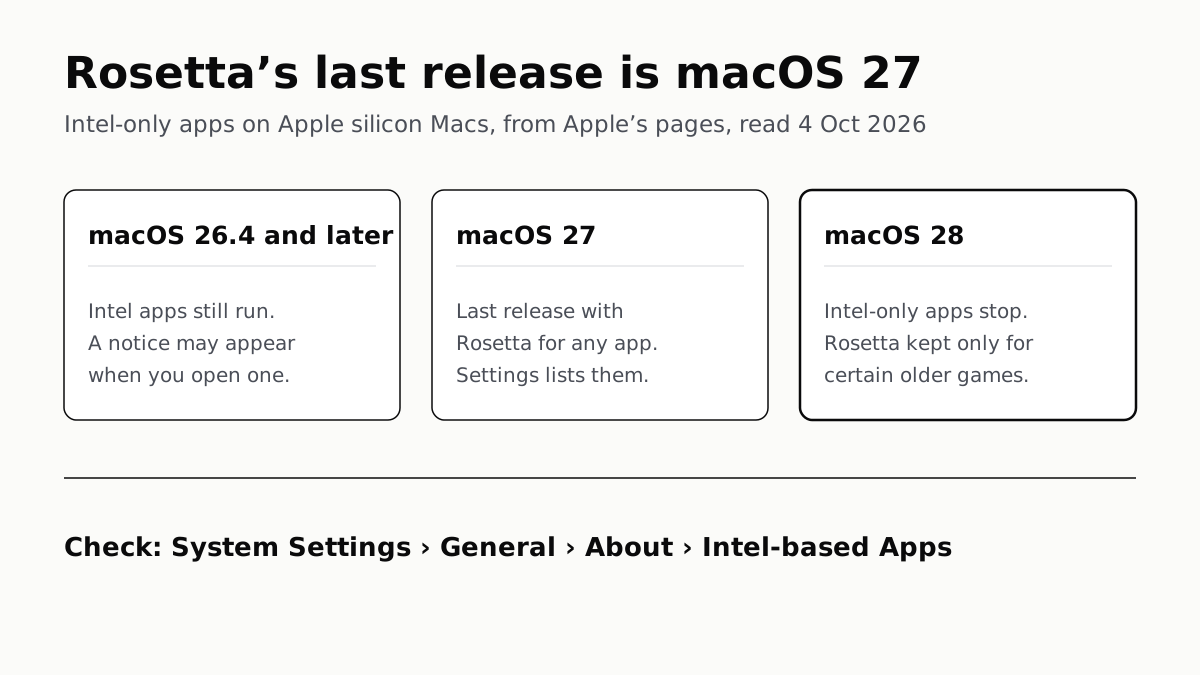
Rosetta's last release is macOS 27: Intel-only apps on Apple silicon Macs, from Apple's pages, read 4 October 2026. macOS 26.4 and later: Intel apps still run, and a notice may appear when you open one. macOS 27: the last release with Rosetta for any app, and Settings lists them. macOS 28: Intel-only apps stop, and Rosetta is kept only for certain older games. To check: System Settings, General, About, Intel-based Apps.
Computing · Guide

Intel-Only Mac Apps Stop Running in macOS 28

Rosetta lasts through macOS 27, then only some older games keep it. macOS 27 can list which of your apps are still Intel-only.
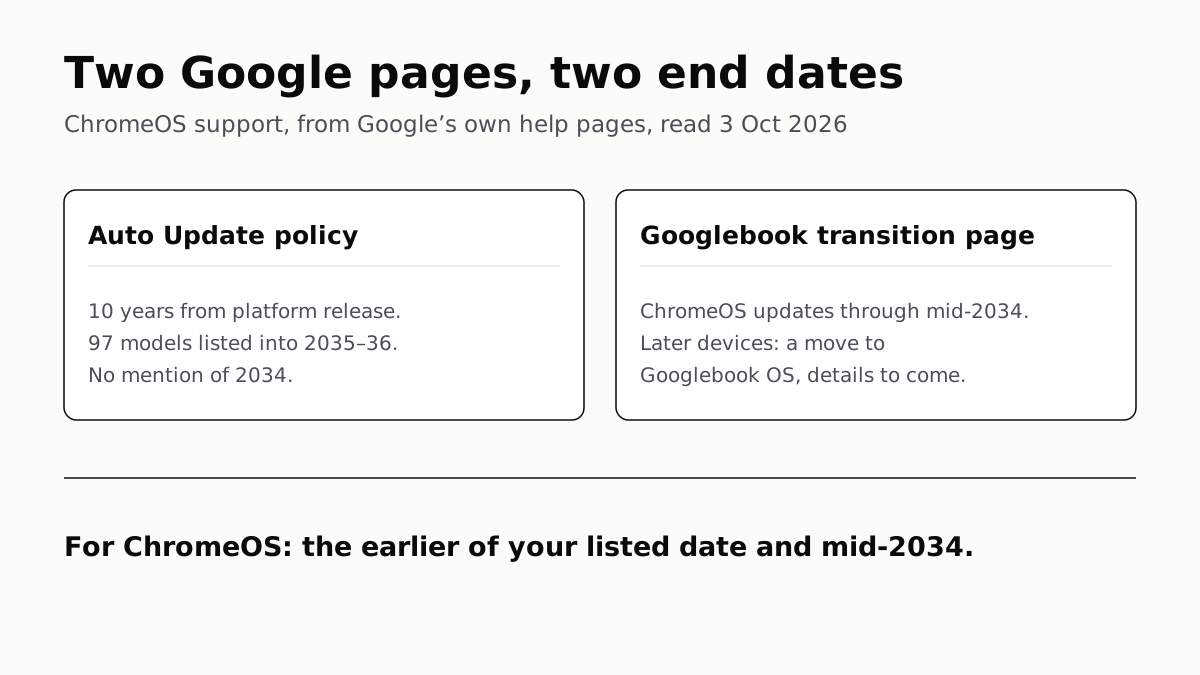
Two Google pages, two end dates, read 3 October 2026. Google's Auto Update policy: 10 years from platform release, 97 models listed into 2035 or 2036, and no mention of 2034. Google's Googlebook transition page: ChromeOS updates through mid-2034, and later devices offered a move to Googlebook OS, with details to come. For ChromeOS, the earlier of your listed date and mid-2034.
Computing · Explainer

ChromeOS Updates End Mid-2034, Even If Your Date Says 2036

Google’s update list still shows 97 models supported into 2035 or 2036. A newer Google page says ChromeOS stops in mid-2034.