Old-Certificate Mac .pkg Installers Stop on 1 Feb 2027
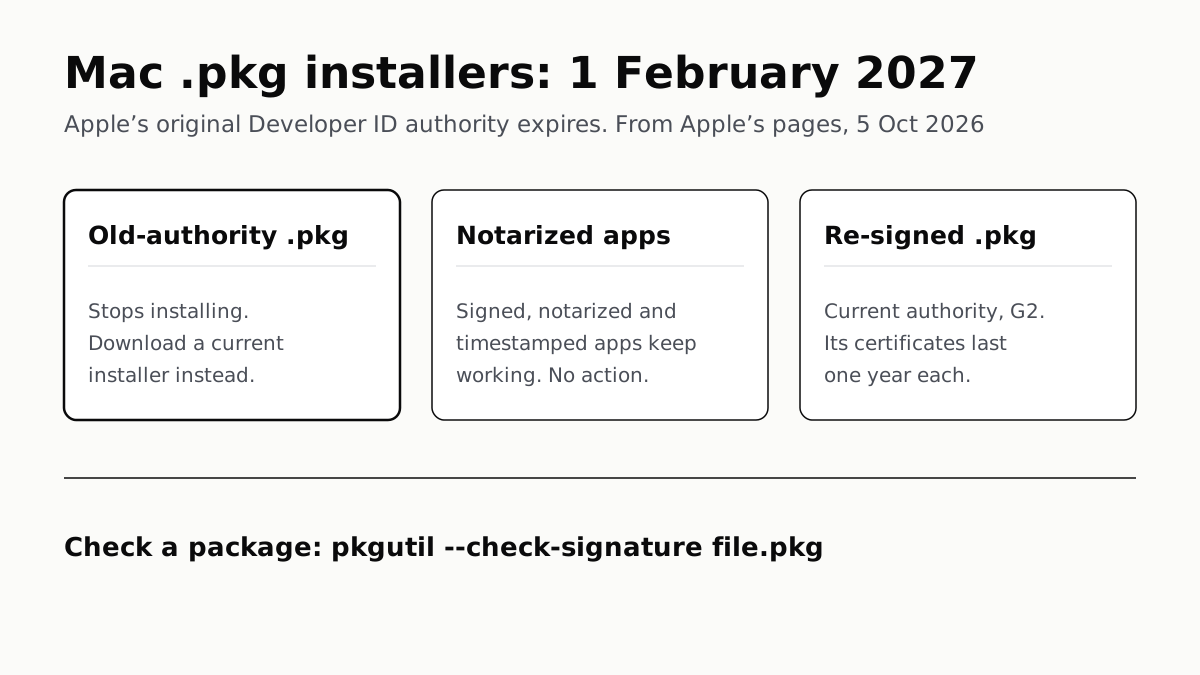
Apple’s original Developer ID authority expires that day. Notarized apps are unaffected; a fresh download from the developer is the fix.
If you buy through our links, we may earn a commission. It never affects our verdicts or scores — how that works. As an Amazon Associate I earn from qualifying purchases.
From 1 February 2027, Mac installer packages (.pkg files) signed with a certificate from Apple’s original Developer ID Certification Authority will no longer install, because that authority expires that day. Apps that were signed and notarized with a secure timestamp keep working, and Apple says they need no action.
If you keep old installers, replace them with a current download from the developer before you need them. Apple has told developers to re-sign every package with a certificate from its current authority, G2, before the deadline.
What Apple announced
Apple’s developer news post of 1 October 2026 is brief: “The original Developer ID Certification Authority (Sub-CA) expires on February 1, 2027. Certificates issued by this authority will stop working on that date.” For packages it adds that “.pkg files signed with an affected certificate will no longer install”.
Packages and apps are treated differently because Gatekeeper checks them at different moments. Apple’s Developer ID certificates page says an app keeps running as long as its certificate “was valid when you compiled your app”. An installer package is checked “when your installer package is run”, and “will only launch if your Developer ID Installer certificate is valid”.
On that wording, an app already on your Mac is unaffected if it was notarized with a secure timestamp, even if the .pkg that installed it is now on the wrong certificate.
What is affected, file by file
| What you have | Affected from 1 Feb 2027? | What to do |
|---|---|---|
| .pkg signed with a certificate from the original authority | Yes: Apple says it will no longer install | Download a current installer from the developer |
| .pkg re-signed with a G2 certificate | No | Nothing |
| App signed and notarized with a secure timestamp, including one installed from an old .pkg | No: Apple says no action needed | Nothing |
| Signed app that was never notarized | Apple’s notice does not say | Look for a current, notarized version |
| .dmg or .zip holding an app | Depends on the app inside | Nothing, if the app is notarized |
| .dmg holding a .pkg | Yes, if the .pkg is on the original authority | Download a current installer |
| Mac App Store app | Not covered: Developer ID is for software from outside the store | Nothing |
The .dmg and .zip rows are our reading, not Apple’s words. The notice turns on what was signed, and a disk image or archive is a container for that.
An installer you cannot replace, because the developer has gone, is the case to deal with now. If it installs today, Apple’s notice gives it until 1 February 2027, so install it while you can if you need the software. Old Intel-only apps face a separate Apple deadline: after macOS 27, Rosetta is kept only for some older games, as our guide to which Mac apps need Rosetta explains.
How to check a package
Apple documents one command for checking an installer’s signature. In Terminal, run:
pkgutil --check-signature /path/to/file.pkg
Apple says a properly signed installer shows “Signed with a trusted timestamp” and “1. Developer ID Installer:” in the output. That tells you the package is signed with Developer ID. Apple does not document how to read from that output which authority issued the certificate, so the command confirms a package is signed with Developer ID without showing which authority signed it.
Apple’s guidance for developers gives a rough guide: a certificate expiring on or before 1 February 2027 is “likely affected”, but “the expiration date alone doesn’t prove which authority issued a certificate”. If in doubt, a fresh download from the developer is the safer move.
For IT admins
Packages from vendors. Any .pkg kept in a deployment repository or software cache, and pushed to Macs after 1 February 2027, has to be on the new certificate or it will not install. Fetch current versions from vendors before the deadline, and run pkgutil on each to confirm they are signed.
Packages you sign yourself. Apple’s help page sets out the replacement:
- The Account Holder opens Certificates, Identifiers & Profiles and reviews Developer ID Application and Developer ID Installer certificates.
- To be certain which authority issued one, open it in Keychain Access and read the Organizational Unit under Issuer Name: “Apple Certification Authority” means the original authority, “G2” the current one.
- Create a new Developer ID Installer certificate. If asked for an intermediary, choose G2 Sub-CA; Apple says any other option might issue a certificate from the expiring authority.
- Re-sign every package before 1 February 2027.
One certificate does not cover the other type, so a team that signs apps and packages needs both. Apple allows five of each at once, which leaves room to test a replacement first.
Plan for yearly renewal. G2 certificates expire annually, and Apple’s Developer ID certificates page says a package signed with an expired installer certificate “must be re-signed with a valid Developer ID Installer certificate in order to run”. Read literally, that puts in-house packages on the same yearly re-signing cycle as their certificates; the 1 October notice does not address it, so plan for it until Apple says otherwise.
Android is adding a developer check of its own: our explainer on what Android developer verification means for sideloading covers it.
Questions people ask
Will my old Mac installer stop working in 2027?
If it is a .pkg file signed with a certificate from Apple’s original Developer ID authority, yes. Apple says such packages will no longer install from 1 February 2027. Download a current installer from the developer; Apple has told developers to re-sign their packages before that date.
Do my installed Mac apps stop working on February 1, 2027?
Not if they were signed and notarized with a secure timestamp. Apple says that previously signed and notarized Mac software keeps working with no action needed. On that wording, an app installed from an old .pkg is covered too: the deadline stops the package installing, not the app running. Apple’s notice does not cover apps that were never notarized.
How do I check the signature of a .pkg file on a Mac?
In Terminal, run pkgutil --check-signature followed by the path to the package. Apple says a properly signed installer shows “Signed with a trusted timestamp” and “1. Developer ID Installer:”. Apple does not document how to tell from that output which authority issued the certificate.
What is the Developer ID Certification Authority G2?
It is the current authority that issues Developer ID certificates, replacing the original one that expires on 1 February 2027. Apple says G2 is valid until 2031, but each certificate it issues lasts a year and has to be renewed.
Are Mac App Store apps affected by the Developer ID change?
Apple’s notice is about Developer ID, which Apple describes as the certificate for software distributed outside the Mac App Store. Apps from the Mac App Store are not covered by it.
Does a .dmg file stop working after February 2027?
Apple’s notice names only .pkg installers and apps, so what matters is what the disk image contains. A notarized app inside keeps working. A .pkg inside is affected like any other package and needs replacing with a current download.
How we researched this
No one at bitcritiq has handled this product. Everything here comes from published sources, listed below.
- What this cannot tell you
- Apple’s notice names only installer packages and Mac apps. What we say about .dmg and .zip files is our reading: the notice turns on what is signed, so the file inside decides. Apple does not say what happens to signed apps that were never notarized, does not quote the message a blocked installer shows, and does not document how to read the issuing authority from pkgutil’s output. Apple’s Developer ID certificates page says a package signed with an expired installer certificate must be re-signed to run; we have not tested how that applies to G2 certificates, which expire yearly. We have not installed anything after 1 February 2027, which has not happened.
How we chose this, and what we did
- Why this subject
- Apple told developers on 1 October 2026 that the original Developer ID Certification Authority expires on 1 February 2027 and that installer packages signed with its certificates will no longer install after that date. The notice is written for developers; the people left holding an old .pkg are Mac owners and IT admins, and nothing on the site covered it.
- How we looked at it
- Everything is from Apple’s own pages, read through a browser on 5 October 2026: the Apple Developer news post 'Upcoming expiration of Developer ID Certification Authority (Sub-CA)' (1 October 2026), the Account Help pages 'Replacing Developer ID certificates issued from the previous Sub-CA' and 'Developer ID certificates', the documentation article 'Resolving common notarization issues', and the 'Signing Mac Software with Developer ID' page.
What this rests on
6 claims, all official. Nothing here was measured by bitcritiq — see how we test for why. Open a claim to read the source it came from.
The original Developer ID Certification Authority expires on 1 February 2027, and certificates it issued stop working that day.Official
Apple Developer News, 1 October 2026: “The original Developer ID Certification Authority (Sub-CA) expires on February 1, 2027. Certificates issued by this authority will stop working on that date.”
From 1 February 2027, .pkg files signed with an affected certificate will no longer install.Official
Apple Developer News, 1 October 2026: “Installer packages (.pkg): Starting February 1, 2027, .pkg files signed with an affected certificate will no longer install. Re-sign all packages with your new certificate before this date.”
Mac apps that were signed and notarized with a secure timestamp keep working with no action needed.Official
Apple Developer News, 1 October 2026: “Mac apps: Previously signed and notarized Mac software (with a secure timestamp) will keep working—no action needed.”
Gatekeeper checks an installer package’s certificate when the package is run, and the package only launches if that certificate is valid.Official
Apple, Developer ID certificates: “Gatekeeper will evaluate the validity of your Developer ID Installer certificate when your installer package is run. Your installer package will only launch if your Developer ID Installer certificate is valid.”
The replacement authority, G2, is valid until 2031, but the certificates it issues expire every year.Official
Apple Developer News: “Developer ID Certification Authority (G2). Note: This certificate authority is valid until 2031, but the certificates issued by the certificate authority expire annually and must be renewed each year.”
Apple documents pkgutil --check-signature for checking an installer package’s signature.Official
Apple, Resolving common notarization issues: “To debug signing issues with installer packages, use the pkgutil utility instead: % pkgutil --check-signature /path/to/file.pkg … The utility’s output includes the strings “Signed with a trusted timestamp” and “1. Developer ID Installer:” for a properly signed installer.”
Sources 5
- Upcoming expiration of Developer ID Certification Authority (Sub-CA) — Apple Developer News, 1 October 2026Officialaccessed Oct 5, 2026
- Replacing Developer ID certificates issued from the previous Sub-CA — Apple Developer Account HelpOfficialaccessed Oct 5, 2026
- Developer ID certificates — Apple Developer Account HelpOfficialaccessed Oct 5, 2026
- Resolving common notarization issues — Apple Developer DocumentationOfficialaccessed Oct 5, 2026
- Signing Mac Software with Developer ID — Apple DeveloperOfficialaccessed Oct 5, 2026
Pass it on
Know someone weighing this up? Send them the answer.
bitcritiq.com/xz6gThe link is permanent: it opens this article for good, even if the title changes.
No email, no account
Follow bitcritiq
Every new article, in whatever reader you already use.
Subscribe by RSSAll the ways to follow
Using Chrome on Android? Open the browser menu and tap Follow. New articles then turn up in the Following tab in Discover.
read next
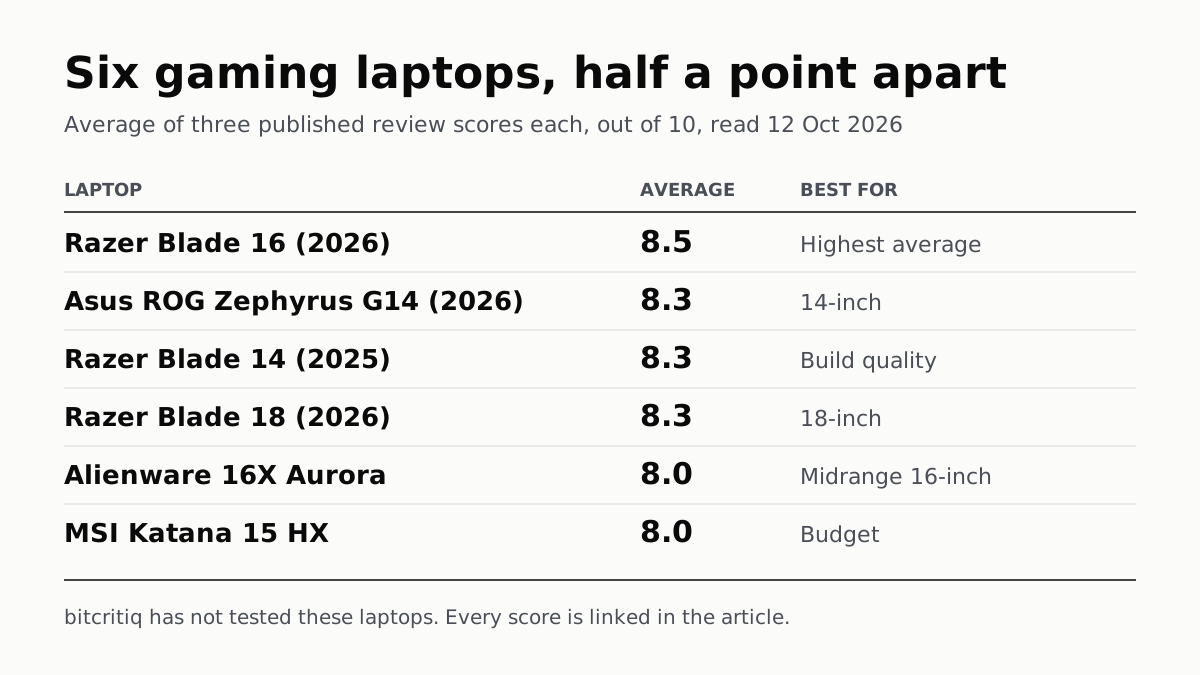
Razer Blade 16 Tops Gaming Laptop Reviews, by Half a Point
Eighteen review scores from eight outlets, all read on 12 October. Six laptops land within half a point, so pick by size and price.
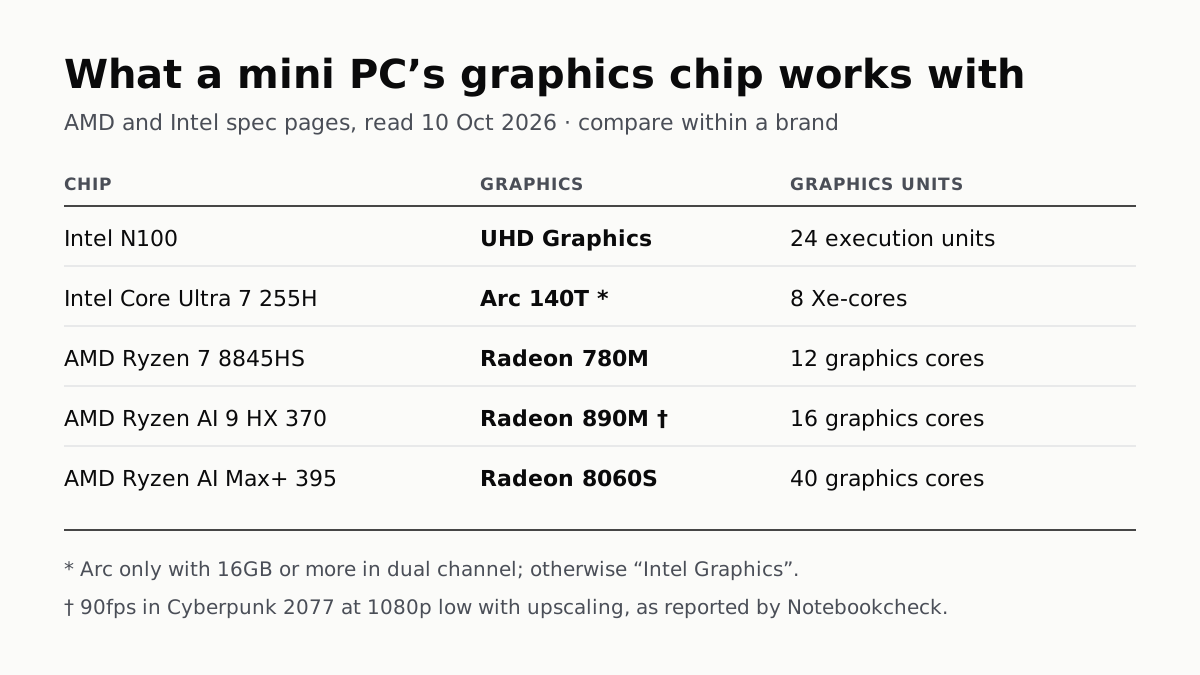
A Mini PC Can Game, but Its Graphics Chip Sets the Ceiling
Balatro's minimum is integrated graphics; Cyberpunk 2077's is a GTX 1060. A Radeon 890M ran Cyberpunk at 1080p low in one reported test.
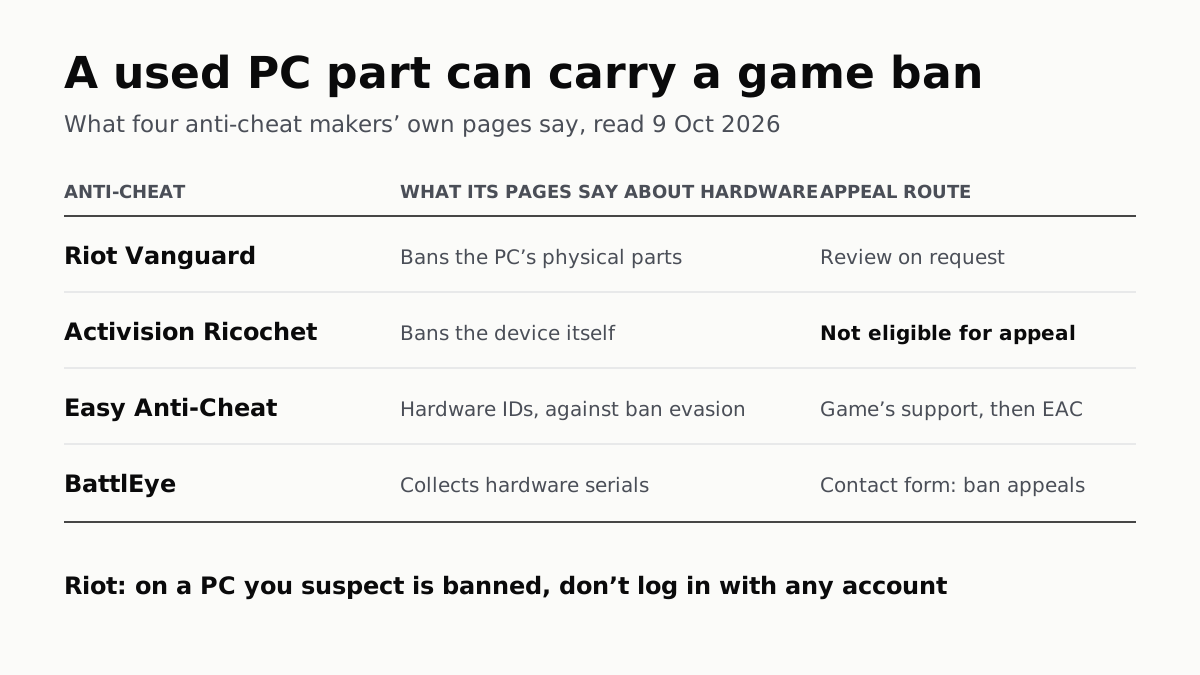
A Used PC or CPU Can Carry Its Last Owner’s Game Ban
Riot and Activision ban hardware, not only accounts. Riot will re-check one on request; Activision rules out an appeal.
The Same RTX 5070 Laptop GPU Runs at 90W or 115W
Nvidia publishes a power range for each laptop GPU and the maker picks a point in it. The spec sheet, or Nvidia Control Panel, shows which.