The Same RTX 5070 Laptop GPU Runs at 90W or 115W
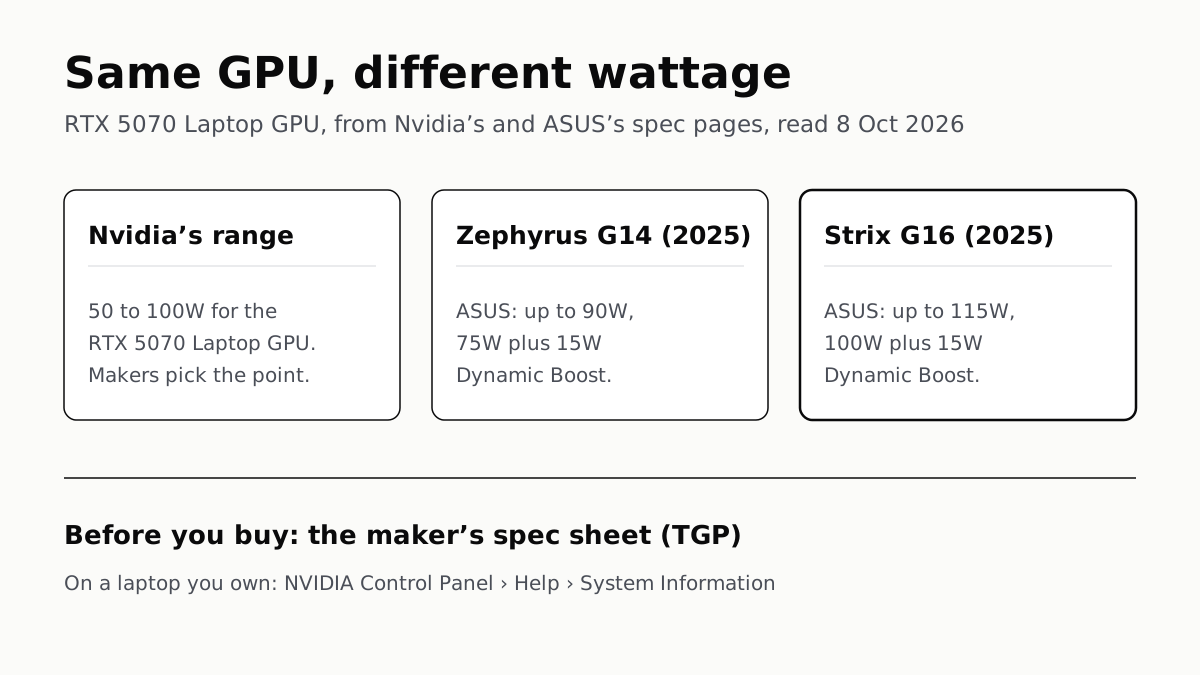
Nvidia publishes a power range for each laptop GPU and the maker picks a point in it. The spec sheet, or Nvidia Control Panel, shows which.
If you buy through our links, we may earn a commission. It never affects our verdicts or scores — how that works. As an Amazon Associate I earn from qualifying purchases.
The same Nvidia laptop GPU can perform differently from one laptop to the next because each maker chooses how much power it gets, inside a range Nvidia publishes, and how well to cool it. You find the number, usually called TGP, on the maker’s own spec sheet before you buy, and in NVIDIA Control Panel’s System Information window on a laptop you already own.
ASUS shows the gap in one product line. Its 2025 Zephyrus G14 runs the RTX 5070 Laptop GPU at up to 90W; its 2025 Strix G16 (affiliate link to Amazon, opens in a new tab) runs the same GPU at up to 115W.
Why the wattage matters
Nvidia’s own explanation is short: every chip “gets faster and faster as you provide it with more power up until a point of diminishing returns”. Its power ranges start at the point of best efficiency, which Nvidia pitches at designs such as a thin 14-inch laptop.
That trade is physical. Nvidia says more power means more heat, which means bigger fans and heat pipes, a thicker laptop, and less room for battery. Razer’s line-up fits that pattern: its Blade 16 runs an RTX 5090 at up to 160W in a body 14.9 to 17.4mm thick, and its Blade 18 at up to 175W at 21.99 to 27.94mm.
The same heat is what you hear. A GPU drawing more watts gives the fans more to remove, and a loud rushing fan during a game is normal cooling, laptop makers say, not a fault.
Nvidia does not say a higher number wins by a fixed margin. It lists CPU and memory choice, thermal design, performance modes and maker software as other factors, and it points buyers to independent reviews, which our gaming-laptop shortlist averages by model. We found no first-party figure for how much faster a 115W RTX 5070 is than a 90W one, so we give none.
Nvidia’s ranges for each RTX 50 laptop GPU
Nvidia’s comparison page calls the figure “GPU Subsystem Power”. Makers mostly call it TGP.
| Laptop GPU | Nvidia’s power range |
|---|---|
| RTX 5090 Laptop GPU | 95–150W |
| RTX 5080 Laptop GPU | 80–150W |
| RTX 5070 Ti Laptop GPU | 60–115W |
| RTX 5070 Laptop GPU | 50–100W |
| RTX 5060 Laptop GPU | 45–100W |
| RTX 5050 Laptop GPU | 35–100W |
An RTX 5090 Laptop GPU at the bottom of its range is rated lower than an RTX 5070 Ti at the top of its own. Wattage is set per laptop, so a GPU’s model number alone does not tell you how much power it gets.
The same GPU in different laptops, from the makers’ pages
| Laptop | GPU | Maker’s figure |
|---|---|---|
| ASUS ROG Zephyrus G14 (2025) | RTX 5070 | Up to 90W (75W + 15W Dynamic Boost) |
| Lenovo Yoga Pro 9 16IAH10 | RTX 5070 | 100W TGP |
| Razer Blade 14 (affiliate link to Amazon, opens in a new tab) | RTX 5070 | Up to 115W (100W sustained + Dynamic Boost) |
| ASUS ROG Strix G16 (2025) (affiliate link to Amazon, opens in a new tab) | RTX 5070 | Up to 115W (100W + 15W Dynamic Boost) |
| Lenovo Legion Pro 5 16IAX10 | RTX 5070 | 115W TGP |
| ASUS ROG Zephyrus G14 (2025) | RTX 5080 | Up to 110W (85W + 25W Dynamic Boost) |
| ASUS ROG Strix G16 (2025) | RTX 5080 | Up to 175W (150W + 25W Dynamic Boost) |
Some of these figures sit above the top of Nvidia’s range: 115W for an RTX 5070 whose range ends at 100W, 175W for an RTX 5080 whose range ends at 150W. ASUS’s split explains it. Its base figures stop at Nvidia’s maximum, and Dynamic Boost adds the rest. Nvidia’s spec page does not say this itself; it is our reading of the makers’ numbers.
What Dynamic Boost adds
Dynamic Boost is Nvidia’s power controller for laptops. Nvidia’s driver documentation says it shifts power between the GPU and the CPU according to the workload, “without impacting the system’s total thermal and electrical budgets”. In a game that leans on the GPU, the GPU gets the extra watts; the total stays the same.
Two consequences for a buyer:
- The headline figure is a peak, not a constant. Razer says so plainly: the Blade 14 (affiliate link to Amazon, opens in a new tab) sustains up to 100W and boosts to 115W with Dynamic Boost. Nvidia says Dynamic Boost is active when there is enough load on the GPU.
- It depends on the laptop. Nvidia lists firmware (SBIOS) support among Dynamic Boost’s requirements, so a laptop without it has no boost to add.
How to find a laptop’s GPU wattage
Before you buy:
- Get the exact model. If a retail listing gives only the GPU name, find the model code and look it up on the maker’s own site.
- Read the graphics line on the spec sheet. ASUS writes the wattage and the Dynamic Boost split next to each GPU; Razer writes “Up to … W TGP”; Lenovo’s PSREF has a TGP column in its graphics table. Nvidia says it works with makers so that this figure appears on their laptop pages.
- Note the mode. ASUS attaches its figures to a performance mode, “Turbo mode” on the G14 and “ROG Boost” on the Strix G16.
- Compare watts, not boost clocks. Lenovo lists the same 2347MHz boost clock, the top of Nvidia’s range, for its 100W and 115W RTX 5070 laptops, while ASUS lists 1545MHz at 90W and 1425MHz at 115W. The clock figures do not line up with power across makers, so they are a poor shortcut.
On a laptop you own: open NVIDIA Control Panel and choose System Information from the Help menu, or click System Information at the bottom left. Nvidia says laptops report their graphics power in that window.
If the number disappoints
Wattage is fixed by the laptop’s design and cooling, so it belongs on the list of things you cannot change after buying. For a laptop you already own, an external GPU is the other route, with limits set by the port.
Questions people ask
Why does the same laptop GPU perform differently in different laptops?
Because each laptop maker chooses how much power the GPU gets, within a range Nvidia sets. Nvidia says a chip gets faster as it gets more power, up to a point of diminishing returns. The RTX 5070 Laptop GPU is rated at up to 90W in one ASUS laptop and 115W in another.
What is TGP on a gaming laptop?
Total graphics power: the wattage the laptop maker lets the GPU draw. Nvidia’s own spec table calls it GPU Subsystem Power and gives a range per GPU, such as 50 to 100W for the RTX 5070 Laptop GPU. The maker’s spec sheet gives the figure for its model.
How do I check my laptop GPU’s wattage?
Open NVIDIA Control Panel and choose System Information from the Help menu, or click System Information at the bottom left. Nvidia says laptops report their graphics power there. Before buying, read the maker’s spec sheet for TGP or Dynamic Boost.
Does TGP include Dynamic Boost?
It depends on the maker. ASUS writes the two parts out, such as 100W plus 15W Dynamic Boost. Razer gives the boosted figure as “up to” and states the sustained one in its FAQ. Lenovo’s PSREF gives a single TGP number without saying.
What is Nvidia Dynamic Boost?
A power controller that moves power between the GPU and the CPU depending on which one the workload needs, without raising the laptop’s total power and thermal budget, Nvidia says. The laptop’s firmware has to support it.
Is a higher-wattage laptop GPU always faster?
Not by a fixed amount. Nvidia says extra power brings diminishing returns, and that CPU, memory, cooling, performance modes and maker software also affect performance. Compare wattage between laptops with the same GPU, then read independent reviews.
How we researched this
No one at bitcritiq has handled this product. Everything here comes from published sources, listed below.
- What this cannot tell you
- We have not tested any of these laptops and give no performance gap between wattages: no first-party source we found states one with its test conditions for the RTX 50 Series. Nvidia's spec page does not say whether its ranges include Dynamic Boost; our reading that they do not rests on ASUS's and Razer's split figures, not on a statement from Nvidia. Lenovo's PSREF gives one TGP number without saying whether Dynamic Boost is in it. Figures are per configuration and region; a retailer's unit may differ.
How we chose this, and what we did
- Why this subject
- Google Trends to 4 October puts “gaming laptop” and “best gaming laptop” among the top computing searches, rising towards Black Friday. A buyer comparing two laptops with the same GPU name sees the same model number and different prices, and the spec that explains much of the gap is one most retail listings bury. Nvidia and the makers publish it; nobody we read puts the two side by side.
- How we looked at it
- Nvidia's power ranges are from its Compare GeForce RTX Laptops page (row “GPU Subsystem Power”). Nvidia's account of how it sets the range, and where buyers should find a laptop's figure, is from its February 2023 article on RTX 40 Series laptop power. Dynamic Boost is described from Nvidia's Linux driver README chapter on it. Laptop figures are from the makers' own pages: ASUS ROG spec pages for the Zephyrus G14 (2025) and Strix G16 (2025) G614, Lenovo PSREF for the Legion Pro 5 16IAX10 and Yoga Pro 9 16IAH10, and Razer's Blade 14 page and its model comparison. The Control Panel path is from Nvidia's Control Panel help. All read through a browser on 8 October 2026.
What this rests on
6 claims, all official. Nothing here was measured by bitcritiq — see how we test for why. Open a claim to read the source it came from.
Nvidia publishes a power range for each RTX 50 Series laptop GPU; for the RTX 5070 Laptop GPU it is 50 to 100W.Official
Nvidia's Compare GeForce RTX Laptops page, row “GPU Subsystem Power (W)”: RTX 5090 “95 - 150 W”, RTX 5080 “80 - 150 W”, RTX 5070 Ti “60 - 115 W”, RTX 5070 “50 - 100 W”, RTX 5060 “45 - 100 W”, RTX 5050 “35 - 100 W”.
The same RTX 5070 Laptop GPU is rated at up to 90W in ASUS's Zephyrus G14 (2025) and up to 115W in its Strix G16 (2025).Official
ASUS Zephyrus G14 (2025) spec page: RTX 5070 Laptop GPU “Turbo mode: 1595MHz at 90W (1545MHz Boost Clock+50MHz OC, 75W+15W Dynamic Boost)”. Strix G16 (2025) G614: RTX 5070 Laptop GPU “ROG Boost: 1475MHz at 115W (1425MHz Boost Clock+50MHz OC, 100W+15W Dynamic Boost)”.
Nvidia says more power makes a GPU faster up to a point of diminishing returns, and that other factors also affect a laptop's performance.Official
Nvidia, February 2023: “every chip gets faster and faster as you provide it with more power up until a point of diminishing returns” and “Many factors can affect a laptop's performance beyond just GPU power: CPU and memory choice, thermal design, performance modes, and OEM software”.
Nvidia says laptop makers provide graphics power on their laptop pages, and laptops report it in NVIDIA Control Panel's System Information window.Official
Nvidia, February 2023: “we work with laptop manufacturers so that they provide that information on their website's laptop pages… Additionally, the laptops themselves report the graphics power in the NVIDIA control panel's “System Information” window.”
Dynamic Boost shifts power between the GPU and the CPU according to the workload, within the system's total budget.Official
Nvidia driver README: “By shifting power between the GPU and the CPU, Dynamic Boost can deliver more power to the component that would benefit most from it, without impacting the system's total thermal and electrical budgets.”
Razer's Blade 14 sustains up to 100W on its RTX 5070 and boosts to 115W with Dynamic Boost.Official
Razer Blade 14 page FAQ: “The Razer Blade 14 gaming laptop can sustain up to 100 W of TGP and boost up to 115 W TGP with NVIDIA Dynamic Boost.”
Sources 9
- Compare GeForce RTX Laptops — NvidiaOfficialaccessed Oct 8, 2026
- Understanding The Power, Performance & Efficiency Of GeForce RTX 40 Series Laptops — Nvidia, 7 February 2023Officialaccessed Oct 8, 2026
- Chapter 23. Dynamic Boost on Linux — Nvidia driver READMEOfficialaccessed Oct 8, 2026
- Getting information about your program and computer — NVIDIA Control Panel helpOfficialaccessed Oct 8, 2026
Show 5 more · 5 official or standards
- ROG Zephyrus G14 (2025) GA403 — Tech specs, ASUSOfficialaccessed Oct 8, 2026
- ROG Strix G16 (2025) G614 — Tech specs, ASUSOfficialaccessed Oct 8, 2026
- Legion Pro 5 16IAX10 — Lenovo PSREFOfficialaccessed Oct 8, 2026
- Yoga Pro 9 16IAH10 — Lenovo PSREFOfficialaccessed Oct 8, 2026
- Razer Blade 14 — RazerOfficialaccessed Oct 8, 2026
Pass it on
Know someone weighing this up? Send them the answer.
bitcritiq.com/7p5eThe link is permanent: it opens this article for good, even if the title changes.
No email, no account
Follow bitcritiq
Every new article, in whatever reader you already use.
Subscribe by RSSAll the ways to follow
Using Chrome on Android? Open the browser menu and tap Follow. New articles then turn up in the Following tab in Discover.
read next
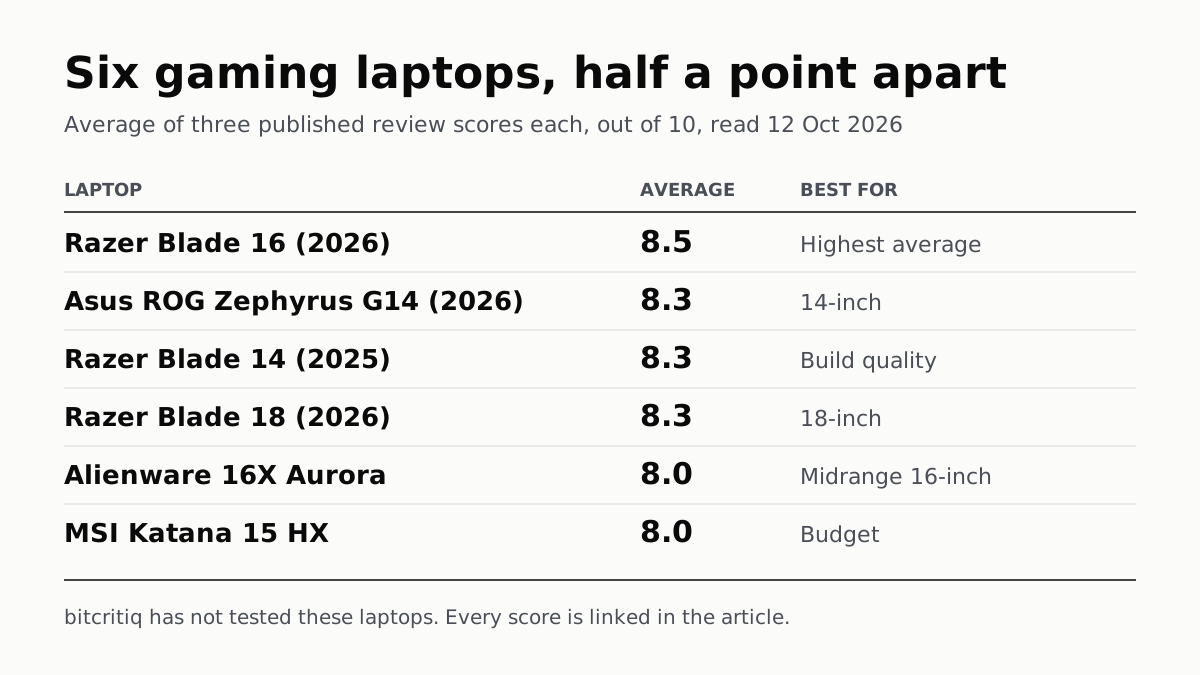
Razer Blade 16 Tops Gaming Laptop Reviews, by Half a Point
Eighteen review scores from eight outlets, all read on 12 October. Six laptops land within half a point, so pick by size and price.
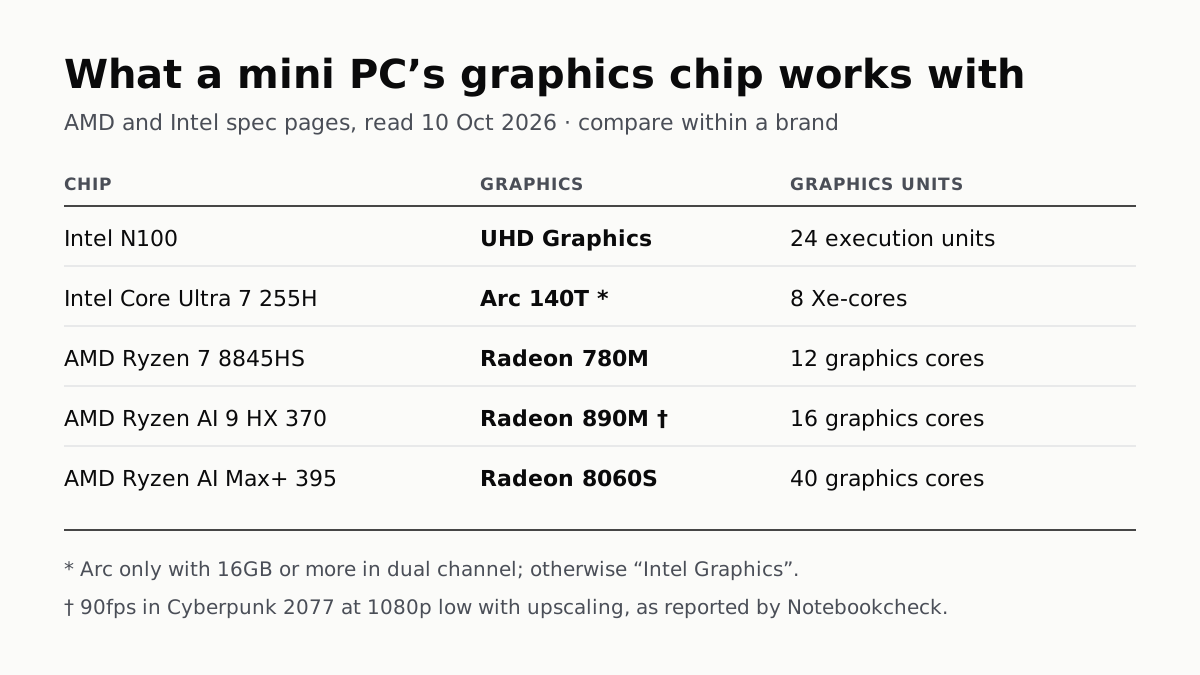
A Mini PC Can Game, but Its Graphics Chip Sets the Ceiling
Balatro's minimum is integrated graphics; Cyberpunk 2077's is a GTX 1060. A Radeon 890M ran Cyberpunk at 1080p low in one reported test.

A Used PC or CPU Can Carry Its Last Owner’s Game Ban
Riot and Activision ban hardware, not only accounts. Riot will re-check one on request; Activision rules out an appeal.
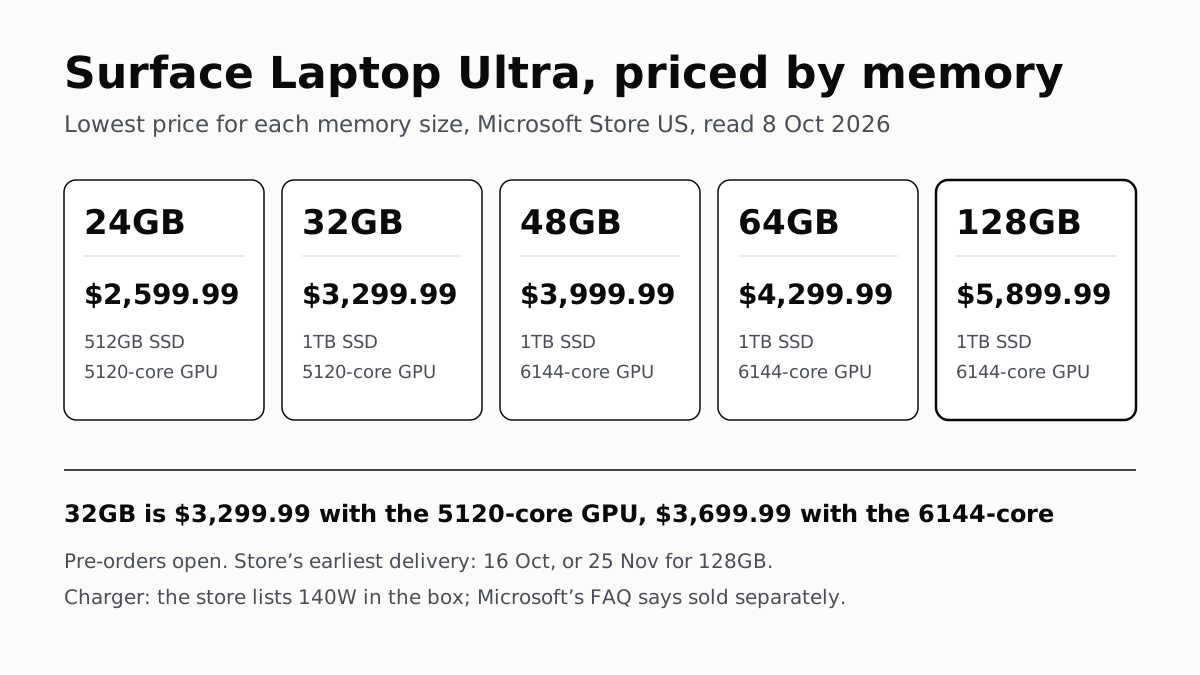
Surface Laptop Ultra Costs $2,599.99 to $5,899.99
Nvidia's RTX Spark gives a 15-inch Windows laptop up to 128GB of shared memory. Memory sets the price, and 128GB arrives in late November.