Windows 11 24H2 Home and Pro Lose Updates on 13 October
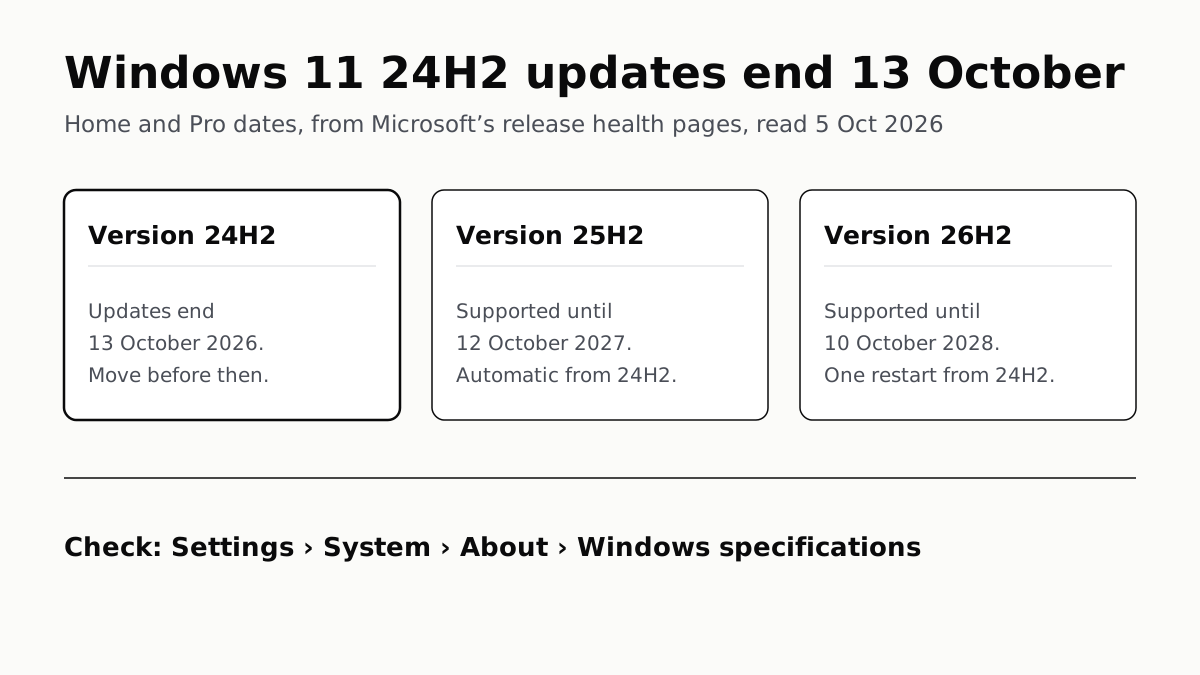
Version 26H2 installs as a small update with one restart and is supported until October 2028. Settings shows which version you have.
If you buy through our links, we may earn a commission. It never affects our verdicts or scores — how that works. As an Amazon Associate I earn from qualifying purchases.
Windows 11 version 24H2 stops getting security updates on 13 October 2026 on Home and Pro PCs, Microsoft’s release health pages say. Check your version under Settings › System › About; if it says 24H2, install version 26H2 from Windows Update, which Microsoft supports on Home and Pro until 10 October 2028.
Most home PCs will not need to be asked. Microsoft says Home and Pro PCs on 24H2 that no IT department manages get version 25H2 automatically, with the restart left to you.
What stops on 13 October
From Microsoft’s 24H2 status page: devices on those editions “will no longer receive fixes for known issues, time zone updates, technical support, or monthly security and preview updates containing protections from the latest security threats.” The security updates are the loss that matters for a PC that goes online.
Microsoft’s own pages differ by a day here. The Lifecycle page lists 14 October 2026 for 24H2 Home and Pro; the release information table and the 24H2 status page both say 13 October. We use the 13th, the date Microsoft gives on the page about 24H2 itself. The same day, Office 2021 stops getting security fixes, with the same one-day disagreement between Microsoft’s pages.
The rule behind every date: each annual version gets 24 months of updates on Home, Pro, Pro Education and Pro for Workstations, and 36 months on Enterprise and Education.
Every current version and when it ends
| Version | Released | Home and Pro updates end | Enterprise and Education updates end |
|---|---|---|---|
| 26H2 | 29 Sep 2026 | 10 Oct 2028 | 9 Oct 2029 |
| 26H1 (new devices only) | 10 Feb 2026 | 14 Mar 2028 | 13 Mar 2029 |
| 25H2 | 30 Sep 2025 | 12 Oct 2027 | 10 Oct 2028 |
| 24H2 | 1 Oct 2024 | 13 Oct 2026 | 12 Oct 2027 |
| 23H2 | 31 Oct 2023 | Already ended | 10 Nov 2026 |
Dates are from Microsoft’s Windows 11 release information table. Its Lifecycle pages give a date one day later for 25H2 and 26H1 as well.
Check which version you have
- Right-click Start and choose Settings.
- Select System, then About.
- Under Windows specifications, read Edition and Version.
Typing winver into the taskbar search box and opening the result shows the version too. The same About page lists installed RAM, the first number you need for checking how much memory your laptop can really take.
| Version says | What it means for a Home or Pro PC |
|---|---|
| 24H2 | Updates end 13 October 2026. Move to 25H2 or 26H2 |
| 25H2 | Supported until 12 October 2027. 26H2 is optional for now |
| 26H2 | Supported until 10 October 2028. Nothing to do |
| 26H1 | Supported until 14 March 2028. 26H2 is not offered to it |
| 23H2 or earlier | Already out of updates. Update now |
If the Edition line says Enterprise or Education, the right-hand column of the first table applies, and 24H2 has until 12 October 2027. If the About page says Windows 10 instead, a different clock applies: paid or free Extended Security Updates, now to October 2027.
Move to 26H2
From 24H2 or 25H2, Microsoft delivers 26H2 as an enablement package: a small download that switches on features already installed by monthly updates, followed by one restart.
- Open Settings › Windows Update.
- Turn on Get the latest updates as soon as they’re available. Microsoft says this puts you among the first to be offered 26H2.
- Select Check for updates. When your PC is eligible, an option to download and install Windows 11, version 26H2 appears.
If it does not appear yet, the rollout may not have reached your PC. Microsoft is releasing 26H2 in phases that “will expand over the next few months”, and places safeguard holds on PCs where it detects a known compatibility issue. Taking 25H2 when Windows Update offers it also keeps you covered, to 12 October 2027.
Microsoft’s Windows Update Assistant installs the latest feature update by hand on a PC that has not received it, but Microsoft says it does not run on Arm-based PCs.
Two exceptions: 26H1 and the oldest Arm laptops
Version 26H1 is not an upgrade for your current PC. Microsoft built it for select new devices, the first with Qualcomm Snapdragon X2 processors, and does not offer it as an in-place update from 24H2 or 25H2.
A laptop that shipped with 26H1 cannot move to 26H2, because 26H1 sits on a different Windows core; Microsoft says such devices “will have a path to update in a future Windows release”. If you are looking at one of these machines, our explainer on what the NPU in them does covers the spec those laptops sell on.
Two older groups reach the end of the line. Microsoft’s Lifecycle page says 26H2 is the last version for devices with a Snapdragon 850 processor, which puts their end of updates at 10 October 2028, and that 24H2 was the last supported version of Windows 11 SE, leaving SE devices no newer version to move to.
For a Snapdragon 850 laptop, that is two years to plan a replacement, and our laptop shortlist is a starting point.
Questions people ask
When does Windows 11 24H2 end support?
For Home, Pro, Pro Education and Pro for Workstations, on 13 October 2026, according to Microsoft’s release health pages. Its Lifecycle page lists 14 October. Enterprise and Education editions of 24H2 are supported until 12 October 2027.
How do I know if I have Windows 11 24H2?
Right-click Start, choose Settings, then System and About. Under Windows specifications, the Version line says 24H2, 25H2 or 26H2. Typing winver into the taskbar search box shows the same thing.
Will Windows 11 24H2 update itself to a newer version?
On most home PCs, yes. Microsoft says Home and Pro PCs on 24H2 that no IT department manages get 25H2 automatically, and you can pick when to restart or postpone it. You can also install 26H2 yourself from Windows Update.
Should I install Windows 11 25H2 or 26H2?
Either keeps you supported. 26H2 runs longer: Home and Pro get updates until 10 October 2028, against 12 October 2027 for 25H2. From 24H2, both arrive as small updates that need one restart.
Why is Windows 11 26H2 not showing up in Windows Update?
Microsoft is rolling it out in phases over the next few months and holds it back from PCs with a known compatibility problem. A PC on 26H1 cannot take it at all, because 26H1 is built on a different Windows core.
What happens if I stay on Windows 11 24H2 after October 13?
Microsoft stops sending it monthly security and preview updates, fixes for known issues and time zone updates, and stops technical support for it. Microsoft’s 24H2 page lists those losses; moving to 25H2 or 26H2 restores all of them.
How we researched this
No one at bitcritiq has handled this product. Everything here comes from published sources, listed below.
- What this cannot tell you
- Microsoft's own pages disagree by a day on several end dates: the Lifecycle page lists 14 October 2026 for 24H2 Home and Pro, while the release information table and the 24H2 status page say 13 October. We use the release health date and give both. The automatic move to 25H2 is described on a status update dated 27 March 2026; Microsoft has not said on the pages we read whether unmanaged 24H2 PCs will now be offered 25H2 or 26H2. We have not installed 26H2 on anything, and cannot tell any one reader whether a safeguard hold applies to their PC.
How we chose this, and what we did
- Why this subject
- Windows 11 version 24H2 was the version most Home and Pro PCs shipped with or moved to through 2025, and Microsoft's end-of-updates date for those editions falls on 13 October 2026, two weeks after version 26H2 went out. The reader's questions are practical: am I on it, what happens on the date, and which version do I move to.
- How we looked at it
- Everything is from Microsoft's own pages, read through a browser on 5 October 2026: the Windows 11 release information page and the version 24H2 and 26H2 status pages on Windows release health; the Microsoft Lifecycle pages for Windows 11 Home and Pro and for Enterprise and Education; the Windows Experience Blog post announcing the 2026 Update (29 September 2026); Microsoft Support's 26H1 article (KB5079944); and the support pages 'Find information about your Windows device' and 'Windows Update Assistant'.
What this rests on
6 claims, all official. Nothing here was measured by bitcritiq — see how we test for why. Open a claim to read the source it came from.
Windows 11 version 24H2 Home and Pro editions reach end of updates on 13 October 2026, after which they get no security or preview updates, time zone updates or technical support.Official
Windows release health, 24H2 status: “Windows 11, version 24H2 Home and Pro editions will reach end of updates on October 13, 2026. Devices running these editions will no longer receive fixes for known issues, time zone updates, technical support, or monthly security and preview updates containing protections from the latest security threats.”
Unmanaged Home and Pro PCs on 24H2 receive version 25H2 automatically, and the owner can choose when to restart or postpone.Official
24H2 status page, status as of 27 March 2026: “Devices running Home and Pro editions of Windows 11, version 24H2 that are not managed by IT departments will receive the Windows 11, version 25H2 update automatically. You can choose the time to restart your device or postpone the update.”
Version 26H2 reached general availability on 29 September 2026 and reaches 24H2 and 25H2 PCs as an enablement package needing a single restart.Official
Windows Experience Blog, 29 September 2026: “Windows 11, version 26H2 is delivered as an enablement package for eligible devices running Windows 11, versions 25H2 and 24H2… requiring only a small download and a quick restart.” Release information table: 26H2 availability 2026-09-29.
Home and Pro support for 26H2 ends on 10 October 2028; Enterprise and Education keep 24H2 until 12 October 2027.Official
Windows 11 release information table: 26H2 end of updates 2028-10-10 (Home, Pro, Pro Education, Pro for Workstations); 24H2 end of updates 2027-10-12 (Enterprise, Education, IoT Enterprise, Enterprise multi-session). The page states “24 months of support for Home, Pro, Pro for Workstations, and Pro Education editions; 36 months of support for Enterprise and Education editions.”
Version 26H1 is only for select new devices, the first with Snapdragon X2 processors; it is not offered to existing PCs and cannot update to 26H2.Official
Microsoft Support KB5079944: “It is not offered as an in-place update from Windows 11, versions 24H2 or 25H2 on existing devices… Devices running version 26H1 will not be able to update to the next annual feature update in the second half of 2026.” Footnote: “The first devices will launch with Qualcomm Snapdragon® X2 Series processors.”
Version 26H2 is the last Windows 11 version that will support devices with Snapdragon 850 processors, and 24H2 was the last for Windows 11 SE.Official
Microsoft Lifecycle, Windows 11 Home and Pro: “Windows 11, version 26H2 is the last version that will support devices with Snapdragon 850 processors.” and “Windows 11, version 24H2 was the last supported version for Windows 11 SE edition.”
Sources 9
- Windows 11 release information — Windows release health, Microsoft LearnOfficialaccessed Oct 5, 2026
- Windows 11, version 24H2 known issues and notifications — Windows release healthOfficialaccessed Oct 5, 2026
- Windows 11, version 26H2 known issues and notifications — Windows release healthOfficialaccessed Oct 5, 2026
- How to get the Windows 11 2026 Update — Windows Experience Blog, 29 September 2026Officialaccessed Oct 5, 2026
Show 5 more · 5 official or standards
- Windows 11 Home and Pro — Microsoft LifecycleOfficialaccessed Oct 5, 2026
- Windows 11 Enterprise and Education — Microsoft LifecycleOfficialaccessed Oct 5, 2026
- Windows 11, version 26H1 (KB5079944) — Microsoft SupportOfficialaccessed Oct 5, 2026
- Find information about your Windows device — Microsoft SupportOfficialaccessed Oct 5, 2026
- Windows Update Assistant — Microsoft SupportOfficialaccessed Oct 5, 2026
Pass it on
Know someone weighing this up? Send them the answer.
bitcritiq.com/uc3tThe link is permanent: it opens this article for good, even if the title changes.
No email, no account
Follow bitcritiq
Every new article, in whatever reader you already use.
Subscribe by RSSAll the ways to follow
Using Chrome on Android? Open the browser menu and tap Follow. New articles then turn up in the Following tab in Discover.
read next
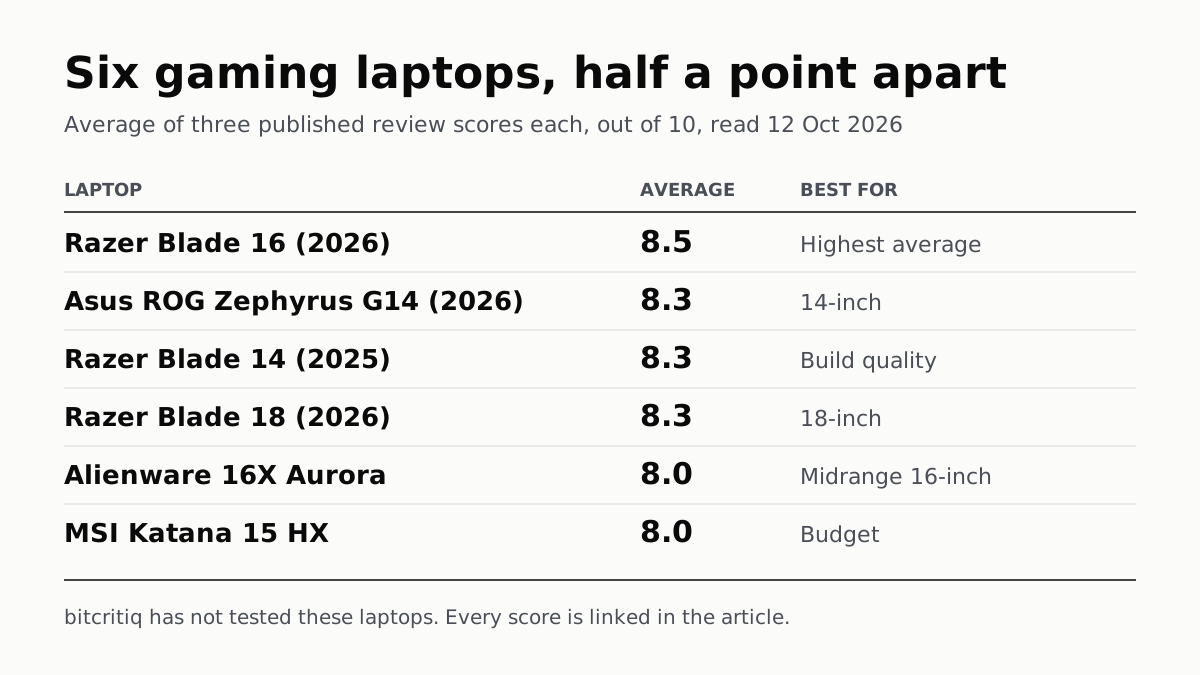
Razer Blade 16 Tops Gaming Laptop Reviews, by Half a Point
Eighteen review scores from eight outlets, all read on 12 October. Six laptops land within half a point, so pick by size and price.
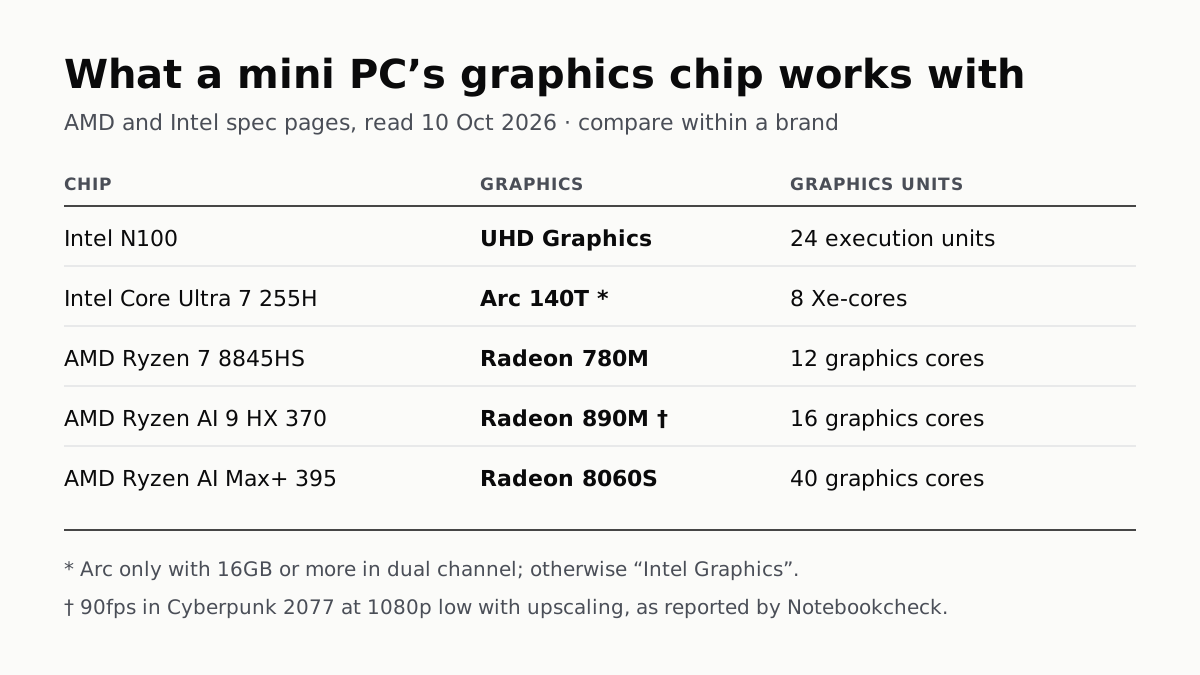
A Mini PC Can Game, but Its Graphics Chip Sets the Ceiling
Balatro's minimum is integrated graphics; Cyberpunk 2077's is a GTX 1060. A Radeon 890M ran Cyberpunk at 1080p low in one reported test.
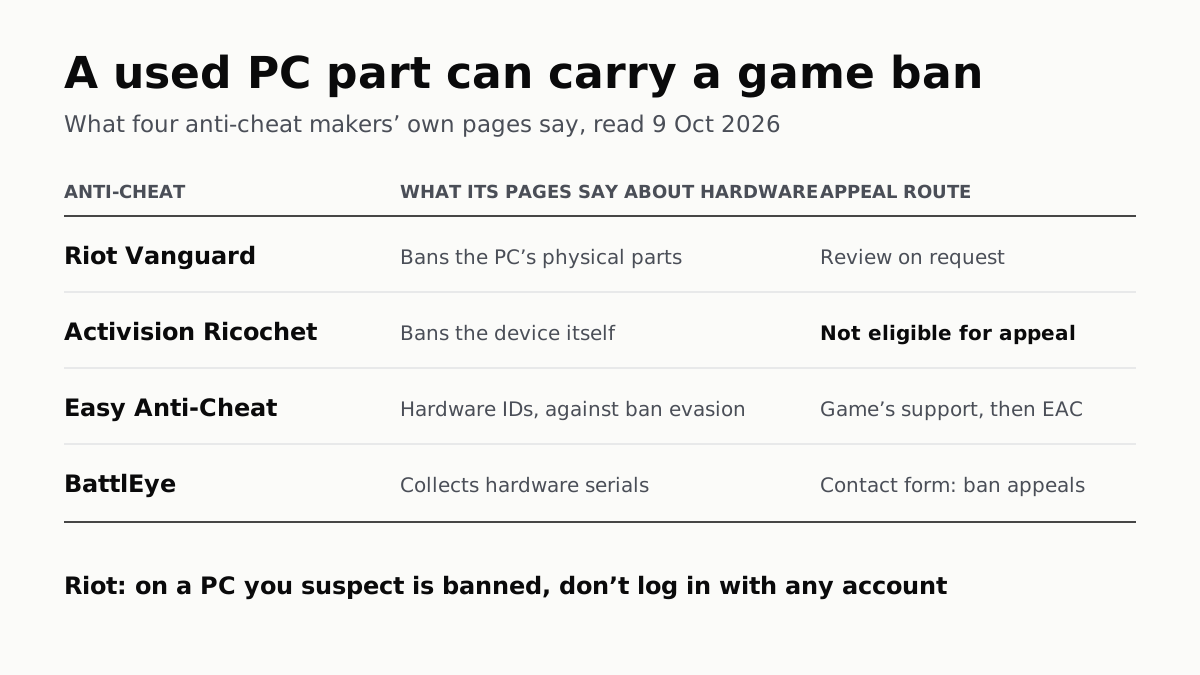
A Used PC or CPU Can Carry Its Last Owner’s Game Ban
Riot and Activision ban hardware, not only accounts. Riot will re-check one on request; Activision rules out an appeal.
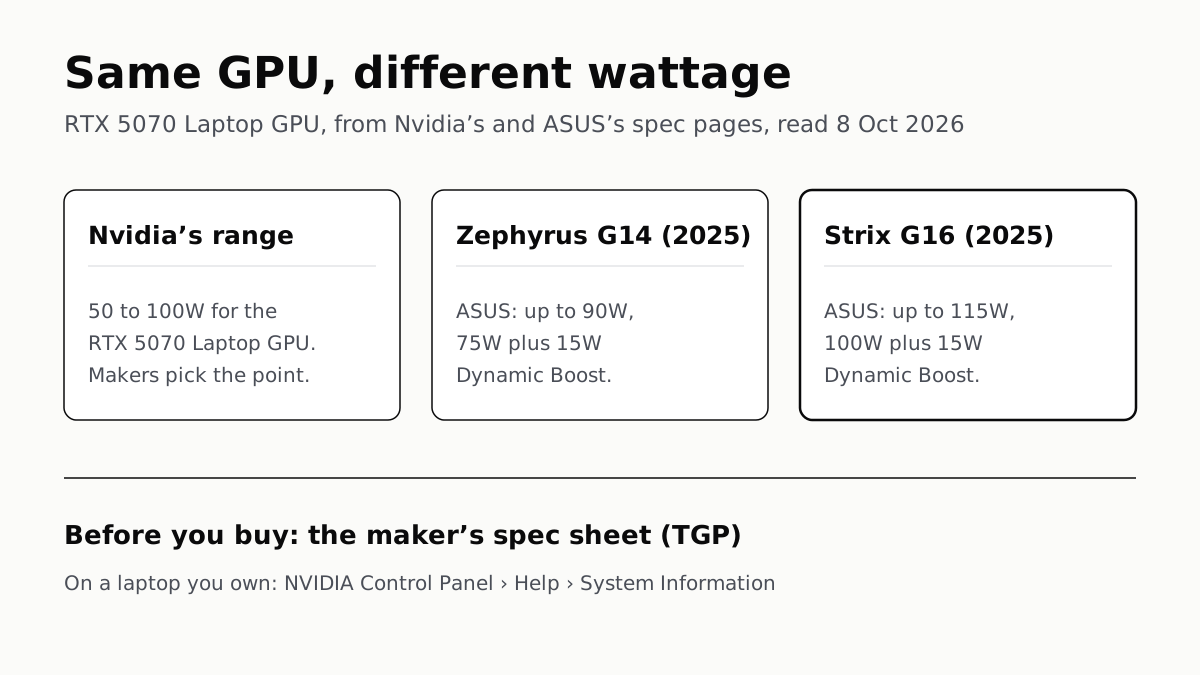
The Same RTX 5070 Laptop GPU Runs at 90W or 115W
Nvidia publishes a power range for each laptop GPU and the maker picks a point in it. The spec sheet, or Nvidia Control Panel, shows which.