Office 2021 Loses Security Updates on 13 October
The apps keep opening files after that. Office 2024 is supported to 2029, and Professional owners lose Publisher whichever way they go.
If you buy through our links, we may earn a commission. It never affects our verdicts or scores — how that works. As an Amazon Associate I earn from qualifying purchases.
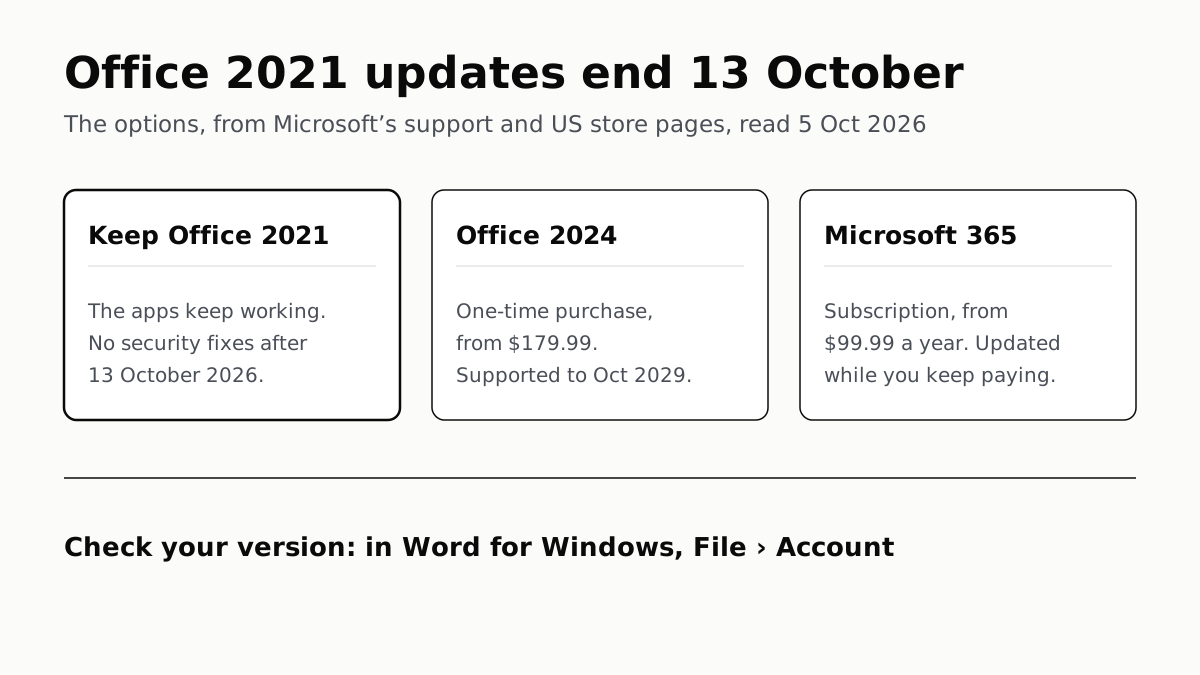
Office 2021 keeps working after 13 October 2026, but Microsoft stops sending it security fixes that day, with no extension and no paid extra year. Staying supported means buying Office 2024, from $179.99 once and supported until October 2029, or subscribing to Microsoft 365, from $99.99 a year, at Microsoft’s US prices on 5 October 2026.
The date covers every home edition: Home & Student, Home & Business and Professional, on Windows and Mac, plus Office LTSC 2021, the business version.
What stops on 13 October
Microsoft’s support page lists it. After the date, Microsoft provides no “technical support, bug fixes, or security fixes for Office 2021 vulnerabilities”, no further software updates, and no phone or chat help, and it retires most of the online help content. It says plainly that “there will be no extension and no extended security updates”, which rules out the kind of paid year Microsoft sells for Windows 10, whose security updates now run to October 2027.
What does not stop is the software. Microsoft says “all of your Office 2021 apps may continue to function”. Your documents open, edit and save as before; what changes is that a flaw found next month stays unfixed. Microsoft’s FAQ says Office 2021 needs periodic internet access to stay activated, and none of its pages we read says activation ends with support.
Microsoft’s own pages differ by a day. The Lifecycle page gives a retirement date of 14 October 2026; the support page, Microsoft Learn’s upgrade guide and the Publisher notice all say 13 October. We use the 13th, the date on the page written for owners. It falls on the same day as the end of updates for Windows 11 24H2 on Home and Pro PCs.
Check which Office you have
- Open Word, Excel or PowerPoint.
- On Windows, choose File › Account. On a Mac, open the app’s menu, such as Word, and choose About.
- The product name says which version and edition you own. Microsoft 365 updates itself and is not affected.
Your options, side by side
Prices are Microsoft’s US list prices, read from its store on 5 October 2026.
| Option | Price | Apps | Supported until |
|---|---|---|---|
| Keep Office 2021 | Nothing more | What you have now | 13 October 2026 |
| Office Home 2024 | $179.99 once, 1 PC or Mac | Word, Excel, PowerPoint, OneNote | 10 October 2029 |
| Office Home & Business 2024 | $249.99 once, 1 PC or Mac | Adds Outlook | 10 October 2029 |
| Microsoft 365 Personal | $99.99 a year, or $9.99 a month | Adds Access on PCs; 1 person, 5 devices at once, 1 TB storage | While you subscribe |
| Microsoft 365 Family | $129.99 a year, or $12.99 a month | As Personal, for up to 6 people | While you subscribe |
Office 2024 is the like-for-like replacement. It is a one-time purchase for one computer, with a fixed set of apps that get security updates until 10 October 2029, according to Microsoft’s Lifecycle page. Microsoft’s FAQ is explicit that one-time purchases have no upgrade pricing, so an Office 2021 licence earns no discount.
Microsoft 365 suits more than one device or person. On those prices, Office Home & Business 2024 costs the same as two and a half years of Microsoft 365 Personal, and the subscription renews at the regular price unless cancelled. Whether a yearly charge suits you depends on what else you already pay for; our tally of the subscriptions a typical home runs is a place to start counting.
Professional owners: Publisher and Access
Office Professional 2021 is the edition with most to lose. Microsoft’s FAQ lists it as the one with Publisher and Access, on PC only.
Publisher has no successor. Microsoft says Publisher reaches its end of life in October 2026. It removed it from Microsoft 365 on 1 October 2026, and support for the one-time-purchase version ends with Office 2021 on 13 October. Office 2024 does not include it either: Microsoft’s store lists Word, Excel, PowerPoint, Outlook and OneNote for Home & Business 2024, and nothing else.
Publisher 2021 keeps running like the rest of the suite. Microsoft’s advice is to convert files while you can: File › Save as, with PDF as the file type, then open the PDF in Word if you need to edit it. It recommends Word or PowerPoint for flyers, calendars and cards, and gives a PowerShell script for converting folders of files at once.
Among Microsoft’s home options, Access is only in Microsoft 365. Microsoft’s comparison table marks Access (PC only) as included in every Microsoft 365 plan and not in Office Home 2024, so a database built in Access 2021 needs a subscription to stay on supported software at home.
Outlook and Microsoft’s online services
Microsoft keeps a separate list of Office versions supported for connecting to its online services, such as Exchange Online and OneDrive. It names Office LTSC 2021 until 13 October 2026 and Office LTSC 2024 until 9 October 2029, and does not list the home editions of Office 2021 at all.
For versions off that list, Microsoft says they “might still be able to connect” but that the connection is not supported, and that over time they may lose features or run into “unexpected performance or reliability issues”. That describes a gradual decline, not a switch-off date. If Outlook in Office 2021 handles your email and starts misbehaving after October, the unsupported version is one thing to rule out.
On a PC still running Windows 10, Microsoft 365 has a dated commitment too: its apps there get security updates until 10 October 2028, according to the Microsoft blog post cited in our Windows 10 explainer.
Questions people ask
Will Office 2021 stop working after October 2026?
Not on that date. Microsoft says all Office 2021 apps may continue to function after 13 October 2026. What stops is support: no security fixes, bug fixes or software updates, and no phone or chat help.
When does Office 2021 support end?
On 13 October 2026, according to Microsoft’s support page for Office 2021. Microsoft’s Lifecycle page lists 14 October. The date covers Home & Student, Home & Business, Professional and the Mac editions.
Is there extended support for Office 2021?
No. Microsoft’s support page says there will be no extension and no extended security updates for Office 2021, unlike the paid security updates it sells for Windows 10.
Is it safe to keep using Office 2021?
It keeps working, but Microsoft will not fix security flaws found in Office 2021 after 13 October 2026. Microsoft’s own wording is that you could expose yourself to serious and potentially harmful security risks, and it recommends moving to a supported version.
Should I buy Office 2024 or Microsoft 365?
Office 2024 suits one computer and the same apps until October 2029: $179.99 for Office Home 2024. Microsoft 365 Personal is $99.99 a year and adds more devices, 1 TB of storage and Access on PCs. On Microsoft’s US prices, Office Home & Business 2024 costs the same as two and a half years of Personal.
What happens to Publisher in Office 2021 Professional?
Support ends with Office 2021 on 13 October 2026, and there is no newer Publisher to move to: Microsoft removed it from Microsoft 365 on 1 October 2026, and Office 2024 does not include it. Microsoft suggests saving files as PDF.
How we researched this
No one at bitcritiq has handled this product. Everything here comes from published sources, listed below.
- What this cannot tell you
- Microsoft's pages disagree by a day: the Lifecycle page gives 14 October 2026, while the support page, the Learn upgrade page and the Publisher notice give 13 October. We use the 13th and give both. Microsoft's page on connecting to its online services lists Office LTSC 2021 but not the home editions, so we cannot say from Microsoft's pages how Outlook in Office 2021 Home & Business will fare with those services. Prices are Microsoft's US list prices on 5 October 2026 and can change; we did not check other retailers. We have not run Office 2021 past its end date, which has not arrived.
How we chose this, and what we did
- Why this subject
- Office 2021 was the one-time-purchase Office sold from October 2021 until Office 2024 replaced it, and its support ends nine days after this was written. Nothing on the site covered Office. The owner's questions are practical: does it stop working, what stops, and what replacing it costs.
- How we looked at it
- Everything is from Microsoft's own pages, read through a browser on 5 October 2026: the Microsoft Lifecycle pages for Office 2021, Office LTSC 2021, Office 2024 and Office LTSC 2024; the Microsoft Support pages 'End of support for Office 2021', 'Office 2021 and Office LTSC for Windows and Mac FAQ' and 'Microsoft Publisher will no longer be supported after October 2026'; the Microsoft Learn pages 'Plan an upgrade from older versions of Office to Microsoft 365 Apps' and 'Office versions and connectivity to Microsoft 365 services'; and the Microsoft Store US plan comparison and Office Home & Business 2024 product pages for prices.
What this rests on
6 claims, all official. Nothing here was measured by bitcritiq — see how we test for why. Open a claim to read the source it came from.
Support for Office 2021 ends on 13 October 2026, with no extension and no extended security updates, and the apps may continue to function.Official
Microsoft Support, End of support for Office 2021: “Support for Office 2021 will end October 13, 2026 and there will be no extension and no extended security updates. All of your Office 2021 apps may continue to function.” The Microsoft Lifecycle page lists a retirement date of Oct 14, 2026.
After the date Microsoft provides no technical support, bug fixes or security fixes for Office 2021, and most online help content is retired.Official
Microsoft Support: “Microsoft will no longer provide technical support, bug fixes, or security fixes for Office 2021 vulnerabilities which may be subsequently reported or discovered… You'll no longer receive Office 2021 software updates… No further updates to support content will be provided and most online help content will be retired.”
The end date covers Home & Student, Home & Business and Professional, including the Mac editions, and Office LTSC 2021.Official
Microsoft Lifecycle, Office 2021: “This applies to the following editions: Home and Business, Home and Business for Mac, Home and Student, Home and Student for Mac, Professional.” Office LTSC 2021 (Standard, Standard for Mac): mainstream end date Oct 14, 2026.
Office 2024 is supported until 10 October 2029.Official
Microsoft Lifecycle, Office 2024 (Home & Business, Home; Windows & Mac): start date Oct 1, 2024, retirement date Oct 10, 2029.
Publisher was removed from Microsoft 365 on 1 October 2026, and support for the perpetual version ends on 13 October 2026.Official
Microsoft Support: “Microsoft 365 subscribers will not be able to access Publisher after October 1, 2026. Support for the perpetual version of Publisher will end on October 13, 2026, when Office LTSC 2021 and Consumer Office 2021 reach end of support.”
On 5 October 2026 Microsoft's US store listed Office Home 2024 at $179.99, Office Home & Business 2024 at $249.99, Microsoft 365 Personal at $99.99 a year and Microsoft 365 Family at $129.99 a year.Official
Microsoft Store US plan comparison: “Microsoft 365 Personal $99.99/year… Microsoft 365 Family $129.99/year… Office Home 2024 One-time purchase for PC or Mac $179.99”. Office Home & Business 2024 product page: “One-time purchase for 1 PC or Mac… $249.99”.
Sources 11
- End of support for Office 2021 — Microsoft SupportOfficialaccessed Oct 5, 2026
- Office 2021 — Microsoft LifecycleOfficialaccessed Oct 5, 2026
- Office LTSC 2021 — Microsoft LifecycleOfficialaccessed Oct 5, 2026
- Office 2024 — Microsoft LifecycleOfficialaccessed Oct 5, 2026
Show 7 more · 7 official or standards
- Office LTSC 2024 — Microsoft LifecycleOfficialaccessed Oct 5, 2026
- Office 2021 and Office LTSC for Windows and Mac FAQ — Microsoft SupportOfficialaccessed Oct 5, 2026
- Microsoft Publisher will no longer be supported after October 2026 — Microsoft SupportOfficialaccessed Oct 5, 2026
- Plan an upgrade from older versions of Office to Microsoft 365 Apps — Microsoft LearnOfficialaccessed Oct 5, 2026
- Office versions and connectivity to Microsoft 365 services — Microsoft LearnOfficialaccessed Oct 5, 2026
- Compare Microsoft 365 plans and pricing — Microsoft Store (US)Officialaccessed Oct 5, 2026
- Office Home & Business 2024 — Microsoft Store (US)Officialaccessed Oct 5, 2026
Pass it on
Know someone weighing this up? Send them the answer.
bitcritiq.com/pyr5The link is permanent: it opens this article for good, even if the title changes.
No email, no account
Follow bitcritiq
Every new article, in whatever reader you already use.
Subscribe by RSSAll the ways to follow
Using Chrome on Android? Open the browser menu and tap Follow. New articles then turn up in the Following tab in Discover.
read next
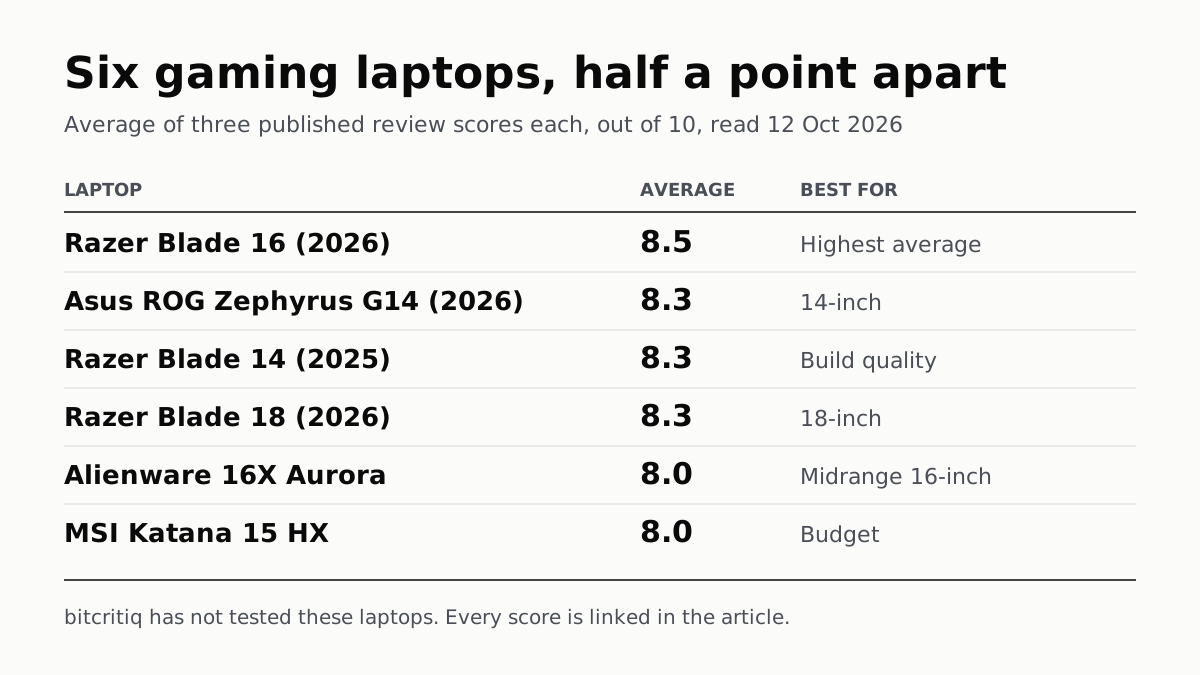
Razer Blade 16 Tops Gaming Laptop Reviews, by Half a Point
Eighteen review scores from eight outlets, all read on 12 October. Six laptops land within half a point, so pick by size and price.
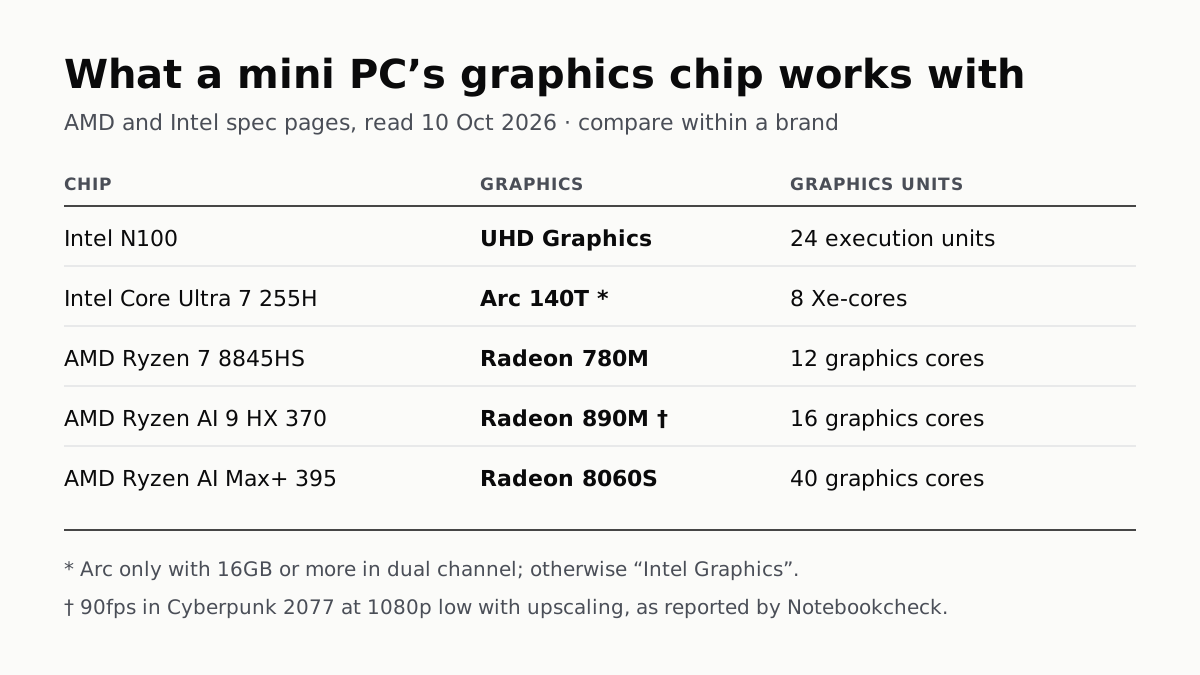
A Mini PC Can Game, but Its Graphics Chip Sets the Ceiling
Balatro's minimum is integrated graphics; Cyberpunk 2077's is a GTX 1060. A Radeon 890M ran Cyberpunk at 1080p low in one reported test.
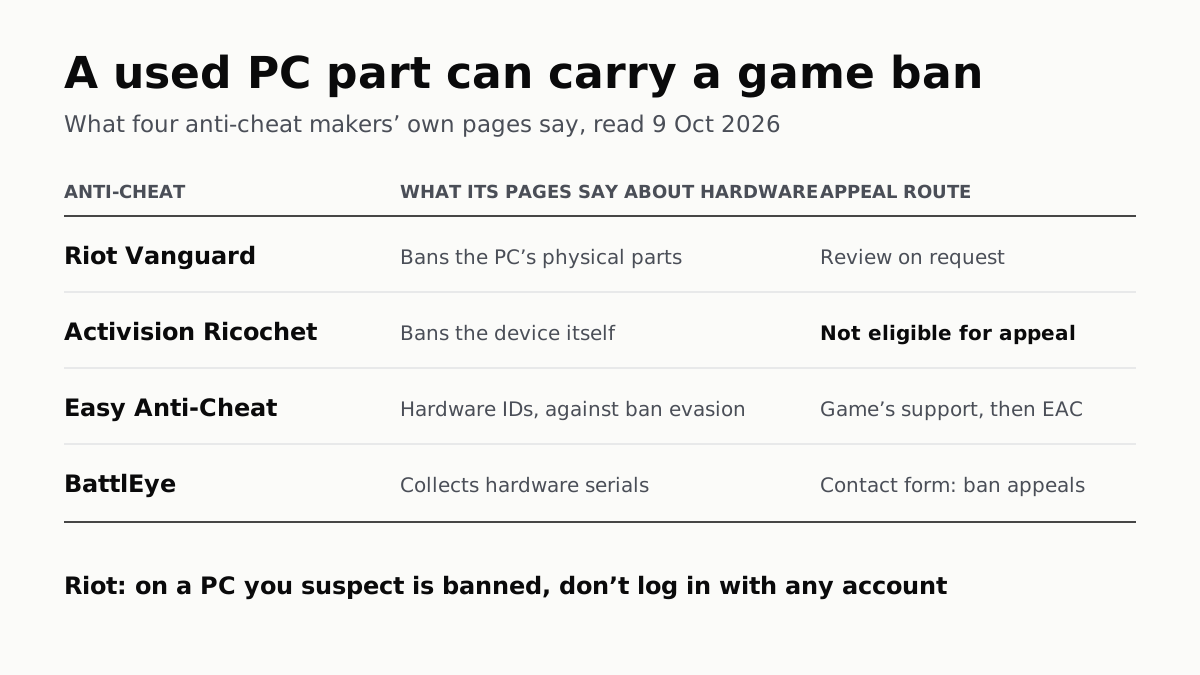
A Used PC or CPU Can Carry Its Last Owner’s Game Ban
Riot and Activision ban hardware, not only accounts. Riot will re-check one on request; Activision rules out an appeal.
The Same RTX 5070 Laptop GPU Runs at 90W or 115W
Nvidia publishes a power range for each laptop GPU and the maker picks a point in it. The spec sheet, or Nvidia Control Panel, shows which.