A Certified USB-C Cable’s Logo Gives Its Speed and Watts
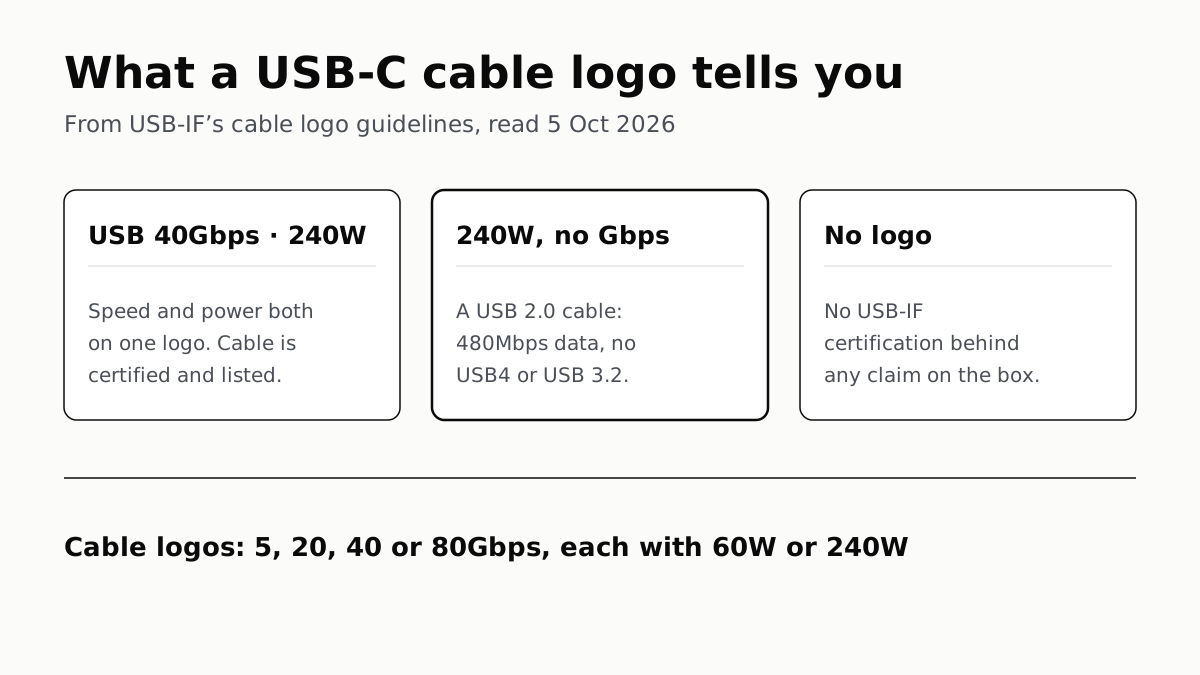
A 240W logo with no Gbps figure marks a 480Mbps USB 2.0 cable. Under current rules, a USB-C to USB-C cable with no logo is uncertified.
If you buy through our links, we may earn a commission. It never affects our verdicts or scores — how that works. As an Amazon Associate I earn from qualifying purchases.
The logo on a certified USB-C cable states two things: its data rate (5, 20, 40 or 80Gbps) and its power rating (60W or 240W). A logo with only a wattage, and no Gbps figure, marks a USB 2.0 cable that carries data at up to 480Mbps.
USB-IF, the industry body behind USB, allows these logos only on cables that have passed its compliance testing. Under its current guidelines, every USB-C to USB-C cable that passes must carry one, embossed or printed on the plug, so a new cable without one has not been certified.
What each logo means
USB-IF’s cable guidelines define 10 logos. Eight combine a data rate with a power rating; two give power only.
| Logo on the plug | Data | Power | What it tells you |
|---|---|---|---|
| USB 80Gbps · 240W or 60W | 80Gbps | 240W or 60W, as printed | The top USB data rate |
| USB 40Gbps · 240W or 60W | 40Gbps | 240W or 60W | USB-IF’s 2022 USB 80Gbps announcement says 80Gbps also runs over existing 40Gbps passive cables |
| USB 20Gbps · 240W or 60W | 20Gbps | 240W or 60W | A cable at 20V and 3A gets the 60W version, per USB-IF’s own example |
| USB 5Gbps · 240W or 60W | 5Gbps | 240W or 60W | The lowest certified data rate above USB 2.0 |
| 240W, no data rate | 480Mbps (USB 2.0) | 240W | A charging cable: no USB 3.2, USB4 or Alt Mode |
| 60W, no data rate | 480Mbps (USB 2.0) | 60W | The same, with charging up to 60W |
| No logo | Not certified | Not certified | Whatever the maker claims, unverified by USB-IF |
The 60W rating matches USB-IF’s example of a cable that “supports 20V at 3A”. 240W is the ceiling of USB Power Delivery 3.1, reached at 48V. Before revision 3.1, USB PD stopped at 100W, using 20V over cables rated at 5A.
The cable guidelines contain no 10Gbps cable logo, although USB-IF does give ports and devices a “USB 10Gbps” name. USB-IF does not explain the gap.
The trap is the wattage-only logo
A cable sold as “240W” sounds like the top model. If the plug shows 240W and no Gbps figure, it is a USB 2.0 Type-C cable. USB-IF says such cables “deliver data at up to 480Mbps”, that this “is not reflected in this logo”, and that they support neither USB 3.2, USB4 nor Alt Mode.
Without Alt Mode there is no video, which is one reason a hub may not drive a monitor; the cable is not the only one, as what decides whether a USB-C hub runs two monitors explains.
That cable charges a laptop at full power and copies files to a fast SSD at USB 2.0 speed. USB-IF’s own language guide says a USB 3.2 or USB4 device used with a USB 2.0 cable “will perform at the slower USB 2.0 speed”. The charging side of that pairing, and why wattage alone does not predict charging speed, is in why a 65W charger often charges below 65W.
What a cable without a logo promises
Nothing that USB-IF stands behind. Its licence page says the logos “may be used only” with products that passed compliance testing and are on its Integrators List, and its cable guidelines say every USB-C to USB-C cable must carry a data-rate and power logo to pass. USB-IF’s documents describe what certified cables do; they do not describe uncertified ones.
Three things USB-IF does say narrow what an unlabelled cable’s packaging can mean:
- “USB-C” names the connector, not a speed. USB-IF: “USB Type-C is not USB 3.2 or USB4”, and it “is not USB Power Delivery”. A cable can be USB-C and do any of those, or none.
- Old specification names are not meant for shoppers. “USB4 Version 2.0”, “USB 3.2” and “SuperSpeed Plus” are, in USB-IF’s words, “not intended to be used in product names”. The names it recommends are USB 80Gbps, 40Gbps, 20Gbps, 10Gbps and 5Gbps.
- Retailers carry responsibility too. USB-IF says online retailers are “responsible for ensuring” products sold under the USB-C trademarks comply with the specification, and points them to its public product search.
USB-IF says vendors must state the data rate in packaging and advertising, and recommends wording such as “signals at 40Gbps” or “supports USB 40Gbps”. On an uncertified cable that is the maker’s statement, not a tested one.
HDMI’s certification body also names its cables by bandwidth, and bans version numbers on cable packaging; which HDMI cable a TV or console needs covers that label.
How to check before buying
- Read the plug. Certified logos sit on the overmold, the plastic around the connector.
- Read the packaging logo. USB-IF’s packaging logos include the word “CERTIFIED”, and its guidelines forbid using them without it.
- Search the list. USB-IF’s product search covers only products certified to bear its logo. It shows the last two years by default, and USB-IF warns that products certified earlier “may fail the current iteration” of its compliance programme.
- Match the whole chain. USB-IF says full USB 3.2 or USB4 speed needs the computer, the device and a full-featured USB-C cable all to support it.
Where Thunderbolt cables fit
Thunderbolt cables are certified by Intel, not USB-IF. Intel says certified Thunderbolt cables carry the Thunderbolt icon and a number, 3, 4 or 5, on the connector, and are tested for “bandwidth, signal integrity, and power delivery”. Its database is at thunderbolttechnology.net/products.
Thunderbolt 5 is built on USB4 Version 2.0 and gives 80Gbps of bi-directional bandwidth, or up to 120Gbps with Bandwidth Boost, according to Intel’s 2023 announcement, which also says it works over passive cables up to 1 metre. Intel argues the USB4 name alone guarantees less: in its 2026 certification post it says a product can carry a USB4 logo “with as little as 20 Gbps” of data bandwidth. For an external GPU, the laptop’s port sets the PCIe ceiling whatever the cable says, as our piece on what limits an eGPU sets out.
Questions people ask
What does USB 40Gbps 240W on a cable mean?
It is USB-IF’s certified cable logo. The cable passed compliance testing for data at 40Gbps and power up to 240W, the USB Power Delivery 3.1 maximum. Both numbers are part of one logo, printed or embossed on the plug.
Why does my 240W USB-C cable transfer files slowly?
A 240W logo with no Gbps figure marks a USB 2.0 Type-C cable. USB-IF says those carry data at up to 480Mbps and do not support USB 3.2, USB4 or Alt Mode. For fast data, the logo has to show 5, 20, 40 or 80Gbps.
Is a USB-C cable without a logo bad?
Not necessarily, but it is uncertified under current rules. USB-IF requires every USB-C to USB-C cable that passes compliance to carry a data-rate and power logo, so a new cable without one has not been through its programme. Anything the box claims rests on the maker alone.
Can I use a 40Gbps cable for USB 80Gbps?
USB-IF’s 2022 announcement says USB 80Gbps runs over existing 40Gbps passive USB-C cables, as well as newly defined 80Gbps active cables. Its current USB4 page describes 80Gbps operation “over 80 Gbps certified cables”. A cable certified at that speed carries the USB 80Gbps logo, at 60W or 240W.
Is a Thunderbolt cable the same as a USB4 cable?
Thunderbolt cables have their own certification, run by Intel, and carry the Thunderbolt icon with a 3, 4 or 5 on the connector. Thunderbolt 5 is built on USB4 Version 2.0, and Intel’s announcement quotes Microsoft calling it fully USB 80Gbps compliant.
How do I check if a USB-C cable is certified?
Look for the logo on the plug and the word CERTIFIED on the packaging logo, then search USB-IF’s certified product list at usb.org/products. It shows the last two years by default; widen the date filter for older cables.
Does USB-C mean USB4?
No. USB-IF says USB Type-C is a connector, and is not USB 3.2, USB4 or USB Power Delivery. A USB-C cable may support any of those, or only USB 2.0. The logo on the plug is what tells you which.
How we researched this
No one at bitcritiq has handled this product. Everything here comes from published sources, listed below.
- What this cannot tell you
- We have not tested any cable. USB-IF's guidelines describe what a certified cable's logo means; they say nothing about what an unlabelled cable does, so neither do we. The logo artwork itself is in image files we did not reproduce; the logo names come from the trademark statements the guidelines require. The cable guidelines list no 10Gbps cable logo, though 10Gbps logos exist for other products, and USB-IF does not say why. The Integrators List the logo rules refer to is visible only to members; the public certified product search is the consumer's route. The guidelines do not say when the cable-logo requirement began, so an older certified cable may lack a logo; we scope the no-logo point to current rules. USB-IF's 2022 announcement says USB 80Gbps runs over existing 40Gbps passive cables, while its current USB4 page speaks of 80Gbps over 80Gbps certified cables; we report both rather than choose.
How we chose this, and what we did
- Why this subject
- USB-C cables look identical and are sold on numbers — 40Gbps, 240W — that buyers cannot check by eye. Our charger and eGPU pieces both end at the cable without explaining its label. USB-IF publishes the full logo set and the rules for using it, which answers what each marking promises.
- How we looked at it
- Everything about USB logos is from USB-IF's own documents, read through a browser on 5 October 2026: the USB Type-C Cable Logo Usage Guidelines, the USB Type-C Language, Product and Packaging Guidelines, the USB Data Performance Language Usage Guidelines, the logo licence page, the certified product search page, the USB4 and USB Power Delivery pages, and the October 2022 USB 80Gbps announcement. Thunderbolt cable marking and minimums are from Intel's 2023 Thunderbolt 5 announcement and an Intel blog post on Thunderbolt certification of 9 June 2026.
What this rests on
6 claims, all official. Nothing here was measured by bitcritiq — see how we test for why. Open a claim to read the source it came from.
USB-IF logos may be used only on products that have passed USB-IF compliance testing and are on the Integrators List.Official
USB-IF Logo License page: “THE USB-IF LOGOS MAY BE USED ONLY IN CONJUNCTION WITH PRODUCTS WHICH HAVE PASSED USB-IF COMPLIANCE TESTING AND ARE CURRENTLY ON THE INTEGRATORS LIST.”
To pass USB-IF compliance, every USB-C to USB-C cable must carry a logo giving its data rate and power, on the plug overmold; a 20Gbps cable supporting 20V at 3A gets the 20Gbps/60W logo.Official
USB Type-C Cable Logo Usage Guidelines: “In order to pass through the USB-IF Compliance Program, all USB-C to USB-C cables must be labeled using the appropriate data rate and power wattage cable logo. For example, a USB 20Gbps cable that supports 20V at 3A must be marked with the Combined Performance and Power 20Gbps/60W logo.” The logo is “embossed on the over mold or printed on the overmold”.
USB 2.0 Type-C cables with a 240W or 60W logo carry data at up to 480Mbps, which the logo does not show, and support neither USB 3.2, USB4 nor Alt Mode.Official
Cable Logo Usage Guidelines: “USB 2.0 Type-C 60W and 240W cables deliver data at up to 480Mbps, however, this performance capability is not required to be included and is not reflected in this logo.” Language Guidelines: “Cable does not support/include USB 3.2 nor USB4 or Alt-Mode capabilities.”
USB PD 3.1 raised the maximum from 100W to 240W, using 28V, 36V and 48V levels for 140W, 180W and 240W; the 100W limit used 20V over cables rated at 5A.Official
USB-IF USB Charger page: “Prior to this update, USB PD was limited to 100W using a solution based on 20V using USB Type-C cables rated at 5A.” “New 28V, 36V, and 48V fixed voltages enable up to 140W, 180W and 240W power levels, respectively.”
USB-IF's USB 80Gbps announcement says 80Gbps runs over existing 40Gbps passive USB-C cables and newly defined 80Gbps active cables.Official
USB-IF, 18 October 2022: “Up to 80Gbps operation … over existing 40Gbps USB Type-C passive cables and newly defined 80Gbps USB Type-C active cables.”
Thunderbolt certified cables carry the Thunderbolt icon and a number (3, 4 or 5) on the connector.Official
Intel Community blog, 9 June 2026: “Thunderbolt Certified cables carry the Thunderbolt icon and a Technology number (3, 4, or 5) stamped directly on the connector.”
Sources 10
- USB Type-C Cable Logo Usage Guidelines — USB-IFOfficialaccessed Oct 5, 2026
- USB Type-C and USB 2.0 Type-C Cable and Connector Language Usage Guidelines — USB-IFOfficialaccessed Oct 5, 2026
- USB Data Performance Language Usage Guidelines — USB-IFOfficialaccessed Oct 5, 2026
- USB-IF Logo License — USB-IFOfficialaccessed Oct 5, 2026
Show 6 more · 6 official or standards
- Product Search (certified products) — USB-IFOfficialaccessed Oct 5, 2026
- USB Charger (USB Power Delivery) — USB-IFOfficialaccessed Oct 5, 2026
- USB4 — USB-IFOfficialaccessed Oct 5, 2026
- USB-IF Announces Publication of New USB4 Specification to Enable USB 80Gbps Performance — USB-IF, 18 October 2022Officialaccessed Oct 5, 2026
- Intel Introduces Thunderbolt 5 Connectivity Standard — Intel newsroom, 12 September 2023Officialaccessed Oct 5, 2026
- Thunderbolt Certified: Why It Matters for Reliability & Performance — Intel Community blog, 9 June 2026Officialaccessed Oct 5, 2026
Pass it on
Know someone weighing this up? Send them the answer.
bitcritiq.com/b2b4The link is permanent: it opens this article for good, even if the title changes.
No email, no account
Follow bitcritiq
Every new article, in whatever reader you already use.
Subscribe by RSSAll the ways to follow
Using Chrome on Android? Open the browser menu and tap Follow. New articles then turn up in the Following tab in Discover.
read next
Razer Blade 16 Tops Gaming Laptop Reviews, by Half a Point
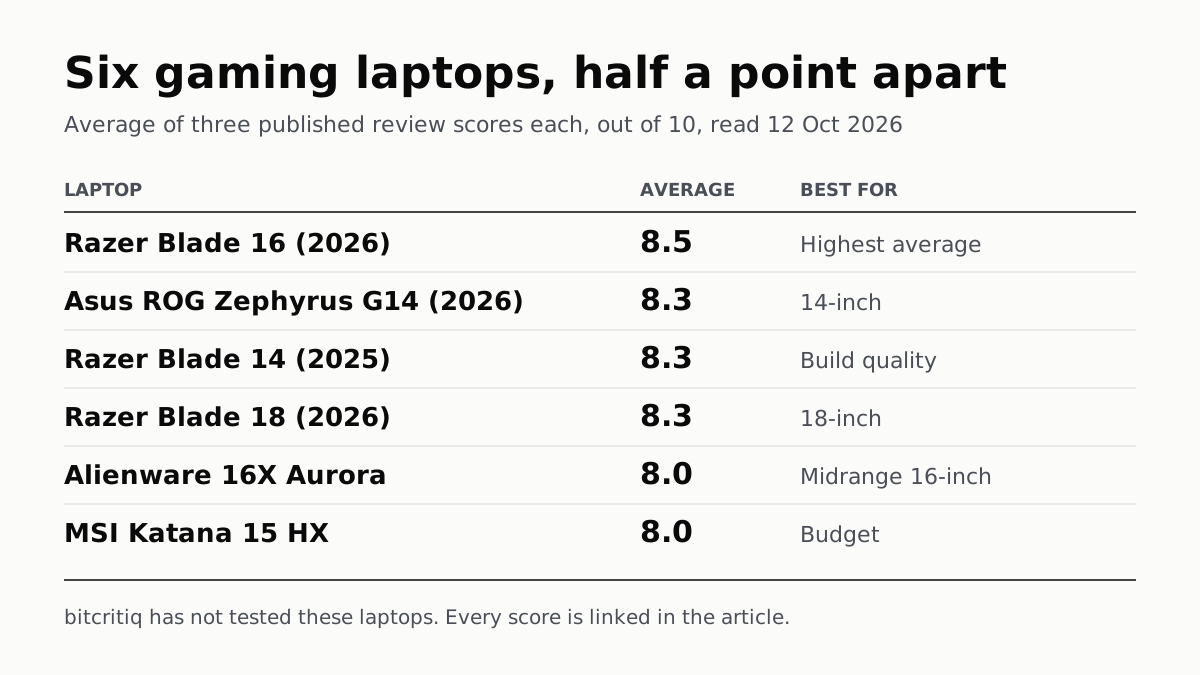
Eighteen review scores from eight outlets, all read on 12 October. Six laptops land within half a point, so pick by size and price.
A Mini PC Can Game, but Its Graphics Chip Sets the Ceiling
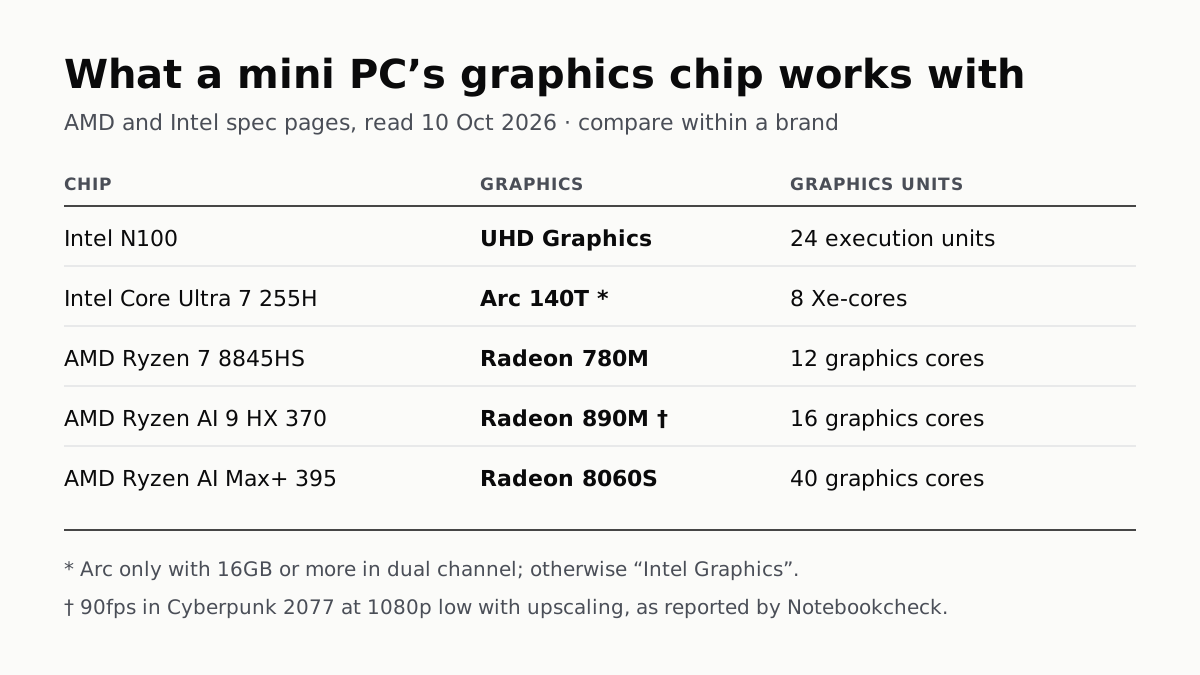
Balatro's minimum is integrated graphics; Cyberpunk 2077's is a GTX 1060. A Radeon 890M ran Cyberpunk at 1080p low in one reported test.
A Used PC or CPU Can Carry Its Last Owner’s Game Ban
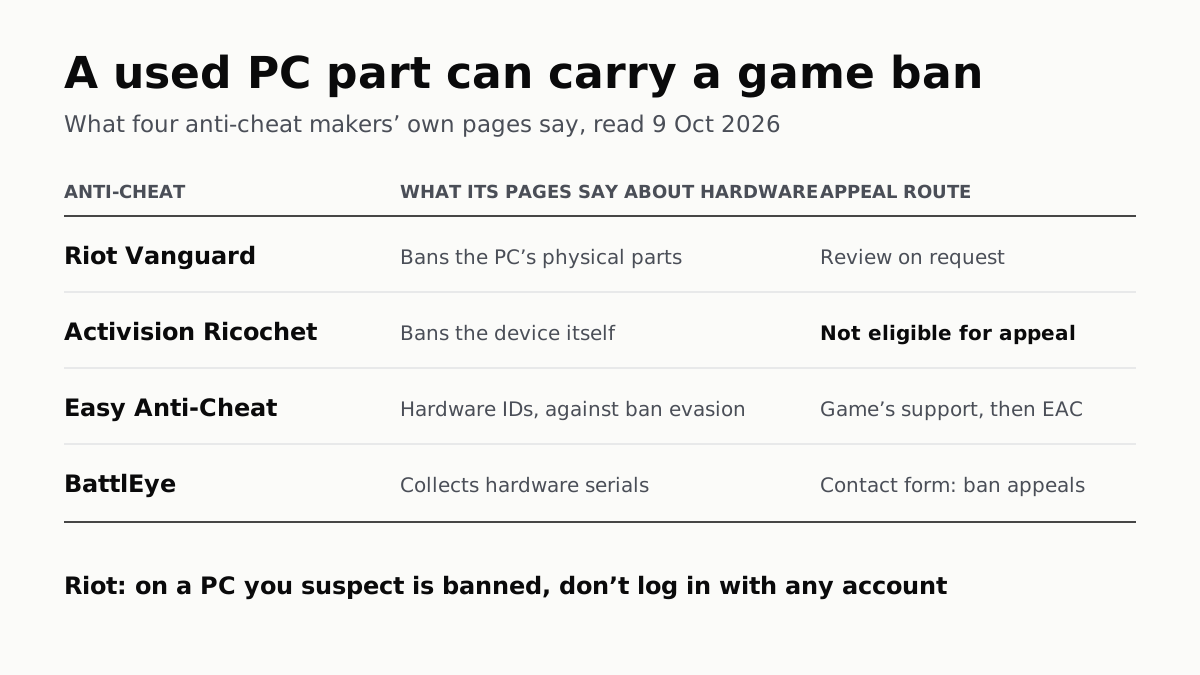
Riot and Activision ban hardware, not only accounts. Riot will re-check one on request; Activision rules out an appeal.
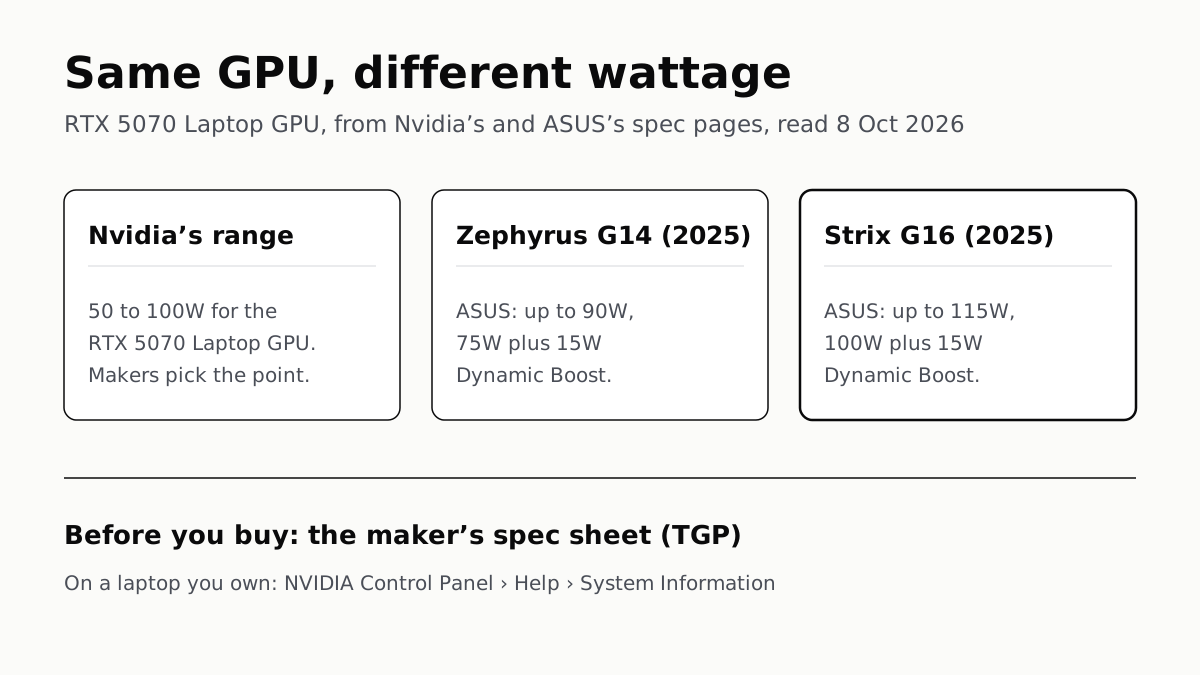
The Same RTX 5070 Laptop GPU Runs at 90W or 115W
Nvidia publishes a power range for each laptop GPU and the maker picks a point in it. The spec sheet, or Nvidia Control Panel, shows which.