How Loud Is Too Loud? Your Phone Already Knows
The WHO limit is 80dB for 40 hours a week. Apple built that exact number into iOS, and almost nobody has opened the screen that reports it.

If you buy through our links, we may earn a commission. It never affects our verdicts or scores — how that works. As an Amazon Associate I earn from qualifying purchases.
There is a published number, and it is 80dB for 40 hours a week. The WHO puts it plainly: “you can safely listen to a sound level of 80dB for up to 40 hours a week.”
And here is the part worth knowing: Apple built that exact figure into iOS. Its Headphone Notifications trigger when exposure has been loud enough for long enough to affect hearing — “for example, over 80 decibels (dB) for 40 hours total within the last 7 days.”
Same number, same window. The standard is already in your pocket, measuring, whether or not you have ever looked.
The cliff is much steeper than it sounds
Ten decibels does not mean ten percent. The WHO’s next sentence: “If the sound level is 90dB, the safe listening time reduces to four hours per week.”
Forty hours becomes four. Ten more decibels costs you ninety percent of your allowance, because decibels are logarithmic and your intuition about them is wrong in the dangerous direction.
That is why “just a bit louder on the train” is not a small decision, and why the same volume that is fine for a commute is not fine for a working day.
Open the screen
On iPhone, two places, both already collecting.
- Settings → Sounds & Haptics → Headphone Safety. Turn Headphone Notifications on. Turn on Reduce Loud Audio and set a level — Apple describes it as analysing your headphone audio and reducing “any sound above the level you set”. It is a ceiling, applied automatically, and you will stop noticing it within a day.
- Health app → Browse → Hearing → Headphone Levels. This is the one to look at now. It shows what you have actually been doing, in decibels, over weeks. Most people are surprised in one direction or the other, and either answer is useful.
On Android the equivalents vary by manufacturer, and the EU-market volume warning is not the same thing as exposure tracking. There is no single path worth printing here.
Noise cancelling is safety equipment
This reframes a feature most people file under luxury, and it comes from the WHO rather than from a headphone brand.
Its advice, verbatim: “Use well-fitted, and noise cancelling headphones to reduce the need to raise volume in noisy situations.”
The mechanism is simple and it is the whole argument. On a train or a plane you do not turn the volume up because you want it louder — you turn it up to get above the noise. Remove the noise and the reason to raise the volume goes with it. ANC lowers your exposure by lowering the level you need, not by being quieter itself.
The same goes for fit. A poor seal leaks bass, and the reflex is to compensate with volume.
What to actually do
- Look at Headphone Levels this week. Not to feel bad about it — to find out whether you are near the line. You cannot manage a number you have never seen.
- Turn on Headphone Notifications and Reduce Loud Audio. They are off by default, they cost nothing, and they enforce the published limit without you thinking about it.
- Use the 60% rule when you have no meter. WHO’s own shorthand is to set volume “to no more than 60% of maximum”.
- Treat noisy environments as the actual problem. Better isolation is a hearing intervention, which is a considerably better reason to spend money on headphones than a codec badge — see why LDAC’s 990kbps is rarely 990kbps.
- Give your ears breaks. WHO notes this “helps the sensory cells inside the ears to recover”. Recovery is a real mechanism, and it has a limit.
- If there is persistent ringing, see someone. Tinnitus is the warning, not the injury, and this damage does not heal.
How we researched this
No one at bitcritiq has handled this product. Everything here comes from published sources, listed below.
- What this cannot tell you
- This is about exposure from headphones, which your phone can measure. It cannot measure a concert, a power tool or a noisy workplace, and none of this replaces advice from an audiologist. Android manufacturers implement volume warnings differently and there is no single documented path, so this does not invent one. Hearing damage is cumulative and irreversible; nothing here diagnoses existing loss.
How we chose this, and what we did
- Why this subject
- People ask whether their listening is too loud and get told to turn it down, which is not an answer because it has no number in it. There is a number, it is published by the WHO, and the phone in your pocket is already measuring against it — which turns an unanswerable question into a screen you can open.
- How we looked at it
- Took the exposure limits from the WHO's own safe listening guidance and the device behaviour from Apple's documentation of Headphone Notifications, then noted where the two figures coincide. Both are quoted in their published wording.
What you would need
Filtered earplugs for concerts and noisy venues
Look for flat or even attenuation with a stated dB reduction, not foam plugs. Foam cuts high frequencies hardest and makes music sound muffled, which is why people take them out; filtered plugs lower the level while keeping the balance, so they stay in.
Check price on Amazon (affiliate link, opens in a new tab)
We have not tested these and are not picking one for you — each link is a search for the class of thing described above. If you buy through one we may earn a commission, which changes nothing on this page. How that works. As an Amazon Associate I earn from qualifying purchases.
What this rests on
3 claims, all official. Nothing here was measured by bitcritiq — see how we test for why.
The WHO safe listening limit is 80dB averaged over 40 hours a week.Official
WHO's safe listening guidance, which also states that at 90dB the safe time falls to four hours a week.
iOS notifies you at the same threshold the WHO publishes.Official
Apple documents Headphone Notifications as triggering above 80dB for 40 hours total within the last 7 days.
Noise cancelling functions as hearing protection.Official
WHO advises using well-fitted, noise cancelling headphones to reduce the need to raise volume in noisy situations.
Sources 2
- Deafness and hearing loss: Safe listening — World Health OrganizationOfficialStandards / .govaccessed Aug 30, 2026
- Headphone notifications on your iPhone, iPad, or Apple Watch — Apple SupportOfficialaccessed Aug 30, 2026
Pass it on
Know someone weighing this up? Send them the answer.
bitcritiq.com/a9gpThe link is permanent: it opens this article for good, even if the title changes.
No email, no account
Follow bitcritiq
Every new article, in whatever reader you already use.
Subscribe by RSSAll the ways to follow
Using Chrome on Android? Open the browser menu and tap Follow. New articles then turn up in the Following tab in Discover.
read next
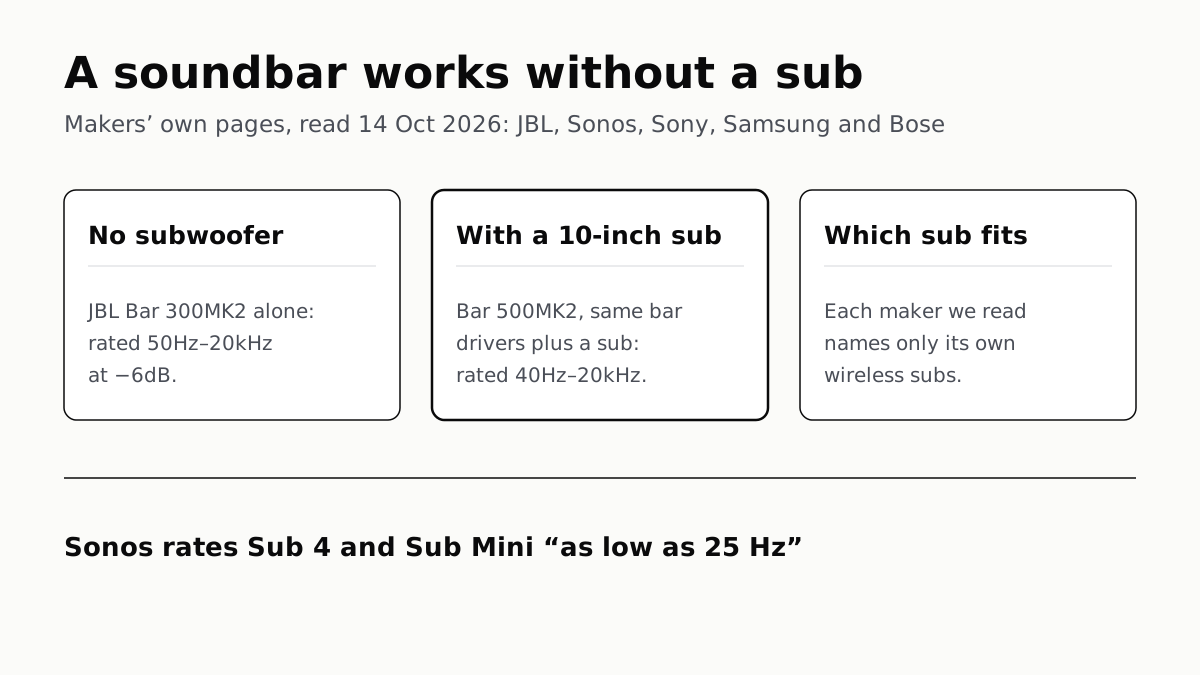
A Soundbar Works Without a Sub; Add One for the Lowest Bass
In JBL’s specs, the same bar drivers reach 50Hz alone and 40Hz with a 10-inch sub. Sony, Sonos and Samsung list only their own subs.
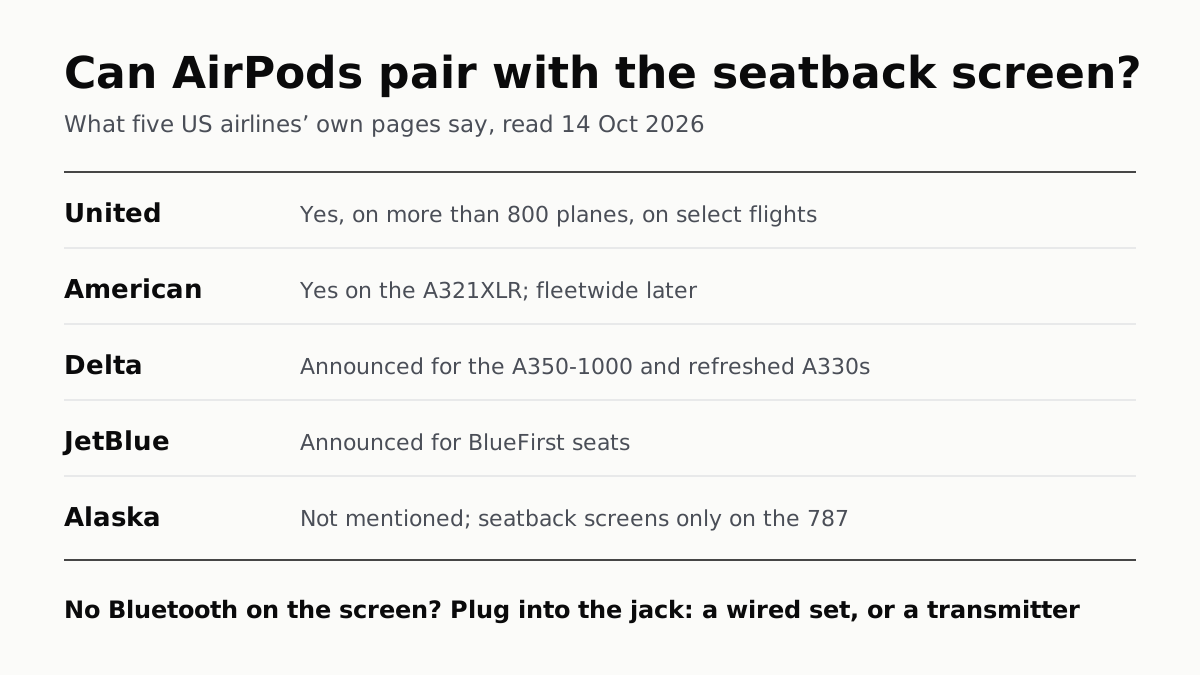
Seatback Bluetooth: United on 800+ Planes, Others Starting
American’s A321XLR has it and JetBlue and Delta have announced it. Without it, the seatback jack needs a wired plug or a transmitter.
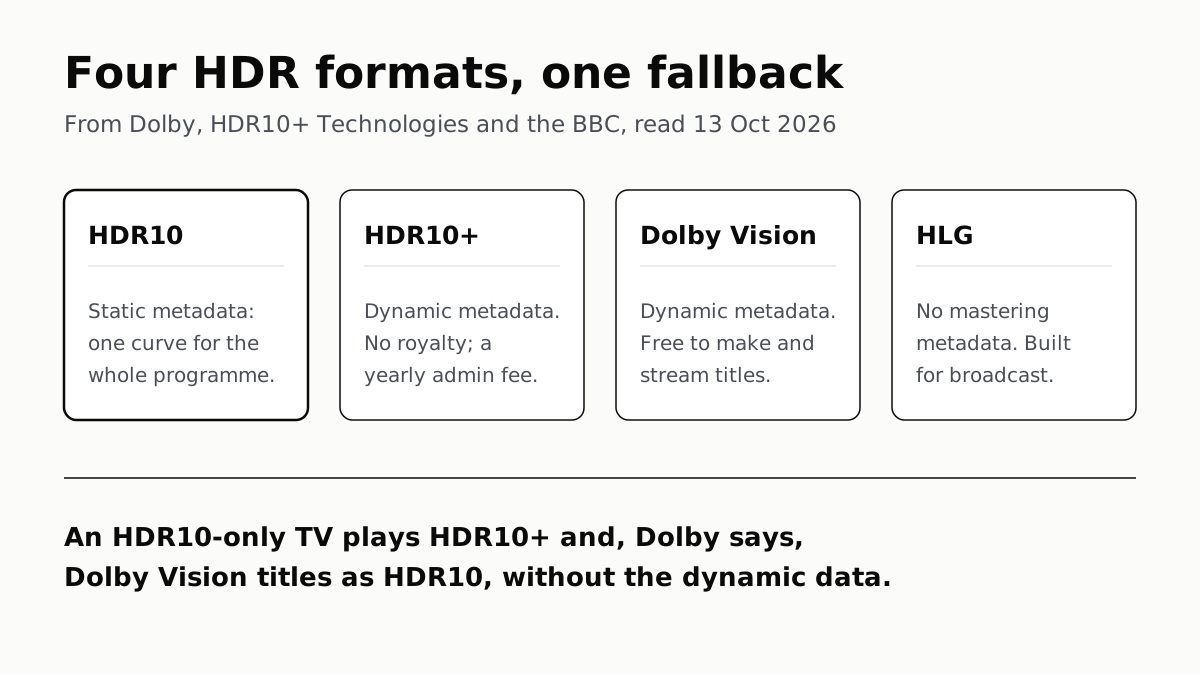
HDR10 Is the Fallback; Dolby Vision and HDR10+ Are Upgrades
Samsung’s S90F lists HDR10+, not Dolby Vision; LG’s C6 the reverse. TCL’s QM7K lists both.
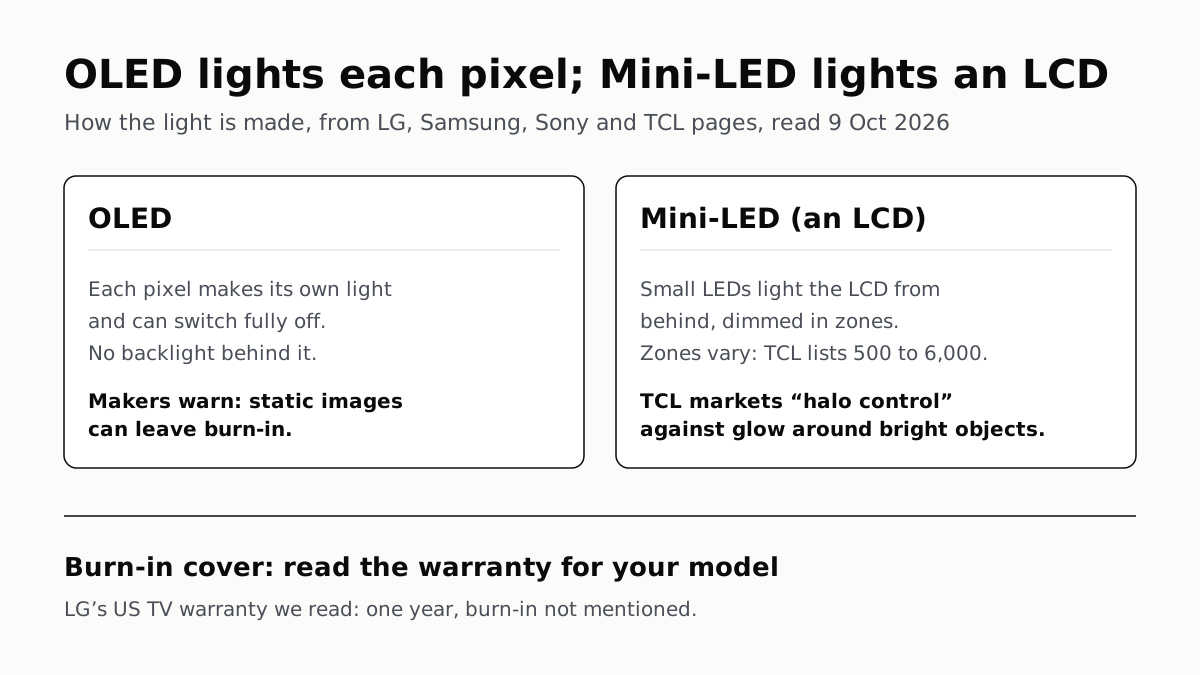
OLED Lights Each Pixel; Mini-LED Lights an LCD Behind It
Self-lit pixels give OLED its blacks and a burn-in risk; a zoned backlight gives Mini-LED brightness and a halo risk.