Why the Lights Go Off While You're Still in the Room
Your sensor is not broken and the timeout is not too short. It was built to detect movement, and sitting still is not movement.

If you buy through our links, we may earn a commission. It never affects our verdicts or scores — how that works. As an Amazon Associate I earn from qualifying purchases.
A PIR sensor detects movement, not people. Sit still and, as far as it is concerned, the room emptied.
Texas Instruments opens its own paper on this with the scene everyone recognises: working late, “typing out some last emails”, when “the lights in your ‘smart office’ turn off, and you find yourself standing up and waving your arms so that the motion sensor will trigger the lights back on.”
Its verdict on the whole category is blunter than anything a retailer will tell you — today’s motion sensors are “notoriously bad at detecting when indoor spaces are occupied and are often useless when a person is relatively still”.
What the sensor can actually see
Passive infrared works by watching for changes in heat across its field of view. Infineon puts the mechanism plainly: PIR sensors “work by detecting changes in infrared radiation and converting these changes into a voltage signal.”
The word carrying the weight is changes. A person walking past moves a warm shape from one zone to another, and that change is the signal. A person reading in a chair produces no change, so there is no signal, so there is nobody there.
TI states the limit directly: PIR and ultrasonic sensors “do not have the fidelity to detect finer motion, such as when someone is sitting still at their desk, typing, breathing or talking on the phone.”
They measured it, and the result is absolute
This is the part that settles the argument. TI put a PIR sensor and a millimetre-wave radar module in a 5.1m by 4.4m conference room and tested three categories of motion — walking, typing, and breathing — from seven chair positions between 2.6m and 5.1m from the sensor.
| Motion | PIR | mmWave |
|---|---|---|
| Walking | Detected at all 7 positions | Detected at all 7 |
| Typing | Failed at all 7 | Detected at all 7 |
| Breathing | Failed at all 7 | Detected at all 7 |
In TI’s words, the PIR sensor “was able to detect walking across the entire conference room, but was unable to detect typing or breathing in any location.” Not worse at distance — failing everywhere, at every distance.
Distance was never the variable. The sensor is not weak at seeing you type; it cannot see you type at all.
The same blindness runs the other way
The complaint is usually about lights going off. The same sensor also turns them on for things that are not you.
Infineon notes that PIR sensors “are susceptible to false detections when non-human objects enter the sensor’s view” — a radiator coming on, sun moving across a floor, a pet. It also flags a maintenance problem nobody expects: the sensor needs “a semi-transparent plastic radome or cover to allow infrared energy to pass through, which can be prone to dust and dirt accumulation, affecting performance”, and outdoors, “snow, dirt, and other outdoor conditions, can significantly degrade the performance of PIR sensors.”
So an outdoor sensor that has stopped working may need a cloth rather than a battery.
Why raising the timeout is the wrong fix
The instinct is to set the delay to fifteen minutes. It works, in the sense that the lights stay on, and it destroys the point of the automation: lights now burn for a quarter of an hour in every empty room, and the corridor that should go dark behind you does not.
You have converted a sensitivity problem into a waste problem. The sensor is still blind to you; you have just told it to take longer to act on being blind.
What to actually do
- Match the sensor to the room’s behaviour. Corridors, stairs, entrances and cupboards are pure movement, and PIR is genuinely good at those — cheap, battery-friendly, and reliable for exactly that job.
- Buy a presence sensor for rooms where people are still. Desks, sofas, reading chairs, home offices, bathrooms. These are sold as “presence” or “mmWave” or “occupancy” sensors rather than “motion”, and the wording is the specification, not marketing.
- Expect to pay more, and to power it. Radar sensors generally need mains or USB power rather than a coin cell, because unlike PIR they are actively transmitting. Plan the socket before you buy.
- Put the presence sensor where the stillness is. Aimed at the chair, not the doorway. A radar sensor pointed at an entrance gives you an expensive PIR.
- Keep the timeout short once the sensing is right. A long delay is a workaround for a sensor that cannot see you. Fix the seeing, and you can go back to thirty seconds.
- If lights also fail during an outage, that is a different fault entirely — what stops working when the internet drops covers which half of your setup depends on a server.
How we researched this
No one at bitcritiq has handled this product. Everything here comes from published sources, listed below.
- What this cannot tell you
- Both sources sell radar parts, so both have an interest in radar winning. Their claims are quoted because the mechanism is not in dispute and because TI publishes its method and full results table, not because either is disinterested — and the experiment is one 5.1m room with one PIR sensor. Nor is this a product guide: presence sensors vary a great deal, and the good ones are meaningfully more expensive than the PIR sensor you already own.
How we chose this, and what we did
- Why this subject
- Everyone who has automated a room has waved at a ceiling. The usual advice is to lengthen the timeout, which treats a symptom and makes the automation worse in every other respect. The actual cause is a property of the sensor type, and it has been measured.
- How we looked at it
- Took the mechanism and the test results from Texas Instruments' own published comparison of PIR against millimetre-wave sensing, which is a manufacturer measuring the two technologies side by side in a real room and publishing the full results table, including the distances and the three categories of motion tested.
Sources 2
- Catch Your Breath: Which Is a Better Occupancy Detector - mmWave or PIR? (SSZT759) — Texas InstrumentsOfficialaccessed Aug 29, 2026
- A Comprehensive Guide to Choosing the Best Motion Detection Technology — Infineon Developer CommunityOfficialaccessed Aug 29, 2026
Pass it on
Know someone weighing this up? Send them the answer.
bitcritiq.com/a52pThe link is permanent: it opens this article for good, even if the title changes.
No email, no account
Follow bitcritiq
Every new article, in whatever reader you already use.
Subscribe by RSSAll the ways to follow
Using Chrome on Android? Open the browser menu and tap Follow. New articles then turn up in the Following tab in Discover.
read next
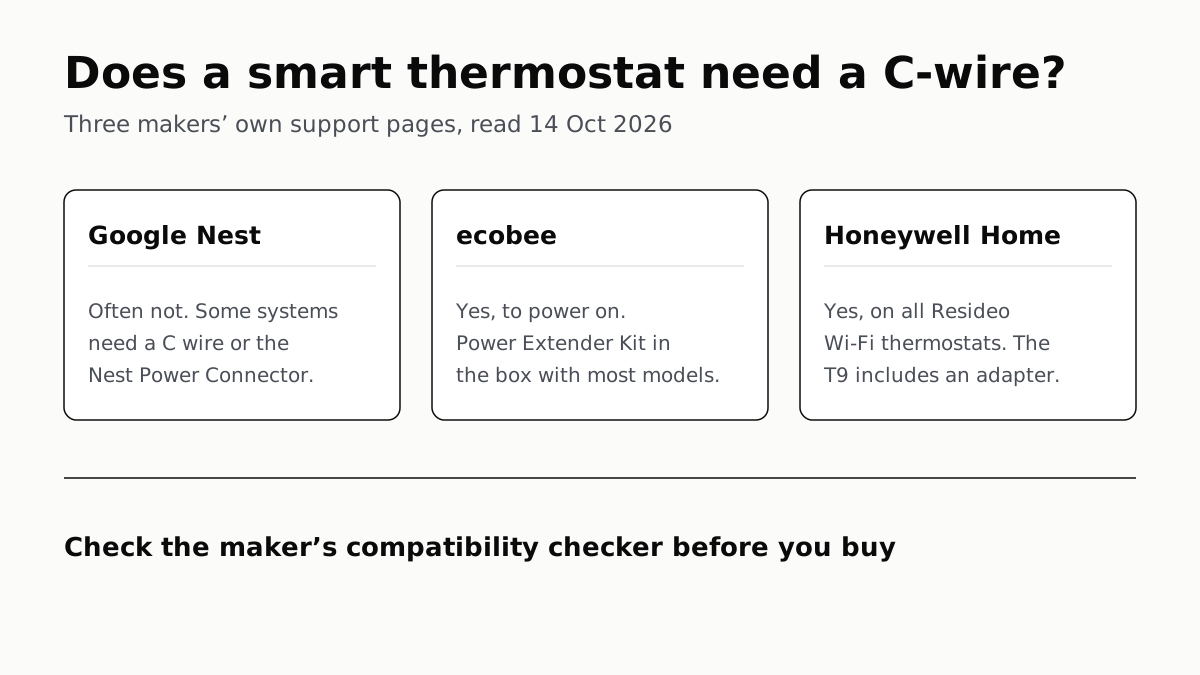
Ecobee and Honeywell Need a C-Wire; Nest Often Doesn’t
Each maker has a fix for homes without the wire, and each sends you to its own compatibility checker before you buy.
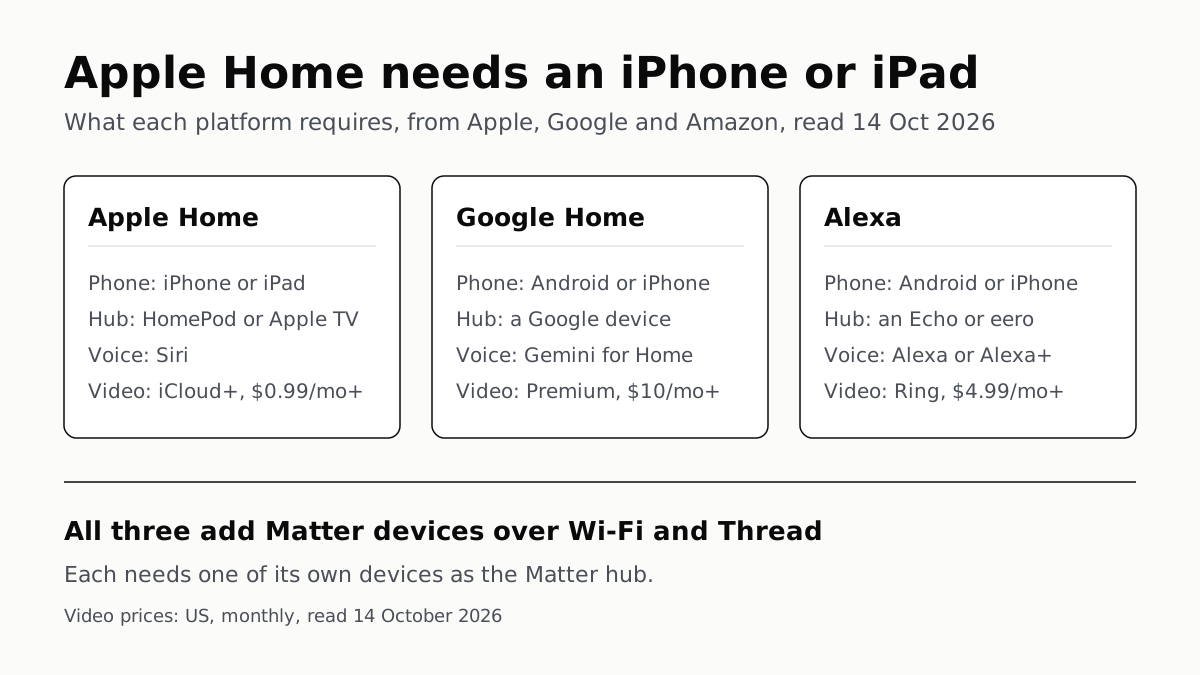
Apple Home Needs an iPhone; Google and Alexa Run on Both
All three add Matter and Thread devices. They differ in which hub you need, which assistant answers and what camera video history costs.
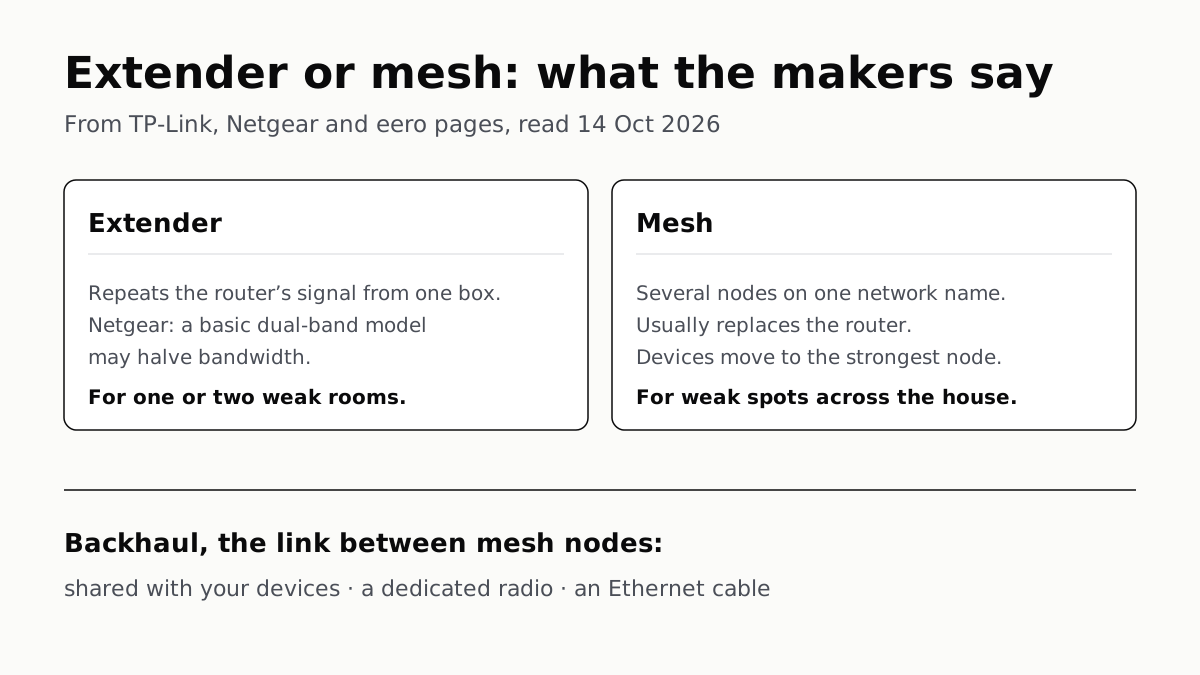
Extender for One Dead Room, Mesh for a Whole House
An extender repeats your router from one plug; mesh runs several nodes as one network. How the nodes link sets the speed.
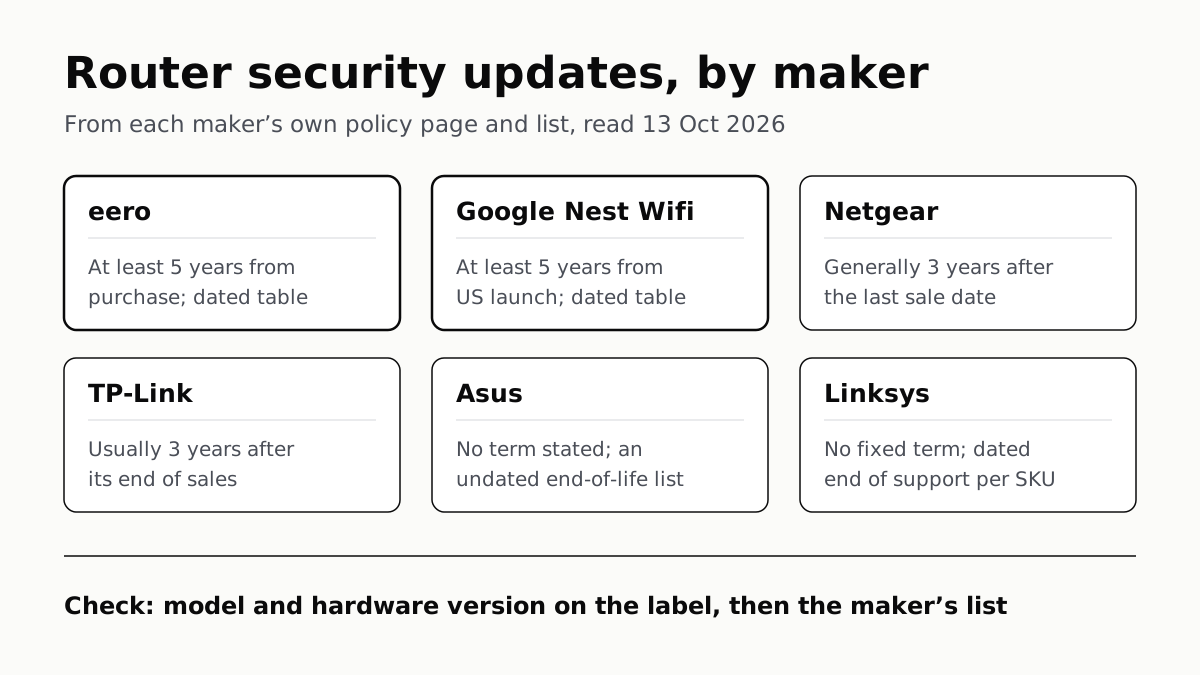
Four Router Makers Set an Update Term; Asus, Linksys Don’t
eero and Google guarantee five years at minimum; Netgear and TP-Link stop about three years after a model leaves sale.