Four Router Makers Set an Update Term; Asus, Linksys Don’t
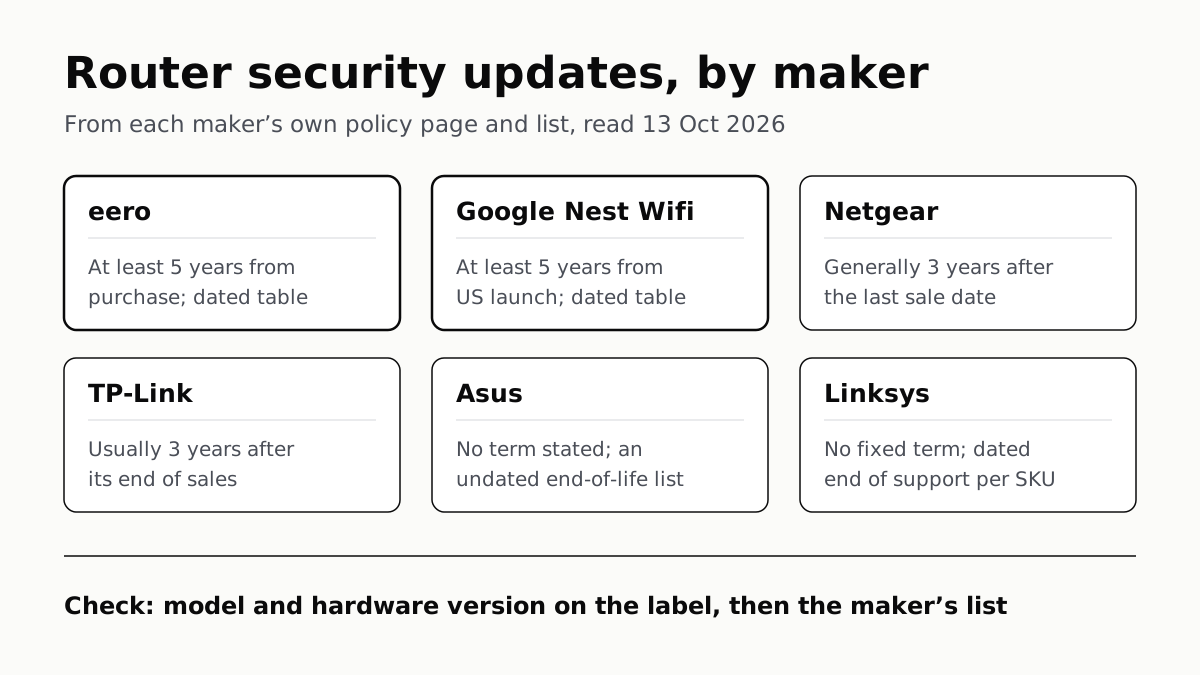
eero and Google guarantee five years at minimum; Netgear and TP-Link stop about three years after a model leaves sale.
If you buy through our links, we may earn a commission. It never affects our verdicts or scores — how that works. As an Amazon Associate I earn from qualifying purchases.
Four of the six US home-router makers we checked state how long updates last, from about three years to a five-year minimum, counted from different starting points. eero and Google guarantee at least five years of security updates; Netgear and TP-Link say updates generally stop three years after a model leaves sale; Asus and Linksys publish end-of-life lists but no fixed term. To find out whether your router is still patched, read its model and hardware version off the label and look it up on its maker’s list.
What each maker states
| Maker | Stated policy | Counted from | Where the list lives |
|---|---|---|---|
| eero | At least 5 years | Your purchase, new, from eero.com or Amazon.com (or a dated minimum, if later) | eero Software Security Updates, a dated table |
| Google (Nest Wifi) | At least 5 years | US Google Store launch | Google Help 10231940, a dated table |
| Netgear | Generally 3 years | The last sale date | Netgear End of Service page, searchable by model |
| TP-Link | Usually 3 years | End of Sales | TP-Link US End of Life Products page (PDF lists) |
| Asus | No term stated | — | Asus Networking End-of-Life Product List, no dates |
| Linksys | No fixed term | — | Linksys Product End of Life page, dates per SKU |
The starting point matters as much as the number. Five years from your own purchase (eero) can run longer than three years after the last unit is sold (Netgear), or shorter, depending on how long the model stayed on sale.
The two that promise a minimum
eero guarantees security updates “until at least five years from when you bought them new on eero.com or Amazon.com (or until the date stated below if later)”. Bought anywhere else, you get the table’s date. That table puts the eero 6, eero 6+, eero 7, eero Pro 7 and Max 7 at 31 October 2031, the eero Pro 6 at 14 July 2030 and the eero Pro and Beacon at 11 March 2030. eero says that after the date it will “strive” to keep patching, without a guarantee.
Google covers its routers under the same five-years-from-US-launch rule as its other home devices: the Google Nest Wifi Pro runs to at least 27 October 2027. Nest Wifi passed its minimum on 28 October 2024 and Google Wifi on 5 December 2021, and Google still marked both as receiving critical security updates on 13 October 2026. The rest of Google’s table is in our Nest update end dates.
The two that count from the end of sale
Netgear says products that reach End of Service (EOS) “no longer receive firmware updates, including important security updates”, and that “in general, EOS for NETGEAR products occurs three years after the last sale date.” The last sale date can differ by SKU and country, so the same model can end on different days. The US Nighthawk R7000 (R7000-100NAS) “reached EOS on 15-JUL-2026”.
TP-Link splits End of Sales (EOS) from End of Maintenance (EOM), the date it stops support and maintenance. EOM is “usually 3 years after the EOS date”, and TP-Link says it may patch longer for “significant vulnerabilities”. Watch the acronym: in TP-Link’s policy EOS means End of Sales, not End of Service as at Netgear, so a TP-Link model reaching its EOS date usually has about three years of maintenance still to come.
TP-Link’s US End of Life Products page also says that in most cases end-of-life “won’t affect you at all”, but that sentence is about warranty replacements. Its policy page is the one that says support and maintenance, including security updates, eventually stop.
The two with no fixed term
Asus defines an end-of-life networking product as one that is no longer made and whose “firmware, utility, website, Marketing materials, QSG and manual will not be updated”. It gives no number of years. Its list names 216 wireless router models, including the RT-AC68U, RT-AC86U, RT-AX86U, RT-AX88U and ZenWiFi CT8, with no dates against them.
Linksys says it gives “critical firmware updates and security updates for a period of time after EOL”, without saying how long. Between End of Life and End of Support you get major security updates; after End of Support, none. Its page dates both per SKU, and the gap varies: the US EA7500-4B went from 15 November 2023 to 15 May 2025, while the MR7350 sold in Asia runs from 11 December 2023 to 9 December 2028. Linksys’s US Velop A0101 (A0101-US) reached End of Support on 6 May 2025.
How to check your own router
- Find the model and hardware version on the label. Netgear and TP-Link both say that if no version is printed, it is version 1. A model can be supported in one hardware version and not another.
- Look it up on the maker’s list in the table above. Netgear’s page has a model search and lets you register a product for EOS alerts; Linksys asks for the SKU or model number.
- For eero or Google, read the date off the table. eero’s table date is the floor; if you bought new from eero.com or Amazon.com, five years from your purchase applies when that is later.
A router past its date gets no further security fixes under these policies, though it may keep running. eero says an unsupported eero “will still work and can still provide wifi”; TP-Link warns that after End of Maintenance a product “may only connect to a local network or cease to work entirely”.
Separately from any maker’s policy, the FCC has said routers authorised before 23 March 2026 may keep receiving firmware updates at least until 1 March 2027; what the FCC’s router ban means for the router you own covers that. Routers are not alone in having a stated term: TV platforms differ just as widely.
Questions people ask
How do I know if my router is end of life?
Read the model and hardware version off the router’s label, then look it up on the maker’s end-of-life list: Netgear’s End of Service page, TP-Link’s US End of Life Products page, Asus’s EOL product list or Linksys’s Product End of Life page. eero and Google publish dated tables instead.
How long do routers get security updates?
It depends on the maker. eero and Google promise at least five years, from purchase and from US launch respectively. Netgear and TP-Link say updates usually end about three years after a model stops being sold. Asus and Linksys state no fixed term.
Can I still use a router that no longer gets updates?
Usually it keeps working: eero says an unsupported eero “will still work and can still provide wifi”, but no further security fixes arrive under the makers’ policies. TP-Link warns some features may be limited after its End of Maintenance date.
Is my Netgear Nighthawk R7000 still supported?
Not in the US version. Netgear’s End of Service list says the R7000-100NAS “reached EOS on 15-JUL-2026”, and Netgear says products past EOS no longer receive firmware updates, including security updates.
When do eero routers stop getting updates?
At least five years after you bought it new from eero.com or Amazon.com, or the date in eero’s table if later. The eero 6, eero 6+ and the eero 7 range are listed to at least 31 October 2031.
Where do I find the hardware version of my router?
On the label on the router itself. Netgear and TP-Link both say that if no version is printed, the router is version 1. Asus says the hardware version is on the product label or the box label.
How we researched this
No one at bitcritiq has handled this product. Everything here comes from published sources, listed below.
- What this cannot tell you
- TP-Link’s US list PDFs did not render as text in our browser, so we could not read their columns or look up a model on them; we give TP-Link’s rule from its policy page. Netgear’s list mixes date formats between rows, so we quote its own sentence for each product rather than the date columns. We did not read Asus’s or TP-Link’s pages for other countries, and we did not check D-Link, Synology or internet-provider routers. No maker publishes how long it keeps patching past its stated term, so a router can be patched beyond the dates here.
How we chose this, and what we did
- Why this subject
- “Is my router still getting security updates?” has no single answer, because each maker counts from a different starting point and some do not state a term at all. We took the six makers whose home routers and mesh systems are widest sold in the US and checked which publish a first-party policy, a list, or both.
- How we looked at it
- Every policy and date is from the maker’s own page, read through a browser on 13 October 2026: eero’s Software Security Updates article; Google Help 10231940; Netgear’s End of Service page (searched in-page for R7000); TP-Link’s End-of-Life Policy and its US End of Life Products page (FAQ 3562); Asus FAQ 1047671 and its networking EOL product list; Linksys support article 3739 and its Product End of Life page (searched for EA7500 and A0101). Absence claims have controls: Asus FAQ 1047671 defines an EOL product in four lettered points and states no number of years; Linksys’s EOL definition says it supports products “for a period of time after EOL” and gives no number, on the same page that gives dated End of Support per SKU.
What this rests on
6 claims, all official. Nothing here was measured by bitcritiq — see how we test for why. Open a claim to read the source it came from.
eero guarantees software security updates until at least five years after a device was bought new on eero.com or Amazon.com, or until a dated minimum in its table if later.Official
eero Software Security Updates: “We’ll support your eero devices with guaranteed software security updates until at least five years from when you bought them new on eero.com or Amazon.com (or until the date stated below if later).” Table: eero 7, eero Pro 7, eero Max 7, eero 6, eero 6+ “October 31, 2031”.
Google promises its home devices, including Nest Wifi routers, security updates for at least five years from US Google Store launch; on 13 October 2026 it marked Google Wifi and Nest Wifi, both past that minimum, as still receiving them.Official
Google Help 10231940: “Google Nest Wifi Pro 10/27/2022 10/27/2027 Yes”; “Nest Wifi 10/28/2019 10/28/2024 Yes”; “Google Wifi 12/5/2016 12/5/2021 Yes”.
Netgear says its products reach End of Service, after which they get no firmware or security updates, generally three years after the last sale date.Official
Netgear End of Service: “Products that reach EOS no longer receive firmware updates, including important security updates. In general, EOS for NETGEAR products occurs three years after the last sale date”. R7000-100NAS: “The product reached EOS on 15-JUL-2026.”
TP-Link’s End of Maintenance, after which it stops support and maintenance, is usually three years after its End of Sales date.Official
TP-Link End-of-Life Policy: “The End of Maintenance (EOM) date is when TP-Link will no longer provide support or maintenance for a product.” “Unless otherwise required by law, the EOM date is usually 3 years after the EOS date.”
Asus defines an end-of-life networking product as one whose firmware will not be updated, and its list of end-of-life wireless routers gives no dates.Official
Asus FAQ 1047671: “c. Its firmware, utility, website, Marketing materials, QSG and manual will not be updated.” Asus EOL product list: “Wireless Routers 216 models ● End-of-Life Models”, with model names and no dates.
Linksys gives major security updates between a product’s End of Life and End of Support dates and none after; for the EA7500-4B in the USA those dates are 15 November 2023 and 15 May 2025.Official
Linksys Product End of Life: “Security updates: Available – Major Security” (End-of-Life) and “Not available” (End-of-Support). “EA7500-4B LINKSYS MAX-STREAM AC1900 MU-MIMO GIGABIT ROUTER EA7500 USA End of Support 15-Nov-2023 15-May-2025”.
Sources 9
- eero Software Security Updates — eero SupportOfficialaccessed Oct 13, 2026
- Security updates & security validation results for Google's connected home devices — Google Help 10231940Officialaccessed Oct 13, 2026
- NETGEAR End of Service — NetgearOfficialaccessed Oct 13, 2026
- TP-Link End-of-Life Policy — TP-LinkOfficialaccessed Oct 13, 2026
Show 5 more · 5 official or standards
- TP-Link End of Life Products — TP-Link US FAQ 3562Officialaccessed Oct 13, 2026
- [Wireless / Networking] How to check if a product is End-of-life (EOL)? — Asus FAQ 1047671Officialaccessed Oct 13, 2026
- End-of-Life Product List — ASUS NetworkingOfficialaccessed Oct 13, 2026
- Linksys End of Life Policy — Linksys Support 3739Officialaccessed Oct 13, 2026
- Linksys Product End of Life — LinksysOfficialaccessed Oct 13, 2026
Pass it on
Know someone weighing this up? Send them the answer.
bitcritiq.com/7y2eThe link is permanent: it opens this article for good, even if the title changes.
No email, no account
Follow bitcritiq
Every new article, in whatever reader you already use.
Subscribe by RSSAll the ways to follow
Using Chrome on Android? Open the browser menu and tap Follow. New articles then turn up in the Following tab in Discover.
read next
Ecobee and Honeywell Need a C-Wire; Nest Often Doesn’t
Each maker has a fix for homes without the wire, and each sends you to its own compatibility checker before you buy.
Apple Home Needs an iPhone; Google and Alexa Run on Both
All three add Matter and Thread devices. They differ in which hub you need, which assistant answers and what camera video history costs.
Extender for One Dead Room, Mesh for a Whole House
An extender repeats your router from one plug; mesh runs several nodes as one network. How the nodes link sets the speed.
The Best Security Cameras, According to the Reviews
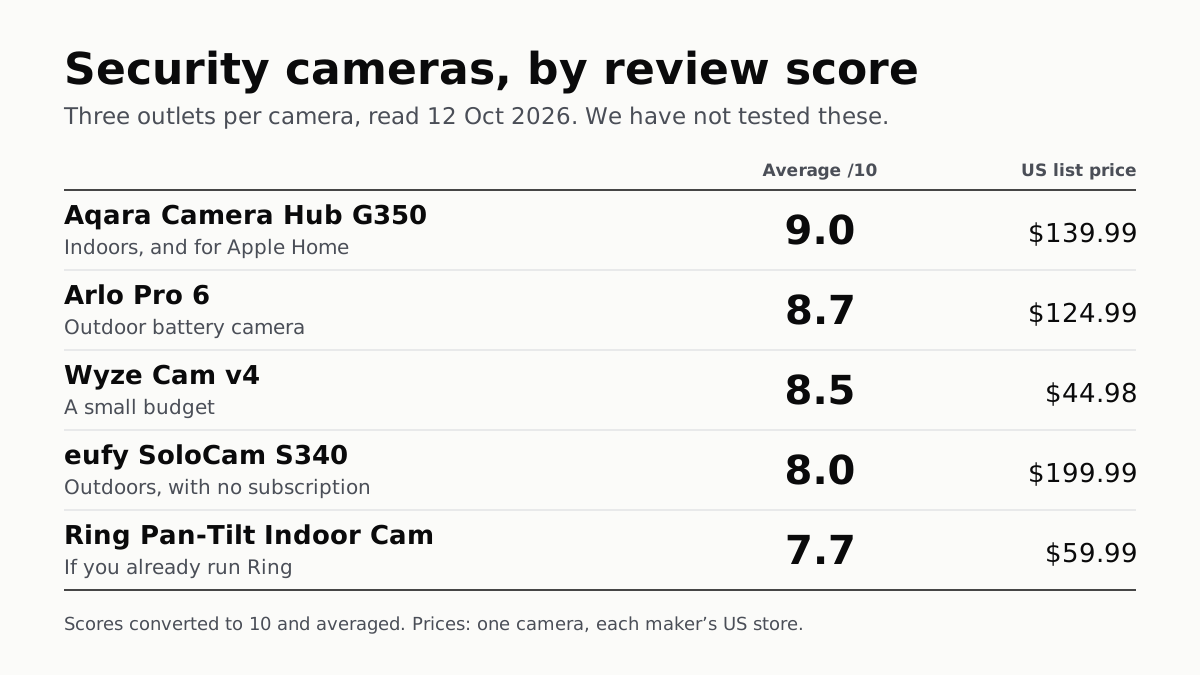
Fifteen scores from nine outlets, read 12 October. The top indoor camera suits Apple Home; Ring’s pan-tilt cam splits its reviewers.