Extender for One Dead Room, Mesh for a Whole House
An extender repeats your router from one plug; mesh runs several nodes as one network. How the nodes link sets the speed.
If you buy through our links, we may earn a commission. It never affects our verdicts or scores — how that works. As an Amazon Associate I earn from qualifying purchases.
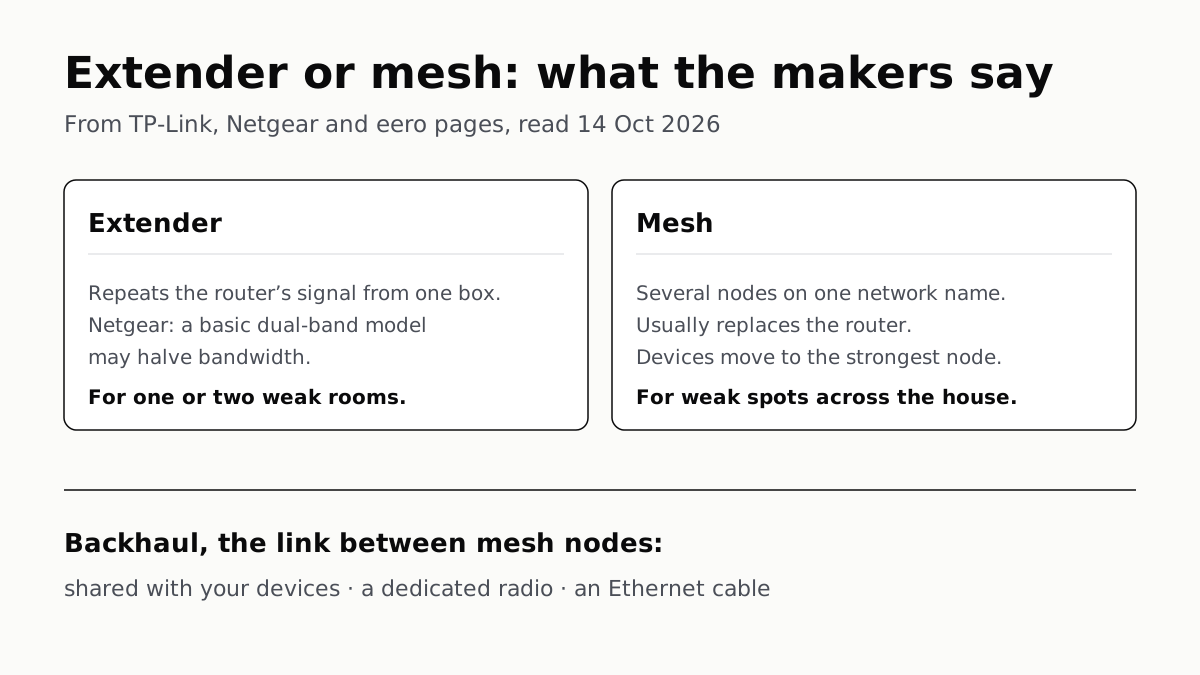
Get an extender if one or two rooms are weak and the rest of the house is fine; get a mesh system if the weak spots are spread across floors or the far end of the house. An extender repeats your existing router’s signal from one plug-in box; a mesh system usually replaces the router with several units that run as one network under one name.
Neither makes your internet faster. TP-Link says plainly that neither “increases the Internet speed coming into your home”; both carry the speed you already have into more rooms. If your complaint is speed in a room where the signal is strong, the gap between your plan and your Wi-Fi usually has another cause.
The actual difference
An extender connects to your router over Wi-Fi and rebroadcasts what it receives. TP-Link and Netgear, which sell both, name two costs:
- Speed. Netgear says traditional dual-band extenders “use a single channel for receiving data and then broadcasting it again”, which “may reduce the available bandwidth by half”. TP-Link puts it more mildly: the extender spends part of its bandwidth receiving, so speeds are “typically lower than a direct connection”, a gap it says narrows with Wi-Fi 6 and Wi-Fi 7 models.
- The network name. Netgear’s comparison says an extender rebroadcasts under a new name such as “Home_EXT” and you switch to it by hand. TP-Link says only “some” extenders do this, and that its EasyMesh extenders, paired with a compatible router, join your existing network under the same name.
A mesh system is a set of units sold to work together. TP-Link describes the main unit connecting to your modem and the others, called nodes, placed around the house on one network name, with your devices moved to the strongest node as you walk between rooms. The link between the nodes is called the backhaul, and the backhaul decides how much of your speed reaches the far rooms.
Backhaul is where mesh systems differ
Mesh is not one thing. What separates a basic kit from an expensive one is mostly how the nodes talk to each other.
| Setup | How the far unit gets its connection | Network name | What the maker says about speed |
|---|---|---|---|
| Basic extender | Over Wi-Fi from the router, receiving and resending on one channel | Often a second name | Netgear: may halve bandwidth on traditional dual-band models |
| EasyMesh extender | Over Wi-Fi from a compatible router | Same as the router | TP-Link: still lower than a direct connection |
| Mesh, shared wireless backhaul | Over Wi-Fi between nodes, on radios your devices also use | One name | eero and Netgear: sharing can slow it when traffic is heavy |
| Mesh, dedicated wireless backhaul | Over a radio kept for node-to-node traffic | One name | Netgear: a dedicated channel mitigates that slowdown |
| Mesh, Ethernet backhaul | Over a cable between nodes | One name | eero: frees wireless bandwidth for your devices |
Netgear’s Orbi 970 page explains the shared case: the backhaul “often shares bandwidth with connected devices via the fronthaul, which can lead to reduced performance and increased latency during periods of high traffic”, and a dedicated radio channel mitigates it. Netgear ties that to tri-band and quad-band designs “with specific backhaul channels”.
Read the word “dedicated” on a box with care. TP-Link’s explainer calls every mesh backhaul “a dedicated connection called a backhaul”, wireless or wired, while Netgear uses it for a radio no client device shares. On a spec sheet, the band count tells you more than the adjective.
Cable beats both, where you have it. eero says wireless backhaul nodes “share bandwidth with all your other devices”, while Ethernet backhaul creates “a dedicated, high-speed pathway that eliminates interference and frees up wireless bandwidth”. Netgear’s support article shows Orbi satellites wired to the router directly, chained satellite to satellite, or through a switch. If the far rooms already have a network jack, a mesh kit that supports wired backhaul can use it.
Which one you need
| Your house | What the makers point to | Why |
|---|---|---|
| One or two weak rooms; router covers the rest | Extender | Lower cost, no router swap; TP-Link adds that renters can take it with them |
| Weak spots on several floors, or a large or awkward layout | Mesh | One network name and automatic handoff; Netgear’s table puts mesh at medium to large homes, “3,000+ sq ft”, or complex layouts |
| Mesh, with video calls or gaming in far rooms | Mesh with dedicated or Ethernet backhaul | Keeps node-to-node traffic off the radio your devices use |
| You like your router and it supports EasyMesh | EasyMesh extender | One name without replacing the router |
Place an extender halfway, not in the dead zone. TP-Link says to put it “halfway between your router and the dead zone, where it can still receive a strong signal”; inside the dead zone, it “has too little signal to rebroadcast effectively”. If the room you need is a TV or desktop, TP-Link notes that plugging it into the extender’s Ethernet port “gets around the speed reduction” of the wireless hop.
EasyMesh is a Wi-Fi Alliance certification, not one company’s feature. The Alliance says EasyMesh networks “employ multiple APs that work together to form a unified network” and allow adding “Wi-Fi EasyMesh APs from multiple vendors”. Your router has to support it too; TP-Link publishes a compatibility guide for its extenders.
Mesh costs more, and it is not automatic. Both makers say the upfront cost is higher, because you buy a multi-unit kit. TP-Link also warns that “a poorly placed node will deliver results similar to a poorly placed extender”.
Two cases where neither is the first fix. If your problem is smart plugs and sensors dropping off rather than slow rooms, too many Wi-Fi devices may be the cause, and moving small devices to Thread or Zigbee is a fix another box does not offer. And if you replace the router with a mesh kit, check how long its maker promises security updates; eero, Google, Netgear and TP-Link each count differently.
Questions people ask
Is a mesh system better than an extender?
For coverage across a whole house, yes: mesh keeps one network name and hands devices between nodes, and TP-Link and Netgear both recommend it for larger or multi-storey homes. For one or two weak rooms, an extender does the job for less money.
Do I need mesh Wi-Fi?
If weak spots are spread across several rooms or floors, or many people are online at once in far rooms, mesh is what TP-Link and Netgear recommend. If your router reaches everywhere except one room, an extender is the smaller fix.
Does a Wi-Fi extender cut your speed in half?
It can. Netgear says traditional dual-band extenders receive and rebroadcast on a single channel, which may reduce available bandwidth by half. TP-Link says newer Wi-Fi 6 and Wi-Fi 7 extenders narrow the gap, but speeds are still typically lower than a direct connection.
Will mesh Wi-Fi make my internet faster?
Not the line itself. TP-Link says neither mesh nor an extender increases the internet speed coming into your home. Both carry the speed you already have into more rooms.
What is backhaul in mesh Wi-Fi?
The link between the mesh nodes. It can be Wi-Fi shared with your devices, a radio reserved for the nodes (Netgear’s dedicated backhaul), or an Ethernet cable. eero says wired backhaul frees up wireless bandwidth for your devices.
Can I use an extender with my existing router and keep one network name?
Yes, if both support EasyMesh. TP-Link says its EasyMesh extenders join a compatible router’s network under the same name instead of creating a second one, and publishes a compatibility guide for checking your router.
How we researched this
No one at bitcritiq has handled this product. Everything here comes from published sources, listed below.
- What this cannot tell you
- We measured nothing; the speed effects are each maker's description, not test results, and makers selling mesh kits have a reason to favour them. Netgear's “may reduce the available bandwidth by half” is about traditional dual-band extenders only, and gives no figure for newer models. No maker page we read gives a speed figure for a dual-band mesh kit without dedicated backhaul. Netgear's comparison table says extenders support “Up to WiFi 6” and rebroadcast under a new name; TP-Link sells Wi-Fi 7 extenders that keep the router's name, so that row of Netgear's table does not hold for every extender. We did not read Google's Nest Wifi help pages.
How we chose this, and what we did
- Why this subject
- “Mesh or extender” is a perennial home-network question that peaks as people spend more time indoors in winter. It was held twice as a backup candidate on 13 October; Google Trends had the smart-home seed at 21% of peak with “smart home system” a top related query. No bitcritiq post explained the difference; our smart-device drop-outs piece mentions extenders in one line.
- How we looked at it
- Read through a browser on 14 October 2026, from makers that sell both product types or mesh only: TP-Link's “Mesh Wi-Fi vs. Range Extender” (26 June 2026), Netgear's “WiFi Extender vs Mesh WiFi” (updated 14 September 2026), Netgear's Orbi 970 dedicated-backhaul page (updated 8 July 2026), Netgear knowledge-base article 000051205 on Ethernet backhaul, eero's “Mesh Wifi with Ethernet Backhaul” (19 May 2026), and the Wi-Fi Alliance's description of Wi-Fi EasyMesh. Every mechanism in the article is attributed to the maker that states it.
What this rests on
6 claims, all official. Nothing here was measured by bitcritiq — see how we test for why. Open a claim to read the source it came from.
Traditional dual-band extenders receive and rebroadcast on a single channel, which Netgear says may halve the available bandwidth.Official
Netgear: “Traditional dual-band extenders use a single channel for receiving data and then broadcasting it again. This may reduce the available bandwidth by half.”
Neither an extender nor a mesh system increases the internet speed coming into the home.Official
TP-Link: “Neither a range extender nor a mesh system increases the Internet speed coming into your home. What both can do is bring your existing speed to more areas”.
Some extenders create a second network name; EasyMesh extenders paired with a compatible router join the existing network under one name.Official
TP-Link: “Some extenders create a second network name when they rebroadcast your router's signal… EasyMesh extenders work with compatible routers to reduce or eliminate this manual switching by bringing the extender into a unified network under one name.”
A wireless mesh backhaul that shares a radio with your devices can slow under heavy traffic; a dedicated radio channel mitigates this.Official
Netgear: the backhaul “radio channel often shares bandwidth with connected devices via the fronthaul, which can lead to reduced performance and increased latency during periods of high traffic. However, these performance issues can be mitigated with a dedicated radio channel”.
Ethernet backhaul links mesh nodes by cable and frees up wireless bandwidth.Official
eero: “Wireless backhaul – Nodes communicate over wifi, but since they share bandwidth with all your other devices, congestion can slow things down. Ethernet backhaul – Nodes connect with Ethernet cables, creating a dedicated, high-speed pathway that eliminates interference and frees up wireless bandwidth.”
An extender works best placed between the router and the dead zone, not inside it.Official
TP-Link: “Position it halfway between your router and the dead zone, where it can still receive a strong signal. Place it inside the dead zone itself, and it has too little signal to rebroadcast effectively.”
Sources 6
- Mesh Wi-Fi vs. Range Extender: Full Home Upgrade or Targeted Fix — TP-Link blog, 26 June 2026Officialaccessed Oct 14, 2026
- WiFi Extender Vs. Mesh WiFi: Which Is Right for You? — Netgear, updated 14 September 2026Officialaccessed Oct 14, 2026
- Orbi 970 Enhanced Dedicated Wireless Backhaul — Netgear, updated 8 July 2026Officialaccessed Oct 14, 2026
- What is Ethernet backhaul and how do I set it up on my Orbi WiFi System? — Netgear Support 000051205Officialaccessed Oct 14, 2026
Show 2 more · 2 official or standards
- Mesh Wifi with Ethernet Backhaul — eero blog, 19 May 2026Officialaccessed Oct 14, 2026
- Alternative Topologies: Wi-Fi EasyMesh — Wi-Fi AllianceOfficialaccessed Oct 14, 2026
Pass it on
Know someone weighing this up? Send them the answer.
bitcritiq.com/65gkThe link is permanent: it opens this article for good, even if the title changes.
No email, no account
Follow bitcritiq
Every new article, in whatever reader you already use.
Subscribe by RSSAll the ways to follow
Using Chrome on Android? Open the browser menu and tap Follow. New articles then turn up in the Following tab in Discover.
read next
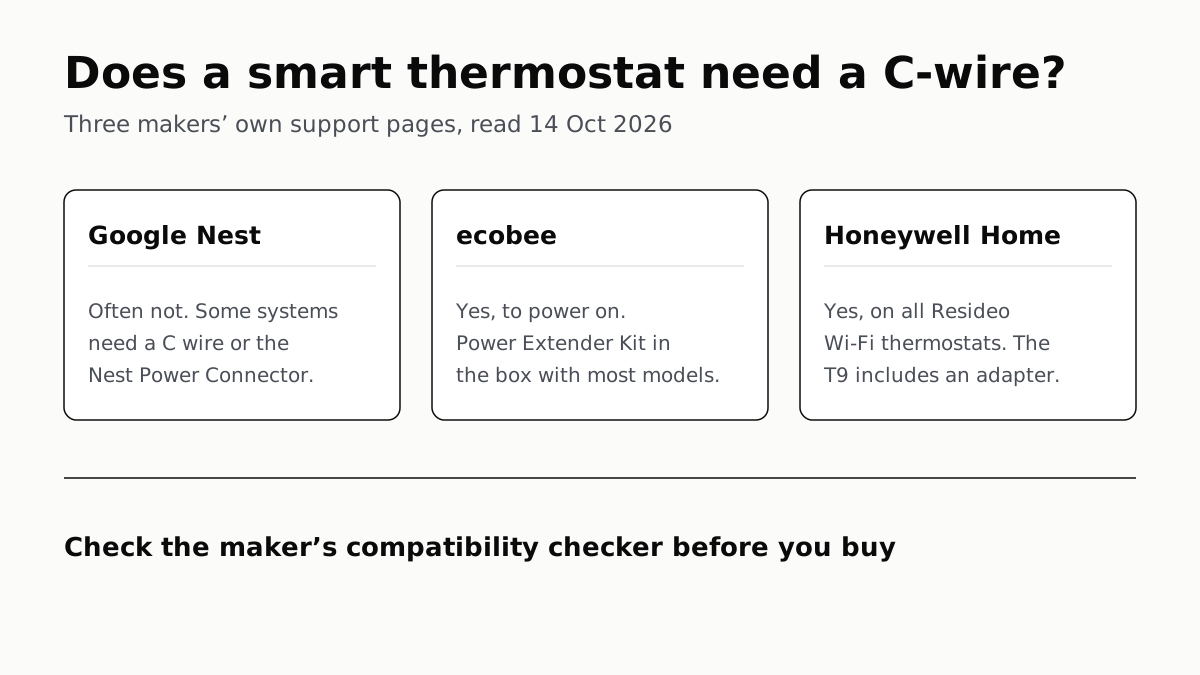
Ecobee and Honeywell Need a C-Wire; Nest Often Doesn’t
Each maker has a fix for homes without the wire, and each sends you to its own compatibility checker before you buy.
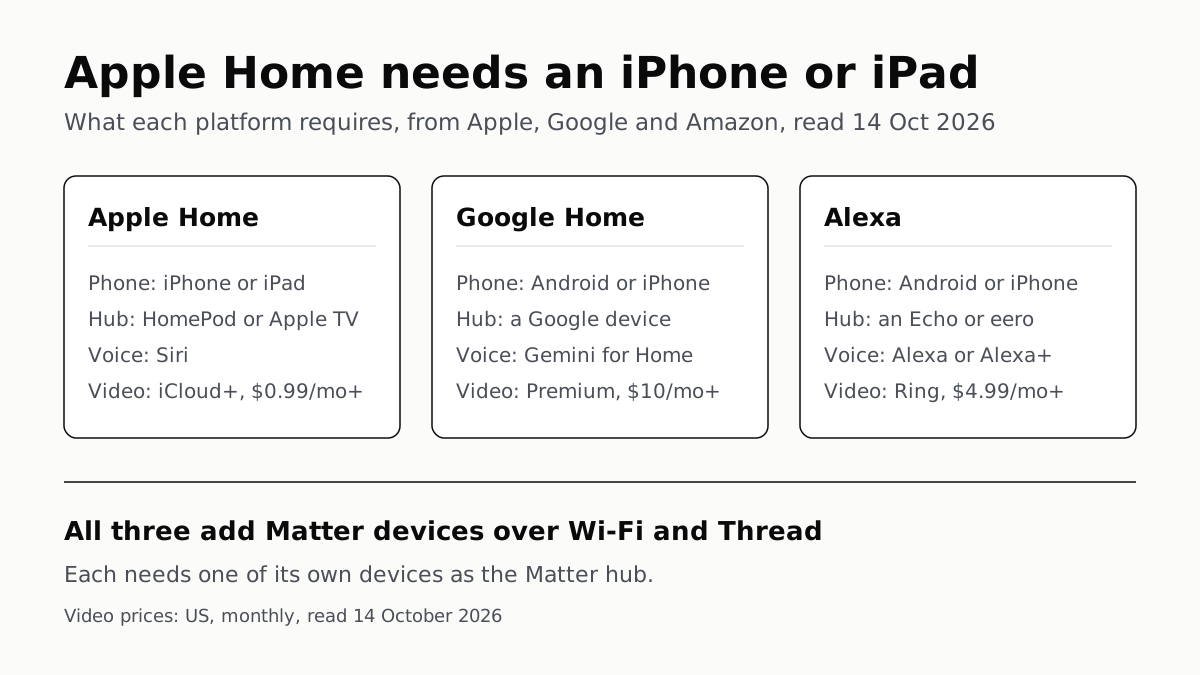
Apple Home Needs an iPhone; Google and Alexa Run on Both
All three add Matter and Thread devices. They differ in which hub you need, which assistant answers and what camera video history costs.
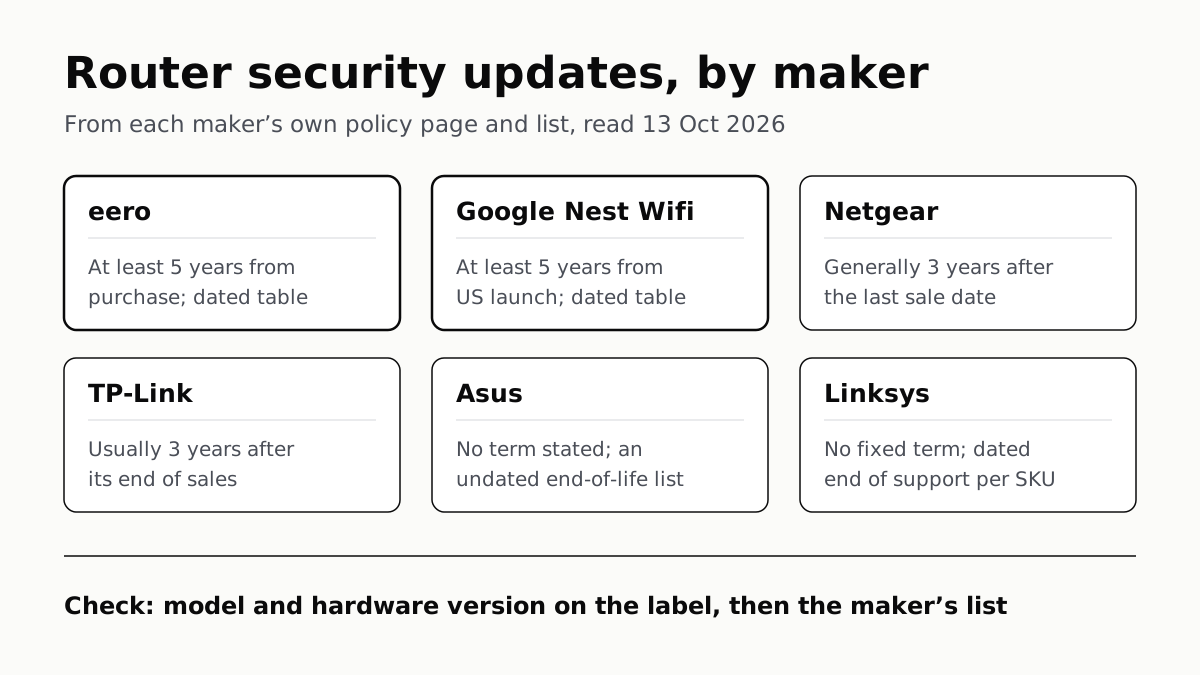
Four Router Makers Set an Update Term; Asus, Linksys Don’t
eero and Google guarantee five years at minimum; Netgear and TP-Link stop about three years after a model leaves sale.
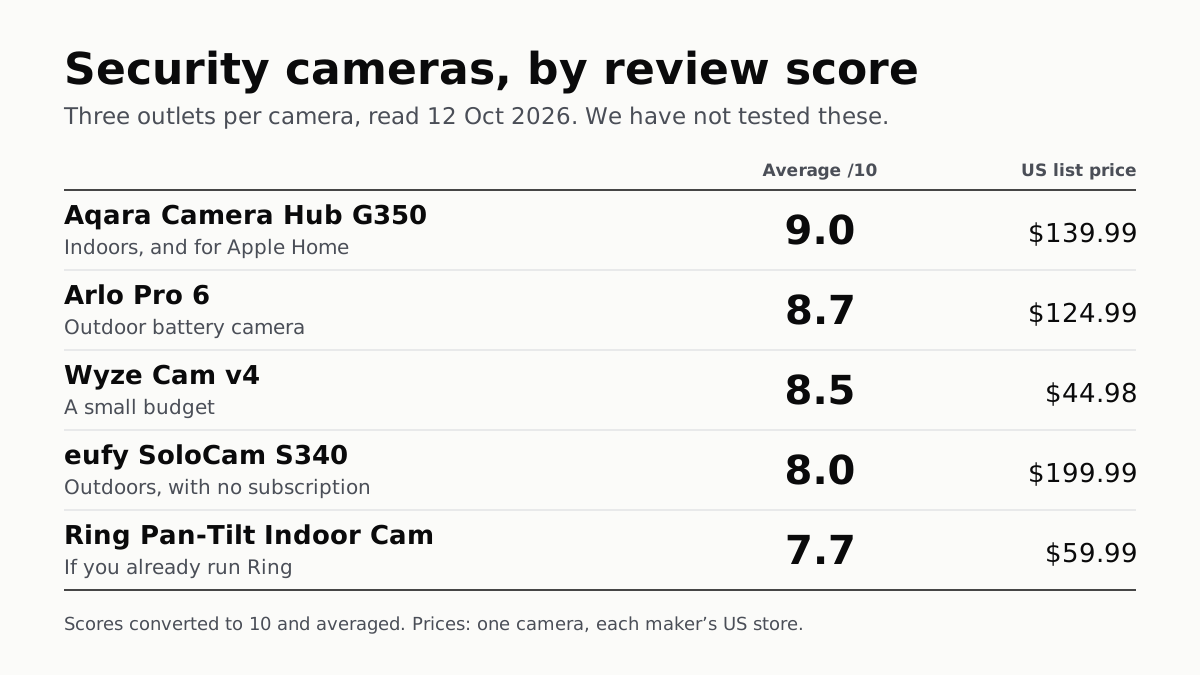
The Best Security Cameras, According to the Reviews
Fifteen scores from nine outlets, read 12 October. The top indoor camera suits Apple Home; Ring’s pan-tilt cam splits its reviewers.