A Kid’s Apple Watch Needs a Cellular Model, Not an iPhone
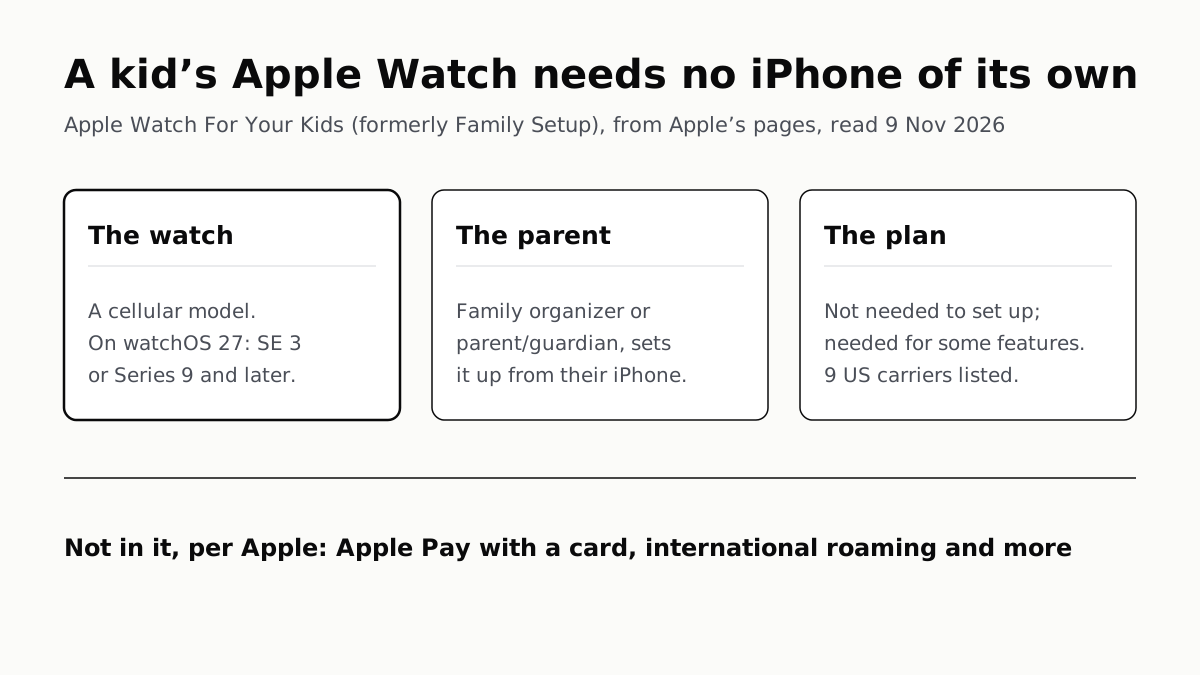
Family Setup, now Apple Watch For Your Kids, is run from a parent’s iPhone. On watchOS 27 Apple names SE 3 or Series 9 and later.
If you buy through our links, we may earn a commission. It never affects our verdicts or scores — how that works. As an Amazon Associate I earn from qualifying purchases.
Yes, a child can use an Apple Watch without an iPhone of their own: Apple Watch For Your Kids, which Apple called Family Setup until recently, lets a parent set the watch up and manage it from the parent’s iPhone. The watch must be a cellular model, and on watchOS 27 Apple’s guide names an Apple Watch SE 3 or Series 9 or later. A cellular plan isn’t needed to set it up, though Apple says one is necessary for some features, and it lists nine US carriers that support it.
Apple says the child can use the watch to “make phone calls, send messages, and share their location with you”, and that the parent can use their own iPhone “to manage some of the watch’s capabilities”. The old name still appears in searches; Apple’s support page now opens with “Apple Watch For Your Kids, formerly known as Family Setup”.
What Apple asks for
| Requirement | Apple’s stated requirement |
|---|---|
| The watch, on watchOS 27 | “a cellular-capable Apple Watch SE 3 or Apple Watch Series 9 or later” (Watch User Guide) |
| The watch, on Apple’s setup page | “An Apple Watch Series 4 or later with cellular, or Apple Watch SE or later with cellular”, on “watchOS 7 or later” (109036) |
| Cellular plan | “isn’t required to set up an Apple Watch for a family member, but is necessary for some features” (109036) |
| The parent’s iPhone | “iPhone 6s or later with iOS 14 or later for the initial watch setup” (109036), and the watch’s own row in Apple’s compatibility table (118490) |
| The parent’s role | “organizer or parent/guardian” in a Family Sharing group (109036) |
| The parent’s Apple Account | “needs to have two-factor authentication turned on” (109036) |
| The child | an Apple Account, and membership of the parent’s Family Sharing group (109036); a Child Account if under 13 (Kids and Families guide) |
| Distance | the setup iPhone within “about 33 feet or 10 meters” to manage settings and update the software (Watch User Guide) |
| Country | “not available in Italy, Korea, China mainland, and more” (109036) |
Apple’s pages give four different watch lists. The setup page (109036) says Series 4 or later; the Kids and Families guide says “a cellular-capable Apple Watch SE or Apple Watch Series 6 or later”; its Schooltime page adds “Apple Watch Ultra, Apple Watch Ultra 2, or later”; and the watchOS 27 user guide says SE 3 (affiliate link to Amazon, opens in a new tab) or Series 9 or later. Apple’s compatibility table (118490) lists the Series 4, Series 5 and the first SE as ending at watchOS 10.6.1. For a watch running watchOS 27, the watchOS 27 sentence is Apple’s current wording.
That sentence names no Ultra. Apple’s carrier page does list the Ultra 4, Ultra 3, Ultra 2 and original Ultra, all GPS + Cellular, in its Apple Watch For Your Kids table, alongside the SE 3, Series 12, Series 11 and older cellular models. A GPS-only watch is on none of Apple’s lists. Which watches get watchOS 27 at all is in our watchOS 27 model list, and how the three Apple sells differ is in which Apple Watch is which.
For the parent’s iPhone, the setup page’s iPhone 6s floor is the feature’s minimum, and a newer watch asks for more. Apple’s compatibility table asks for an iPhone 11 or later on iOS 27 for a Series 12 or Ultra 4 (affiliate link to Amazon, opens in a new tab), and an iPhone 11 or later on iOS 26 for a Series 11, SE 3 or Ultra 3 (affiliate link to Amazon, opens in a new tab).
Which US carriers Apple lists
Apple’s Apple Watch For Your Kids table names nine US carriers:
| Carrier | Apple’s footnote |
|---|---|
| AT&T | Can be used even if your iPhone’s carrier doesn’t support the feature |
| BetterRoaming | Can be used even if your iPhone’s carrier doesn’t support the feature |
| Boost Mobile | — |
| Cellcom | — |
| C Spire | — |
| Cricket Wireless | Can be used even if your iPhone’s carrier doesn’t support the feature |
| T-Mobile USA | Can be used even if your iPhone’s carrier doesn’t support the feature |
| Verizon Wireless | Can be used even if your iPhone’s carrier doesn’t support the feature |
| Xfinity Mobile | — |
The footnote reads: “If your iPhone service provider does not currently support Apple Watch For Your Kids, you can still set up a service plan for a family member’s Apple Watch with this service provider.” Apple’s watchOS 27 guide also says the child’s watch “doesn’t have to use the same cellular carrier as the iPhone you manage it with”.
Some carriers on Apple’s general US list for Apple Watch cellular, including Spectrum Mobile, Visible, Consumer Cellular and Metro by T-Mobile, are not in the kids’ table on the same page. Apple adds that “some corporate cellular plans don’t support Apple Watch For Your Kids”, and on the carrier page that “prepaid accounts and some older accounts may not be supported”. Plan prices and terms are the carrier’s, so ask the carrier before you buy. Puerto Rico’s entry in the same table is Liberty.
How the child’s account works
The child needs their own Apple Account in the parent’s Family Sharing group. Apple’s Kids and Families guide says “a Child Account is required for children under 13 and available for children up to 18”, and that the minimum age “may vary across countries and regions”. If the watch is the child’s first Apple device, Apple says setup walks you through creating their first Apple Account.
During setup, Apple’s steps have the parent:
- choose the family member and enter their Apple Account password;
- turn on Ask to Buy, to approve downloads and purchases on the watch;
- add the watch to the parent’s carrier plan, if that carrier supports it, or tap Not Now and contact another carrier;
- choose trusted people from the parent’s own Contacts to share to the watch, which needs Contacts in iCloud turned on;
- set a Screen Time passcode for the watch and turn on Schooltime.
Afterwards the parent manages it in the Apple Watch app on the iPhone that set it up, under Family Watches. Apple’s Kids and Families guide says the redesigned parental controls in iOS 27 reach watchOS 27 in part, naming Screen Time Schedules, on-demand quick actions, “select Content and Privacy Restrictions”, and website filtering and Ask to Browse. For the iPhone side of the same controls, see how Apple’s Screen Time compares with Google’s Family Link.
Schooltime
Apple says Schooltime “blocks notifications and app use on your child’s Apple Watch during the days and times you choose, like school hours”. While it is on, a yellow circle shows on the watch face and Do Not Disturb turns on. The child can leave it temporarily, “to check messages or call emergency services”, and the parent gets a notification each time; during scheduled hours it comes back when the child lowers their wrist. Parents set the schedule in the Apple Watch app, and can see when it was unlocked and for how long.
What works, and what Apple lists as unavailable
The watch is not a full copy of an adult’s. Apple’s Kids and Families guide says you can’t unlock the parent’s iPhone with it, can’t hand off tasks from it to that iPhone, and that deleting an app from the child’s watch does not remove it from the iPhone.
| Feature | Apple’s stated availability (109036) |
|---|---|
| Calls, messages, sharing location | Available |
| Apple Cash Family | Available to users under 18, “United States only” |
| Apple Pay with a credit or debit card in Wallet | Not available |
| High and low heart rate notifications | Users 13 and older |
| Heart Rate Variability | Users 18 and older |
| Fall Detection | Users 18 and older |
| Time in daylight | Available; parents can view it through Health Sharing |
| Move goal | Users under 13 can use move minutes instead of active calories |
| Medications, respiratory rate, irregular heart rhythm notifications, ECG, AFib History, Cycle Tracking, Sleep, Wrist Temperature, Blood Oxygen, Walking Steadiness | Not available |
| Audiobooks, News, Shortcuts | Not available |
| Tap gestures and the wrist flick gesture | Not available |
| International roaming | Not available |
If the child travels abroad, Apple lists international roaming as not available on their watch. The health rows are Apple’s availability list only; this page does not say what any of those features does.
Before you buy
Check three things: that the watch says GPS + Cellular, that your carrier, or another on Apple’s list, will add it to a plan, and that you are the organizer or a parent or guardian in Family Sharing. Then check the watch’s row in Apple’s compatibility table against the iPhone you will set it up with.
Questions people ask
Can a kid use an Apple Watch without an iPhone?
Yes. Apple Watch For Your Kids, which Apple used to call Family Setup, lets a child who has no iPhone of their own make calls, send messages and share their location. A parent sets the watch up and manages it from the parent’s own iPhone.
Does Apple Watch Family Setup need cellular?
The watch has to be a cellular model; Apple’s watchOS 27 guide says “cellular-capable”. A cellular plan is a separate question: Apple says one isn’t required to set the watch up, but is necessary for some features.
Which carriers support Apple Watch Family Setup?
Apple lists nine in the US: AT&T, BetterRoaming, Boost Mobile, Cellcom, C Spire, Cricket Wireless, T-Mobile USA, Verizon Wireless and Xfinity Mobile. Apple notes some corporate plans don’t support it, and that prepaid and some older accounts may not be supported.
Which Apple Watch works with Family Setup on watchOS 27?
Apple’s watchOS 27 user guide names a cellular-capable Apple Watch SE 3 or Series 9 or later. Apple’s carrier page also lists the Ultra models with GPS + Cellular for the feature. A GPS-only watch is not on any of Apple’s lists.
Does my child need their own Apple Account for an Apple Watch?
Yes. Apple asks for an Apple Account for the parent and one for the child, and the child must be in the parent’s Family Sharing group. Apple says a Child Account is required for children under 13 and available up to 18.
Does the child’s watch have to be on the same carrier as my iPhone?
No. Apple’s watchOS 27 guide says the watch doesn’t have to use the same carrier as the iPhone that manages it. Apple marks AT&T, BetterRoaming, Cricket, T-Mobile and Verizon as carriers you can use even if your iPhone’s carrier doesn’t support the feature.
What doesn’t work on an Apple Watch set up for a kid?
Apple lists Apple Pay with a credit or debit card, international roaming, Audiobooks, News, Shortcuts, tap gestures and several health apps, including Sleep, ECG and Blood Oxygen, as not available. The child also can’t unlock or hand off to the parent’s iPhone.
How we researched this
No one at bitcritiq has handled this product. Everything here comes from published sources, listed below.
- What this cannot tell you
- Apple’s pages give four different minimum watch lists, written for different watchOS versions, and the watchOS 27 sentence names no Ultra model while the carrier table includes them; we report each list as Apple words it rather than reconcile them. Carrier support, prices and plan terms are each carrier’s, and we did not read any carrier’s own page. Availability differs by country, and Apple does not list every country on the setup page. We have not set up a watch this way. This page reports which health and fitness features Apple lists as available or unavailable; it does not say what any of them does, and it is not medical advice.
How we chose this, and what we did
- Why this subject
- Apple Watches are a common gift for children who do not have an iPhone, and the question parents search is whether that works at all and what it takes. Our watch posts cover which models get watchOS 27 and how Apple’s three current watches differ; neither covers setting a watch up for a child. Apple has also renamed the feature, from Family Setup to Apple Watch For Your Kids, so the old name readers search for no longer heads Apple’s own pages.
- How we looked at it
- All read through a browser on 9 November 2026. Requirements, setup steps and the list of features that are and are not available are from Apple Support 109036, “Set up Apple Watch for a family member” (published 27 October 2026). The watchOS 27 model wording is from the Apple Watch User Guide page “Use Apple Watch For Your Kids” with watchOS 27 selected; the Child Account rules and the limits on how the watch works with the parent’s iPhone are from Apple’s “Apple Devices for Kids and Families” guide; Schooltime is from the same guide’s Schooltime page. Carriers are from the “Apple Watch For Your Kids” table on apple.com/watch/cellular, with each superscript matched to its footnote by the footnote’s own id; we counted the nine US entries by hand. iPhone and iOS needs per watch are from Apple Support 118490. The statement that Spectrum Mobile, Visible and others are not on the kids’ list has a control: the same page’s general US table names them, and the kids’ table on that page names nine others.
What this rests on
6 claims, all official. Nothing here was measured by bitcritiq — see how we test for why. Open a claim to read the source it came from.
A child can use an Apple Watch without their own iPhone through Apple Watch For Your Kids, the feature Apple formerly called Family Setup.Official
Apple Support 109036: “Apple Watch For Your Kids, formerly known as Family Setup, lets family members who don't have their own iPhone enjoy the features and benefits of an Apple Watch.”
On watchOS 27, Apple’s user guide asks for a cellular-capable Apple Watch SE 3 or Series 9 or later, and a child in the parent’s Family Sharing group.Official
Apple Watch User Guide, watchOS 27: “On watchOS 27, your child or family member must be part of your Family Sharing group and have a cellular-capable Apple Watch SE 3 or Apple Watch Series 9 or later.”
A cellular plan is not needed to set the watch up, but Apple says it is necessary for some features.Official
Apple Support 109036: “A cellular plan isn't required to set up an Apple Watch for a family member, but is necessary for some features.”
Apple lists nine US carriers for Apple Watch For Your Kids: AT&T, BetterRoaming, Boost Mobile, Cellcom, C Spire, Cricket Wireless, T-Mobile USA, Verizon Wireless and Xfinity Mobile.Official
apple.com/watch/cellular, Apple Watch For Your Kids table, United States: “AT&T … BetterRoaming … Boost Mobile … Cellcom … C Spire … Cricket Wireless … T-Mobile USA … Verizon Wireless … Xfinity Mobile”.
The parent setting it up must be the Family Sharing organizer or a parent or guardian, and their Apple Account needs two-factor authentication.Official
Apple Support 109036: “Your Apple Account needs to have two-factor authentication turned on.” “You need to have the role of organizer or parent/guardian to set up an Apple Watch for a family member.”
Apple lists Apple Pay with a credit or debit card, international roaming, Sleep, ECG, Blood Oxygen and other features as not available in Apple Watch For Your Kids.Official
Apple Support 109036: “Apple Pay using a credit or debit card in the Wallet app is not available with Apple Watch For Your Kids.” “The following features and apps are not available: Medications, respiratory rate, irregular heart rhythm notifications, ECG, AFib History, Cycle Tracking, Sleep, Wrist Temperature, Blood Oxygen, Walking Steadiness, Audiobooks, News, Shortcuts, tap gestures and the wrist flick gesture, and international roaming.”
Sources 7
- Set up Apple Watch for a family member — Apple Support 109036 (published 27 October 2026)Officialaccessed Nov 9, 2026
- Use Apple Watch For Your Kids — Apple Watch User Guide (watchOS 27)Officialaccessed Nov 9, 2026
- Set up an Apple Watch for your kid — Apple Devices for Kids and FamiliesOfficialaccessed Nov 9, 2026
- Get started with Schooltime on your child’s Apple Watch — Apple Devices for Kids and FamiliesOfficialaccessed Nov 9, 2026
Show 3 more · 3 official or standards
- Create a Child Account for your kid’s Apple devices — Apple Devices for Kids and FamiliesOfficialaccessed Nov 9, 2026
- Apple Watch — Carriers — AppleOfficialaccessed Nov 9, 2026
- Apple Watch and iPhone compatibility — Apple Support 118490Officialaccessed Nov 9, 2026
Pass it on
Know someone weighing this up? Send them the answer.
bitcritiq.com/p4svThe link is permanent: it opens this article for good, even if the title changes.
No email, no account
Follow bitcritiq
Every new article, in whatever reader you already use.
Subscribe by RSSAll the ways to follow
Using Chrome on Android? Open the browser menu and tap Follow. New articles then turn up in the Following tab in Discover.
read next
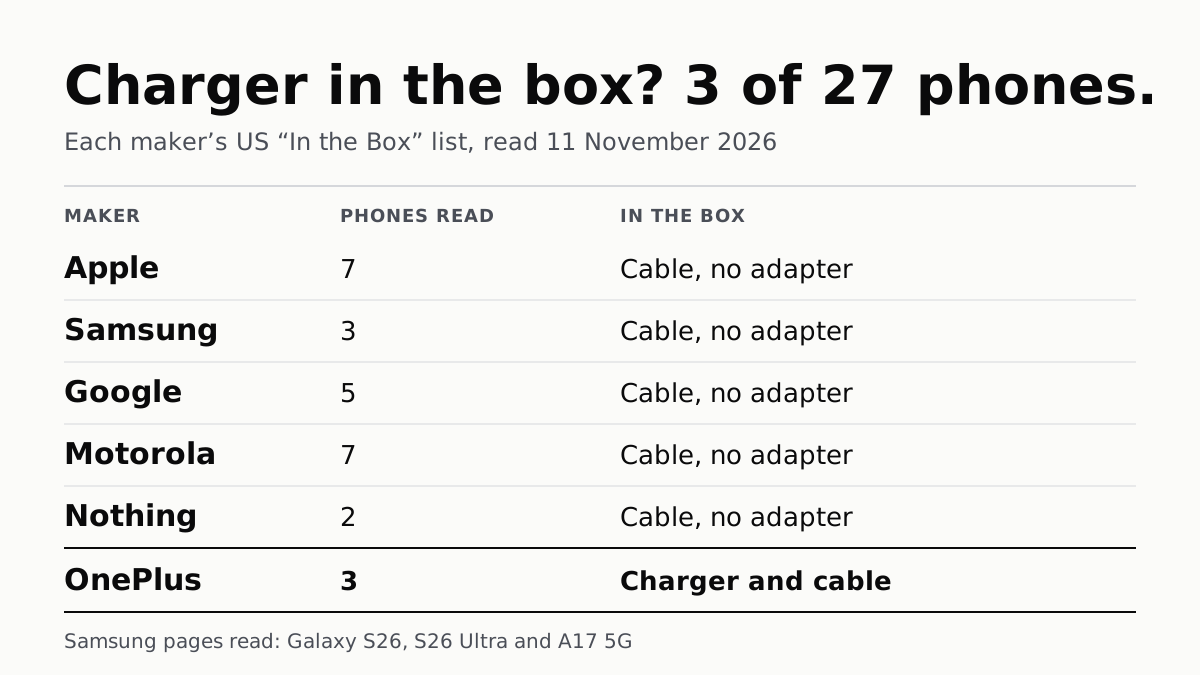
Of 27 Phones, Only OnePlus’s 3 Come With a Charger
Apple, Samsung, Google, Motorola and Nothing list a cable and no adapter in the box. Most name the charger wattage to buy.
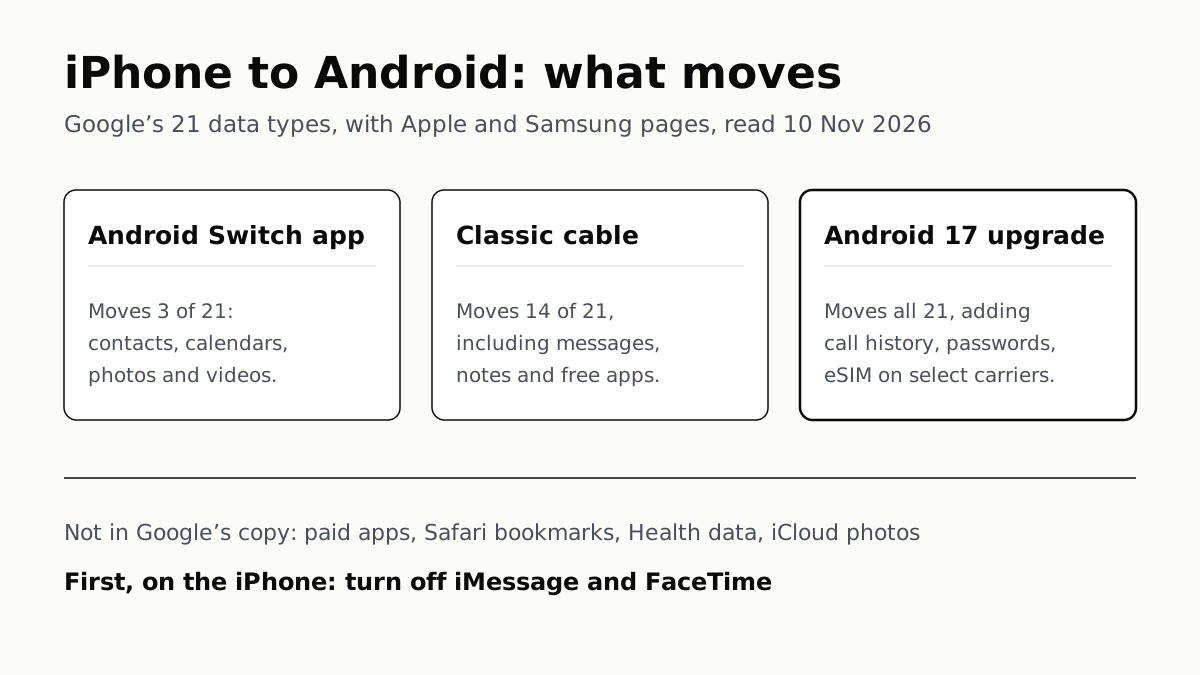
iPhone to Android Moves Most Data, but Not Paid Apps
Turn off iMessage and FaceTime first so texts arrive. Android 17’s upgraded copy adds call history, passwords and the eSIM.
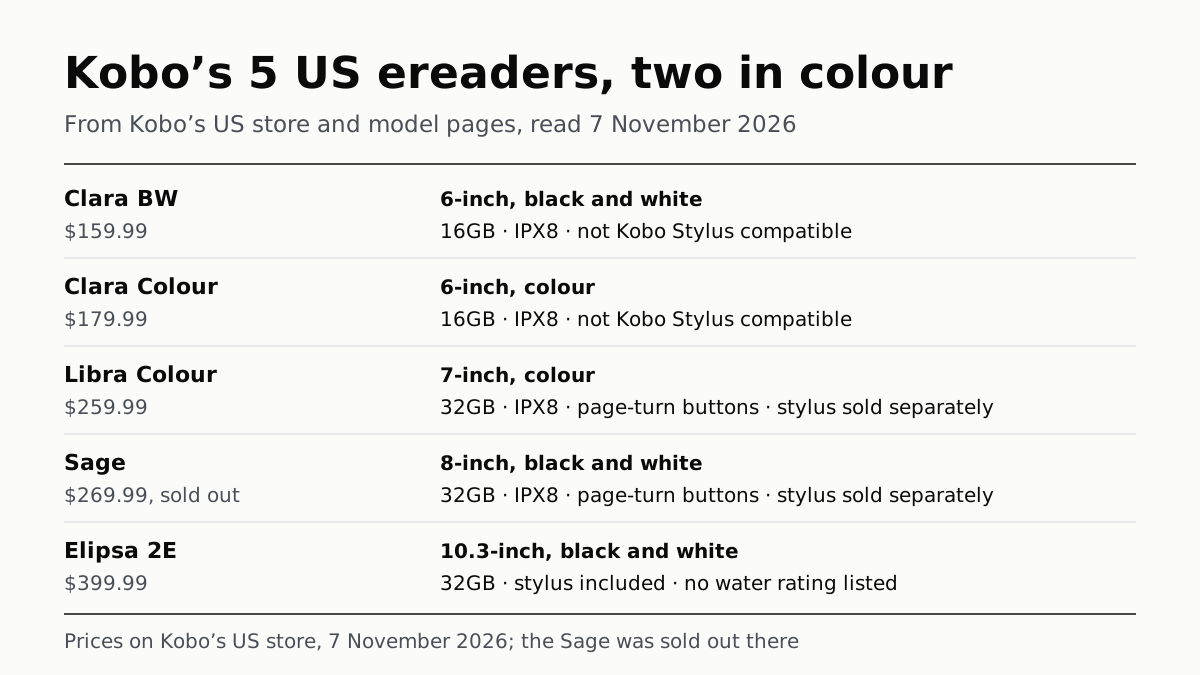
Kobo’s 5 US Ereaders: Two in Colour, Three Take a Stylus
From the 6-inch Clara BW at $159.99 to the 10.3-inch Elipsa 2E at $399.99, on Kobo’s US store. The Sage was sold out on 7 November.
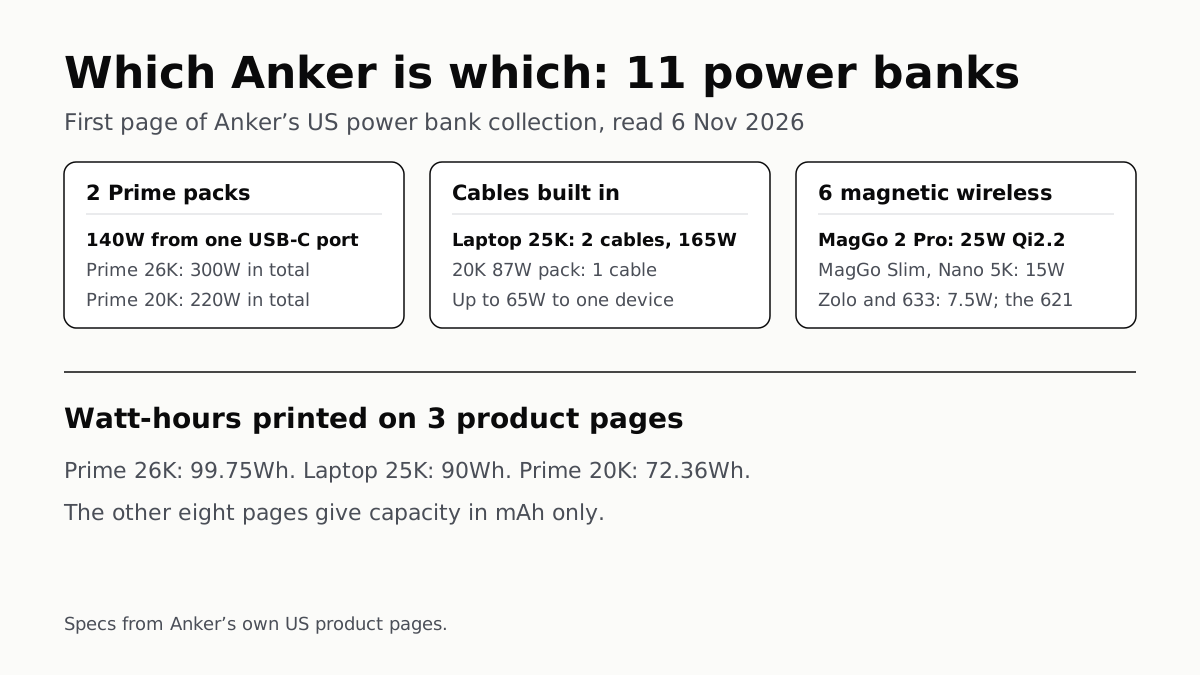
Anker Power Banks: 6 of the 11 We Read Charge Wirelessly
Two Prime packs reach 140W from one USB-C port, and Anker prints watt-hours on three product pages, all under 100Wh.