Discord Estimates Your Age Before It Asks for ID
Most accounts are sorted by a model reading which servers you join and who you know. Seven methods exist only if it cannot place you.
If you buy through our links, we may earn a commission. It never affects our verdicts or scores — how that works. As an Amazon Associate I earn from qualifying purchases.
If Discord has not asked your age, it has already decided. A machine-learning model sorts accounts into teen (13–17) or adult (18+) from how the account behaves, and Discord’s own answer to “will I need to confirm my age” is a flat no for most people: the model places them and they do nothing.
The ID check everyone is talking about is the fallback for accounts it cannot place. That ordering is the story, and Discord published the engineering behind it on 22 September.
What the model actually reads
It is XGBoost — a gradient-boosted tree ensemble, the workaday choice for tabular prediction — fed several groups of signals. Discord names them.
| Input | What it is | Weight |
|---|---|---|
| User embeddings (DERE) | A 32-dimensional summary of where your account sits in the social graph — servers, games, who you interact with | The most predictive input |
| Account metadata | Tenure, subscription history, email and phone verification | Secondary |
| Engagement metrics | Counts only: active days, servers owned, messages sent | Secondary |
| Community context | Categories of servers, from their name and description | Secondary |
| Platform metadata | Operating system, browser, hardware platform | Secondary |
The embedding is the part worth sitting with. Discord’s stated reasoning is that “teens interact with other teens, join similar communities, and play similar games”, so an account’s position among other accounts predicts its age without anything being read. The model is not looking at you. It is looking at who is standing near you.
Discord is specific about what is excluded: no message content, no uploaded media, no usernames or bios, and no race, gender or ethnicity. It gives a second reason beyond privacy, which reads as the more durable one — if content counted, people would write keywords to move their score.
Two thresholds, and a deliberate gap
The model outputs a probability between 0 and 1 that an account is an adult. Above an upper threshold it is classified adult, below a lower one teen, and in between it is classified as nothing at all. Unclassified accounts get the teen protections but are not labelled teen, and their owners can confirm their age if they want the restricted parts of the service.
Discord adds a sentence that is more honest than it needed to be: because most of its users are adults, most unclassified accounts are probably adults too. It is accepting a pile of inconvenienced adults in exchange for not mislabelling anyone. Classifications are also aggregated over a window rather than a single day, so one odd evening does not move you.
What is missing is any number. Discord publishes no accuracy figure, no thresholds, and no share of accounts left unclassified. The strongest statement in the post is that performance “meets or exceeds the efficacy of methods that are widely used in regions with active age assurance laws” — a comparison with no value on either side. The post is otherwise unusually specific, naming the algorithm, the embedding size and the interpretability method, so this is a particular silence rather than a vague page. Publishing how a model works is not the same as publishing the model, which is a distinction the AI industry has been blurring for years.
The seven fallbacks, and what each one costs you
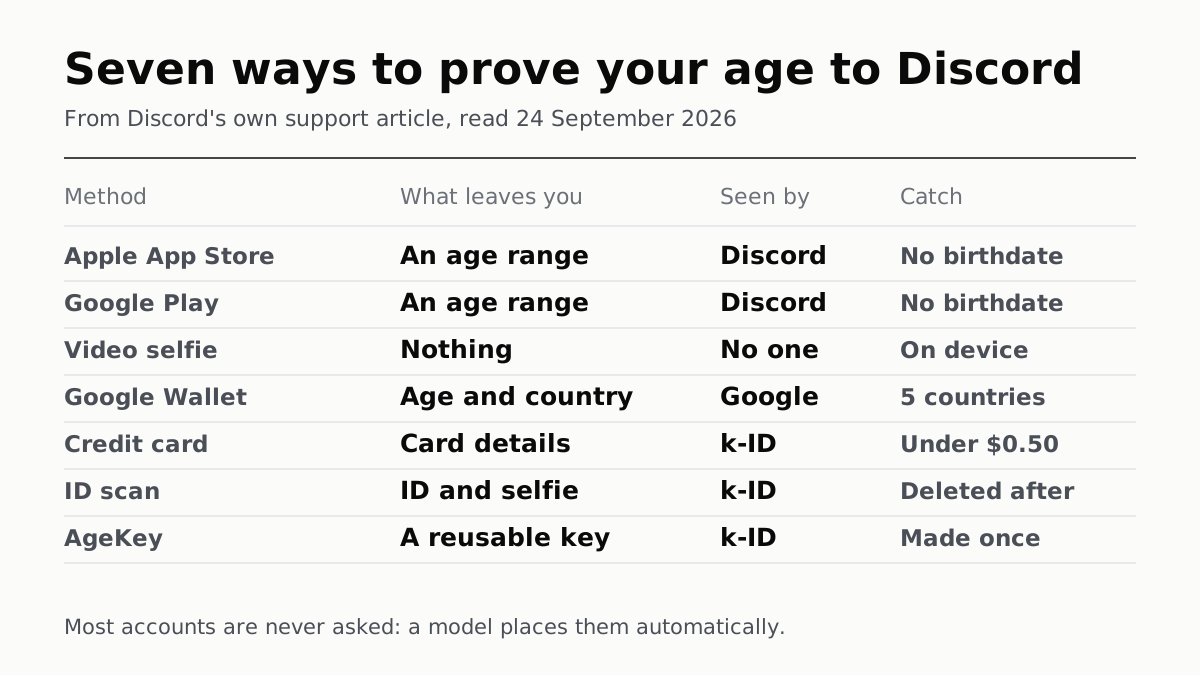
If you are unplaced and want an age-restricted server, Discord documents seven routes. Discord says it receives an age signal and nothing else from any of them; the vendor is k-ID, with card payments running through Stripe.
| Method | What leaves your hands | The catch |
|---|---|---|
| Apple / Google age range | An age range from the app store | Exact birthdate not shared |
| Video selfie | Nothing — facial estimation runs on device | Needs camera access |
| Google Wallet passport | Age group and issuing country | Passports from five countries only: Brazil, Singapore, Taiwan, UK, US |
| Credit card | Card details, to k-ID via Stripe | Credit only. No debit, no prepaid. Charge under $0.50, refunded in 14 business days |
| ID scan | A government ID plus a matching selfie | Deleted after confirmation, by Discord’s account |
| AgeKey | One reusable age passkey, made from any of the above | Portable across services, which is the point and the risk |
The card rule has a logic worth spelling out: debit and prepaid cards can be issued to minors, so holding one proves nothing about age. The exclusion is not an oversight.
On the privacy assurances — documents deleted immediately, nothing linked to the account, selfies never leaving the device — these are Discord’s statements about a third party’s conduct. They are specific and checkable in principle and unverifiable from outside, which is the same position readers are in with every service that promises not to keep what you give it.
The one line to remember
Age assurance happens inside the Discord app, never by email or text. Discord says so plainly, and it is the most immediately useful sentence on either page: any message outside the app asking you to verify your age is a phishing attempt. An identity-check flow is an unusually good lure, because handing over an ID feels like the expected thing to do.
If your age group is wrong, it is User Settings, then Account Status, then Retry with a different method. The result arrives as a direct message from Discord’s official account, and it is not shown on your profile to anyone else.
Questions people ask
Do I have to verify my age on Discord?
Discord says no for most people. Its FAQ answer is that “the vast majority of users are placed into an age group automatically by Discord’s age estimation model and don’t need to do a thing”, and that confirming is needed only to reach age-restricted content, spaces or settings when the model has not already placed you in the adult group. Messaging friends, voice calls and servers that are not age-restricted are unaffected.
How does Discord know how old I am?
It runs a machine-learning model over how the account behaves, not anything you tell it. Discord names the inputs: account tenure, subscription history, email and phone verification, counts of active days and messages sent, the categories of servers you join, and device signals. The most predictive of all is a 32-dimensional summary of where your account sits in Discord’s social graph.
Does Discord read my messages to guess my age?
Discord says it does not. Its post states the model “never uses messages, uploaded media, usernames, or profile bios”, and uses counts of messages but “never what those messages say”. It gives a practical reason as well as a privacy one: excluding content stops people steering the estimate with keywords.
What happens if Discord puts me in the wrong age group?
You can change it from User Settings, then Account Status, and pick a confirmation method. Discord says age estimation “works by looking at patterns, so a small percent of accounts will land in the wrong group”, and that it can be fixed without contacting support. Accounts banned for being judged under the minimum age for their region go through an appeal instead.
Do I have to give Discord my ID?
An ID scan is one of seven documented methods, not the only one. The others are an Apple App Store or Google Play age range, a credit card check, a passport held in Google Wallet, an on-device video selfie, and a reusable AgeKey. Which appear depends on your region and device.
Does Discord see my ID or my selfie?
Discord says it does not receive them. Its help article says Discord “doesn’t receive or access any images, ID documents, credit card details”, and that documents are “permanently deleted as soon as your age group is confirmed”. For the video selfie it says processing happens on your device and nothing leaves it. These are assurances about a third party that nobody outside the two companies can check.
Will Discord email me asking to verify my age?
No, and this is worth knowing because it makes phishing easy to spot. Discord’s article says age assurance “only happens inside the Discord app” and that it “will never ask you to confirm your age group by email or text”. A message outside the app asking you to verify is not from Discord.
Can other people see my age group?
Discord says your age group “isn’t shown on your profile or visible to other members in a server”. It is stored against the account and follows you across devices once confirmed.
How we researched this
No one at bitcritiq has handled this product. Everything here comes from published sources, listed below.
- What this cannot tell you
- Discord publishes the architecture and the feature groups but no accuracy figure, no confidence thresholds and no share of accounts left unclassified, so we cannot say how often it is wrong. Its privacy claims about the vendor are assertions about a third party that we cannot check from outside. Which methods you are offered varies by region and device, so the list of seven is what Discord documents rather than what any one account will see.
How we chose this, and what we did
- Why this subject
- Discord published the technical account of its age-estimation model on 22 September 2026 and updated its age-confirmation help article the next day. Coverage has focused on the ID check, which is the part most users will never see. The model that decides for everyone else is the part worth reading, and Discord documents it in unusual detail.
- How we looked at it
- Everything here is from Discord's own two pages: the Safety Library post “How Discord Estimates Age Without Collecting Your Identity”, dated 22 September 2026, and the support article “How to Confirm Your Age Group on Discord”, which carries a fix note dated 23 September. Both read 24 September 2026. Where a figure appears below it is quoted from one of those two pages.
What this rests on
6 claims, all official. Nothing here was measured by bitcritiq — see how we test for why. Open a claim to read the source it came from.
Discord places most accounts into an age group with a machine-learning model, and only unplaced accounts are asked to confirm.Official
Discord Safety Library, 22 September 2026: “The model automatically places users into an age group, so the vast majority of users won't need to confirm their age.” The support FAQ repeats it: “the vast majority of users are placed into an age group automatically by Discord's age estimation model and don't need to do a thing.”
The model is XGBoost, and its most predictive input is a 32-dimensional embedding of the account's position in Discord's social graph.Official
Discord: “We use XGBoost [1] (eXtreme Gradient Boosting), a tree-based ensemble method”; user embeddings are “the single most predictive feature in the ML model”; “in production our DERE embeddings are 32-dimensional”. The embeddings encode “which communities it belongs to, which games it plays, and the broad structure of who it interacts with”.
Discord says the model does not read message content, and excludes demographic attributes.Official
Discord: “The model never uses messages, uploaded media, usernames, or profile bios. It uses some aggregate counts, such as how many messages an account has sent, but never what those messages say.” And: “The model does not use race, gender, ethnicity, or any protected demographic attribute as a model feature.” It does use “Device signals, such as operating system, browser type, and hardware platform.”
Accounts the model is unsure about are left unclassified rather than guessed at, and Discord expects most of them to be adults.Official
Discord describes two confidence thresholds with “an uncertain region, where the model does not have enough confidence to classify either way, and accounts are left unclassified”, adding: “Because adults make up most of Discord's users, most of those unclassified accounts will likely belong to adults.” Classification also “aggregates scores over a longer window” rather than acting on a single day.
Discord publishes no accuracy figure for the model.Official
The nearest the post comes is “The model's performance meets or exceeds the efficacy of methods that are widely used in regions with active age assurance laws, as measured against a held-out evaluation set” — a comparison without a number. Control: the same post does publish concrete technical detail, naming the algorithm, the embedding dimensionality, the feature groups and the use of SHAP for feature importance, so the omission is specific rather than a page that withholds everything.
Seven confirmation methods are documented, and the credit-card route excludes debit and prepaid cards.Official
Discord Support lists Apple App Store, Google Play Store, Credit Card, Google Wallet, Video Selfie, ID Scan and AgeKey. On cards: “Only credit cards are accepted for this method. Debit cards and prepaid cards aren't eligible, since they can be issued to minors in most regions”, with “A small temporary charge (under $0.50 USD)” refunded “within 14 business days”. Google Wallet “currently only supports passports from Brazil, Singapore, Taiwan, UK, and US”.
Sources 4
- How Discord Estimates Age Without Collecting Your Identity — Discord Safety Library, 22 September 2026Officialaccessed Sep 24, 2026
- How to Confirm Your Age Group on Discord — Discord SupportOfficialaccessed Sep 24, 2026
- Learning from Structure: Discord's Entity-Relationship Embeddings — Discord EngineeringOfficialaccessed Sep 24, 2026
- Getting the Right Experience for Your Age Group: Find Your Region — Discord SupportOfficialaccessed Sep 24, 2026
Pass it on
Know someone weighing this up? Send them the answer.
bitcritiq.com/2verThe link is permanent: it opens this article for good, even if the title changes.
No email, no account
Follow bitcritiq
Every new article, in whatever reader you already use.
Subscribe by RSSAll the ways to follow
Using Chrome on Android? Open the browser menu and tap Follow. New articles then turn up in the Following tab in Discover.
read next
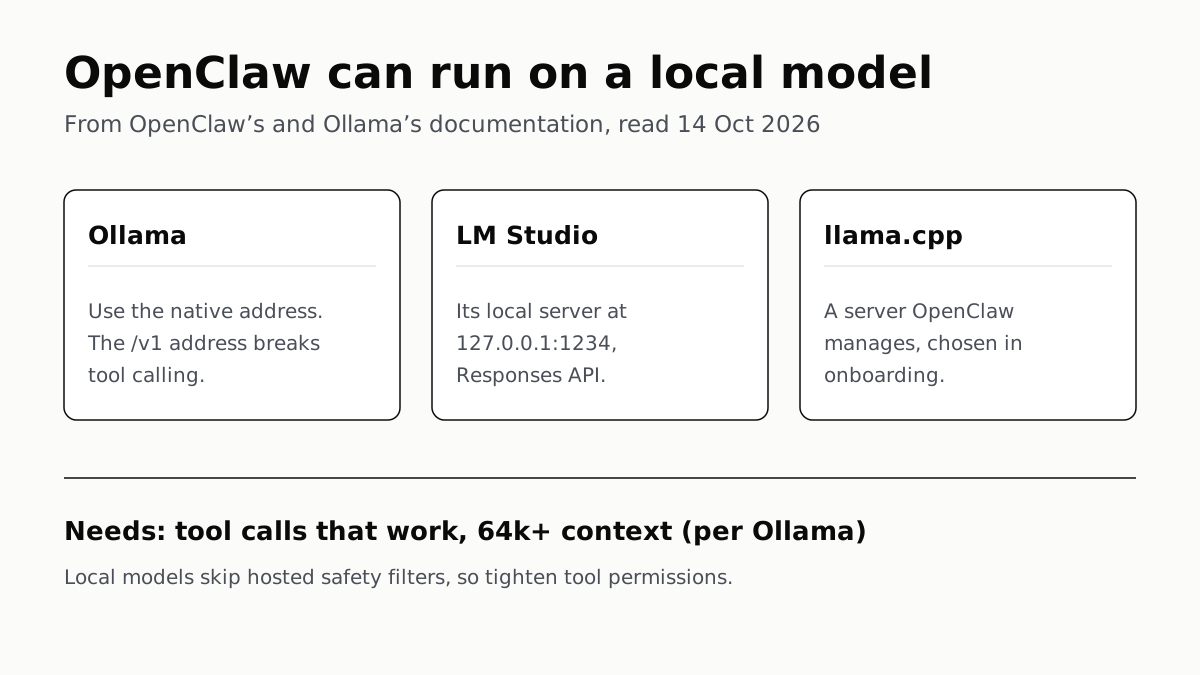
OpenClaw Runs on a Local LLM via Ollama or LM Studio
OpenClaw's docs also cover llama.cpp, vLLM and any OpenAI-compatible server. Ollama advises 64k context; small models are easier to hijack.
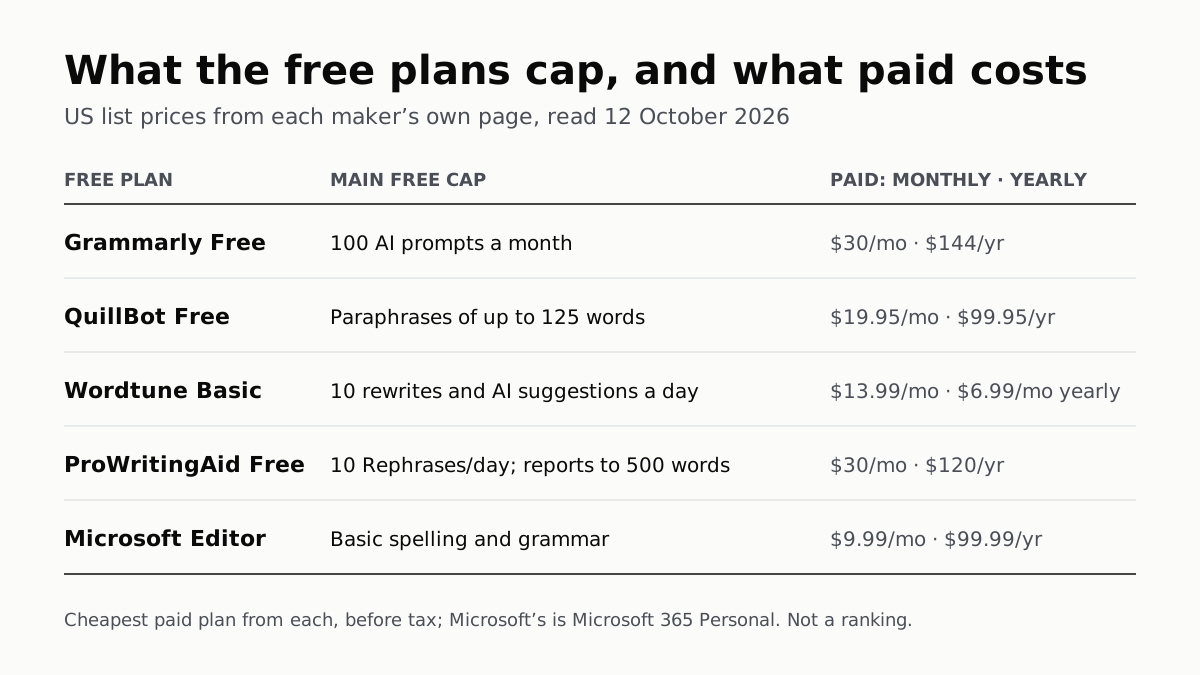
Free AI Writing Tools Ration Rewrites in Different Units
Grammarly gives 100 AI prompts a month, Wordtune 10 rewrites a day, QuillBot 125 words a paraphrase. Yearly billing halves most prices.
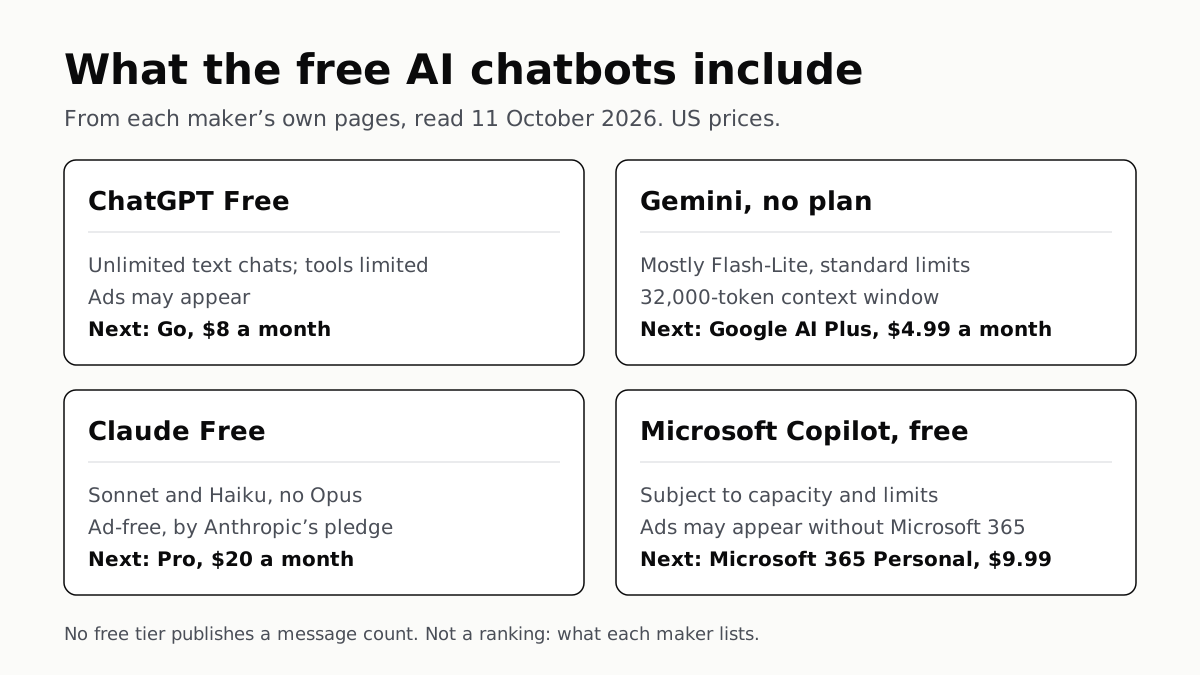
Of Four Free AI Chatbots, Only ChatGPT Lists Unlimited Chat
ChatGPT’s free tier carries ads, as Copilot’s may; Gemini’s leans on Flash-Lite and Claude’s leaves out Opus.
Google’s Offline AI Note-Taker Runs Only on a Mac
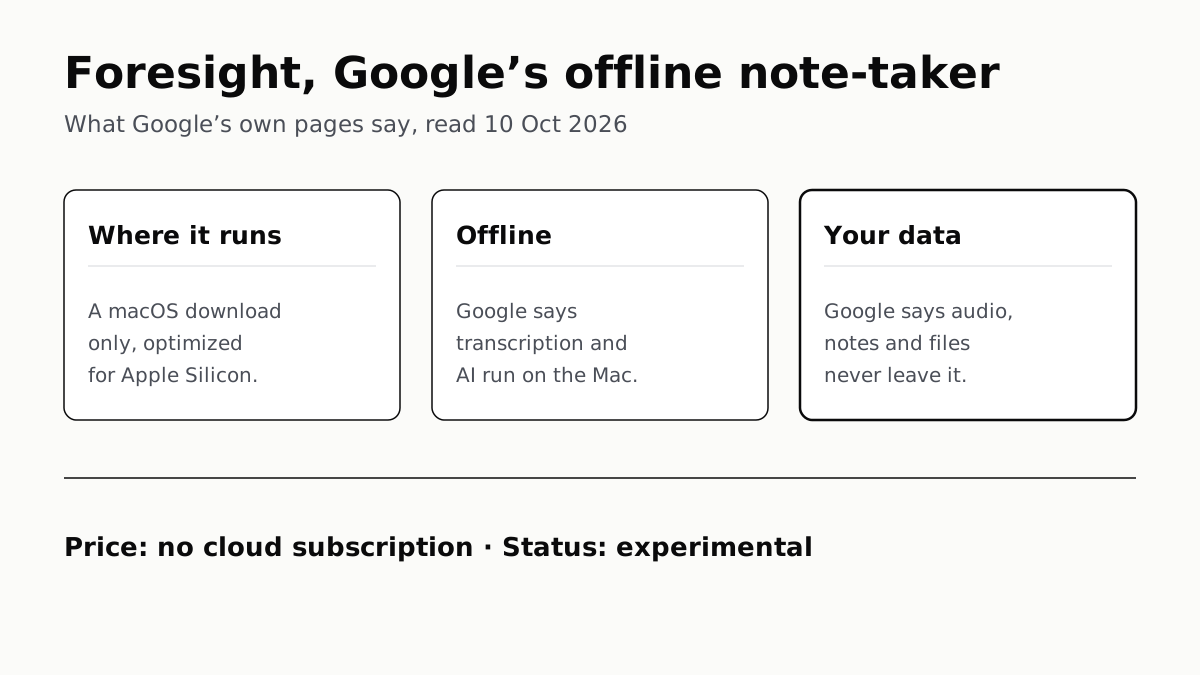
Transcription and AI run on the Mac itself, with no phone version. Google says your audio, notes and files never leave the computer.