Hermes Agent Is Nous Research’s Open-Source AI Agent
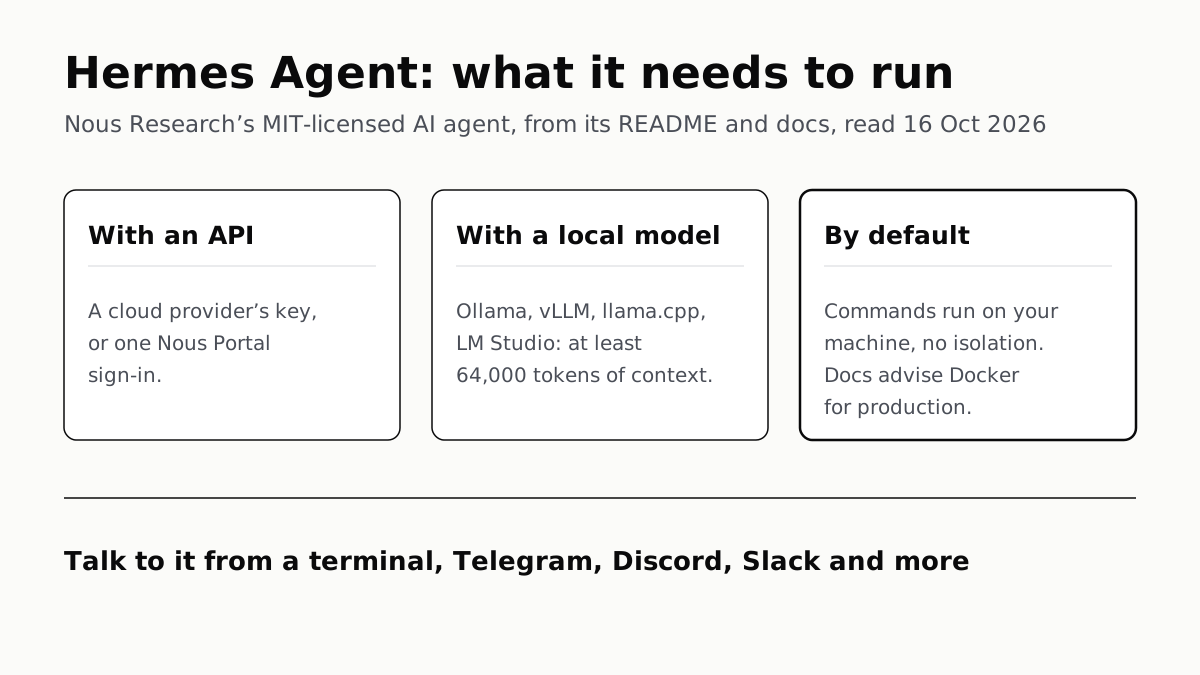
It runs on your machine, a server or a cloud sandbox, and uses a cloud API or a local model with at least 64,000 tokens of context.
If you buy through our links, we may earn a commission. It never affects our verdicts or scores — how that works. As an Amazon Associate I earn from qualifying purchases.
Hermes Agent is Nous Research’s open-source, MIT-licensed AI agent: you give it a task from a terminal or a chat app such as Telegram or Discord, and it runs commands, uses tools and keeps what it learns between sessions. To run it you need its installer and one model: a cloud API key or a Nous Portal subscription, or a local server such as Ollama set to at least 64,000 tokens of context.
Nous Research, which says on its home page that it trains models and builds agents, states there that it created Hermes Agent. The project is at github.com/NousResearch/hermes-agent.
Hermes Agent at a glance
| What its README and docs say | |
|---|---|
| Made by | Nous Research |
| Licence | MIT |
| Runs on | Linux, macOS, WSL2 and Android (Termux); Windows natively per the README, though one docs page says WSL2 only; desktop apps for macOS and Windows |
| Install | One-line script (install.sh or install.ps1); it sets up its own Python 3.14, Node.js and tools |
| Models | Nous Portal, dozens of cloud providers, or any OpenAI-compatible server |
| Local models | Ollama, vLLM, SGLang, llama.cpp, LM Studio; at least 64,000 tokens of context |
| Where its commands run | Your machine by default, or Docker, SSH, Singularity, Modal, Daytona or Vercel Sandbox |
| Talk to it from | Its terminal interface, or Telegram, Discord, Slack, WhatsApp, Signal and email |
The macOS desktop app is for Apple silicon Macs; the installation page says Intel Macs are not a supported platform.
What it does
Nous calls Hermes a “self-improving” agent with “a built-in learning loop”. In practice the README lists four things. It keeps a curated memory and searches its own past conversations. After a complex task it writes a reusable “skill” and improves it with use. It has a built-in scheduler, so a request such as a daily report runs unattended and is delivered to a chat app. And it can start subagents to work in parallel. It also connects to MCP servers for extra tools.
It is not tied to the computer you are sitting at. The README pitches running it on “a $5 VPS, a GPU cluster, or serverless infrastructure” and talking to it from Telegram while it works on a cloud machine.
Running it with an API
The docs say you need at least one model provider, chosen with hermes model. The list is long: Nous Portal, OpenRouter, Anthropic, OpenAI, Google Gemini, DeepSeek, AWS Bedrock, Azure AI Foundry, Hugging Face and many more. Most take an API key in ~/.hermes/.env; some sign in through the browser.
Nous Portal is Nous’s own route, which its docs call “the recommended way to run Hermes Agent”. One sign-in covers what it describes as 300+ models plus a Tool Gateway for web search, image generation, text-to-speech and a cloud browser, billed to one subscription. hermes setup --portal sets it up on a fresh install. You can still bring your own key for any one tool.
Running it with a local model
Hermes works with “any OpenAI-compatible API endpoint”: any server that implements /v1/chat/completions. Its docs give setup steps for Ollama, vLLM, SGLang, llama.cpp and LM Studio. If you have not run a model locally before, our starter guide to Ollama and LM Studio covers the first install.
Two requirements trip people up.
Context. Hermes “requires at least 64,000 tokens of context for agent use with tools”, and rejects smaller windows at startup. Ollama’s defaults fall short unless you have a lot of graphics memory: 4,096 tokens on cards under 24 GB, 32,768 at 24–48 GB and 256,000 above 48 GB, per the Hermes docs.
The fix is server-side, because the docs say context cannot be set through the OpenAI-compatible API: start Ollama with OLLAMA_CONTEXT_LENGTH=64000, or bake num_ctx 64000 into a custom model. Check it with ollama ps. On llama.cpp, set -c to at least 64,000, and note that parallel slots split it: -c 64000 -np 4 gives each slot 16k. A bigger window costs memory, which is the same wall local coding tools hit.
Tool calling. The model and server must support it. The docs’ fixes when a model prints tool calls as text: --jinja on llama.cpp, --enable-auto-tool-choice --tool-call-parser hermes on vLLM, and LM Studio 0.3.6 or later.
The agent’s own code is MIT-licensed, but the model you point it at has its own licence, and an open-weight model is not necessarily open source.
What its own docs say about security
By default, Hermes runs commands “directly on your machine with no isolation”. That is the local terminal backend, and it keeps your real home directory so tools such as git and ssh find your existing credentials.
The security page lists the guards around that. Before a command runs, Hermes checks it against a list of dangerous patterns. The default “smart” mode has a second model judge the risk: it auto-approves low-risk commands, denies dangerous ones and asks you about the rest. An unanswered prompt is denied after 300 seconds. YOLO mode (hermes --yolo, /yolo or HERMES_YOLO_MODE=1) turns all of those prompts off for the session.
On chat apps, an unknown user is denied by default. Approve people with an allowlist or a one-time pairing code. Project files such as AGENTS.md are scanned for prompt injection before they are loaded, though the docs call those checks “heuristics, not semantic intent detection”.
For a gateway left running, the docs’ checklist says to set explicit allowlists, use a Docker backend, keep API keys in ~/.hermes/.env with tight file permissions, and not run the gateway as root.
Hermes Agent and OpenClaw
Hermes’s README does not compare itself with OpenClaw feature by feature. What it offers is a way across: hermes claw migrate imports an OpenClaw persona file, memories, skills, command allowlist, messaging settings and allowlisted API keys, and the setup wizard offers it when it finds ~/.openclaw. A --dry-run flag previews the import first.
The local-model requirement is close too. OpenClaw also needs a large context window on a local model; Ollama recommends 64k for it, as our guide to running OpenClaw on a local LLM sets out.
Questions people ask
What is Hermes Agent?
An open-source AI agent from Nous Research, released under the MIT licence. You give it a task in a terminal or a chat app, and it runs commands, uses tools, keeps memory between sessions and writes reusable skills from what it has done.
Is Hermes Agent free?
The software is open source under the MIT licence. The model is separate: you pay a cloud provider or a Nous Portal subscription, or run a local model on your own hardware.
Can Hermes Agent run with Ollama?
Yes. Point it at Ollama’s OpenAI-compatible address, http://localhost:11434/v1, as a custom endpoint. Raise Ollama’s context to at least 64,000 tokens first, for example with OLLAMA_CONTEXT_LENGTH=64000, or Hermes refuses to start.
What models does Hermes Agent support?
Its docs list dozens of providers, including Nous Portal, OpenRouter, Anthropic, OpenAI, Google Gemini, DeepSeek and AWS Bedrock, plus any server that implements /v1/chat/completions. The model has to support tool calling.
Does Hermes Agent work on Windows?
The README says native Windows is fully supported, with a PowerShell installer, and WSL2 also works. One page of the docs still says Windows users run it inside WSL2, so check the current installation page.
Is Hermes Agent safe to run on my computer?
By default its commands run directly on your machine with no isolation. Commands matching its dangerous list go through an approval check unless you switch on YOLO mode, and the docs advise a Docker backend, explicit allowlists and a non-root user for production.
How is Hermes Agent different from OpenClaw?
Hermes’s README does not compare them feature by feature. It offers hermes claw migrate, which imports an OpenClaw persona, memories, skills, command allowlist, messaging settings and allowlisted API keys.
How we researched this
No one at bitcritiq has handled this product. Everything here comes from published sources, listed below.
- What this cannot tell you
- Nous’s own pages disagree on Windows: the README says native Windows is fully supported, while the providers page’s WSL2 section says Hermes requires a Unix environment and Windows users run it inside WSL2. We report native support as the README states it and note the conflict. The providers docs also say, in a note for one provider, that the default toolset and system prompt can exceed a 32k context window, while elsewhere stating that windows below 64,000 tokens are rejected at startup; we give 64,000 as the requirement because that is the startup rule. We have not installed or run Hermes Agent, and we did not price Nous Portal.
How we chose this, and what we did
- Why this subject
- Google Trends showed “hermes agent” as a Breakout search in the AI category across six pulls (13 October digest). Our local-LLM and OpenClaw posts do not cover it; one post names Hermes only as an agent that can use Google’s Home MCP. The reader’s question is what it is, what it does and what it takes to run.
- How we looked at it
- Read on 16 October 2026 through a browser: the NousResearch/hermes-agent GitHub README, the Hermes Agent documentation pages on AI providers, installation, security and configuration, and the Nous Research home page. Every feature, requirement and default below is from those pages. For the OpenClaw section we read the whole README; its OpenClaw mentions are the migration command and a community WeChat bridge, and the same read found its sections on install, providers and documentation (the control).
What this rests on
6 claims, all official. Nothing here was measured by bitcritiq — see how we test for why. Open a claim to read the source it came from.
Hermes Agent is an open-source agent built by Nous Research under the MIT licence.Official
GitHub README: “The self-improving AI agent built by Nous Research.” and “License: MIT — see LICENSE.” Nous Research home page: “We created Hermes Agent.”
Hermes Agent works with cloud providers and with any OpenAI-compatible endpoint, including local servers.Official
Providers docs: “Hermes Agent works with any OpenAI-compatible API endpoint. If a server implements /v1/chat/completions, you can point Hermes at it. This means you can use local models, GPU inference servers, multi-provider routers, or any third-party API.”
Hermes Agent requires at least 64,000 tokens of context and rejects smaller windows at startup.Official
Providers docs: “Hermes Agent requires at least 64,000 tokens of context for agent use with tools. Smaller windows are rejected at startup because the system prompt, tool schemas, and working conversation state need enough room for reliable multi-step workflows.”
Ollama’s default context is 4,096 tokens below 24 GB of VRAM, 32,768 at 24–48 GB and 256,000 above 48 GB.Official
Providers docs table, “Ollama defaults to very low context lengths”: “Less than 24 GB 4,096 tokens; 24–48 GB 32,768 tokens; 48+ GB 256,000 tokens.”
The default terminal backend runs commands directly on your machine with no isolation.Official
Configuration docs, Local Backend: “The default. Commands run directly on your machine with no isolation.”
Hermes can import an OpenClaw setup, including persona, memories, skills and allowlisted API keys.Official
GitHub README, Migrating from OpenClaw: “Hermes can automatically import your settings, memories, skills, and API keys.” Run with “hermes claw migrate”.
Sources 6
- NousResearch/hermes-agent — GitHub READMEOfficialaccessed Oct 16, 2026
- LLM and Model Providers — Hermes Agent documentationOfficialaccessed Oct 16, 2026
- Installation — Hermes Agent documentationOfficialaccessed Oct 16, 2026
- Security — Hermes Agent documentationOfficialaccessed Oct 16, 2026
Show 2 more · 2 official or standards
- Configuration — Hermes Agent documentationOfficialaccessed Oct 16, 2026
- Nous Research — home pageOfficialaccessed Oct 16, 2026
Pass it on
Know someone weighing this up? Send them the answer.
bitcritiq.com/n93vThe link is permanent: it opens this article for good, even if the title changes.
No email, no account
Follow bitcritiq
Every new article, in whatever reader you already use.
Subscribe by RSSAll the ways to follow
Using Chrome on Android? Open the browser menu and tap Follow. New articles then turn up in the Following tab in Discover.
read next
AI Coding Tools Free to Try: Five of Six, Not Claude Code
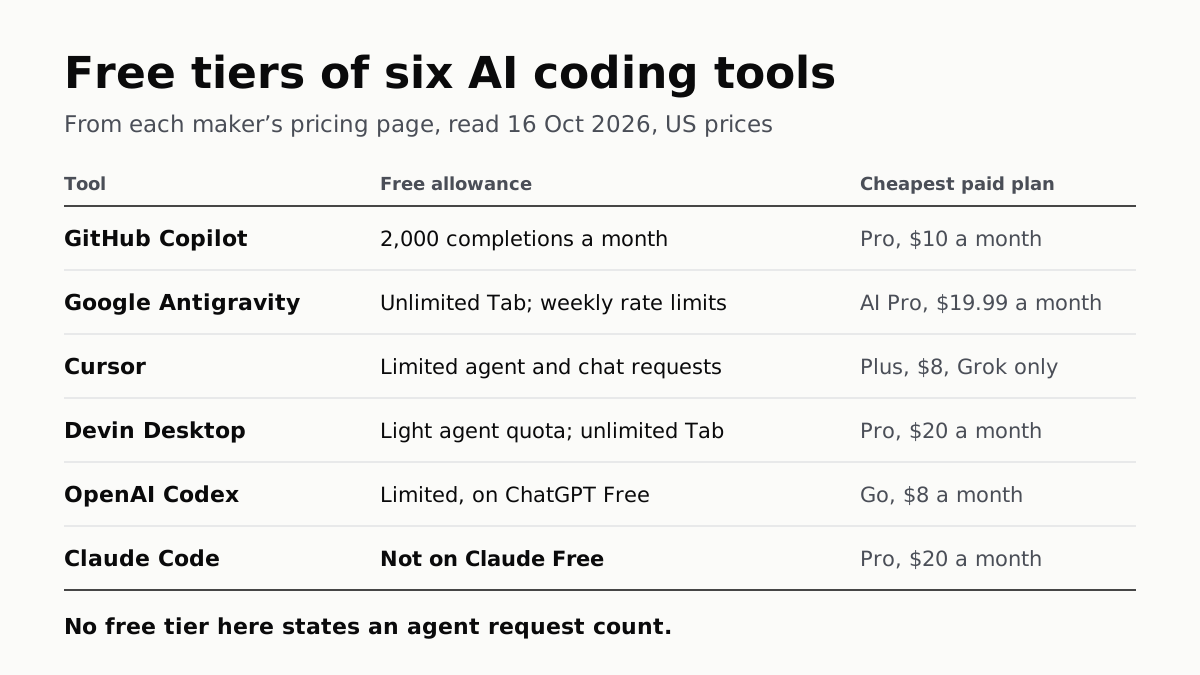
GitHub Copilot Free gives 2,000 completions a month; Antigravity replaced Google’s free Code Assist. Paid plans start at $8.
OpenClaw Runs on a Local LLM via Ollama or LM Studio
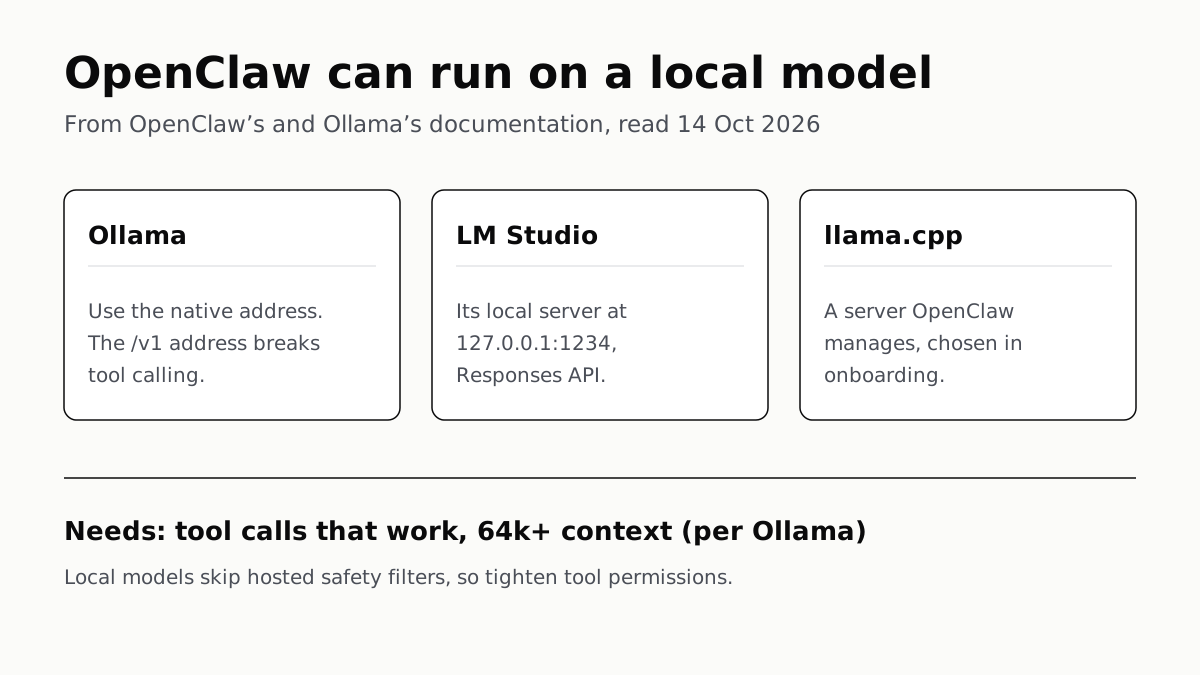
OpenClaw's docs also cover llama.cpp, vLLM and any OpenAI-compatible server. Ollama advises 64k context; small models are easier to hijack.
Free AI Writing Tools Ration Rewrites in Different Units
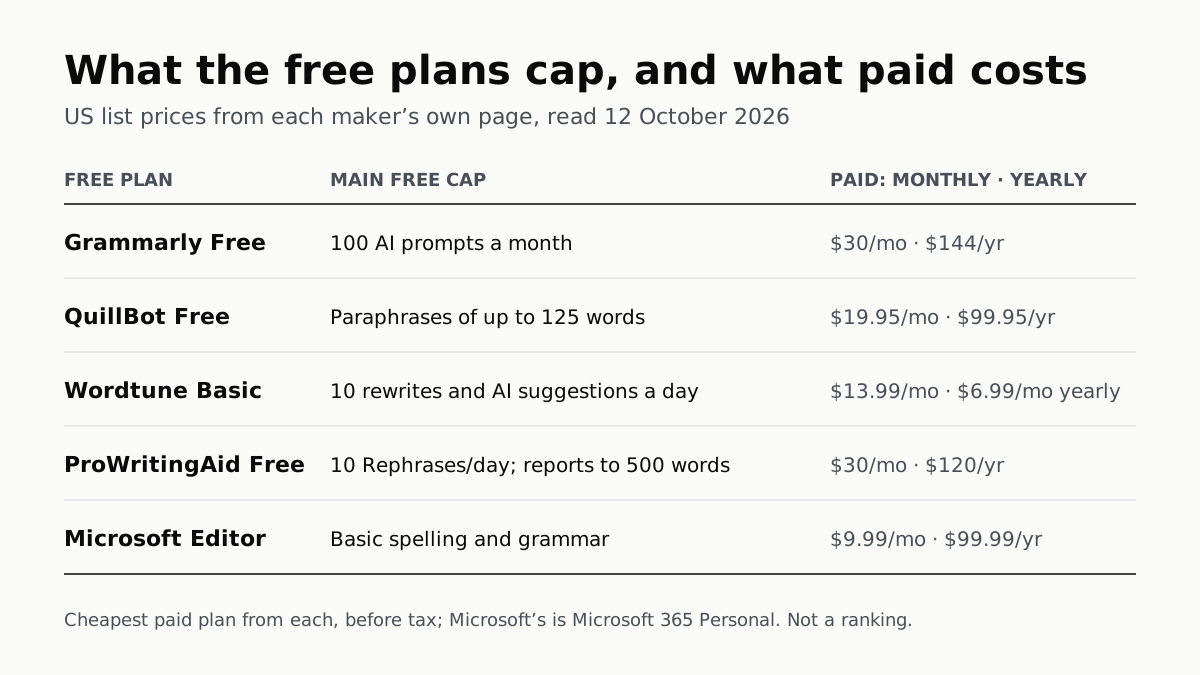
Grammarly gives 100 AI prompts a month, Wordtune 10 rewrites a day, QuillBot 125 words a paraphrase. Yearly billing halves most prices.
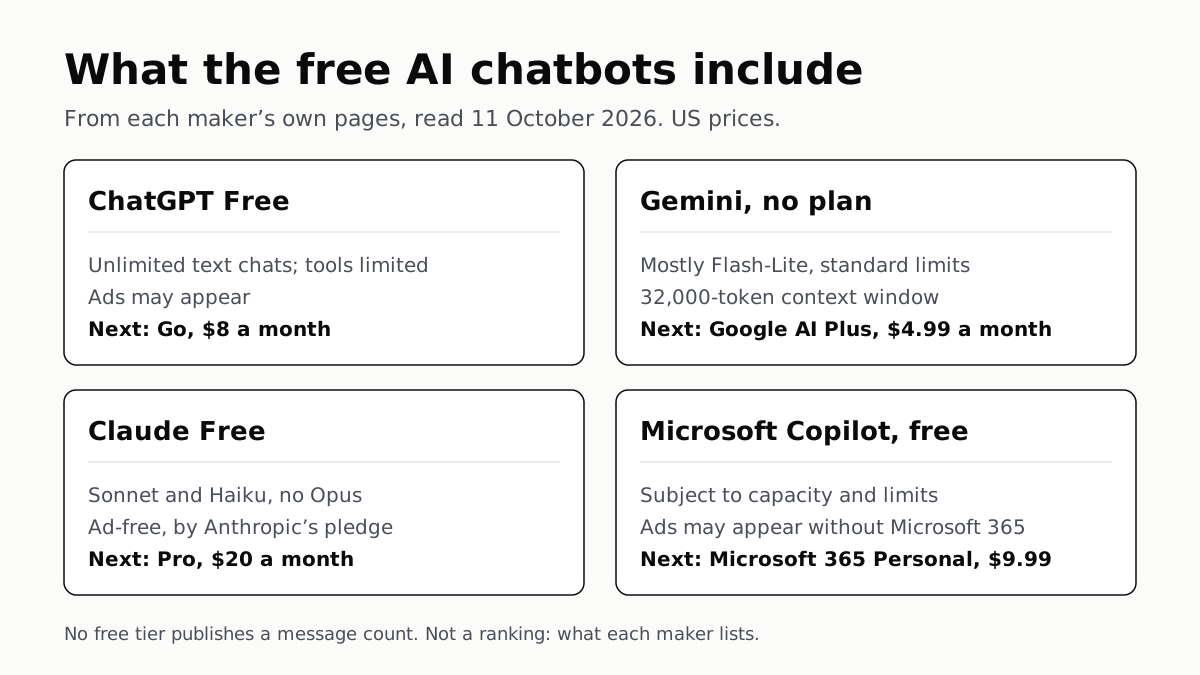
Of Four Free AI Chatbots, Only ChatGPT Lists Unlimited Chat
ChatGPT’s free tier carries ads, as Copilot’s may; Gemini’s leans on Flash-Lite and Claude’s leaves out Opus.