What an N100 Can and Cannot Transcode
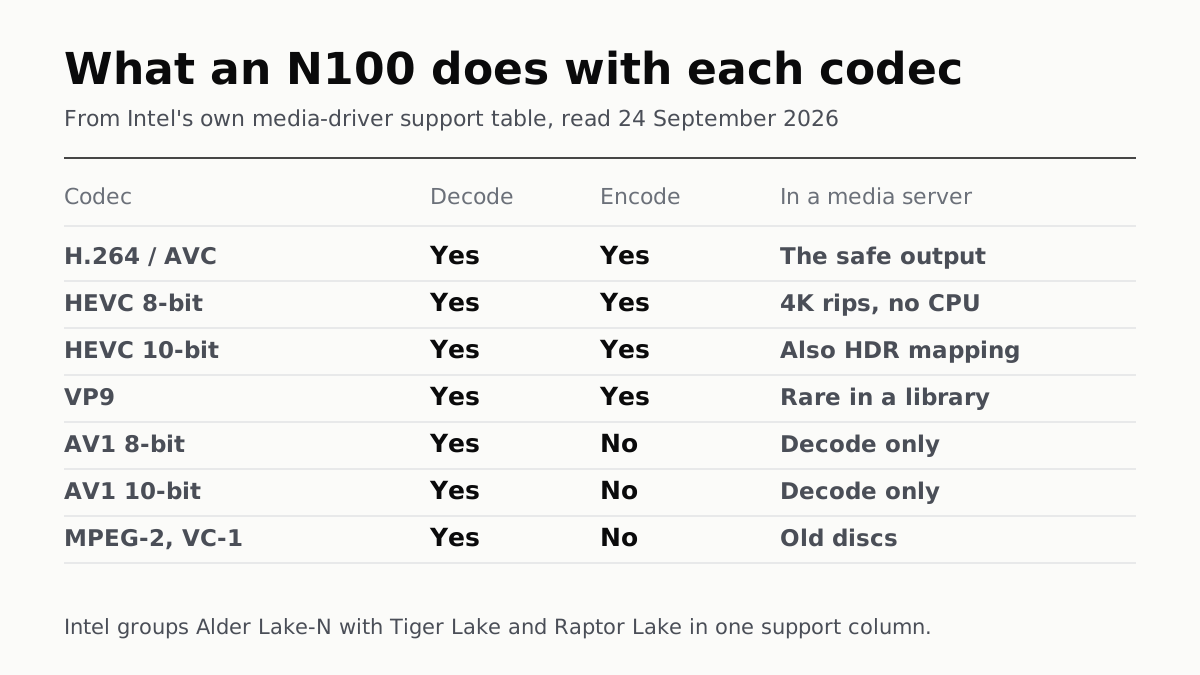
Intel's own driver lists Alder Lake-N as decode-only for AV1. H.264 and HEVC, 8-bit and 10-bit, it both decodes and encodes.
If you buy through our links, we may earn a commission. It never affects our verdicts or scores — how that works. As an Amazon Associate I earn from qualifying purchases.
An N100 will hardware-decode H.264, HEVC and AV1, and hardware-encode everything on that list except AV1. For a Plex or Jellyfin box that is usually the whole answer, because almost nothing in a home library is stored as AV1 yet and nothing you transcode to needs to be.
The chip is a 6-watt, four-core Alder Lake-N part with Intel UHD Graphics, 24 execution units and a hard 16GB memory ceiling on a single channel. What makes it interesting for a media server is not the processor at all. It is the fixed-function video engine bolted beside it, which does the transcoding while the four cores stay largely idle.
What it does, codec by codec
Intel publishes this in its own media driver, in a table by platform. Alder Lake-N is not listed on its own: it sits in a column called TGLx, alongside Tiger Lake, Rocket Lake and Raptor Lake. So this describes a family, and the N100 is a member of it.
| Codec | Decode | Encode | What that means for a server |
|---|---|---|---|
| H.264 / AVC | ✓ | ✓ | The safe output format. Every client plays it |
| HEVC 8-bit | ✓ | ✓ | Reads your 4K rips without touching the CPU |
| HEVC 10-bit | ✓ | ✓ | Also the gate for hardware HDR tone-mapping |
| VP9 | ✓ | ✓ | YouTube-shaped files, rarely in a library |
| AV1 8-bit | ✓ | ✗ | Decode only. The N100 will never encode AV1. |
| AV1 10-bit | ✓ | ✗ | Same |
| MPEG-2, VC-1 | ✓ | ✗ | Old discs. Decode is all anyone needs |
The AV1 row is the one worth knowing before you buy, and it matters less than it sounds. AV1 is a delivery codec — it is what YouTube and Netflix send you, not what your files arrive as. A media server’s job is to take what is on the disk and turn it into something the television will play, and no television asks for AV1 in preference to H.264.
Where the chip and the software disagree
Plex and Jellyfin both reach the same silicon through Quick Sync, and they do not describe it identically.
Plex’s own article lists the formats that can use hardware-accelerated decoding as H.264, HEVC, MPEG-2 and VC-1. AV1 is not on Plex’s list, even though the chip decodes it. Where a format is not eligible, Plex says it falls back to software decoding — on four cores at 6 watts, that is the case worth avoiding. Jellyfin documents AV1 decode from Tiger Lake onwards and makes no such omission.
Two other things Plex asks for, in writing. Hardware-accelerated streaming is a paid feature: it needs an active Plex Pass. And for NAS owners it wants “JasperLake or better” to transcode reliably to HEVC output, a bar the N100 clears by two generations. Jellyfin charges nothing and exposes the same hardware.
There is a quality cost to all of this, and Plex is the one who says so: hardware encoders are faster but produce lower-quality output than software encoders, most visibly below 720p or from a low-bitrate source. If you are transcoding a 4K remux down to something a tablet can play, that trade is fine. If you are squeezing an already-compressed 720p file, it shows.
The number nobody publishes
The question everyone actually asks is how many streams at once. Nothing authoritative answers it.
Intel’s specification page carries no throughput figure. Jellyfin sorts Intel graphics into four tiers, and every tier is named by GPU model — UHD 600 and 61x at the entry level, UHD 7xx and Iris Xe at the high-performance end. The N100’s graphics are called “Intel UHD Graphics” with no number at all, so they appear in none of the tiers. Jellyfin does note that Intel imposes no concurrent-session limit in software, unlike NVIDIA’s consumer cards, but that is a statement about licensing rather than about speed.
What can be said from the documents: Jellyfin observes that the high-performance tier gains a second media engine, which is what improves simultaneous transcoding. The N100’s graphics are not in that tier. One engine, shared by everything asking for it.
What to actually do
Buy one to serve files, not to re-encode a library. The best transcode is the one that never runs — if the client can direct-play the file, the video engine never wakes up, and a cheap box is indistinguishable from an expensive one.
Match the box to the job in that order:
- Storing and streaming files a client can already play. The N100 is more machine than this needs.
- Occasional transcoding, one or two streams, H.264 or HEVC out. What the chip is for.
- Bulk re-encoding a library to AV1 to save space. Wrong chip. It cannot encode AV1 at all, so this runs on four cores at 6 watts, and it will take days.
- Running a local language model beside it. Also wrong chip, and for a different reason — 16GB single-channel is the ceiling, and what actually stops a local model is the context window long before the codec support matters.
The same ceilings that make it a good server make it a poor everything-else, which we set out in what an N100 mini PC runs out of. If you are choosing the box rather than the chip, our mini PC shortlist has the consensus scores.
Questions people ask
Can an Intel N100 run Plex?
Yes, and it can use hardware transcoding, because Plex requires a processor with Intel Quick Sync Video and Intel’s specification for the N100 lists Quick Sync as present. Plex also requires an active Plex Pass subscription for hardware-accelerated streaming, and its own guidance for NAS owners asks for a Jasper Lake processor or better to transcode reliably to HEVC. The N100 is newer than Jasper Lake.
Does the N100 have a GPU?
It has an integrated one: Intel UHD Graphics with 24 execution units, running up to 750 MHz. Intel’s specification gives it 4K output at 60Hz over HDMI 2.1 or DisplayPort 1.4 and support for three displays. It is not a card you game on; it is a video engine with a display controller attached.
Can the N100 transcode 4K HEVC?
Intel’s driver table lists HEVC at 8-bit and 10-bit as both decode and encode for the platform group that includes Alder Lake-N, and Jellyfin puts HEVC 10-bit encode on every Intel GPU from Kaby Lake, Apollo Lake and Gemini Lake onwards. Neither source publishes how many simultaneous 4K streams this particular chip sustains, so treat any specific number you read elsewhere as someone’s measurement rather than a specification.
Does the N100 support AV1?
It decodes AV1 at 8-bit and 10-bit and does not encode it. Intel’s own table marks AV1 decode-only for this platform group, and Jellyfin puts AV1 encoding on Arc discrete cards and Meteor Lake onwards. Separately, Plex’s list of formats that can use hardware-accelerated decoding names H.264, HEVC, MPEG-2 and VC-1, and does not include AV1.
Is 16GB of RAM enough for an N100 media server?
It is the ceiling rather than a choice: Intel’s specification gives the N100 a maximum memory size of 16GB over a single channel. For a media server that mostly moves files and occasionally transcodes, the memory ceiling is rarely what runs out first.
Why does my transcoded file look worse than the original?
Plex says so in its own documentation: hardware encoders are faster than software encoders but produce lower-quality output, and the difference is most visible below 720p or on low-bitrate sources. That is a property of fixed-function encoders generally, not of the N100.
Do I need a Plex Pass to use the N100’s video engine?
For Plex, yes — it calls hardware-accelerated streaming a premium feature requiring an active subscription, with a short list of exceptions such as the NVIDIA Shield. Jellyfin has no subscription and exposes the same Quick Sync hardware through its own settings.
How we researched this
No one at bitcritiq has handled this product. Everything here comes from published sources, listed below.
- What this cannot tell you
- Intel's driver table groups Alder Lake-N with Tiger Lake, Rocket Lake and Raptor Lake in a single column, so it describes a family rather than this one chip. Neither Intel nor either server project publishes a concurrent-stream figure for the N100, which is the number most people want. We have not run a transcode on one ourselves.
How we chose this, and what we did
- Why this subject
- Our page on the N100's limits ranks for the chip's name but answers a different question — how much work it can do, not what its video engine supports. Searches such as “n100 gpu” were landing on it at position 81. The media-server question is the one people are actually asking of this chip, and it turns on codec support rather than cores.
- How we looked at it
- Codec support is from Intel's published specification for the N100 on ARK and from the support table in Intel's own media-driver repository, which names Alder Lake-N in its list of supported platforms. What a media server does with that silicon is from the Jellyfin project's Intel hardware-acceleration documentation and Plex's own support article on hardware-accelerated streaming. All read 24 September 2026.
What this rests on
6 claims, all official. Nothing here was measured by bitcritiq — see how we test for why. Open a claim to read the source it came from.
The N100 decodes AV1 and does not encode it.Official
Intel's media-driver repository lists supported platforms including “TGLx (TGL: Tiger Lake, RKL: Rocket Lake, ADL-S/P/N: Alder Lake, RPL-S/P: Raptor Lake)”, and in its decoding/encoding feature table the TGLx column reads D for both “AV1 8bit” and “AV1 10bit”, against D/E for AVC, HEVC 8bit, HEVC 10bit and VP9. Corroborated by Jellyfin, which gives AV1 decode from “Gen 12 Tiger Lake (11th Gen Core) and newer” and AV1 encode only from “Gen 12.5 DG2 / ARC A-series, Gen 12.7 Meteor Lake”.
Intel's published specification for the N100 lists Quick Sync Video, 24 execution units and a 16GB memory ceiling on one channel.Official
Intel ARK, Intel Processor N100: “Intel® Quick Sync Video · Yes”, “Execution Units · 24”, “Graphics Max Dynamic Frequency · 750 MHz”, “Max Memory Size (dependent on memory type) · 16 GB”, “Max # of Memory Channels · 1”, “TDP · 6 W”, “4K Support · Yes, at 60Hz”, “# of Displays Supported · 3”, code name “Products formerly Alder Lake-N”.
Plex's own list of formats eligible for hardware-accelerated decoding does not include AV1.Official
Plex Support 115002178853: “Video files with H.264, HEVC, MPEG-2, and VC-1 encoded video can take advantage of hardware-accelerated decoding.” Control: the same sentence does name four codecs, so the omission is not a page that lists none; the article also says that where hardware decoding is not compatible, “Plex Media Server will automatically use normal software decoding”.
Plex requires a paid subscription for hardware transcoding; Jellyfin does not.Official
Plex Support 115002178853: “Hardware-accelerated streaming is a premium feature and requires an active Plex Pass subscription”, with named exceptions including the NVIDIA SHIELD. Jellyfin's Intel documentation describes enabling QSV and VA-API with no subscription of any kind.
Hardware encoding trades picture quality for speed, by the server projects' own account.Official
Plex Support 115002178853: “Hardware-accelerated video encoders are faster, but provide lower-quality output than software encoders are capable of”, and this is “especially true and more noticeable when streaming at resolutions below 720p or when using lower bit rate source material”. The same page adds that HEVC encoding “will result in fewer concurrent HEVC streams than are possible with H.264”.
Neither Intel nor either server project publishes a stream count for this chip.Official
Intel's ARK page for the N100 carries no transcoding throughput figure. Jellyfin sorts Intel graphics into four performance tiers by GPU model name — “Entry-Level - HD / UHD 600, 605 and 61x”, “High-Performance - UHD 7xx series and Iris Xe graphics” — and the N100's iGPU is named only “Intel® UHD Graphics”, with no number, so it appears in none of them. Control: Jellyfin does publish a concurrency note elsewhere, that “there is no concurrent encoding sessions limit on Intel iGPU and ARC dGPU”, which is a limit statement rather than a throughput one.
Sources 4
- Intel Processor N100 (6M Cache, up to 3.40 GHz) — product specifications, Intel ARKOfficialaccessed Sep 24, 2026
- intel/media-driver — supported platforms and decoding/encoding feature tableOfficialaccessed Sep 24, 2026
- Hardware acceleration on Intel GPUs — Jellyfin documentationOfficialaccessed Sep 24, 2026
- Using Hardware-Accelerated Streaming — Plex Support 115002178853Officialaccessed Sep 24, 2026
Pass it on
Know someone weighing this up? Send them the answer.
bitcritiq.com/fvk7The link is permanent: it opens this article for good, even if the title changes.
No email, no account
Follow bitcritiq
Every new article, in whatever reader you already use.
Subscribe by RSSAll the ways to follow
Using Chrome on Android? Open the browser menu and tap Follow. New articles then turn up in the Following tab in Discover.
read next
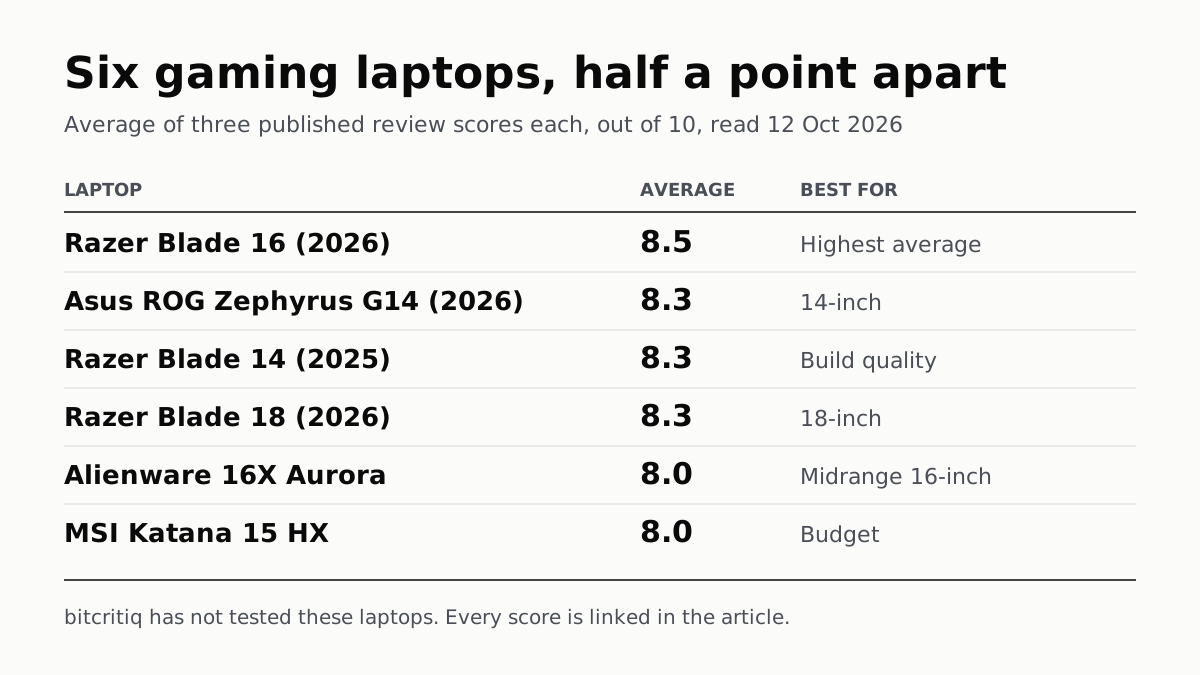
Razer Blade 16 Tops Gaming Laptop Reviews, by Half a Point
Eighteen review scores from eight outlets, all read on 12 October. Six laptops land within half a point, so pick by size and price.
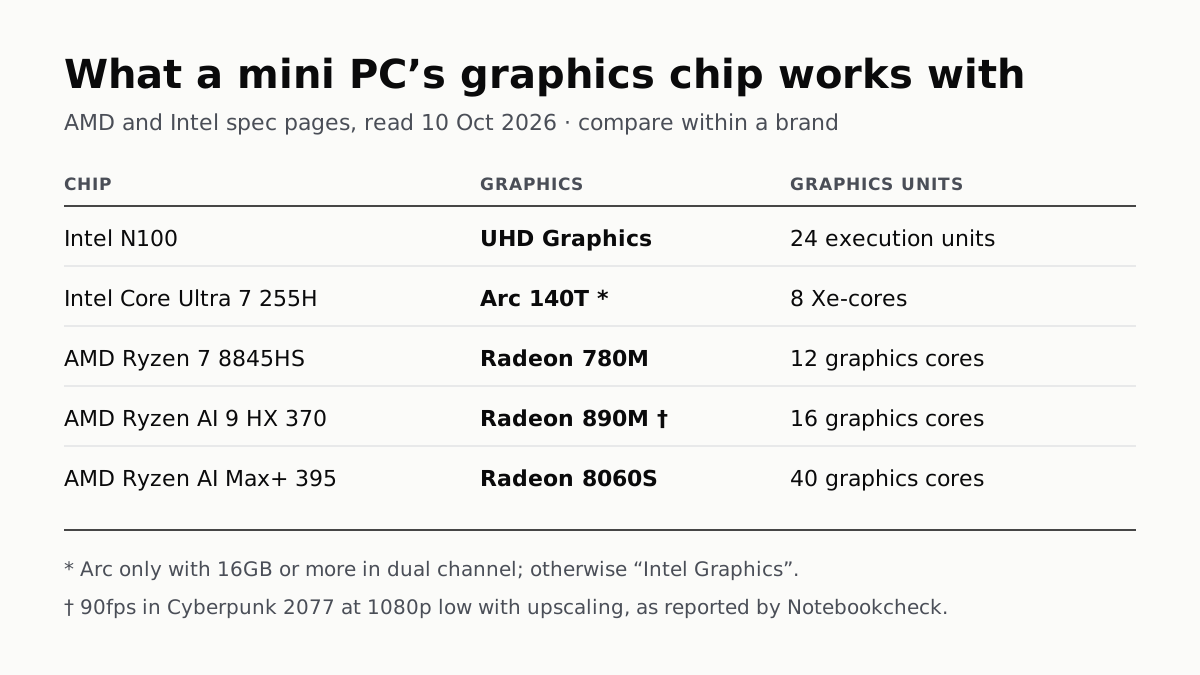
A Mini PC Can Game, but Its Graphics Chip Sets the Ceiling
Balatro's minimum is integrated graphics; Cyberpunk 2077's is a GTX 1060. A Radeon 890M ran Cyberpunk at 1080p low in one reported test.

A Used PC or CPU Can Carry Its Last Owner’s Game Ban
Riot and Activision ban hardware, not only accounts. Riot will re-check one on request; Activision rules out an appeal.
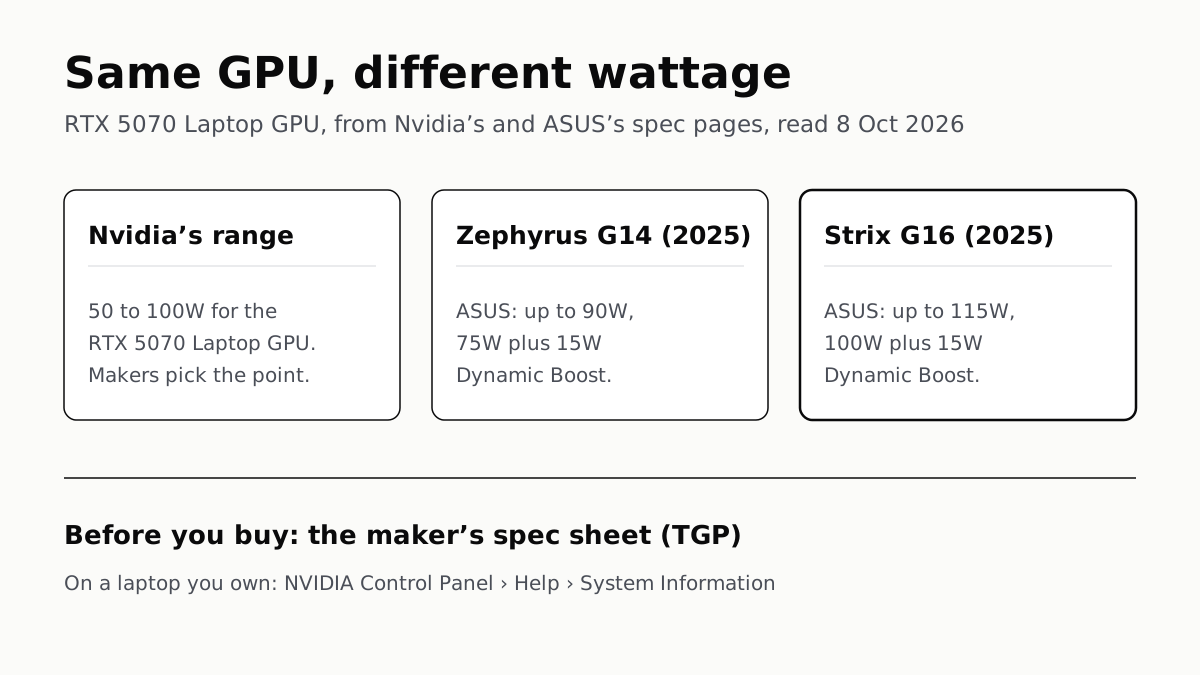
The Same RTX 5070 Laptop GPU Runs at 90W or 115W
Nvidia publishes a power range for each laptop GPU and the maker picks a point in it. The spec sheet, or Nvidia Control Panel, shows which.