9 of 15 Soundbars Include a Wall Mount; Sonos and Bose Don’t
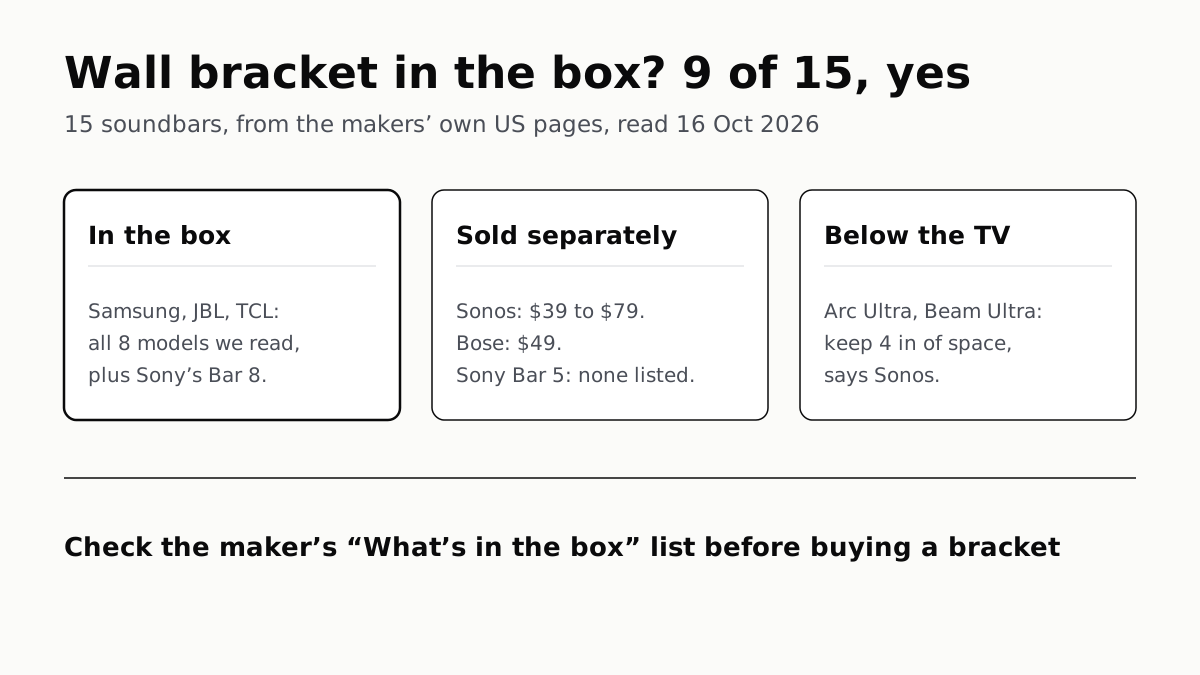
Samsung, JBL and TCL bundle one with all eight models we read, as does Sony’s Bar 8; Sonos charges $39 to $79, Bose $49.
If you buy through our links, we may earn a commission. It never affects our verdicts or scores — how that works. As an Amazon Associate I earn from qualifying purchases.
Often, yes: of 15 current soundbars whose makers’ US pages we read on 16 October 2026, 9 list a wall bracket in the box, including all eight Samsung, JBL and TCL models we checked and Sony’s Bravia Theater Bar 8. Sonos and Bose sell theirs separately, at $39 to $79 for a Sonos bracket and $49 for Bose’s, and Sony’s cheaper Bar 5 lists none.
What you need to mount one is the bracket made for that bar, its cables plugged in before it goes onto the bracket, and a gap under the TV. For the Sonos Arc Ultra (affiliate link to Amazon, opens in a new tab), Sonos asks for at least 4 inches.
Bracket in the box, by model
| Soundbar | Bracket in the box? | What the maker lists, or sells | Source |
|---|---|---|---|
| Samsung HW-Q990H | Yes | “Wall Mount Bracket: Yes” | Samsung US spec sheet |
| Samsung HW-S800D (affiliate link to Amazon, opens in a new tab) | Yes | “Wall Mount Kit: Yes” | Samsung US spec sheet |
| Samsung HW-B630F (affiliate link to Amazon, opens in a new tab) | Yes | “Wall Mount Bracket: Yes” | Samsung US spec sheet |
| JBL Bar 300MK2 | Yes | Two L-shape brackets, wall-mount template | JBL, What’s in the box |
| JBL Bar 1000MK2 (affiliate link to Amazon, opens in a new tab) | Yes | Two L-shape brackets for the bar, two U-shape for the surround speakers, template | JBL, What’s in the box |
| TCL Q85H (affiliate link to Amazon, opens in a new tab) | Yes | “Free Wall Mount Kit” | TCL US store |
| TCL S55H (affiliate link to Amazon, opens in a new tab) | Yes | “Free Wall Mount Kit” | TCL US store |
| TCL S45H (affiliate link to Amazon, opens in a new tab) | Yes | “Free Wall Mount Kit” | TCL US store |
| Sony Bravia Theater Bar 8 (HT-A8000) (affiliate link to Amazon, opens in a new tab) | Yes | Wall mounting bracket and template | Sony US, supplied accessories |
| Sony Bravia Theater Bar 5 (HT-B500) (affiliate link to Amazon, opens in a new tab) | Not listed | Box list: remote, batteries, AC cord | Sony US, what’s in the box |
| Sonos Arc Ultra | No | Sonos Arc & Arc Ultra Wall Mount, $79 | Sonos US store |
| Sonos Beam Ultra | No | Sonos Beam Ultra Wall Mount, $69 | Sonos US store |
| Sonos Beam (Gen 2) | No | Sonos Beam Wall Mount, $49 | Sonos US store |
| Sonos Ray | No | Sonos Ray Wall Mount, $39 | Sonos US store |
| Bose Smart Soundbar | No | Bose Soundbar Wall Bracket, $49 | Bose US store |
Prices are the makers’ US list prices on 16 October 2026. Among these 15, the split follows the maker more than the price: TCL’s two-channel S45H includes a kit, and Sonos’s flagship Arc Ultra does not.
Sonos: match the bracket to the bar
Sonos makes a bracket per model, and they do not all cross over. The Arc Ultra fits both its own mount and the older Sonos Arc Wall Mount, Sonos’s guide says. The Beam Ultra fits only its own: Sonos says it “is not compatible with wall mounts for other Sonos soundbars, including Beam Gen 2, Arc, and Arc Ultra”, and that “using an incompatible mount poses a safety risk.” A Beam Ultra needs its own $69 mount, not a Beam Gen 2 bracket.
Sonos adds that, unlike the Arc’s mount, the Beam Ultra mount “does not include magnets for tuning”. Its guides do not say what the Arc mount’s magnets do.
Bose goes the other way: one $49 bracket, listed for the Smart Soundbar, Smart Ultra Soundbar, Lifestyle Ultra Soundbar, Smart Soundbar 600, 700 and 900, Soundbar 500 and others.
How far below the TV
Sonos is the one maker here whose clearance figures we read. Its guides recommend below the TV for the Arc Ultra and Beam Ultra, and allow above.
| Sonos bar | Space between bar and TV | Space at the ends |
|---|---|---|
| Arc Ultra (affiliate link to Amazon, opens in a new tab) | At least 4 in (10 cm); the bracket’s top edge sits 5.5 in (14 cm) under the TV | At least 1 ft (30 cm) from a wall or obstruction |
| Beam Ultra (affiliate link to Amazon, opens in a new tab) | At least 4 in (10 cm) clear above, for its overhead sound | At least 1 in (2.5 cm) |
| Beam (Gen 2) (affiliate link to Amazon, opens in a new tab) | At least 1 in (25 mm) above, to reach the touch controls | The guide gives both 1 in and 1 ft |
| Ray | Enough to reach the touch controls; the bracket’s top at least 2.5 in under a wall-mounted TV | The guide gives both 1 in and 1 ft |
Sonos asks for the touch controls facing up on the Arc Ultra, Beam Ultra and Ray. The Arc Ultra and Beam Ultra kits include a positioning guide, and Sonos warns not to discard it because “it may look like packing material”.
The setting that changes
Mount a Beam Ultra (affiliate link to Amazon, opens in a new tab) with less than 4 inches above it and Sonos recommends turning on Simulated Overhead Sound in Settings › Beam Ultra › Height Audio, which simulates the effect without sending sound to the ceiling.
The Arc Ultra guide names no setting to change after mounting. Its Trueplay section says the tuning “measures how sound reflects off walls, furnishings, and other surfaces”, which is the reason to run it again (Settings, choose the speaker, Trueplay) once the bar has moved to the wall.
Cables and power
Plug the power and HDMI cables into the bar before it goes on the bracket; Sonos’s Arc Ultra steps do this before you slide the bar down onto the bracket’s slots. The HDMI end goes into the TV’s HDMI ARC or eARC port. A standard Sonos power cord is 6 ft (2 m), and Sonos sells shorter and longer ones.
When choosing the spot, Sonos says to avoid heat, steam, dripping water and hidden wiring. Its kits come with wall anchors and screws, and the guides give a drill bit size for each wall type.
Sonos’s store also lists Sanus mounts sold as TV mounts rather than wall mounts: the Sanus TV Mount for Sonos Beam at $79.99 and the Sanus Extendable TV Mount for Sonos Arc at $159.99. We did not read their compatibility details.
Before you drill
If you are still choosing a bar, a bracket in the box saves the $39 to $79 a Sonos bracket costs. Our roundup of the soundbars reviewers rate highest and the question of whether you need a separate sub come first. And if the TV is going on the wall too, settle what size suits your seating distance before you mark where the bar goes under it.
Questions people ask
Do soundbars come with wall mounts?
Many do. Of 15 current models we checked on makers’ US pages, 9 list a bracket in the box: all three Samsung, both JBL and all three TCL models we read, plus Sony’s Bravia Theater Bar 8. Sonos and Bose sell theirs separately.
Does the Sonos Arc Ultra come with a wall mount?
No. Sonos sells the Arc & Arc Ultra Wall Mount for $79 on its US store (16 October 2026). Sonos’s guide says the Arc Ultra also fits the older Sonos Arc Wall Mount.
Do Samsung soundbars come with a wall mount?
The three we checked do: the HW-Q990H and HW-B630F list a wall mount bracket in their US spec sheets, and the HW-S800D a wall mount kit. Check the spec sheet of the exact model before you buy a bracket.
Does the Bose Smart Soundbar come with a wall bracket?
No. Its box holds the bar, HDMI and optical cables, a power cord and the remote. Bose sells the Bose Soundbar Wall Bracket for $49, and lists it for the Smart Soundbar, Smart Ultra Soundbar, Smart Soundbar 600 and 900, and others.
How much space should be between a soundbar and the TV?
It depends on the bar. Sonos asks for at least 4 inches under the TV for the Arc Ultra, 4 inches clear above the Beam Ultra for its overhead sound, and 1 inch above the Beam (Gen 2) so you can reach its controls.
Can I use a Sonos Beam wall mount for the Beam Ultra?
No. Sonos says the Beam Ultra is not compatible with wall mounts for its other soundbars, including the Beam Gen 2, Arc and Arc Ultra, and that using one poses a safety risk. Its own mount is $69.
Should a soundbar go above or below the TV?
Below, if you follow Sonos: its Arc Ultra and Beam Ultra guides recommend mounting under the TV and allow above. We did not read the other makers’ manuals, so check yours.
How we researched this
No one at bitcritiq has handled this product. Everything here comes from published sources, listed below.
- What this cannot tell you
- We have not mounted any of these bars. Clearance figures come from Sonos’s guides; we did not read the installation manuals of Samsung, JBL, Sony, TCL or Bose, so we give no gap for them. Vizio’s V51-H6 page did not say whether a bracket is included, so Vizio is left out. TCL lists the kit as a “Free Wall Mount Kit” in its product description, which we read as in the box. Sonos says the Arc mount has magnets “for tuning” and the Beam Ultra mount does not, but its guides do not say what the magnets do. Box contents can change between production runs; the maker’s current list is the check.
How we chose this, and what we did
- Why this subject
- Google Trends showed “soundbar mount” rising 70% in our 13 October digest, beside “soundbar for tv”, “jbl soundbar” and “tcl soundbar”. Our soundbar pieces cover which bar to buy and whether it needs a sub, not how it goes on the wall. We picked current US models from seven makers’ own stores: Sonos, Samsung, Bose, JBL, Sony, TCL and Vizio, and dropped Vizio when its page did not answer.
- How we looked at it
- Every figure is from the makers’ own US pages, read through a browser on 16 October 2026: Samsung’s spec sheets (the Accessory section), JBL’s and Sony’s “What’s in the box” and supplied-accessories lists, TCL’s US store product descriptions, the Bose bracket and Smart Soundbar pages, and Sonos’s store, user guides and support article. Absence claims have a control on the same list: Sony’s HT-B500 list names its remote, batteries and AC cord but no bracket; the Bose Smart Soundbar box list names an HDMI cable, optical cable, power cord and remote but no bracket. Prices are the list prices shown on each maker’s store that day.
What this rests on
6 claims, all official. Nothing here was measured by bitcritiq — see how we test for why. Open a claim to read the source it came from.
Samsung’s HW-Q990H comes with a wall mount bracket.Official
Samsung US HW-Q990H spec sheet, Accessory section: “Remote Controller: Yes … Wall Mount Bracket: Yes”. The HW-B630F sheet reads the same; the HW-S800D lists “Wall Mount Kit: Yes”.
JBL’s Bar 300MK2 includes two wall-mount brackets and a template.Official
JBL Bar 300MK2, What’s in the Box: “1 x HDMI cable 2 x L-shape wall-mount bracket (main bar) Quick start guide … Wall mount template”.
The Sonos Arc Ultra’s wall mount is sold separately, for $79.Official
Arc Ultra user guide: “Use the Sonos Arc Ultra Wall Mount (sold separately) to mount Arc Ultra to the wall below (recommended) or above your TV.” Sonos US store, 16 October 2026: “Sonos Arc & Arc Ultra Wall Mount $79”.
Sonos asks for at least 4 inches between a wall-mounted Arc Ultra and the TV.Official
Arc Ultra user guide, Wall mount: “Keep 4 in (10 cm) of space (minimum) between the mounted soundbar and your TV.”
The Beam Ultra does not fit other Sonos soundbars’ wall mounts.Official
Sonos Beam Ultra user guide: “Beam Ultra is not compatible with wall mounts for other Sonos soundbars, including Beam Gen 2, Arc, and Arc Ultra. Using an incompatible mount poses a safety risk.”
The Bose Smart Soundbar has no bracket in the box; Bose sells one for $49.Official
Bose Smart Soundbar, What’s in the box: “Bose Smart Soundbar Optical cable HDMI cable Power cord Remote control (battery included) Quick start guide Roku ready insert sheet”. Bose Soundbar Wall Bracket page, 16 October 2026: “$49.00”.
Sources 20
- Sonos Arc & Arc Ultra Wall Mount — SonosOfficialaccessed Oct 16, 2026
- Sonos Beam Ultra Wall Mount — SonosOfficialaccessed Oct 16, 2026
- Accessories — SonosOfficialaccessed Oct 16, 2026
- Arc Ultra user guide — SonosOfficialaccessed Oct 16, 2026
Show 16 more · 16 official or standards
- Sonos Beam Ultra user guide — SonosOfficialaccessed Oct 16, 2026
- Beam user guide — SonosOfficialaccessed Oct 16, 2026
- Ray user guide — SonosOfficialaccessed Oct 16, 2026
- Mount Sonos products on the wall — Sonos SupportOfficialaccessed Oct 16, 2026
- Q-Series Soundbar HW-Q990H — Samsung USOfficialaccessed Oct 16, 2026
- S-Series 3.1.2 Soundbar HW-S800D — Samsung USOfficialaccessed Oct 16, 2026
- B-Series Soundbar HW-B630F — Samsung USOfficialaccessed Oct 16, 2026
- JBL Bar 300MK2 — JBLOfficialaccessed Oct 16, 2026
- JBL Bar 1000MK2 — JBLOfficialaccessed Oct 16, 2026
- TCL Q85H Q Class 7.1.4 Sound Bar — TCL USOfficialaccessed Oct 16, 2026
- TCL S55H S Class 2.1 Sound Bar — TCL USOfficialaccessed Oct 16, 2026
- TCL S45H S Class 2.0 Sound Bar — TCL USOfficialaccessed Oct 16, 2026
- BRAVIA Theater Bar 8 (HT-A8000) — Sony ElectronicsOfficialaccessed Oct 16, 2026
- BRAVIA Theater Bar 5 (HT-B500) — Sony ElectronicsOfficialaccessed Oct 16, 2026
- Bose Soundbar Wall Bracket — BoseOfficialaccessed Oct 16, 2026
- Bose Smart Soundbar — BoseOfficialaccessed Oct 16, 2026
Pass it on
Know someone weighing this up? Send them the answer.
bitcritiq.com/b9npThe link is permanent: it opens this article for good, even if the title changes.
No email, no account
Follow bitcritiq
Every new article, in whatever reader you already use.
Subscribe by RSSAll the ways to follow
Using Chrome on Android? Open the browser menu and tap Follow. New articles then turn up in the Following tab in Discover.
read next
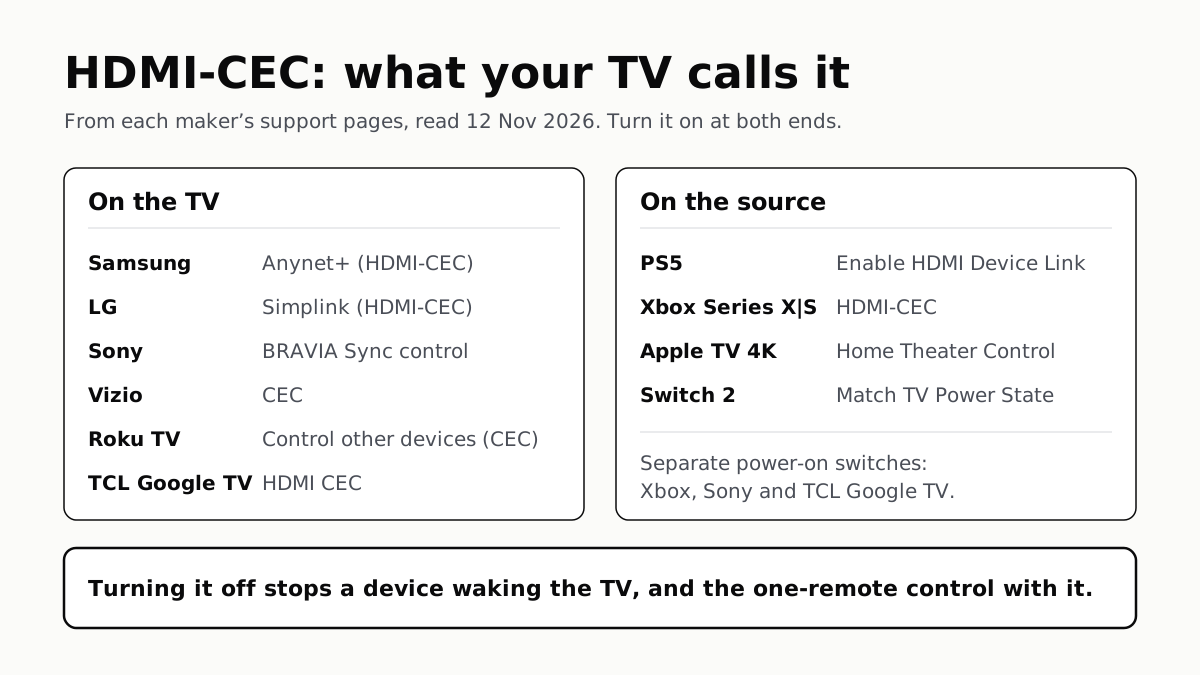
To Use One TV Remote, Turn On HDMI-CEC at Both Ends
Samsung calls it Anynet+, LG Simplink, Sony BRAVIA Sync, Vizio CEC. Consoles, Apple TV and Switch 2 have their own switch.
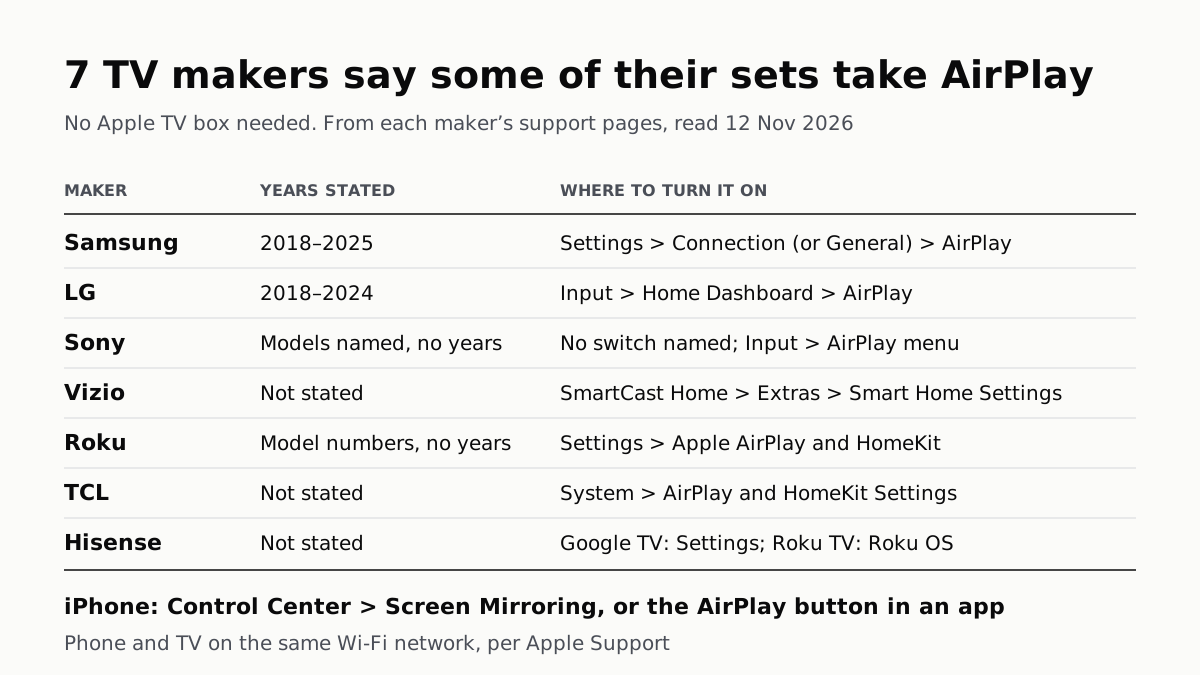
7 TV Makers Build AirPlay Into Some Sets, No Apple TV Needed
Samsung lists 2018–2025 sets and LG 2018–2024. Switch AirPlay on in the TV’s settings, then use Screen Mirroring in Control Center.
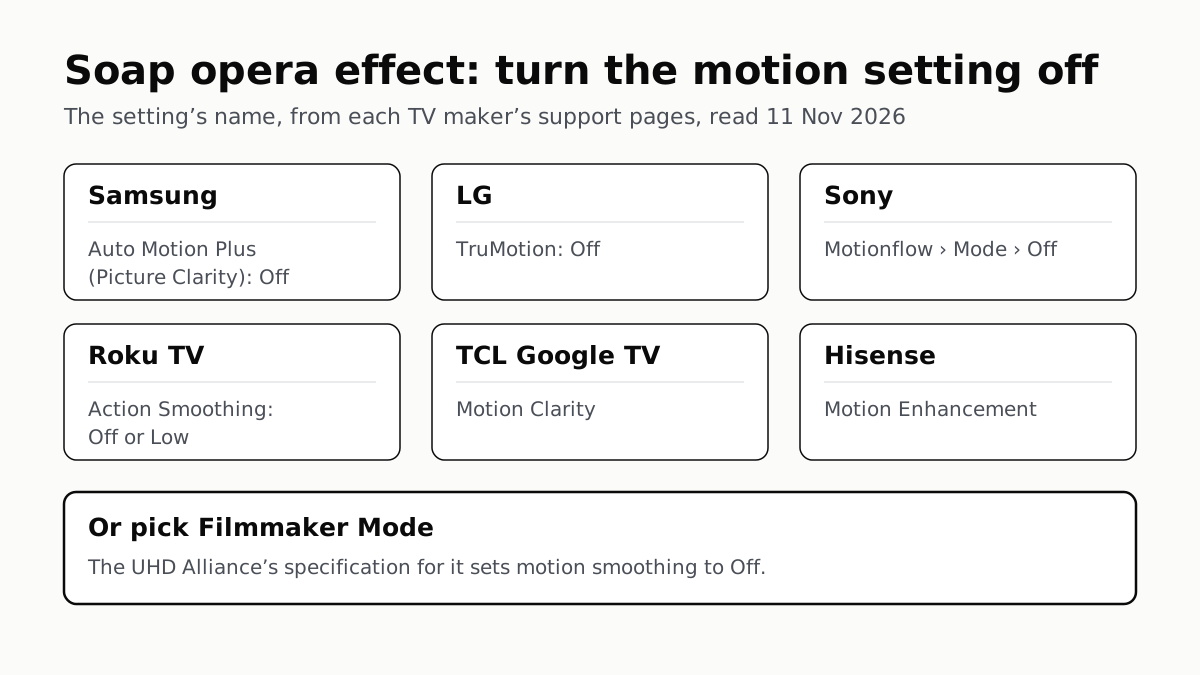
Soap Opera Effect: Set the TV’s Motion Setting to Off
Samsung calls it Auto Motion Plus, LG TruMotion, Sony Motionflow, Roku Action Smoothing. Filmmaker Mode switches it off where offered.
4 of 5 TV Platforms: Antenna and HDMI Work Without Sign-In
Google TV’s basic mode needs no account or internet. Vizio and Samsung let you skip signing in; on Roku it depends on the model.