To Use One TV Remote, Turn On HDMI-CEC at Both Ends
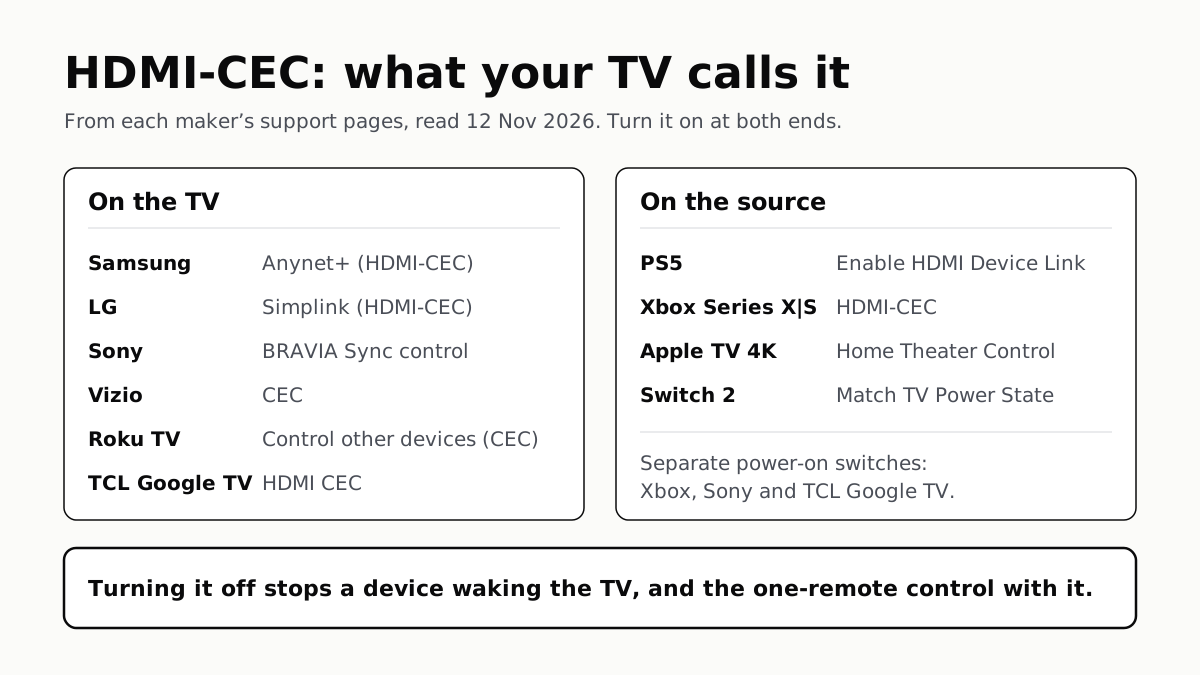
Samsung calls it Anynet+, LG Simplink, Sony BRAVIA Sync, Vizio CEC. Consoles, Apple TV and Switch 2 have their own switch.
If you buy through our links, we may earn a commission. It never affects our verdicts or scores — how that works. As an Amazon Associate I earn from qualifying purchases.
To run a soundbar, console or streaming box from one TV remote, turn on HDMI-CEC on the TV and on the device: Samsung calls it Anynet+, LG Simplink, Sony BRAVIA Sync, Vizio CEC, and a Roku TV lists it under Control other devices (CEC). Consoles and the Apple TV have their own switch, and Xbox says CEC is off by default on most TVs, so check both ends.
CEC is the HDMI feature that lets connected devices send each other commands. Samsung says Anynet+ “allows you to control both devices with your TV remote”, and LG says Simplink lets you turn devices on or off and control functions “such as the volume”.
The setting on each TV
The 6 TV brands below, with the path as each maker’s own support page prints it and the model year or software it names.
| TV brand | Its name for HDMI-CEC | Menu path, as the maker gives it | Source |
|---|---|---|---|
| Samsung | Anynet+ (HDMI-CEC) | Settings › General › External Device Manager › Anynet+ (no model year named) | Samsung US Support TSG10002365 |
| LG | Simplink (HDMI-CEC) | 2026, webOS 26: All Settings › System › Devices › HDMI Settings › Simplink (HDMI-CEC). 2021 to 2025, webOS 6.0 and 22 on: All Settings › General › Devices › HDMI Settings › Simplink (HDMI-CEC). 2019 and 2020 (webOS 4.5 and later): All Settings › Connection › HDMI Device Settings | LG USA Help Library |
| Sony | BRAVIA Sync control | Quick Settings › Settings › Channels & Inputs › External inputs › BRAVIA Sync settings › BRAVIA Sync control (BRAVIA 9, 8, 8 II, 7, 5, A95L, XR8B, XR8C) | Sony BRAVIA Help Guide |
| Vizio | CEC | Menu › All Settings › System › CEC; on by default on Vizio TVs | Vizio Support |
| Roku TV | Control other devices (CEC) | Home › Settings › System › Control other devices (CEC), then tick System audio control and 1-touch play | Roku Support |
| TCL (Google TV) | HDMI CEC | Home › Settings › All settings › Channels & Inputs › HDMI CEC (X11L Series manual) | TCL Support |
On LG’s older sets, Auto Power Sync is a separate switch to turn on alongside Simplink; LG says that from webOS 6.0 it is no longer separate, and turning on Simplink “automatically enables linked power control”. Roku’s ARC or eARC tick box sits in the same Control other devices menu.
Vizio publishes a list of what other brands call CEC, and says other makers may use other names: among them Insignia INlink, Philips EasyLink or Fun-Link, Panasonic VIERA Link, Sharp Aquos Link and Toshiba CE-Link or Regza Link. We did not read those makers’ own pages.
The setting on consoles and streaming boxes
The 4 devices below, from each maker’s own pages.
| Device | Its name | Menu path, as the maker gives it | Source |
|---|---|---|---|
| PS5 | Enable HDMI Device Link | Settings › System › HDMI › Enable HDMI Device Link | PlayStation energy-efficiency page |
| Xbox Series X|S | HDMI-CEC | Xbox button › Profile & system › Settings › General › TV & display options › TV & A/V power options › HDMI-CEC | Xbox Support |
| Apple TV 4K | Home Theater Control | Settings › Remotes and Devices › Home Theater Control › Control TVs and Receivers (or Turn On Your TV with Your Remote), and Volume Control (tvOS 27) | Apple TV 4K User Guide |
| Nintendo Switch 2 | Match TV Power State | HOME Menu › System Settings › Display › Match TV Power State | Nintendo Support |
Xbox splits CEC into six tick boxes, so you can keep some and drop others: the console turning other devices on or off, other devices turning the console on or off, the console sending volume commands, and the Xbox button switching the TV to the console’s input. Apple’s Volume Control has an HDMI option for TVs and receivers that take volume over CEC, and IR options for those that do not.
Nintendo says Match TV Power State turns the TV on when the console starts or leaves sleep mode, and puts the console to sleep when the TV turns off, but that “HDMI settings must also be enabled on your TV” and some TVs cannot use it. If you are setting up a console for 4K at 120Hz as well, the port settings are in our console TV settings guide.
What CEC does on its own, and how to stop it
The TV turns on when a device does. Samsung says that by default “some HDMI devices are set to turn the TV on when they turn on”. Xbox puts it the other way too: with Other devices can turn console on ticked, “switching to the XBOX input on your TV will turn on your console”. Vizio says a connected device “may be sending a Power On command”, and suggests setting CEC to Off to test, then reconnecting devices one at a time to find it.
The TV switches inputs by itself. Samsung says its TVs switch to a device’s input as soon as it reports turning on, by default. To stop that and keep Anynet+, Samsung gives a remote code: Mute, 7, 2, 9, Exit on an IR remote, or Mute, Vol Down, Ch Down, Mute on a smart remote while on the TV source. No message appears, so test it by turning on a device. LG says a device in standby can send the signal, and suggests turning off Quick Start+ and deleting the TV’s connection history. On a Roku player, Roku’s fix is to untick 1-touch play under Settings › System › Control other devices.
Switch off only the part you do not want. Turning CEC off entirely ends the one-remote control too: Samsung says that with Anynet+ off “you will no longer be able to use your TV remote for both devices”. Sony’s guide has TV auto power on and Device auto power off as separate switches, TCL’s lists Power on the TV in Sync and Device Standby in Sync, and Xbox has its tick boxes.
If it does not work
- Check both ends. Xbox says it “will not be able to tell if CEC is currently turned on or off” on the TV, so it has to be turned on there by hand.
- Plug straight into the TV. Xbox says a device in between may pass CEC through or may interfere with it.
- Check the cable. LG asks for a high-speed HDMI cable that supports CEC; Xbox asks for one certified for HDMI High Speed or HDMI Premium.
- Look at the port. Xbox says some devices support CEC only on certain HDMI ports.
For a soundbar, CEC is what lets the TV remote change its volume; which formats reach it over that same cable is down to ARC or eARC, which our ARC and eARC explainer covers. If you are still choosing a bar, our soundbar shortlist is the place to start, and if a new TV’s picture looks too smooth once it is all connected, the fix is in our motion smoothing guide.
Questions people ask
What is HDMI-CEC called on my TV?
It depends on the brand. Samsung calls it Anynet+, LG Simplink, Sony BRAVIA Sync, Vizio CEC, and Roku TVs list it as Control other devices (CEC). TCL’s Google TV guide calls it HDMI CEC. Samsung and LG print “HDMI-CEC” in brackets after their own name.
How do I control my soundbar with my TV remote?
Connect the soundbar to the TV’s HDMI ARC or eARC port and turn on CEC on both. Roku says that with CEC on, its TV remote adjusts and mutes a home theater’s volume. Vizio’s test is to change the bar’s volume with the TV remote: if it responds, CEC works.
Why does my TV turn on when I turn on my PS5 or Xbox?
That is HDMI-CEC. Samsung says some HDMI devices are set by default to turn the TV on when they turn on. You can stop it on the console: Xbox has a Console turns on other devices box, and Switch 2 has Match TV Power State. Or turn CEC off on the TV.
How do I stop my TV switching inputs by itself?
On a Samsung TV, Samsung gives a remote code: Mute, 7, 2, 9, Exit on an IR remote. LG suggests turning off Quick Start+ and deleting connection history. On a Roku player, untick 1-touch play under Settings, System, Control other devices.
Do I need a special HDMI cable for CEC?
A certified high-speed one. LG asks for a high-speed HDMI cable that supports CEC, and Xbox asks for cables certified for HDMI High Speed or HDMI Premium. Xbox adds that a device between the console and TV may interfere with CEC, so plug straight into the TV to test.
Does turning off HDMI-CEC stop my TV remote controlling the soundbar?
Yes. Samsung says that with Anynet+ off, you will no longer be able to use your TV remote for both devices. To keep the one-remote control but stop the TV waking, look for a separate power switch, such as Sony’s TV auto power on, and turn off only that.
How we researched this
No one at bitcritiq has handled this product. Everything here comes from published sources, listed below.
- What this cannot tell you
- We have not connected these devices; this is what each maker’s page says. Menu paths change with model year and software. Samsung’s pages name no model year. TCL’s guide is based on one Google TV model’s manual. Sony’s US support article on BRAVIA Sync could not be read on 12 November, so the Sony row rests on its current Help Guide. The PS5 path comes from a PlayStation energy-efficiency page on its India site, written for EU and UK rules; we did not find a PlayStation US support page on the setting, and that page does not describe what the setting does beyond listing it. LG’s input-switching page tells owners to turn off Simplink but then gives the paths for HDMI Deep Color, so we used LG’s on-and-off-together page for the Simplink paths. Hisense and Philips are not in the table: we read no Hisense or Philips US page on it, and their names appear only in Vizio’s list of what other brands call CEC. Which functions work between two devices depends on both makers.
How we chose this, and what we did
- Why this subject
- New TVs, consoles and soundbars are common gifts this month, and once they are plugged in the next question is how to run them all from the TV remote, and what the setting is called on this brand. Our eARC explainer gives Samsung’s Anynet+ step for eARC only; nothing on the site gave every brand’s name and path for HDMI-CEC, or the console and streaming-box side. This answers that from each maker’s own support pages.
- How we looked at it
- All read through a browser on 12 November 2026. Samsung US support troubleshooting pages TSG10002365 (TV powers on by itself) and TSG10002314 (TV switches sources by itself, both collapsed sections read). LG USA Help Library ‘How to Turn Your TV and HDMI Devices On and Off Together’ (paths for webOS 4.0 and earlier to webOS 26) and ‘If Your LG TV Switches to an HDMI Input by Itself’. Sony’s BRAVIA Help Guide for BRAVIA 9, BRAVIA 8, BRAVIA 8 II, BRAVIA 7, BRAVIA 5, A95L, XR8B and XR8C, ‘Adjusting BRAVIA Sync settings’. Vizio Support ‘CEC (Consumer Electronics Control)’ and ‘How to troubleshoot TV turning on by itself’. Roku Support ‘How to connect a surround sound system to your Roku TV’ (last updated 24 June 2026) and ‘Why does my TV switch to a different device…’ (last updated 23 September 2026). TCL Support ‘TCL Google TV Settings and User Manual Guide’ (based on the X11L Series manual). Xbox Support ‘How do I control other devices using HDMI-CEC?’ with its collapsed sections. Apple’s Apple TV 4K User Guide page on controlling a TV and receiver, tvOS 27 selected. Nintendo Support ‘How to Adjust the Display Settings on Nintendo Switch 2’. PlayStation’s Energy Efficiency legal page (playstation.com/en-in), which gives the PS5 path. Menu names are copied as each page prints them. Counted 6 TV brand rows and 4 source-device rows in the tables.
What this rests on
6 claims, all official. Nothing here was measured by bitcritiq — see how we test for why. Open a claim to read the source it came from.
Samsung calls HDMI-CEC Anynet+, turns it off under Settings, General, External Device Manager, and says turning it off ends one-remote control.Official
Samsung TSG10002365: “By default, some HDMI devices are set to turn the TV on when they turn on. This feature is Anynet+, also known as HDMI-CEC, and allows you to control both devices with your TV remote. If you want to turn on your devices separately, you can turn off Anynet+ in Settings > General > External Device Manager, but you will no longer be able to use your TV remote for both devices.”
Samsung TVs switch to a device’s input when it turns on, by default, and Samsung gives remote-button codes to stop it.Official
Samsung TSG10002314: “By default, the TV will immediately switch to this source when this happens.” IR remote: “Mute, 7, 2, 9, Exit.” Smart remote, on the TV source: “Mute, Vol Down, Ch Down, Mute”. “No indicator will appear on the screen after inputting this code.”
LG puts Simplink (HDMI-CEC) under All Settings, System, Devices, HDMI Settings on 2026 TVs, and under General instead of System on 2021 to 2025 TVs.Official
LG Help Library: “2026 and later TVs (webOS 26 and later): … All Settings, System, Devices, HDMI Settings, and Simplink (HDMI-CEC). Set it to On.” “2022 and later TVs (webOS 22 and later): … All Settings, General, Devices, HDMI Settings, and Simplink (HDMI-CEC).” “2021 TVs (webOS 6.0)” gives the same General path.
Sony’s current BRAVIA Help Guide puts BRAVIA Sync control under Channels & Inputs, External inputs, BRAVIA Sync settings, with separate switches for TV auto power on and device auto power off.Official
Sony Help Guide: “[Settings] — [Channels & Inputs] — [External inputs] — [BRAVIA Sync settings] — [BRAVIA Sync control].” “[TV auto power on] If disabled, the TV does not turn on automatically when the connected device is turned on.” “[Device auto power off] If disabled, the connected device does not turn off automatically when the TV is turned off.”
Vizio ships its TVs with CEC on; Xbox says CEC is off by default on most TVs and AVRs.Official
Vizio: “Enabling CEC on a VIZIO or Onn powered by VIZIO TV … Your TVs come ready with CEC enabled.” Xbox Support: “In most cases CEC will be disabled by default, and you’ll need to go into your device settings to enable the feature.”
Xbox Series X|S lets owners choose each CEC action separately, including whether switching to the Xbox input turns the console on.Official
Xbox Support: “Profile & system > Settings > General > TV & display options > TV & A/V power options.” “Check the HDMI-CEC box to activate CEC.” “Other devices can turn console on: Turning on your TV or AVR will also turn on your console. Also, switching to the XBOX input on your TV will turn on your console.”
Sources 14
- Samsung TV or projector powers on or off by itself — Samsung US SupportOfficialaccessed Nov 12, 2026
- Samsung TV switches sources by itself — Samsung US SupportOfficialaccessed Nov 12, 2026
- How to Turn Your TV and HDMI Devices On and Off Together — LG USA SupportOfficialaccessed Nov 12, 2026
- If Your LG TV Switches to an HDMI Input by Itself — LG USA SupportOfficialaccessed Nov 12, 2026
Show 10 more · 10 official or standards
- Adjusting BRAVIA Sync settings — Sony BRAVIA Help GuideOfficialaccessed Nov 12, 2026
- CEC (Consumer Electronics Control) — Vizio SupportOfficialaccessed Nov 12, 2026
- How to troubleshoot TV turning on by itself for a VIZIO or onn Powered by VIZIO TV — Vizio SupportOfficialaccessed Nov 12, 2026
- How to connect a surround sound system to your Roku TV — Roku SupportOfficialaccessed Nov 12, 2026
- Why does my TV switch to a different device when trying to use my Roku streaming player? — Roku SupportOfficialaccessed Nov 12, 2026
- TCL Google TV Settings and User Manual Guide — TCL SupportOfficialaccessed Nov 12, 2026
- How do I control other devices using HDMI-CEC? — Xbox SupportOfficialaccessed Nov 12, 2026
- Use the Apple TV 4K remote to control your TV and receiver — Apple TV 4K User GuideOfficialaccessed Nov 12, 2026
- How to Adjust the Display Settings on Nintendo Switch 2 — Nintendo SupportOfficialaccessed Nov 12, 2026
- Energy Efficiency — PlayStation legalOfficialaccessed Nov 12, 2026
Pass it on
Know someone weighing this up? Send them the answer.
bitcritiq.com/g7tcThe link is permanent: it opens this article for good, even if the title changes.
No email, no account
Follow bitcritiq
Every new article, in whatever reader you already use.
Subscribe by RSSAll the ways to follow
Using Chrome on Android? Open the browser menu and tap Follow. New articles then turn up in the Following tab in Discover.
read next
7 TV Makers Build AirPlay Into Some Sets, No Apple TV Needed
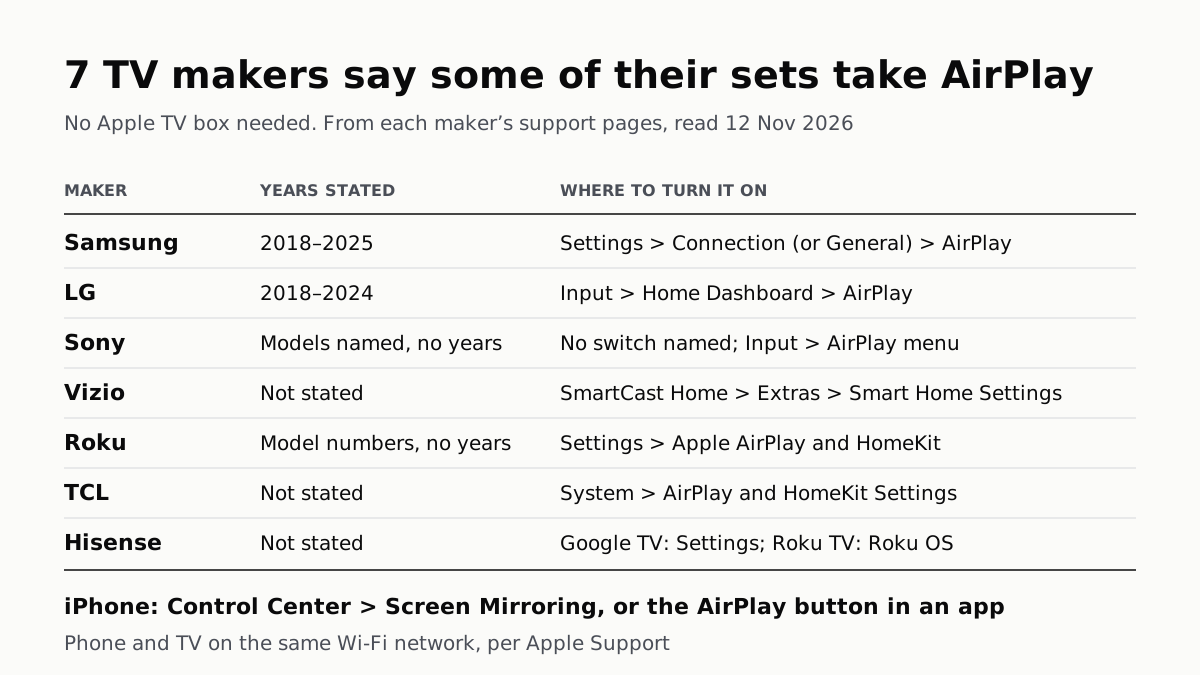
Samsung lists 2018–2025 sets and LG 2018–2024. Switch AirPlay on in the TV’s settings, then use Screen Mirroring in Control Center.
Soap Opera Effect: Set the TV’s Motion Setting to Off
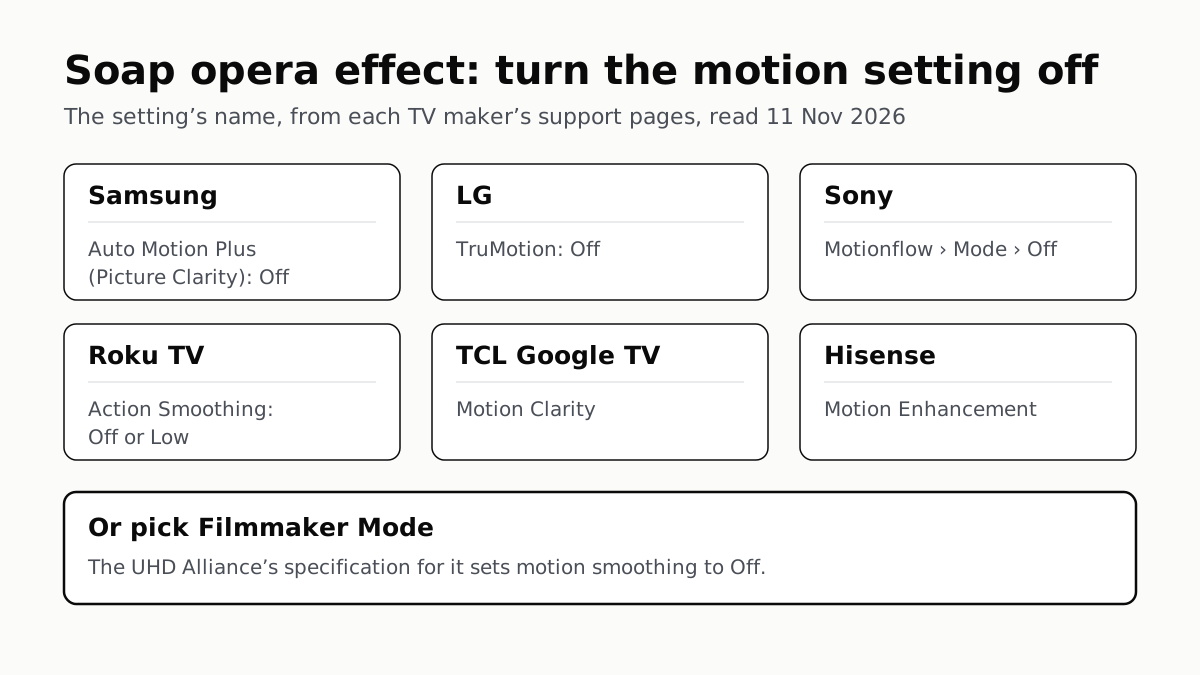
Samsung calls it Auto Motion Plus, LG TruMotion, Sony Motionflow, Roku Action Smoothing. Filmmaker Mode switches it off where offered.
4 of 5 TV Platforms: Antenna and HDMI Work Without Sign-In
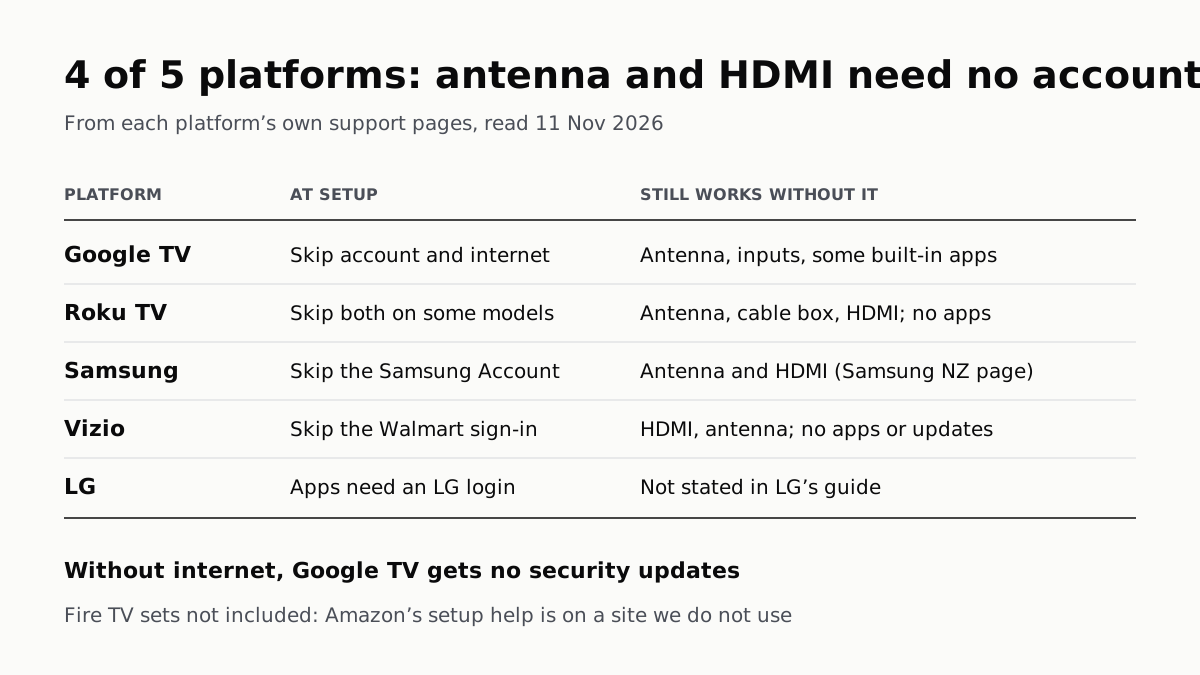
Google TV’s basic mode needs no account or internet. Vizio and Samsung let you skip signing in; on Roku it depends on the model.
LG, Apple TV and Newer Samsung TVs Play to Two Headphones
Roku, Google TV, Fire TV and Vizio pair them too, each with its own limits. Roku’s phone app lets up to four people listen.