LG, Apple TV and Newer Samsung TVs Play to Two Headphones
Roku, Google TV, Fire TV and Vizio pair them too, each with its own limits. Roku’s phone app lets up to four people listen.
If you buy through our links, we may earn a commission. It never affects our verdicts or scores — how that works. As an Amazon Associate I earn from qualifying purchases.
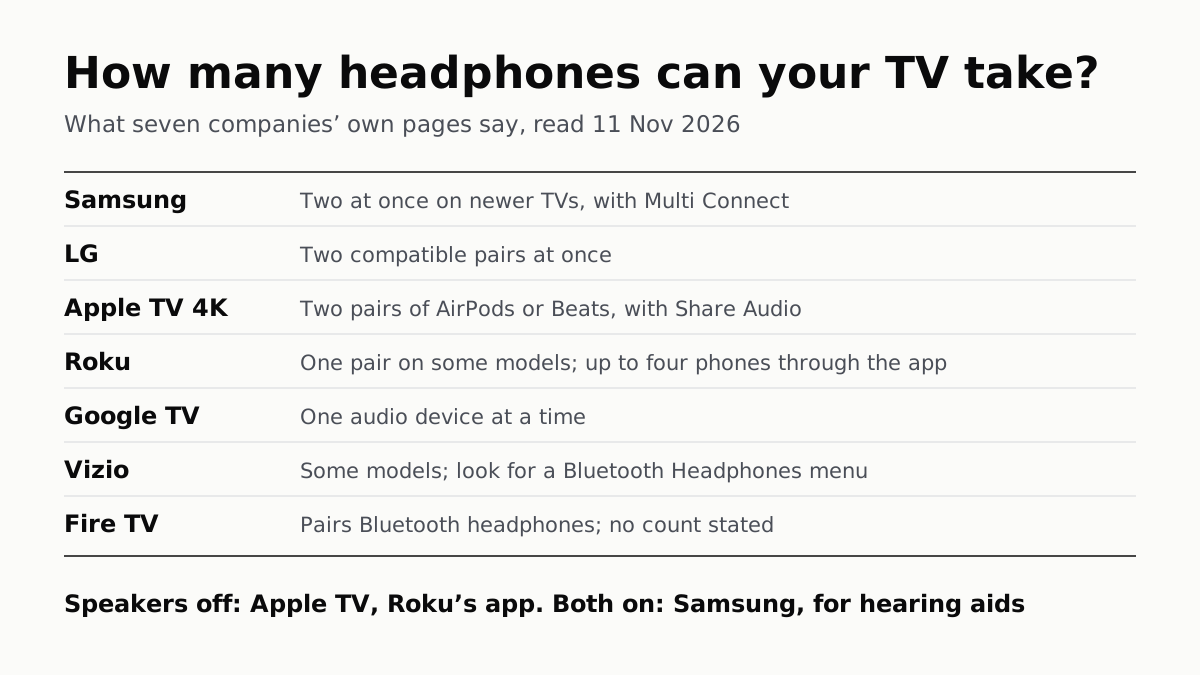
Yes: every TV platform we checked pairs Bluetooth headphones on at least some models, AirPods included, and LG, newer Samsung TVs and Apple TV 4K can play to two pairs at once. Google TV takes one audio device at a time, Roku pairs headphones directly only on some models, and the Vizio and Fire TV pages we read give no count. Roku’s phone app is the one route we found that lets up to four people listen.
What each TV platform says
| Platform | Pairs Bluetooth headphones directly? | How many at once | TV speakers | Stated limits |
|---|---|---|---|---|
| Samsung | Yes, from the Bluetooth Speaker List | Two, with Multi Connect, on “newer Samsung TVs” | Multi-output Audio keeps the speaker on alongside Bluetooth hearing aids (2015 and later TVs) | “Lip-sync errors may occur”; some headphones “designed for mobile devices exclusively” will not pair |
| LG (webOS) | Yes, under Sound Out | Two “compatible” pairs | Not stated | Menu varies by model |
| Google TV | Yes, under Remote & Accessories | One audio device | Not stated | — |
| Roku | Only on some players and Roku-made TVs | One pair directly; up to four phones through the Roku app | Off in the app’s Headphone Mode | Headphones need Bluetooth 4.2 or later |
| Apple TV 4K | Yes: AirPods and Beats from Control Center, other headphones too | Two pairs of AirPods or Beats | “Any other device speakers are turned off” | No personalized spatial audio with two pairs |
| Vizio | Some models, with firmware 1.510.21.1-1 or newer | Not stated | Sound “may be sent to the Bluetooth headphones instead”; varies by model | “Not all headphones are compatible” |
| Fire TV | Yes, per About Amazon | Not stated | Not stated | Not stated |
Two pairs at once is in writing for LG, newer Samsung TVs and Apple TV 4K, and Google says one. Samsung’s own page carries both answers: an earlier note says that while you can pair several audio devices, “only one can output audio”, and a later section adds Multi Connect, which plays to both on newer sets. It does not say which years count as newer.
How to pair on each
Put the headphones in pairing mode first. For AirPods on a non-Apple TV, that is Apple’s pairing-mode steps for a non-Apple device, the same ones that work for a seatback screen. Then:
- Samsung: Menu > Settings > All Settings > Sound > Sound Output > Bluetooth Speaker List, then Pair and Connect. For a second pair, repeat and choose Multi Connect instead of replace. Samsung gives no model years for this path.
- LG: on 2026 and newer TVs (webOS 26 or later), Settings > All Settings > Sound > Sound Out > Bluetooth Devices > Connectable Devices. On what LG calls 2021 and newer TVs (webOS 6.0 or later), the same path with Use Wireless Speaker before Bluetooth Devices. On 2020 and older TVs, Sound Out > Bluetooth > Connectable Devices. LG says pressing Settings or Mute three times shows your webOS version.
- Google TV: profile picture > Settings > Remote & Accessories > Pair remote or accessory, then select the headphones and Pair.
- Roku: Home > Settings > Remotes & devices > Wireless headphones > Add new wireless headphones. The menu appears only on a compatible device.
- Apple TV 4K: hold the TV button for Control Center and select the headphones. To add a second pair, choose Share Audio there. Apple’s guide is for tvOS 27, and it says audio sharing requires an Apple TV 4K, such as the 2022 model or the 4th generation.
- Vizio: press Menu and open Bluetooth Headphones; choose More Devices if yours are not listed.
- Fire TV: Settings > Controllers and Bluetooth Devices > Other Devices > Add Bluetooth Device, as About Amazon gives it for the Fire TV Stick.
If the headphones never appear, LG’s explanation is the usual one: they reconnected to a phone you paired before. Headphones that hold two connections at once are likelier to do that, so turn Bluetooth off on the phone and try again.
Roku: check the model, then use the app
Roku’s list of devices with Bluetooth Headphone Mode includes the Roku Streaming Stick (3840), Streaming Stick Plus (3830), Ultra (4800, 4802, 4850), Ultra LT, its Streambars and Smart Soundbar, and Roku-made TVs: “The only TVs that Bluetooth headphones can pair with for Headphone Mode are Roku Select Series 4k (2025), Roku Plus Series or Roku Pro Series TV.” It lists the Express, Premiere, Streaming Stick 4K and 4K+ as not supporting it. If you are not sure which Roku player you have, Roku says to look under Settings > System > About.
Everyone else uses the app. In the Roku remote app, tap Remote, then the headphone icon, and the sound plays through whatever headphones are connected to your phone. Roku says up to four phones can do this at once, and that while it is on “you will not hear audio from your TV speakers.” Plugging wired headphones into a Roku voice remote with a jack also works, but it switches off Headphone Mode on every connected phone.
If your TV has no Bluetooth
Vizio suggests a Bluetooth transmitter connected to the TV’s audio output when the Bluetooth Headphones menu is missing. On a Roku, the app is the other route: Roku says the phone and the Roku must be on the same wireless network, and points to its device comparison chart for which current models support Headphone Mode in the app.
Delay is worth watching for. Samsung says plainly that “lip-sync errors may occur” over Bluetooth, and Roku points to its Headphone Mode troubleshooting page for lip-sync problems. None of the pages we read gives a figure for it.
Questions people ask
Can I connect AirPods to my TV?
Yes on most platforms we checked, as ordinary Bluetooth headphones: put them in pairing mode and pick them from the TV’s Bluetooth list. Apple TV 4K connects them from Control Center when they share your Apple Account.
Can two people use Bluetooth headphones on one TV?
On LG TVs, newer Samsung TVs with Multi Connect, and Apple TV 4K with AirPods or Beats, yes: each says two at once. Google TV says one audio device at a time. Roku pairs one pair directly, but its phone app lets up to four phones listen.
Do the TV speakers turn off when I connect Bluetooth headphones?
Apple TV 4K says other speakers turn off, and Roku says you will not hear the TV speakers in its app’s Headphone Mode. Samsung has a Multi-output Audio setting that keeps the TV speaker on alongside a Bluetooth hearing device.
Why won’t my Bluetooth headphones show up on my TV?
LG’s answer: they may have connected to a phone or tablet you paired before. Turn Bluetooth off on that device, put the headphones back in pairing mode and search again. Samsung adds that some headphones made only for phones will not pair with a TV.
Can I use Bluetooth headphones with a Roku TV?
Directly only on Roku’s own Select Series 4K (2025), Plus Series and Pro Series TVs, Roku says. On other Roku TVs, use Headphone Mode in the Roku app on your phone, or wired headphones in a Roku voice remote that has a jack.
Does my Vizio TV have Bluetooth?
Some do. Press Menu and look for Bluetooth Headphones. If it is not there, Vizio says your TV may not support Bluetooth audio, and suggests a Bluetooth transmitter on the TV’s audio output.
How we researched this
No one at bitcritiq has handled this product. Everything here comes from published sources, listed below.
- What this cannot tell you
- Sony’s own support pages could not be read on 11 November, so the Google TV row is Google’s description of Google TV, not Sony’s of its Bravia menus. Amazon’s own Fire TV help pages are on amazon.com, which we do not open, so the Fire TV row rests on one About Amazon article from January 2025 that describes the Fire TV Stick and gives no count, speaker or delay details. Samsung does not say which model years count as “newer” for Multi Connect, and its same page also says only one paired audio device can output sound; we report both. Roku’s compatibility list includes the Roku Select Series HD TV (2025 and onward), but the note beneath it names only the Select Series 4K, Plus Series and Pro Series as TVs that pair headphones directly. We did not check Hisense, TCL or Panasonic’s own pages, and we have not tested any of this with real headphones.
How we chose this, and what we did
- Why this subject
- Headphone searches are rising into gift season, and the question that follows a new pair home is whether it will work with the TV, and whether two people can listen at once. The answer sits in each TV platform’s support pages, and they differ on exactly those two points.
- How we looked at it
- Every statement is from the platform’s own support or news pages, read through a browser on 11 November 2026: Samsung US ANS10006968; LG USA Help Library 20155394274758 (dated 18 August 2026); Google TV Help 10049908; Roku Support’s Bluetooth Headphone Mode article (updated 5 August 2026) and Roku remote app Headphone Mode article (updated 20 August 2026); Apple’s Apple TV 4K User Guide (tvOS 27) pages on AirPods and Beats and on two pairs of headphones; Vizio Support’s two Bluetooth headphones articles; and About Amazon’s “How to use Amazon Fire TV Stick” (updated 10 January 2025). Menu paths are copied as each page gives them, with the years or OS versions it names. Absence claims have controls on the same page: LG’s page answers “Can I connect two pairs of Bluetooth headphones” but says nothing about the TV speakers; Samsung’s page gives model years for Multi-output Audio (“2020 and newer Smart TVs”) but none for Multi Connect, which it scopes only to “newer Samsung TVs”; Google’s page states “You can only connect one audio device at a time” but nothing about the speakers; About Amazon gives the Fire TV menu path but no count or speaker behaviour.
What this rests on
6 claims, all official. Nothing here was measured by bitcritiq — see how we test for why. Open a claim to read the source it came from.
Newer Samsung TVs can play sound to two Bluetooth audio devices at once with Multi Connect; Samsung’s same page also says only one paired device outputs audio.Official
Samsung ANS10006968: “On newer Samsung TVs you can pair and connect multiple Bluetooth audio devices to your TV and have the sound output to both at the same time.” … “Select Multi Connect to have the audio output from both Bluetooth devices at the same time.” Same page, earlier: “While you can pair more than one Bluetooth audio device at a time, only one can output audio.”
LG TVs can play to two pairs of Bluetooth headphones at once.Official
LG USA Help Library: “Q. Can I connect two pairs of Bluetooth headphones or earbuds at the same time? A. Yes. You can play audio through two compatible Bluetooth headphones or earbuds at once.”
Google TV connects one Bluetooth audio device at a time.Official
Google TV Help 10049908: “You can connect several Bluetooth devices, like headphones or game controllers, to your Google TV. You can only connect one audio device at a time.”
Only some Roku devices pair Bluetooth headphones directly, one pair at a time; the Roku app lets up to four phones listen, and the TV speakers go quiet in that mode.Official
Roku Support: “The only TVs that Bluetooth headphones can pair with for Headphone Mode are Roku Select Series 4k (2025), Roku Plus Series or Roku Pro Series TV.” … “While you cannot connect multiple headphones directly to your Roku TV or player, you can use the Roku Mobile App to listen on up to 4 devices using Bluetooth.” Roku remote app article: “When Headphone Mode is active, you will not hear audio from your TV speakers.”
Apple TV 4K sends sound to up to two pairs of AirPods or Beats, and turns other speakers off when headphones connect.Official
Apple TV 4K User Guide: “You can send audio from your Apple TV 4K to up to two pairs of compatible AirPods or Beats headphones.” … “When you connect headphones to Apple TV 4K, any other device speakers are turned off.” … “Personalized spatial audio is not available when two pairs of headphones are connected.”
Only some Vizio TVs support Bluetooth headphones; Vizio says to look for a Bluetooth Headphones menu.Official
Vizio Support: “Some VIZIO TVs support Bluetooth audio devices, such as Bluetooth headphones or earbuds.” … “If the Bluetooth Headphones option is not available, your TV may not support Bluetooth audio devices.” Its pairing article: “If you have a VIZIO TV with firmware version 1.510.21.1-1 or newer, you can easily connect your Bluetooth headphones.”
Sources 10
- Pair Bluetooth headphones to your Samsung TV — Samsung US Support (ANS10006968)Officialaccessed Nov 11, 2026
- How to Connect a Bluetooth Device to Your LG TV — LG USA SupportOfficialaccessed Nov 11, 2026
- Connect Bluetooth devices to Google TV — Google TV HelpOfficialaccessed Nov 11, 2026
- How to use Bluetooth headphones for Headphone Mode on your Roku streaming device — Roku SupportOfficialaccessed Nov 11, 2026
Show 6 more · 6 official or standards
- How to use headphones with the Roku remote app for Headphone Mode — Roku SupportOfficialaccessed Nov 11, 2026
- Use AirPods or Beats with Apple TV 4K — Apple TV 4K User Guide, Apple SupportOfficialaccessed Nov 11, 2026
- Listen together with two pairs of headphones on Apple TV 4K — Apple TV 4K User Guide (tvOS 27), Apple SupportOfficialaccessed Nov 11, 2026
- Bluetooth Headphones – How to pair and ‘Un-Pair’ — Vizio SupportOfficialaccessed Nov 11, 2026
- Pairing a Bluetooth audio device to your VIZIO TV — Vizio SupportOfficialaccessed Nov 11, 2026
- How to use Amazon Fire TV Stick — About Amazon, updated 10 January 2025Officialaccessed Nov 11, 2026
Pass it on
Know someone weighing this up? Send them the answer.
bitcritiq.com/v68dThe link is permanent: it opens this article for good, even if the title changes.
No email, no account
Follow bitcritiq
Every new article, in whatever reader you already use.
Subscribe by RSSAll the ways to follow
Using Chrome on Android? Open the browser menu and tap Follow. New articles then turn up in the Following tab in Discover.
read next
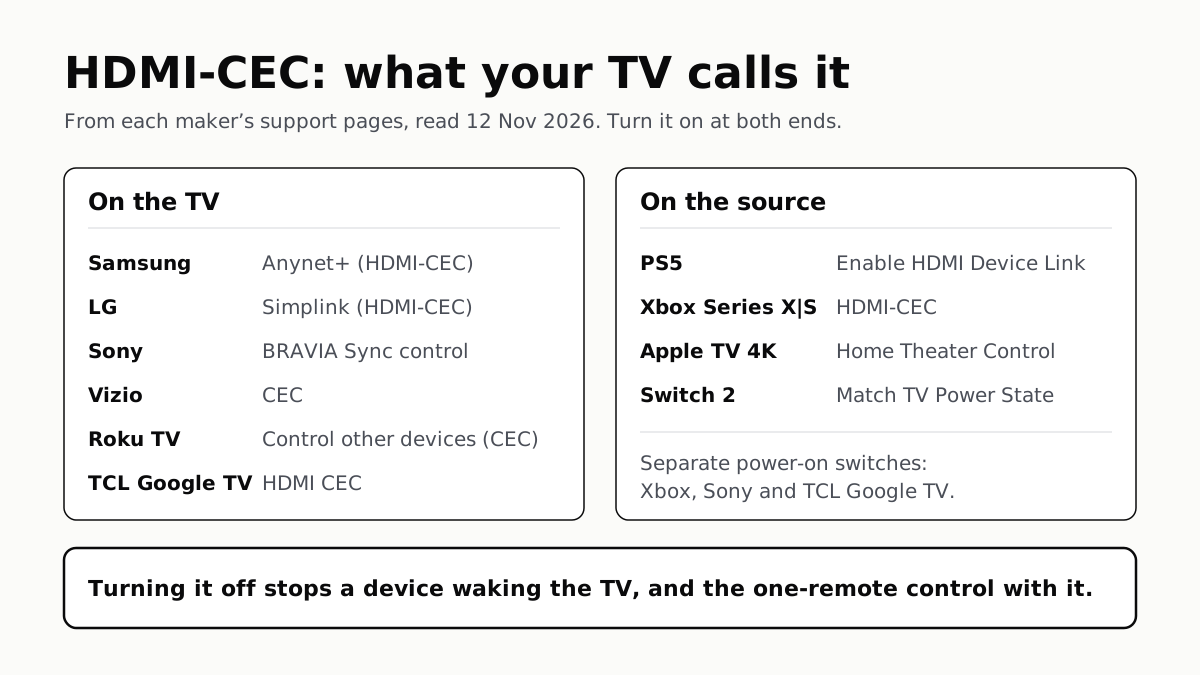
To Use One TV Remote, Turn On HDMI-CEC at Both Ends
Samsung calls it Anynet+, LG Simplink, Sony BRAVIA Sync, Vizio CEC. Consoles, Apple TV and Switch 2 have their own switch.
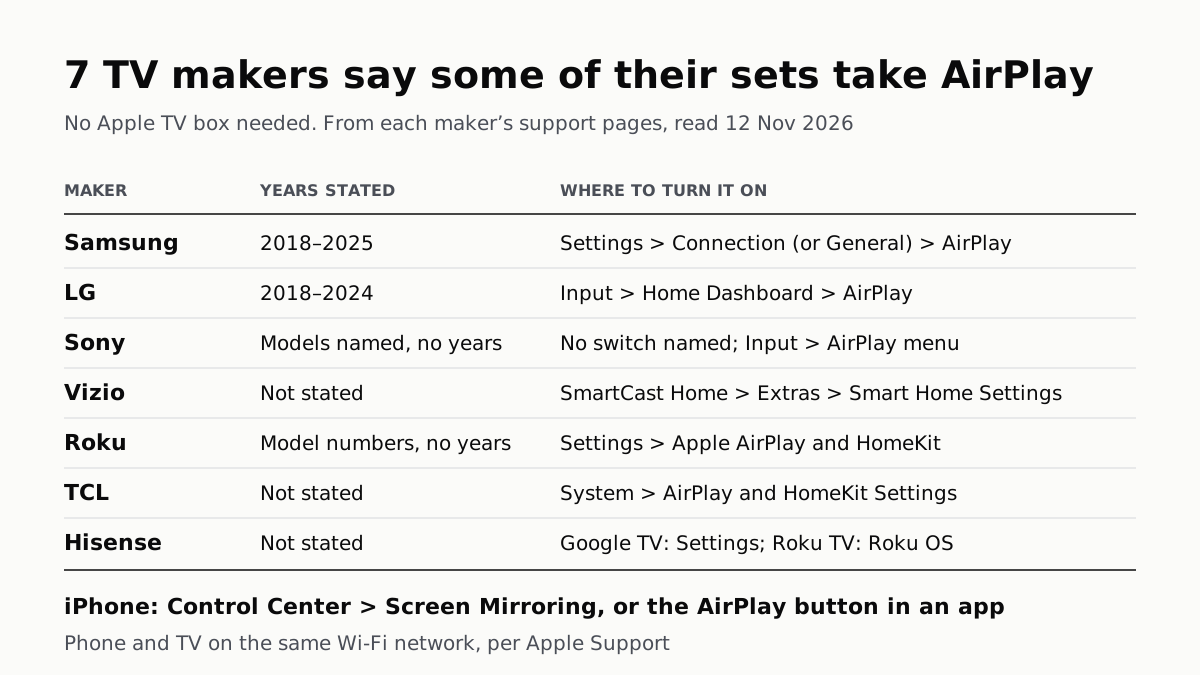
7 TV Makers Build AirPlay Into Some Sets, No Apple TV Needed
Samsung lists 2018–2025 sets and LG 2018–2024. Switch AirPlay on in the TV’s settings, then use Screen Mirroring in Control Center.
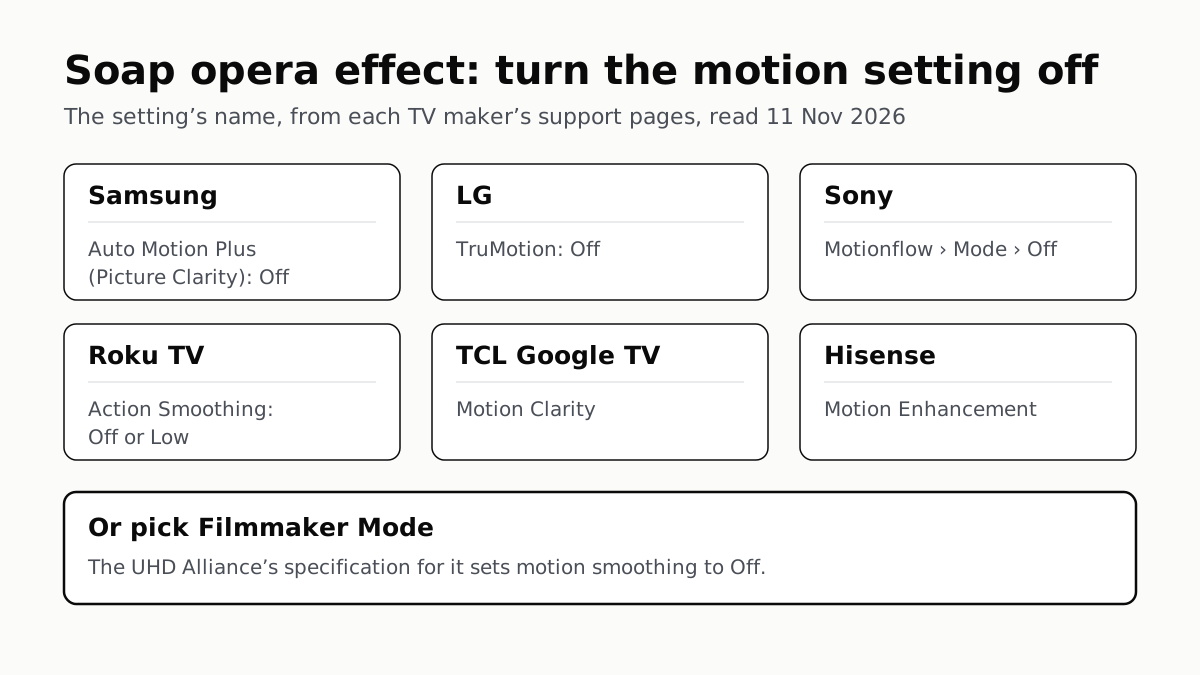
Soap Opera Effect: Set the TV’s Motion Setting to Off
Samsung calls it Auto Motion Plus, LG TruMotion, Sony Motionflow, Roku Action Smoothing. Filmmaker Mode switches it off where offered.
4 of 5 TV Platforms: Antenna and HDMI Work Without Sign-In
Google TV’s basic mode needs no account or internet. Vizio and Samsung let you skip signing in; on Roku it depends on the model.