4 of 5 TV Platforms: Antenna and HDMI Work Without Sign-In
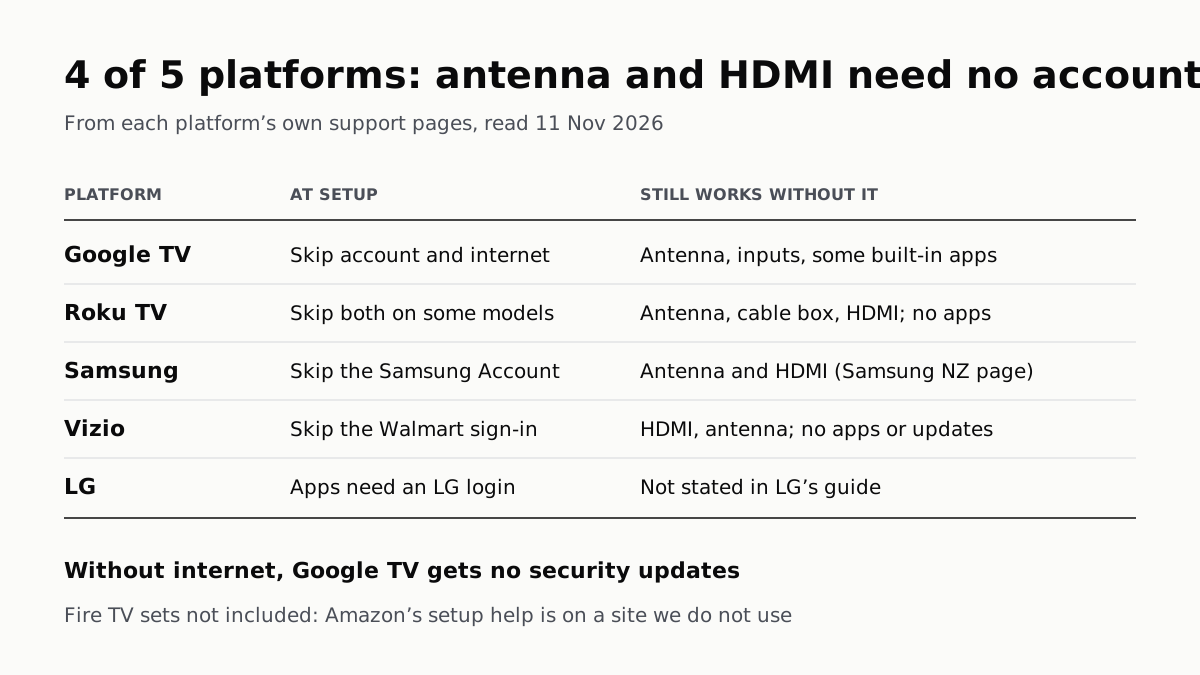
Google TV’s basic mode needs no account or internet. Vizio and Samsung let you skip signing in; on Roku it depends on the model.
If you buy through our links, we may earn a commission. It never affects our verdicts or scores — how that works. As an Amazon Associate I earn from qualifying purchases.
Yes, on most of the platforms we checked: a smart TV can watch an antenna and show whatever you plug into HDMI without an account, and Google TV’s basic TV mode needs no internet connection at all. Of the 5 platforms in the table, 4 have a support page saying antenna and HDMI keep working without signing in. What you give up is the apps and, on Google TV and Vizio, software updates.
The catch is model and timing. Roku says only some of its TVs let you skip the account, and Google says you have to choose basic TV during setup: once Google TV is set up, you cannot switch back without a factory reset.
What each platform says
| Platform | Skip the account at setup? | Skip internet at setup? | Still works | Stops working |
|---|---|---|---|---|
| Google TV | Yes, with basic TV | Yes, with basic TV | Antenna, cable or satellite TV; plugged-in inputs; some pre-installed apps | Installing apps, casting, Assistant search, Play Library; security updates without internet |
| Roku TV | Some models (unlinked mode) | Some models (“Connect to the Internet Later”) | Live TV from an antenna or cable box; HDMI devices | Roku’s streaming services and Streaming Store apps |
| Samsung (Tizen) | Yes (Skip) | Not stated on Samsung’s US guide | Antenna TV; HDMI, cable box, console (Samsung New Zealand) | Apps, Samsung TV Plus, Ambient Mode, other smart functions |
| Vizio | Yes, skip the Walmart sign-in | Not stated | HDMI and antenna inputs | Smart TV features, built-in streaming apps, software updates |
| LG (webOS) | Not stated; installing apps needs a login | Not stated | Not listed; the guide covers setting the country by hand when offline | Online content and apps need a network |
Every row comes from the platform’s own help pages, read on 11 November 2026. Where a cell says “not stated”, the page covers that step of setup and does not say either way.
Google TV: basic TV is the cleanest offline mode
Google’s help page says basic TV is only for “TVs that come with Google TV built in”, not its streaming boxes. Choose it during setup and you can “use your device without a Google Account” and “without an internet connection”. You can still watch cable, satellite or antenna TV through the TV app, play media from other inputs, and use “a limited set of apps that come pre-installed”.
You cannot install apps, cast to the TV, use the Assistant to search, or reach anything that needs a Google sign-in. Google adds one warning: a Google TV left offline gets no security updates, in Google’s words it “won’t get important security updates”. You can move up to full Google TV later from the banner on the home screen, but not the other way: Google says to factory reset if you want to start again.
Roku TV: unlinked mode, on some models
Roku’s support page says “Some Roku TVs” can be removed from a Roku account and used in unlinked mode. In it, you can watch live TV from a cable box or antenna and use Blu-ray players, consoles or other devices on HDMI, but you “will not be able to use or access Roku’s streaming services”.
The route Roku gives is a factory reset with the button on the back or bottom of the TV, held for about 10 seconds, then Set up for home use. If your TV does not require an account and internet connection for activation, the next screen offers Connect to the Internet Later. Roku says that option may not be available on every Roku TV and to check the packaging, so look before you buy if this matters. On Roku’s main setup guide, activation is where you sign in to or create a Roku account.
Samsung: the account can be skipped
Samsung’s US setup guide puts a Skip on the Samsung Account step, and says an account “is required for network-based smart services, including streaming apps and other smart features.” The same guide lets you skip the Smart Hub terms and the software update, but gives no skip on the network step itself, so it does not say whether a new Samsung set will finish setup with no network.
Samsung’s New Zealand FAQ spells out the result of skipping the account: no apps, Samsung TV Plus or Ambient Mode, and access “only” to over-the-air TV through the tuner or an antenna, plus HDMI devices such as a cable box or console. That page is Samsung’s, but not its US one.
Vizio: the Walmart account is optional for basic use
Vizio says that from mid-March 2026, new Vizio and onn TVs ask you to create or sign in to a Walmart account during activation, and that older sets will start asking as updates arrive. You can skip it: “Your TV will still work for basic functions.” HDMI and antenna inputs work without signing in, but Vizio says the account is required for Smart TV features, built-in apps and software updates.
Neither Vizio page we read says whether you can skip connecting to Wi‑Fi at setup.
LG: apps need a login; offline setup is not described
LG’s 2025 webOS guide is the least direct. It says “In order to install apps, you must be logged in”, and that network settings let you “use various services such as online contents and applications.” It covers settings for a TV that is not connected to the network (you set the country by hand), and says software updates can arrive through digital broadcast signals as well as the internet. It does not describe skipping the network at first setup, or say what works without an LG account.
Fire TV smart TVs
We have not included them. Amazon’s own setup help for Fire TV sets is on amazon.com, which we do not use as a source, and the Amazon newsroom and developer pages we searched do not cover setting one up offline.
If you do connect it later
If you connect the TV later, the viewing-data switch has a different name on each brand, and our guide to turning off TV tracking has the menu path for each. Connecting also brings AirPlay on sets that have it, which needs the TV on your Wi‑Fi: which TVs take AirPlay, by brand. Some TV makers’ privacy policies also cover the other devices on your home network. An offline Google TV or Vizio set also misses software updates, so it is worth knowing how many years each platform promises them before deciding. If you are still choosing the set, our shortlist of TVs from the reviews is a starting point; it does not rank offline use.
Questions people ask
Can I use a smart TV without connecting it to the internet?
On a Google TV set, yes: choose basic TV at setup and Google says it works without an internet connection, for antenna, cable and plugged-in devices. Some Roku TVs offer Connect to the Internet Later. Without a connection you lose apps and, on Google TV, security updates.
Can I set up a Samsung TV without a Samsung account?
Yes. Samsung’s US setup guide says you can highlight Skip at the Samsung Account step. Samsung’s New Zealand FAQ says you then lose apps, Samsung TV Plus and Ambient Mode, and keep antenna TV and external inputs such as HDMI, a cable box or a console.
Can I use a Roku TV without a Roku account?
On some models. Roku says some Roku TVs support an unlinked mode, reached through a factory reset, that keeps live TV from an antenna or cable box and the HDMI inputs but drops Roku’s streaming services and apps. Roku says to check the packaging for whether yours supports it.
Do I need a Walmart account for a new Vizio TV?
Only for the smart features. Vizio says new sets from mid-March 2026 ask for a Walmart account at activation, but you can skip it. HDMI and antenna inputs work without signing in; apps, Smart TV features and software updates need the account.
Do I need an LG account to use an LG TV?
LG’s 2025 webOS guide says you must be logged in to install apps. It does not say whether the network step at first setup can be skipped, though it does describe setting the country by hand when the TV is not connected to a network.
Will my TV still get updates if it is offline?
It depends on the brand. Google says a Google TV without internet won’t get important security updates, and Vizio says updates need a Walmart account. LG’s guide says software can arrive through digital broadcast signals as well as the internet.
How we researched this
No one at bitcritiq has handled this product. Everything here comes from published sources, listed below.
- What this cannot tell you
- We have not set up any of these TVs ourselves. Samsung's statement on what works without an account is on its New Zealand site; its US setup page says an account is needed for network-based smart services but does not list what still works. Roku says its no-internet option is not on every Roku TV and points to the packaging, without naming models. LG's and Vizio's pages do not say whether the network step can be skipped. We left out Fire TV smart TVs: Amazon's setup help for them is on amazon.com, which we do not use as a source, and the Amazon newsroom and developer pages we searched do not cover offline setup. Menus and rules can change with software updates; Vizio says older TVs will move to Walmart accounts as updates roll out.
How we chose this, and what we did
- Why this subject
- Gift season puts new TVs in front of people who do not want one more account, or who want the set off their network for privacy, and some who are buying for a relative without Wi‑Fi. The question is the same on every platform, and each answers it on a different help page, so one table can put the answers side by side.
- How we looked at it
- Read through a browser on 11 November 2026: Roku Support's 'How do I use my TV in unlinked mode?' (last updated 3 June 2026) and 'How to set up your Roku TV'; Google TV Help's 'Use basic TV on a Google TV device', with both accordions expanded; Samsung US Support's 'Set up your Samsung TV' and Samsung New Zealand's shop FAQ 'What if I choose not to sign in or create a Samsung Account?'; LG's 2025 webOS TV user guide for the US (Network, Location, Software Update and app-install passages) and LG USA Support's 'webOS TV – Setting up network connection' (dated 14 August 2025); Vizio Support's 'Frequently Asked Questions (FAQs) for Walmart Account on VIZIO and onn TVs' and its setup guide. The table has 5 platform rows, counted by hand; the count of 4 that say antenna and HDMI work without signing in is Roku, Google, Samsung (New Zealand page) and Vizio. Absence controls: Samsung's US setup guide offers Skip on the Smart Hub terms, the software update ('You can also skip this step for now') and the Samsung Account steps, but no skip on the network step; LG's guide describes the TV 'When you are not connected to the network' but has no passage on skipping network setup at first start, and none on using antenna or HDMI without an LG account; Vizio's FAQ answers 'Can I skip the Walmart sign-in' but says nothing about skipping Wi‑Fi.
What this rests on
6 claims, all official. Nothing here was measured by bitcritiq — see how we test for why. Open a claim to read the source it came from.
On a TV with Google TV built in, choosing basic TV at setup lets you use it without a Google Account and without an internet connection, but it then gets no security updates.Official
Google TV Help: “If you choose basic TV when you set up your Google TV device, you can: Finish setup faster Use your device without a Google Account Use your device without an internet connection” and “Without an internet connection, your device won’t get important security updates.”
In basic TV you can watch antenna, cable or satellite TV and plugged-in inputs, but cannot install apps, cast, use the Assistant to search, or open your Play Library.Official
Google TV Help: “Watch TV through your cable service, satellite, TV tuner, or antenna with the TV app Play media from other inputs plugged into the TV Use a limited set of apps that come pre-installed on your device” and, under what you can't do, “Access your Play Library Install apps Use the Assistant to search for content Cast content from another device”.
Some Roku TVs can run unlinked from a Roku account, keeping live TV and HDMI inputs but losing Roku's streaming services; the option to skip the internet is not on every Roku TV.Official
Roku Support: “Some Roku TVs support removing your TV from your Roku® account and using it in unlinked mode. In unlinked mode, you will still be able to watch live TV channels with a cable box or antenna, and connect Blu-ray or DVD players, gaming consoles or other devices to one of the HDMI inputs. However, you will not be able to use or access Roku’s streaming services, including the apps from our Streaming Store.” And: “If your Roku TV system does not require a Roku account and internet connection for activation, on the next screen, choose Connect to the Internet Later.” The option “may not be available on all Roku TV systems (see packaging for details).”
Vizio lets you skip the Walmart sign-in at setup; HDMI and antenna inputs work without it, but Smart TV features, built-in apps and software updates need the account.Official
Vizio Support: “Yes, you can skip Walmart sign-in during setup. Your TV will still work for basic functions, but you’ll need a Walmart account later to access Smart TV features and apps.” And: “You can always use HDMI and antenna inputs without signing in, but a Walmart account is required for access to Smart TV features, built‑in streaming apps, software updates, and more.”
Samsung's US setup guide lets you skip the Samsung Account and says one is needed for network-based smart services; Samsung New Zealand says that without one only antenna TV and external inputs work.Official
Samsung US Support: “If you'd like to skip, press right on the remote to highlight Skip, but consider setting up a Samsung Account later.” and “A Samsung Account is required for network-based smart services, including streaming apps and other smart features.” Samsung NZ: “If you choose to skip the Samsung Account step and not sign in, you will not have access to apps, TV Plus, Ambient Mode and other Smart TV functions. You will only have access to over-the-air (OTA) television content (via tuner or antennas) and be able to connect to external input devices such as HDMI, Cable box or Game Console.”
LG's 2025 webOS guide says you must be logged in to install apps, and that software can be updated through digital broadcast signals as well as the internet.Official
LG webOS 2025 user guide: “In order to install apps, you must be logged in.” And: “The latest version can be obtained via digital broadcast signals or internet connections.” Also: “You must set the country manually when you are not connected to the network.”
Sources 9
- How do I use my TV in unlinked mode? — Roku Support (last updated 3 June 2026)Officialaccessed Nov 11, 2026
- How to set up your Roku TV — Roku SupportOfficialaccessed Nov 11, 2026
- Use basic TV on a Google TV device — Google TV HelpOfficialaccessed Nov 11, 2026
- Set up your Samsung TV — Samsung US SupportOfficialaccessed Nov 11, 2026
Show 5 more · 5 official or standards
- What if I choose not to sign in or create a Samsung Account? — Samsung New Zealand shop FAQOfficialaccessed Nov 11, 2026
- webOS TV User Guide, 2025, US English — LG ElectronicsOfficialaccessed Nov 11, 2026
- webOS TV – Setting up network connection — LG USA Support (14 August 2025)Officialaccessed Nov 11, 2026
- Frequently Asked Questions (FAQs) for Walmart Account on VIZIO and onn TVs — Vizio SupportOfficialaccessed Nov 11, 2026
- How to Set Up Your VIZIO or onn Powered by VIZIO TV or Restart Setup After Factory Reset — Vizio SupportOfficialaccessed Nov 11, 2026
Pass it on
Know someone weighing this up? Send them the answer.
bitcritiq.com/56nrThe link is permanent: it opens this article for good, even if the title changes.
No email, no account
Follow bitcritiq
Every new article, in whatever reader you already use.
Subscribe by RSSAll the ways to follow
Using Chrome on Android? Open the browser menu and tap Follow. New articles then turn up in the Following tab in Discover.
read next
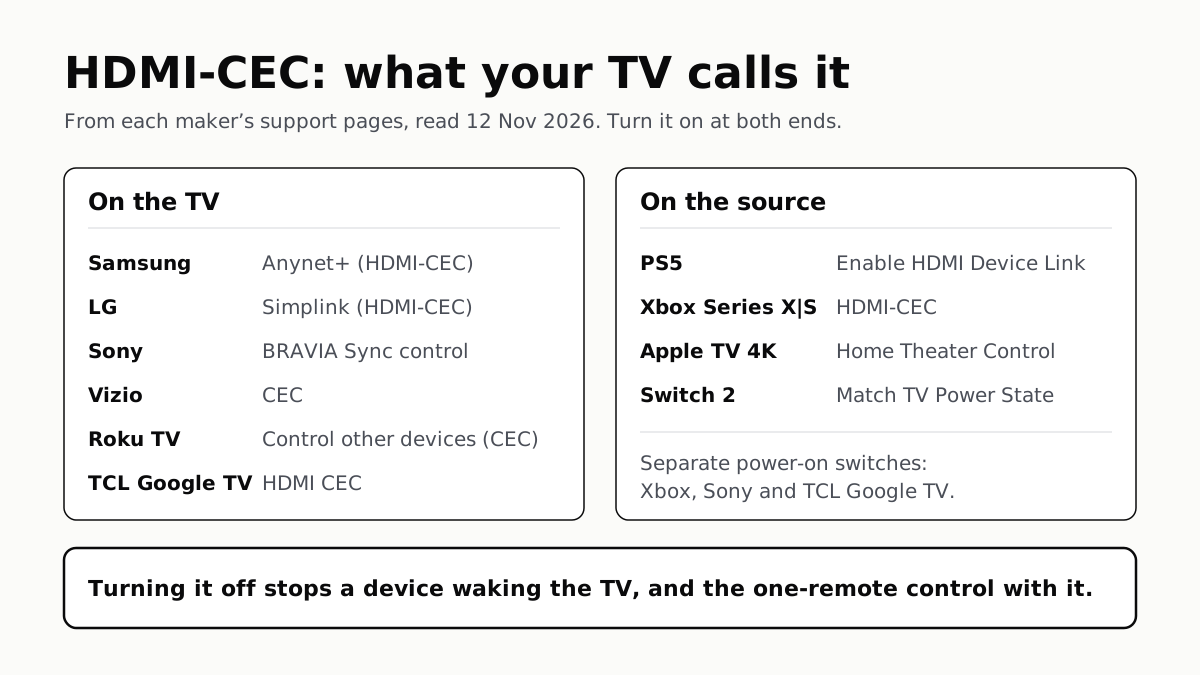
To Use One TV Remote, Turn On HDMI-CEC at Both Ends
Samsung calls it Anynet+, LG Simplink, Sony BRAVIA Sync, Vizio CEC. Consoles, Apple TV and Switch 2 have their own switch.
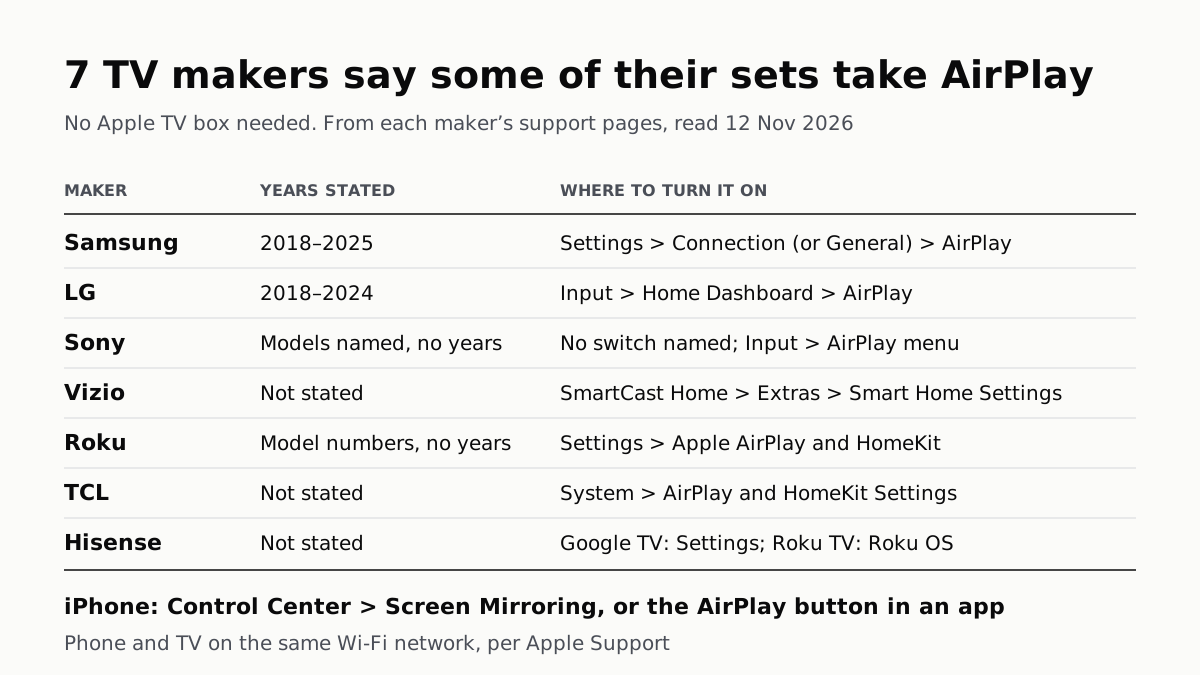
7 TV Makers Build AirPlay Into Some Sets, No Apple TV Needed
Samsung lists 2018–2025 sets and LG 2018–2024. Switch AirPlay on in the TV’s settings, then use Screen Mirroring in Control Center.
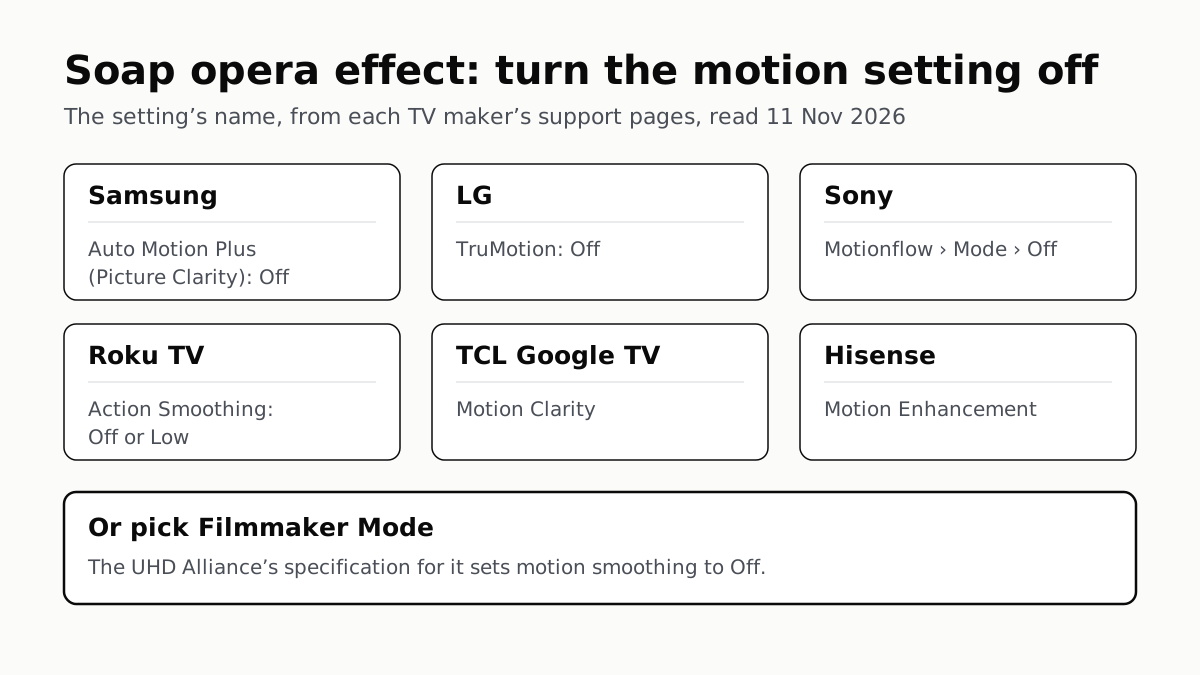
Soap Opera Effect: Set the TV’s Motion Setting to Off
Samsung calls it Auto Motion Plus, LG TruMotion, Sony Motionflow, Roku Action Smoothing. Filmmaker Mode switches it off where offered.
LG, Apple TV and Newer Samsung TVs Play to Two Headphones
Roku, Google TV, Fire TV and Vizio pair them too, each with its own limits. Roku’s phone app lets up to four people listen.