Roku's Policy Names the Other Devices on Your Network
LG logs what you plug in and the smart bulbs you control through the TV. Samsung, Vizio and Amazon's pages do not claim to look further.
If you buy through our links, we may earn a commission. It never affects our verdicts or scores — how that works. As an Amazon Associate I earn from qualifying purchases.
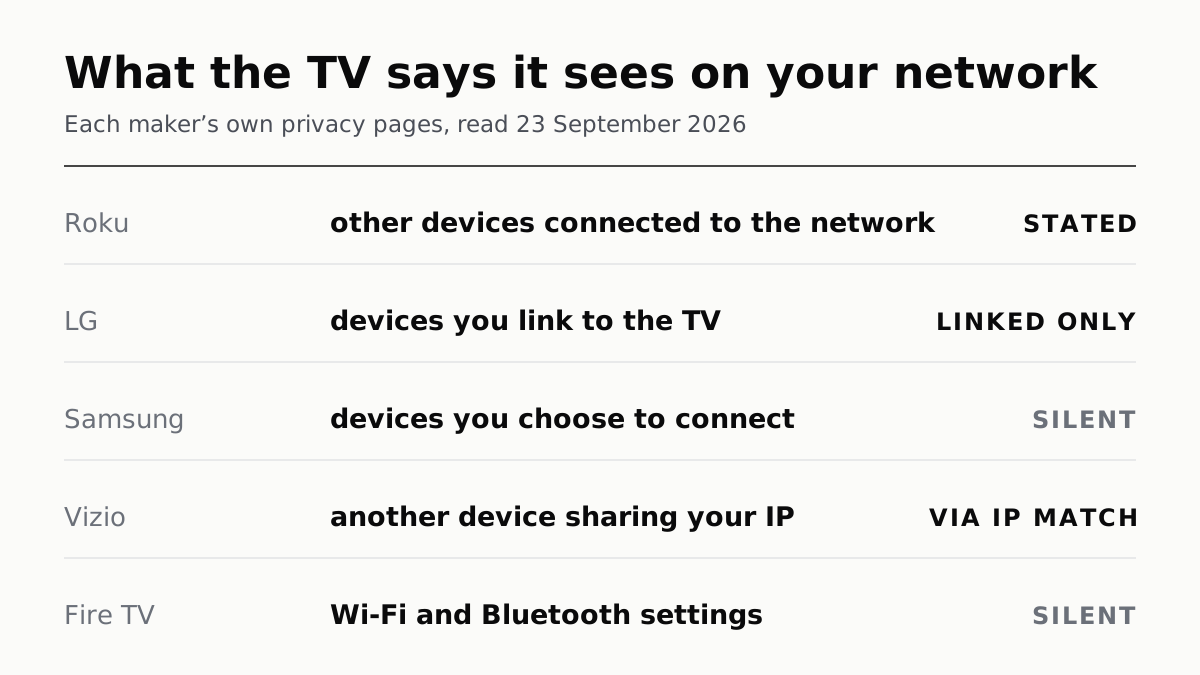
Of the five makers we read, only Roku says in writing that it collects information about the other devices on your home network. LG says it collects the make, model and connection method of devices you link to the TV; Samsung, Vizio and Amazon describe devices you connect and say nothing about the rest of the network.
This is a different question from the one our guide to turning off ACR tracking answers. That is about what the TV records of what is on screen. This is about the phone, the console, the printer and the smart plug that never touch the TV at all.
What each maker says
| Brand | What its own pages say about other devices | Turn it off? | Where the related setting lives |
|---|---|---|---|
| Roku | “Information about other devices connected to the same network”, plus your router and other routers in range | No switch named for this category | Privacy section of Settings covers ads and Smart TV Experience |
| LG | Devices you link: type, model, maker, connection method; plus smart bulbs, switches and appliances you control through the TV | Not by agreement — LG says device information arrives at set-up regardless | Settings › User Agreements; Limit Ad Tracking on the Advertisement page |
| Samsung | Devices and services “you choose to connect”; apps used through connected devices | Silent on network devices | Privacy settings, which cover Viewing Information Services |
| Vizio | Its own identifiers, including Wi-Fi access points; partners may match another device sharing the TV’s IP | Partly — the IP matching is a use of Viewing Data | Menu › Privacy & Legal › Advertising; Viewing Data in Settings |
| Fire TV | Device settings including “WiFi and Bluetooth options”; Wi-Fi credentials sync between Amazon devices if you opt in | Partly — three opt-outs, none about the network | Settings › Preferences › Privacy Settings |
Read the second column as what the company has committed to in a public document, not as a measurement. None of these pages describes a mechanism, and we have not watched a television do anything.
Roku is the explicit one
Roku’s privacy policy, last updated 1 July 2026, lists under Device Information the things it receives automatically: MAC address, IP address, operating system, browser, “Wi-Fi network name and connection data, and information about other devices connected to the same network”. That last clause has no equivalent in the other four policies. The next sentence goes further than the network: Roku “may also gather the WiFi MAC addresses, country code, and broadcast signal strengths of your router and other Wi-Fi routers in your area”.
Two limits on reading that as a statement about your TV. The policy is one document covering Roku’s websites, mobile apps, players, Roku TV models, smart-home devices and speakers, so the clause is written for all of them at once and Roku does not break it down by product. And Roku publishes no technical description of what is collected or how often.
What Roku does not offer is a control. Its choices section runs through general requests, email, personalised advertising, Smart TV Experience, voice features, smart-home data and cookies. Device Information is not among them. The nearest lever is Personalized Ads, which Roku puts in the Privacy section of the Settings menu, with a Reset Advertising Identifier option in device settings — that changes how the data is used for ads, not whether it is collected.
LG counts what you plug in, and what you control
LG’s Smart TV Privacy Policy is separate from LG’s main one, and the difference matters if you go looking. The general LG policy lists “connected modem information, internet router information” under device data — and that policy tells Smart TV owners to read the other document instead. Quoting the router clause at an LG television is quoting the wrong page.
The Smart TV policy is narrower and more concrete. Under Connected devices, LG says it collects information about “other devices you link to your Smart Media Product”, including type — set-top box, DVD player, game console, mobile phone — model number, manufacturer, and connection method, which LG lists as “HDMI, Wi-Fi, Bluetooth, Network”. It adds that this “may include information of controlling other internet connected devices in your home via your Smart Media Product”, naming smart bulbs, smart switches and smart appliances.
So on LG’s own account the scope is things you attach or drive from the TV, which is a smaller set than everything on the Wi-Fi. The part with no opt-out is the timing: LG says device information arrives “during the set-up and authentication process” and is “not contingent upon your agreement with this Privacy Policy”, and that even with none of the optional agreements accepted it “will still receive some information…including Device Information”. Withdrawing the ACR and Viewing Information Agreement does not touch that category.
Separately, LG describes cross-device advertising by IP: ads shown “on other digital devices that share the same IP address as your Smart Media Product, such as your laptop, mobile phone or tablet”. That one is gated — LG says you must consent to its Interest-Based & Cross-Device Advertising Agreement first, and can withdraw it on the User Agreements page or set Limit Ad Tracking on the Advertisement page.
Samsung says nothing about it
Samsung’s Smart Hub U.S. Privacy Notice, effective 1 June 2026, covers device and usage information in detail and stops at the TV’s own connections. It collects information about “services that you choose to connect to the Service and/or Device (including third-party devices and services)” and may “note which applications you have accessed through your Device and connected devices”. Searching the notice for other devices on the same network returns nothing.
Silence is worth reporting as silence rather than as reassurance. Samsung has not told buyers it does this, and has not told them it does not. The choices Samsung does describe for this service are about Viewing Information Services, changed in the Service’s privacy settings.
Vizio’s link is the IP address, not the network
Vizio’s identifiers list is long — device IDs, advertising IDs, IP and MAC addresses, Wi-Fi access points, model and serial numbers, and the “friendly name” you gave the TV — and every item on it belongs to the Vizio product itself. The cross-device part arrives through partners rather than the network. Vizio says a data partner “may identify another device that shares an IP address with the VIZIO OS product” and analyse whether a website was viewed or a location visited by a device with location tracking on, after a promotion played on the TV.
That sits inside Vizio’s description of how Viewing Data is used, which is the setting our ACR guide covers. Two things do not move with it. Vizio says that “even if Viewing Data is turned off, Activity Data will still be collected” if you keep using the TV’s features. And ad targeting has its own switch, with a path that depends on the firmware era: Menu › Privacy & Legal › Advertising › Limited Ad Tracking after 2024, Menu › Admin & Privacy › Advertising before 2024, Menu › System › Reset & Admin › Advertising before 2020.
Fire TV: device settings, and one Wi-Fi clause
Amazon’s Fire TV privacy FAQ describes what the operating system collects as your use of the device and its features — home-screen navigation, apps opening and closing, and “selection of device settings (such as device language, display size, WiFi and Bluetooth options)”. That is the choice you made in a menu, not an inventory of what else is on the network. The three opt-outs all live in Settings › Preferences › Privacy Settings: Device Usage Data, Collect App Usage Data, and Interest-based Ads.
The Amazon.com Privacy Notice mentions Wi-Fi once in a way worth knowing: it lists “device log files and configurations, including Wi-Fi credentials, if you choose to automatically synchronize them with your other Amazon devices”. It also lists, under information from other sources, “information about internet-connected devices and services linked with Alexa”. Both are about things you linked to Amazon, and neither describes a Fire TV examining the network around it.
The other direction, which is the one people notice
A TV that announces itself is easier to observe than a TV that looks around, and Roku documents the announcement. Its developer documentation says Roku devices “are discoverable using SSDP” so they can be controlled over a local area network, and that from Roku OS 14.1 the Settings › System › Advanced system settings › Control by mobile apps toggle must be Enabled before the device accepts keypress and channel-query commands. Turning that off is a setting about what your network can do to the TV, not about what the TV reports to Roku. It is still the only named toggle in any of these documents that changes the TV’s behaviour on your LAN.
What none of this settles
These are policies. They set the outer bound of what a company has told you it may do, and they are written wide enough to cover products that do not exist yet. A narrow policy is not proof of a narrow product, and a broad one is not proof that your TV is doing all of it.
If it matters to you, the honest summary is short: Roku has written the broadest claim, LG has written the most specific one and attached the fewest conditions to it, and the other three have not put the question in their documents at all. If you are shopping, the privacy menus are worth opening next to the specs that actually separate price tiers and how long the set will keep getting updates. If your concern is the other devices rather than the TV, ours on smart-home kit dropping off the network is the more useful page.
Questions people ask
Can my smart TV see other devices on my network?
One of the five makers we read says so in writing. Roku’s privacy policy lists, among the information it receives automatically, “information about other devices connected to the same network”. LG, Samsung, Vizio and Amazon describe devices you connect or link to the TV, not devices that merely share the Wi-Fi. None of the five publishes a technical description of how any of this is gathered.
Does my TV know what else is connected to my Wi-Fi?
Roku’s policy says it receives information about other devices on the same network, along with your Wi-Fi network name and connection data. It also says Roku may gather “the WiFi MAC addresses, country code, and broadcast signal strengths of your router and other Wi-Fi routers in your area”. That is a statement about Roku Services generally, which covers players, TVs, apps and smart-home devices in one document.
Can I stop my smart TV from scanning my network?
No maker we read publishes a setting described that way. Roku’s privacy policy lists controls for personalised ads, Smart TV Experience, voice and smart-home data, and none for the device information category. LG says the device information it receives at set-up “is not contingent upon your agreement with this Privacy Policy”. The controls that exist are about advertising and viewing data.
Does turning off ACR stop the TV collecting device data?
Not according to two of the makers. LG’s Smart TV Privacy Policy says that if you do not opt in to its additional user agreements, LG “will still receive some information from your Smart Media Product, including Device Information”, the category that holds connected-device details. Vizio says that even with Viewing Data off, “Activity Data will still be collected” if you keep using the product’s features.
Can my smart TV be linked to my phone?
Both LG and Vizio describe linking by IP address rather than by looking at the network. LG says interest-based ads may be shown “on other digital devices that share the same IP address as your Smart Media Product”, and that this needs consent to its cross-device advertising agreement. Vizio says a data partner “may identify another device that shares an IP address” with the TV.
Where is the ad tracking setting on my TV?
Roku puts Personalized Ads and Reset Advertising Identifier in the Privacy section of Settings. Vizio’s path depends on the firmware era: Menu › Privacy & Legal › Advertising › Limited Ad Tracking after 2024, and Menu › Admin & Privacy › Advertising before it. LG puts Limit Ad Tracking on the Advertisement page. On Fire TV it is Settings › Preferences › Privacy Settings › Interest-based Ads.
How we researched this
No one at bitcritiq has handled this product. Everything here comes from published sources, listed below.
- What this cannot tell you
- We have not used any of these menus, and we have not measured a single packet leaving a television. This is what the makers say they collect, not an audit of what their software does. Policies are written broadly and cover more products than televisions — Roku's one document covers its websites, mobile apps, players, TVs and smart-home devices together, so a clause in it is not necessarily a statement about a TV in particular. Menu paths move between model years and firmware versions. Hisense, TCL and Sony are not covered because we did not read their policies for this piece.
How we chose this, and what we did
- Why this subject
- Our ACR article answers what a TV records about what you watch, and readers arriving on it ask a second question it does not cover: what the same TV knows about the phones, consoles and smart plugs sharing its network. That question is usually answered with a guess in either direction. Every maker publishes a privacy policy that either addresses it or does not, and the difference between the five is larger than the summaries suggest.
- How we looked at it
- Roku’s developer documentation was read for the other direction — SSDP discovery and the Control by mobile apps toggle from Roku OS 14.1 — and is cited in the article rather than in the claims block. Read each maker's own privacy and support pages on 23 September 2026 and took only what they state: Roku's privacy policy and its developer documentation for the External Control Protocol; LG's Smart TV Privacy Policy and, separately, LG's general privacy policy; Samsung's Smart Hub U.S. Privacy Notice and Samsung's U.S. privacy policy; VIZIO's privacy policy and its Ads & Privacy FAQ; Amazon's Fire TV privacy settings FAQ and the Amazon.com Privacy Notice. Where a policy does not address other devices on the network, that silence is reported as silence.
What this rests on
6 claims, all official. Nothing here was measured by bitcritiq — see how we test for why. Open a claim to read the source it came from.
Roku's privacy policy says the information it receives automatically includes information about other devices connected to the same network, and its list of user choices names no control for that category.Official
Roku Privacy Policy, last updated 1 July 2026, section B.1 Device Information: “…MAC address, IP address, operating system type and version, browser type and language, Wi-Fi network name and connection data, and information about other devices connected to the same network.” And: “We may also gather the WiFi MAC addresses, country code, and broadcast signal strengths of your router and other Wi-Fi routers in your area.” Read 23 September 2026. And: The same policy's choices section is headed General Requests, Email Marketing Choices, Personalized Advertising Choices, Choices Regarding “Smart TV Experience”, Voice Feature Choices, Smart Home Device Data and Choices Regarding Cookies. Personalized Advertising Choices gives the Personalized Ads setting “in the Privacy section of the Settings menu of your Roku players and Roku TV models” and a “Reset Advertising Identifier” option in device settings. Read 23 September 2026.
LG's Smart TV Privacy Policy says it collects the type, details and connection method of devices you link to the TV, including smart bulbs and appliances controlled through it, and says that device information reaches LG during set-up whether or not you agree to its optional agreements.Official
LG Smart TV Privacy Policy, last updated May 2026: “Connected devices: we collect information about other devices you link to your Smart Media Product, including their type (e.g., set-top box, DVD player, game console, mobile phone), device details (e.g., model number, manufacturer) and connection method (e.g., HDMI, Wi-Fi, Bluetooth, Network). This may include information of controlling other internet connected devices in your home via your Smart Media Product(e.g., smart bulb, smart switch, smart appliances).” Read 23 September 2026. And: Same policy: “During the set-up and authentication process, we receive certain information, including Device Information (as described below). This information is necessary for the basic functioning of the Smart Media Product and is not contingent upon your agreement with this Privacy Policy.” And: “If you do not opt-in to any of the Additional User Agreements…LGE will still receive some information from your Smart Media Product, including Device Information, Basic Usage Information…” Read 23 September 2026.
LG's general privacy policy, which lists internet router and connected modem information, excludes Smart TVs and points to the separate Smart TV policy.Official
LG Electronics Privacy Center policy, effective 28 April 2026, lists under Device data “…radio/network information (e.g., Wi-Fi, LTE, 3G), ad-blocking information, network information, charge status, connected modem information, internet router information…”. The same document says: “For LG Smart TV, LG Channels, or Smart Media Product users, please see the separate Smart TV Privacy Policy at https://us.lgappstv.com/main/terms”. Read 23 September 2026.
Samsung's Smart Hub notice describes devices you choose to connect, and does not mention other devices on the network.Official
Smart Hub U.S. Privacy Notice, effective 1 June 2026: it obtains by automated means “Information about your usage of the Service and Devices, including about how, when, and for how long you use the Service, Devices and/or services that you choose to connect to the Service and/or Device (including third-party devices and services)”, and “We may also note which applications you have accessed through your Device and connected devices.” A search of the notice found no reference to other devices on the same network. Read 23 September 2026.
Vizio's policy describes data partners matching another device that shares the TV's IP address rather than collecting information about the network, and says Activity Data continues after Viewing Data is switched off.Official
VIZIO Privacy Policy lists “Device and Online Identifiers, such as device IDs, advertising IDs, IP and MAC addresses, cookie IDs, Wi‑Fi access points, model and serial numbers, OS and firmware versions, any “friendly name” assigned by you to the VIZIO OS product, and chipset IDs.” Under Viewing Data uses: “the data partner may identify another device that shares an IP address with the VIZIO OS product and analyze: (a) whether a particular website was viewed, or a commercial location was visited by a device with location tracking enabled (e.g., a smartphone) after a related promotion was viewed”. Read 23 September 2026. And: VIZIO Privacy Policy: “even if Viewing Data is turned off, Activity Data will still be collected if you wish to continue using VIZIO OS product functionality”. VIZIO Ads & Privacy FAQ: “VIZIO OS products after 2024: Menu > Privacy & Legal > Advertising > Limited Ad Tracking. VIZIO OS products before 2024: Menu > Admin & Privacy > Advertising > Limited Ad Tracking. VIZIO OS products before 2020: Menu > System > Reset & Admin > Advertising > Limited Ad Tracking.” Read 23 September 2026.
Amazon's Fire TV privacy FAQ describes device settings, not other devices on the network, and the Amazon privacy notice mentions Wi-Fi credentials only as an opt-in sync between Amazon devices.Official
Amazon's Privacy Settings FAQs for Fire TV Products: the operating system “collects data about your use of the device and its features, such as your navigation of the home screen, selection of device settings (such as device language, display size, WiFi and Bluetooth options), or open and close of apps and services”, with opt-outs at Settings > Preferences > Privacy Settings > Device Usage Data, > Collect App Usage Data and > Interest-based Ads. The Amazon.com Privacy Notice lists “device log files and configurations, including Wi-Fi credentials, if you choose to automatically synchronize them with your other Amazon devices”, and separately “information about internet-connected devices and services linked with Alexa”. Read 23 September 2026.
Sources 10
- Roku Privacy Policy, last updated 1 July 2026 — RokuOfficialaccessed Sep 23, 2026
- External Control Protocol (ECP) — Roku developer documentationOfficialaccessed Sep 23, 2026
- Legal Documents (Smart TV) — Privacy Policy, last updated May 2026 — LG ElectronicsOfficialaccessed Sep 23, 2026
- Privacy Policy, effective 28 April 2026 — LG Electronics Privacy CenterOfficialaccessed Sep 23, 2026
Show 6 more · 6 official or standards
- Smart Hub U.S. Privacy Notice, effective 1 June 2026 — SamsungOfficialaccessed Sep 23, 2026
- Privacy Policy — Samsung USOfficialaccessed Sep 23, 2026
- Privacy Policy — VIZIOOfficialaccessed Sep 23, 2026
- Ads & Privacy FAQ — VIZIOOfficialaccessed Sep 23, 2026
- Privacy Settings FAQs for Fire TV Products, Fire Tablets and Kindle E-readers — Amazon Customer ServiceOfficialaccessed Sep 23, 2026
- Amazon.com Privacy Notice — Amazon Customer ServiceOfficialaccessed Sep 23, 2026
Pass it on
Know someone weighing this up? Send them the answer.
bitcritiq.com/t8syThe link is permanent: it opens this article for good, even if the title changes.
No email, no account
Follow bitcritiq
Every new article, in whatever reader you already use.
Subscribe by RSSAll the ways to follow
Using Chrome on Android? Open the browser menu and tap Follow. New articles then turn up in the Following tab in Discover.
read next
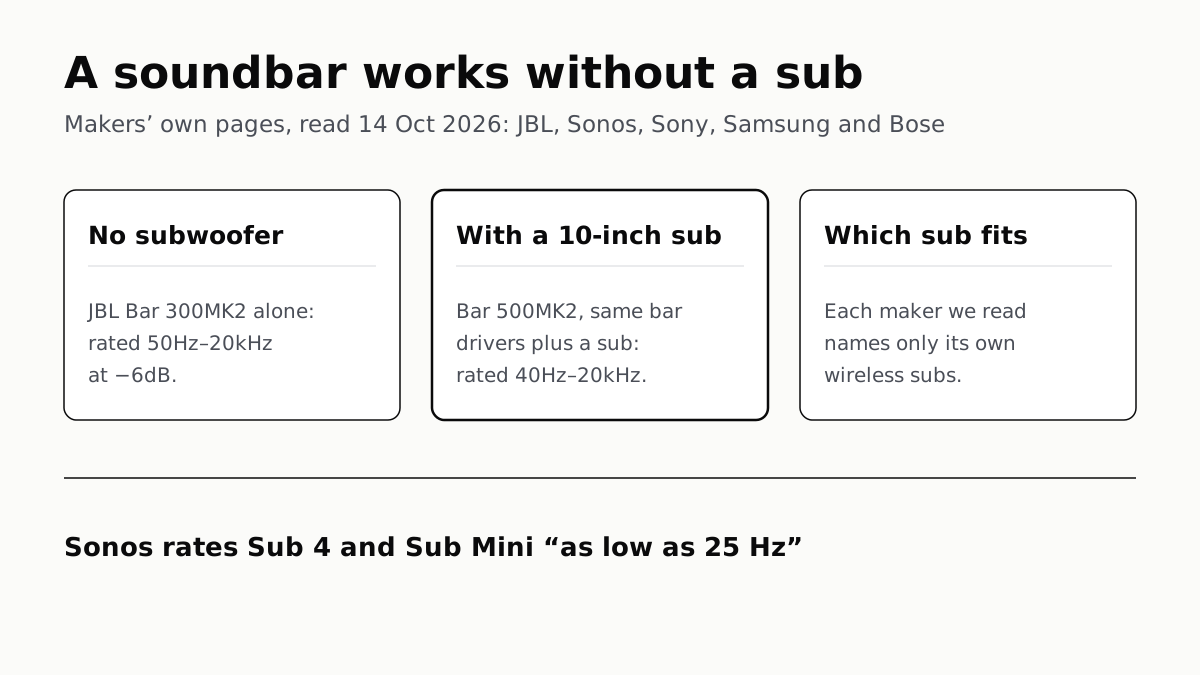
A Soundbar Works Without a Sub; Add One for the Lowest Bass
In JBL’s specs, the same bar drivers reach 50Hz alone and 40Hz with a 10-inch sub. Sony, Sonos and Samsung list only their own subs.
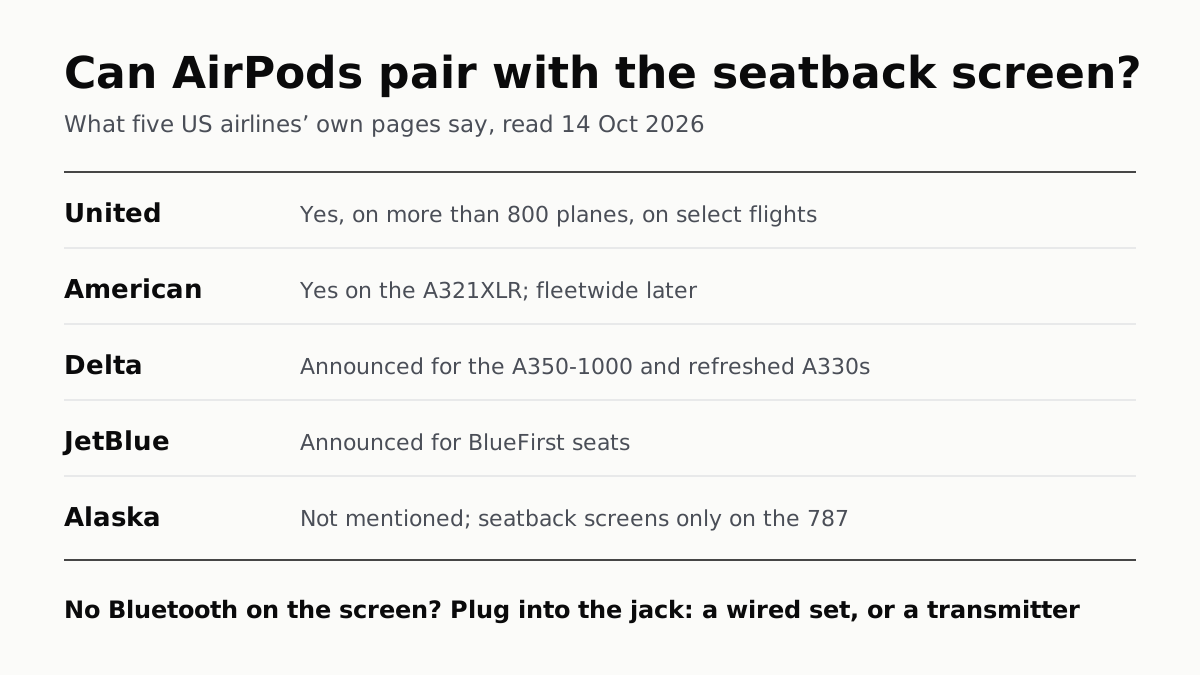
Seatback Bluetooth: United on 800+ Planes, Others Starting
American’s A321XLR has it and JetBlue and Delta have announced it. Without it, the seatback jack needs a wired plug or a transmitter.
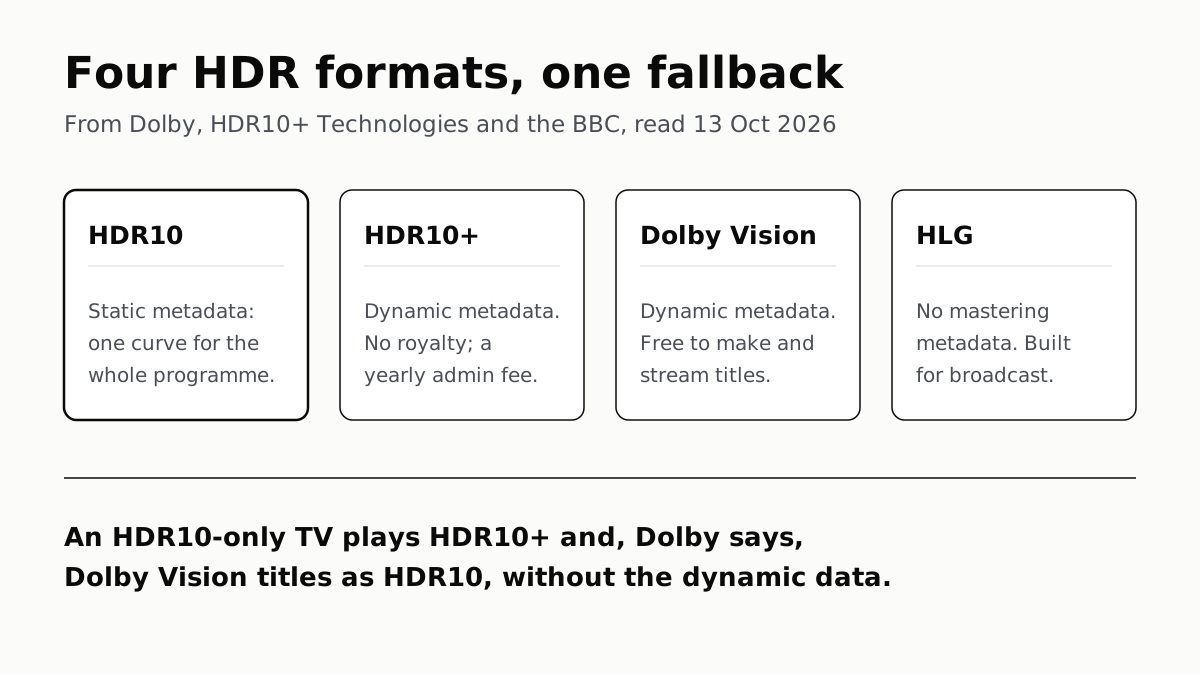
HDR10 Is the Fallback; Dolby Vision and HDR10+ Are Upgrades
Samsung’s S90F lists HDR10+, not Dolby Vision; LG’s C6 the reverse. TCL’s QM7K lists both.
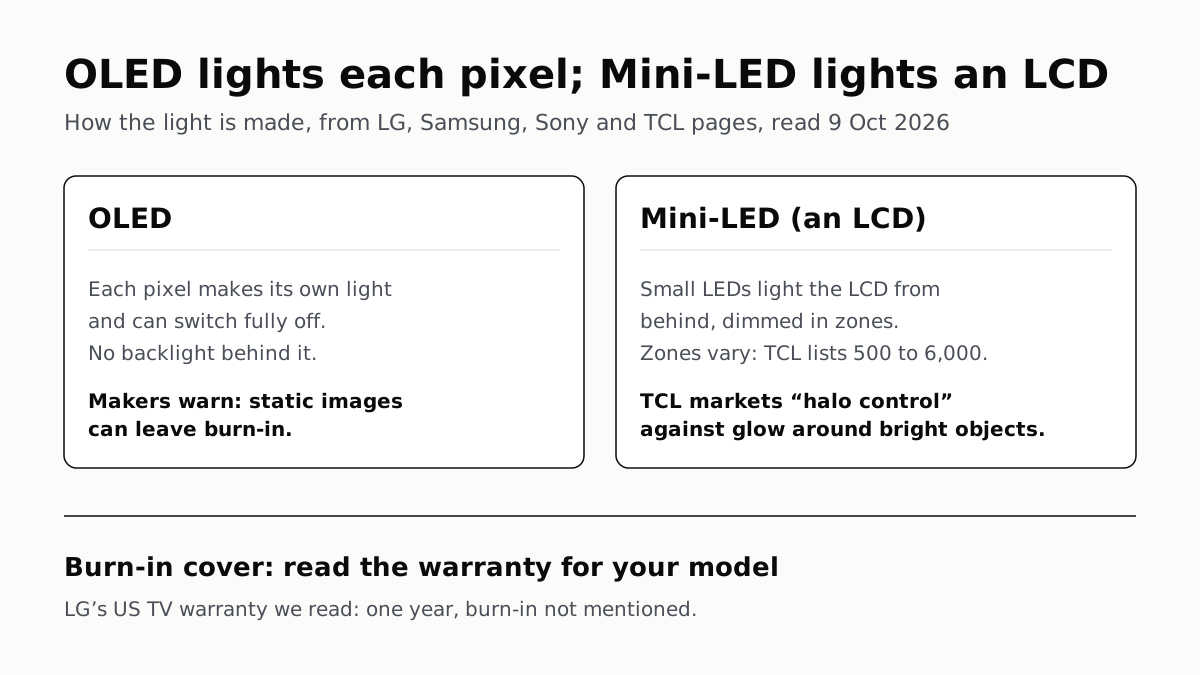
OLED Lights Each Pixel; Mini-LED Lights an LCD Behind It
Self-lit pixels give OLED its blacks and a burn-in risk; a zoned backlight gives Mini-LED brightness and a halo risk.