Apple Pencil Pro Fits Every Current iPad but the iPad (A16)
The iPad (A16) takes the $79 USB-C model or the 1st generation. The $129 2nd generation fits no iPad Apple sells today.
If you buy through our links, we may earn a commission. It never affects our verdicts or scores — how that works. As an Amazon Associate I earn from qualifying purchases.
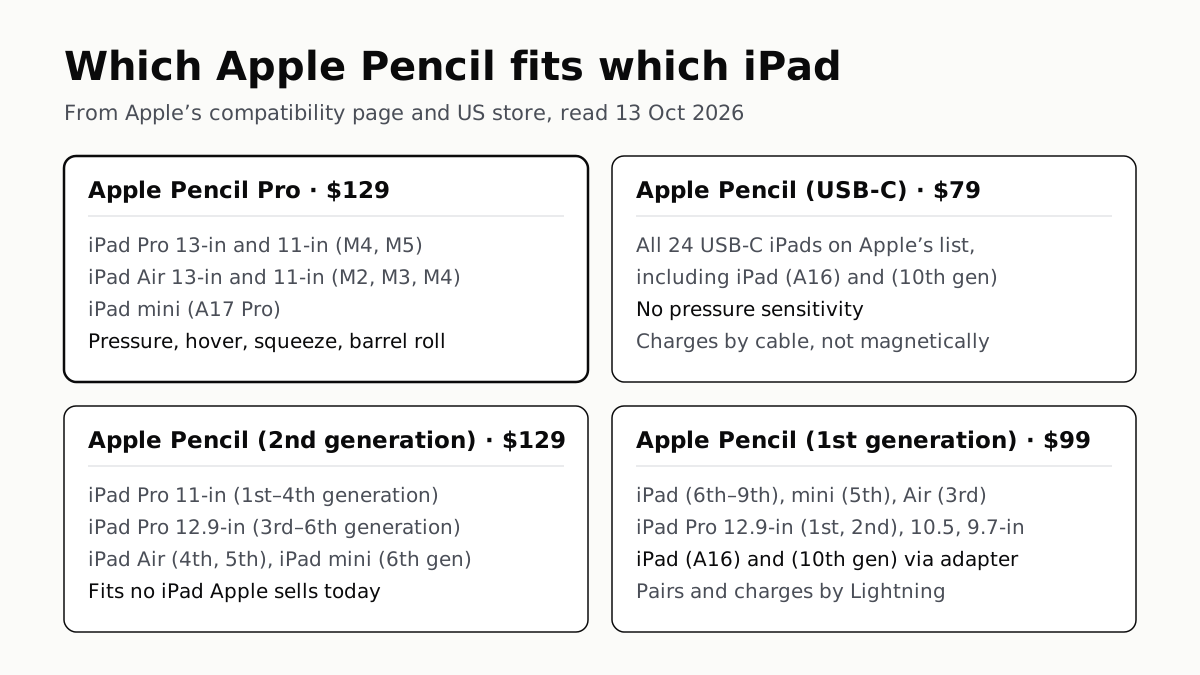
Apple Pencil Pro works with three of Apple’s four current iPads — the iPad Pro (M5), iPad Air (M4) and iPad mini (A17 Pro) — but not the iPad (A16), which takes the $79 Apple Pencil (USB-C) or the $99 1st generation. For an older iPad, the answer turns on the model, not the year: Apple’s compatibility page splits the 2nd generation, USB-C and 1st generation Pencils across different iPads, and the table below has each one.
Your iPad, and the Pencils that work with it
Apple’s compatibility page says each Pencil works “only with these iPad models”, so an iPad missing from a row’s list will not pair with that Pencil.
| iPad | Apple Pencil Pro (affiliate link to Amazon, opens in a new tab) | Apple Pencil (USB-C) (affiliate link to Amazon, opens in a new tab) | 2nd generation | 1st generation |
|---|---|---|---|---|
| iPad Pro 13-inch and 11-inch (M4, M5) | Yes | Yes | No | No |
| iPad Air 13-inch and 11-inch (M2, M3, M4) | Yes | Yes | No | No |
| iPad mini (A17 Pro) | Yes | Yes | No | No |
| iPad Pro 11-inch (1st–4th generation) | No | Yes | Yes | No |
| iPad Pro 12.9-inch (3rd–6th generation) | No | Yes | Yes | No |
| iPad Air (4th, 5th generation) | No | Yes | Yes | No |
| iPad mini (6th generation) | No | Yes | Yes | No |
| iPad (A16), iPad (10th generation) | No | Yes | No | Yes, with adapter |
| iPad (6th–9th generation) | No | No | No | Yes |
| iPad mini (5th generation), iPad Air (3rd generation) | No | No | No | Yes |
| iPad Pro 12.9-inch (1st, 2nd generation), 10.5-inch, 9.7-inch | No | No | No | Yes |
Not sure which you have? Apple says to look in Settings › General › About › Model Name. The Pro also needs iPadOS 17.5 or later, and the USB-C model iPadOS 17.1.1 or later.
The two traps
The $129 Apple Pencil (2nd generation) fits none of Apple’s current iPads. It works with the iPad Pro 11-inch up to the 4th generation, the iPad Pro 12.9-inch up to the 6th, the iPad Air (4th and 5th generation) and the iPad mini (6th generation). An iPad Air (M2) or later, iPad Pro (M4) or later and iPad mini (A17 Pro) are not on its list, though the 2nd generation sits beside the Pro at the same $129 in Apple’s store.
Apple Pencil Pro does not work with the iPad (A16). That iPad’s options are the USB-C model and the 1st generation. The 1st generation pairs and charges through Lightning, so on the iPad (A16) and iPad (10th generation) it needs the USB-C to Apple Pencil Adapter, which Apple includes in the box.
If you own one Pencil and are changing iPads, check both columns: a 2nd-generation Pencil from an iPad Air (5th generation) has no place on an iPad Air (M4).
What each Pencil does
Apple sells all four. The features are the ones Apple states on its own pages; “not listed” means Apple’s page for that Pencil names its other features but not this one.
| Apple Pencil Pro (affiliate link to Amazon, opens in a new tab) | Apple Pencil (USB-C) (affiliate link to Amazon, opens in a new tab) | 2nd generation | 1st generation | |
|---|---|---|---|---|
| US list price | $129 | $79 | $129 | $99 |
| Pressure sensitivity | Yes | No | Yes | Yes |
| Tilt sensitivity | Yes | Yes | Yes | Yes |
| Hover | Yes | Yes, on some iPads | iPad Pro 11-inch (4th gen), 12.9-inch (6th gen) | Not listed |
| Double tap | Yes | No | Yes | Not listed |
| Squeeze, barrel roll, haptic feedback | Yes | No | Not listed | Not listed |
| Find My | Yes | No | Not listed | Not listed |
| Pairing and charging | Magnetic, on the side of iPad | USB-C cable; magnet holds it for storage | Magnetic, on the side of iPad | Lightning (adapter on USB-C iPads) |
The USB-C model is the one without pressure sensitivity. Apple’s comparison marks it “not compatible” for pressure, double tap, squeeze, barrel roll, haptic feedback, Find My and wireless pairing and charging. It does have tilt and hover, and it is the only Pencil on Apple’s list for every USB-C iPad: 24 models, from the iPad (10th generation) to the iPad Pro (M5).
Apple’s own 2023 launch release for the USB-C model drew the line the same way: it said the 1st generation “supports pressure sensitivity” and the 2nd generation adds “support for pressure, the double-tap gesture, and Apple Pencil hover” on iPad Pro models with M2.
Hover depends on the iPad as well as the Pencil
Hover, which previews where the tip will land, needs a supported iPad. Apple’s Pencil page lists the iPad Pro (M4 and M5), iPad Pro 11-inch (4th generation), iPad Pro 12.9-inch (6th generation), iPad Air (M2, M3 and M4) and iPad mini (A17 Pro). Its pages disagree at the edges: the USB-C Pencil’s tech specs list hover iPads without the iPad Air (M4) or iPad mini (A17 Pro), and the Pro’s specs page leaves out the iPad Air (M4). If hover is why you are buying, the iPad Pro (M4 or M5) and iPad Air (M2 or M3) are on every list we read.
Which one to buy
On a current iPad Pro, iPad Air or iPad mini, the choice is between the Pro at $129 and the USB-C model at $79, and the difference is the feature table above: pressure, double tap, squeeze and magnetic charging on one side, $50 on the other. Apple pitches the USB-C model at “taking notes, sketching, marking up documents, journaling”; if you draw in an app that responds to pressure, that is the feature the $50 buys.
On the iPad (A16), it is the USB-C model or the 1st generation, which costs $20 more and adds pressure sensitivity but charges through an adapter.
On iPadOS, the Batteries widget shows the Pencil’s charge alongside your other devices — how to see battery percentage on iPhone, iPad and Android. Choosing the iPad itself? The iPad (A16) is also the current iPad left out of Apple Intelligence: which iPads get iPadOS 27 and Siri AI. And how the iPad Air scores against other tablets in published reviews covers the rest of the decision.
Questions people ask
Which Apple Pencil do I need for my iPad?
Find your iPad in the table on this page. As a rule of thumb from Apple’s lists: iPad Pro (M4 or M5), iPad Air (M2 or later) and iPad mini (A17 Pro) take the Pencil Pro or the USB-C model; older USB-C Pros, Airs and minis take the 2nd generation or USB-C; Lightning iPads take the 1st generation.
Does Apple Pencil 2 work with the iPad Air M2 or M3?
No. Apple’s compatibility page lists the 2nd generation for the iPad Air (4th and 5th generation) only. The iPad Air (M2), (M3) and (M4) take Apple Pencil Pro or Apple Pencil (USB-C).
Which Apple Pencil works with the iPad (A16)?
Apple Pencil (USB-C), $79, or Apple Pencil (1st generation), $99, which needs the USB-C to Apple Pencil Adapter included in its box. Apple Pencil Pro and the 2nd generation are not on Apple’s list for the iPad (A16).
What is the difference between Apple Pencil Pro and Apple Pencil USB-C?
Apple’s comparison gives the Pro pressure sensitivity, double tap, squeeze, barrel roll, haptic feedback, Find My and magnetic pairing and charging. The USB-C model has none of those, pairs and charges by cable, and costs $79 against $129. Both have tilt and hover.
Does the Apple Pencil USB-C have pressure sensitivity?
No. Apple’s own comparison marks pressure sensitivity as not available on Apple Pencil (USB-C). Of the four Pencils Apple sells, the Pro, the 2nd generation and the 1st generation have it.
Which Apple Pencil works with the iPad 9th generation?
Only the 1st generation, on Apple’s list. The iPad (9th generation) has a Lightning port, and Apple pairs and charges the 1st-generation Pencil through Lightning, with no adapter needed.
How we researched this
No one at bitcritiq has handled this product. Everything here comes from published sources, listed below.
- What this cannot tell you
- Apple's pages disagree on Apple Pencil hover for two iPads. apple.com/apple-pencil says hover works with the iPad Air (M4) and iPad mini (A17 Pro); the USB-C Pencil's tech specs page lists hover iPads without either, and the Pro's and 2nd generation's specs pages omit the iPad Air (M4). We have not used any of these Pencils, so nothing here says how they feel or how well an app supports them, and app support for pressure, hover or barrel roll is up to each app's developer.
How we chose this, and what we did
- Why this subject
- Search Console shows our tablet roundup collecting impressions for broad tablet comparison searches, and no page of ours answered the accessory question every iPad buyer meets next: which Apple Pencil works with this iPad. Apple sells four Pencils at once, two of them at the same price, and they split by iPad model rather than by age, so the wrong one is an easy purchase to make.
- How we looked at it
- The iPad-by-iPad lists are Apple Support 108937, 'Apple Pencil compatibility' (published 10 March 2026), checked against the compatibility lists on the tech specs pages for Apple Pencil Pro (120123), Apple Pencil (USB-C) (121318) and Apple Pencil (2nd generation) (111889), and against apple.com/apple-pencil. Features for the Pro and USB-C models are from the comparison table on apple.com/apple-pencil; for the 2nd generation from its tech specs page and Apple's newsroom release of 17 October 2023, which states its pressure support; for the 1st generation from its apple.com store page. Prices are list prices on the Apple Pencil page of Apple's US store. 'Current iPads' means the four lines with a Buy link on apple.com/ipad (iPad Pro, iPad Air, iPad and iPad mini), whose chips we took from apple.com/ipad/compare (M5, M4, A16) and from the Pencil selector on apple.com/apple-pencil, which names iPad mini (A17 Pro). All read on 13 October 2026. Where a cell says Apple does not list a feature, the control is that the same page lists the Pencil's other features: the 1st generation's store page names pressure and tilt, and the 2nd generation's names double tap and magnetic pairing.
What this rests on
6 claims, all official. Nothing here was measured by bitcritiq — see how we test for why. Open a claim to read the source it came from.
Apple Pencil Pro works with the iPad Pro 13-inch and 11-inch (M4 and M5), iPad Air 13-inch and 11-inch (M2, M3 and M4) and iPad mini (A17 Pro), on iPadOS 17.5 or later.Official
Apple Support 108937: 'You can use Apple Pencil Pro only with these iPad models and iPadOS 17.5 or later: iPad Pro 13-inch (M4 and M5), iPad Pro 11-inch (M4 and M5), iPad Air 13-inch (M2, M3, and M4), iPad Air 11-inch (M2, M3, and M4), iPad mini (A17 Pro)'.
Apple Pencil (USB-C) works with 24 iPad models, including the iPad (A16) and iPad (10th generation), on iPadOS 17.1.1 or later.Official
Apple Support 121318 lists 24 iPad models under Compatibility, from iPad Pro 13-inch (M5) to iPad mini (6th generation), and 'iPadOS 17.1.1 or later' under System Requirements. Apple Support 108937 gives the same models.
Apple Pencil (USB-C) has no pressure sensitivity and does not pair or charge wirelessly; it pairs and charges over USB-C.Official
The comparison table on apple.com/apple-pencil marks Pressure sensitivity and 'Wireless pairing and charging' as 'Not compatible with Apple Pencil (USB-C)'. Apple Support 121318: 'pairs and charges via a USB-C Charge Cable. It magnetically attaches to the side of iPad for storage.'
Apple Pencil (2nd generation) works with iPad Pro 11-inch (1st to 4th generation), iPad Pro 12.9-inch (3rd to 6th generation), iPad Air (4th and 5th generation) and iPad mini (6th generation), and with none of the current iPads.Official
Apple Support 108937: 'You can use Apple Pencil (2nd generation) only with these iPad models: iPad mini (6th generation), iPad Air (4th or 5th generation), iPad Pro 12.9-inch (3rd, 4th, 5th, or 6th generation), iPad Pro 11-inch (1st, 2nd, 3rd, or 4th generation)'. The current lines on apple.com/ipad are iPad Pro (M5), iPad Air (M4), iPad (A16) and iPad mini (A17 Pro).
Apple Pencil (1st generation) needs the USB-C to Apple Pencil Adapter to pair and charge with the iPad (A16) and iPad (10th generation), and the adapter is in the box.Official
Apple Support 108937 marks both iPads with '* USB-C to Apple Pencil Adapter required with this iPad to pair and charge Apple Pencil'. The Apple Store page lists in the box: 'USB-C to Apple Pencil Adapter (required to pair and charge with iPad (A16) and iPad (10th generation)'.
Apple's US store lists Apple Pencil Pro at $129, Apple Pencil (USB-C) at $79, Apple Pencil (2nd generation) at $129 and Apple Pencil (1st generation) at $99.Official
Apple Store, Apple Pencil page, read 13 October 2026: 'Apple Pencil Pro $129.00', 'Apple Pencil (USB-C) $79.00', 'Apple Pencil (2nd generation) $129.00', 'Apple Pencil (1st generation) $99.00'.
Sources 10
- Apple Pencil compatibility — Apple Support 108937 (published 10 March 2026)Officialaccessed Oct 13, 2026
- Apple Pencil — AppleOfficialaccessed Oct 13, 2026
- Apple Pencil — iPad Accessories — Apple Store (US)Officialaccessed Oct 13, 2026
- Apple Pencil Pro — Tech Specs — Apple Support 120123Officialaccessed Oct 13, 2026
Show 6 more · 6 official or standards
- Apple Pencil (USB-C) — Tech Specs — Apple Support 121318Officialaccessed Oct 13, 2026
- Apple Pencil (2nd generation) — Tech Specs — Apple Support 111889Officialaccessed Oct 13, 2026
- Apple Pencil (1st generation) — Apple Store (US)Officialaccessed Oct 13, 2026
- Apple introduces new Apple Pencil, bringing more value and choice to the lineup — Apple Newsroom, 17 October 2023Officialaccessed Oct 13, 2026
- iPad — AppleOfficialaccessed Oct 13, 2026
- iPad — Compare Models — AppleOfficialaccessed Oct 13, 2026
Pass it on
Know someone weighing this up? Send them the answer.
bitcritiq.com/6wazThe link is permanent: it opens this article for good, even if the title changes.
No email, no account
Follow bitcritiq
Every new article, in whatever reader you already use.
Subscribe by RSSAll the ways to follow
Using Chrome on Android? Open the browser menu and tap Follow. New articles then turn up in the Following tab in Discover.
read next
Chargers Rated 100–240V Need Only a Plug Adapter Abroad
Apple, Samsung and Google rate their chargers, and the MacBook Air, for 100–240V. A hair dryer built for 110–120V is a different case.
Send Your AirTag Link to United, Delta, American, JetBlue
Find My’s Share Item Location makes a seven-day link a bag agent can open. Apple says more than 50 airlines accept it.
Family Link Works From an iPhone. Screen Time Needs Apple
Neither app supervises the other maker’s phones. App limits, downtime, web filters and more, side by side, with iOS 27’s changes.
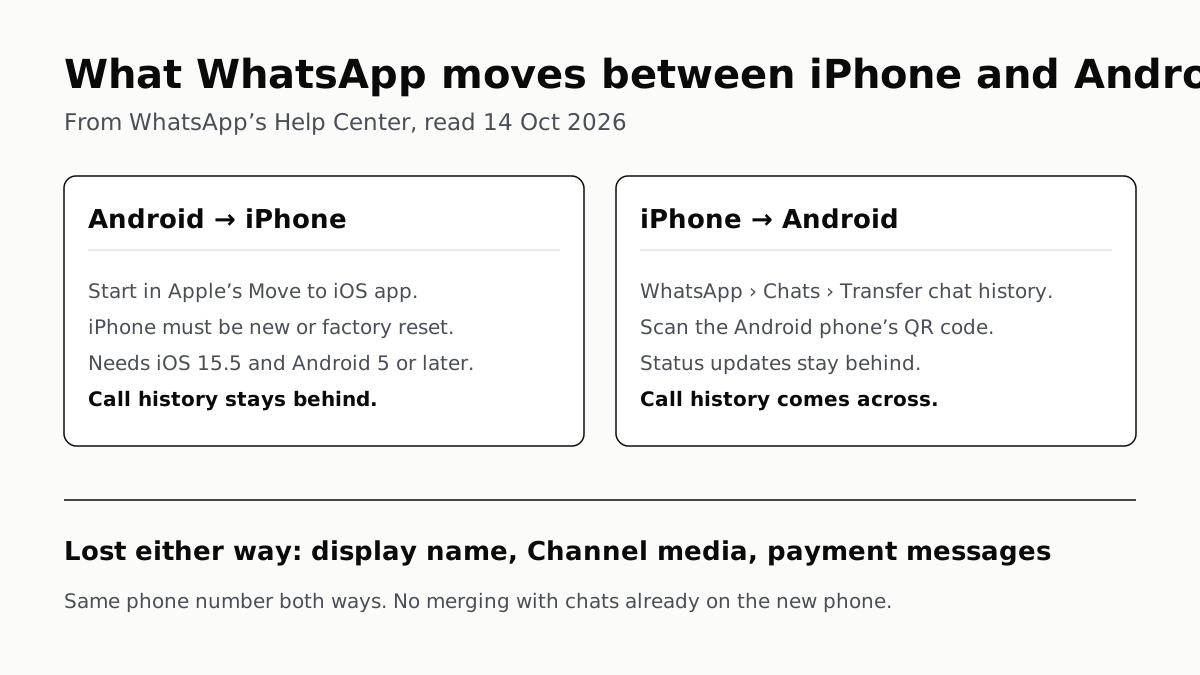
WhatsApp Chats Can Cross Between iPhone and Android
Messages, media and settings move both ways. Display names, Channel media and payment messages don’t, and call logs reach Android alone.