A VPN Hides Your Traffic From Your ISP, Not From the VPN
Sites see the VPN’s address, not yours. Logins, cookies and fingerprinting can still identify you, and the provider sees where you go.
If you buy through our links, we may earn a commission. It never affects our verdicts or scores — how that works. As an Amazon Associate I earn from qualifying purchases.
A VPN sends your internet traffic through an encrypted tunnel to a server run by the VPN provider, which passes it on to the sites you visit. That hides which sites you visit from your internet provider and the local Wi-Fi, and hides your IP address from the sites, but the VPN provider can see what your ISP used to.
It does not make you anonymous. EFF’s Surveillance Self-Defense guide says it plainly: “A VPN is not a tool for anonymity.”
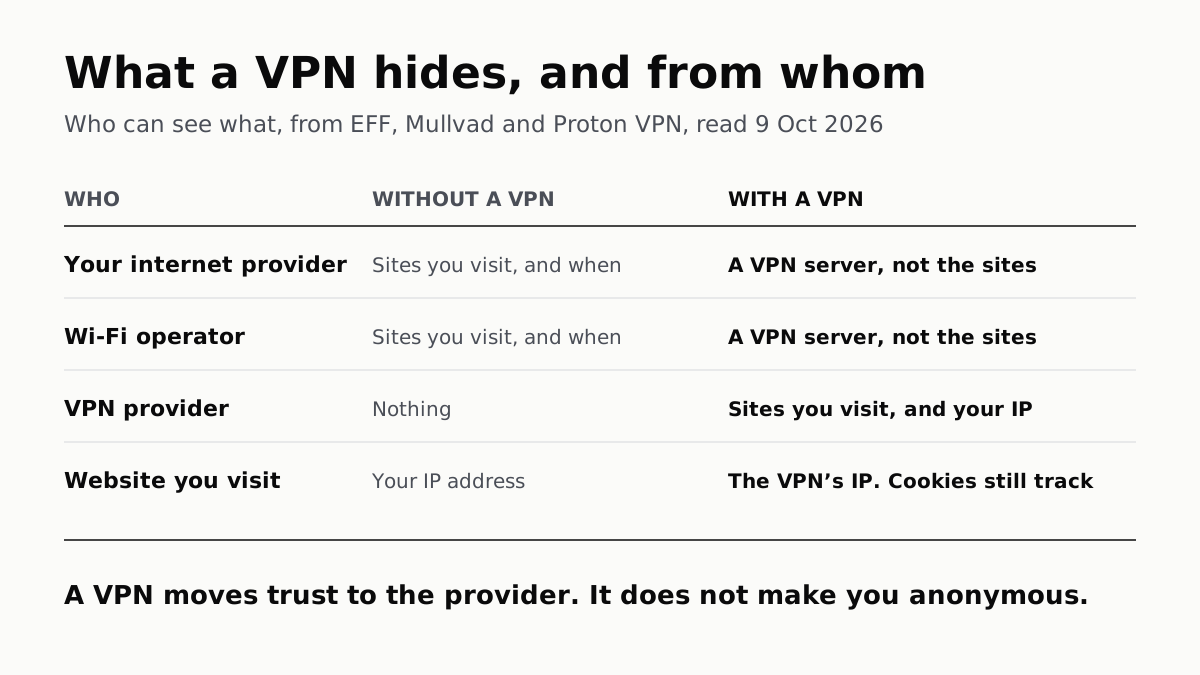
Who can see what
From EFF’s guide, Mullvad’s and Proton VPN’s explainers, and the FTC, read 9 October 2026. This assumes the site uses HTTPS, which the FTC says most now do.
| Who | Without a VPN | With a VPN |
|---|---|---|
| Your internet provider (home or mobile) | The domain names you visit and when, not the pages or what you type | That you are connected to a VPN server, not the sites behind it |
| The Wi-Fi operator, and others on a public network | The same as your ISP | The same: a VPN server, not the sites |
| The VPN provider | Nothing | The sites you visit and when, and your real IP address |
| The website or app you use | Your IP address, which gives your rough location, plus cookies, logins and your browser’s fingerprint | The VPN server’s IP address and location; cookies, logins and fingerprint are unchanged |
What it hides
From your internet provider and the local network. Without a VPN, HTTPS already encrypts what you send and read, but EFF says anyone along the path, from your ISP to the café’s Wi-Fi, “can usually see their domain names (e.g. wikipedia.org) and when you visit them.” With a VPN on, Mullvad says your ISP “only sees that you visit Mullvad, over and over again.” Proton adds that your DNS lookups, the requests that turn a site’s name into an address, go through the tunnel too.
That matters because of what ISPs do with it. An FTC staff report in October 2021 found many ISPs “collect and share far more data about their customers than many consumers may expect”, and that several combine web browsing data with other data to target ads.
From the sites you visit. EFF: “From a website’s point of view, it appears your location is wherever the VPN server is.” This is what lets a VPN get round a block on a school or office network, and what streaming services increasingly detect and block, as EFF also notes. It is also why a VPN adds a detour, and the distance to that server is the usual reason it slows your connection.
What it does not hide
Your traffic from the VPN provider. Mullvad, which sells VPNs, puts it most directly: “you switch your trust from your ISP to your VPN provider.” EFF says that whoever runs a commercial VPN “will see your traffic”, that a provider can be pressed by governments to hand data over, and that a claim of keeping no logs “is not a guarantee of good behavior.” Who pays for the servers is part of that judgement; our look at what a free VPN limits lists what each maker says funds its free tier.
You, from the sites themselves. A new IP address does not clear cookies or sign you out. EFF lists “GPS, web cookies, tracking pixels, or fingerprinting” as ways companies track you regardless, and adds that a VPN does nothing about the history kept in your browser or in an account you are signed in to. If you are logged in to a site, it knows who you are whatever address you arrive from. Mullvad, again a VPN seller, says that claiming a VPN alone gives you privacy online is “not telling the truth.”
Malware and phishing. Proton VPN: “A VPN is no defense if you follow a link in a phishing email or download malicious software from an unauthorized website.” The tunnel carries whatever you send, to wherever you send it. The FTC makes the same point about the padlock: a scam site can be encrypted, and your data “won’t be safe from scammers operating the site.”
Your traffic, whenever the tunnel is down. A VPN protects what goes through it. If the connection drops, traffic can carry on outside the tunnel unless a kill switch blocks it, and apps you exclude with split tunneling go out on your real address by design.
When a VPN is worth having
EFF says VPNs are “best suited for one thing: routing your network connection through a different network”, and names two everyday uses: getting past censorship or blocks on a network, and reaching a work or home network from elsewhere. To those, the table adds a third: keeping the list of sites you visit from your ISP or an untrusted Wi-Fi network, provided you trust the VPN provider more.
What it is not is the security tool its adverts suggest. EFF says those adverts “vastly oversell the benefits of VPNs”, and lists steps that do more for most people: strong passwords, two-factor authentication, HTTPS-only mode, software updates, encrypted DNS and tracker blocking. On public Wi-Fi, the FTC now says connecting is “usually safe” because most sites encrypt.
Questions people ask
What is a VPN and what does it do?
A VPN, or virtual private network, sends your internet traffic through an encrypted tunnel to a server run by the VPN provider, which passes it on to the sites you visit. Your ISP and local Wi-Fi see a connection to that server, and the sites see the server’s IP address instead of yours.
Does a VPN hide your IP address?
From the websites and apps you use, yes: they see the VPN server’s IP address and a location wherever that server is. The VPN provider still sees your real IP address, and EFF notes it may collect it.
Can my ISP see what I do with a VPN?
It can see that you are connected to a VPN server, but not which sites you visit through it. Mullvad puts it as your provider seeing you visit Mullvad over and over again. The VPN provider is now in the position your ISP was.
Does a VPN make you anonymous?
No. EFF says a VPN is not a tool for anonymity. Sites can still recognise you through cookies, tracking pixels, browser fingerprinting and accounts you are signed in to, and the VPN provider knows your real IP address.
Do I need a VPN on public Wi-Fi?
Less than you used to. The FTC says public Wi-Fi is usually safe now because most sites use encryption. EFF says a VPN can hide which sites you visit from people on that network, so it helps most on a network you do not trust.
Does a VPN protect against viruses and phishing?
No. Proton VPN says a VPN is no defense if you follow a phishing link or download malicious software, and is no substitute for antivirus. Some VPN apps add a blocker for known bad sites, which is a separate feature.
How we researched this
No one at bitcritiq has handled this product. Everything here comes from published sources, listed below.
- What this cannot tell you
- We did not test any VPN, inspect its traffic or audit any provider’s logging claims. What a VPN provider does with what it can see depends on that provider, and we make no claim about any one provider’s honesty. The FTC’s ISP findings are from a 2021 staff report on six US providers and describe what ISPs collect, not what any one ISP does today. The FTC’s consumer pages we found do not discuss VPNs; we searched consumer.ftc.gov for VPN and found none, while its public Wi-Fi article (the control) discusses encryption at length.
How we chose this, and what we did
- Why this subject
- Our 4 October Google Trends digest had “what is vpn”, “what is a vpn” and “what is the best vpn” among the top services queries. bitcritiq had six VPN explainers on kill switches, split tunneling, speed, free plans, renewal prices and passthrough, and none answering the first question a searcher has. This answers it without ranking providers.
- How we looked at it
- Read through a browser on 9 October 2026: the EFF Surveillance Self-Defense guide ‘Choosing the VPN That’s Right for You’ (last reviewed 28 July 2026), Mullvad’s ‘What is a VPN?’ page, Proton VPN’s ‘Does a VPN protect you from hackers?’, the FTC consumer article ‘Are Public Wi-Fi Networks Safe?’ (February 2023) and the FTC’s October 2021 press release on its staff report into ISP data practices. The who-sees-what table is built from those pages; each cell traces to one of them. Two of the five sources are VPN makers describing their own product category; where a sentence rests on them, it names them.
What this rests on
6 claims, all official. Nothing here was measured by bitcritiq — see how we test for why. Open a claim to read the source it came from.
With a VPN, websites see the VPN server’s IP address and location instead of yours.Official
EFF SSD: “the traffic leaves the VPN to its ultimate destination, masking your original IP address. From a website’s point of view, it appears your location is wherever the VPN server is.”
A VPN hides your traffic from your ISP and the local network, but the VPN provider can see it.Official
EFF SSD: “A VPN also hides your outgoing traffic from your ISP and the local network owner (like a coffee shop or hotel)… However, while a VPN hides your browsing data from the ISP, it’s all visible to the VPN provider.” Mullvad: “When you use a VPN service, you switch your trust from your ISP to your VPN provider.”
With HTTPS and no VPN, your ISP and people on the same public Wi-Fi can usually see the domain names you visit and when, but not the pages or what you send.Official
EFF SSD: “anyone along the communication path… can usually see their domain names (e.g. wikipedia.org) and when you visit them. But these parties can’t see the pages you visit on those sites… your login name, or messages you send.”
A VPN does not make you anonymous: cookies, tracking pixels, fingerprinting and GPS can still track you.Official
EFF SSD: “A VPN is not a tool for anonymity, and while it can protect your location from some companies, there are many other ways companies may track you, including GPS, web cookies, tracking pixels, or fingerprinting.”
A VPN does not protect you if you follow a phishing link or download malware.Official
Proton VPN: “A VPN is no defense if you follow a link in a phishing email or download malicious software from an unauthorized website.” and “a VPN is no substitute for antivirus or internet security software”.
The FTC found many ISPs collect and share more data than customers may expect, including combining web browsing data to target ads.Official
FTC, October 2021: ISPs “collect and share far more data about their customers than many consumers may expect—including access to all of their Internet traffic and real-time location data” and “combine personal, app usage, and web browsing data to target ads”.
Sources 5
- Choosing the VPN That’s Right for You — EFF Surveillance Self-Defense (last reviewed 28 July 2026)Officialaccessed Oct 9, 2026
- What is a VPN? And how does it protect you against mass surveillance? — Mullvad VPNOfficialaccessed Oct 9, 2026
- Does a VPN protect you from hackers? — Proton VPNOfficialaccessed Oct 9, 2026
- Are Public Wi-Fi Networks Safe? What You Need To Know — FTC Consumer Advice (February 2023)OfficialStandards / .govaccessed Oct 9, 2026
- FTC Staff Report Finds Many Internet Service Providers Collect Troves of Personal Data — FTC press release, October 2021OfficialStandards / .govaccessed Oct 9, 2026
Pass it on
Know someone weighing this up? Send them the answer.
bitcritiq.com/7qpuThe link is permanent: it opens this article for good, even if the title changes.
No email, no account
Follow bitcritiq
Every new article, in whatever reader you already use.
Subscribe by RSSAll the ways to follow
Using Chrome on Android? Open the browser menu and tap Follow. New articles then turn up in the Following tab in Discover.
read next
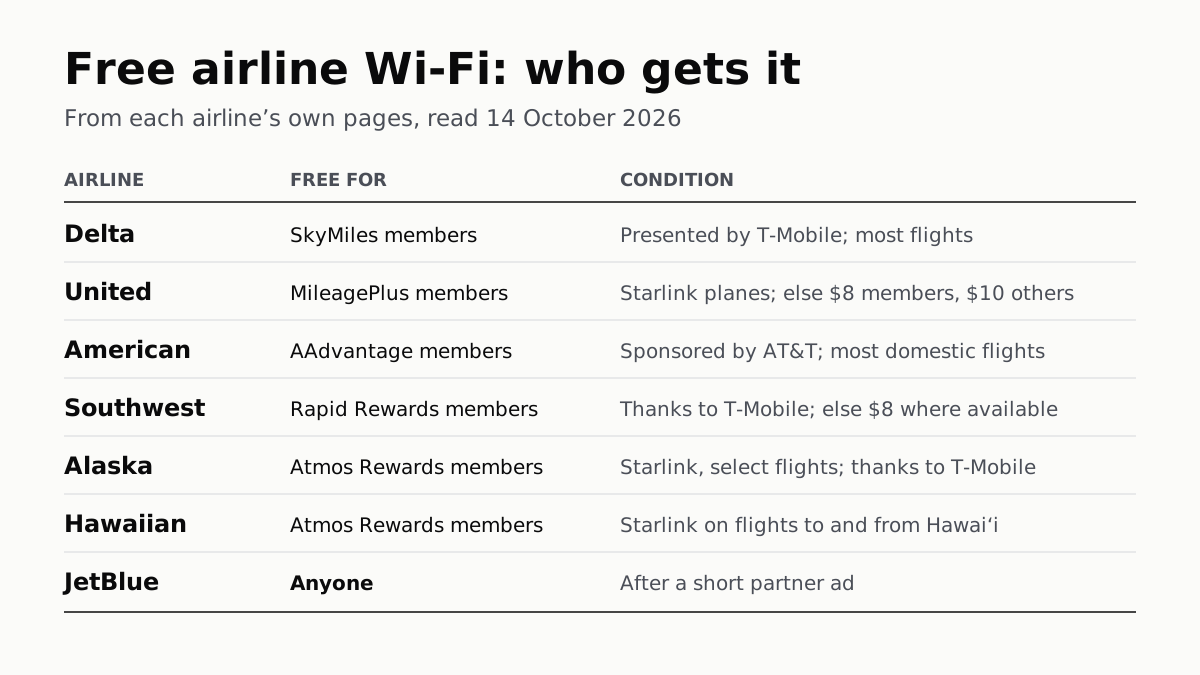
Free Airline Wi-Fi Needs a Loyalty Login, Except JetBlue
Delta, United, American, Southwest, Alaska and Hawaiian are free on equipped planes for members; JetBlue asks for a short ad.
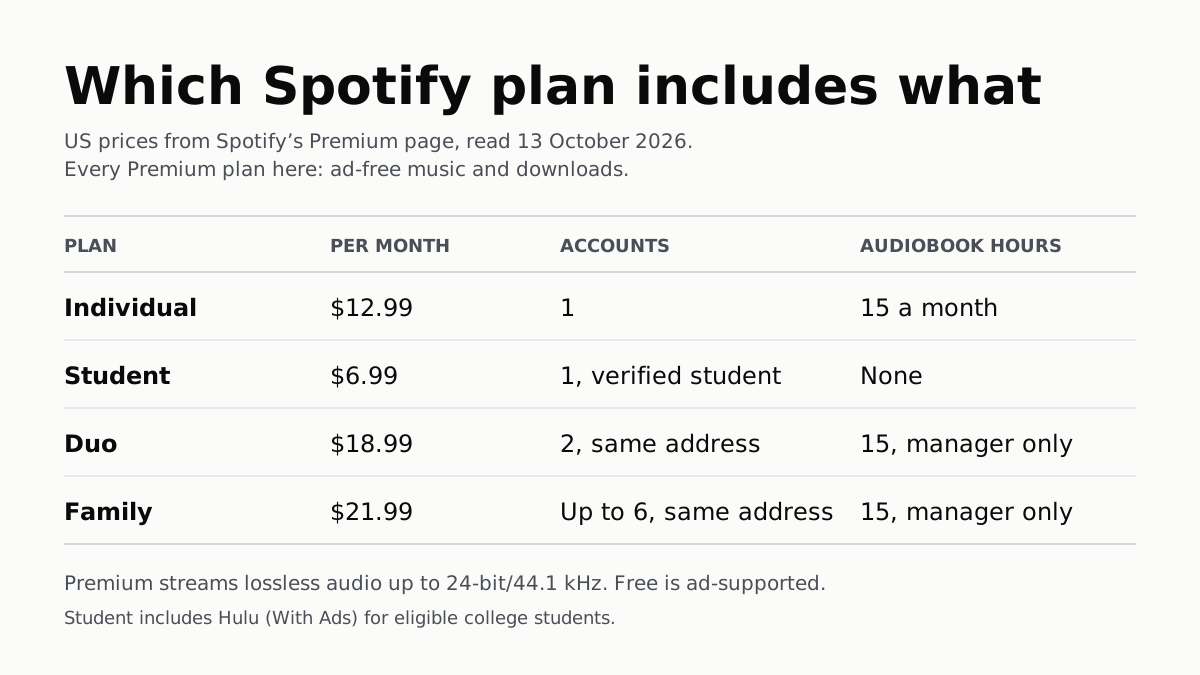
Spotify Premium Is $12.99; Family Covers 6 for $21.99
Duo is $18.99 for two at one address and Student $6.99 with Hulu. Individual and plan managers get 15 audiobook hours a month.
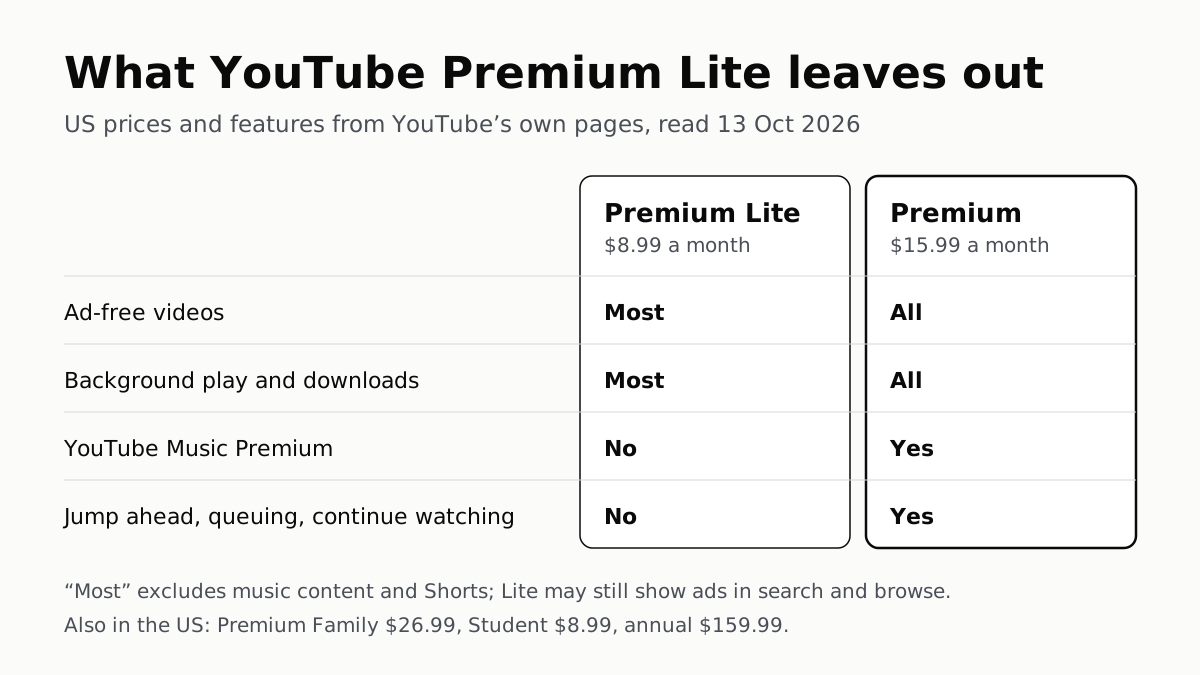
YouTube Premium Lite Keeps Ads on Music and Shorts
At $8.99 a month against $15.99, Lite also leaves out the YouTube Music app and downloads or background play for songs.
Apple One Costs $13 to $35 a Month Less Than Its Parts
Individual $21.95: Music, TV, Arcade, 50GB. Family $27.95: the same with 200GB, for six. Premier $39.95 adds News+, Fitness+, 2TB.