What Fits on the Graphics Card You Already Own
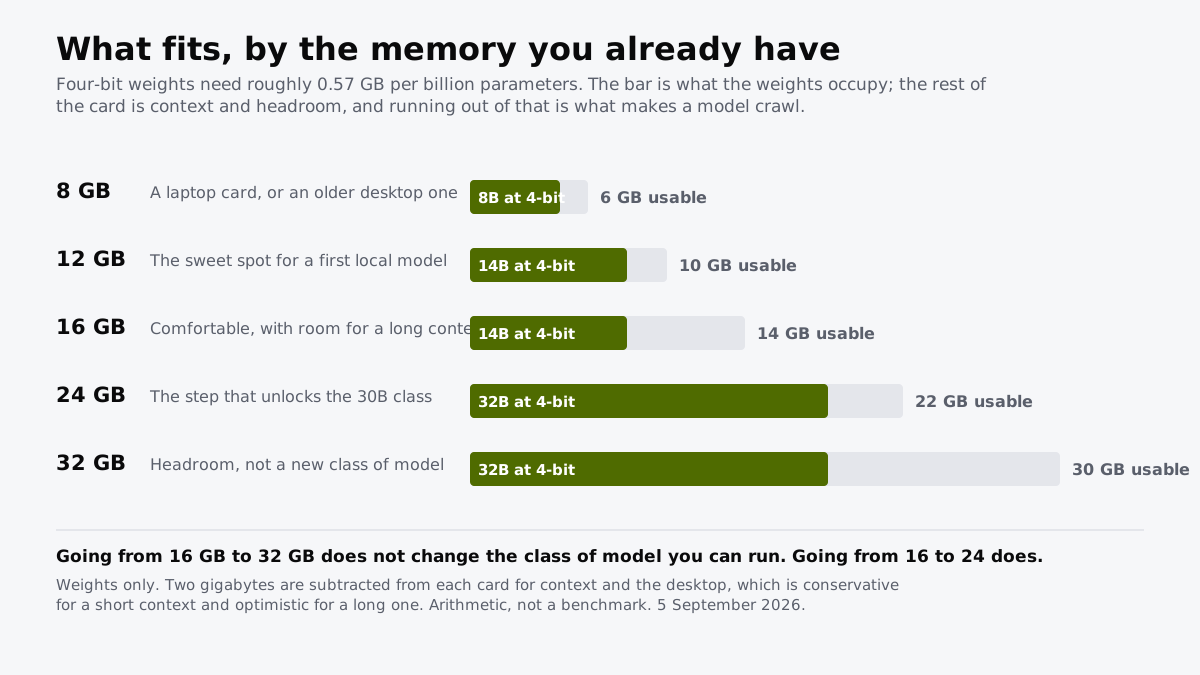
Four-bit weights need about 0.57GB per billion parameters. That one number decides the whole question.
If you buy through our links, we may earn a commission. It never affects our verdicts or scores — how that works. As an Amazon Associate I earn from qualifying purchases.
One multiplication answers the whole question. Four-bit weights need roughly 0.57GB per billion parameters, so an 8B model is about 4.6GB and a 32B model about 18.2GB, before context.
Work from the card you own rather than from a buyer’s guide and most people discover they already have what they need.
The ladder
| Your card | Usable after headroom | Largest 4-bit model that fits |
|---|---|---|
| 8 GB | ~6 GB | 8B |
| 12 GB | ~10 GB | 14B |
| 16 GB | ~14 GB | 14B |
| 24 GB | ~22 GB | 32B |
| 32 GB | ~30 GB | 32B |
Arithmetic, not benchmarks. Two gigabytes are subtracted from each card for context and the desktop, which is generous for a short context and tight for a long one.
The two rows that matter are the ones that repeat
Look at the table again. 16GB and 32GB hold the same class of model, and so do 12GB and 16GB. The steps that look biggest on a spec sheet buy headroom rather than capability.
The one upgrade that unlocks a genuinely different size is 16GB to 24GB, which is the difference between a 14B model and a 32B one. That is a real change in what the thing can do; the others are a change in how comfortably it does the same thing.
If you are spending money on this, spend it on crossing that line rather than on the biggest number available.
Where the arithmetic stops helping
It says nothing about speed. A model that fits generates at a rate governed mostly by memory bandwidth, which differs by a factor of two or more between cards holding the same amount. Fitting is a yes-or-no test; speed is a separate question with a separate answer.
Context is not free. A long conversation occupies the same memory the weights do, and a big context window can consume more than the model itself, which is the mechanism behind why chatbots forget.
Four-bit is a compromise. It is the sensible default and it does cost some quality. At eight-bit every figure here roughly doubles, which moves a 14B model from about 8GB to about 14GB and off most cards.
When no card is the answer
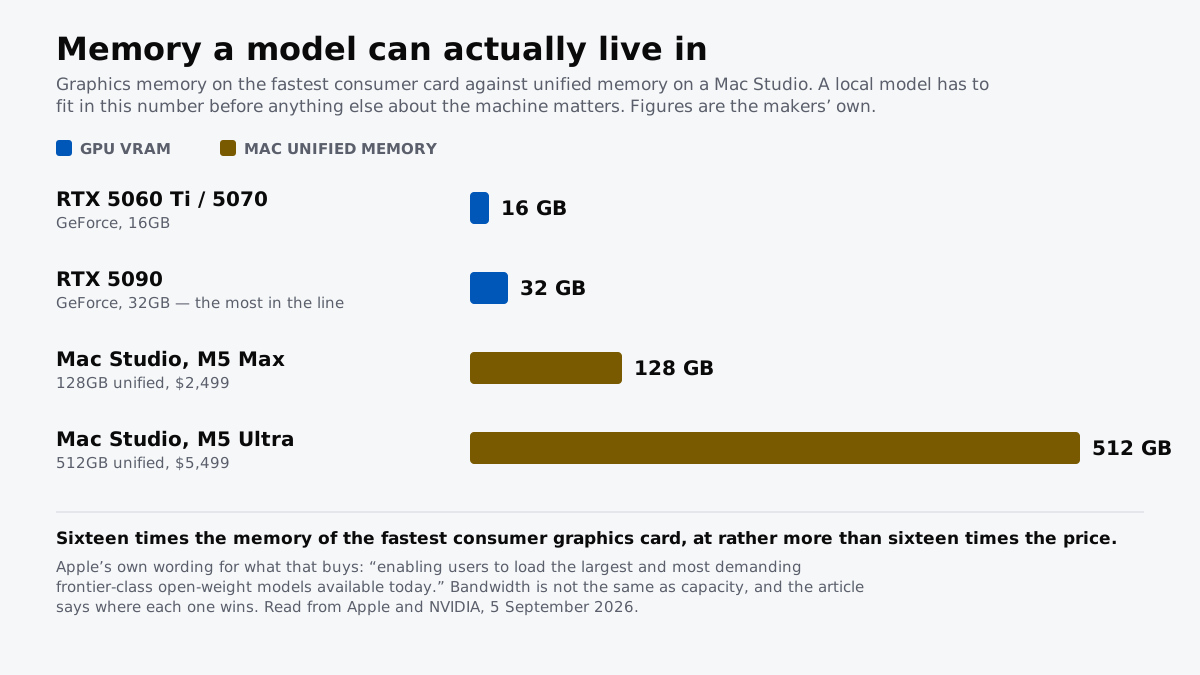
At 70B the weights alone are about 40GB at four-bit, and no consumer graphics card holds that. That is the point where the question stops being which card and becomes which machine, and where a unified-memory desktop changes the arithmetic entirely.
For nearly everyone reading this, the 70B row is a curiosity rather than a plan.
What to actually do
- Look up your card’s memory before buying anything. The number is the whole answer and most people have never checked it.
- Start with a model two sizes below your ceiling. It leaves room for a long context, and the difference between an 8B and a 14B model is smaller than the difference between a model that fits and one that swaps.
- Upgrade to cross 24GB, or do not upgrade. Every other step buys headroom.
- Add system memory before replacing the card. Partial offload is slow and it is much cheaper than a new card, and it turns a model that will not load into one that will.
How we researched this
No one at bitcritiq has handled this product. Everything here comes from published sources, listed below.
- What this cannot tell you
- This is a capacity calculation and says nothing about speed. A model that fits can still be slow, and how slow depends on memory bandwidth, which varies enormously between cards of the same capacity. The two-gigabyte headroom is conservative for a short context and optimistic for a long one, and a large context can consume more than the weights do. It also assumes four-bit quantisation, which costs some quality; at eight-bit every figure here roughly doubles. Nothing on this page is a benchmark, and bitcritiq has not measured token rates on any of these cards.
How we chose this, and what we did
- Why this subject
- Almost everyone asking what hardware they need for local AI already owns a graphics card and does not know what it can do. The arithmetic that answers it is one multiplication, and it is buried under buyer's guides that would rather sell an upgrade. Working it the other way round — start from the card, find the model — answers the question for most people without spending anything.
- How we looked at it
- The footprint figures are arithmetic rather than benchmarks: four-bit weights at roughly 0.57GB per billion parameters, the Q4_K_M ratio our own VRAM explainer already uses, with two gigabytes subtracted from each card for context and desktop use. Every step is shown so the sums can be checked against a specific model rather than taken on trust.
What you would need
A 16GB graphics card, if you have 8GB now
The step that takes you from the 8B class to the 14B class, which is where a local model starts being genuinely useful for drafting and code rather than a demonstration. Look for the memory figure first and the model name second, because two cards with the same name can ship with different amounts.
Check price on Amazon (affiliate link, opens in a new tab)A 24GB graphics card, if you want the 30B class
This is the only upgrade on the page that unlocks a new size of model rather than more headroom. Twenty-four gigabytes holds a 32B model at four-bit with room for context; sixteen does not, at any quantisation worth using.
Check price on Amazon (affiliate link, opens in a new tab)System RAM, if the card is the wrong side of the line
Running partly on the processor is far slower than running on the card, but it is the difference between a model that loads and one that does not. Cheap, and worth doing before replacing a card you otherwise like.
Check price on Amazon (affiliate link, opens in a new tab)
We have not tested these and are not picking one for you — each link is a search for the class of thing described above. If you buy through one we may earn a commission, which changes nothing on this page. How that works. As an Amazon Associate I earn from qualifying purchases.
What this rests on
5 claims, all corroborated. Nothing here was measured by bitcritiq — see how we test for why. Open a claim to read the source it came from.
Four-bit weights occupy roughly 0.57GB per billion parameters, so an 8B model needs about 4.6GB before anything else.Corroborated
The Q4_K_M quantisation used by default in common local runtimes averages a little over half a byte per parameter. 8 billion multiplied by 0.57 is 4.56.
Going from a 16GB card to a 32GB card does not change the class of model you can run at four-bit.Corroborated
A 14B model needs about 8GB of weights and fits in both. The next common size up is 32B at about 18.2GB, which needs more usable memory than 16GB leaves and fits in 24GB.
The upgrade that actually unlocks a new size is 16GB to 24GB, not 16GB to 32GB.Corroborated
22GB usable holds a 32B model at four-bit with room for context; 14GB usable does not hold it at any quantisation worth using.
A 70B model at four-bit needs about 40GB of weights alone, which no single consumer graphics card holds.Corroborated
70 billion multiplied by 0.57 is 39.9. NVIDIA's largest GeForce card carries 32GB.
Eight-bit quantisation roughly doubles every figure on this page.Corroborated
Eight-bit is one byte per parameter against roughly 0.57 at four-bit, so a 14B model moves from about 8GB to about 14GB.
Sources 4
- How Much VRAM You Need to Run an LLM on Your Own Machine — bitcritiqaccessed Sep 5, 2026
- 512GB of Memory Changes What You Can Run at Home — bitcritiqaccessed Sep 5, 2026
- GeForce RTX 50 Series Graphics Cards — NVIDIAOfficialaccessed Sep 5, 2026
- Why ChatGPT Forgets What You Told It Earlier — bitcritiqaccessed Sep 5, 2026
No email, no account
Follow bitcritiq
Every new article, in whatever reader you already use.
Subscribe by RSSAll the ways to follow
Using Chrome on Android? Open the browser menu and tap Follow. New articles then turn up in the Following tab in Discover.
read next
Google's CC Agent Reads Only the Family Email You Share
Open Weight Is Not Open Source