Mac mini M6 Starts at $899; Memory Can’t Be Added Later
Four standard models, $899 to $1,699, and Apple’s price for each chip, memory, storage and Ethernet upgrade, read from its US store.
If you buy through our links, we may earn a commission. It never affects our verdicts or scores — how that works. As an Amazon Associate I earn from qualifying purchases.
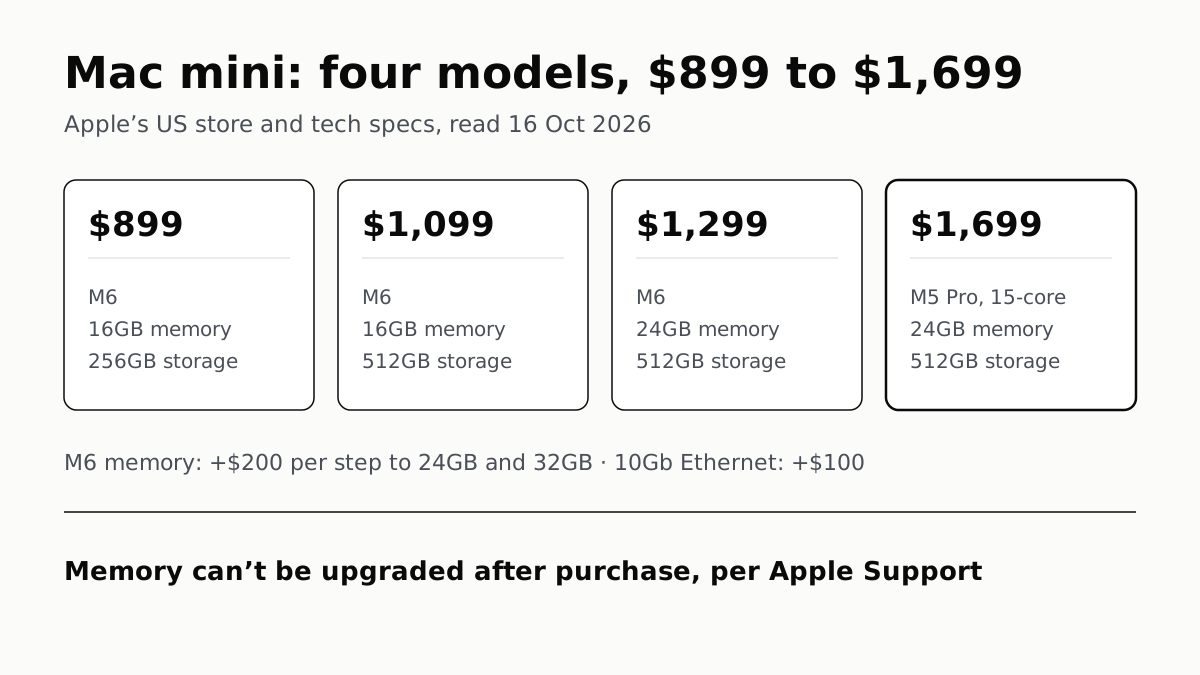
The Mac mini comes in four standard US models, from $899 for an M6 with 16GB of memory and 256GB of storage to $1,699 for an M5 Pro with 24GB and 512GB. Memory is the upgrade to settle at checkout, because Apple says it can’t be upgraded afterwards; storage, the faster M5 Pro chip and 10Gb Ethernet are each priced as add-ons on Apple’s US store.
Apple sells the Mac mini with two chips, the M6 (affiliate link to Amazon, opens in a new tab) and the M5 Pro (affiliate link to Amazon, opens in a new tab), and every option below was read from Apple’s US configurator and tech specs on 16 October 2026.
The four standard models
| Price | Chip | Memory | Storage | Thunderbolt |
|---|---|---|---|---|
| $899 | M6, 12-core CPU, 12-core GPU | 16GB (153GB/s) | 256GB | 3 × Thunderbolt 4 |
| $1,099 | M6, 12-core CPU, 12-core GPU | 16GB (153GB/s) | 512GB | 3 × Thunderbolt 4 |
| $1,299 | M6, 12-core CPU, 12-core GPU | 24GB (170GB/s) | 512GB | 3 × Thunderbolt 4 |
| $1,699 | M5 Pro, 15-core CPU, 16-core GPU | 24GB (307GB/s) | 512GB | 3 × Thunderbolt 5 |
All four have the same 5-inch-square silver case, 2.5Gb Ethernet, HDMI, two front USB-C ports at up to 10Gb/s, a headphone jack, Wi-Fi 7 and Bluetooth 6. The three M6 models differ only in memory and storage, and the prices line up with Apple’s add-on costs: the $1,099 model is the $899 one plus $200 of storage, and the $1,299 model adds $200 of memory on top.
What each upgrade costs
| Option | On M6 | On M5 Pro |
|---|---|---|
| Faster chip | — | 18-core CPU, 20-core GPU: +$200 |
| Memory | 24GB +$200, 32GB +$400 (from 16GB) | 48GB +$600, 64GB +$1,000 (from 24GB) |
| Storage | 512GB +$200, 1TB +$500, 2TB +$1,000 (from 256GB) | 1TB +$300, 2TB +$800, 4TB +$1,800, 8TB +$3,800 (from 512GB) |
| 10Gb Ethernet | +$100 | +$100 |
Adding up Apple’s listed prices, the most an M6 Mac mini can cost is $2,399 (32GB, 2TB, 10Gb Ethernet) and the most an M5 Pro can cost is $6,799 (18-core chip, 64GB, 8TB, 10Gb Ethernet).
Memory: decide it once
Apple Support states that memory in the M6 and M5 Pro Mac mini is integrated into the chip package and can’t be upgraded; you configure it when you buy. On the M6, moving from 16GB to 24GB or 32GB also raises memory bandwidth from 153GB/s to 170GB/s, per Apple’s specs, so the upgrade changes speed as well as capacity. The M6 tops out at 32GB. Anything above that means the M5 Pro, which offers 48GB or 64GB.
How much you need depends on what you run. Our look at whether 16GB of RAM is enough sets out what current games ask for, and the case for buying more where memory is soldered. For running AI models at home, unified memory against graphics-card VRAM explains why memory capacity is the figure that limits model size on a Mac.
Storage: the base model is the only 256GB
Only the $899 model ships with 256GB; every other configuration starts at 512GB. On the M6, 512GB costs $200 more than 256GB. Above 512GB the steps cost the same on both chips: $300 to reach 1TB, $800 to reach 2TB. Only the M5 Pro goes to 4TB and 8TB. Apple’s pages we read do not say whether the internal SSD can be replaced later, so we have not assumed it can.
Chip: what the extra $400 buys
The cheapest M5 Pro model is $400 more than the $1,299 M6 model with the same 24GB and 512GB. For that, Apple lists a 15-core CPU and 16-core GPU against 12 and 12, memory bandwidth of 307GB/s against 170GB/s, and Thunderbolt 5 at up to 120Gb/s against Thunderbolt 4 at 40Gb/s. The M5 Pro also opens the 48GB and 64GB memory options and 4TB and 8TB storage. One spec runs the other way: Apple lists the M6 with a dual 16-core Neural Engine and the M5 Pro with a single 16-core Neural Engine.
Apple’s pages do not say how much faster either chip is in a given app, and we have not measured them, so the specs above are the comparison we can make.
Displays
Both chips support up to three external displays across Thunderbolt and HDMI. On the M6, two can run at up to 6K at 60Hz plus a third at up to 5K over Thunderbolt or 4K over HDMI, and a single Thunderbolt port drives up to two. On the M5 Pro, all three can run at up to 6K at 60Hz, and a single Thunderbolt port drives up to three.
Ethernet: 2.5Gb standard, 10Gb for $100
Every configuration has a 2.5Gb Ethernet port. For $100, on either chip, Apple fits a 10Gb port that also links at 1Gb, 2.5Gb and 5Gb. A wired link runs at the fastest speed both ends support, so the option only pays off with a 5Gb or 10Gb switch, router or network storage at the other end. Every model also has Wi-Fi 7, so a wired port is not required to get online.
Before you buy
If you already own an Apple silicon Mac mini, the macOS 27 compatibility list covers the Mac mini back to the M1, which is worth reading before replacing one. If macOS is not a requirement, our mini PC shortlist averages published review scores for Windows alternatives from Geekom and Minisforum. If you need Windows only for a few apps, running Windows on the Mac mini itself is the other route.
Questions people ask
How much is the Mac mini M6?
The M6 Mac mini starts at $899 in the US with 16GB of memory and a 256GB SSD. Apple’s other standard M6 models are $1,099 (16GB, 512GB) and $1,299 (24GB, 512GB). The M5 Pro model starts at $1,699.
Can you upgrade the RAM in a Mac mini later?
Not on the M6 or M5 Pro models. Apple Support says their memory is integrated into the chip package and can’t be upgraded; you choose it when you buy. On the M6 that means 16GB, 24GB (+$200) or 32GB (+$400).
What does the M5 Pro Mac mini add over the M6?
Per Apple’s specs: a 15-core CPU and 16-core GPU against 12 and 12, 307GB/s memory bandwidth against 170GB/s at most, Thunderbolt 5 instead of 4, and memory options of 48GB or 64GB. The cheapest M5 Pro is $400 more than the $1,299 M6 with the same 24GB and 512GB.
Is 10Gb Ethernet worth it on a Mac mini?
It costs $100 and raises the port’s top link speed from 2.5Gb to 10Gb. A wired link runs at the fastest speed both ends support, so the gain needs a 10Gb or 5Gb switch, router or storage device on the other end.
How many monitors can a Mac mini support?
Both chips support up to three external displays across the Thunderbolt and HDMI ports, according to Apple. The M5 Pro can drive all three over a single Thunderbolt port; the M6 can drive two over one port.
What are the alternatives to the Mac mini?
If you do not need macOS, Windows mini PCs from makers such as Geekom and Minisforum fill the same small-desktop role. Our best mini PCs page compares the ones several outlets have reviewed, by their averaged scores.
How we researched this
No one at bitcritiq has handled this product. Everything here comes from published sources, listed below.
- What this cannot tell you
- These are US list prices on the day read; Apple changes prices, and education and refurbished pricing are not covered. Apple’s pages state chip specifications but not how much faster one configuration is than another in a given app, and we have not measured any Mac mini, so this guide does not say which configuration performs better at a particular task. Apple’s pages read here do not say whether the internal SSD can be replaced, so we make no claim either way.
How we chose this, and what we did
- Why this subject
- Google Trends showed “mac mini” among top and rising computing queries across six pulls, and Search Console shows readers arriving at our best mini PCs page with “mac mini alternative” and a long query about Mac mini M4 alternatives. No existing bitcritiq post sets out what each Mac mini configuration and build-to-order option changes and costs, so this guide does that for the model Apple sells today.
- How we looked at it
- Read on 16 October 2026 through a browser. Standard models, prices, chips, memory bandwidth, ports, display support and build-to-order options are from Apple’s Mac mini tech specs page (apple.com/mac-mini/specs) and cross-checked against Apple Support tech specs 128108, “Mac mini (M6 or M5 Pro)”. Each upgrade price was read from Apple’s US configurator (apple.com/shop/buy-mac/mac-mini) by selecting each chip, memory and storage option in turn and reading the price Apple shows beside every remaining option. Totals for fully upgraded machines are our sums of those listed prices, not a figure Apple prints. The statement that memory cannot be upgraded is Apple Support 102328; the control is that the same page gives step-by-step memory installation for the 2010–2012 models, so a user-upgrade route for the M6 or M5 Pro would appear there.
What this rests on
6 claims, all official. Nothing here was measured by bitcritiq — see how we test for why. Open a claim to read the source it came from.
Apple sells four standard Mac mini models in the US at $899, $1,099, $1,299 and $1,699.Official
Apple’s Mac mini tech specs page lists Model 1 to Model 4 at $899, $1099, $1299 and $1699: M6 16GB/256GB, M6 16GB/512GB, M6 24GB/512GB and M5 Pro 24GB/512GB.
On the M6, 24GB costs $200 more than 16GB and 32GB costs $400 more; on the M5 Pro, 48GB costs $600 more than 24GB and 64GB $1,000 more.Official
Apple US configurator, 16 October 2026: with M6 and 16GB selected, “24GB + $200.00”, “32GB + $400.00”; with M5 Pro and 24GB, “48GB + $600.00”, “64GB + $1,000.00”.
Choosing 24GB or 32GB on the M6 also raises its memory bandwidth from 153GB/s to 170GB/s.Official
Tech specs: M6 with “153GB/s memory bandwidth” at 16GB, “Configurable to: 24GB or 32GB (170GB/s memory bandwidth)”.
Memory in the M6 and M5 Pro Mac mini is integrated into the chip package and can’t be upgraded after purchase.Official
Apple Support 102328: “Memory is integrated into the Apple M-series chip package in Mac mini (M6), Mac mini (M5 Pro) … and can't be upgraded. You can configure the memory in your Mac mini when you purchase it.”
10Gb Ethernet is a $100 option on both chips; 2.5Gb Ethernet is standard.Official
Configurator: “2.5 Gigabit Ethernet … Included”, “10 Gigabit Ethernet … + $100.00” with M6 and with M5 Pro. Specs: “Configurable to 10Gb Ethernet (Nbase-T Ethernet with support for 1Gb, 2.5Gb, 5Gb, and 10Gb Ethernet using RJ-45 connector)”.
The M5 Pro model has Thunderbolt 5 ports and the M6 models Thunderbolt 4.Official
Tech specs: M6, “Three Thunderbolt 4 (USB-C) ports … up to 40Gb/s”; M5 Pro, “Three Thunderbolt 5 (USB-C) ports … up to 120Gb/s”.
Sources 4
- Mac mini — Technical Specifications — AppleOfficialaccessed Oct 16, 2026
- Buy Mac mini — Apple Store (US)Officialaccessed Oct 16, 2026
- Mac mini (M6 or M5 Pro) — Tech Specs — Apple Support 128108Officialaccessed Oct 16, 2026
- Upgrade or install memory in your Mac mini — Apple Support 102328Officialaccessed Oct 16, 2026
Pass it on
Know someone weighing this up? Send them the answer.
bitcritiq.com/r9t5The link is permanent: it opens this article for good, even if the title changes.
No email, no account
Follow bitcritiq
Every new article, in whatever reader you already use.
Subscribe by RSSAll the ways to follow
Using Chrome on Android? Open the browser menu and tap Follow. New articles then turn up in the Following tab in Discover.
read next
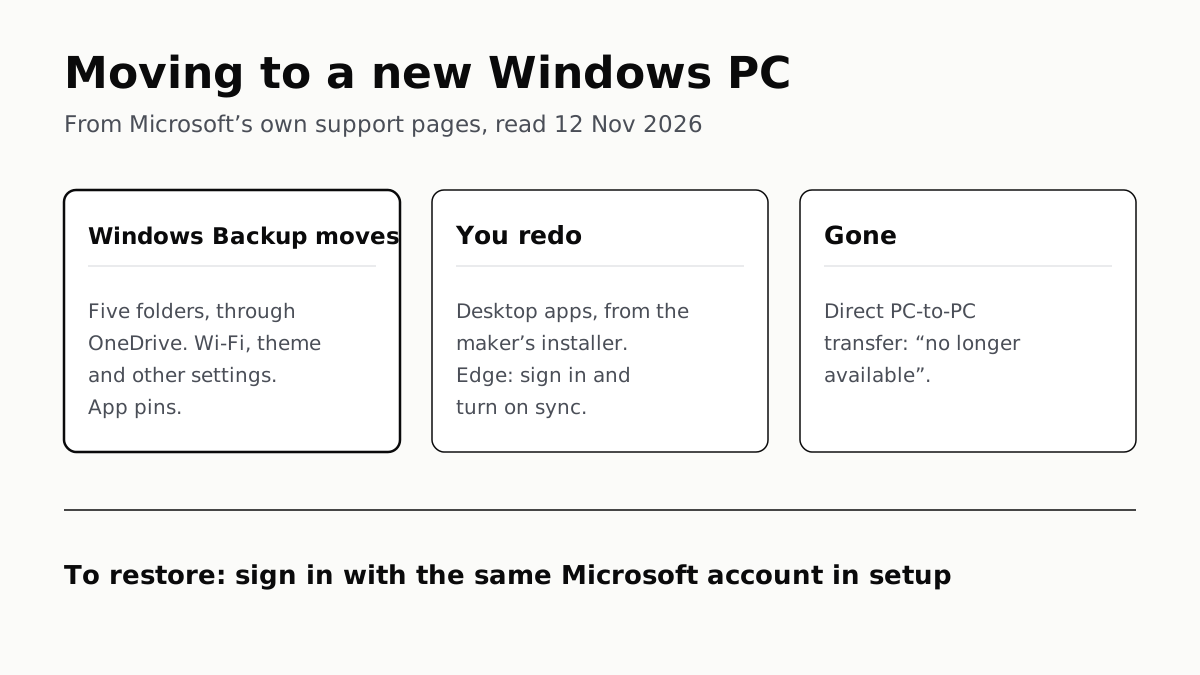
Windows Backup Moves Files and Settings, Not Desktop Apps
Sign in with the same Microsoft account during setup to restore. Files travel through OneDrive, whose free tier is 5 GB.
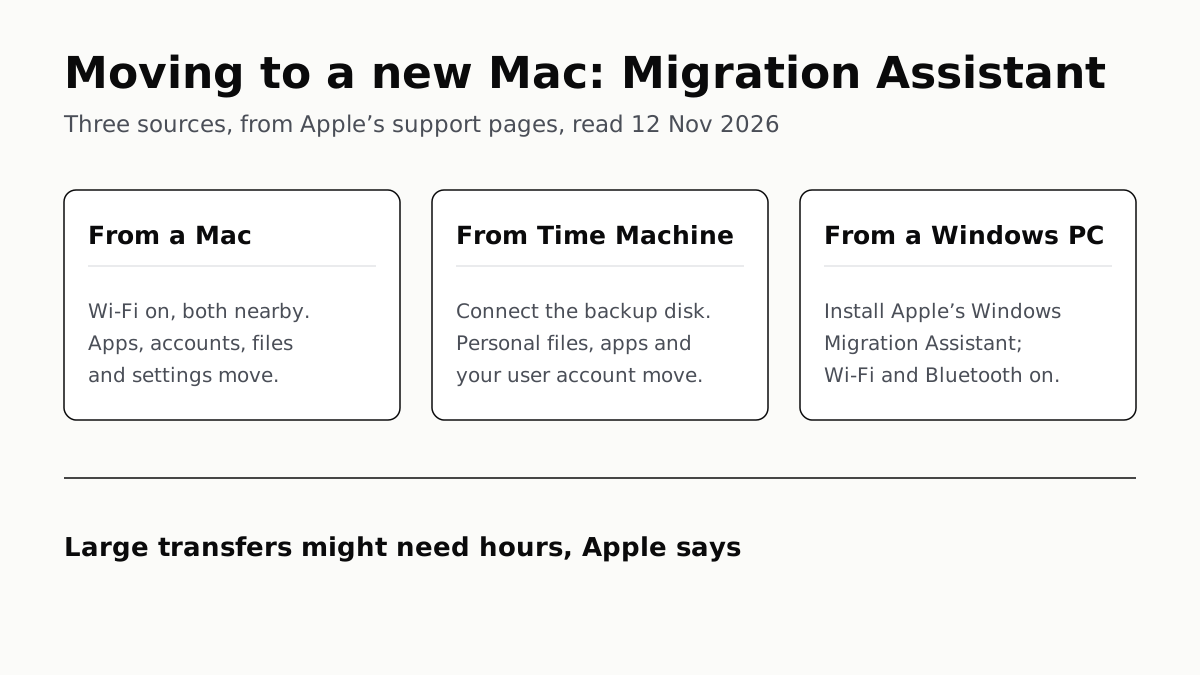
Migration Assistant Moves Your Old Mac or PC to a New Mac
It comes with your Mac. A PC needs Apple’s Windows Migration Assistant, and Apple warns large transfers might need hours.
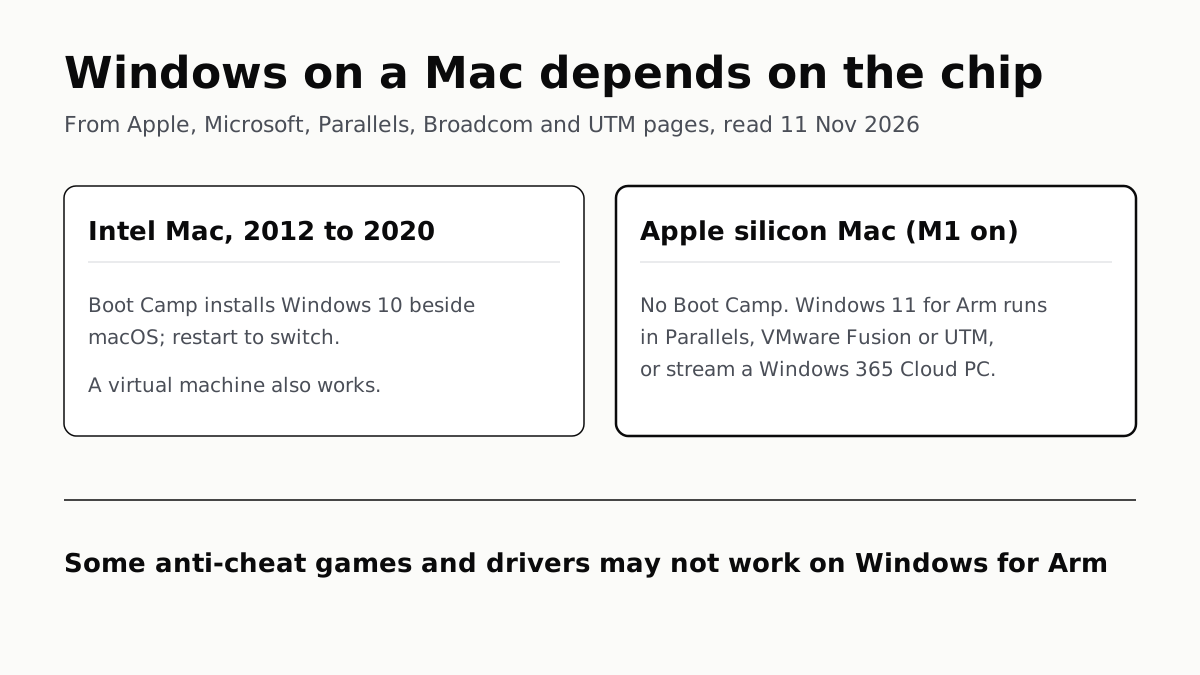
A Mac Can Run Windows, but Apple Silicon Means No Boot Camp
Microsoft authorizes Parallels on M1 to M3; Fusion and UTM are free. All run Windows 11 for Arm, where some games may not work.
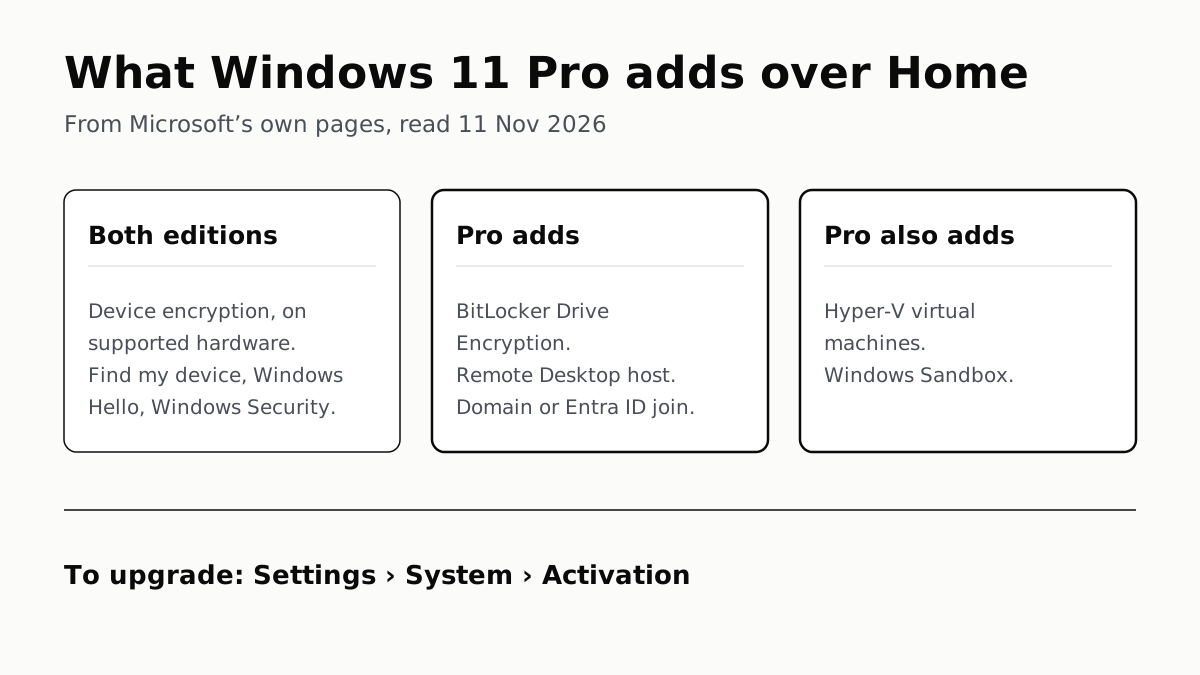
Windows 11 Pro Adds BitLocker, Remote Desktop and VMs
Home can encrypt the drive on supported laptops. Pro adds a Remote Desktop host, Hyper-V, Windows Sandbox and domain join.