Four Sonos Soundbars: Up-Firing Atmos Starts at Beam Ultra
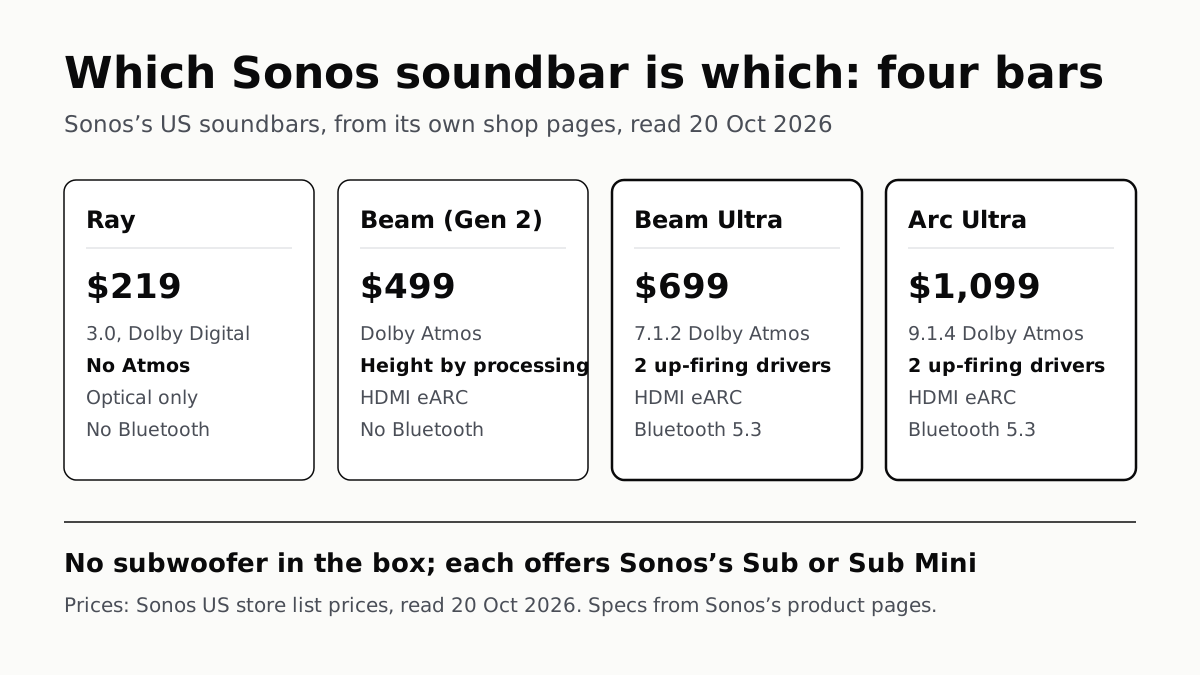
The Ray has no Atmos or HDMI; the Beam (Gen 2) makes height by processing. Both Ultras fire drivers at the ceiling.
If you buy through our links, we may earn a commission. It never affects our verdicts or scores — how that works. As an Amazon Associate I earn from qualifying purchases.
Update, 10 November 2026. We read Sonos’s US store and all four bars’ spec pages again today: prices and specs are unchanged from 20 October. This version adds each bar’s size and weight in one table, a Ray vs Beam section, the Ultras’ TV compatibility note, and the questions readers search for. It drops an older note citing Sonos’s Arc Ultra user guide, which we did not re-read.
Sonos sizes its soundbars to the room: it suggests the Ray for rooms up to 150 square feet and TVs up to 55 inches, the Beam Ultra for 250–350 square feet and TVs up to 65 inches, and the Arc Ultra for 350 square feet or more and TVs of 50 inches and up. The Beam (Gen 2), also listed for TVs up to 65 inches, sits between the Ray and the Beam Ultra on price, and the four split on Dolby Atmos: the Ray has none, the Beam (Gen 2) makes height by processing, and the Beam Ultra (affiliate link to Amazon, opens in a new tab) and Arc Ultra add two tweeters that fire at the ceiling.
The Ray is also the one bar of the four without HDMI; it connects by optical cable. The Beam Ultra, introduced on 1 September 2026, is the newest. Prices are Sonos’s US list prices on 10 November 2026, with no discount shown on the bars alone that day.
The four bars
| Ray | Beam (Gen 2) | Beam Ultra | Arc Ultra | |
|---|---|---|---|---|
| Sonos US store, 10 Nov 2026 | $219 | $499 | $699 | $1,099 |
| Sound, as Sonos lists it | 3.0, Dolby Digital | Dolby Atmos | 7.1.2 Dolby Atmos | 9.1.4 Dolby Atmos |
| Atmos height | No Atmos | Processing (“phantom height channels”) | 2 upward-firing tweeters | 2 upward-firing tweeters |
| Drivers | 4 | 8 parts listed: 1 tweeter, 4 midwoofers, 3 passive radiators | 9 | 14 (see below) |
| TV connection | Optical, cable included | HDMI eARC; optical adapter included | HDMI eARC; optical adapter sold separately | HDMI eARC; optical adapter sold separately |
| Bluetooth | No | No | 5.3 | 5.3 |
| Wi-Fi | 2.4GHz (Wi-Fi 4) | 2.4GHz | Wi-Fi 6 | Wi-Fi 6 |
| Ethernet | 10/100 port | 10/100 port | Via Sonos Combo Adapter, sold separately | None listed |
| Microphones and voice | None listed | Sonos Voice Control, Alexa, Google Assistant | Sonos Voice Control | Sonos Voice Control, Alexa |
| Trueplay room tuning | iOS only | iOS only | iOS and Android | iOS and Android |
| Sonos suggests | Rooms up to 150 sq ft, TVs up to 55 in | TVs up to 65 in | 250–350 sq ft, TVs up to 65 in | 350+ sq ft, TVs 50 in and over |
Specs are from each bar’s Tech Specs tabs and the comparison chart on Sonos’s shop pages. None of the four comes with a subwoofer; every one of their pages offers the Sub or Sub Mini as an add-on.
Two of Sonos’s own figures need a note. Its comparison chart gives the Arc Ultra (affiliate link to Amazon, opens in a new tab) 14 drivers, but the bar’s Audio tab lists nine tweeters, six midwoofers and a woofer, which is 16. And that chart compares the Ray, Beam Ultra and Arc Ultra only, leaving out the Beam (Gen 2), so Sonos gives that bar no room size.
Sonos Ray vs Beam
Against the Ray, the Beam (Gen 2) adds HDMI eARC, Dolby Atmos and microphones for voice control, in a bar 3.7 inches wider and about 2.2 pounds heavier. The Ray is the lower-priced of the two in the table above, and Sonos aims it at smaller rooms and TVs up to 55 inches.
| Ray | Beam (Gen 2) | |
|---|---|---|
| Sound | 3.0, Dolby Digital | Dolby Atmos, height by processing |
| Drivers | 2 tweeters, 2 midwoofers | 1 tweeter, 4 midwoofers, 3 passive radiators |
| Amplifiers | 4 | 5 |
| TV connection | Optical | HDMI eARC, optical adapter included |
| Microphones and voice | None listed | Sonos Voice Control, Alexa, Google Assistant |
| Width × height × depth | 21.93 × 2.76 × 3.66 in | 25.63 × 2.68 × 3.94 in |
| Weight | 4.19 lb | 6.35 lb |
They share more than they split: both list 2.4GHz Wi-Fi, a 10/100 Ethernet port, AirPlay 2, an infrared receiver for the TV remote, and Trueplay from an iOS device. Neither lists Bluetooth. The Beam (Gen 2) (affiliate link to Amazon, opens in a new tab) decodes Atmos in Dolby TrueHD as well, which Sonos marks as needing an eARC connection.
If the Beam you mean is the Beam Ultra, the gap is wider: it has nine drivers to the Ray’s four, two of them firing upward, plus Bluetooth 5.3 and Wi-Fi 6, in a bar 29.53 inches wide.
Sonos soundbar dimensions and weight
| Bar | Width, in (mm) | Height, in (mm) | Depth, in (mm) | Weight, lb (kg) |
|---|---|---|---|---|
| Ray | 21.93 (557) | 2.76 (70) | 3.66 (93) | 4.19 (1.9) |
| Beam (Gen 2) | 25.63 (651) | 2.68 (68) | 3.94 (100) | 6.35 (2.88) |
| Beam Ultra | 29.53 (750) | 2.56 (65) | 4.13 (105) | 6.35 (2.88) |
| Arc Ultra | 46.38 (1,178) | 2.95 (75) | 4.35 (110.6) | 13.01 (5.9) |
Width is where the four differ most: from 21.93 inches for the Ray to 46.38 for the Arc Ultra, while all four stand between 2.56 and 2.95 inches tall. The Beam Ultra is the lowest of the four and the Arc Ultra the tallest, the figure to check against the gap under a TV on a stand. Sonos lists the same weight for the Beam (Gen 2) and the Beam Ultra, and the Arc Ultra at about twice that. Figures are from each bar’s Details + Dimensions tab.
What each step adds
Beam (Gen 2) to Beam Ultra: real height drivers and a newer radio. The Beam (Gen 2) has no upward driver; Sonos says “advanced processing creates phantom height channels”. The Beam Ultra has two upward-firing tweeters among nine drivers, and Sonos calls the result “true 7.1.2”. It adds Bluetooth 5.3, Wi-Fi 6, Trueplay from an Android phone, and four levels of what Sonos calls AI Speech Enhancement. It gives up two things the Beam (Gen 2) has built in: the Ethernet port, which becomes a USB-C adapter sold separately, and the optical adapter in the box.
Up-firing drivers need room above them. Sonos’s Beam Ultra page offers a Simulated Overhead Sound setting “for when the top of the product is obstructed”, and Dolby’s ceiling conditions for bounced height are in our Atmos explainer.
Beam Ultra to Arc Ultra: size and channels. The Arc Ultra is 9.1.4 to the Beam Ultra’s 7.1.2, with 15 amplifiers to nine, and a woofer Sonos calls Sound Motion. It is 46.38 inches wide against 29.53, and Sonos aims it at rooms of 350 square feet or more. Its voice list adds Alexa, which the Beam Ultra’s page does not list. Both have two upward-firing tweeters, so the step is in ear-level channels and bass hardware, not in height drivers.
Both Ultras’ pages carry one TV limit the Ray and Beam (Gen 2) pages do not: “Not compatible with CCFL-backlit TVs (manufactured 2004-2012)”.
HDMI: what the TV has to have
All three HDMI bars take eARC or ARC from the TV with the included cable. On each, Sonos marks Dolby TrueHD, plain Dolby Atmos and multichannel PCM as needing eARC, but not Atmos in Dolby Digital Plus, the form streaming apps send. That matches Sonos’s support table: most Atmos plays over ARC, and lossless Atmos needs eARC. A TV with only an optical output can still feed any of the four, without Atmos.
Who each one suits, by the specs
- A TV with optical out only, or a room up to 150 square feet: the Ray connects by optical with the cable in the box, and Sonos suggests it for that room size.
- A wired network: the Ray and Beam (Gen 2) have a built-in Ethernet port; the Beam Ultra needs an adapter, and Sonos lists none for the Arc Ultra.
- Bluetooth from a phone, or Trueplay from an Android phone: the two Ultras are the ones that list both.
- Google Assistant: the Beam (Gen 2) is the one of the four whose page lists it.
- Atmos height from drivers rather than processing, with a ceiling to bounce off: the Beam Ultra or Arc Ultra.
- A CCFL-backlit TV made from 2004 to 2012: the Ray or Beam (Gen 2), since Sonos lists both Ultras as not compatible.
Sonos offers its own Sub and Sub Mini for every bar here; what a sub adds, and whose fits which bar, is set out in the makers’ figures. How the Arc Ultra and Beam (Gen 2) score against other brands is on our soundbar shortlist, which averages published reviews; the Beam Ultra and Ray are not on it.
Questions people ask
Which Sonos soundbar is right for my room and TV?
Sonos suggests the Ray for rooms up to 150 square feet and TVs up to 55 inches, the Beam Ultra for 250 to 350 square feet and TVs up to 65 inches, and the Arc Ultra for 350 square feet or more and TVs of 50 inches and up. It lists the Beam (Gen 2) for TVs up to 65 inches, with no room size.
What is the difference between the Sonos Ray and Beam?
The Beam (Gen 2) adds HDMI eARC, Dolby Atmos (with height made by processing) and microphones for voice control. The Ray connects by optical only, plays Dolby Digital rather than Atmos, and lists no microphones. The Beam is 25.63 inches wide to the Ray’s 21.93.
How big are Sonos soundbars?
Sonos lists the Ray at 21.93 inches wide, the Beam (Gen 2) at 25.63, the Beam Ultra at 29.53 and the Arc Ultra at 46.38. All four are between 2.56 and 2.95 inches tall and between 3.66 and 4.35 inches deep, and they weigh from 4.19 to 13.01 pounds.
What is the difference between the Sonos Beam and the Beam Ultra?
Height and connections. Sonos introduced the Beam Ultra on 1 September 2026 and lists it as 7.1.2 with two upward-firing tweeters among nine drivers; the Beam (Gen 2) makes Atmos height by processing. The Ultra adds Bluetooth 5.3, Wi-Fi 6 and Trueplay on Android, but drops the built-in Ethernet port and the optical adapter in the box.
Does the Sonos Ray support Dolby Atmos?
No. Sonos lists the Ray as 3.0 with Dolby Digital, and its supported formats are stereo PCM, Dolby Digital and DTS Digital Surround. It connects to the TV by optical cable, not HDMI.
Which Sonos soundbars have up-firing speakers?
The Beam Ultra and the Arc Ultra. Sonos says each has two upward-firing tweeters for Atmos height. The Beam (Gen 2) creates what Sonos calls phantom height channels by processing, and the Ray has no Atmos.
Does a Sonos soundbar come with a subwoofer?
None of the four does. Each one’s page offers Sonos’s Sub or Sub Mini as an add-on, and Sonos sells sets that bundle a bar with a sub. The bars play on their own without one.
Can I connect a Sonos soundbar to a TV without HDMI?
Yes. The Ray uses optical only, with the cable in the box. The Beam (Gen 2) includes an optical adapter. For the Beam Ultra and Arc Ultra, Sonos sells the optical adapter separately. Optical carries no Atmos.
How we researched this
No one at bitcritiq has handled this product. Everything here comes from published sources, listed below.
- What this cannot tell you
- We have not listened to any of these bars, and this page does not rank them. Prices are Sonos’s US list prices on 10 November 2026, unchanged from 20 October; Sonos showed no discount on the four bars alone that day. Sonos’s pages disagree on the Arc Ultra’s drivers: its comparison chart says 14, while its Audio spec lists nine tweeters, six midwoofers and one woofer, which sums to 16; we give the chart’s figure and note the conflict. Sonos’s own comparison chart leaves out the Beam (Gen 2), so its TV size comes from the listing page only and Sonos gives it no room size. Sonos gives no driver total for the Beam (Gen 2); we count the parts its spec tab lists. Sonos lists the same weight, 6.35 lb (2.88 kg), for the Beam (Gen 2) and the Beam Ultra; we report it as given. Sonos does not say how the Beam (Gen 2)’s processing creates its “phantom height channels”, or why the Ultras are not compatible with CCFL-backlit TVs.
How we chose this, and what we did
- Why this subject
- Soundbar searches climb into the holiday season, and Sonos added a fourth bar, the Beam Ultra, on 1 September 2026, so its range no longer matches older buying advice. Our soundbar shortlist ranks bars across brands on review scores; our Atmos, subwoofer and eARC explainers cover one question each. None sets Sonos’s own bars side by side. Refreshed on 10 November 2026 for what readers search: which Sonos bar, Ray vs Beam, and each bar’s size.
- How we looked at it
- Read through a browser on 20 October and again on 10 November 2026: Sonos’s US soundbars listing for the current range and list prices; the US shop pages for Ray, Beam (Gen 2), Beam Ultra and Arc Ultra, including each page’s Tech Specs tabs (Audio, Details + Dimensions, Power + Connectivity, Box Contents) and the “Which Sonos soundbar is right for you?” comparison with its expanded rows (room size, TV size, connectivity, dimensions); and Sonos’s 1 September 2026 newsroom release introducing the Beam Ultra. Sizes and weights are from each bar’s own Details + Dimensions tab; for Ray, Beam Ultra and Arc Ultra they match the comparison chart. Where we say a bar lacks something, the control is that the other bars’ pages list it in the same tab: Bluetooth 5.3 appears under Power + Connectivity for both Ultras and not for Ray or Beam (Gen 2); a Microphones entry appears under Audio for three bars and not for Ray; an Ethernet entry appears under Power + Connectivity for Ray and Beam (Gen 2) and not for Arc Ultra; a TV Compatibility entry appears under Power + Connectivity for both Ultras and not for Ray or Beam (Gen 2).
What this rests on
6 claims, all official. Nothing here was measured by bitcritiq — see how we test for why. Open a claim to read the source it came from.
Sonos’s US store lists four soundbars: Ray at $219, Beam (Gen 2) at $499, Beam Ultra at $699 and Arc Ultra at $1,099.Official
Sonos soundbars listing, read 10 November 2026: “Beam Ultra … $699”, “Arc Ultra … $1,099”, “Beam (Gen 2) … $499”, “Ray … $219”. Every other item on the page is a set combining these bars with other speakers or mounts.
Sonos suggests the Ray for rooms up to 150 sq ft and TVs up to 55 inches, the Beam Ultra for 250–350 sq ft and TVs up to 65 inches, the Arc Ultra for 350+ sq ft and TVs of 50 inches and over, and the Beam (Gen 2) for TVs up to 65 inches.Official
Comparison chart, expanded: Recommended Room Size “Up to 150 sq ft.”, “250–350 sq ft.”, “350+ sq ft.”; Recommended TV Size “Up to 55”, “Up to 65”, “50 and over” (inch marks as on the page). Soundbars listing: Beam (Gen 2) “Powerful compact soundbar for TVs up to 65”.
Sonos lists the Ray as 3.0 with Dolby Digital, and its supported formats do not include Dolby Atmos; it connects to the TV by optical.Official
Comparison chart: “3.0 with Dolby Digital … 4 drivers”, Connectivity “Optical”. Ray Audio tab: “Home Theater Audio Formats: Stereo PCM, Dolby Digital*, DTS Digital Surround*”. Power + Connectivity: “Connect to your TV’s optical port with the included cable.”
The Beam (Gen 2) creates Atmos height by processing; its spec lists one tweeter, four midwoofers and three passive radiators, with no upward-firing driver.Official
Beam (Gen 2) page: “Advanced processing creates phantom height channels for Dolby Atmos content.” Audio tab: “One center tweeter… Four elliptical midwoofers… Three passive radiators”.
The Beam Ultra is 7.1.2 from nine drivers, two of them upward-firing tweeters; the Arc Ultra is 9.1.4, which Sonos’s chart gives as 14 drivers, two firing upward.Official
Comparison chart: “7.1.2 with Dolby Atmos … 9 drivers”, “9.1.4 with Dolby Atmos … 14 drivers”. Beam Ultra Audio tab: “Five tweeters… Two upward-firing tweeters loaded into a directional horn… Four low-profile woofers”. Arc Ultra Audio tab: “Nine precisely angled silk-dome tweeters… Two of these fire upward”.
Sonos lists the Ray at 21.93 × 2.76 × 3.66 in and 4.19 lb, the Beam (Gen 2) at 25.63 × 2.68 × 3.94 in and 6.35 lb, the Beam Ultra at 29.53 × 2.56 × 4.13 in and 6.35 lb, and the Arc Ultra at 46.38 × 2.95 × 4.35 in and 13.01 lb.Official
Details + Dimensions tabs. Ray: “Height: 2.76 in (70 mm) Width: 21.93 in (557 mm) Depth: 3.66 in (93 mm) … 4.19 lbs (1.9 kg)”. Beam (Gen 2): “Height: 2.68 in (68 mm) Width: 25.63 in (651 mm) Depth: 3.94 in (100 mm) … 6.35 lbs (2.88 kg)”. Beam Ultra: “Height: 2.56 in (65 mm) Width: 29.53 in (750 mm) Depth: 4.13 in (105 mm) … 6.35 lbs (2.88 kg)”. Arc Ultra: “Height: 2.95 in (75 mm) Width: 46.38 in (1,178 mm) Depth: 4.35 in (110.6 mm) … 13.01 lbs (5.9 kg)”.
Sources 6
- Soundbars — Sonos (US)Officialaccessed Nov 10, 2026
- Ray — Sonos (US)Officialaccessed Nov 10, 2026
- Beam (Gen 2) — Sonos (US)Officialaccessed Nov 10, 2026
- Beam Ultra — Sonos (US)Officialaccessed Nov 10, 2026
Show 2 more · 2 official or standards
- Arc Ultra — Sonos (US)Officialaccessed Nov 10, 2026
- Sonos Welcomes Beam Ultra and Sonos Ace Ultra to its System — Sonos Newsroom, 1 September 2026Officialaccessed Nov 10, 2026
Pass it on
Know someone weighing this up? Send them the answer.
bitcritiq.com/be4pThe link is permanent: it opens this article for good, even if the title changes.
No email, no account
Follow bitcritiq
Every new article, in whatever reader you already use.
Subscribe by RSSAll the ways to follow
Using Chrome on Android? Open the browser menu and tap Follow. New articles then turn up in the Following tab in Discover.
read next
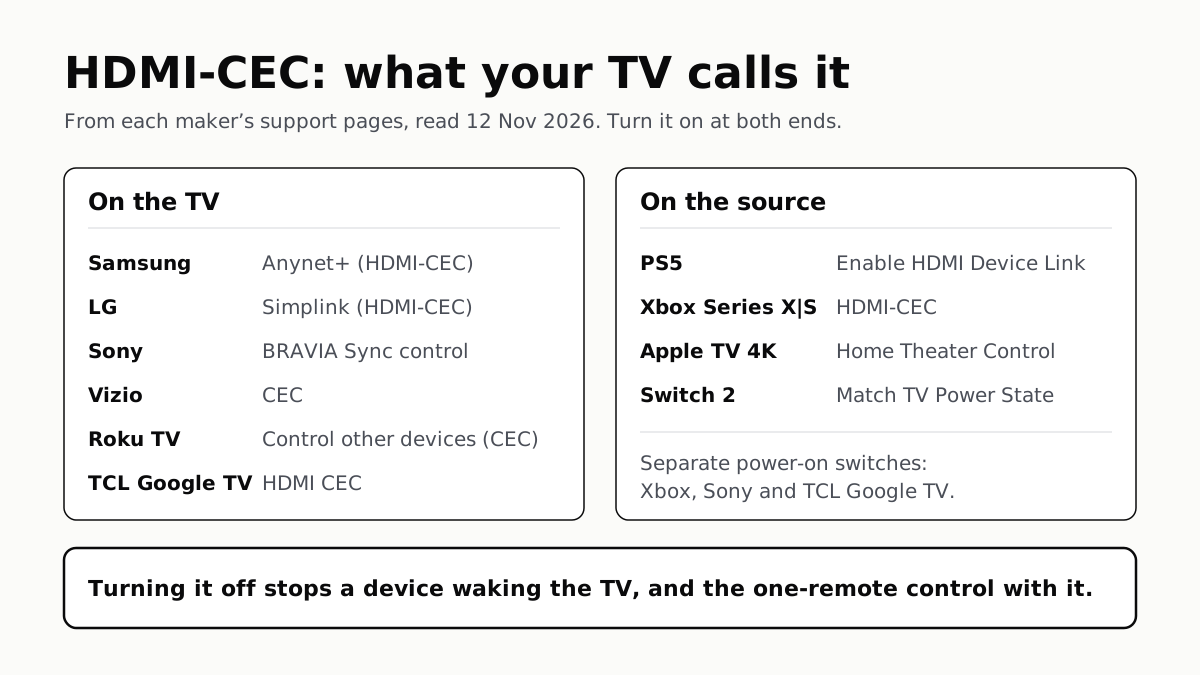
To Use One TV Remote, Turn On HDMI-CEC at Both Ends
Samsung calls it Anynet+, LG Simplink, Sony BRAVIA Sync, Vizio CEC. Consoles, Apple TV and Switch 2 have their own switch.
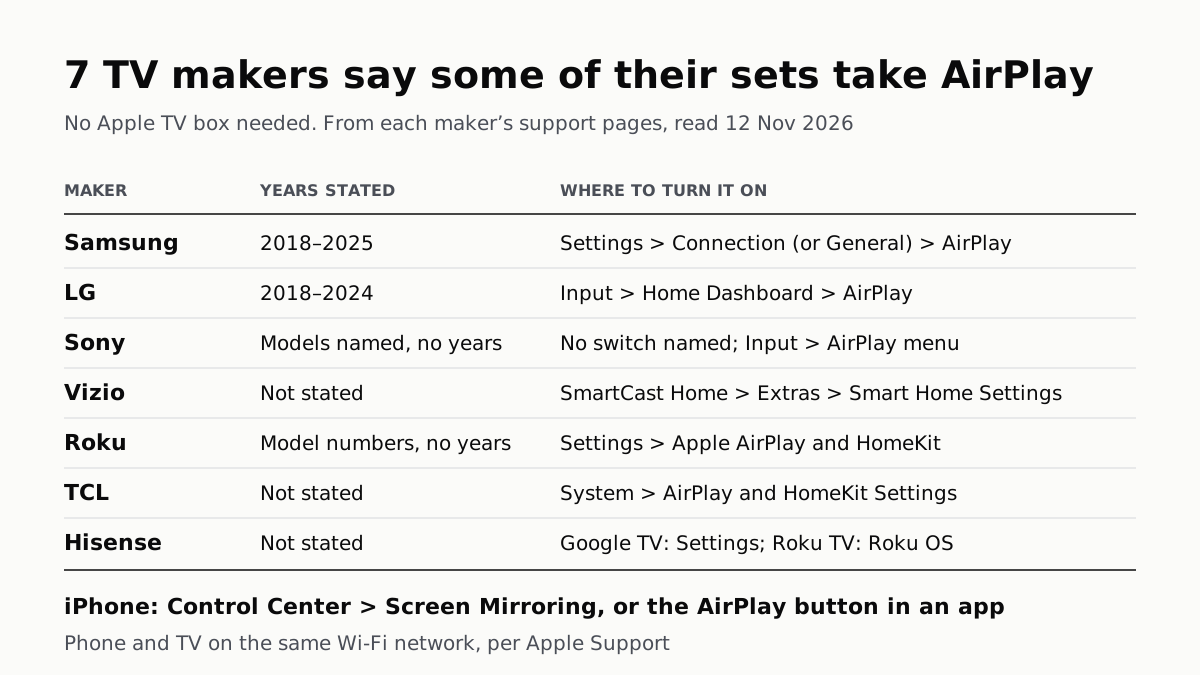
7 TV Makers Build AirPlay Into Some Sets, No Apple TV Needed
Samsung lists 2018–2025 sets and LG 2018–2024. Switch AirPlay on in the TV’s settings, then use Screen Mirroring in Control Center.
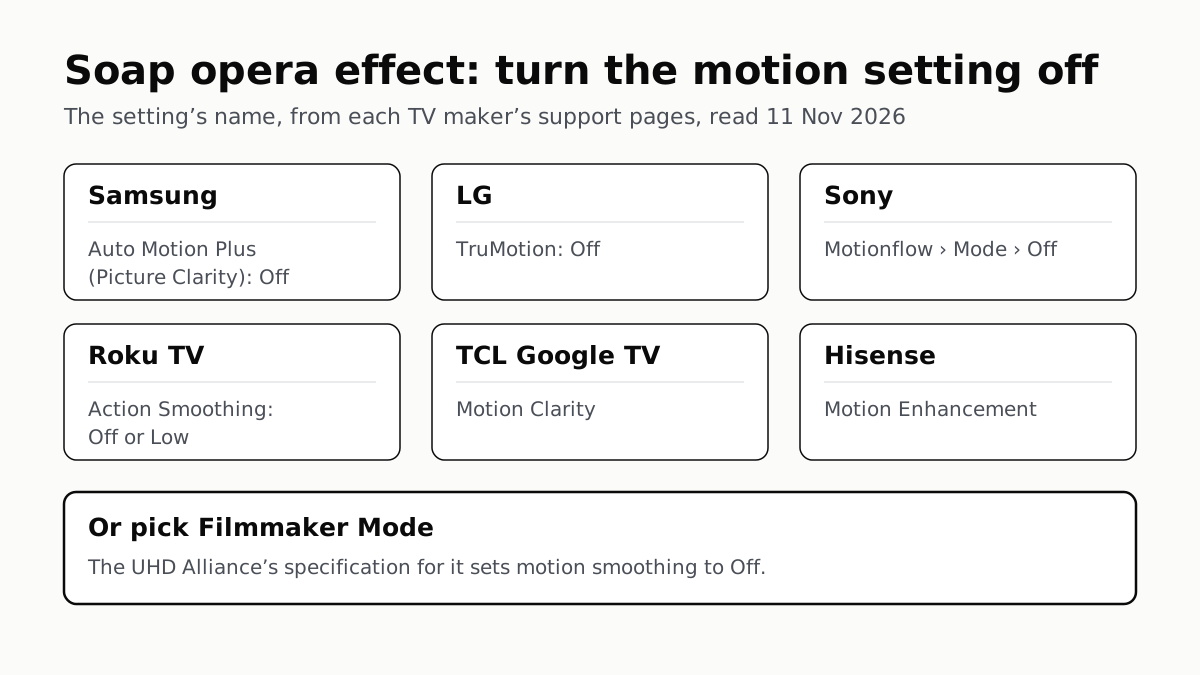
Soap Opera Effect: Set the TV’s Motion Setting to Off
Samsung calls it Auto Motion Plus, LG TruMotion, Sony Motionflow, Roku Action Smoothing. Filmmaker Mode switches it off where offered.
4 of 5 TV Platforms: Antenna and HDMI Work Without Sign-In
Google TV’s basic mode needs no account or internet. Vizio and Samsung let you skip signing in; on Roku it depends on the model.