Why Your Phone Gets Hot, and When to Worry
Apple designs for an ambient ceiling of 35°C, which a summer afternoon clears easily. Warm is normal; the warning is the signal.

If you buy through our links, we may earn a commission. It never affects our verdicts or scores — how that works. As an Amazon Associate I earn from qualifying purchases.
Warm is normal. The warning is the signal. Apple’s rule is unambiguous: if your device doesn’t display a temperature warning, you can keep using it. Heat you can feel is not, by itself, evidence of anything wrong.
The number that surprises people
Apple designs iPhone and iPad “for use where the ambient temperature is between 0º and 35º C (32º to 95º F)”.
Thirty-five degrees is the air around the phone, and a summer afternoon in much of the world clears it before you have done anything. In a car in direct sun it is not close.
Storage is wider — “-20º and 45º C (-4º to 113º F)” — with a warning attached that is worth repeating: “Don’t leave your device in a car, because temperatures in parked cars can exceed this range.”
Apple lists when warmth is expected
This is the part that answers most of the worry. Your phone is supposed to get warm when you:
- Set it up for the first time, or restore from a backup
- Complete a software update, “particularly to a major release”
- Charge it wirelessly
- Use graphics- or processor-intensive apps, games or the camera
- Stream high-quality video
Apple’s verdict on all of it: “These conditions are normal. Your device will cool when the process is complete or when you finish your activity.”
The day-after-an-update warmth that people report every September is on that list. So is the heat from wireless charging, which is less efficient than a cable and turns the difference into heat.
What it does when it is genuinely too hot
The phone protects itself, and the symptoms are the protection rather than the fault. Apple’s list:
- Charging, including wireless charging, slows or stops
- The display dims or goes black
- Cellular signal might weaken as radios enter a low-power state
- The camera flash or other camera features may be disabled
- Performance is reduced, with lower frame rates or longer processing times
Recognising these matters, because each one gets misdiagnosed on its own. A phone that stops charging in a hot car is not a failing battery or a bad cable, and an iPad that stops charging in the heat is the same protection at work. A camera flash that refuses on a beach is not broken. Every symptom on that list reverses when the phone cools.
There is a specific one worth knowing if you drive: when navigating, the phone may show “Temperature: iPhone needs to cool down” and turn off the display — but “Navigation still provides audible turn-by-turn directions”, and the screen lights again for each turn. It has not abandoned you.
The one thing that does not reverse
Everything above is temporary. This is not:
“Using an iOS or iPadOS device in very hot conditions can permanently shorten battery life.”
That is the reason to take heat seriously, and it is a different reason from the one most people have. The performance dip is the phone defending itself and costs you nothing lasting. The cumulative damage of hot afternoons is charged to the battery’s capacity, and it does not come back — which is what you would later read as an unusually low number on the battery health screen.
What to actually do
- Check for a warning before you do anything. No warning means no action, on Apple’s own instruction.
- If there is one: turn the device off, move it out of direct sunlight, and let it cool. That is Apple’s sequence, and it is faster than anything else.
- Never put it in a fridge or freezer. Condensation inside a phone is a worse problem than the heat, and the cold end of the range matters too.
- Take the case off while it cools, and while fast-charging in a hot room. A case is insulation.
- Stop leaving it on a car windscreen mount in the sun. This is the single most common way people cook a battery, and it combines direct sun, GPS and charging — three items from Apple’s own avoid-this list at once.
- Expect warmth after a major iOS update and give it a day before concluding anything. The phone is reindexing and reprocessing in the background, and Apple says so.
How we researched this
No one at bitcritiq has handled this product. Everything here comes from published sources, listed below.
- What this cannot tell you
- Figures and behaviours are Apple's, for iPhone and iPad. Android manufacturers publish their own ranges and they differ, so this does not generalise them. It also cannot tell you whether a specific phone has a fault: a device that overheats doing nothing, repeatedly, in a cool room is a hardware question for a repair centre, not a settings one.
How we chose this, and what we did
- Why this subject
- People search this in a mild panic, usually while holding a phone that is behaving exactly as designed. Apple publishes the operating range, the list of activities that produce normal warmth, and the specific things the phone does when it is genuinely too hot — which turns an anxious question into a checklist.
- How we looked at it
- Took the temperature ranges, the normal-warmth list and the throttling behaviours from Apple's own guidance, quoting the symptom list in full because knowing which symptoms are the protection working is the whole point.
What this rests on
3 claims, all official. Nothing here was measured by bitcritiq — see how we test for why.
iPhone and iPad are designed for ambient temperatures between 0°C and 35°C.Official
Apple's published operating temperature guidance.
Heat can permanently shorten battery life, unlike the other symptoms which reverse on cooling.Official
Apple: using the device in very hot conditions can permanently shorten battery life.
A warm phone with no warning on screen needs no action.Official
Apple: if your device doesn't display a temperature warning, you can keep using your device.
Sources 2
- If your iPhone or iPad gets too hot or too cold — Apple SupportOfficialaccessed Aug 30, 2026
- iPhone battery and performance — Apple SupportOfficialaccessed Aug 30, 2026
Pass it on
Know someone weighing this up? Send them the answer.
bitcritiq.com/3asrThe link is permanent: it opens this article for good, even if the title changes.
No email, no account
Follow bitcritiq
Every new article, in whatever reader you already use.
Subscribe by RSSAll the ways to follow
Using Chrome on Android? Open the browser menu and tap Follow. New articles then turn up in the Following tab in Discover.
read next
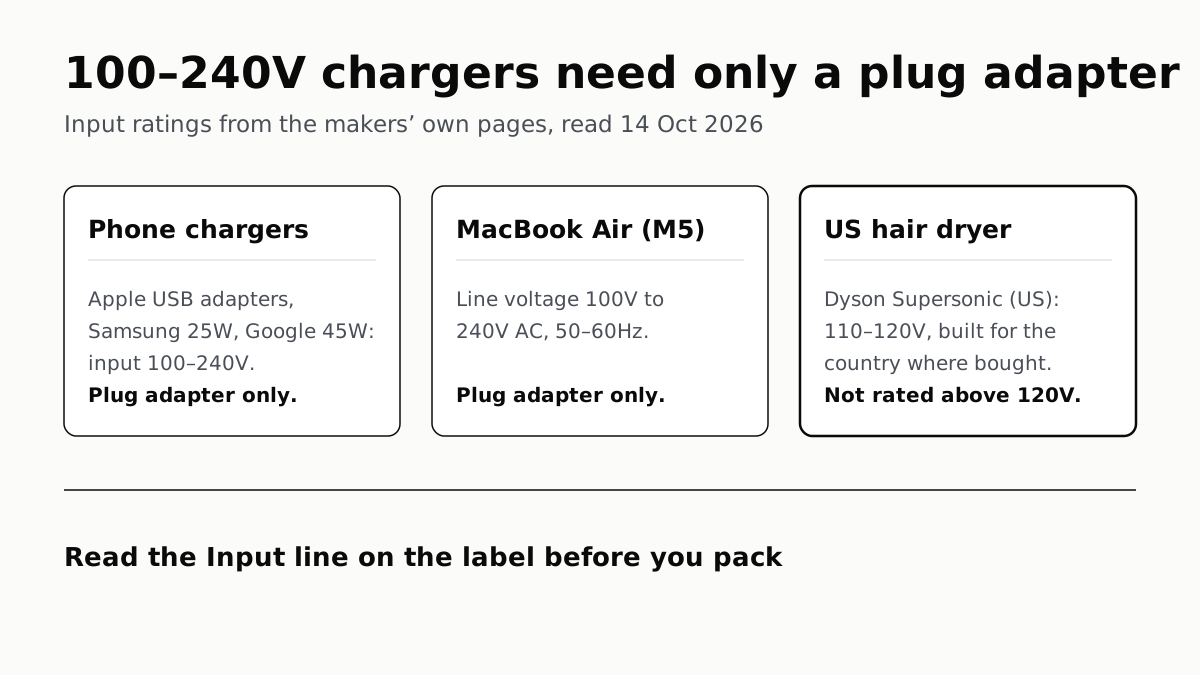
Chargers Rated 100–240V Need Only a Plug Adapter Abroad
Apple, Samsung and Google rate their chargers, and the MacBook Air, for 100–240V. A hair dryer built for 110–120V is a different case.
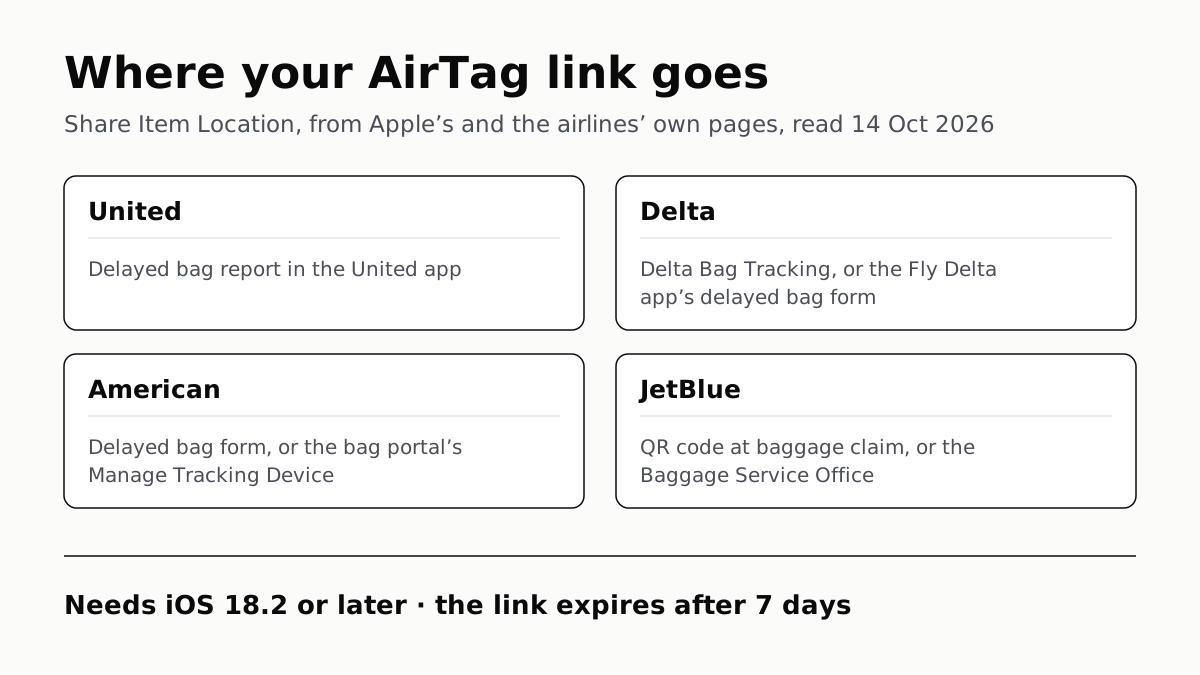
Send Your AirTag Link to United, Delta, American, JetBlue
Find My’s Share Item Location makes a seven-day link a bag agent can open. Apple says more than 50 airlines accept it.
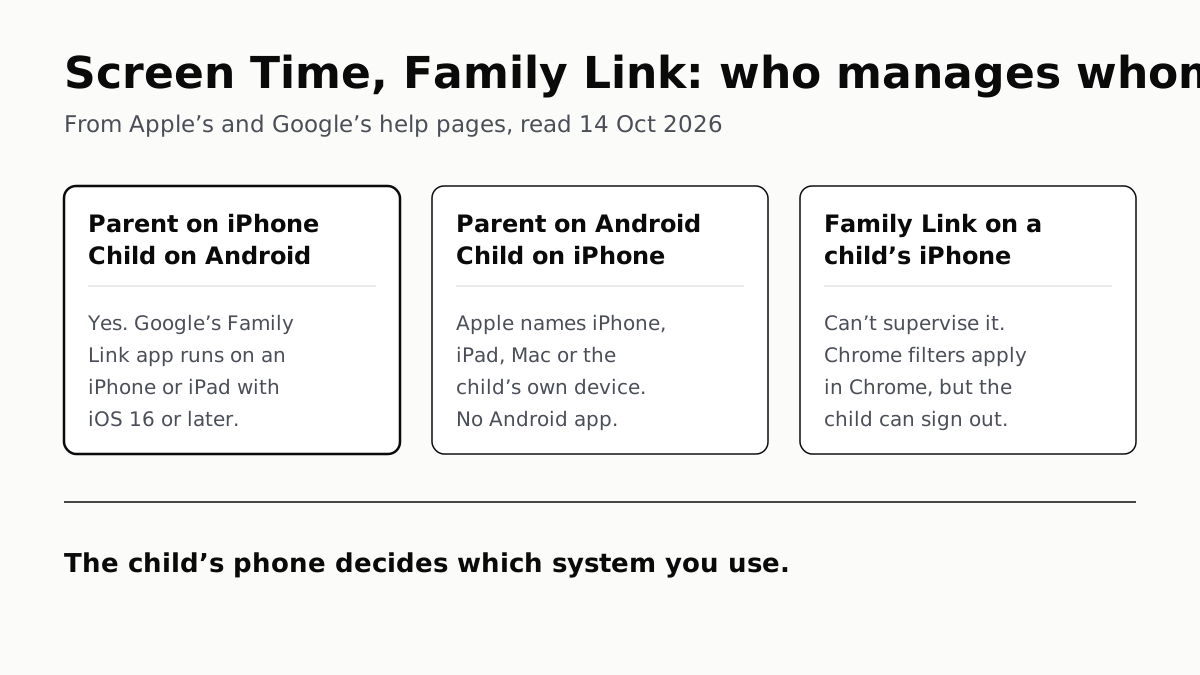
Family Link Works From an iPhone. Screen Time Needs Apple
Neither app supervises the other maker’s phones. App limits, downtime, web filters and more, side by side, with iOS 27’s changes.
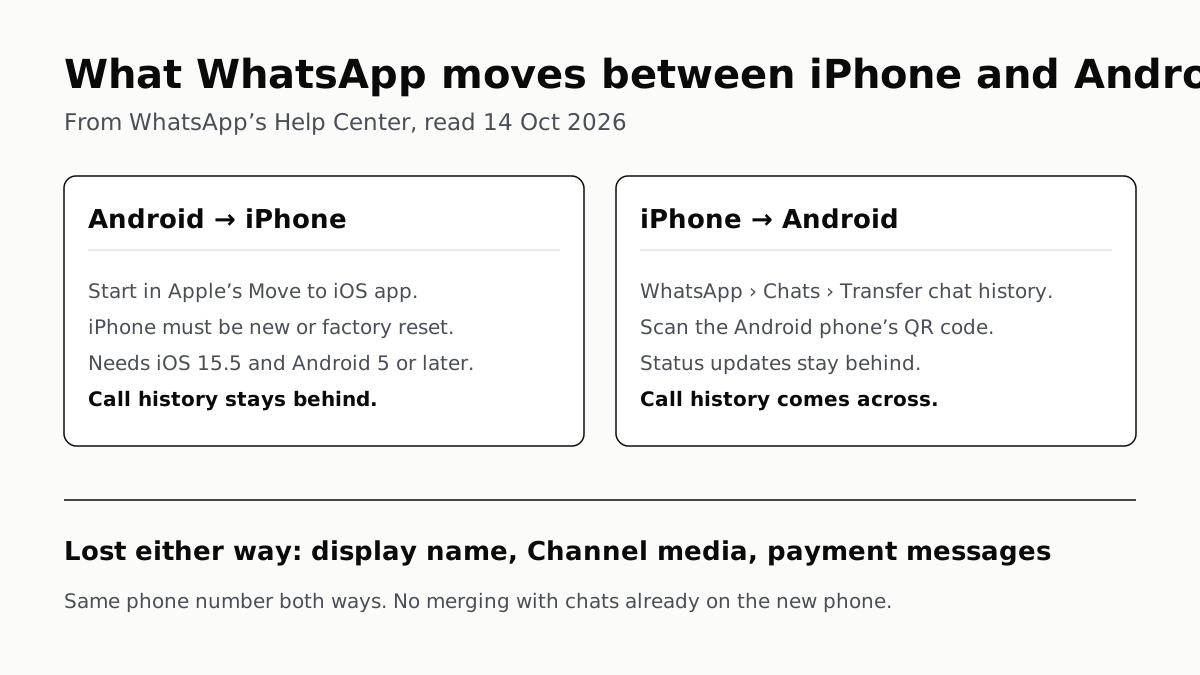
WhatsApp Chats Can Cross Between iPhone and Android
Messages, media and settings move both ways. Display names, Channel media and payment messages don’t, and call logs reach Android alone.