Apple Home Needs a Hub for Automations, Sharing and Matter
HomePod or Apple TV; an iPad no longer qualifies. Without one, Apple’s pages leave you control of accessories only while you are home.
If you buy through our links, we may earn a commission. It never affects our verdicts or scores — how that works. As an Amazon Associate I earn from qualifying purchases.
Update, 14 October 2026. Apple announced HomePod mini 2 ($149, from 30 October), a 4th-generation Apple TV 4K ($299) and a new device, Apple HomeView ($299), on 13 October. Its US store now lists the HomePod mini 2 at $149 and one Apple TV 4K at $299, so the $129 HomePod mini is no longer the cheapest hub it sells. The prices below dated 8 October are what the store showed that day.
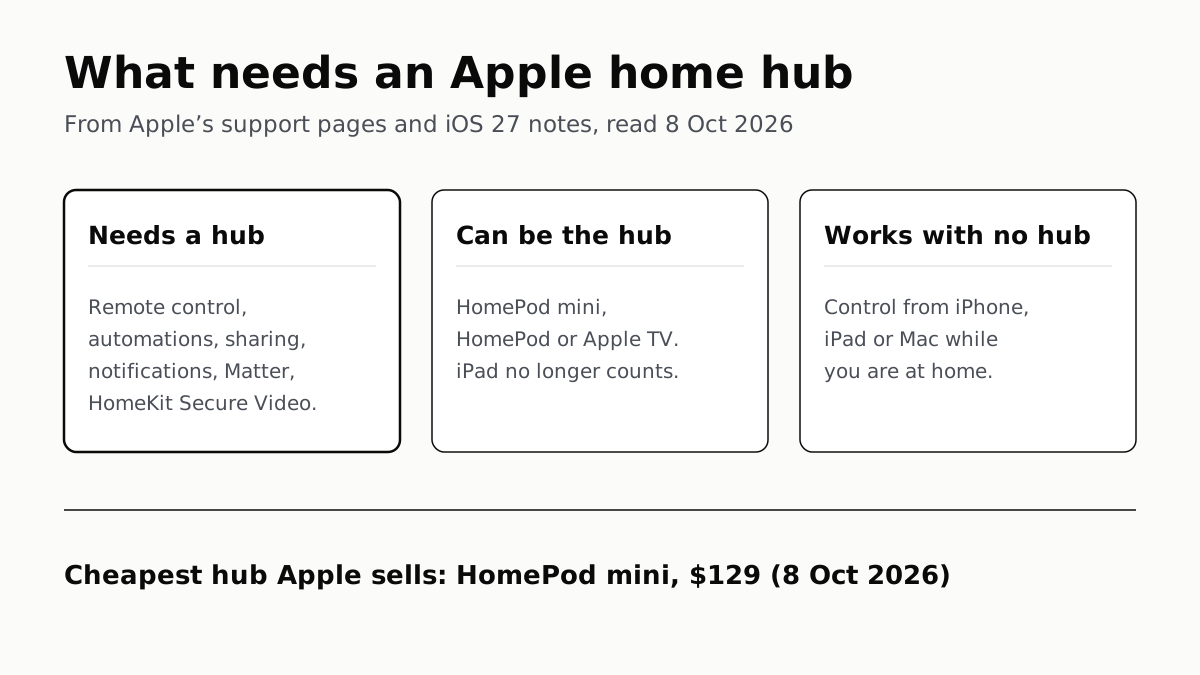
You need a home hub — a HomePod, HomePod mini or Apple TV — for most of what Apple Home does beyond controlling accessories from your phone while you are at home. Apple ties remote control, automations, sharing, Home notifications, Matter accessories and HomeKit Secure Video to a hub. An iPad cannot be one on the current Apple Home, and the cheapest hub on Apple’s US store is now the $149 HomePod mini 2.
What needs a hub
| Feature | Hub needed? | What Apple says |
|---|---|---|
| Control accessories at home | No | Apple ties only control away from home to a hub |
| Control while away | Yes | “You need a home hub” |
| Automations | Yes | An Apple TV or HomePod acting as hub |
| Sharing control with others | Yes | Required on the current Apple Home |
| Home notifications | Yes | Same support article |
| Guest access to locks and garage doors | Yes | Home app page footnote |
| Adding a Matter accessory | Yes | “You must set up a home hub” |
| Thread accessories: automations, alerts, remote | A Thread hub, or a third-party border router | Support 102078 |
| HomeKit Secure Video | Yes, plus iCloud+ | Video is analysed on the hub |
| Apple Intelligence in Home (iOS 27) | Yes, on the latest software | iOS 27 footnotes |
The requirements come from Apple’s support articles, its iPhone and Mac Home guides, and the footnotes on its Home app and iOS 27 pages. Apple’s support article on the current Apple Home says that to share control of your home and receive Home notifications, “you must set up a home hub, like an Apple TV or HomePod.” Remote control, guest access and adding Matter accessories carry the same condition on other pages.
Automations are the one most people hit first. A light that comes on when a motion sensor trips is an automation, so it needs the hub; if that light then goes off while you are sitting still, the cause is the sensor type, which we cover in why motion-sensor lights switch off with you in the room.
Which devices can be the hub
| Device | Home hub | Thread border router |
|---|---|---|
| HomePod mini (affiliate link to Amazon, opens in a new tab) | Yes | Yes |
| HomePod (2nd generation) (affiliate link to Amazon, opens in a new tab) | Yes | Yes |
| HomePod (1st generation, 2018) | Apple’s pages say “HomePod”, no generation | Not on Apple’s list |
| Apple TV 4K (3rd generation) Wi-Fi + Ethernet (affiliate link to Amazon, opens in a new tab) | Yes | Yes |
| Apple TV 4K (3rd generation) Wi-Fi (affiliate link to Amazon, opens in a new tab) | Yes | Not on Apple’s list |
| Apple TV 4K (2nd generation) | Yes | Yes |
| Apple TV 4K (2017) and Apple TV HD | Apple’s pages say “Apple TV”, no model | Not on Apple’s list |
| iPad | No, on the current Apple Home | — |
| HomePod mini 2, Apple TV 4K (4th generation), Apple HomeView (announced 13 October 2026) | Not yet on Apple’s hub support page | Thread, per Apple’s spec pages and release |
A HomePod becomes a hub as soon as it is set up. An Apple TV becomes one when you add it to a room: on the Apple TV, open Settings, then AirPlay and Apple Home, then Room. Only the home’s owner can add either. If you have several, the Home app picks one; Home Settings › Home Hubs & Bridges shows which, and lets you choose your own.
On Apple’s US store on 8 October, the HomePod mini was $129, the HomePod $349, and the Apple TV 4K $199 for the Wi-Fi model or $249 for Wi-Fi + Ethernet. Of those two Apple TVs, only the $249 one has Thread; the $199 one does not, according to Apple’s own list. Since 13 October the store lists only the 4th-generation Apple TV 4K, at $299. That matters if you plan to buy Thread accessories, which need what the industry calls a border router — what Thread is and why it needs one.
The iPad change
Apple ended support for the previous version of Apple Home on 10 February 2026, and says “iPad isn’t supported as a home hub on the latest version of Apple Home.” If your hub was an iPad left at home, your automations, sharing and notifications need a HomePod or Apple TV now. The iPad still works as a remote for the Home app.
Apple’s “Home Hub Required” troubleshooting page gives the order to try: set up a hub, restart it, add the accessory from the iPhone signed in to the account that created the home, and, if your Apple TV hub is on Ethernet, move it to the same Wi-Fi as your iPhone.
Apple Intelligence wants a newer hub
iOS 27 adds three Home features: combining related activity notifications, describing what happened in a HomeKit Secure Video clip before you watch it, and searching clips by what happened. Apple’s footnotes require “a home hub such as HomePod (2nd generation), HomePod mini, or Apple TV 4K with the latest operating system software”, plus an Apple Intelligence iPhone, which Apple’s guide gives as an iPhone 15 Pro, 15 Pro Max or iPhone 16 model or later.
The video features also need the home’s owner to subscribe to iCloud+. Apple’s iOS 27 page says “an eligible iCloud+ plan”; its iPhone and Mac user guides say a 2TB plan.
“Latest operating system software” is where older Apple TVs drop out. The Apple TV HD and the 2017 Apple TV 4K cannot install tvOS 27, as we set out in which Apple TVs get tvOS 27, so if one of them is your only hub, these features need another.
What works with no hub
Apple’s pages tie control away from home to a hub, not control at home. So without one, the Home app on an iPhone, iPad or Mac still controls accessories while you are on your home network. Scenes, which you run by tapping them or asking Siri, carry no hub requirement on Apple’s scenes page. An iPhone 15 Pro or later on iOS 18 can pair Thread accessories itself, though Apple still wants a Thread hub for their automations, notifications and remote control.
Apple says accessories in the Home app are “controlled by your Apple devices instead of the cloud”. A hub keeps that true when you are out, and local control is also what decides whether things keep working when your internet connection drops. Google Home draws a similar line: it needs a hub for Matter and Thread devices. How Apple’s requirements compare with Google’s and Amazon’s is in Apple Home, Google Home and Alexa side by side.
Questions people ask
Do I need a HomePod or Apple TV for Apple Home?
For most features, yes. Apple ties remote control, automations, sharing your home, Home notifications, Matter accessories, guest access and HomeKit Secure Video to a home hub, which has to be a HomePod, HomePod mini or Apple TV. Controlling accessories from your iPhone at home does not need one.
Can an iPad be a home hub?
Not any more. Apple says iPad is not supported as a home hub on the latest version of Apple Home, and support for the previous version ended on 10 February 2026. An iPad still runs the Home app; it just cannot be the hub.
What works in Apple Home without a hub?
Controlling accessories from the Home app on an iPhone, iPad or Mac while you are at home, and running scenes by hand. An iPhone 15 Pro or later on iOS 18 can also pair Thread accessories itself. Automations, remote control, sharing and notifications need a hub.
Which HomePod or Apple TV works as a Thread border router?
Apple lists the HomePod mini, HomePod (2nd generation), Apple TV 4K (2nd generation) and the Wi-Fi + Ethernet Apple TV 4K (3rd generation). The cheaper Wi-Fi-only 3rd-generation Apple TV 4K is not on Apple’s list.
Do Matter devices need a home hub with Apple Home?
Yes. Apple says you must set up a home hub to add Matter accessories to the Home app. If the Matter accessory uses Thread, the hub also needs Thread, or you need a compatible third-party Thread border router.
Does my old Apple TV still work as a home hub?
Apple’s hub pages say “Apple TV” without a model limit. But iOS 27’s Apple Intelligence Home features want a hub on the latest software, and the Apple TV HD and 2017 Apple TV 4K cannot install tvOS 27, so they cannot run those features.
What is the cheapest Apple home hub?
On Apple’s US store on 14 October 2026, the HomePod mini 2 at $149, shipping 30 October; Apple’s release says it has Thread. The store now lists one Apple TV 4K, the 4th generation, at $299. On 8 October the HomePod mini was $129 and the Apple TV 4K started at $199.
How we researched this
No one at bitcritiq has handled this product. Everything here comes from published sources, listed below.
- What this cannot tell you
- Apple never states in one sentence that accessories work at home without a hub; we read that from its pages tying only remote control, automations, sharing and the rest to one. Its hub pages say “HomePod” and “Apple TV” without a model limit, so we cannot say from Apple whether a 2018 HomePod, a 2017 Apple TV 4K or an Apple TV HD still serves every hub feature. The macOS 27 Home guide’s automations page names an “Apple TV 4K (4th generation or later)”, a model Apple does not sell, and still mentions iPad beside a note that iPad is not supported; we relied on Apple’s newer support articles there. Apple’s iOS 27 page says an “eligible iCloud+ plan” for video descriptions and its user guides say 2TB. We have not set up any of this ourselves.
How we chose this, and what we did
- Why this subject
- Google Trends showed “apple smart home” and “apple home” among the top smart-home queries in the four weeks to 4 October 2026, and the question underneath most of them is whether the Home app works on an iPhone alone. Our tvOS 27 piece touched home hubs in one footnote. Apple’s answer is spread across a dozen support pages, user-guide topics and product-page footnotes, and two changes this year — the end of support for the old Home architecture on 10 February, and iOS 27’s Apple Intelligence features — moved it.
- How we looked at it
- Every requirement is from Apple’s own pages, read on 8 October 2026: Support articles 102557 (set up a home hub), 102287 (Update Apple Home), 102078 (Thread border router) and 102096 (Home Hub Required); the iOS 27 iPhone User Guide topics on Home, remote control and Apple Intelligence with Home cameras; the macOS 27 Home User Guide topics on automations, remote access, sharing, cameras and routers; and the footnotes on apple.com/home-app and apple.com/os/ios. Prices are Apple’s US store, read the same day. For the claim that scenes carry no hub requirement, the control is the same guide’s automations topic, which does state its hub and Thread requirements.
What this rests on
6 claims, all official. Nothing here was measured by bitcritiq — see how we test for why. Open a claim to read the source it came from.
Controlling Apple Home accessories away from home needs a home hub such as an Apple TV 4K or HomePod.Official
iPhone User Guide, iOS 27: “In the Home app, you can control your accessories even when you’re away from home. To do so, you need a home hub—a device such as Apple TV 4K or HomePod.”
Sharing control of a home and receiving Home notifications need a home hub, and an iPad cannot be one on the current Apple Home.Official
Apple Support 102287: “To share control of your home and receive Home notifications on the latest version of Apple Home, you must set up a home hub, like an Apple TV or HomePod. iPad isn’t supported as a home hub on the latest version of Apple Home.” It also states: “Support for the previous version of Apple Home ended on February 10, 2026.”
Adding a Matter accessory to the Home app needs a home hub.Official
Apple Support 102557: “You must set up a home hub to add Matter accessories to the Home app.”
The Thread-enabled Apple devices are the Apple TV 4K (3rd generation) Wi-Fi + Ethernet, Apple TV 4K (2nd generation), HomePod (2nd generation), HomePod mini, and iPhone 15 Pro or later on iOS 18.Official
Apple Support 102078 lists those five under “Thread-enabled Apple devices”, and says: “To use automations, get notifications, or remotely-control your Thread-based accessories, set up a Thread-enabled home hub or use a compatible third-party Thread border router.”
Apple Intelligence features in the iOS 27 Home app need a home hub on the latest software.Official
apple.com/os/ios footnotes: “Requires a home hub such as HomePod (2nd generation), HomePod mini, or Apple TV 4K with the latest operating system software.” Video descriptions and clip search also need the home owner to have an Apple Intelligence–enabled iPhone and “an eligible iCloud+ plan”.
HomeKit Secure Video needs iCloud+, a compatible camera and a HomePod or Apple TV acting as the home hub.Official
apple.com/home-app footnote: “HomeKit Secure Video requires a supported iCloud+ plan, compatible HomeKit‑enabled security camera, and HomePod or Apple TV running as a home hub.”
Sources 17
- Set up your HomePod, HomePod mini, or Apple TV as a home hub — Apple Support 102557Officialaccessed Oct 8, 2026
- Update Apple Home — Apple Support 102287 (published 12 February 2026)Officialaccessed Oct 8, 2026
- If you see a ‘Thread Border Router Required’ or ‘Needs Thread Network’ alert — Apple Support 102078Officialaccessed Oct 8, 2026
- If you see a ‘Software Update Required’ or a ‘Home Hub Required’ error message — Apple Support 102096Officialaccessed Oct 8, 2026
Show 13 more · 13 official or standards
- Control your home remotely with iPhone — iPhone User Guide, iOS 27Officialaccessed Oct 8, 2026
- Intro to Home on iPhone — iPhone User Guide, iOS 27Officialaccessed Oct 8, 2026
- Use Apple Intelligence with Home cameras and notifications — iPhone User Guide, iOS 27Officialaccessed Oct 8, 2026
- Automate scenes and accessories in Home on Mac — Home User Guide, macOS 27Officialaccessed Oct 8, 2026
- Share control of your home on Mac — Home User Guide, macOS 27Officialaccessed Oct 8, 2026
- Cameras in Home on Mac — Home User Guide, macOS 27Officialaccessed Oct 8, 2026
- Configure a router in Home on Mac — Home User Guide, macOS 27Officialaccessed Oct 8, 2026
- Home app — Apple (footnotes)Officialaccessed Oct 8, 2026
- iOS 27 — Apple (footnotes)Officialaccessed Oct 8, 2026
- Buy Apple TV 4K — Apple Store (US)Officialaccessed Oct 8, 2026
- Buy HomePod mini 2 — Apple Store (US)Officialaccessed Oct 14, 2026
- Apple announces the next generation of HomePod mini — Apple Newsroom, 13 October 2026Officialaccessed Oct 14, 2026
- Apple unveils the new Apple TV 4K — Apple Newsroom, 13 October 2026Officialaccessed Oct 14, 2026
Pass it on
Know someone weighing this up? Send them the answer.
bitcritiq.com/2pebThe link is permanent: it opens this article for good, even if the title changes.
No email, no account
Follow bitcritiq
Every new article, in whatever reader you already use.
Subscribe by RSSAll the ways to follow
Using Chrome on Android? Open the browser menu and tap Follow. New articles then turn up in the Following tab in Discover.
read next
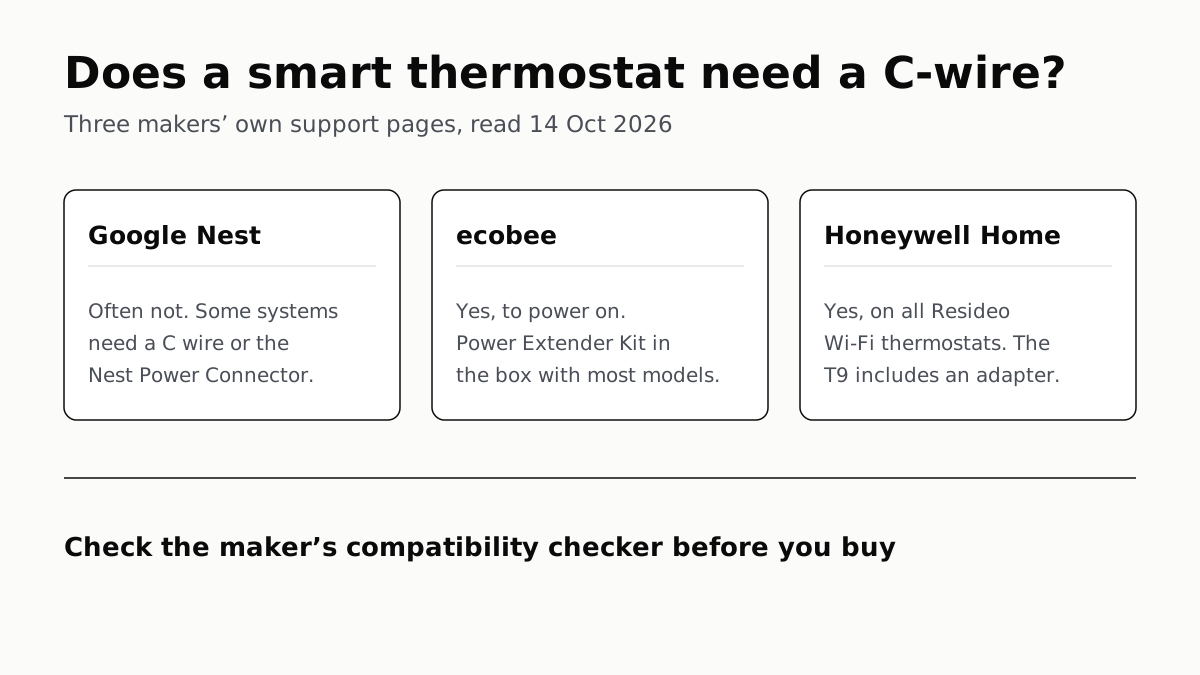
Ecobee and Honeywell Need a C-Wire; Nest Often Doesn’t
Each maker has a fix for homes without the wire, and each sends you to its own compatibility checker before you buy.
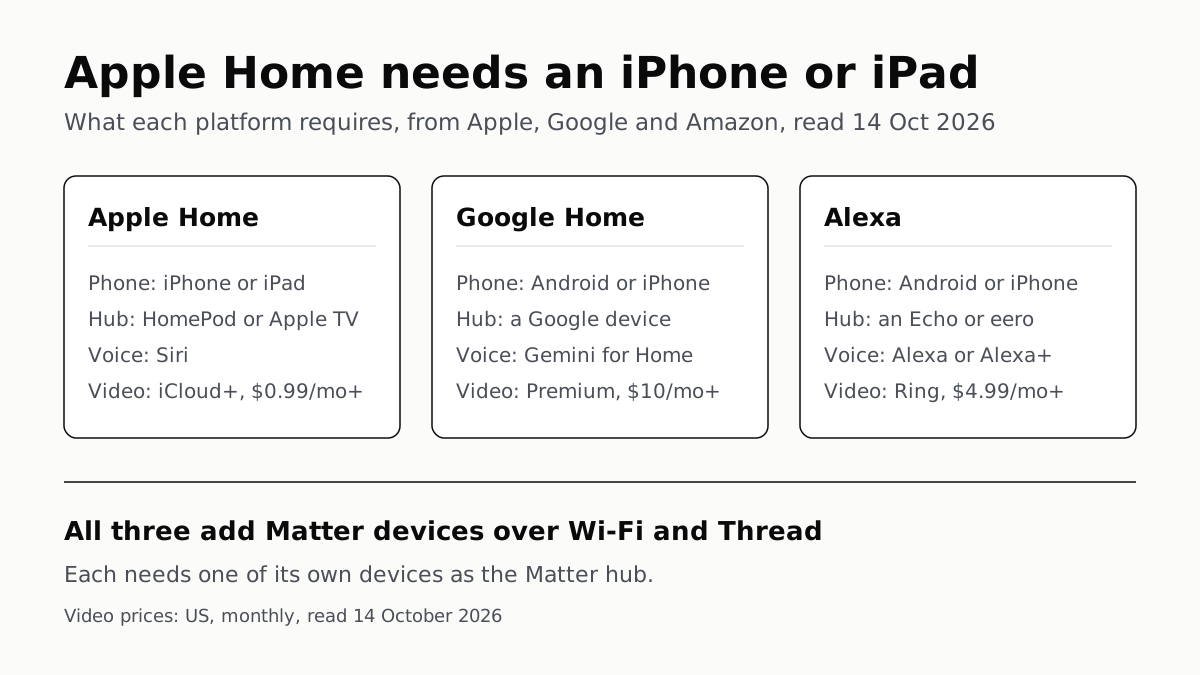
Apple Home Needs an iPhone; Google and Alexa Run on Both
All three add Matter and Thread devices. They differ in which hub you need, which assistant answers and what camera video history costs.
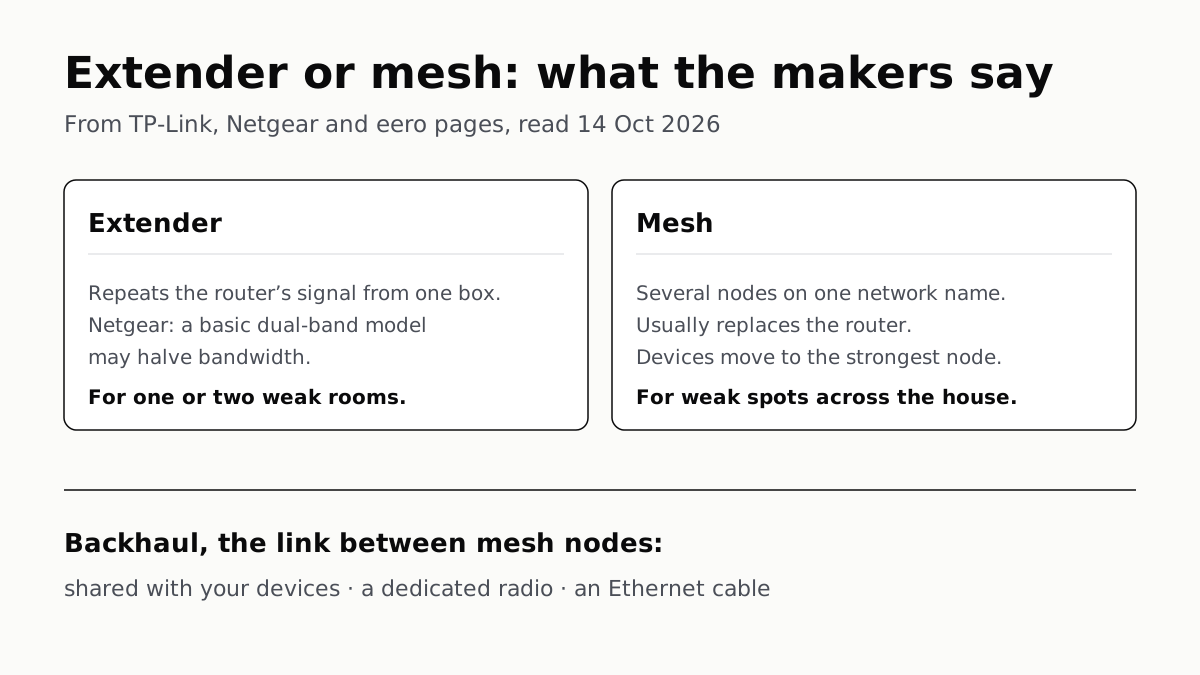
Extender for One Dead Room, Mesh for a Whole House
An extender repeats your router from one plug; mesh runs several nodes as one network. How the nodes link sets the speed.
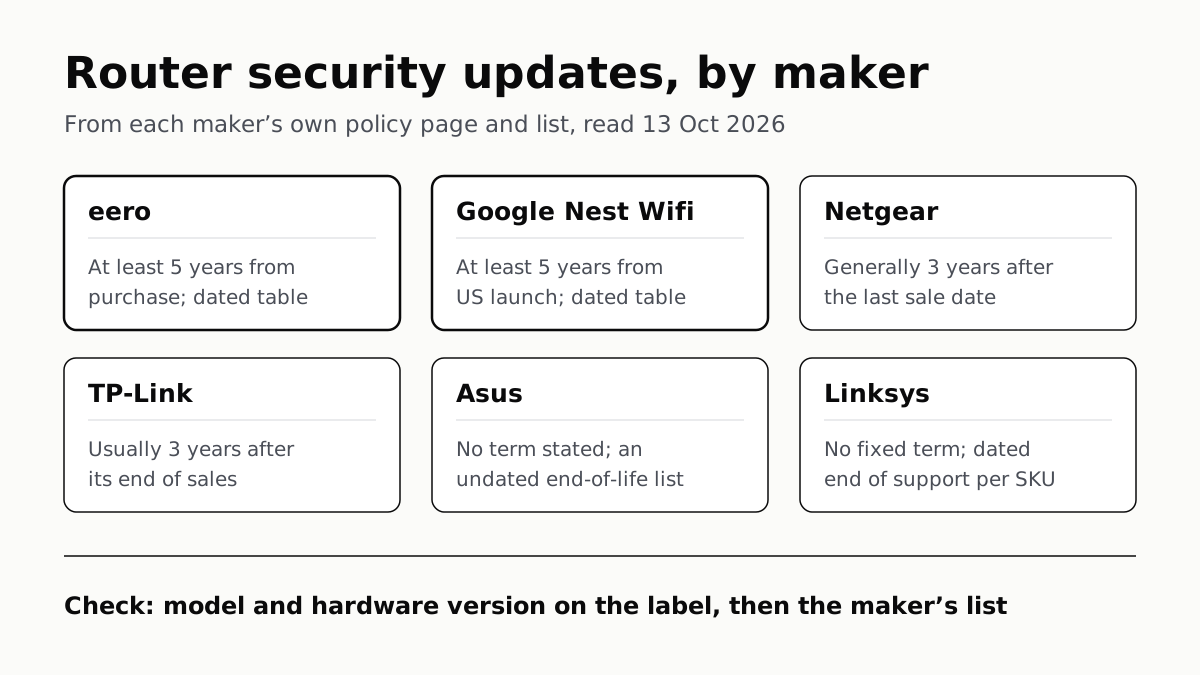
Four Router Makers Set an Update Term; Asus, Linksys Don’t
eero and Google guarantee five years at minimum; Netgear and TP-Link stop about three years after a model leaves sale.