Wi-Fi 7’s Gains Need Wi-Fi 7 Devices Too
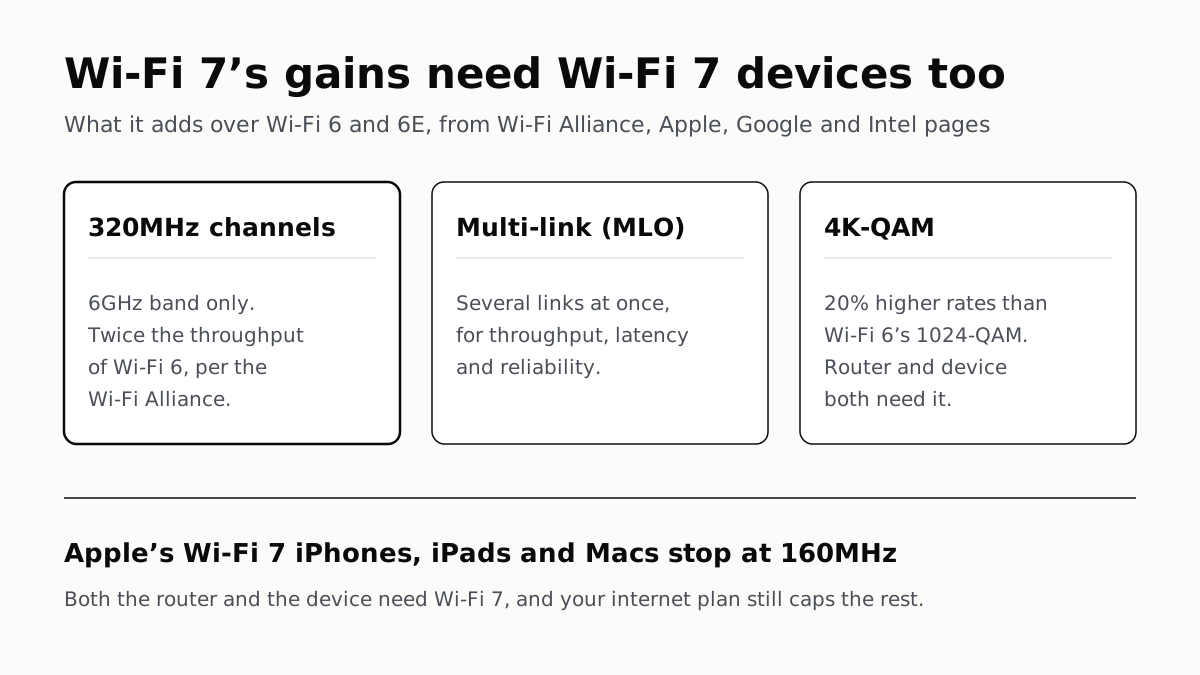
Its widest channels need a 6GHz router and a device built to use them. Apple’s Wi-Fi 7 phones and Macs stop at half that width.
If you buy through our links, we may earn a commission. It never affects our verdicts or scores — how that works. As an Amazon Associate I earn from qualifying purchases.
A Wi-Fi 7 router speeds up only the devices that also have Wi-Fi 7, and only up to what your internet plan delivers. If your phone and laptop are Wi-Fi 6 or 6E, they still connect at their own standard’s rates; and if your line is slower than the Wi-Fi you already have, Wi-Fi 7 cannot raise it.
Where it can pay off is a home full of recent devices that move a lot of data between each other, or a busy network where Wi-Fi 7’s multi-link feature has something to work with.
What Wi-Fi 7 adds over Wi-Fi 6 and 6E
The Wi-Fi Alliance, which certifies the standard, lists these as the main additions:
| Feature | What it does, per the Wi-Fi Alliance | Catch |
|---|---|---|
| 320MHz channels | Twice the throughput of Wi-Fi 6 | 6GHz band only, where a country allows 6GHz Wi-Fi |
| Multi-link operation (MLO) | Sends and receives over several links at once, for throughput, latency and reliability | Router and device both need it |
| 4K-QAM | 20% higher transmission rates than Wi-Fi 6’s 1024-QAM | Router and device both need it |
| 512 compressed block-ack, multiple RUs per device | Less overhead, more flexible use of spectrum | Efficiency gains, not a headline number |
The big number comes from the first row. Wi-Fi 7’s widest channels exist only in the 6GHz band, so a Wi-Fi 7 router without a 6GHz radio cannot use them, and neither can a device that does not support 320MHz.
Wi-Fi 6E already opened the 6GHz band. That is why the useful comparison for most buyers is Wi-Fi 7 against 6E, not against plain Wi-Fi 6.
What your devices need
Both ends of the link need Wi-Fi 7. The Wi-Fi Alliance says its certification covers backward compatibility, so older devices still connect to a Wi-Fi 7 router, at their own standard’s rates.
The surprise is in Apple’s own specification tables. Apple lists 160MHz as the maximum channel width for all of its Wi-Fi 7 iPhones, iPads and Macs, not 320MHz. On the Wi-Fi 7 iPhones, the 6GHz row reads 2,400 Mbps at 160MHz for Wi-Fi 7 and exactly the same for Wi-Fi 6E. What those devices gain from a Wi-Fi 7 router is multi-link operation, which Apple lists for them, and the standard’s efficiency features, not a higher peak rate.
| Device | Wi-Fi | Maker’s listed limit |
|---|---|---|
| iPhone 16, 16 Plus, 16 Pro, 16 Pro Max, 17, 17 Pro, 17 Pro Max, Air, 18 Pro, 18 Pro Max, Duo | Wi-Fi 7 with MLO | 160MHz, 2,400 Mbps on 6GHz |
| iPhone 16e, 17e | Wi-Fi 6, no 6GHz | 80MHz, 1,200 Mbps on 5GHz |
| iPad Air (M4) (affiliate link to Amazon, opens in a new tab), iPad Pro (M5) | Wi-Fi 7 with MLO | 160MHz |
| MacBook Air (M5, 2026), MacBook Pro (M5 Pro and M5 Max, 2026), Mac mini (2026) | Wi-Fi 7 with MLO | 160MHz, 2,400 Mbps on 6GHz |
| MacBook Pro 14-inch (M5, 2025), MacBook Neo, iMac (2024), Mac Studio (2026) | Wi-Fi 6E | 160MHz, 2,400 Mbps on 6GHz |
| Pixel 11 Pro (affiliate link to Amazon, opens in a new tab), 11 Pro XL | Wi-Fi 7, 2x2 MIMO | Channel width not stated |
| Pixel 11 (affiliate link to Amazon, opens in a new tab) | Wi-Fi 6E, 2x2 MIMO | Channel width not stated |
| PCs with Intel’s Wi-Fi 7 BE200 card (affiliate link to Amazon, opens in a new tab) | Wi-Fi 7 | 5.8 Gbps at 320MHz and 4096-QAM |
The Pixel split matters if you are buying a phone and a router together: Google gives the Pixel 11 Pro Wi-Fi 7 and the standard Pixel 11 Wi-Fi 6E.
Windows PCs need the right Windows as well. Intel says the Wi-Fi 7 features of its cards “are available starting with Windows 11 24H2”, and that 6GHz use relies on Windows 11. A Wi-Fi 7 card on Windows 10 does not get them. Settings › System › About shows your version, as our piece on Windows 11 24H2 losing updates explains.
When your internet plan is the ceiling
Wi-Fi carries what reaches your router; it cannot add to it. If your plan is slower than the Wi-Fi link your devices already manage, a Wi-Fi 7 router gives you a faster link to a line that has not changed.
Apple’s figures show how much room the older standards already have. Its Wi-Fi 6 iPhones list a peak PHY rate of 1,200 Mbps on 5GHz, and its Wi-Fi 6E and 7 models 2,400 Mbps. Apple defines that as the highest rate at which a device can transmit, so real speeds come in lower, but it shows that the radio is rarely the first limit for a modest plan.
To find out which link is limiting you, run a speed test with a computer plugged into the router by cable, then over Wi-Fi next to it. Our explainer on why Wi-Fi is slower than the speed you pay for walks through that check. If the wired number already matches your plan and Wi-Fi beside the router is close behind, the plan is your ceiling and Wi-Fi 7 will not lift it.
Traffic that never leaves your home is the exception. Copying files between two computers, backing up to a drive on the network or streaming games from a PC to another screen in the house all run at Wi-Fi speed, not plan speed. That is where a Wi-Fi 7 router and Wi-Fi 7 devices on both ends have something to add.
Smart-home gadgets are not part of this. Cheap plugs and sensors sit on 2.4GHz, where even Apple’s Wi-Fi 7 phones list a 20MHz maximum. If those keep dropping offline, start with the causes in that guide before a new router.
Who should buy one
| Your situation | Wi-Fi 7 router? |
|---|---|
| Most of your devices are Wi-Fi 6 or older | Not yet; they will connect at Wi-Fi 6 rates |
| Recent iPhones and Macs, plan slower than your current Wi-Fi | Little to gain in internet speed; MLO is the main addition |
| Wi-Fi 7 devices that move files around the house, or a gaming PC with a 320MHz-capable card | Yes, with a 6GHz radio on the router |
| Your current router is 6E and works | Check what your devices list first |
If you buy one during the Black Friday sales on 27 November, check that the box lists the 6GHz band and 320MHz channels. The 320MHz channels behind the standard’s headline figure need both.
Questions people ask
Do I need a Wi-Fi 7 router?
Only if the devices you use most have Wi-Fi 7 and something faster than your internet line runs over your Wi-Fi, such as copying files between computers at home. If your phone and laptop are Wi-Fi 6 or 6E, a Wi-Fi 7 router talks to them at their own standard’s rates.
Is Wi-Fi 7 worth it over Wi-Fi 6E?
For many current devices the gap is smaller than the headline. Apple’s Wi-Fi 7 iPhones list the same 160MHz channel width and 2,400 Mbps peak rate on 6GHz for Wi-Fi 7 as for Wi-Fi 6E. What they add is multi-link operation and Wi-Fi 7’s efficiency features.
Will Wi-Fi 7 make my internet faster?
Not past your plan. Wi-Fi carries what arrives at the router, so if your line is slower than your current Wi-Fi link, a faster link cannot raise it. Test with an Ethernet cable first: if the wired result matches your plan, the line is the ceiling.
Do Wi-Fi 6 devices work with a Wi-Fi 7 router?
Yes. The Wi-Fi Alliance says its Wi-Fi CERTIFIED seal designates products with proven backward compatibility. Older devices connect at their own standard’s rates and do not gain Wi-Fi 7 features.
Which phones support Wi-Fi 7?
Among Apple and Google phones: iPhone 16, 16 Plus, 16 Pro and 16 Pro Max, the iPhone 17 line except the 17e, iPhone Air, iPhone 18 Pro and Pro Max, and iPhone Duo; and the Pixel 11 Pro and Pro XL. The Pixel 11, iPhone 16e and iPhone 17e do not.
What do I need for 320MHz Wi-Fi 7 channels?
A router with a 6GHz radio, a country that allows 6GHz Wi-Fi, and a device that supports 320MHz. Intel’s BE200 card does. Apple’s Wi-Fi 7 iPhones, iPads and Macs list 160MHz as their maximum, so they do not.
How we researched this
No one at bitcritiq has handled this product. Everything here comes from published sources, listed below.
- What this cannot tell you
- We have not measured any router or device, so this piece gives no real-world speeds, only the peak link rates and channel widths makers publish. A PHY rate is a ceiling, not what a speed test shows. Google’s Pixel spec pages do not state a maximum channel width, so we cannot say whether the Pixel 11 Pro uses 320MHz channels. Wi-Fi 7 routers vary, and we have not surveyed which ones include a 6GHz radio.
How we chose this, and what we did
- Why this subject
- Router shopping peaks around Black Friday (27 November 2026), and the questions people search are “do I need wifi 7”, “wifi 7 vs wifi 6e” and “is wifi 7 worth it”. Our piece on Wi-Fi running slower than the plan mentions Wi-Fi 7 three times but never says what it adds or what a device needs to use it. This piece answers that and leaves the speed-gap diagnosis to the existing article.
- How we looked at it
- Read through a browser on 6 October 2026: the Wi-Fi Alliance’s Wi-Fi (MAC/PHY) page and its 8 January 2024 press release introducing Wi-Fi CERTIFIED 7; Apple’s Platform Deployment page “Wi-Fi and Ethernet specifications for Apple devices”; Google Store technical specs for Pixel 11 and Pixel 11 Pro; Intel’s ARK specification page for the Wi-Fi 7 BE200 and the notes on Intel’s Wi-Fi driver download page. The statement that Apple lists no Wi-Fi 7 device above 160MHz has a control: the same page has a “Maximum channel bandwidth” column for every model, and its tables do show 20, 40, 80 and 160MHz rows.
What this rests on
6 claims, all official. Nothing here was measured by bitcritiq — see how we test for why. Open a claim to read the source it came from.
Wi-Fi 7’s 320MHz channels are available only in the 6GHz band, and the Wi-Fi Alliance says they provide twice the throughput of Wi-Fi 6.Official
Wi-Fi Alliance, Wi-Fi (MAC/PHY): “320 MHz channels available in the 6 GHz band provide twice the throughput of Wi-Fi 6, enabling multigigabit Wi-Fi device speeds.” Press release: “available in countries that make the 6 GHz band available to Wi-Fi”.
Multi-link operation lets a device send and receive over more than one link at the same time.Official
Wi-Fi Alliance press release, 8 January 2024: “Multi-Link Operation (MLO): allows devices to transmit and receive data simultaneously over multiple links for increased throughput, reduced latency, and improved reliability.”
4K-QAM gives 20% higher transmission rates than Wi-Fi 6’s 1024-QAM.Official
Wi-Fi Alliance, Wi-Fi (MAC/PHY): “4K quadrature amplitude modulation mode (4K QAM) achieves 20% higher transmission rates than Wi-Fi 6’s 1024 QAM for greater efficiency.”
Apple’s Wi-Fi 7 iPhones, iPads and Macs list a maximum channel bandwidth of 160MHz, and the Wi-Fi 7 iPhones list the same 2,400 Mbps peak rate on 6GHz for Wi-Fi 7 as for Wi-Fi 6E.Official
Apple, Wi-Fi and Ethernet specifications for Apple devices: for iPhone 16 to iPhone 18 Pro and iPhone Duo, “be@6 GHz · 2400 Mbps · 160 MHz” and “ax@6 GHz · 2400 Mbps · 160 MHz”; the N1 iPad and Mac tables also list 160 MHz as the maximum. “These models also support Wi-Fi 7 in the 2.4 GHz, 5 GHz, and 6 GHz bands and Multi-Link Operation (MLO).”
Intel rates its Wi-Fi 7 BE200 card at up to 5.8 Gbps using 320MHz channels, and its Wi-Fi 7 features need Windows 11 version 24H2 or later.Official
Intel ARK, BE200: “Max Speed 5.8 Gbps (320MHz,4096QAM)”. Intel driver page: “Usage of the 6GHz band relies on Microsoft Windows (Windows 11*) Operating System support. The Wi-Fi 7 features are available starting with Windows 11* 24H2.”
The Pixel 11 has Wi-Fi 6E; the Pixel 11 Pro and Pro XL have Wi-Fi 7.Official
Google Store, Pixel 11 specs: “Wi-Fi 6E (802.11ax) with 2.4GHz, 5GHz, 6GHz, 2x2 MIMO”. Pixel 11 Pro & 11 Pro XL specs: “Wi-Fi 7 (802.11be) with 2.4GHz, 5GHz, 6GHz, 2x2 MIMO”.
Sources 7
- Wi-Fi (MAC/PHY) — Wi-Fi AllianceOfficialaccessed Oct 6, 2026
- Wi-Fi Alliance introduces Wi-Fi CERTIFIED 7 — Wi-Fi Alliance press release, 8 January 2024Officialaccessed Oct 6, 2026
- Wi-Fi and Ethernet specifications for Apple devices — Apple Platform DeploymentOfficialaccessed Oct 6, 2026
- Google Pixel 11 Pro & 11 Pro XL Technical Specs — Google StoreOfficialaccessed Oct 6, 2026
Show 3 more · 3 official or standards
- Google Pixel 11 Specs — Google StoreOfficialaccessed Oct 6, 2026
- Intel Wi-Fi 7 BE200 specifications — Intel ARKOfficialaccessed Oct 6, 2026
- Intel Wireless Wi-Fi Drivers for Windows 10 and Windows 11 — Intel Download CenterOfficialaccessed Oct 6, 2026
Pass it on
Know someone weighing this up? Send them the answer.
bitcritiq.com/jur2The link is permanent: it opens this article for good, even if the title changes.
No email, no account
Follow bitcritiq
Every new article, in whatever reader you already use.
Subscribe by RSSAll the ways to follow
Using Chrome on Android? Open the browser menu and tap Follow. New articles then turn up in the Following tab in Discover.
read next
Ecobee and Honeywell Need a C-Wire; Nest Often Doesn’t
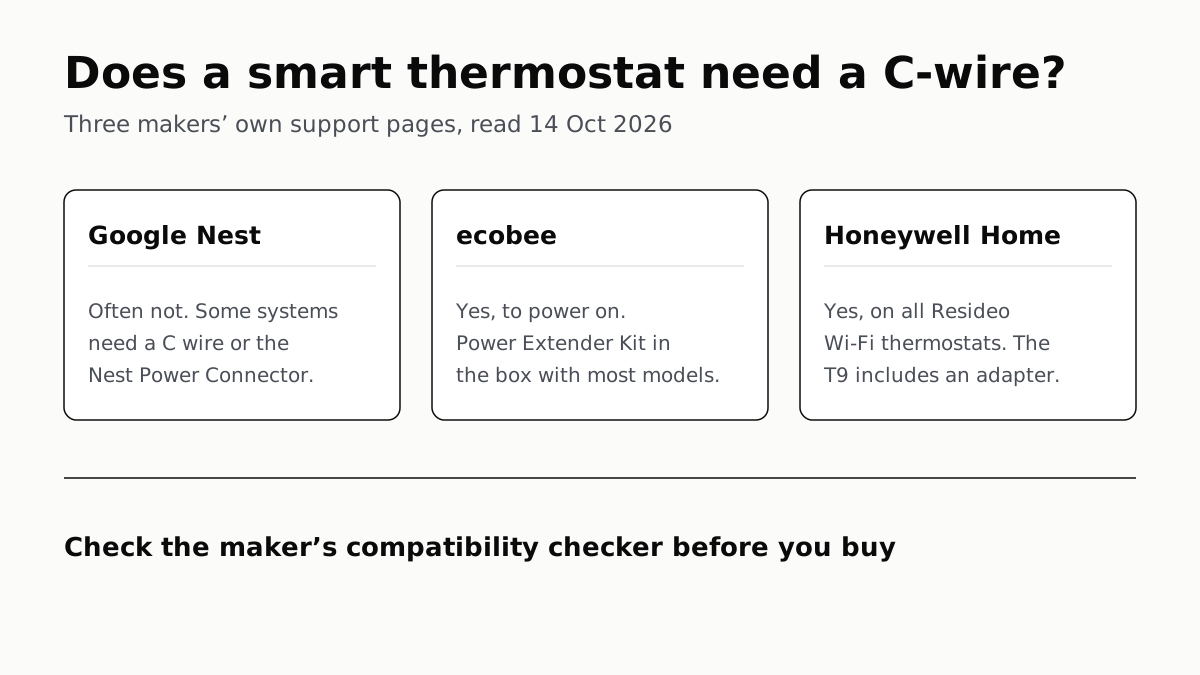
Each maker has a fix for homes without the wire, and each sends you to its own compatibility checker before you buy.
Apple Home Needs an iPhone; Google and Alexa Run on Both
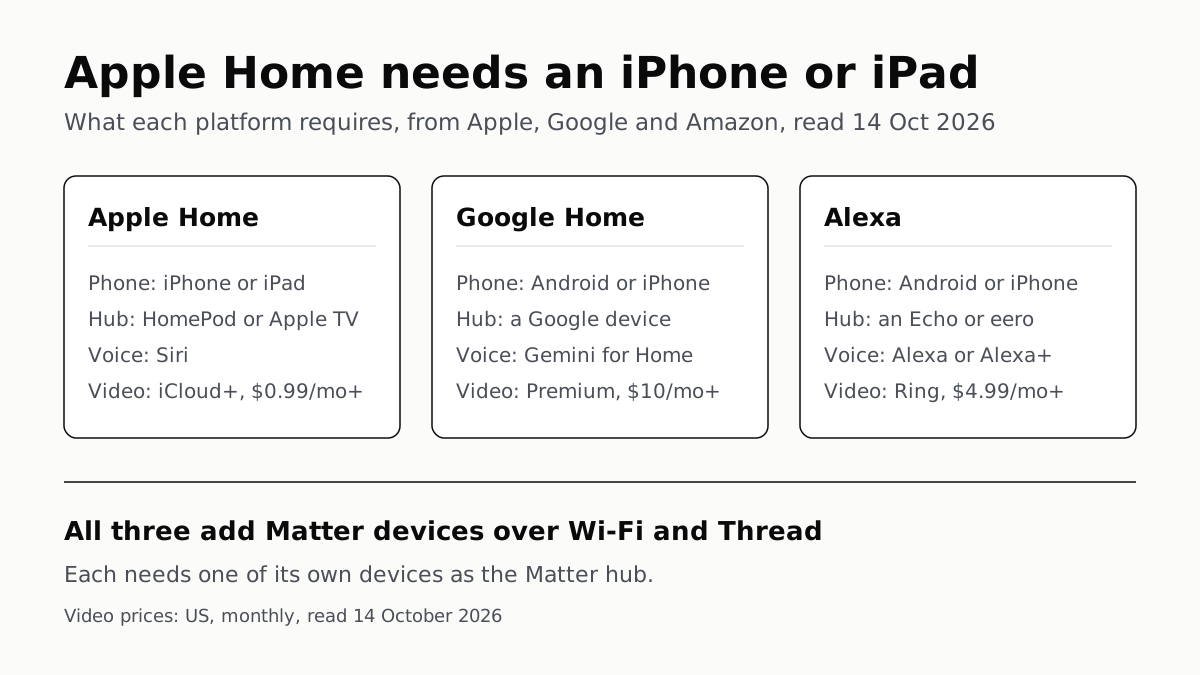
All three add Matter and Thread devices. They differ in which hub you need, which assistant answers and what camera video history costs.
Extender for One Dead Room, Mesh for a Whole House
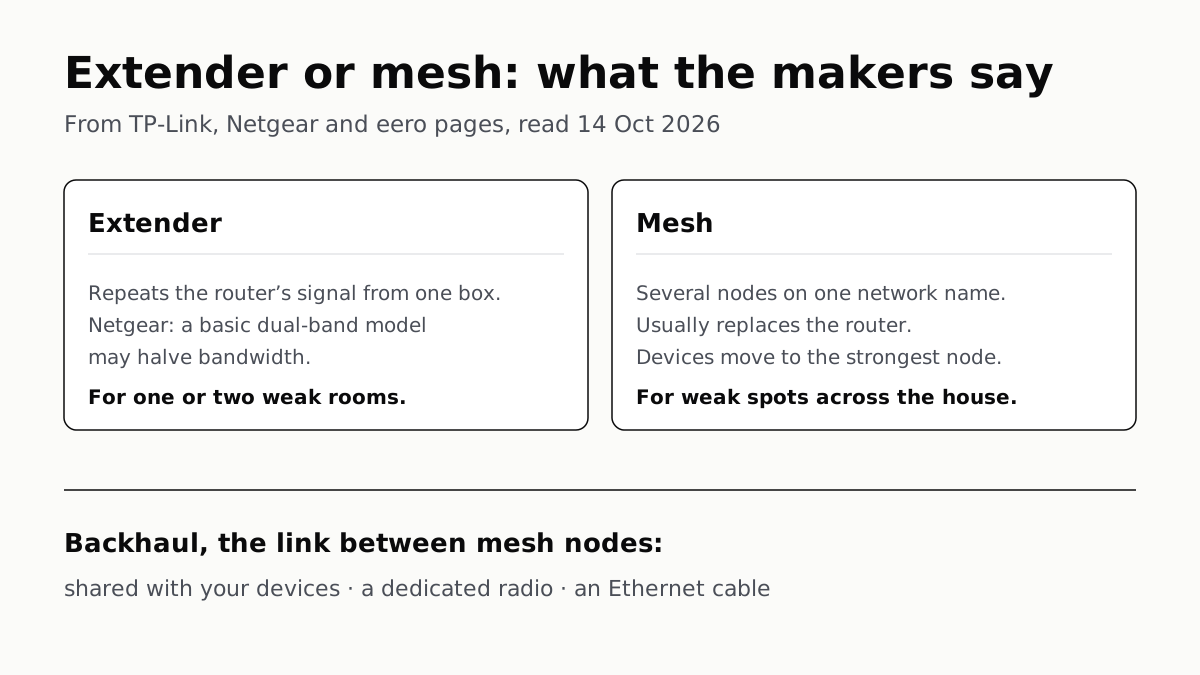
An extender repeats your router from one plug; mesh runs several nodes as one network. How the nodes link sets the speed.
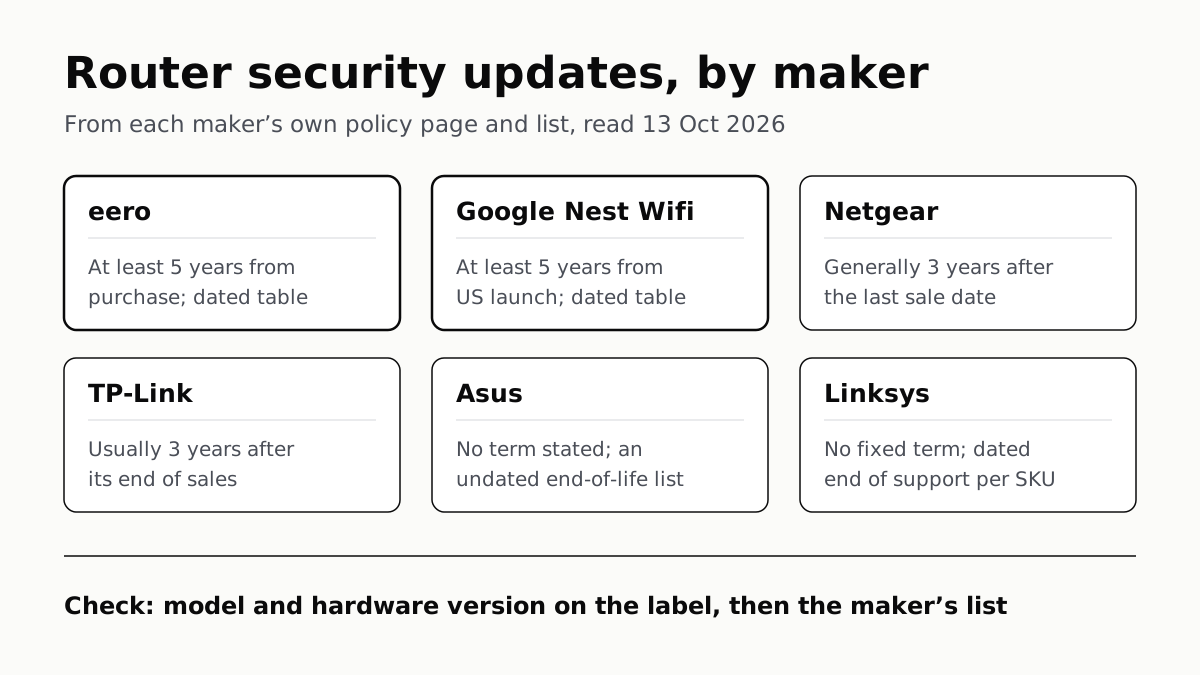
Four Router Makers Set an Update Term; Asus, Linksys Don’t
eero and Google guarantee five years at minimum; Netgear and TP-Link stop about three years after a model leaves sale.