Steam and Xbox Gift a Game; Sony and Nintendo Sell Cards
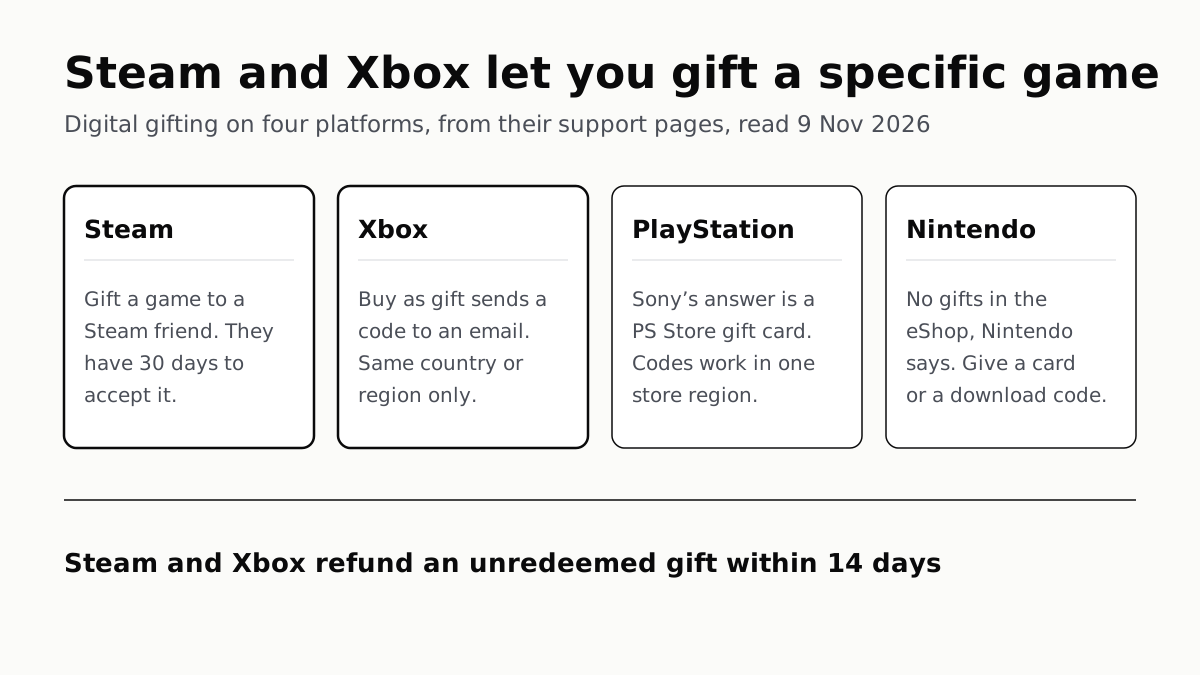
Steam sends a game to a friend, Xbox sends a code to an email address. For PS5 and Switch, the makers point you to a gift card instead.
If you buy through our links, we may earn a commission. It never affects our verdicts or scores — how that works. As an Amazon Associate I earn from qualifying purchases.
Update, 10 November 2026. Nintendo announced on 9 November that the eShop on Switch and Switch 2 will let members of a Nintendo Account family group gift digital games to each other from 16 November, on system version 23.5.0 or greater. Until then, Nintendo’s support answer quoted below still applies; from 16 November it holds only for people outside your family group.
You can gift a specific digital game on Steam and on Xbox, but not through Nintendo’s eShop, and Sony’s own answer for PlayStation is a gift card. Steam sends the game to someone on your Friends List; Microsoft emails a redeemable code to any address in your own country or region.
For PS5 and Switch, the gift is credit or a code: a PlayStation Store gift card, or a Nintendo eShop card or a retail download code.
The four stores side by side
| Platform | Buy a specific game for someone? | How it arrives | Limits the store states |
|---|---|---|---|
| Steam | Yes, for anyone on your Steam Friends List | In their Steam account, with an email; schedule up to 12 months ahead | 30 days to accept; some gifts blocked across purchase regions; DLC needs the base game; some titles and bundles cannot be gifted |
| Xbox (Microsoft Store) | Yes, where the page shows Buy as gift | A code emailed to one address; where available, schedule up to a year ahead | Same country or region; a cap on gifts sent, then a wait of up to 30 days; child accounts may need an adult to change settings |
| PlayStation | Sony’s answer is a PlayStation Store gift card | An emailed voucher or printable PDF with a 12-digit code | Codes work only in the same PlayStation Store region; content and funds cannot move between accounts |
| Nintendo Switch | No: Nintendo says the eShop cannot send gifts | A Nintendo eShop card or a download code bought from a retailer | eShop cards work only for the country or region they were sold for |
Steam: a gift to a friend, with a 30-day window
Valve’s steps are short: add the game to your cart, choose This is a gift, select the recipient from your Friends List, then send it at once or schedule it. Valve allows scheduling “up to 12 months from the purchase date”.
The recipient then has 30 days. If they decline, Valve refunds you automatically; if they do nothing for 30 days, “Steam will automatically cancel the purchase and issue you a refund”. Once accepted, the game is “permanently added to the Steam account that it was redeemed on”.
When a friend’s name is greyed out, Valve lists the usual reasons: they already own the game, a regional price difference blocks the gift, the item is DLC for a game they do not own, it is a “Complete Your Collection” bundle, or the title is one that “may not be gifted”. You can only gift new purchases, so a game already in your library cannot be passed on, which is the licence terms Valve and Sony write into every purchase at work.
Refunds follow Valve’s usual rule: within 14 days of purchase and under two hours played “by the gift recipient”. If the gift has been redeemed, the recipient has to approve the refund on Steam’s help site before you can request it. Because that clock starts at your purchase, a gift bought weeks early can leave the refund window before it is opened.
Xbox: a code to an email address
On the Microsoft Store, a game that can be gifted shows a Buy as gift option on its page; Microsoft says to “check the product page” if it is missing. The Microsoft Gift Terms say you name “a single Gift recipient using the individual’s email address”, and that person receives a code.
Anyone with that email can redeem the code, and Microsoft “does not control whether the recipient elects to redeem the Gift or pass it along to others”. Giver and recipient must be “in the same country/region”.
Two limits catch people. Microsoft caps how many digital gifts an account can send; if you hit it, “you may have to wait up to 30 days before you try again”. And a child’s account may block the download by maturity rating until a parent changes the family settings. Fortnite V-Bucks and other virtual currencies cannot be gifted.
Refunds are tighter than Steam’s: an unredeemed gift within 14 days of purchase, and none at all once redeemed. Gifted subscriptions run only for the period bought; if you are gifting one, what each Game Pass tier includes is worth checking first.
PlayStation: a gift card
Sony’s US gift-card page asks “Can I gift games on PlayStation?” and answers: “PlayStation Store gift cards are the go-to way of gifting digital games on PS5, PS5 Pro and PS4.” It offers the card as an emailed voucher or a printable PDF, sold through a third party, CashStar, or at retailers. None of the PlayStation pages we read describes buying a particular game for someone else’s account.
The recipient enters the 12-digit code under Redeem Code on PlayStation Store and can spend it on games, add-ons or a PlayStation Plus membership. Sony’s voucher help says codes “can only be redeemed in the same PlayStation Store region”, and a code redeemed on the wrong account cannot be moved: “It’s not possible to transfer funds or content between accounts.” For a child’s account, a family manager in the US may need to relax age filtering to redeem a code for an age-rated game.
Nintendo Switch: an eShop card or a download code
Nintendo’s answer is a flat no: “It is not possible to send a gift in the Nintendo eShop (on-device or off-device).” It suggests a prepaid Nintendo eShop card, or a download code for select games from authorized retailers. Nintendo says eShop cards work only for the country or region they were sold for, and it will not replace or refund one bought for the wrong region.
Virtual game cards are not a gift either. Nintendo lets you lend one to a member of your Nintendo Account family group for 14 days, with both consoles close together, and you cannot play it while it is lent. The game stays yours.
Which to choose
If the person plays on Steam or Xbox and you know they do not own the game, a direct gift arrives as the game itself. Otherwise, or on PlayStation and Switch, a card in the right region lets them choose, and on Steam it skips the friend-list step: Valve sells digital Steam Gift Cards that a buyer without a Steam account can buy as a guest. For family in another country, what is and is not region-locked on each console decides which card to buy.
Questions people ask
Can you gift a game on PS5?
Not as a specific game, on the PlayStation pages we read. Sony answers “Can I gift games on PlayStation?” with PlayStation Store gift cards, sent as an emailed voucher or a printable PDF. The recipient redeems the 12-digit code and picks the game.
How do you gift a game on Steam?
Add the game to your cart, choose This is a gift, then pick the recipient from your Steam Friends List. You can send it now or schedule it up to 12 months ahead. The recipient has 30 days to accept it.
Can you gift Switch games?
Not through the eShop. Nintendo says “It is not possible to send a gift in the Nintendo eShop (on-device or off-device)”. It suggests a Nintendo eShop Card or a download code for select games from an authorized retailer instead.
How do I gift an Xbox game to someone?
On the game’s page in the Microsoft Store, look for Buy as gift and enter the recipient’s email address. They get a code to redeem on their Microsoft account. You both have to be in the same country or region.
Can I gift a game I already own?
No, on Steam: Valve says you may only gift new purchases and may not transfer games you already own. A Steam multipack bought for your own account is the exception Valve describes, because its extra copies can be gifted.
Can I get a refund on a gifted game?
On Steam, within 14 days of purchase and under two hours played by the recipient; if it was redeemed, the recipient has to agree first. On Xbox, only while unredeemed and within 14 days.
Can you gift a game to someone in another country?
Often not. Microsoft requires the same country or region. Steam says some gifts cannot go to other purchase regions. PlayStation and Nintendo gift cards work only in the store region they were sold for.
How we researched this
No one at bitcritiq has handled this product. Everything here comes from published sources, listed below.
- What this cannot tell you
- We did not sign in to any store or go through a checkout, so we have not seen the gift screens themselves. Steam's gifting FAQ does not mention any waiting period after adding a friend, and we did not test whether one applies. Microsoft does not publish the number of digital gifts an account may send before the limit it describes. Sony's pages do not say in so many words that a specific game cannot be bought for another account; we report what they offer instead. All pages are the US versions; rules and availability can differ elsewhere.
How we chose this, and what we did
- Why this subject
- Gift season brings the same question every year: can I buy someone a digital game rather than a box? The answer differs by store, and each store answers it on its own support pages, so one table can settle the practical part for the four main platforms.
- How we looked at it
- Read through a browser on 9 November 2026, US pages only: Steam Support's 'Steam Gifts' FAQ; Xbox Support's 'Help with giving digital games or subscriptions as gifts' (all sections expanded) and the Microsoft Gift Terms and Conditions (digital goods); PlayStation's US gift-card page with its FAQ and PlayStation Support's 'Problems using voucher codes on PlayStation Store'; Nintendo Support's 'Can I Send a Gift Through Nintendo eShop?', its 'Virtual Game Card Guide' and its 'Nintendo Switch Regional Compatibility FAQ'. Absence control for PlayStation: the gift-card page carries the question 'Can I gift games on PlayStation?' and answers it with gift cards alone; a direct gift option would be named there, and it is not. Nintendo's 'no' is stated outright, so it needs no control.
What this rests on
6 claims, all official. Nothing here was measured by bitcritiq — see how we test for why. Open a claim to read the source it came from.
Steam lets you buy a game as a gift for anyone on your Steam Friends List; the recipient has 30 days to accept or decline it.Official
Steam Support: “When you add a game to your cart, you will see the option to "gift" the game to anyone on your Steam Friends List.” … “When your gift is sent to the recipient, they'll have 30 days to accept or decline the gift.”
Steam gifts must be new purchases; you cannot pass on a game you already own.Official
Steam Support: “Also note that you may only gift new purchases—you may not transfer games you already own.”
A Microsoft Store gift is sent as a code to one recipient's email address, and giver and recipient must be in the same country or region.Official
Microsoft Gift Terms: “You must designate a single Gift recipient using the individual’s email address. Once you have completed the purchase, an email will be sent to the Gift recipient containing a code (“Code”) to redeem the Gift.” … “Gifts can only be purchased and redeemed by users in the same country/region”.
An unredeemed Xbox gift can be refunded within 14 days of purchase; a redeemed one cannot.Official
Xbox Support: “You must request a refund for an unredeemed gift within 14 days of making the purchase. If the gift has been redeemed, we’re unable to process a refund, even if it’s within 14 days of purchase.”
Sony's own answer to gifting PlayStation games is a PlayStation Store gift card.Official
PlayStation gift cards FAQ: “Can I gift games on PlayStation? Yes - PlayStation Store gift cards are the go-to way of gifting digital games on PS5, PS5 Pro and PS4.”
Nintendo says gifts cannot be sent through the Nintendo eShop.Official
Nintendo Support: “No. It is not possible to send a gift in the Nintendo eShop (on-device or off-device). You may consider gifting a prepaid Nintendo eShop Card … or a download code instead.”
Sources 9
- Steam Gifts — Steam SupportOfficialaccessed Nov 9, 2026
- Help with giving digital games or subscriptions as gifts — Xbox SupportOfficialaccessed Nov 9, 2026
- Microsoft Gift Terms and Conditions (digital goods) — Microsoft StoreOfficialaccessed Nov 9, 2026
- PlayStation gift cards — PlayStation (US)Officialaccessed Nov 9, 2026
Show 5 more · 5 official or standards
- Problems using voucher codes on PlayStation Store — PlayStation Support (US)Officialaccessed Nov 9, 2026
- Can I Send a Gift Through Nintendo eShop? — Nintendo SupportOfficialaccessed Nov 9, 2026
- Virtual Game Card Guide — Nintendo SupportOfficialaccessed Nov 9, 2026
- Nintendo Switch Regional Compatibility FAQ — Nintendo SupportOfficialaccessed Nov 9, 2026
- Coming soon: Gift digital games to family group members — Nintendo (US)Officialaccessed Nov 10, 2026
Pass it on
Know someone weighing this up? Send them the answer.
bitcritiq.com/94neThe link is permanent: it opens this article for good, even if the title changes.
No email, no account
Follow bitcritiq
Every new article, in whatever reader you already use.
Subscribe by RSSAll the ways to follow
Using Chrome on Android? Open the browser menu and tap Follow. New articles then turn up in the Following tab in Discover.
read next
PS5 and Xbox Controllers Pair With PCs and Phones
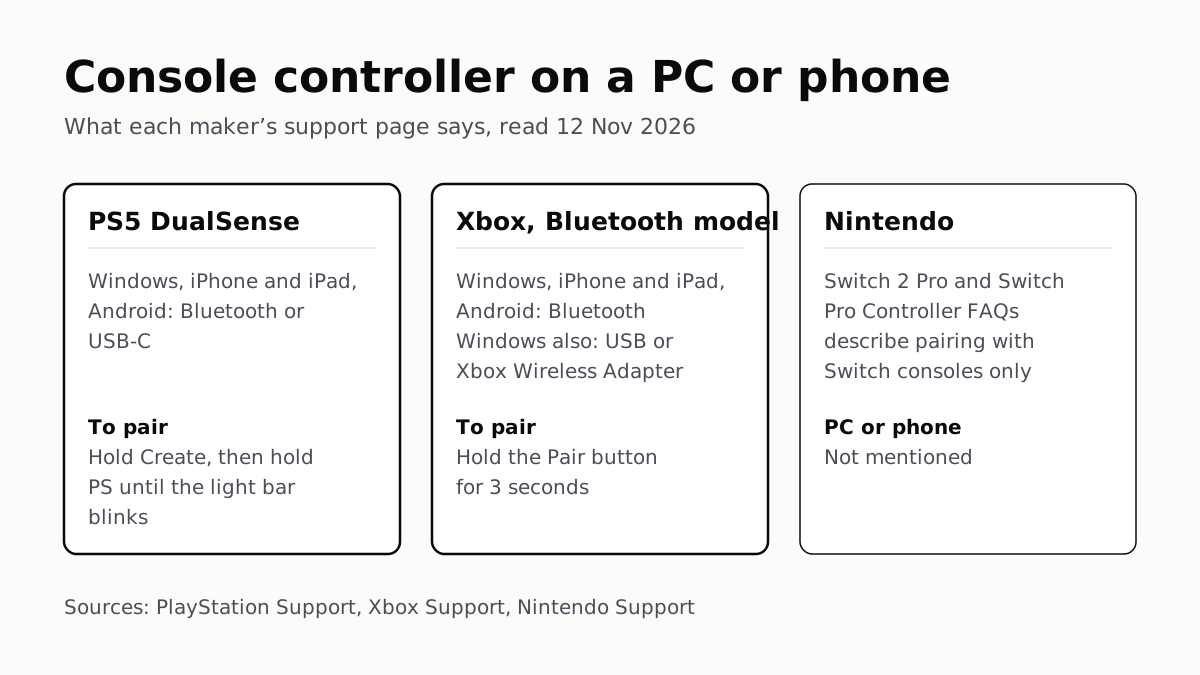
Hold Create and PS on a DualSense, or Pair on a Bluetooth Xbox pad. Nintendo’s Pro Controller FAQs mention no PC or phone.
Before You Sell a Console, Unlink It, Then Reset It
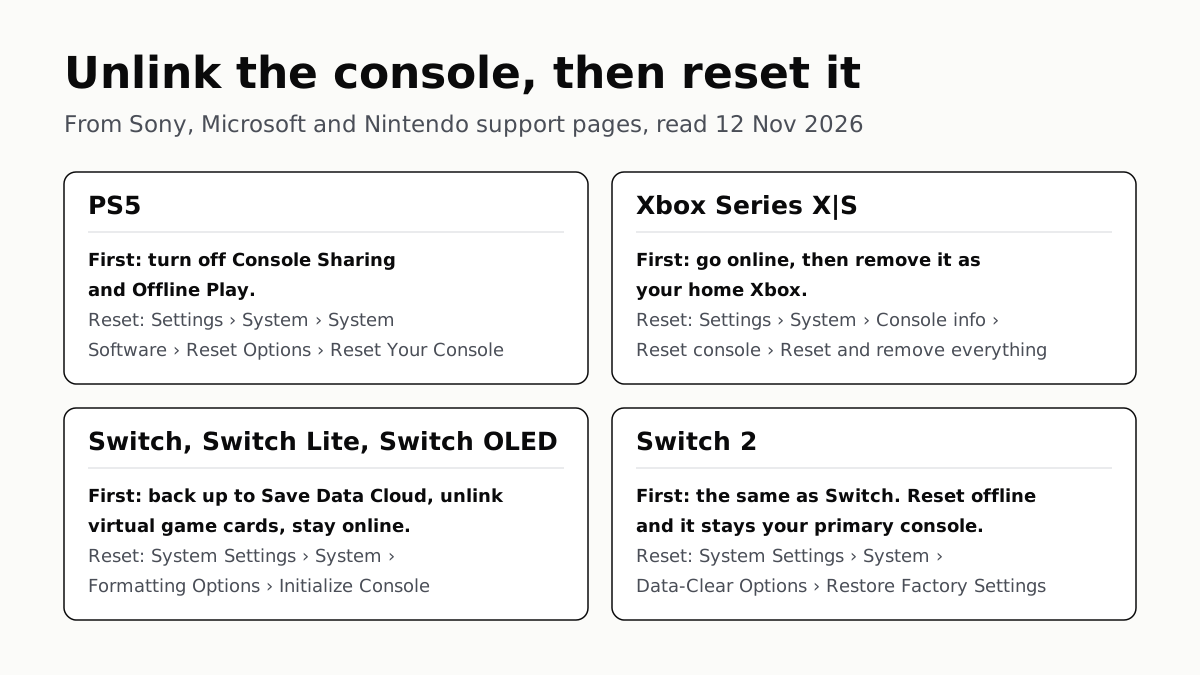
Each maker has a setting that ties a console to your account. Switch it off and back up your saves before the wipe.
PS5, Xbox and Switch 2 Games Aren’t Region-Locked
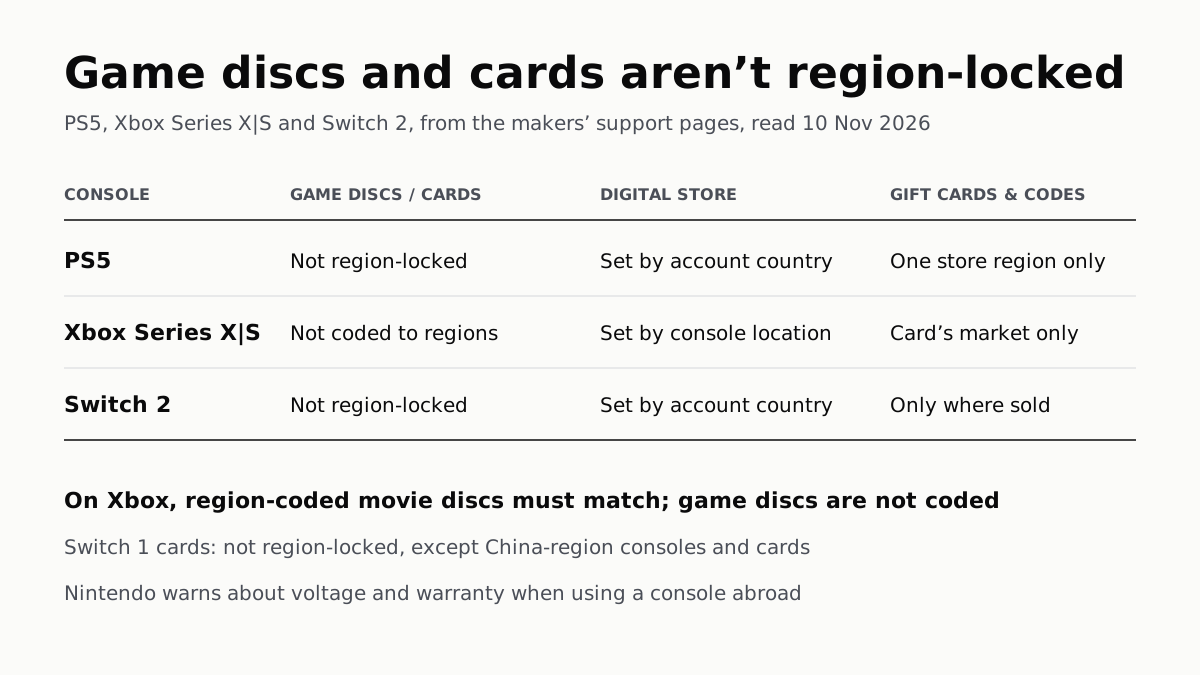
Your account’s or console’s country decides what you can buy; gift cards, subscription codes and some add-ons stay in one region.
4K 120Hz on PS5 or Xbox Starts With a TV Port Setting
Samsung calls it Input Signal Plus, LG HDMI Ultra HD Deep Color, Sony Enhanced format. Then turn on 120Hz, VRR and ALLM on the console.