Steam Shares by Family, Xbox and PS5 by Console
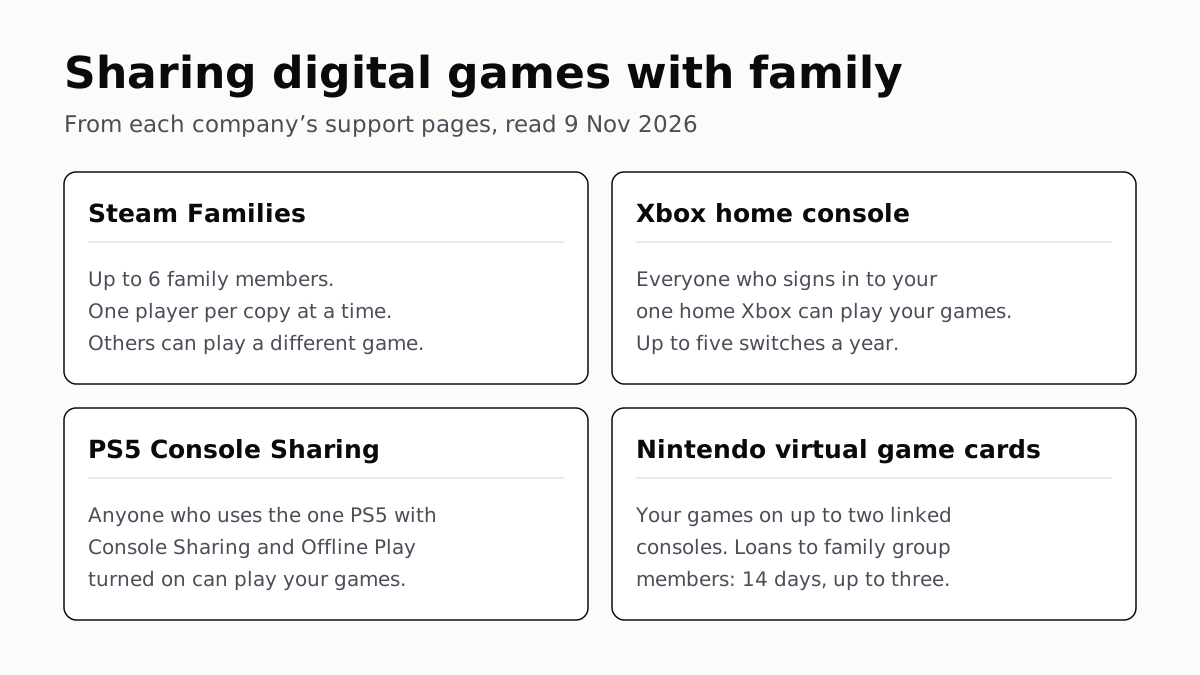
Steam Families covers up to 6 people. Xbox and PS5 share your library on one console; Nintendo lends a game for 14 days.
If you buy through our links, we may earn a commission. It never affects our verdicts or scores — how that works. As an Amazon Associate I earn from qualifying purchases.
Yes, on all four, but Steam shares with people while Xbox and PlayStation share through one console. Steam Families lets up to 6 family members play each other’s games; Xbox and PS5 let everyone on one nominated console play yours; Nintendo lets anyone on your two linked consoles play your games, and lends a game to a family member for 14 days.
Where the companies address it, the catch is the same: one copy serves one player at a time, so two people wanting the same game at the same moment usually means buying it twice. Sony’s sharing page does not say either way.
The rules side by side
| Platform | How sharing works | Same game at once | Stated limits |
|---|---|---|---|
| Steam Families | Family members see each other’s games in their own library and play them on their own accounts | One player per copy; others can play a different family game | Up to 6 members; adults wait 1 year after joining one family before joining another; a vacated slot has a one-year cooldown |
| Xbox home console | Anyone who signs in to your home Xbox can play your digital games and Game Pass games | Each console needs its own copy when other people play the same game with you on additional consoles | One home Xbox at a time; up to five switches in any one-year period |
| PS5 Console Sharing and Offline Play | Anyone who uses that PS5 can play your games and some PS Plus benefits | Not addressed on Sony’s sharing page | One PS5 at a time (plus one primary PS4); remote deactivation of all devices once every 6 months |
| Nintendo virtual game cards | Anyone on one of your two linked consoles can play cards loaded there; cards can be lent to family group members | A card is loaded on one console; a lent card cannot be played by you | Two linked consoles; family group of up to 8 users; lend up to three cards at a time, one per borrower, for 14 days |
All four sit on the same footing: what you bought is a licence, which the stores’ own terms say in so many words. Sharing is a feature each company grants on that licence, on its own terms.
Steam: a family of up to 6
Valve’s support page says “Steam Families can contain up to 6 family members”, and describes it as “intended for a household of up to 6 close family members”. Each member keeps their own account, saves and achievements, and the family’s games appear in their library.
Valve’s own example sets the limit on copies: “If two of you would like to play Portal 2 at the same time, someone else in the family will need to purchase a copy of the game.” While a copy is in use, others can still play anything else in the family library, and Valve says “Ability to play a family member’s game simultaneously, even if another game is being played.”
Three rules make it hard to join casually:
- Household. If you cannot join, Valve says the first likely reason is that “your account activity does not show that you are part of the same household as the existing members”.
- Cooldowns. Adults “will need to wait 1 year from when they joined the previous family to create or join a new family”, and “each Steam Family slot has a cooldown of one year before a new member can occupy that slot”. You can rejoin the last family you left without waiting, if it has fewer than 6 members.
- Exclusions. Games needing a third-party key, account or subscription; free-to-play games and their DLC; games restricted in a member’s region or not on their operating system; and games the publisher or owner has marked unavailable or private.
Valve also warns that if a family member cheats in your shared game, your account may be VAC banned. Children are added as Child accounts, which carry parental controls and can send purchase requests to an adult.
Xbox: one home console
Microsoft ties sharing to a console, not to people. “Friends and family that sign in to your home XBOX have access too, even when you’re not signed in,” its support page says, and that covers Microsoft Store games and add-ons and Game Pass games. You set it under Settings › General › Personalization › My home Xbox.
The limits are stated plainly: “You can only have one home XBOX at a time”, and “You can switch your home XBOX up to five times in any one-year period. Customer support can’t offer additional switches.”
You can still play your own games elsewhere. Microsoft says you can “download, play, and share your digital games on any XBOX console without having to switch your home XBOX”, signed in and online. What it does not allow is one copy for two consoles: each console needs its own copy when other people play the same game with you on additional consoles, in Microsoft’s words “each console must have its own copy of the game.” It also warns that launching games across several devices at once can get you “kicked out of your gaming session”.
Some account items are not shared, such as in-game currency and certain one-time pre-order bonuses. Disc games follow a separate rule: Xbox’s digital licence for a disc has its own conditions.
PlayStation: one sharing PS5
Sony’s setting is called Console Sharing and Offline Play (Settings › Users and Accounts › Other). It is switched on automatically on the first PS5 you sign in to, and Sony’s limit is “You can turn on Console Sharing and Offline Play on one PS5 console at a time.” On that console, Sony says, “anyone who uses your PS5 console can” play your games and media, including offline, and use some PlayStation Plus benefits.
PS Plus benefits that carry over include online multiplayer, downloaded monthly games and catalog games, depending on the plan; buying at the member discount and online storage do not. Sony is blunt about friends elsewhere: “You can only share your games and PlayStation Plus benefits with accounts on one PS5 console with Console Sharing and Offline Play activated and your primary PS4 console.”
To move sharing to a new PS5, turn it off on the old one first. If you no longer have the old console, Account Management can deactivate all devices, but “you can only remotely deactivate all devices every 6 months”. Sony’s page does not say whether you can play a game on a second PS5 while someone plays it on the sharing console.
Nintendo: two consoles, and 14-day loans
On Switch 2 and on Switch updated to the current system software, eShop games are “virtual game cards” that you load and eject like a cartridge. Your Nintendo Account can load them on “up to two Nintendo Switch 2 or Nintendo Switch consoles”, linked once with both consoles close together. Anyone with a user on one of those consoles can play a card loaded there, with no lending needed.
Lending reaches family members on their own console. Nintendo’s US support page sets the terms:
- The borrower “must be part of your Nintendo Account family group”, which holds up to 8 users.
- “You can lend up to three virtual game cards at a time.” A borrower holds one at a time.
- Loans last 14 days, “after which they are automatically returned”; either side can end one early.
- Both consoles must be close together and online, and any DLC you own goes with the game.
- “You will not be able to play games that you lend out”, and some games do not support lending.
Save data stays on the console it was made on unless you transfer it or use Nintendo Switch Online’s cloud backup, so a borrower starts fresh. Boxed games sold as game-key cards lend differently: you hand over the card itself.
Which to set up first
If the second device is a console in a child’s room, the console-based schemes are the simple route: nominate that console as the home Xbox or the sharing PS5. Microsoft says you can still play your own games on another Xbox while signed in and online; Sony’s sharing page does not cover that case. On Steam, give each person their own account in one family, and buy a second copy of anything two people want at the same time. On Switch, link the two family consoles to your account first; lending is for a third console belonging to someone in your family group.
Questions people ask
How do I share games on PS5 with my family?
Turn on Console Sharing and Offline Play on the PS5 the family uses: Settings, Users and Accounts, Other, Console Sharing and Offline Play, Enable. Anyone who uses that console can then play your games. Sony allows it on one PS5 at a time.
Steam family sharing: how many people can share?
Up to 6, including you. Valve describes Steam Families as being for “a household of up to 6 close family members”. Each copy of a game can be played by one member at a time; two people playing the same game at once need two copies.
How do I share games with my home Xbox?
Make the family’s console your home Xbox: Settings, General, Personalization, My home Xbox, Make this my home Xbox. Anyone who signs in there can play your digital games, even when you are not signed in. You get one home Xbox and up to five switches a year.
Can I share a Nintendo virtual game card with my family?
Two ways. Anyone with a user on one of your two linked consoles can play your loaded virtual game cards. You can also lend a card to a member of your Nintendo Account family group for 14 days, with both consoles close together and online. You cannot play it while it is lent.
Can two people play the same shared game at the same time?
On Steam, not on one copy: the family needs a second copy. Microsoft says each Xbox console needs its own copy when people play the same game together on more than one console. A lent Nintendo card leaves your console until it comes back. Sony’s sharing page does not address it.
Can I share games with a friend in another house?
Mostly no. Valve says Steam Families is meant for one household, and a join can fail when account activity does not show the same household. Sony says sharing is limited to one PS5 and your primary PS4. Nintendo lends only within a family group, and Xbox shares through one home console.
How we researched this
No one at bitcritiq has handled this product. Everything here comes from published sources, listed below.
- What this cannot tell you
- We have not tested any of these features; this is what the four companies say. Sony's console-sharing pages describe what happens on the sharing PS5, not whether you can play the same game on a second PS5 while someone plays it on the sharing one. Microsoft's pages do not say outright whether one game can run on your home Xbox and on another console at the same moment beyond the each-console-needs-a-copy rule we quote. Valve says its membership requirements for Steam Families may change. Nintendo's support sites outside the US may state lending limits differently; we read the US page. Individual games can opt out on Steam and on Nintendo.
How we chose this, and what we did
- Why this subject
- A second console or a child's first account often arrives in a house at gift time, and the question that follows is whether the games already bought can be used on it. bitcritiq had no page comparing the four storefronts' own sharing rules. Each company publishes those rules on a support page, so the answer can be given by quotation.
- How we looked at it
- Every rule is quoted from the platform's own support pages, read through a browser on 9 November 2026: Steam Support's 'Steam Families User Guide & FAQ'; Xbox Support's 'How home Xbox and game sharing work', 'Playing your games on other Xbox consoles' and 'Signing in on multiple devices at the same time' (collapsed sections opened before reading); PlayStation Support's 'How to turn on PS5 Console Sharing and Offline Play' and 'Share PlayStation Plus benefits on PlayStation consoles'; and Nintendo Support's 'Virtual Game Card Guide' (US). Where we say a page does not address something, the control is a sentence on the same page that covers the neighbouring case: for PlayStation, 'You can turn on Console Sharing and Offline Play on one PS5 console at a time' and the list of what anyone using that console can do; for Xbox, the sentence that each console needs its own copy when other people play the same game with you on additional consoles.
What this rests on
6 claims, all official. Nothing here was measured by bitcritiq — see how we test for why. Open a claim to read the source it came from.
A Steam Family can have up to 6 members, and one copy of a game can be played by one member at a time.Official
Steam Support: “Steam Families can contain up to 6 family members.” “If two of you would like to play Portal 2 at the same time, someone else in the family will need to purchase a copy of the game.”
Adults who leave a Steam Family wait a year to join or create another, and a vacated slot has a one-year cooldown.Official
Steam Support: “Adults can leave a family at any time, however, they will need to wait 1 year from when they joined the previous family to create or join a new family.” “Each Steam Family slot has a cooldown of one year before a new member can occupy that slot.”
Xbox shares your digital games with anyone who signs in to your home Xbox; you can have one home Xbox and switch it up to five times a year.Official
Xbox Support: “Friends and family that sign in to your home XBOX have access too, even when you’re not signed in.” “You can only have one home XBOX at a time.” “You can switch your home XBOX up to five times in any one-year period. Customer support can’t offer additional switches.”
Microsoft says each Xbox console needs its own copy when other people play the same game with you on additional consoles.Official
Xbox Support: “Each XBOX console must have either a digital or physical copy of a game. For example, if you have other consoles in your home and other people want to play the same game with you using those additional consoles, each console must have its own copy of the game.”
PS5 Console Sharing and Offline Play can be on for one PS5 at a time, and lets anyone using that console play your games.Official
PlayStation Support: “You can turn on Console Sharing and Offline Play on one PS5 console at a time.” “When you enable Console Sharing and Offline Play, anyone who uses your PS5 console can: Play your games and media even when the console is offline.”
Nintendo lets you lend up to three virtual game cards at a time to family group members, for 14 days, and you cannot play a game while it is lent.Official
Nintendo Support: “You can lend up to three virtual game cards at a time.” “Virtual game cards can be lent to a family member for 14 days, after which they are automatically returned.” “You will not be able to play games that you lend out to other people.”
Sources 7
- Steam Families User Guide & FAQ — Steam SupportOfficialaccessed Nov 9, 2026
- How home Xbox and game sharing work — Xbox SupportOfficialaccessed Nov 9, 2026
- Playing your games on other Xbox consoles — Xbox SupportOfficialaccessed Nov 9, 2026
- Signing in on multiple devices at the same time — Xbox SupportOfficialaccessed Nov 9, 2026
Show 3 more · 3 official or standards
- How to turn on PS5 Console Sharing and Offline Play — PlayStation SupportOfficialaccessed Nov 9, 2026
- Share PlayStation Plus benefits on PlayStation consoles — PlayStation SupportOfficialaccessed Nov 9, 2026
- Virtual Game Card Guide — Nintendo Support (US)Officialaccessed Nov 9, 2026
Pass it on
Know someone weighing this up? Send them the answer.
bitcritiq.com/x588The link is permanent: it opens this article for good, even if the title changes.
No email, no account
Follow bitcritiq
Every new article, in whatever reader you already use.
Subscribe by RSSAll the ways to follow
Using Chrome on Android? Open the browser menu and tap Follow. New articles then turn up in the Following tab in Discover.
read next
PS5 and Xbox Controllers Pair With PCs and Phones
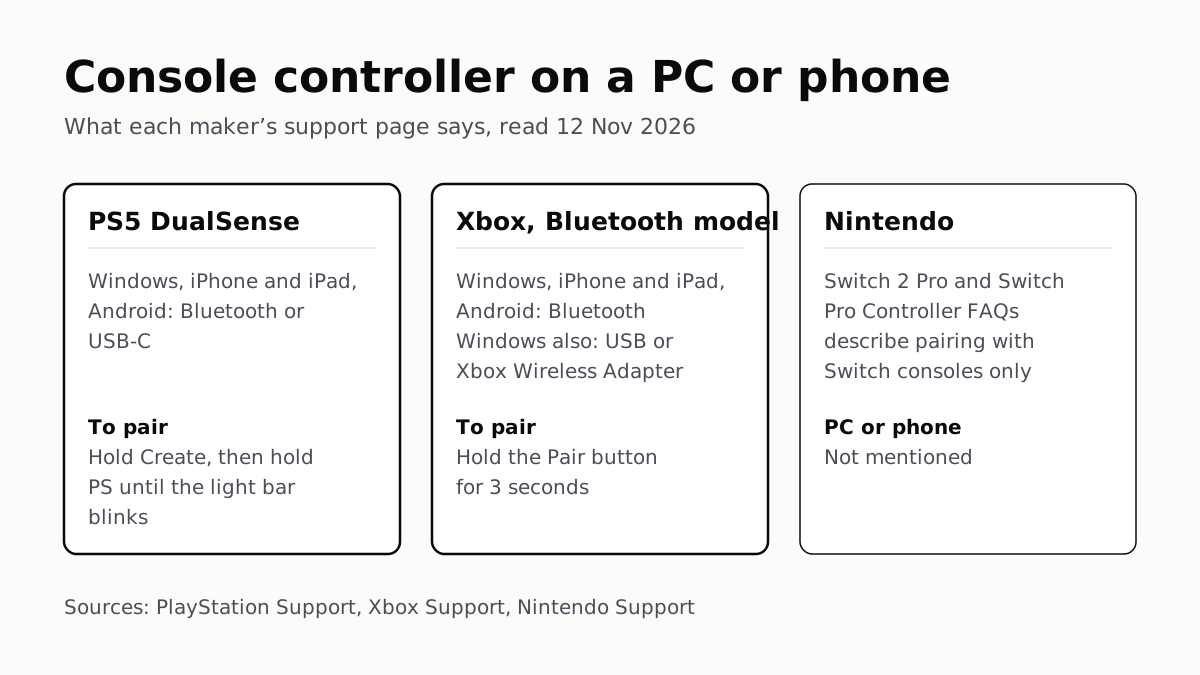
Hold Create and PS on a DualSense, or Pair on a Bluetooth Xbox pad. Nintendo’s Pro Controller FAQs mention no PC or phone.
Before You Sell a Console, Unlink It, Then Reset It
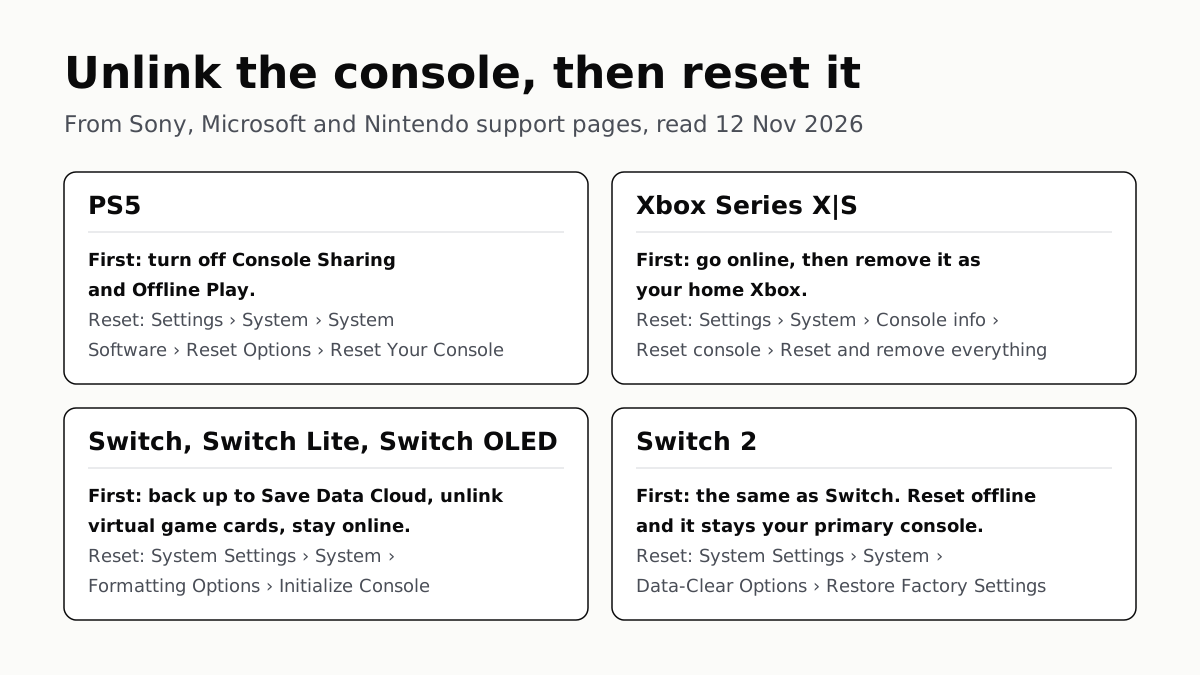
Each maker has a setting that ties a console to your account. Switch it off and back up your saves before the wipe.
PS5, Xbox and Switch 2 Games Aren’t Region-Locked
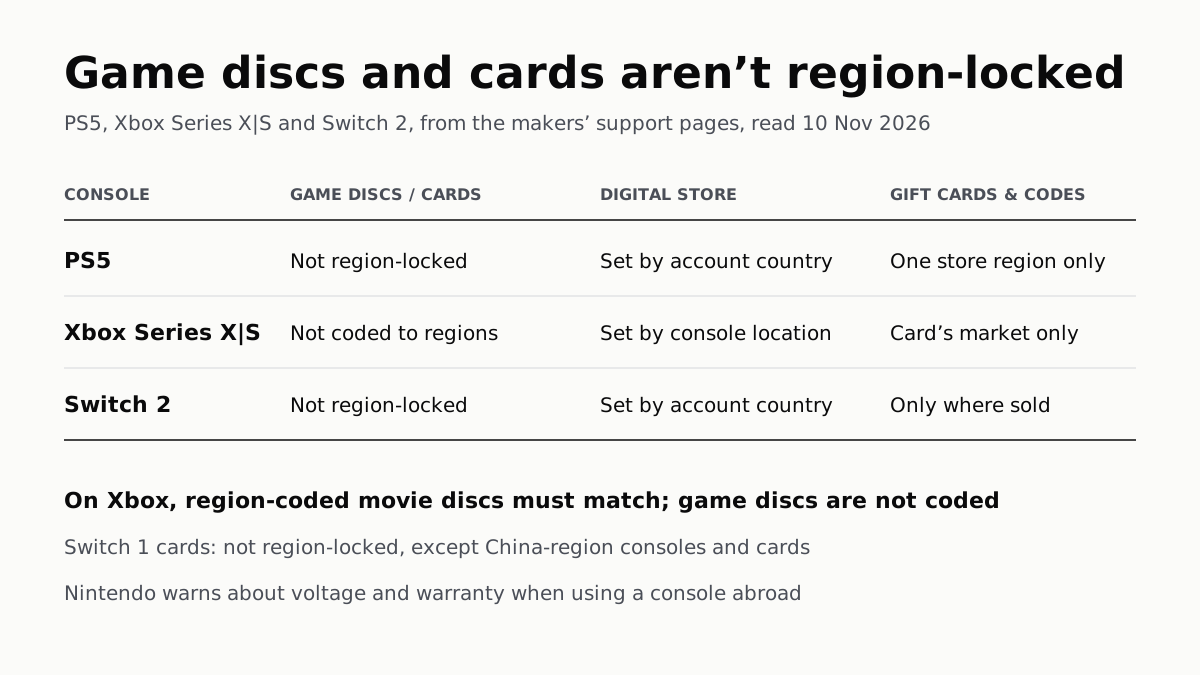
Your account’s or console’s country decides what you can buy; gift cards, subscription codes and some add-ons stay in one region.
4K 120Hz on PS5 or Xbox Starts With a TV Port Setting
Samsung calls it Input Signal Plus, LG HDMI Ultra HD Deep Color, Sony Enhanced format. Then turn on 120Hz, VRR and ALLM on the console.