30 ROG Monitors In Stock at ASUS: 17 OLED, 13 IPS, VA or TN
All six in-stock Swifts are OLED; Strix spans OLED, Fast IPS, Fast VA and Super TN at $219 to $1,099. ASUS store prices, 3 Nov 2026.
If you buy through our links, we may earn a commission. It never affects our verdicts or scores — how that works. As an Amazon Associate I earn from qualifying purchases.
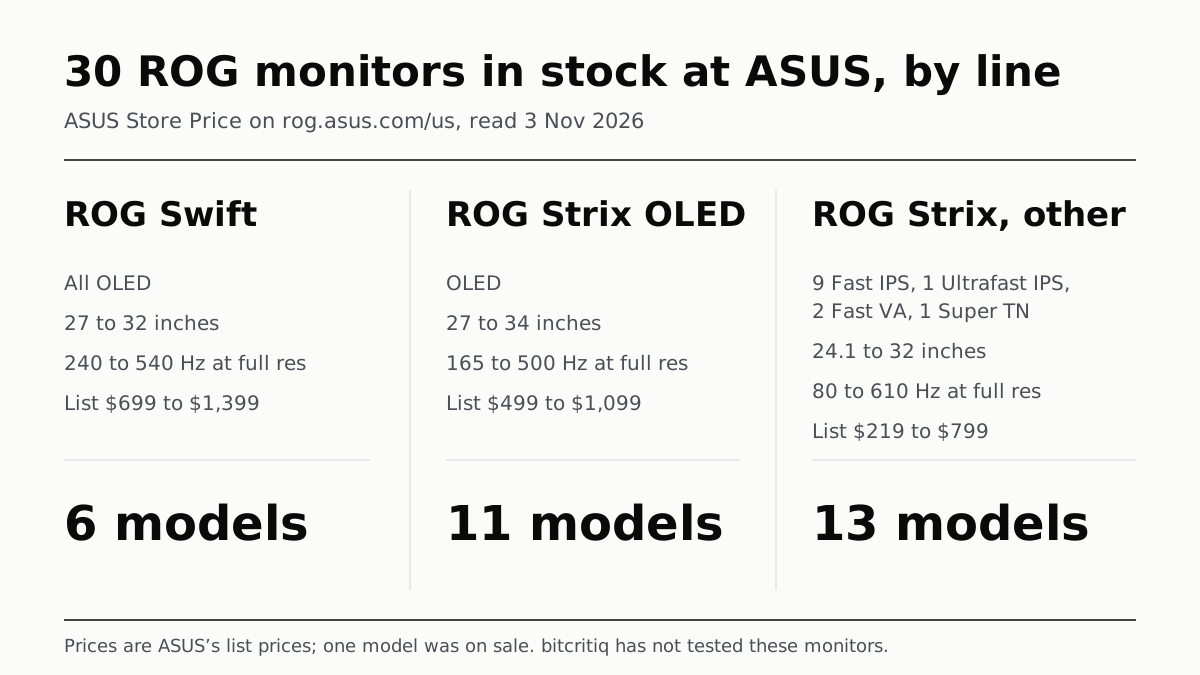
ASUS’s US store had 30 ROG gaming monitors in stock on 3 November 2026: 6 ROG Swift, all OLED, and 24 ROG Strix, of which 11 are OLED and 13 use Fast IPS, Ultrafast IPS, Fast VA or Super TN panels. List prices ran from $219 to $1,399, with the Swift models at $699 and up.
Every figure below is from ASUS’s US ROG site, read on 3 November 2026: the all-models page filtered to In Stock on eShop, and each model’s spec page. Prices are the ASUS Store Price shown on each card; one model was on sale, and the table gives its list price. We have not used these monitors.
How ASUS names them
Each name starts with a line, ROG Swift or ROG Strix, and OLED models carry “OLED” next to it. The model code follows: among the 30 in stock, every Swift code starts PG and every Strix code starts XG. A few names add a word: “5K” for two 5120x2880 Strix models, “Pulsar” for the XG27AQNGV, “Ace” for the 24.1-inch XG248QSG (affiliate link to Amazon, opens in a new tab), and edition names such as Hatsune Miku Edition. The ASUS pages we read do not set out what the remaining letters mean, so we do not decode them.
| Line | In stock | Panels | Sizes (in) | Refresh at full resolution (Hz) | List price range |
|---|---|---|---|---|---|
| ROG Swift | 6 | OLED | 27 to 32 | 240 to 540 | $699 to $1,399 |
| ROG Strix OLED | 11 | OLED | 27 to 34 | 165 to 500 | $499 to $1,099 |
| ROG Strix, other panels | 13 | Fast IPS 9, Ultrafast IPS 1, Fast VA 2, Super TN 1 | 24.1 to 32 | 80 to 610 | $219 to $799 |
All six Swift models in stock were OLED, and none of the 30 in-stock models uses Mini LED by ASUS’s own panel descriptions; its Panel Type filter offers IPS, VA, TN, Curve and OLED. For what separates a self-lit panel from a backlit one, our OLED and Mini-LED explainer covers the blacks, the brightness and the burn-in risk.
ROG Swift: six models, all OLED
| Model | Size (in) | Resolution | Refresh (Hz) | Panel, as ASUS states | DisplayHDR | ASUS price |
|---|---|---|---|---|---|---|
| Swift OLED PG32UCWM | 32 | 4K | 240, or 480 at FHD | Tandem RGB OLED | True Black 400 | $1,399.00 |
| Swift OLED PG32UCDP | 32 | 4K | 240, or 480 at FHD | WOLED | True Black 400 | $1,199.00 |
| Swift OLED PG27AQWP-G Edition 20 | 27 | QHD | 540, or 720 at HD | Tandem OLED | True Black 500 | $1,199.00 |
| Swift OLED PG27AQWP-W | 27 | QHD | 540, or 720 at HD | Tandem OLED | True Black 500 | $1,099.00 |
| Swift OLED PG27UCDM | 27 | 4K | 240 | Tandem QD-OLED | True Black 400 | $1,099.00 |
| Swift OLED PG27AQDM-R | 27 | QHD | 240 | WOLED | None stated | $699.00 |
Four of the six list a dual mode. Two Swift models reach 720 Hz, at HD resolution in dual mode, the highest figure any in-stock ROG model states. The three Swift models with USB-C (PG32UCWM, PG32UCDP (affiliate link to Amazon, opens in a new tab) and PG27UCDM (affiliate link to Amazon, opens in a new tab)) each list 90 W of power delivery, and four Swift models name DisplayPort 2.1: the PG27UCDM and both PG27AQWP models on their spec pages, the PG32UCWM on its card.
ROG Strix OLED: eleven models
| Model | Size (in) | Resolution | Refresh (Hz) | Panel, as ASUS states | DisplayHDR | ASUS price |
|---|---|---|---|---|---|---|
| Strix OLED XG34WCDMTG | 34 | 3440x1440 | 240 | OLED, curved | None stated | $1,099.00 |
| Strix OLED XG32UCWMG | 32 | 4K | 240, or 480 at FHD | WOLED | True Black 400 | $999.00 |
| Strix OLED XG32UQWMS | 32 | 4K | 240, or 480 at FHD | Tandem WOLED | True Black 500 | $899.00 |
| Strix OLED XG34WCDMS | 34 | 3440x1440 | 280 | Tandem RGB QD-OLED, 1800R | True Black 500 | $899.00 (on sale at $729.00) |
| Strix OLED XG27AQDPG | 27 | QHD | 500 | QD-OLED | True Black 500 | $849.00 |
| Strix OLED XG32UCWG | 32 | 4K | 165, or 330 at FHD | WOLED | True Black 400 | $799.00 |
| Strix OLED XG34WCDG | 34 | 3440x1440 | 175 | OLED | True Black 400 | $749.00 |
| Strix OLED XG27ACDNG | 27 | QHD | 360 | QD-OLED | True Black 400 | $699.00 |
| Strix OLED XG27AQWMG | 27 | QHD | 280 | Tandem OLED | True Black 500 | $649.00 |
| Strix OLED XG27AQDMG | 27 | QHD | 240 | WOLED | True Black 400 | $599.00 |
| Strix OLED XG27AQDMES | 27 | QHD | 240 | QD-OLED | None stated | $499.00 |
The Strix OLED group holds the only 34-inch models in stock, three at 3440x1440. ASUS lists the XG34WCDMTG with Google TV (Android 14), Wi-Fi 6 and Dolby Vision, and states its HDR support as Dolby Vision rather than a DisplayHDR level. Three of the 32-inch models list a dual mode.
ROG Strix with IPS, VA or TN panels: thirteen models
| Model | Size (in) | Resolution | Refresh (Hz) | Panel, as ASUS states | DisplayHDR | ASUS price |
|---|---|---|---|---|---|---|
| Strix XG248QSG Ace | 24.1 | FHD | 610 (overclocked) | Super TN | 400 | $799.00 |
| Strix 5K XG27JCG | 27 | 5K | 180 (OC), or 330 at QHD | Fast IPS | 600 | $789.00 |
| Strix 5K XG27JCEG | 27 | 5K | 80 (OC), or 320 at QHD | Fast IPS | 400 | $599.00 |
| Strix Pulsar XG27AQNGV | 27 | QHD | 360 | Ultrafast IPS | None stated | $599.00 |
| Strix XG27ACMEG-G Hatsune Miku Edition | 27 | QHD | 260 (OC) | Fast IPS | 400 | $529.00 |
| Strix XG27UCG | 27 | 4K | 160, or 320 at FHD | Fast IPS | 400 | $449.00 |
| Strix XG27UCG-W Gen2 (XG27UCGR-W) | 27 | 4K | 162, or 485 at FHD | Fast IPS | 400 | $429.00 |
| Strix XG27UCG Gen2 (XG27UCGR) | 27 | 4K | 162, or 485 at FHD | Fast IPS | 400 | $399.00 |
| Strix XG27UCS Gen2 (XG27UCSR) | 27 | 4K | 160, or 324 at FHD | Fast IPS | 400 | $399.00 |
| Strix XG259QNG | 25 | FHD | 380 (OC) | Fast IPS | 400 | $399.00 |
| Strix XG259QNG-W | 25 | FHD | 380 (OC) | Fast IPS | 400 | $219.00 |
| Strix XG27WCMS | 27 | QHD | 280 (OC) | Fast VA, 1500R | 400 | $299.00 |
| Strix XG32WCS | 32 | QHD | 180 | Fast VA, 1500R | 400 | $299.00 |
Six of these list a dual mode, and the XG27JCG (affiliate link to Amazon, opens in a new tab) is the one model of the 30 that ASUS lists at DisplayHDR 600. The cheapest model in stock is the XG259QNG-W, which ASUS priced below the XG259QNG although the two list the same specs; the table gives both prices. Size is ASUS’s class figure; its spec pages give 24.5 inches viewable for the XG259QNG pair and 31.5 for the 32-inch models.
A higher refresh rate shows more frames per second; it does not remove the hitch that our stutter explainer traces to shader building.
Ports and HDR
| Feature, per ASUS spec pages | Models of 30 |
|---|---|
| USB-C with DisplayPort Alt Mode | 18 |
| USB-C with 90 W power delivery | 5 |
| HDMI 2.1 | 25 |
| HDMI 2.0 only | 5 |
| DisplayHDR True Black 500 / 400 | 6 / 8 |
| DisplayHDR 600 / 400 | 1 / 11 |
| No DisplayHDR level stated | 4 |
Five models list HDMI 2.0 rather than 2.1: the Swift PG27AQDM-R (affiliate link to Amazon, opens in a new tab), the Strix OLED XG27AQDMG (affiliate link to Amazon, opens in a new tab), both XG259QNG models and the XG32WCS (affiliate link to Amazon, opens in a new tab). ASUS’s own pages disagree in places, for example cards that state a True Black level the spec page’s certificate list leaves out; we used whichever stated one.
Who each line suits, by the spec sheet
- ROG Swift: OLED at 27 or 32 inches, including the two in-stock models that reach 720 Hz in dual mode and the four whose ASUS pages name DisplayPort 2.1.
- ROG Strix OLED: OLED from $499 list, and the only 34-inch ultrawide models in stock.
- ROG Strix, other panels: the highest full-resolution refresh rate here (610 Hz, overclocked, on the XG248QSG Ace), the two 5K models, two curved Fast VA screens, and the lowest list prices.
Other makers split their ranges differently: LG’s UltraGear line files by panel, and Samsung’s Odyssey range by G-number.
Questions people ask
What is the difference between ROG Swift and ROG Strix monitors?
The line name, and the model code: Swift models start PG, Strix models start XG. On 3 November 2026 all six Swift models in stock at ASUS’s US store were OLED, while the 24 Strix models covered OLED, Fast IPS, Ultrafast IPS, Fast VA and Super TN panels.
Are all ASUS ROG Swift monitors OLED?
Every Swift in stock on ASUS’s US store on 3 November 2026 was OLED, six models in all. We did not check the 43 ROG models ASUS listed as temporarily out of stock, so this covers the in-stock set only.
Does ASUS sell a mini-LED ROG monitor?
None of the 30 ROG monitors in stock on ASUS’s US store on 3 November 2026 uses Mini LED, by ASUS’s own panel descriptions. ASUS’s Panel Type filter that day offered IPS, VA, TN, Curve and OLED, with no Mini LED option.
What does dual mode mean on an ROG monitor?
The monitor can switch between its full resolution at one refresh rate and a lower resolution at a higher one. Of the 30 in-stock models, 13 list two such pairs, for example 4K at 240 Hz or Full HD at 480 Hz on the 32-inch Swift OLED PG32UCWM.
Which ASUS ROG monitors have USB-C?
On ASUS’s spec pages, 18 of the 30 in-stock models list a USB-C input with DisplayPort Alt Mode, five of them with 90 W of power delivery. Three of the six Swift models have one.
What does DisplayHDR True Black mean on ROG OLED monitors?
It is a VESA HDR certification tier for displays with very deep blacks, such as OLED. ASUS states True Black 500 for six of the 17 in-stock ROG OLED models and True Black 400 for eight; for the other three, the pages we read state no DisplayHDR level.
Which ROG monitor has the highest refresh rate?
At full resolution, the 24.1-inch Strix XG248QSG Ace, at 610 Hz overclocked in Full HD. In dual mode, the two 27-inch Swift PG27AQWP models reach 720 Hz at HD resolution, dropping from QHD at 540 Hz.
How we researched this
No one at bitcritiq has handled this product. Everything here comes from published sources, listed below.
- What this cannot tell you
- shop.asus.com/us redirected to an ASUS error page on 3 November, so prices are the ASUS Store Price boxes on rog.asus.com/us, which link to ASUS’s eShop; ASUS notes it sets only a recommended resale price. The 43 out-of-stock models are not covered, so statements about Swift being all OLED apply to the in-stock set only. ASUS’s own pages disagree in places: several OLED cards name a DisplayHDR True Black level that the spec page’s Certificate list omits; the PG32UCWM card lists DisplayPort 2.1a while its spec I/O list names no DisplayPort; card wording such as “Tandem RGB OLED” appears where the spec page says WOLED. We list what ASUS states and note the source. The XG27JCEG’s 80 Hz at 5K is as ASUS states it on both card and spec page. ASUS does not state a panel subtype for the XG34WCDMTG and XG34WCDG on the pages we read. We have not used any of these monitors, and this page does not rank them.
How we chose this, and what we did
- Why this subject
- ASUS’s US ROG gaming monitors page (rog.asus.com/us/monitors-group/allmodels/) reported 87 products on 3 November 2026: 34 marked In Stock on eShop, 0 on pre-order and 43 Temporarily Out of Stock. No bitcritiq post sets out which ROG monitor is which. We scoped the article to the 34 in-stock items, removed the four accessories among them (a monitor arm, a light bar, a desk mount kit and a bezel-free kit), and kept the 30 monitors. We grouped them by the line in each name (ROG Swift or ROG Strix) and, within Strix, by whether the panel is OLED.
- How we looked at it
- Read on 3 November 2026 in the research browser. On the all-models page we ticked the In Stock on eShop filter (34 results, as the page states), loaded every card, and recorded each card’s name, description and ASUS Store Price, plus the struck-through price where ASUS showed one (one model). We counted rows by hand: 6 Swift, 11 Strix OLED and 13 other Strix, 30 in all. Panel type, resolution, refresh rate, curvature, I/O ports and the Certificate list come from each model’s spec page on rog.asus.com/us; where the spec page did not state a panel type we used the card’s wording (for example “QD-OLED”). The DisplayHDR column takes the level from the card or the spec page’s Certificate list, whichever states one. Mini-LED control: ASUS’s Panel Type filter offers IPS, VA, TN, Curve and OLED, and none of the 30 cards or spec pages we read names Mini LED, while each names its panel (Fast IPS, Fast VA, Super TN, WOLED, QD-OLED). We opened the XG259QNG-W product page to confirm its price, and the XG34WCDMS product page for its resolution and curve.
What this rests on
6 claims, all official. Nothing here was measured by bitcritiq — see how we test for why. Open a claim to read the source it came from.
ASUS’s US ROG gaming monitors page listed 87 products on 3 November 2026, 34 of them in stock on ASUS’s eShop; 30 of those 34 are monitors.Official
rog.asus.com/us/monitors-group/allmodels/, 3 November 2026: “87 Product”; “In Stock on eShop (34)”, “Temporarily Out of Stock on eShop (43)”; the 34 in-stock items include the ROG Ergo Monitor Arm AAS01R, Aura Monitor Light Bar ALB01, Desk Mount Kit ACL01 and Bezel Free Kit ABF01.
All six in-stock ROG Swift models were OLED; 11 of the 24 in-stock ROG Strix models were OLED.Official
In-stock card names: “ROG Swift OLED PG32UCWM”, “ROG Swift OLED PG27UCDM”, “ROG Swift OLED PG27AQDM-R” and three more Swift OLED names; Strix OLED names include “ROG Strix OLED XG27AQDPG” and “ROG Strix OLED XG34WCDMTG”.
The ROG Swift OLED PG27AQWP-W runs QHD at 540 Hz or HD at 720 Hz.Official
Card: “27-inch (26.5-inch viewable) TrueBlack Glossy™ Tandem OLED, Dual-Mode (QHD @ 540Hz, HD @ 720Hz)”; spec page I/O: “DisplayPort 2.1 x 1 HDMI (v2.1) x 2 (FRL)”.
The ROG Strix XG248QSG Ace is a 24.1-inch Full HD Super TN monitor with a 610 Hz overclocked refresh rate.Official
Card: “24.1-inch FHD (1920 x 1080) Super TN panel, 610Hz refresh rate (overclocked) … DisplayHDR™ 400”; spec page: “Panel Type : Super TN”.
The ROG Strix XG27WCMS uses a 1500R curved Fast VA panel at 2560x1440 and 280 Hz, certified VESA DisplayHDR 400.Official
XG27WCMS spec page: “Curvature : 1500R”, “Panel Type : Fast VA”, “Resolution : 2560x1440”, “Refresh Rate (max) : 280Hz”; Certificate: “VESA DisplayHDR 400”.
18 of the 30 in-stock monitors list a USB-C input with DisplayPort Alt Mode.Official
Spec page I/O lists, e.g. XG27WCMS: “USB-C x 1 (DP Alt Mode)”, “USB-C Power Delivery : 15W”; PG27UCDM: “USB-C x 1 (DP Alt Mode) … USB-C Power Delivery : 90W”.
Sources 8
- Gaming Monitors, all models — ROG USAOfficialaccessed Nov 3, 2026
- Gaming Monitors, In Stock on eShop filter — ROG USAOfficialaccessed Nov 3, 2026
- ROG Strix XG27WCMS tech specs — ROG USAOfficialaccessed Nov 3, 2026
- ROG Strix XG259QNG-W — ROG USAOfficialaccessed Nov 3, 2026
Show 4 more · 4 official or standards
- ROG Strix OLED XG34WCDMS — ROG USAOfficialaccessed Nov 3, 2026
- ROG Swift OLED PG27AQWP-W tech specs — ROG USAOfficialaccessed Nov 3, 2026
- ROG Strix 5K XG27JCG tech specs — ROG USAOfficialaccessed Nov 3, 2026
- ROG Strix XG248QSG Ace tech specs — ROG USAOfficialaccessed Nov 3, 2026
Pass it on
Know someone weighing this up? Send them the answer.
bitcritiq.com/8y7eThe link is permanent: it opens this article for good, even if the title changes.
No email, no account
Follow bitcritiq
Every new article, in whatever reader you already use.
Subscribe by RSSAll the ways to follow
Using Chrome on Android? Open the browser menu and tap Follow. New articles then turn up in the Following tab in Discover.
read next
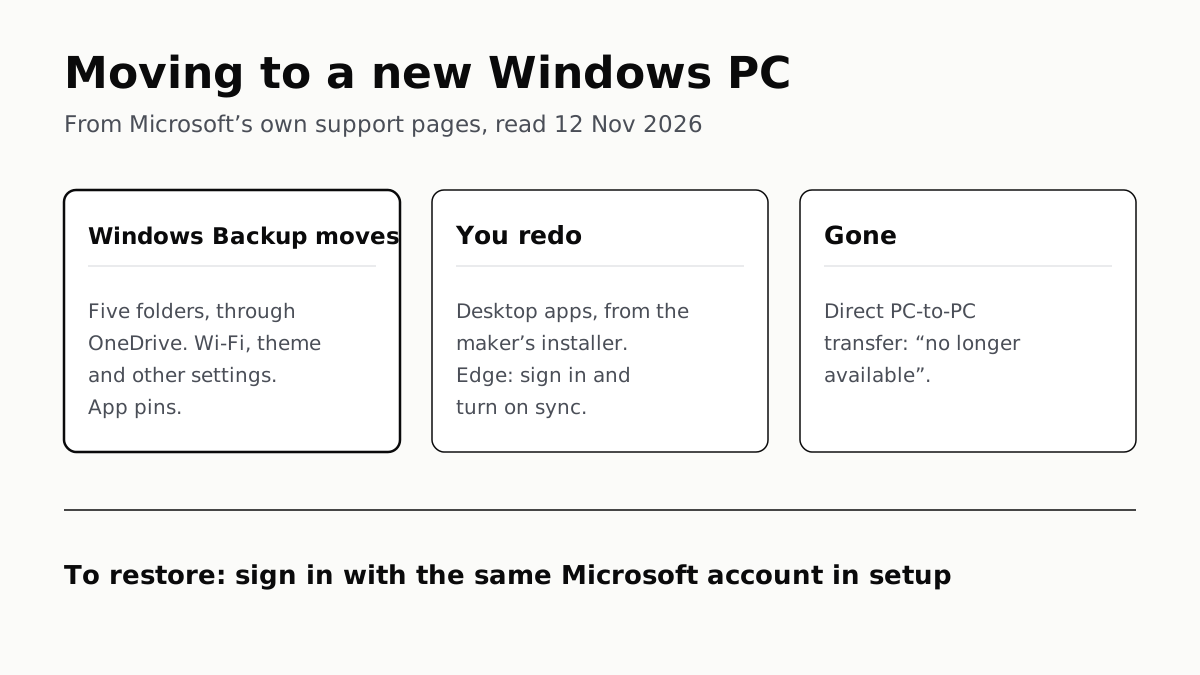
Windows Backup Moves Files and Settings, Not Desktop Apps
Sign in with the same Microsoft account during setup to restore. Files travel through OneDrive, whose free tier is 5 GB.

Migration Assistant Moves Your Old Mac or PC to a New Mac
It comes with your Mac. A PC needs Apple’s Windows Migration Assistant, and Apple warns large transfers might need hours.
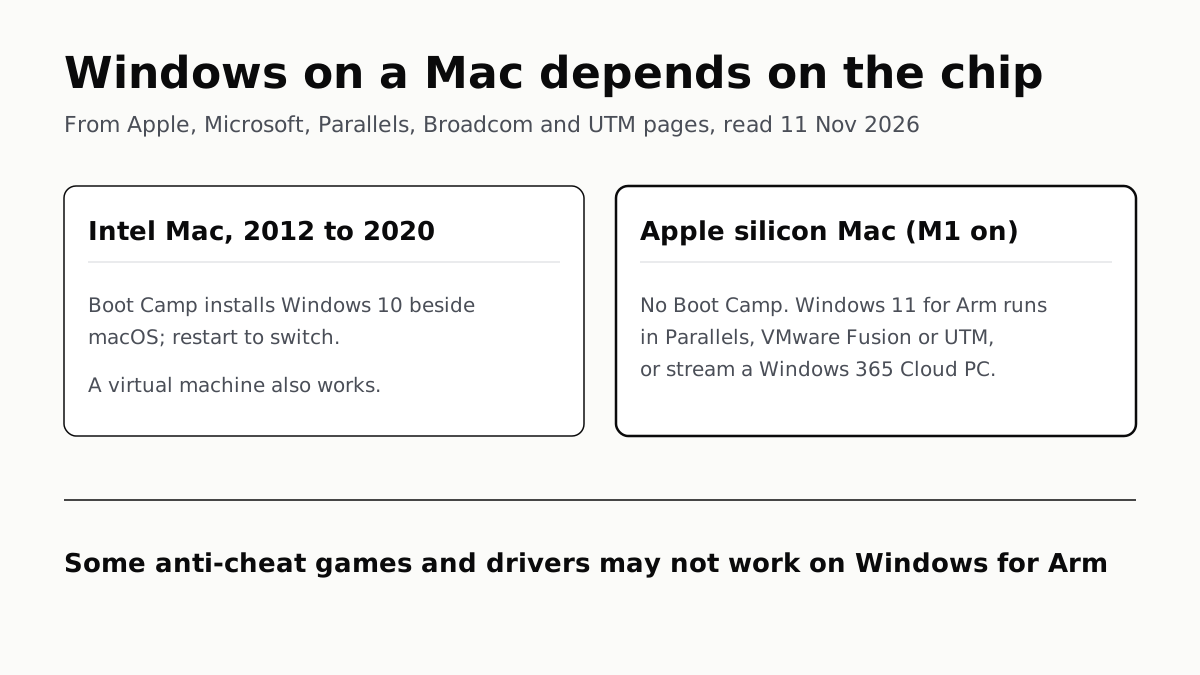
A Mac Can Run Windows, but Apple Silicon Means No Boot Camp
Microsoft authorizes Parallels on M1 to M3; Fusion and UTM are free. All run Windows 11 for Arm, where some games may not work.
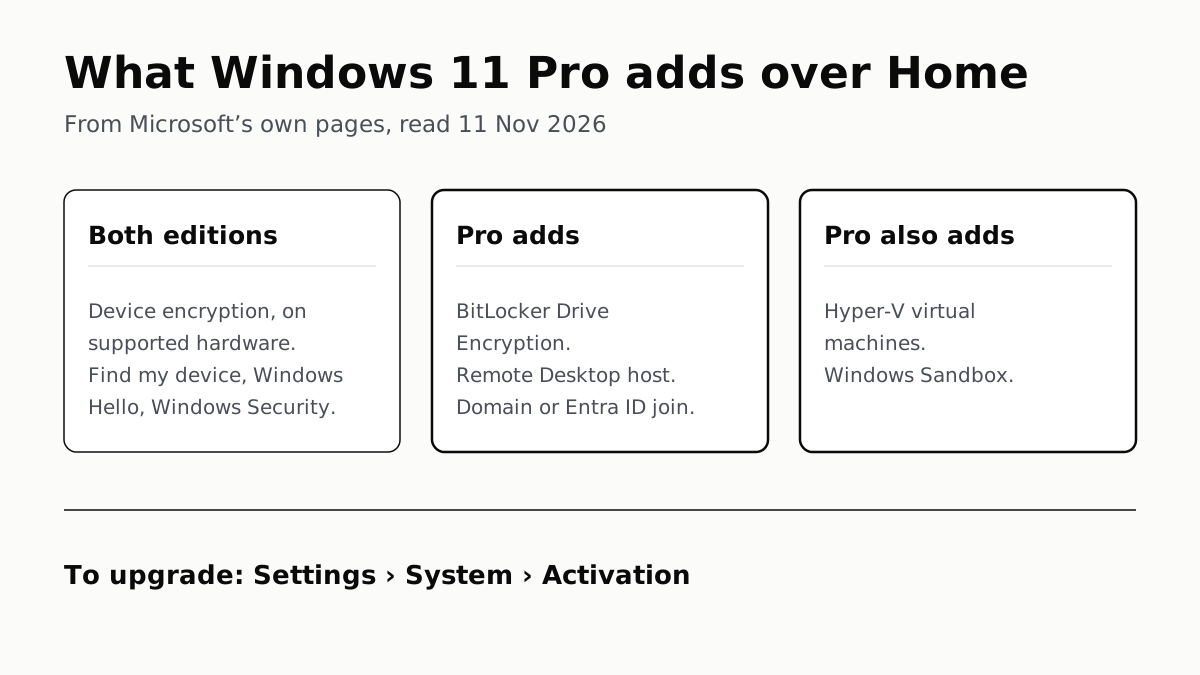
Windows 11 Pro Adds BitLocker, Remote Desktop and VMs
Home can encrypt the drive on supported laptops. Pro adds a Remote Desktop host, Hyper-V, Windows Sandbox and domain join.