BenQ Splits Its US Monitors Into 5 Series by Use
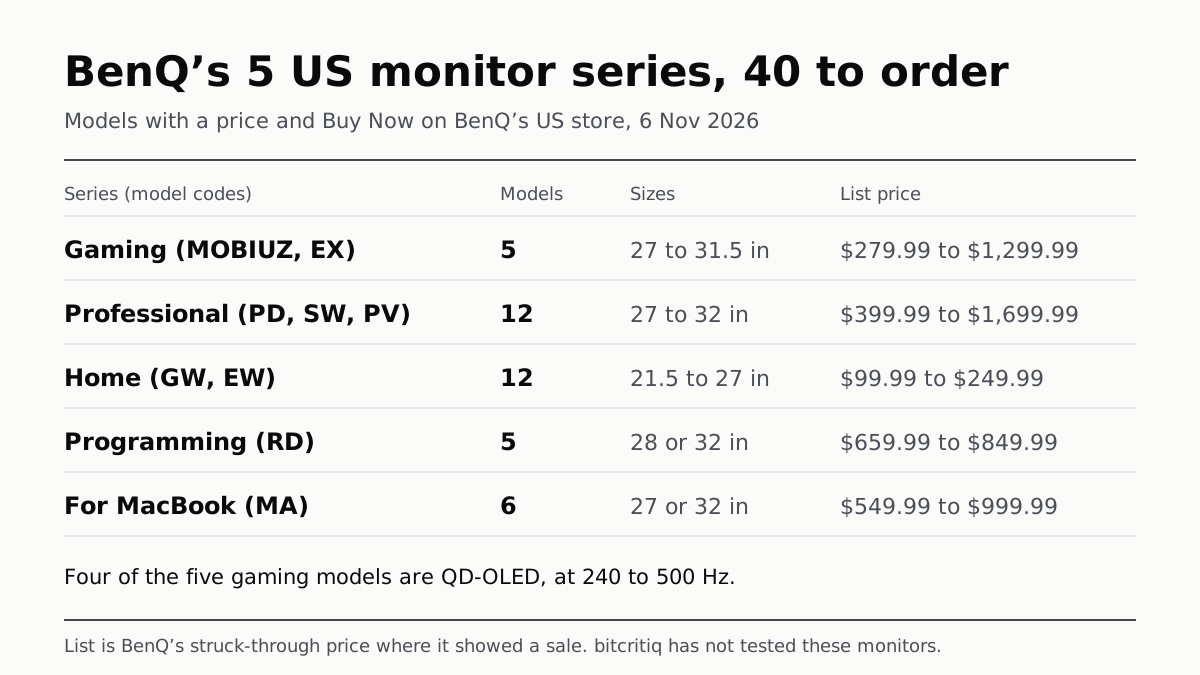
40 could be ordered on 6 Nov: 5 gaming, 12 professional, 12 home, 5 programming, 6 for MacBook. Prices: BenQ’s US store.
If you buy through our links, we may earn a commission. It never affects our verdicts or scores — how that works. As an Amazon Associate I earn from qualifying purchases.
BenQ sorts its US monitors into five series by use: Gaming (MOBIUZ), Professional, Home, Programming and For MacBook. On 6 November 2026, 40 of them showed a price and a Buy Now button on BenQ’s US store: 5 gaming, 12 professional, 12 home, 5 programming and 6 for MacBook. The model code tells you the series: EX is gaming, PD, SW and PV are professional, GW and EW are home, RD is programming and MA is for MacBook.
Every figure below is from BenQ’s US product cards, spec pages and guides, read on 6 November 2026. The list price is the struck-through price BenQ showed where it ran a sale; otherwise it is the price shown. Many other BenQ models were marked Notify Me or Discontinued that day and are left out. We have not used these monitors.
How the five series compare
| Series | Model codes | Orderable models | Sizes (in) | List price range |
|---|---|---|---|---|
| Gaming (MOBIUZ) | EX | 5 | 27 to 31.5 | $279.99 to $1,299.99 |
| Professional | PD, SW, PV | 12 | 27 to 32 | $399.99 to $1,699.99 |
| Home | GW, EW | 12 | 21.5 to 27 | $99.99 to $249.99 |
| Programming | RD | 5 | 28 or 32 | $659.99 to $849.99 |
| For MacBook | MA | 6 | 27 or 32 | $549.99 to $999.99 |
The five rows add up to 40. The series split by purpose, not by panel: BenQ’s own summary compares them on colour accuracy, colour gamut, refresh rate and audio. That summary gives Gaming as 120 Hz to 240 Hz and Home as 60 Hz to 75 Hz, but the cards below list faster models in both, so the tables use the cards.
Gaming (MOBIUZ): five models, four of them QD-OLED
| Model | Size (in) | Resolution | Refresh (Hz) | Panel | List | Shown, 6 Nov |
|---|---|---|---|---|---|---|
| EX321UZ | 31.5 | 4K | 240 | QD-OLED (4th gen) | $1,299.99 | $1,099.99 |
| EX271QZ | 27 | 2K (2560x1440) | 500 | QD-OLED (3rd gen) | $949.99 | $949.99 |
| EX271UZ | 27 | 4K | 240 | QD-OLED (4th gen) | $899.99 | $849.99 |
| EX271QMZ | 27 | 2K (2560x1440) | 240 | QD-OLED (3rd gen) | $499.99 | $449.99 |
| EX271QM | 27 | 2K (2560x1440) | 320 | IPS | $279.99 | $279.99 |
The Z at the end of a MOBIUZ code marked the QD-OLED models in this set; the EX271QM (affiliate link to Amazon, opens in a new tab), without it, is IPS on its spec page. For what a self-lit panel changes, our OLED and Mini-LED explainer covers the blacks and the burn-in risk. ASUS splits its gaming monitors by line rather than by use, as which ASUS ROG monitor is which sets out.
Professional: PD, SW and PV
| Model | Size (in) | Resolution | Colour gamut tags | List | Shown, 6 Nov |
|---|---|---|---|---|---|
| PD2770U | 27 | 4K | P3, sRGB, Adobe RGB, Rec.709 | $1,699.99 | $1,599.99 |
| PD2732U | 27 | 4K | P3, sRGB, Adobe RGB, Rec.709 | $699.99 | $699.99 |
| PD3226G (144 Hz) | 32 | 4K | P3 | $999.99 | $899.99 |
| PD3225U | 32 | 4K | P3, sRGB | $999.99 | $849.99 |
| PD3205U | 31.5 | 4K | sRGB | $579.99 | $549.99 |
| PD2706U | 27 | 4K | P3, sRGB | $399.99 | $399.99 |
| PD2706QN (100 Hz) | 27 | 2K (2560x1440) | P3 | $399.99 | $399.99 |
| SW272U | 27 | 4K | P3, sRGB, Adobe RGB | $1,549.99 | $1,499.99 |
| SW272QN | 27 | 2K (2560x1440) | P3, sRGB, Adobe RGB | $899.99 | $799.99 |
| PV3250U | 32 | 4K | P3, sRGB, Rec.709 | $1,599.99 | $1,499.99 |
| PV2750U | 27 | 4K | P3, sRGB, Rec.709 | $1,099.99 | $1,099.99 |
| PV3200U | 32 | 4K | P3, sRGB | $699.99 | $549.99 |
That is 7 PD, 2 SW and 3 PV models. BenQ says both PD and SW are factory calibrated, but the SW series adds 16-bit hardware 3D LUT calibration stored in the monitor, plus 99% Adobe RGB coverage, for photographers; it pitches PD at designers, with strong DCI-P3 coverage. The PV cards are titled for colour grading and video editing; the PV2750U (affiliate link to Amazon, opens in a new tab) and PV3250U (affiliate link to Amazon, opens in a new tab) cards list a 3000:1 contrast ratio and 16-bit 3D LUT hardware calibration.
Home: GW and EW
| Model | Size (in) | Resolution | Refresh (Hz) | List | Shown, 6 Nov |
|---|---|---|---|---|---|
| GW2786TC (USB-C) | 27 | 1080p | 100 | $249.99 | $249.99 |
| EW270Q | 27 | 2K (2560x1440) | 200 | $239.99 | $199.99 |
| GW2790Q | 27 | 2K (2560x1440) | 100 | $199.99 | $169.99 |
| GW2790TC | 27 | 1080p | – | $179.99 | $149.99 |
| GW2490TC | 23.8 | 1080p | – | $154.99 | $154.99 |
| GW2790C | 27 | 1080p | – | $154.99 | $114.99 |
| GW2790P | 27 | 1080p | 120 | $139.99 | $119.99 |
| GW2490C | 23.8 | 1080p | – | $129.99 | $94.99 |
| GW2490P | 23.8 | 1080p | 120 | $109.99 | $99.99 |
| GW2791P | 27 | 1080p | 120 | $109.99 | $104.99 |
| GW2283 | 21.5 | 1080p | – | $109.99 | $94.99 |
| GW2491 | 23.8 | 1080p | 100 | $99.99 | $89.99 |
BenQ titles its GW models Eye-Care or Home Office monitors and its EW models Home Entertainment monitors. The Home series holds the smallest screens and the lowest list prices among the 40 orderable models, and the EW270Q (affiliate link to Amazon, opens in a new tab), at 200 Hz, has the fastest refresh any Home card states. A dash means the card stated no refresh rate.
Programming (RD): five models
| Model | Size (in) | Resolution | Stand | List | Shown, 6 Nov |
|---|---|---|---|---|---|
| RD320UA | 32 | 4K | Flexible arm | $849.99 | $749.99 |
| RD280UG (120 Hz) | 28 | 3840x2560 | Stand | $759.99 | $699.99 |
| RD320U | 32 | 4K | Stand | $749.99 | $749.99 |
| RD280UA | 28 | 3840x2560 | Flexible arm | $679.99 | $599.99 |
| RD280U | 28 | 3840x2560 | Stand | $659.99 | $549.99 |
BenQ’s RD cards list a Nano Matte panel, coding modes and a MoonHalo backlight on the back of the monitor. The 28-inch models use a 3840x2560 panel, a 3:2 shape that is taller than 16:9; in this set, the A suffix marks the two models sold with BenQ’s flexible arm.
For MacBook (MA): six models
| Model | Size (in) | Resolution | Finish | Thunderbolt 4 | List | Shown, 6 Nov |
|---|---|---|---|---|---|---|
| MA270S | 27 | 5K | Nano Gloss | Yes | $999.99 | $999.99 |
| MA320UG (120 Hz) | 32 | 4K | Nano Gloss | Yes | $829.99 | $829.99 |
| MA320UP | 32 | 4K | Glossy | Not in title | $699.99 | $649.99 |
| MA320U | 32 | 4K | Nano Matte | Not in title | $699.99 | $649.99 |
| MA270UP | 27 | 4K | Glossy | Not in title | $579.99 | $549.99 |
| MA270U | 27 | 4K | Nano Matte | Not in title | $549.99 | $549.99 |
The MA models differ mainly in size, resolution and screen finish; two titles name Thunderbolt 4. If you plan to run two monitors from one MacBook, check what the laptop supports first: our hub and dock explainer sets out why some MacBook Airs drive one external display.
Who each series suits, by the spec sheet
- Gaming (EX): 240 Hz to 500 Hz at 27 or 31.5 inches, mostly QD-OLED.
- Professional (PD, SW, PV): Adobe RGB on the SW models and two PD models, hardware calibration on SW and on two of the three PV cards, 27 to 32 inches.
- Home (GW, EW): 21.5 to 27 inches, most at 1080p, and the lowest list prices of the five.
- Programming (RD): matte 28-inch 3:2 or 32-inch 4K screens with a rear backlight.
- For MacBook (MA): 27 or 32 inches, 4K or 5K, with a choice of glossy or matte finish.
Questions people ask
What are the BenQ monitor series?
BenQ’s US site groups its monitors into five series: Gaming (MOBIUZ, model codes starting EX), Professional (PD, SW and PV), Home (GW and EW), Programming (RD) and For MacBook (MA). On 6 November 2026, 40 of them could be ordered from BenQ’s US store.
What is the difference between BenQ PD and SW monitors?
BenQ says both are factory calibrated, but the SW series adds 16-bit hardware 3D LUT calibration stored in the monitor and 99% Adobe RGB coverage, aimed at photographers. The PD series is pitched at designers, with strong DCI-P3 coverage.
Are BenQ MOBIUZ monitors OLED?
Most of the current orderable ones are. On 6 November 2026, four of the five MOBIUZ models with a Buy Now button on BenQ’s US store were QD-OLED, at 240 Hz to 500 Hz; the fifth, the EX271QM, is a 320 Hz IPS model.
What is a BenQ programming monitor?
BenQ’s RD series, which it says is crafted for programmers. The cards list a Nano Matte panel, coding modes and a MoonHalo backlight on the back, and three of the five orderable models use a 28-inch 3840x2560 panel.
What is the BenQ MA series?
BenQ’s monitors for MacBook. On 6 November 2026 six could be ordered, all 27 or 32 inches, in Nano Matte, Glossy or Nano Gloss finishes; two of them, a 27-inch 5K and a 32-inch 4K 120 Hz model, list Thunderbolt 4.
What do GW and EW mean on BenQ monitors?
Both sit in BenQ’s Home series. On BenQ’s US store, GW models are titled Eye-Care or Home Office monitors and EW models Home Entertainment monitors. Eleven of the twelve orderable Home models on 6 November 2026 were GW.
How we researched this
No one at bitcritiq has handled this product. Everything here comes from published sources, listed below.
- What this cannot tell you
- BenQ’s own pages disagree on refresh rates: the series comparison block on its monitor page gives Gaming as 120Hz to 240Hz and Home as 60Hz to 75Hz, while orderable cards list the EX271QZ at 500Hz, the EX271QM at 320Hz, the EW270Q at 200Hz and three GW models at 120Hz. Our tables use the cards and spec pages. Many cards state no refresh rate, and we did not open every spec page, so a dash means the card did not say. Two Home cards (GW2291, GW2785TC) showed Buy Now with no price and are not counted; 27 Home results, 15 Professional, 20 Gaming and 1 Programming were Notify Me, discontinued or unpriced. Stock and sale prices change daily. We have not used any of these monitors, and this page does not rank them.
How we chose this, and what we did
- Why this subject
- BenQ’s US monitor page groups its monitors into five series: Gaming (the MOBIUZ models), Professional, Home, Programming and For MacBook. No bitcritiq post sets out which BenQ monitor is which. BenQ’s Compare All Monitors page reported 132 results on 6 November 2026, many of them marked Discontinued or Notify Me. We scoped the article to the models in the five series filters that showed both a price and a Buy Now button that day: 40 in all.
- How we looked at it
- Read on 6 November 2026 in the research browser. On benq.com/en-us/monitor/compare-all.html we applied each Series filter in turn and loaded every card: Gaming 25 results, Professional 27, Home 39, Programming 6, For MacBook 6 (103 in all; the other 29 of the 132 results sit outside those five filters and are not covered). For each card we recorded the title, the resolution and size tags, any refresh rate in the title or tags, the colour gamut tags, the price shown and, where BenQ showed a saving, the struck-through price, which is the list price in our tables. We counted cards with a Buy Now button and a price: 5, 12, 12, 5 and 6, which is 40; no model appeared under two series filters. Panel type for the four Z-suffix gaming models is from their cards (“Powered by 3rd Gen QD-OLED” or “4th Gen QD-OLED”); for the EX271QM we read its spec page (“Panel Type IPS”). The PD and SW distinction is from BenQ’s guide to its professional monitors. Series summaries (screen size, refresh range, “From” price) are from the comparison block on benq.com/en-us/monitor.html.
What this rests on
6 claims, all official. Nothing here was measured by bitcritiq — see how we test for why. Open a claim to read the source it came from.
BenQ’s US monitor page groups its monitors into five series: Gaming, Professional, Home, Programming and For MacBook.Official
benq.com/en-us/monitor.html, “Which Monitor is right for you?”: “Gaming … From $99.99”, “Professional … From $329.99”, “Home … From $89.99”, “Programming … From $549.99”, “For MacBook … From $549.99”.
On 6 November 2026, 40 BenQ monitors in those five series showed a price and a Buy Now button on BenQ’s US store: 5 Gaming, 12 Professional, 12 Home, 5 Programming and 6 For MacBook.Official
Compare All Monitors, Series filters, 6 November 2026: “25 Result” (Gaming), “27” (Professional), “39” (Home), “6” (Programming), “6” (For MacBook); cards counted by Buy Now button and price.
Four of the five orderable MOBIUZ gaming models use QD-OLED panels; the fifth, the EX271QM, is an IPS model at 320 Hz.Official
Cards: EX271QZ “Powered by 3rd Gen QD-OLED … 500Hz”; EX321UZ “Powered by 4th Gen QD-OLED”. EX271QM spec page: “Panel Type IPS”, “Refresh Rate (Hz) 320”.
BenQ says SW series monitors add 16-bit hardware 3D LUT calibration and 99% Adobe RGB coverage over the factory-calibrated PD series.Official
BenQ guide: “Both SW and PD models are factory calibrated for color accuracy. The SW series goes beyond that to include a 16-bit hardware 3D LUT”; “the SW series offering 99% coverage of Adobe RGB”.
Three of the five orderable Programming models use a 28-inch 3840x2560 panel; the other two are 32-inch 4K.Official
Cards: “RD280UG|28” 4K+ 120Hz 3:2 Programming Monitor” and RD280U, RD280UA tagged “4K+(3840x2560)”; RD320U and RD320UA tagged “4K(3840x2160)”, “31"~32"”.
BenQ’s series comparison block lists a narrower refresh range for Gaming and Home than its own product cards.Official
monitor.html: Gaming “120Hz~240Hz Refresh Rate”, Home “60Hz~75Hz”; cards: “EX271QZ|27” 2K 500Hz”, “EW270Q|27” 2K 200Hz”.
Sources 9
- Monitors for All Spaces and Uses — BenQ USOfficialaccessed Nov 6, 2026
- Compare All Monitors — BenQ USOfficialaccessed Nov 6, 2026
- Compare All Monitors, Series: Gaming — BenQ USOfficialaccessed Nov 6, 2026
- Compare All Monitors, Series: Professional — BenQ USOfficialaccessed Nov 6, 2026
Show 5 more · 5 official or standards
- Compare All Monitors, Series: Home — BenQ USOfficialaccessed Nov 6, 2026
- Compare All Monitors, Series: Programming — BenQ USOfficialaccessed Nov 6, 2026
- Compare All Monitors, Series: For MacBook — BenQ USOfficialaccessed Nov 6, 2026
- EX271QM Specifications — BenQ USOfficialaccessed Nov 6, 2026
- Choosing the Best Monitor for Photo and Video Editing — BenQ USOfficialaccessed Nov 6, 2026
Pass it on
Know someone weighing this up? Send them the answer.
bitcritiq.com/d2n4The link is permanent: it opens this article for good, even if the title changes.
No email, no account
Follow bitcritiq
Every new article, in whatever reader you already use.
Subscribe by RSSAll the ways to follow
Using Chrome on Android? Open the browser menu and tap Follow. New articles then turn up in the Following tab in Discover.
read next
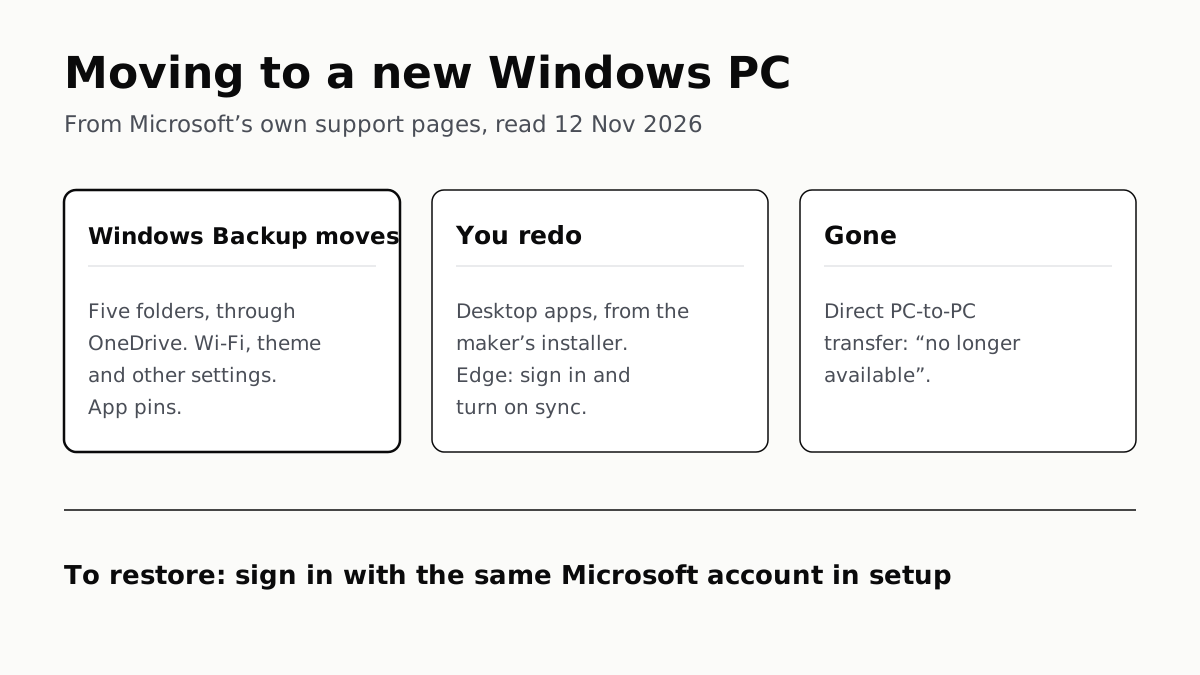
Windows Backup Moves Files and Settings, Not Desktop Apps
Sign in with the same Microsoft account during setup to restore. Files travel through OneDrive, whose free tier is 5 GB.
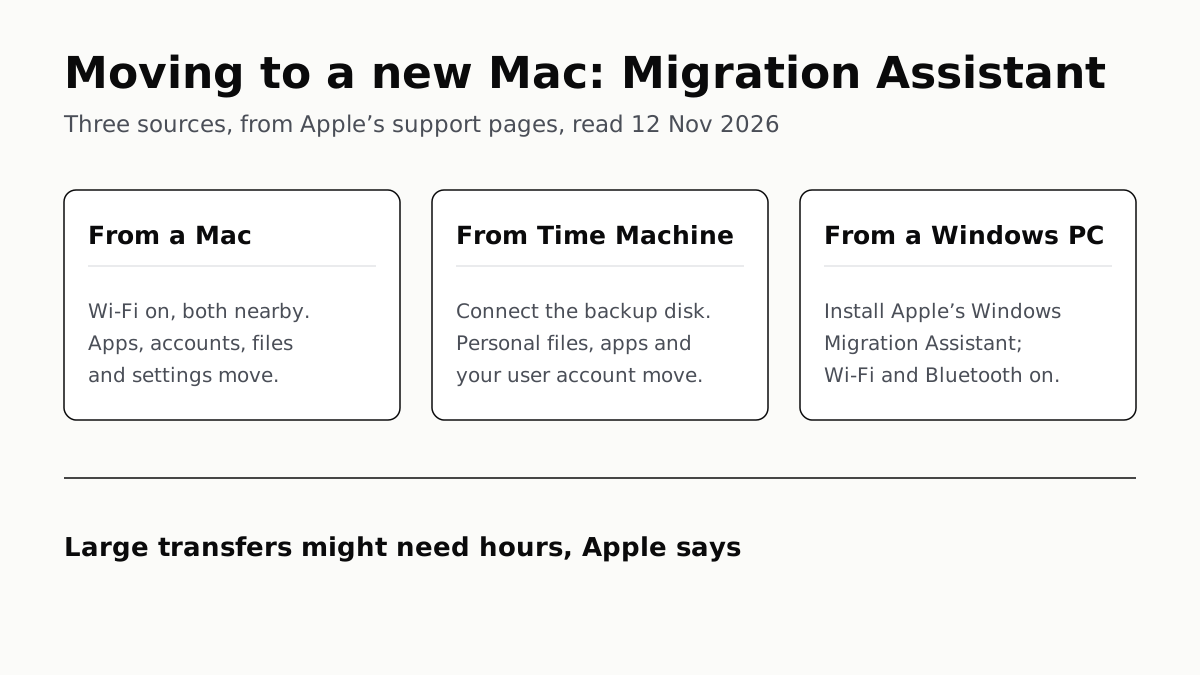
Migration Assistant Moves Your Old Mac or PC to a New Mac
It comes with your Mac. A PC needs Apple’s Windows Migration Assistant, and Apple warns large transfers might need hours.
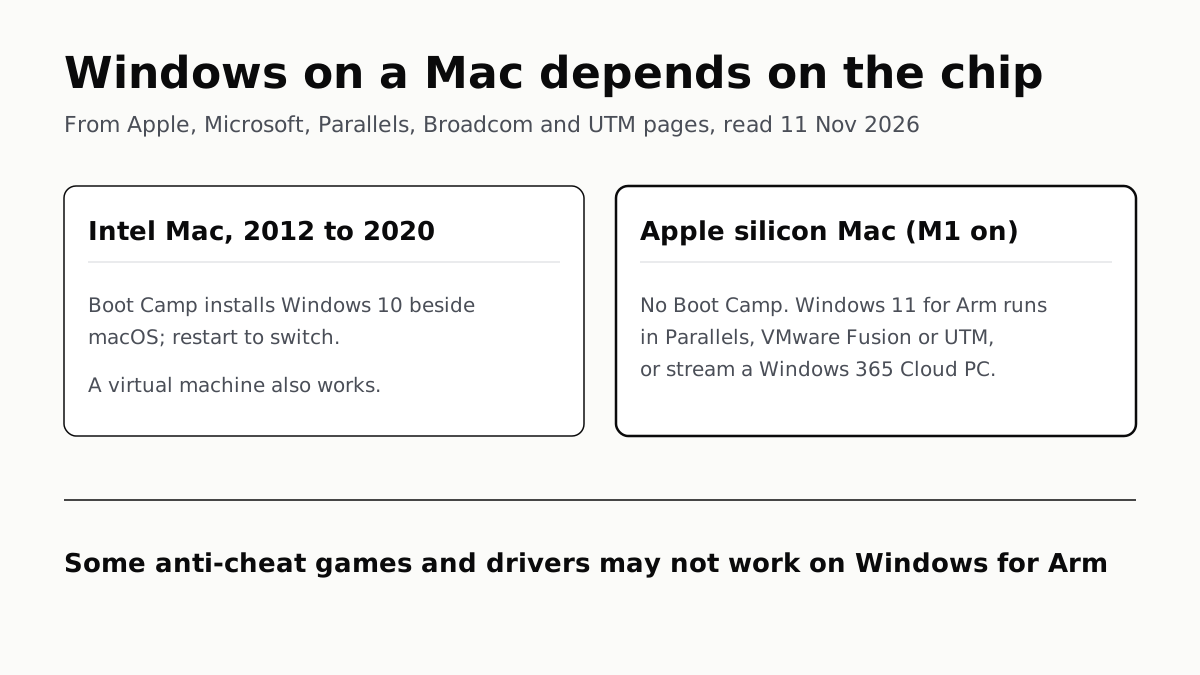
A Mac Can Run Windows, but Apple Silicon Means No Boot Camp
Microsoft authorizes Parallels on M1 to M3; Fusion and UTM are free. All run Windows 11 for Arm, where some games may not work.
Windows 11 Pro Adds BitLocker, Remote Desktop and VMs
Home can encrypt the drive on supported laptops. Pro adds a Remote Desktop host, Hyper-V, Windows Sandbox and domain join.