eSIM vs Physical SIM: What Actually Changes
You stop needing a paperclip and start needing your carrier's support. Whether that is an upgrade depends mostly on which carrier you use.

If you buy through our links, we may earn a commission. It never affects our verdicts or scores — how that works. As an Amazon Associate I earn from qualifying purchases.
An eSIM and a physical SIM do the same job: they identify your phone and your plan to a carrier’s network. The difference is the form: a physical SIM is a removable card you move between phones by hand, and an eSIM is downloaded into a chip built into the phone, so moving it is software your carrier has to support.
Update, 9 October 2026. We said a dual SIM phone bought from Verizon carries a 60-day SIM lock. That is what Verizon’s Dual SIM FAQ still says, but its device unlocking policy, effective 18 February 2026, says phones unlock automatically when bought at full retail price or once the financing balance is paid in full. The sentence now reports both pages.
Update, 21 September 2026. Rewritten after re-reading Apple’s pages, all updated on 17 September, and adding Google’s, Samsung’s, the GSMA’s and the three big US carriers’ own. We had said a physical SIM “never needed anyone’s permission to move” and moves to “any spare handset in two minutes”. Verizon says swapping an active card “doesn’t always work” and texts the new phone a setup link, and Google says some older cards are not supported on Pixel 8 and later phones, so both lines are gone. The comparison table, Android, the US rules and the questions at the end are new.
eSIM vs physical SIM, side by side
| eSIM | Physical SIM | |
|---|---|---|
| What it is | A SIM built into the phone, downloaded and activated digitally | A small removable chip you insert |
| Setup | Transfer, carrier activation, QR code, link or carrier app; needs an internet connection | Insert the card; the carrier activates it |
| Switching phones | iPhone to iPhone, or Galaxy to Galaxy, without contacting the carrier, where the carrier supports it | Move the card across; Verizon says an active card “doesn’t always work” in a new phone |
| Travel | Buy a local or worldwide plan online or at the airport and keep your home line; phone must be unlocked | Get, carry and swap a card; a phone with a tray can run a card and an eSIM together |
| Carriers | The carrier must support eSIM; a new carrier means a new eSIM | A new carrier means a new card |
| Security | Cannot be pulled out of a lost or stolen phone | Can be locked with a SIM PIN |
| Dual SIM | iPhone 13 and later and Pixel 7 and later can run two eSIMs | Pairs with one eSIM on iPhone XS and later, Pixel 3a and later and Galaxy Z Fold7 and Flip7 (affiliate link to Amazon, opens in a new tab) |
Where each row comes from: definitions from AT&T and Verizon; setup from Apple, AT&T and T-Mobile; switching from Apple, Samsung, Google and Verizon; travel from Apple; carriers from Apple and Verizon; security from Apple, AT&T and Verizon; dual SIM from Apple, Google and Samsung. All linked below.
What each one is
A physical SIM, in AT&T’s words, is “a small removable chip that stores the information your phone needs to connect to a wireless network.” To switch phones, you take it out of one and put it in the other.
The eSIM is the same credential without the card. The GSMA, which defined the standard, describes the SIM being “securely downloaded” into a secure chip “permanently embedded” in the device. Apple’s definition: “an industry-standard digital SIM built into your iPhone, eliminating the need for a physical SIM card”, letting you “manage up to eight or more eSIMs, and activate new plans digitally.”
Eight or more stored. But note the limit alongside it, from the Dual SIM page: “Your iPhone can use one cellular data network at a time.”
So it is a wallet, not a bonded pair of radios. You can hold several plans and switch between them in software; you cannot draw data from two at once.
Is eSIM better than a physical SIM?
On setup, travel and theft, the makers and carriers make a good case for it. On moving your number, it depends on your carrier, and that is where the risk sits.
Setup needs no shop and no post. AT&T says you can download and activate an eSIM over Wi-Fi; Apple lists several routes, from a transfer off your old iPhone to a QR code or a carrier app. The catch AT&T names itself: you need an internet connection to set it up.
Travel is where it stops being theoretical. Apple says you can buy a prepaid plan from a carrier’s website or app before you leave, or at an airport kiosk on arrival, and keep your home line on as a second one. Worldwide providers cover “over 190 countries or regions”. Roaming on your own carrier “works the same as roaming with a physical SIM”, and what Verizon, AT&T and T-Mobile charge for that is $12 a day on Verizon and AT&T and $10 for T-Mobile’s one-day pass. The precondition: “your iPhone cannot be locked to a carrier.”
Security is narrower than the marketing suggests. The GSMA says an eSIM offers “an equivalent level of security and protection” to the removable card. The practical difference is theft: Apple says an eSIM “can’t be removed if your iPhone is lost or stolen”, and AT&T says it “can be turned off remotely”. A card has its own lock: Verizon says you can change its SIM PIN “to prevent others from using your SIM card”. On a Pixel you can require a password before an eSIM is deleted, under Settings › Security › Advanced › Confirm SIM deletion.
Changing carrier is the same either way. Verizon: “To switch carriers, your device needs a new SIM (eSIM or physical card).” Before you switch, check what the new plan’s “unlimited” actually limits.
The catch, in Apple’s own conditional
Two sentences carry most of the risk, and both start with a condition.
On transferring your number: “If your carrier supports eSIM Quick Transfer, you can transfer the SIM from your previous iPhone to your new iPhone without contacting them.”
Read the if. Where it holds, the transfer happens during setup: both phones signed in to your Apple Account, nearby with Bluetooth on, on iOS 18.4 or later, and the old one unlocked with its passcode. With iOS 26 or later you can move more than one number. Where it does not hold, the move runs through your carrier’s website, app or support line.
AT&T, T-Mobile and Verizon are all on Apple’s Quick Transfer list for the US. Samsung describes the same thing between Galaxy phones: you “can move your SIM profile and phone number from your old Galaxy phone to your new one without contacting your network carrier.” Between Android and iPhone, Apple says iOS 26 supports a direct transfer with some carriers, AT&T, T-Mobile and Verizon among them, and Android 16 or later on the other phone.
On using two carriers: “To use two carriers, your carrier must unlock your iPhone, or both plans must be from the same carrier.”
That is the same constraint a physical SIM has, but it lands harder here — the flexibility eSIM advertises is the flexibility a locked phone withholds. Verizon’s own pages disagree on how long that lasts: its Dual SIM FAQ describes a 60-day SIM lock before another carrier’s service can go on the second SIM, while its unlocking policy, effective 18 February 2026, says a phone unlocks automatically when bought at full retail price or once the financing balance is paid in full. If you are paying off a Verizon phone, ask Verizon which applies.
One more sentence worth internalising: “When the cellular plan on your new iPhone activates, it deactivates your previous SIM.” The transfer is a move, not a copy. There is no moment where both phones work.
In the US, the choice is often made for you
Every iPhone in Apple’s US store is eSIM-only. The store sells iPhone 16, 17, 17e, Air, 18 Pro and Duo, and the spec pages for the first five each say the phone is “not compatible with physical SIM cards”, and Apple’s first foldable is the same everywhere it is sold: the iPhone Duo has no SIM tray in any country. The UK pages for iPhone 17 and 18 Pro list “Dual SIM (nano-SIM and eSIM)”, so the tray is a question of where the phone was sold, not which model it is.
Google does the same for its own phones. Its Pixel help says: “[US only]: If you have a Pixel 10 (affiliate link to Amazon, opens in a new tab) or later, except the Pixel 10 Pro Fold, you can only use an eSIM.” Samsung’s Galaxy Z Fold7 and Flip7 still take a card alongside an eSIM.
On the Pro side, Apple ties the eSIM-only design to battery: its iPhone 18 Pro figures are for the eSIM-only models.
eSIM vs dual SIM
They answer different questions. eSIM is a type of SIM; dual SIM is how many a phone runs. Verizon describes a dual SIM device as one with two or more SIMs in any mix: two cards, two eSIMs, or one of each. To keep two numbers live at once the phone also needs Dual SIM Dual Standby, and Verizon and Apple both say only one SIM uses mobile data at a time.
On iPhone, Apple lists the everyday uses plainly: one number for business and another for personal, a local data plan abroad, or separate voice and data plans. “Both phone numbers can make and receive voice and FaceTime calls.” iPhone XS, XS Max, XR and later can pair a card with an eSIM; iPhone 13 and later can also run two eSIMs. On Pixel, two eSIMs at once needs a Pixel 7 or later and a carrier that allows it.
Where eSIM genuinely hurts
- A dead or lost phone. Quick Transfer needs your old iPhone nearby and unlocked with its passcode. Without it, you are back to your carrier. A card can come out of a broken phone, though Verizon warns that swapping an active card “doesn’t always work”, and Google says some older cards are not supported on Pixel 8 and later.
- Selling or lending. Apple says to erase the eSIM before you sell, trade in or give away the phone, and warns that if you erase one, “you’ll need to contact your carrier to get a new one.”
- No connection. Apple wants Wi-Fi or a hotspot for activation, except on some eSIM-only models in some countries.
- A carrier that is bad at this. The standard is shared; the carrier’s side of it is not, and Samsung notes that “some carriers may not yet support the eSIM capabilities of your Galaxy phone.”
What to actually do
- Ask one question before you commit: does my carrier support eSIM Quick Transfer? That answer decides whether a phone upgrade is a setup screen or a support call, and it is the question nobody asks at the counter.
- If you travel abroad, check your phone is unlocked. On iPhone, Settings › General › About shows “No SIM Restrictions” next to Carrier Lock when it is. A local eSIM needs it.
- Get the phone unlocked first if you want two carriers. Apple names this as the condition; it is not something you can work around later in software.
- Keep the old phone charged and to hand on upgrade day until the new line is live — the transfer deactivates the old SIM, and a half-finished move with a flat old phone is the bad afternoon. Back it up first, too.
- On an eSIM-only phone, keep your carrier account login somewhere you can reach without the phone. No tray means no card to fall back on, and the recovery path runs through your carrier.
Questions people ask
Is eSIM better than a physical SIM?
For setup, travel and a stolen phone, the makers and carriers make a good case: it downloads over Wi-Fi, a travel plan can be bought without a shop, and a thief cannot pull it out. For moving your number it depends on the carrier. AT&T, T-Mobile and Verizon all support Apple’s eSIM Quick Transfer; where a carrier does not, a move means contacting them.
What is a physical SIM?
A small removable chip that stores the information your phone needs to connect to a carrier’s network, as AT&T puts it. Verizon adds that it identifies your device and your plan with the carrier. To switch phones, you take the card out of one and put it in the other.
What is the difference between eSIM and dual SIM?
eSIM is a type of SIM; dual SIM is a count. Verizon describes a dual SIM device as one with two or more SIMs in any mix: two cards, two eSIMs, or one of each. Holding two numbers at once also needs Dual SIM Dual Standby, and only one SIM can use mobile data at a time.
Can you have an eSIM and a physical SIM on the same number?
Not as a working pair. Apple describes moving a number, not copying it: when the new eSIM activates, it deactivates the previous SIM, and if the new plan replaces the one on your physical card, Apple says to remove the card. Dual SIM on iPhone is for two numbers or two plans.
Do US iPhones still have a SIM tray?
Not the current ones. Apple’s US spec pages for iPhone 16, 17, 17e, Air, 18 Pro and Duo each say the phone is not compatible with physical SIM cards. Apple’s UK pages for iPhone 17 and 18 Pro list nano-SIM and eSIM, so the tray depends on where the phone was sold.
Is an eSIM more secure than a regular SIM?
In one practical way. Apple and AT&T say an eSIM cannot be removed from a lost or stolen phone, and AT&T says it can be turned off remotely. The GSMA, which defined the standard, says it offers an equivalent level of security to the removable card. A card can be protected with a SIM PIN.
How we researched this
No one at bitcritiq has handled this product. Everything here comes from published sources, listed below.
- What this cannot tell you
- Makers' and carriers' documentation, not a hands-on comparison. iPhone is covered in the most detail; Pixel and Galaxy only where Google's and Samsung's pages state something. Carrier support is the deciding variable throughout and it varies by country and by plan — nothing here can tell you what your carrier does, only what to ask them. Regional exceptions exist and change: Apple lists specific arrangements for China mainland, Hong Kong and Macao.
How we chose this, and what we did
- Why this subject
- New-phone season is when this decision gets made, often at the counter and usually without anyone explaining what changes. The trade is not the one people expect — the interesting part is not the missing tray but who holds the key to moving your number.
- How we looked at it
- Took the capabilities, requirements and transfer conditions from Apple's eSIM, Dual SIM, travel and Android-transfer pages (all updated 17 September 2026) and its US and UK spec pages, then checked each against Google's Pixel help, Samsung's setup guide, the GSMA's description of the standard, and AT&T's, T-Mobile's and Verizon's own SIM pages. Paid particular attention to sentences that name a precondition, since those are where the real constraints live. Re-read 21 September 2026.
What this rests on
6 claims, 5 official and 1 corroborated. Nothing here was measured by bitcritiq — see how we test for why. Open a claim to read the source it came from.
An iPhone can hold eight or more eSIMs but use only one cellular data network at a time.Official
Apple 118669 ('manage up to eight or more eSIMs') and 109317 ('Your iPhone can use one cellular data network at a time'), both published 17 September 2026, read 21 September 2026.
Moving a number between iPhones without contacting the carrier requires that carrier to support eSIM Quick Transfer; AT&T, T-Mobile and Verizon are on Apple's list.Official
Apple 118669 makes carrier support the condition; Apple 101569 lists AT&T, T-Mobile USA and Verizon Wireless under eSIM Quick Transfer. Read 21 September 2026.
Using two carriers on one iPhone requires an unlocked handset.Official
Apple 109317: 'To use two carriers, your carrier must unlock your iPhone, or both plans must be from the same carrier.' Read 21 September 2026.
Current iPhones sold in the US are eSIM-only; the UK iPhone 17 and 18 Pro take a nano-SIM.Official
Apple's US spec pages for iPhone 16, 17, 17e, Air, 18 Pro and Duo each say 'not compatible with physical SIM cards'; the UK pages for iPhone 17 and 18 Pro list 'Dual SIM (nano-SIM and eSIM)'. Read 21 September 2026.
Switching carriers needs a new SIM whichever kind you use.Official
Verizon, SIM card and eSIM FAQs: 'To switch carriers, your device needs a new SIM (eSIM or physical card) to connect to a new network.' Read 21 September 2026.
Whether eSIM is better depends more on the carrier than on the technology.Corroborated
Follows from the conditions above, each of which names the carrier as the gate. Our reading, not a measured comparison.
Sources 24
- Set up eSIM on iPhone — Apple Support 118669 (published 17 September 2026)Officialaccessed Sep 21, 2026
- Using Dual SIM with an eSIM — Apple Support 109317 (published 17 September 2026)Officialaccessed Sep 21, 2026
- Use eSIM while traveling internationally with your iPhone — Apple Support 118227 (published 17 September 2026)Officialaccessed Sep 21, 2026
- How to erase an eSIM on your iPhone or iPad — Apple Support 102421 (published 17 September 2026)Officialaccessed Sep 21, 2026
Show 20 more · 20 official or standards
- Transfer your eSIM from Android to iPhone — Apple Support 123878 (published 17 September 2026)Officialaccessed Sep 21, 2026
- Wireless carriers and worldwide service providers that offer eSIM service on iPhone — Apple Support 101569Officialaccessed Sep 21, 2026
- iPhone 17 — Tech Specs (Apple US)Officialaccessed Sep 21, 2026
- iPhone 18 Pro — Tech Specs (Apple US)Officialaccessed Sep 21, 2026
- iPhone 17e — Tech Specs (Apple US)Officialaccessed Sep 21, 2026
- iPhone Air — Tech Specs (Apple US)Officialaccessed Sep 21, 2026
- iPhone 16 — Tech Specs (Apple US)Officialaccessed Sep 21, 2026
- iPhone Duo — Tech Specs (Apple US)Officialaccessed Sep 21, 2026
- Buy iPhone — Apple Store (US), the models on saleOfficialaccessed Sep 21, 2026
- iPhone 17 — Tech Specs (Apple UK)Officialaccessed Sep 21, 2026
- iPhone 18 Pro — Tech Specs (Apple UK)Officialaccessed Sep 21, 2026
- How to use dual SIMs on your Google Pixel phone — Pixel Phone HelpOfficialaccessed Sep 21, 2026
- Get a SIM or eSIM & add it to your Pixel phone — Pixel Phone HelpOfficialaccessed Sep 21, 2026
- Set up Galaxy Z Fold7, Flip7, or Flip7 FE and transfer data — Samsung USOfficialaccessed Sep 21, 2026
- eSIM — GSMAOfficialaccessed Sep 21, 2026
- What is an eSIM and how does it work? — AT&TOfficialaccessed Sep 21, 2026
- SIM card & eSIM — T-Mobile SupportOfficialaccessed Sep 21, 2026
- SIM card and eSIM FAQs — VerizonOfficialaccessed Sep 21, 2026
- Dual SIM: using 2 numbers on 1 phone FAQs — VerizonOfficialaccessed Oct 9, 2026
- Device Unlocking Policies — Verizon (effective 18 February 2026)Officialaccessed Oct 9, 2026
Pass it on
Know someone weighing this up? Send them the answer.
bitcritiq.com/8aguThe link is permanent: it opens this article for good, even if the title changes.
No email, no account
Follow bitcritiq
Every new article, in whatever reader you already use.
Subscribe by RSSAll the ways to follow
Using Chrome on Android? Open the browser menu and tap Follow. New articles then turn up in the Following tab in Discover.
read next
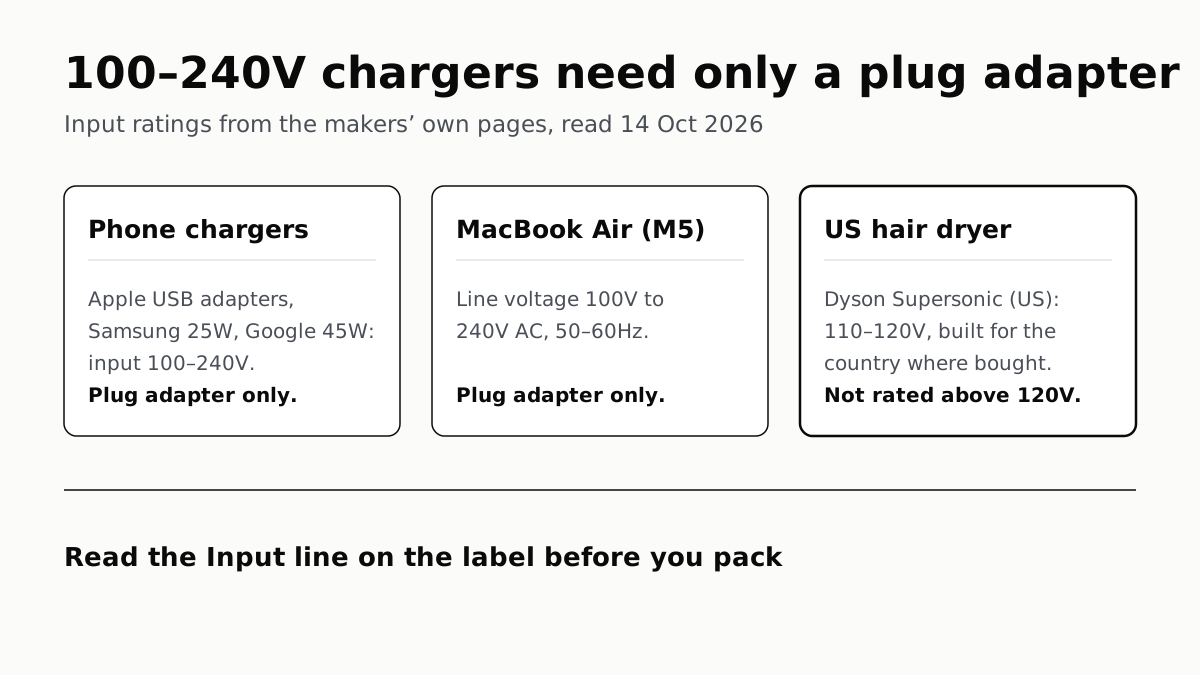
Chargers Rated 100–240V Need Only a Plug Adapter Abroad
Apple, Samsung and Google rate their chargers, and the MacBook Air, for 100–240V. A hair dryer built for 110–120V is a different case.
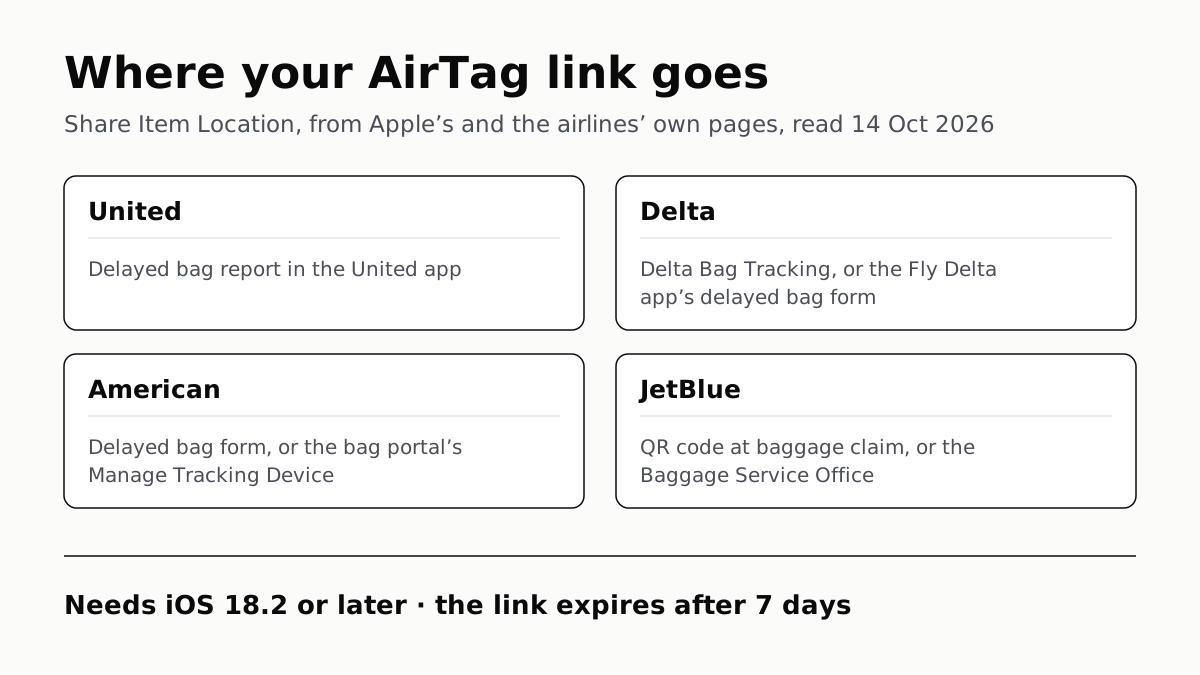
Send Your AirTag Link to United, Delta, American, JetBlue
Find My’s Share Item Location makes a seven-day link a bag agent can open. Apple says more than 50 airlines accept it.
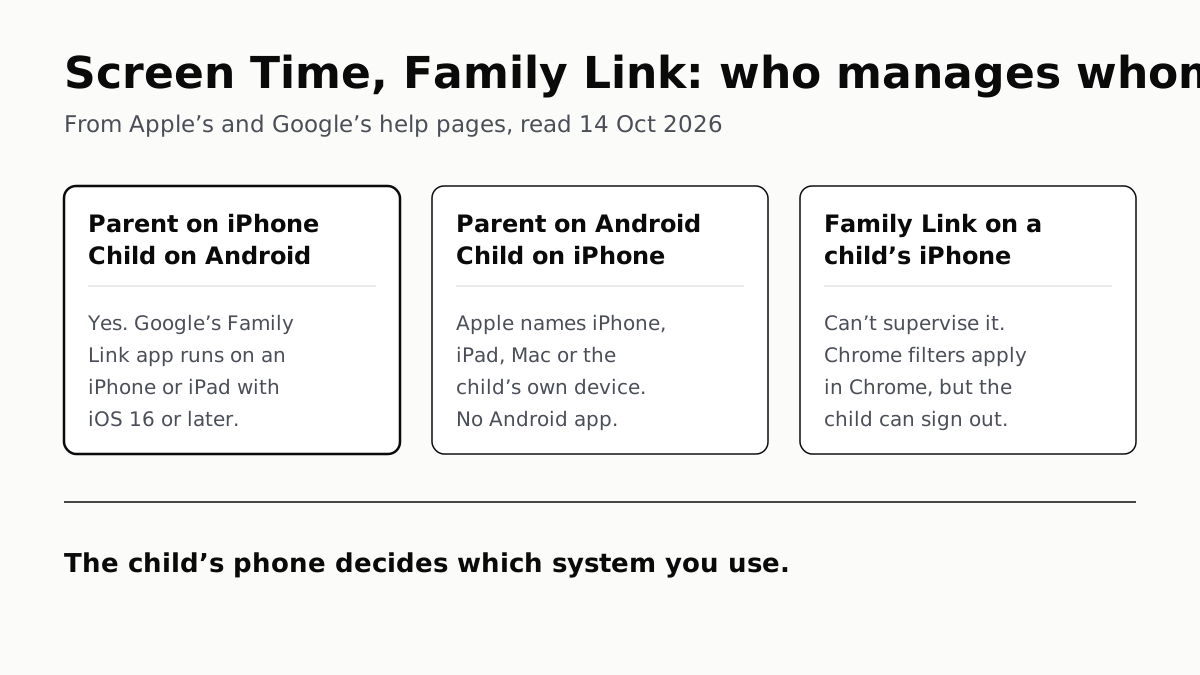
Family Link Works From an iPhone. Screen Time Needs Apple
Neither app supervises the other maker’s phones. App limits, downtime, web filters and more, side by side, with iOS 27’s changes.
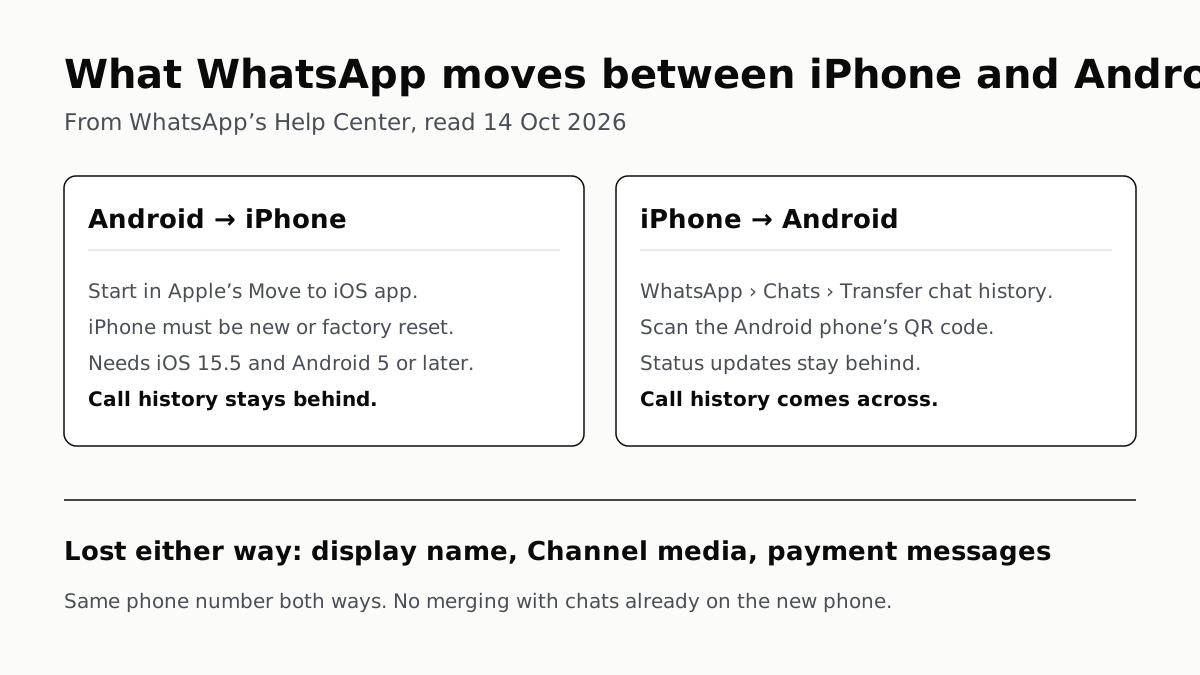
WhatsApp Chats Can Cross Between iPhone and Android
Messages, media and settings move both ways. Display names, Channel media and payment messages don’t, and call logs reach Android alone.