Sign Out Before You Wipe a Phone for Trade-In
Google returns trade-ins that are still locked, and Samsung won’t accept them. Back up, sign out, unpair, then erase.
If you buy through our links, we may earn a commission. It never affects our verdicts or scores — how that works. As an Amazon Associate I earn from qualifying purchases.
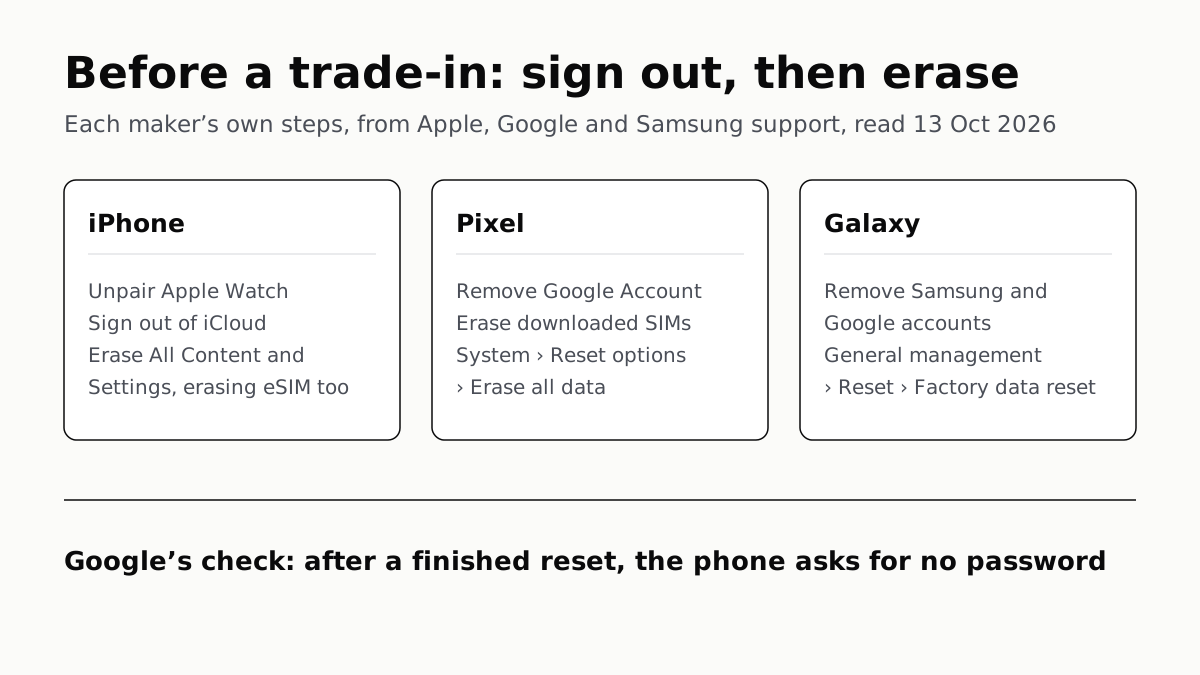
To wipe a phone for trade-in, back it up, sign out of every account on it, unpair your watch, and only then factory reset it from the Settings app. Google’s store sends back trade-ins that are not unlocked and factory reset, and Samsung says it cannot accept a phone that still has its locks. Signing out comes before the erase, not after.
If the phone is going to a friend rather than a store, the same steps apply, and the hand-me-down phone that will not switch on is what happens to the person on the other end when they are skipped.
The three makers, side by side
| Step | iPhone (Apple) | Pixel (Google) | Galaxy (Samsung) |
|---|---|---|---|
| Before anything | Back up; check Parts and Service History for “Finish Repair” | Know your Google Account password; charge to 70% | Back up what you want to keep |
| Watch | Unpair Apple Watch | Back up, then Disconnect & reset on the Pixel Watch, erasing its eSIM | Back up and reset the Galaxy Watch |
| Accounts and lock | Settings › your name › Sign Out | Remove the Google Account; remove the phone from Find My Device | Accounts and backup › Manage accounts › remove Samsung and Google accounts |
| SIM | Erase the eSIM with the phone | Erase downloaded SIMs; remove the SIM card, leave the tray | Remove SIM and memory cards |
| Erase | General › Transfer or Reset iPhone › Erase All Content and Settings | System › Reset options › Erase all data (factory reset) | General management › Reset › Factory data reset › Delete all |
Menu names are from each maker’s US help pages as read on 13 October 2026; Samsung says screens vary by carrier and software version.
Before you erase anything
- Back up, and confirm it on the new phone. The old phone is your safety net until the new one has your photos and messages. For an iPhone, an encrypted computer backup keeps your saved passwords and Health data; an unencrypted one does not.
- Know your passwords. Google says to confirm the Google Account password by signing in on another device, and to wait 24 hours after changing it before a factory reset. Apple says you may need your Apple Account password to trade in at an Apple Store.
- iPhone only: check for an unfinished repair. Apple says that if a part shows “Finish Repair” in Parts and Service History, you need to finish that repair before you can trade the device in.
- Charge it. Google says a factory reset can take up to an hour, and asks for at least 70% charge and a Wi-Fi or mobile connection.
- Keep your number reachable. If your phone number is changing, Apple says to add trusted phone numbers to your Apple Account first, so you do not lose access to it.
Sign out and unpair
iPhone. Unpair your Apple Watch first, since Apple lists it as its own step. Then open Settings, tap your name, scroll down and tap Sign Out. On iOS 26 and later you are asked to choose Erase this iPhone or Sign Out But Don’t Erase. If you are leaving for Android, Apple says to deregister iMessage too, and WhatsApp chats need their own transfer between iPhone and Android before the old phone is wiped. If you have AppleCare, Apple says you can cancel it or transfer it to the new owner.
Pixel. Google says removing your Google Account is how you turn off device protection, the lock that otherwise demands your account after a reset. Its trade-in page also asks you to remove the phone from Find My Device. A Pixel Watch is reset on the watch: Settings, System, Disconnect & reset, Erase eSIM, Confirm. Google warns its backup can take a few days, so start it early.
Galaxy. In Settings, go to Accounts and backup, then Manage accounts, and remove your Samsung account (you will need its password) and your Google account. Samsung’s trade-in FAQ asks you to log out of 3 accounts before resetting: Samsung, Google and iCloud, and its trade-in terms require Reactivation Lock and Google Factory Reset Protection to be off. Samsung notes that removing a Samsung account does not unregister the phone from it; that is a separate step.
Erase from Settings, not the buttons
Use the reset in the Settings app. Samsung says Google’s Factory Reset Protection is triggered when a Galaxy is reset any other way, such as with its buttons, after which setup may ask for the previous Google account. Google’s own page says a button reset asks for the old PIN or account too.
- iPhone: Settings, General, Transfer or Reset iPhone, Erase All Content and Settings, then enter your passcode. If it uses an eSIM, Apple says to choose the option that erases both the phone and the eSIM. Apple states that erasing turns off Find My and Activation Lock.
- Pixel: Settings, System, Reset options, Erase all data (factory reset), enter your PIN, then Erase all data.
- Galaxy: Settings, General management, Reset, Factory data reset, Reset, then Delete all. You will be asked for your screen lock, and for your Samsung account password if one is still signed in.
Then take out any physical SIM. Google asks you to leave the empty tray in the phone; Samsung says it cannot return SIM or memory cards sent with a trade-in. What changes when your SIM is an eSIM covers moving your number to the new phone.
Check it worked before it leaves your hands
Turn the phone on once. Google says a completed factory reset leaves a device that asks for no password, and if it asks for one, the reset is incomplete. A setup screen asking for your own Apple, Google or Samsung account means the lock is still on: sign in, remove the account, and erase again.
If the phone has already gone, Apple says to remove it from your trusted devices, change your Apple Account password, and remove your Apple Pay cards and passes. It also says you can ask the new owner to erase it.
Questions people ask
How do I wipe my phone before trading it in?
Back it up, sign out of your accounts, unpair your watch, then factory reset from the Settings app. On an iPhone that is General, Transfer or Reset iPhone, Erase All Content and Settings. On a Pixel it is System, Reset options, Erase all data. On a Galaxy it is General management, Reset, Factory data reset.
Do I need to remove my Google account before factory reset?
For a trade-in, yes. Google says removing the Google Account is how you turn off device protection, and Samsung’s trade-in FAQ asks you to log out of Samsung, Google and iCloud before resetting. Google Store returns trade-ins that are not unlocked and reset.
Does erasing an iPhone turn off Activation Lock?
Yes, according to Apple: erasing an iPhone turns off Find My and Activation Lock, and you may be asked for your Apple Account password to do it. Apple still lists signing out of iCloud as its own step before the erase.
Should I remove the eSIM before trading in my phone?
Apple says to choose the option that erases both the iPhone and its eSIM when you sell it. Google Store asks you to erase any downloaded SIMs and take out a physical SIM card, leaving the tray. Samsung asks you to remove SIM and memory cards, which it cannot return.
How do I know the factory reset worked?
Turn the phone on once after the reset. Google says a completed reset leaves a device that asks for no password; if it wants one, the reset is incomplete and you should try again. A setup screen asking for your own account means the lock is still on.
Can Apple refuse my iPhone trade-in?
Apple says that if a part shows Finish Repair in Settings’ Parts and Service History, you need to finish that repair before you can trade the iPhone in. Check it before you erase, while you can still open Settings.
How we researched this
No one at bitcritiq has handled this product. Everything here comes from published sources, listed below.
- What this cannot tell you
- We have not wiped or traded in a phone for this piece; these are the makers' instructions, not our observations. Menu names move between software versions, and Samsung notes that screens vary by carrier and software. Carrier and retailer trade-in programmes set their own conditions, which we did not read. Managed or work phones can carry a separate lock that none of these steps removes. We found no first-party step for unpairing Galaxy Watch or earbuds beyond Samsung's advice to back up and reset the watch, so earbuds are not covered.
How we chose this, and what we did
- Why this subject
- October to December is upgrade season, and “how do I wipe my phone before trading it in?” is the question that comes with it. The answer differs by maker in ways that cost people their trade-in credit: Google's store sends back a phone that is still locked, Samsung's will not accept one, and Apple will not take an iPhone with an unfinished repair. bitcritiq already covers the other side of the handover (the person who receives a locked phone) and the backup itself, so this piece is the seller's checklist only.
- How we looked at it
- Every step is from the makers' own US support and trade-in pages, read through a browser on 13 October 2026: Apple Support 109511 (published 29 May 2026); Google Store Help 14282767, Google's Android Help pages on factory reset (6088915) and device protection (9459346); and Samsung US support ANS10002030 and ANS10002868 with the Samsung Trade-In FAQ. Collapsed accordion text on the Google and Samsung pages was read in full from the page source. The statement that Samsung's FAQ gives an older iPhone menu path compares its wording ('General ... Reset') with Apple's current page ('Transfer or Reset [device]'), both read the same day.
What this rests on
6 claims, all official. Nothing here was measured by bitcritiq — see how we test for why. Open a claim to read the source it came from.
Google Store returns trade-in devices that are not unlocked and factory reset.Official
Google Store Help 14282767: 'Devices that aren’t unlocked and factory reset will be returned.'
Samsung asks trade-in customers to log out of their Samsung, Google and iCloud accounts before resetting, and will not accept a device that still has locks or personal data.Official
Samsung Trade-In FAQ: 'Before resetting your device, ensure that you log out of your Samsung, Google, and iCloud storage accounts. Failure to remove all software locks and personal data prevents us from accepting your device.'
Erasing an iPhone turns off Find My and Activation Lock, and an iPhone with an unfinished repair cannot be traded in.Official
Apple Support 109511: 'When you erase your iPhone or iPad, Find My [device] and Activation Lock turn off.' and 'If a part has Finish Repair next to it, you need to finish that repair before you can trade in your device.'
On Android, removing the Google Account turns off device protection, and on a Galaxy, Factory Reset Protection is triggered by a reset done other than from Settings.Official
Android Help 9459346: 'To turn off device protection, remove your Google Account from your device.' Samsung ANS10002030: 'FRP is triggered when the device is reset using methods other than the Factory data reset option in Settings.'
Google says a factory reset can take up to an hour and to charge the phone to at least 70% first.Official
Android Help 6088915: 'A factory reset can take up to an hour. Charge your phone to at least 70%.'
Google says a completed factory reset leaves a device that asks for no password.Official
Google Store Help 14282767: 'After a factory reset is complete, your device won't require a password. If you need to enter a password, the factory reset is incomplete and you need to try again.'
Sources 7
- What to do before you sell, give away, or trade in your iPhone or iPad — Apple Support 109511 (published 29 May 2026)Officialaccessed Oct 13, 2026
- Ship your trade-in device (Prepare your device for trade-in) — Google Store Help, United StatesOfficialaccessed Oct 13, 2026
- Reset your Android device to factory settings — Android HelpOfficialaccessed Oct 13, 2026
- Help prevent others from using your device without permission — Android HelpOfficialaccessed Oct 13, 2026
Show 3 more · 3 official or standards
- Perform a factory reset on your Galaxy phone or tablet — Samsung US ANS10002030Officialaccessed Oct 13, 2026
- Remove accounts from your Galaxy phone or tablet — Samsung US ANS10002868Officialaccessed Oct 13, 2026
- Samsung Device Trade-In Program FAQ — Samsung USOfficialaccessed Oct 13, 2026
Pass it on
Know someone weighing this up? Send them the answer.
bitcritiq.com/jz72The link is permanent: it opens this article for good, even if the title changes.
No email, no account
Follow bitcritiq
Every new article, in whatever reader you already use.
Subscribe by RSSAll the ways to follow
Using Chrome on Android? Open the browser menu and tap Follow. New articles then turn up in the Following tab in Discover.
read next
Chargers Rated 100–240V Need Only a Plug Adapter Abroad
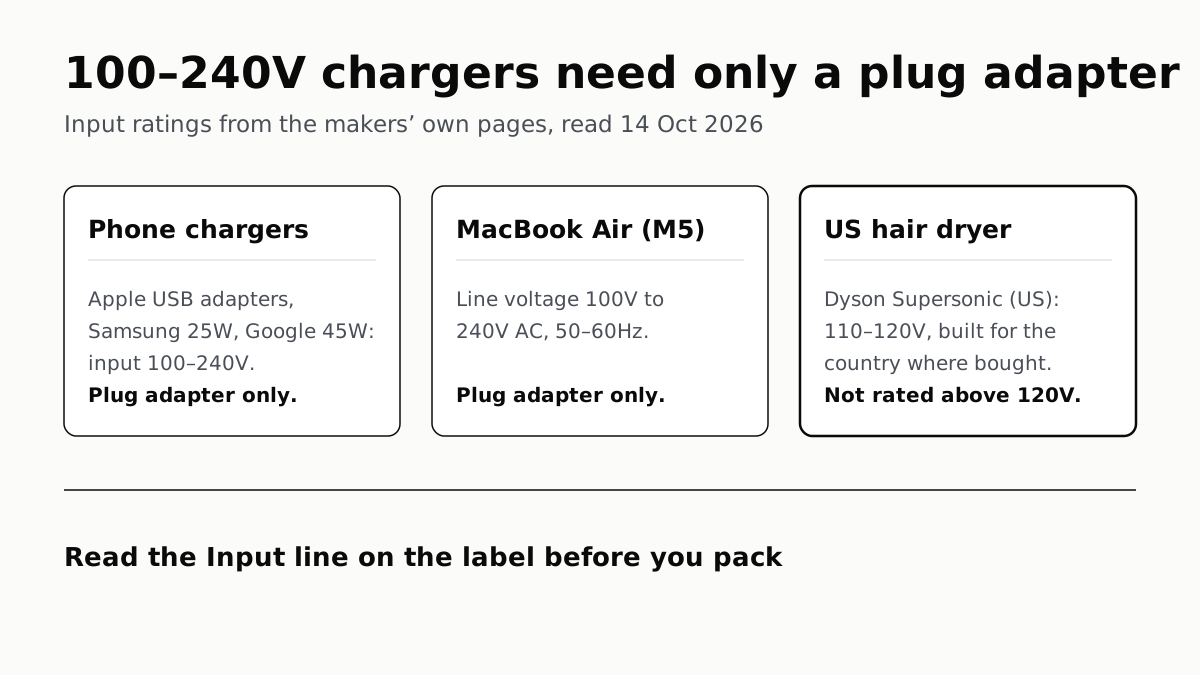
Apple, Samsung and Google rate their chargers, and the MacBook Air, for 100–240V. A hair dryer built for 110–120V is a different case.
Send Your AirTag Link to United, Delta, American, JetBlue
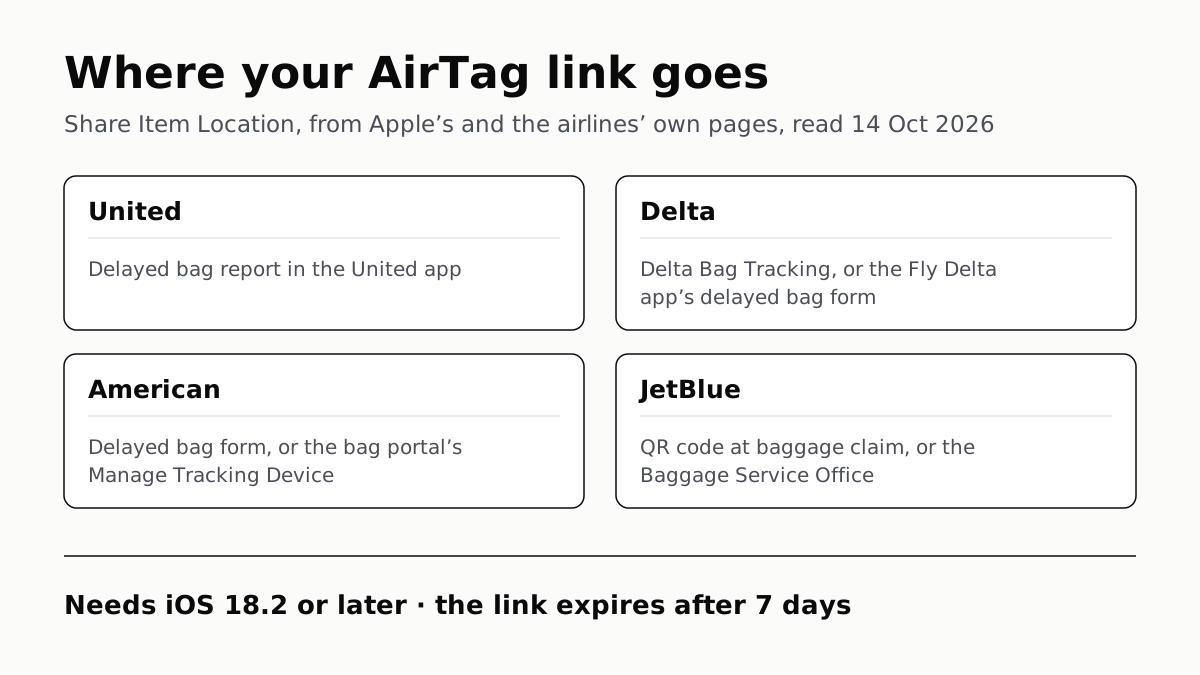
Find My’s Share Item Location makes a seven-day link a bag agent can open. Apple says more than 50 airlines accept it.
Family Link Works From an iPhone. Screen Time Needs Apple
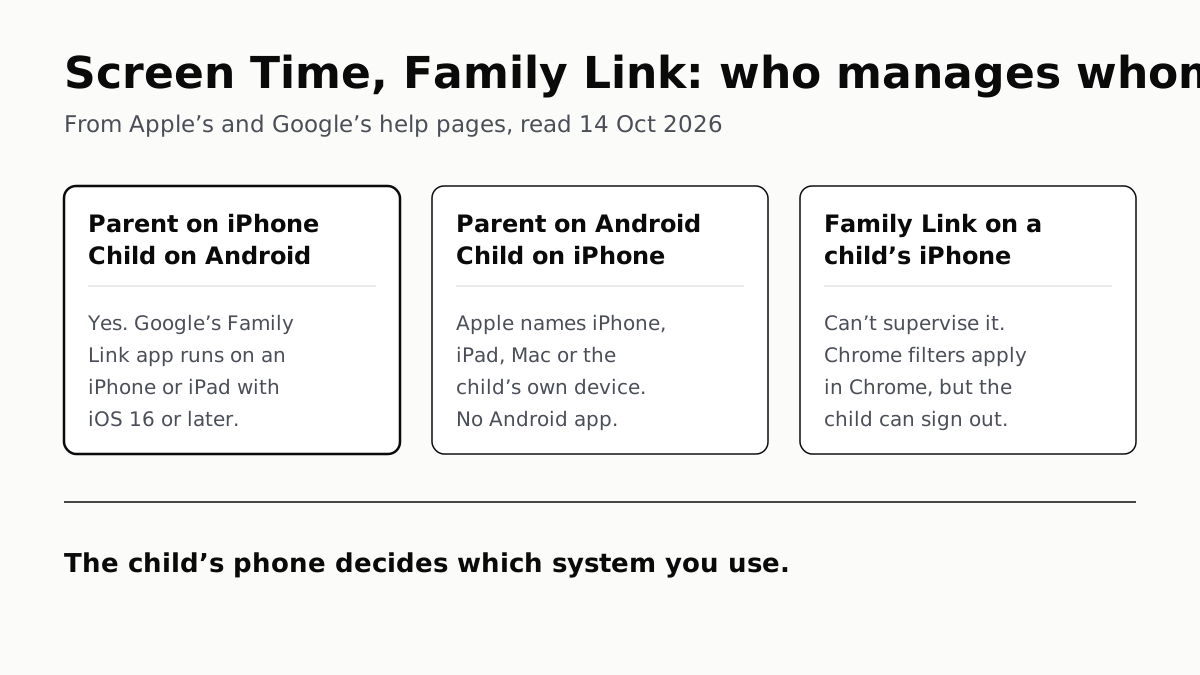
Neither app supervises the other maker’s phones. App limits, downtime, web filters and more, side by side, with iOS 27’s changes.
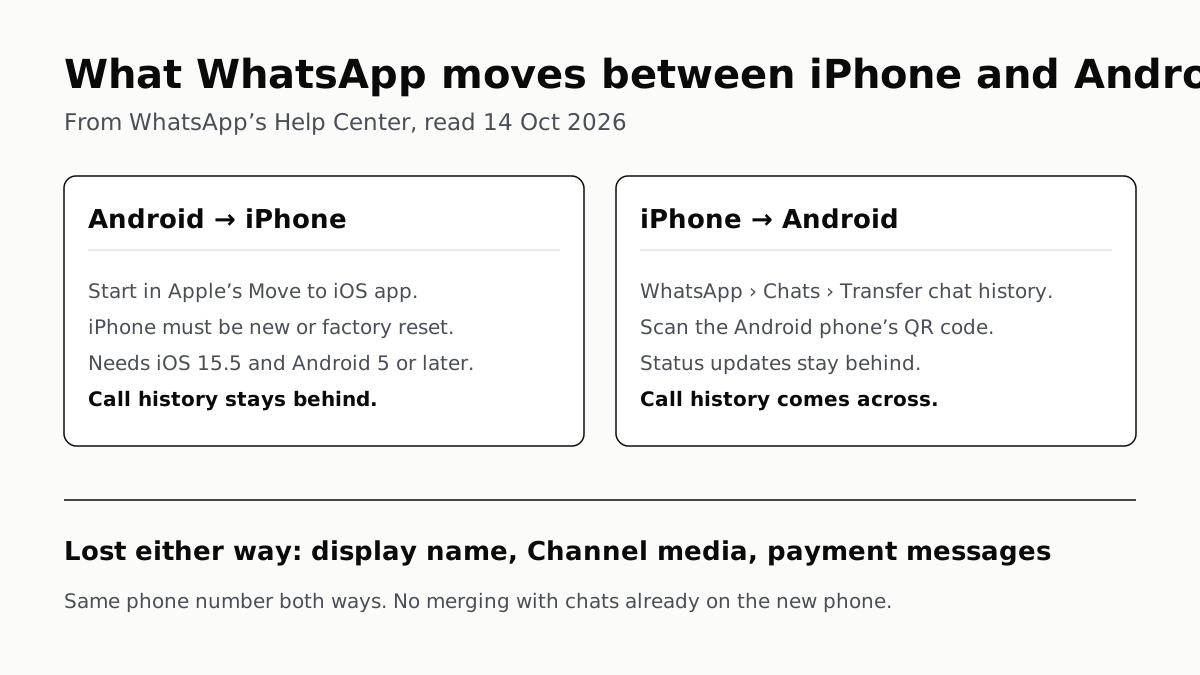
WhatsApp Chats Can Cross Between iPhone and Android
Messages, media and settings move both ways. Display names, Channel media and payment messages don’t, and call logs reach Android alone.