AirPods 5: The $20 Case Is Where the Battery Upgrade Lives
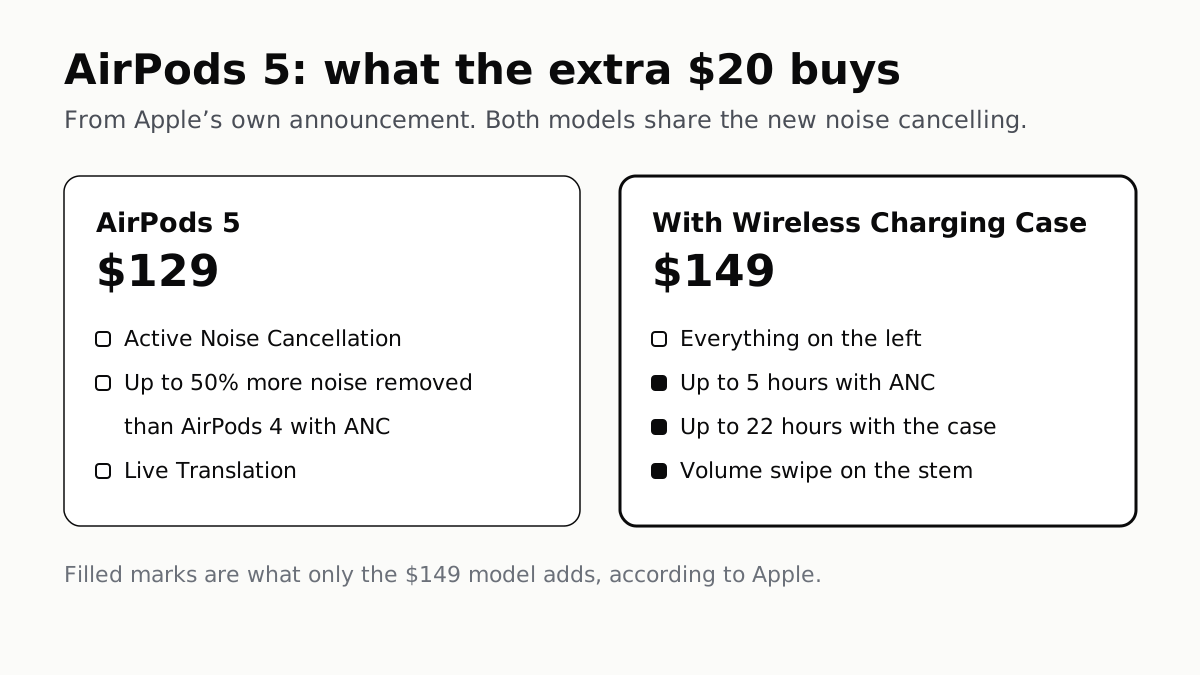
Both models get the new noise cancelling. Only the $149 one gets Apple's longer battery and volume swipe, according to Apple's own release.
If you buy through our links, we may earn a commission. It never affects our verdicts or scores — how that works. As an Amazon Associate I earn from qualifying purchases.
Update, 17 October 2026. This piece said Apple gave no test conditions for the AirPods 5 noise figure, and that it states no battery life for the $129 model. Both are now on Apple’s own pages: the compare page rates AirPods 5 at “up to 1.5x more Active Noise Cancellation” than AirPods 4 with ANC “when tested in accordance with IEC 60268-24”, and apple.com/airpods gives the $129 model up to 4 hours with noise cancelling and up to 20 hours with the case. The table and the noise section are corrected.
The $20 difference is not a charging feature. Apple’s own release says the $149 AirPods 5 with Wireless Charging Case are the model that “add longer battery life and on-stem volume control” — the cheaper model gets the new noise cancelling, but not those.
So the useful question is not whether you charge wirelessly. It is whether you listen for longer than four hours at a time, and whether you want to change the volume without reaching for your phone.
What both models share
Both AirPods 5 models get the new Active Noise Cancellation, which Apple says removes “up to 50 percent more noise compared to AirPods 4 with ANC”, along with an improved Transparency mode, Adaptive Audio, Conversation Awareness and Live Translation. Apple also describes improved dust, sweat and water resistance.
The noise figure is Apple’s own. The release gives no test conditions, but Apple’s compare page states the same gain as “up to 1.5x” when tested to the IEC 60268-24 standard. It is a claim about these earbuds against Apple’s previous ones, not a comparison with anyone else’s. What noise cancelling handles well and badly explains how Transparency and Adaptive differ between makers.
What only the $149 model adds
| AirPods 5 (affiliate link to Amazon, opens in a new tab) | With Wireless Charging Case (affiliate link to Amazon, opens in a new tab) | |
|---|---|---|
| Price | $129 | $149 |
| Noise cancelling | Yes | Yes |
| Battery with ANC, per charge | Up to 4 hours | Up to 5 hours |
| Battery with the case | Up to 20 hours | Up to 22 hours |
| Volume swipe on the stem | No | Yes |
| Wireless charging | No | Apple Watch, Qi and USB-C |
Apple places its battery figures in the section about the Wireless Charging Case model: up to five hours with noise cancelling, “one hour longer than AirPods 4 with ANC”, and up to 22 hours with the case. The release attributes the battery gain to a redesigned battery in that model, not to the cheaper one.
If you use more than Apple devices
AirPods follow you between an iPhone, iPad and Mac automatically, but Apple’s own guide conditions that on the devices being signed in to the same Apple Account. A Windows laptop or an Android phone is not part of that. We set out how Apple’s switching differs from the Bluetooth multipoint other makers use in what two devices at once actually costs.
Before you buy either
Both go on sale in stores on 18 September. If you are choosing between these and everything else, our earbud shortlist ranks what the reviews agree on once they exist. Two older guides may save you a return: how to tell whether you are listening too loud, and what to check when one earbud sounds quieter than the other.
How we researched this
No one at bitcritiq has handled this product. Everything here comes from published sources, listed below.
- What this cannot tell you
- 'Up to 50 percent more noise' and 'best-in-class' are Apple's own descriptions, not measurements, and Apple does not publish the test conditions behind them in the release. Battery figures are Apple's maximums. We make no recommendation between the two models, because that depends on how you listen and we have not used either.
How we chose this, and what we did
- Why this subject
- AirPods 5 went on pre-order on 9 September and reach stores on 18 September, in the run-up to the season when headphones sell hardest. Apple's release lists two models twenty dollars apart, and the difference between them is spread across several paragraphs rather than stated in one place.
- How we looked at it
- Every price, figure and feature is from Apple's own newsroom announcement, dated 9 September 2026 and read on 15 September. Device switching is from Apple's AirPods user guide. Nothing here has been tested or listened to by us: this is the product on paper, and every performance figure is Apple's claim.
What this rests on
6 claims, all official. Nothing here was measured by bitcritiq — see how we test for why. Open a claim to read the source it came from.
AirPods 5 cost $129, or $149 with the Wireless Charging Case.Official
Apple's announcement gives AirPods 5 at $129 and AirPods 5 with Wireless Charging Case at $149.
Apple says the $149 model is the one that adds longer battery life and on-stem volume control.Official
Apple states that AirPods 5 with Wireless Charging Case 'add longer battery life and on-stem volume control for $149'.
Apple quotes up to five hours of listening with noise cancelling on the $149 model, one hour more than AirPods 4 with ANC.Official
In its section on the Wireless Charging Case model, Apple states up to five hours of playback with ANC on a single charge, one hour longer than AirPods 4 with ANC, extending to up to 22 hours with the case.
Apple says both models remove up to half as much noise again as AirPods 4 with ANC.Official
Apple states AirPods 5 remove 'up to 50 percent more noise compared to AirPods 4 with ANC', a figure the release gives without test conditions. Apple's compare page, read 17 October 2026, states the same gain as 'Up to 1.5x more Active Noise Cancellation compared with AirPods 4 with Active Noise Cancellation when tested in accordance with IEC 60268-24'.
Pre-orders opened on 9 September, with AirPods 5 in stores from 18 September.Official
Apple's release, dated 9 September 2026, says customers can pre-order starting today, with availability in stores beginning Friday, September 18.
AirPods switch between devices automatically only when those devices share an Apple Account.Official
Apple's AirPods guide states that when you are signed in to the same Apple Account on your Apple devices, AirPods connect to whichever device you are listening to.
Sources 5
- Apple introduces AirPods 5 with best-in-class open-ear Active Noise Cancellation — Apple Newsroom, 9 September 2026Officialaccessed Sep 15, 2026
- AirPods — Compare Models — AppleOfficialaccessed Oct 17, 2026
- AirPods — AppleOfficialaccessed Oct 17, 2026
- Switch AirPods between Apple devices — Apple SupportOfficialaccessed Sep 15, 2026
- Two Devices at Once Costs You LDAC — bitcritiqaccessed Sep 15, 2026
Pass it on
Know someone weighing this up? Send them the answer.
bitcritiq.com/v3btThe link is permanent: it opens this article for good, even if the title changes.
No email, no account
Follow bitcritiq
Every new article, in whatever reader you already use.
Subscribe by RSSAll the ways to follow
Using Chrome on Android? Open the browser menu and tap Follow. New articles then turn up in the Following tab in Discover.
read next
To Use One TV Remote, Turn On HDMI-CEC at Both Ends
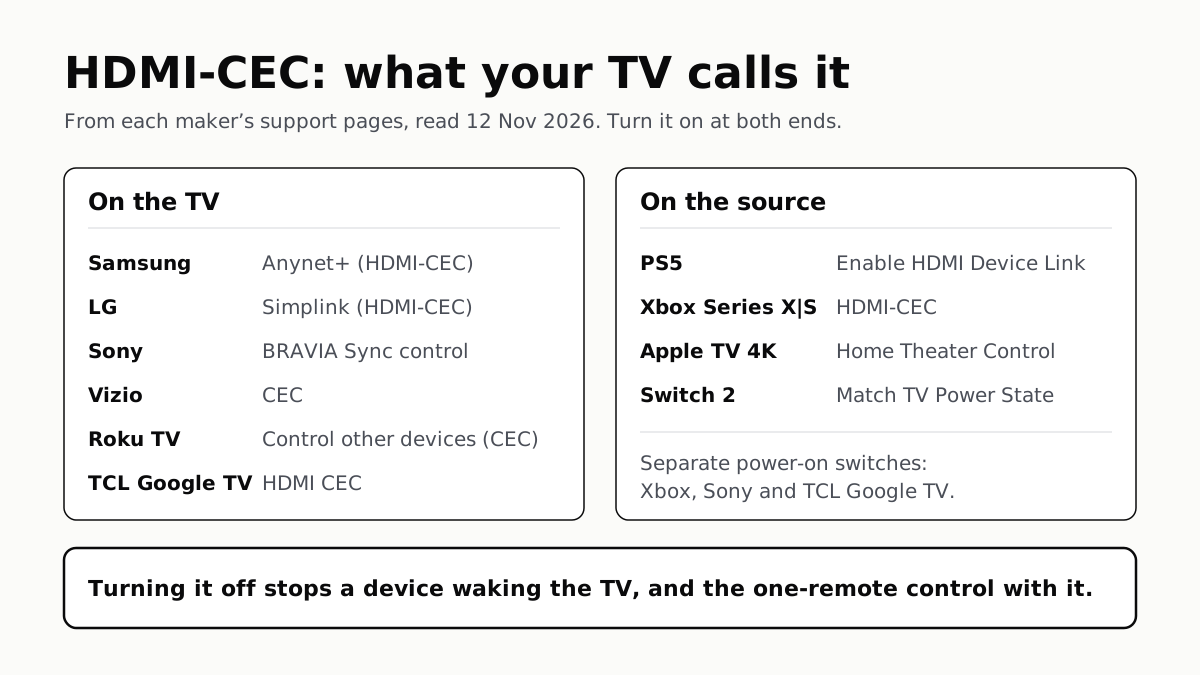
Samsung calls it Anynet+, LG Simplink, Sony BRAVIA Sync, Vizio CEC. Consoles, Apple TV and Switch 2 have their own switch.
7 TV Makers Build AirPlay Into Some Sets, No Apple TV Needed
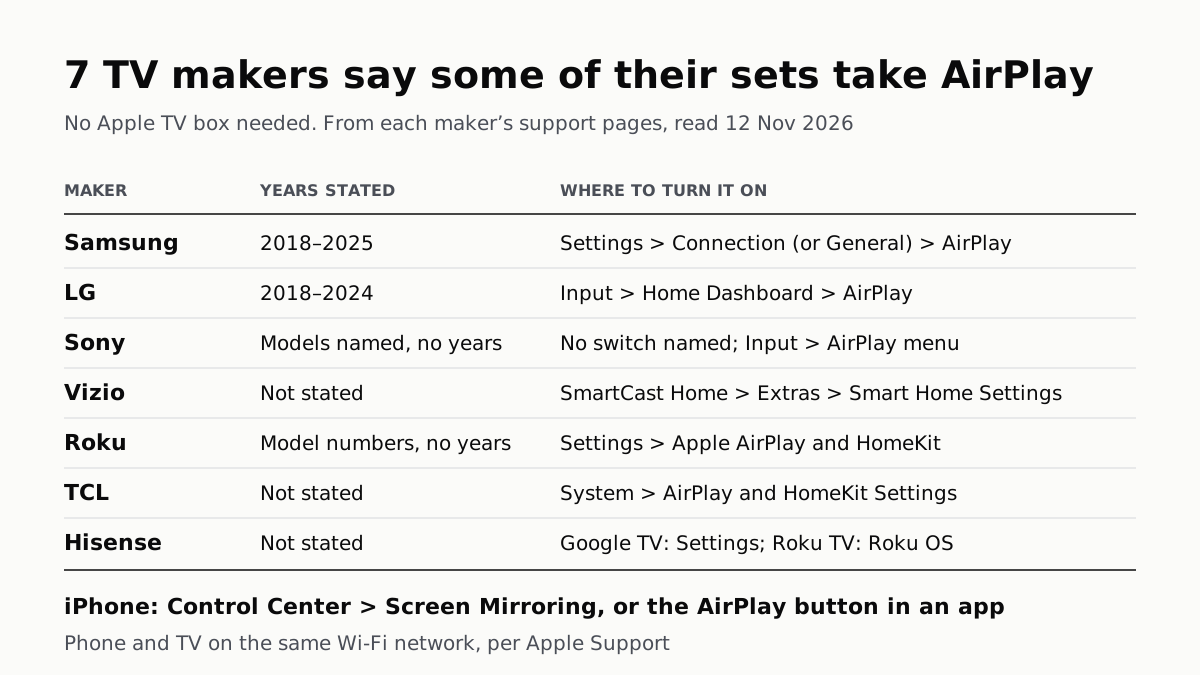
Samsung lists 2018–2025 sets and LG 2018–2024. Switch AirPlay on in the TV’s settings, then use Screen Mirroring in Control Center.
Soap Opera Effect: Set the TV’s Motion Setting to Off
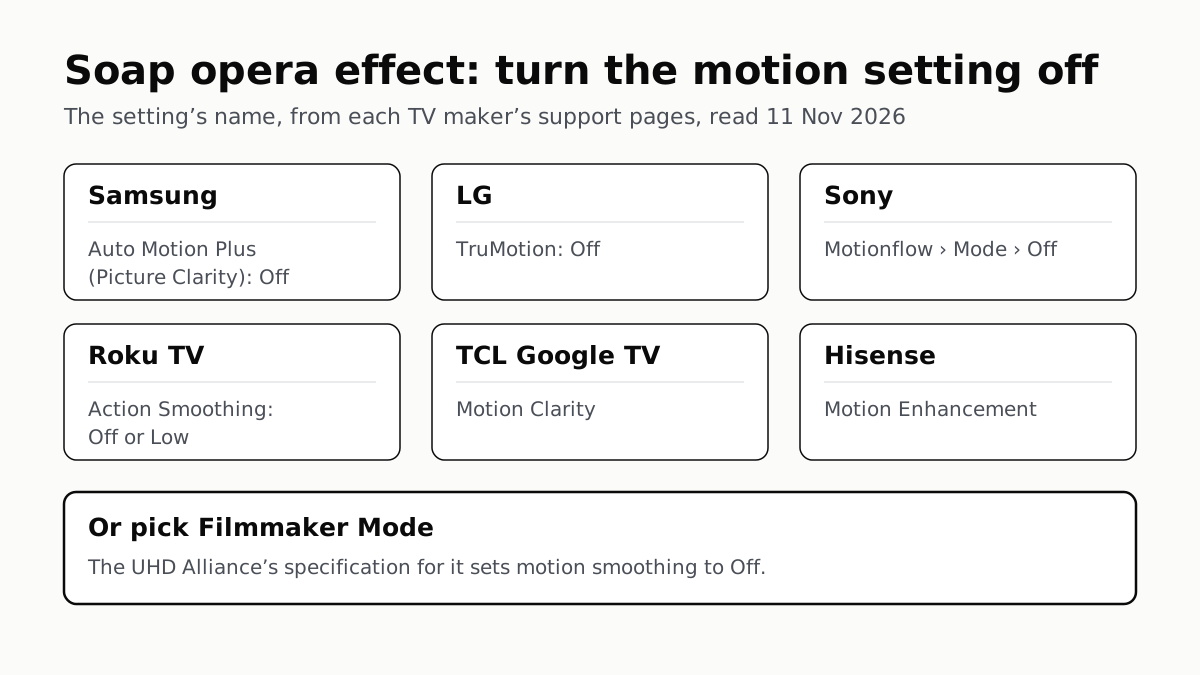
Samsung calls it Auto Motion Plus, LG TruMotion, Sony Motionflow, Roku Action Smoothing. Filmmaker Mode switches it off where offered.
4 of 5 TV Platforms: Antenna and HDMI Work Without Sign-In
Google TV’s basic mode needs no account or internet. Vizio and Samsung let you skip signing in; on Roku it depends on the model.